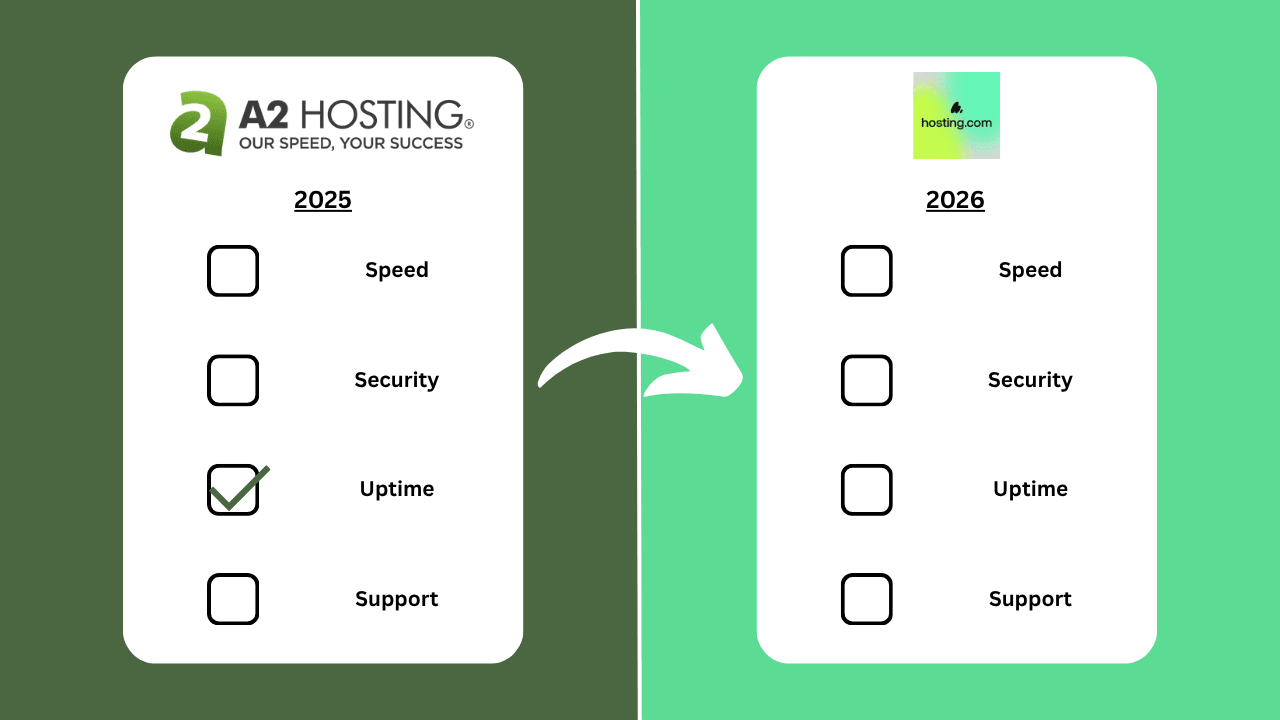
Note: As of May 2025, A2 Hosting has officially rebranded as Hosting.com following its acquisition by World Host Group.
While some plan names or pricing may have changed, the core features, performance, and customer support remain largely the same. If you’re reading my original A2 Hosting review, you can still rely on it as a solid reference when deciding whether to go with Hosting.com.
I’ll update specific plan details as they evolve, but the overall verdict stands.
Google (or ChatGPT) “managed WordPress hosting” and A2 Hosting is often one of the top 10 providers.
But is it one of my top 10?
Founded by Bryan Muthig in 2001, A2 Hosting was named after Ann Arbor, Michigan where its first office was, and only entered the managed WordPress hosting space in 2018.
Despite this, it claims to be 20X faster than the competition.
Really?
Let’s see how it fares then.
1. Plan
I got the Run Managed WordPress Web Hosting, which comes with:
- 2 CPU cores
- 4GB RAM
- Turbo web hosting
- 50GB NVMe SSD storage
- LiteSpeed Web Servers
- Unlimited PHP workers
- Opcode cache
- Exclusive A2 Optimized plugin
- Pre-configured LiteSpeed Cache plugin
- Redis Object Cache
- Edge Side Includes
- Reinforced DDoS Protection
- KernelCare
- Dual firewall
- Imunify360 malware scanning
- IP Blocker
- 99.9% uptime guarantee
This starts at $27.99/mo for a 1-year commitment (Renewal, not promotion price).
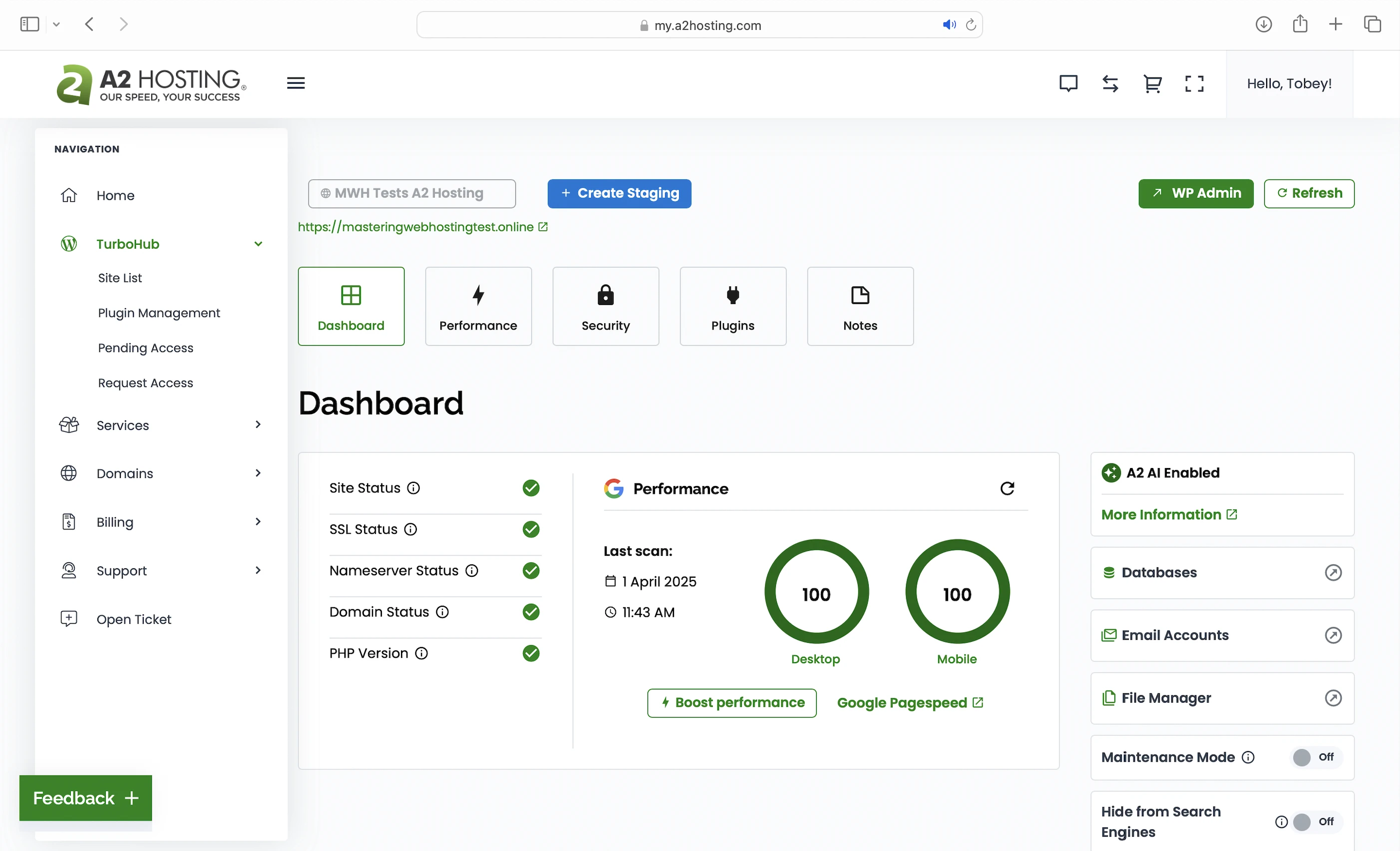
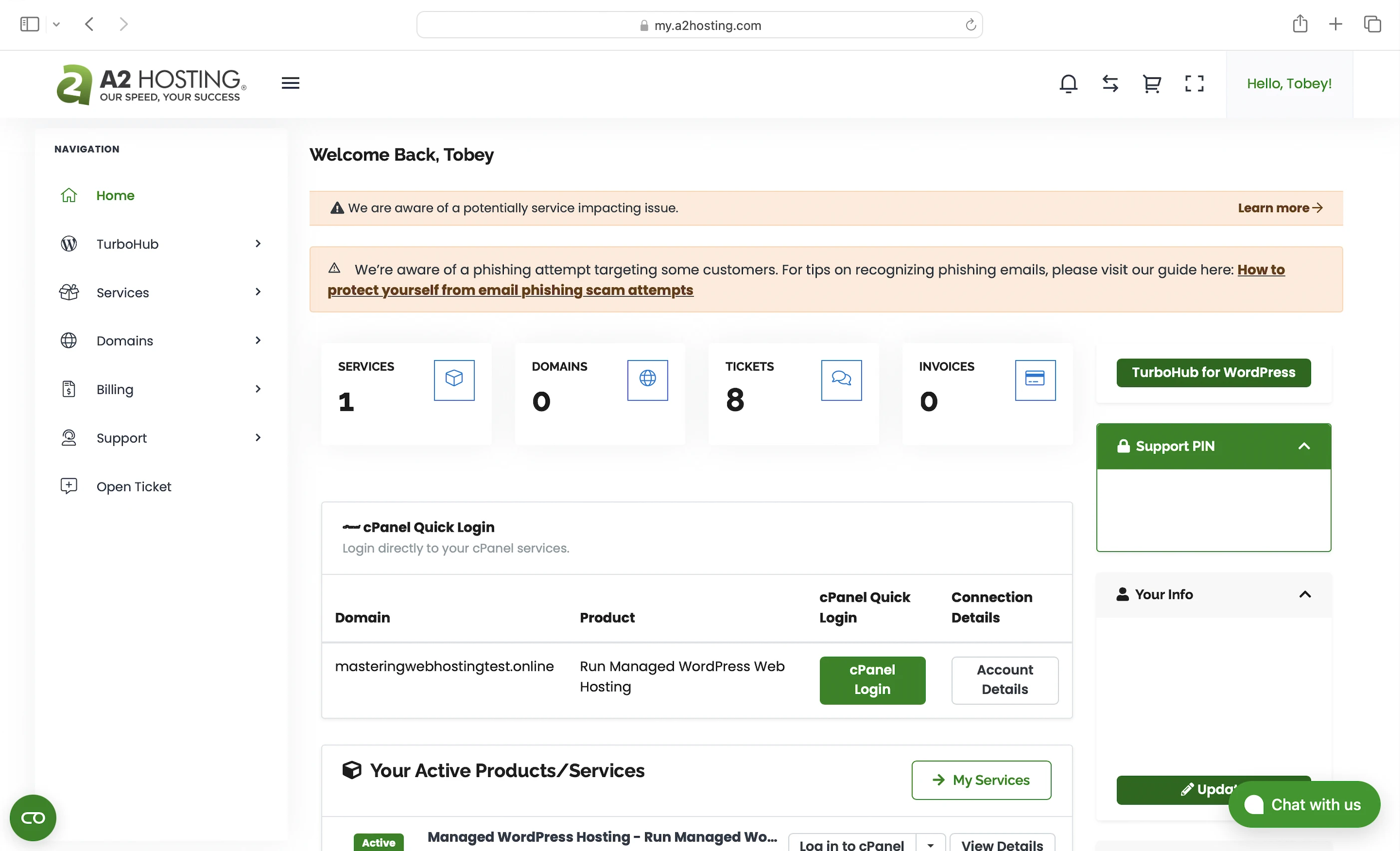
2. Speed Features
Turbo Web Hosting
A2 Hosting has its own server set-up that’s optimized for speed with a collection of features:
- Limited Occupancy: Fewer websites are hosted per server compared to shared plans at other hosts. This means your website gets more CPU, RAM, and bandwidth on average because there’s less competition for shared server resources.
- Upgraded Server Hardware: 40% faster, higher-end AMD EPYC CPUs, NVMe SSDs, and LiteSpeed.
- NVMe SSDs: 3X faster reads/writes than the older SATA SSDs. This makes A2 servers faster than servers with SATA SSDs, which some hosts are still using.
- LiteSpeed Web Servers: Support says they are 20X faster than Nginx and Apache web servers. I have a section for this below.
- Advanced Caching Software: Actually a pre-configured LiteSpeed Cache plugin to go with the LiteSpeed Web Server. I have a section for this below too.
A2 also promises this set-up gets you:
- 2X faster Time to First Byte
- 9X more traffic handling
LiteSpeed Web Servers
A web server handles and responds to incoming requests for your WordPress content. It is connected to PHP through a handler that’s usually optimized for fast and efficient communication between the two systems. This allows the web server to forward requests to PHP and receive responses faster, directly improving your page load times.
A2 Hosting uses LiteSpeed Web Servers with LSAPI as PHP handler. LSAPI is built specifically for LiteSpeed and communicates with PHP much more efficiently than older handlers like PHP-FPM.
This means LiteSpeed Web Servers return your WordPress content faster than Nginx or Apache web servers.
Unlimited PHP Workers
Your WordPress website serves two types of content: static and dynamic. PHP workers are for the latter.
Static content is called so because it remains the same across visits. Examples include the images and CSS files that make up your website’s layout. Unless manually updated, everyone sees the same layout when they visit your website.
Dynamic content, on the other hand, changes based on the data retrieved from your database. Examples include your blog posts and comments. New posts or comments update what visitors see in your post list and comment section.
So if both types of content are uncached, static content is returned faster because it can be served immediately by the LiteSpeed Web Server. In contrast, dynamic content needs to be generated on the fly, which takes more time. This means a robust process is needed to handle the generation efficiently.
Since WordPress is built with PHP, that process is PHP workers.
When LiteSpeed forwards a request for uncached dynamic content, LSAPI spawns a PHP worker to handle the request. The worker executes your PHP code, queries your database, and generates the dynamic content based on the retrieved data. The content is returned as HTML, which is what your visitors see in their browser.
So unlimited PHP workers = unlimited requests for uncached dynamic content your website can handle concurrently without slowing down.
Opcode Cache
Support by Turbo Web Hosting too.
Here’s what happens behind the scenes when your PHP workers execute your code: they compile it into opcode, which are machine-readable instructions that PHP uses to generate the HTML for your dynamic content. By caching this opcode with OPcache, PHP can reuse it instantly without needing to recompile your code on every request.
A2 Optimized Plugin
Exclusive to A2 Hosting. Besides managing Turbo Web Hosting, it optimizes your website’s speed with:
- Gzip: Compresses text-based files like your CSS scripts when a visitor requests them, allowing them to be sent faster over the Internet.
- Object cache: Redis that must be enabled in the LiteSpeed Cache plugin below.
- Minify CSS and JavaScript (JS): Removes unnecessary characters from these files, making them smaller and faster to load.
- Schedule automatic databases optimization: For MySQL databases.
- Compression image upon upload
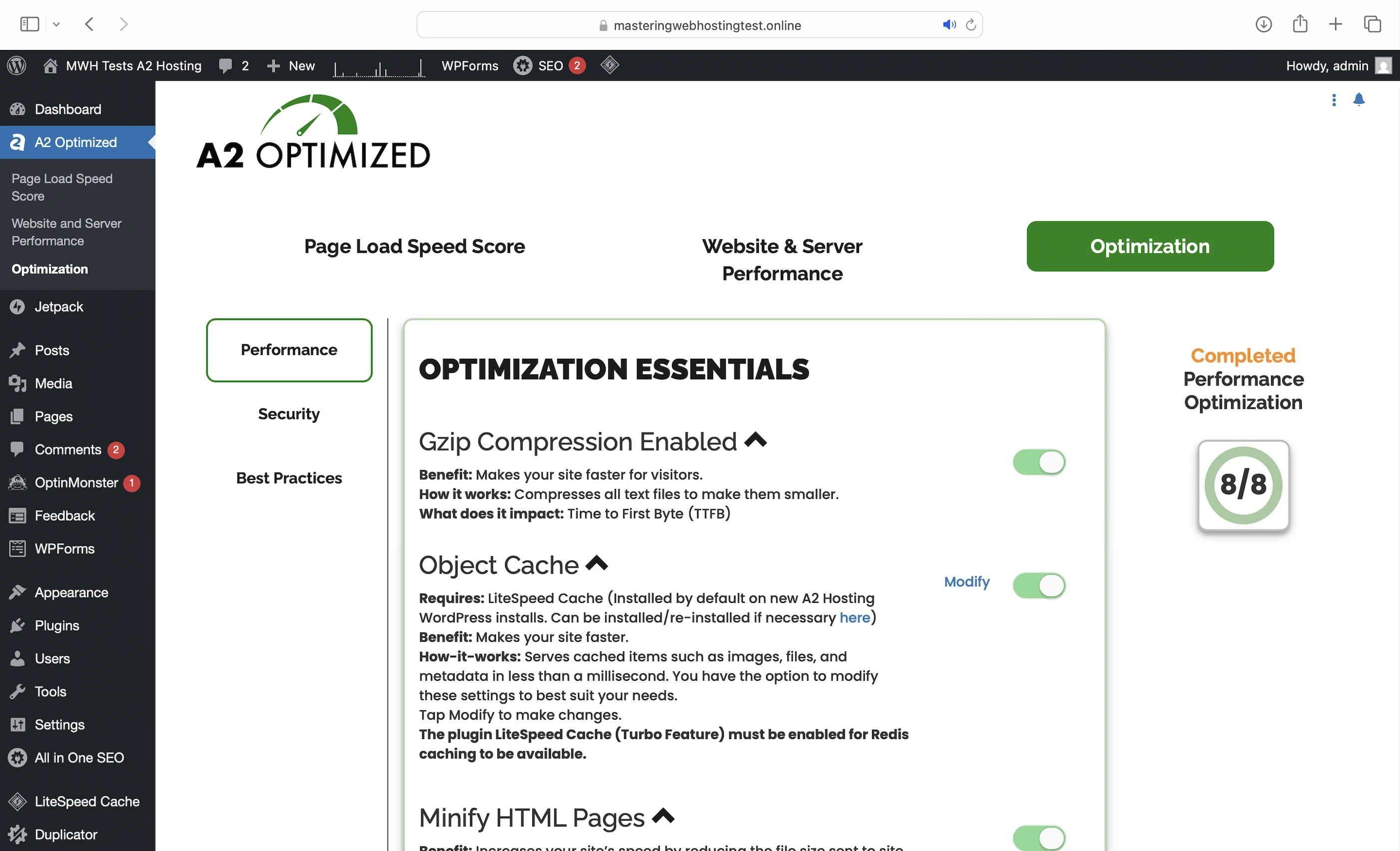
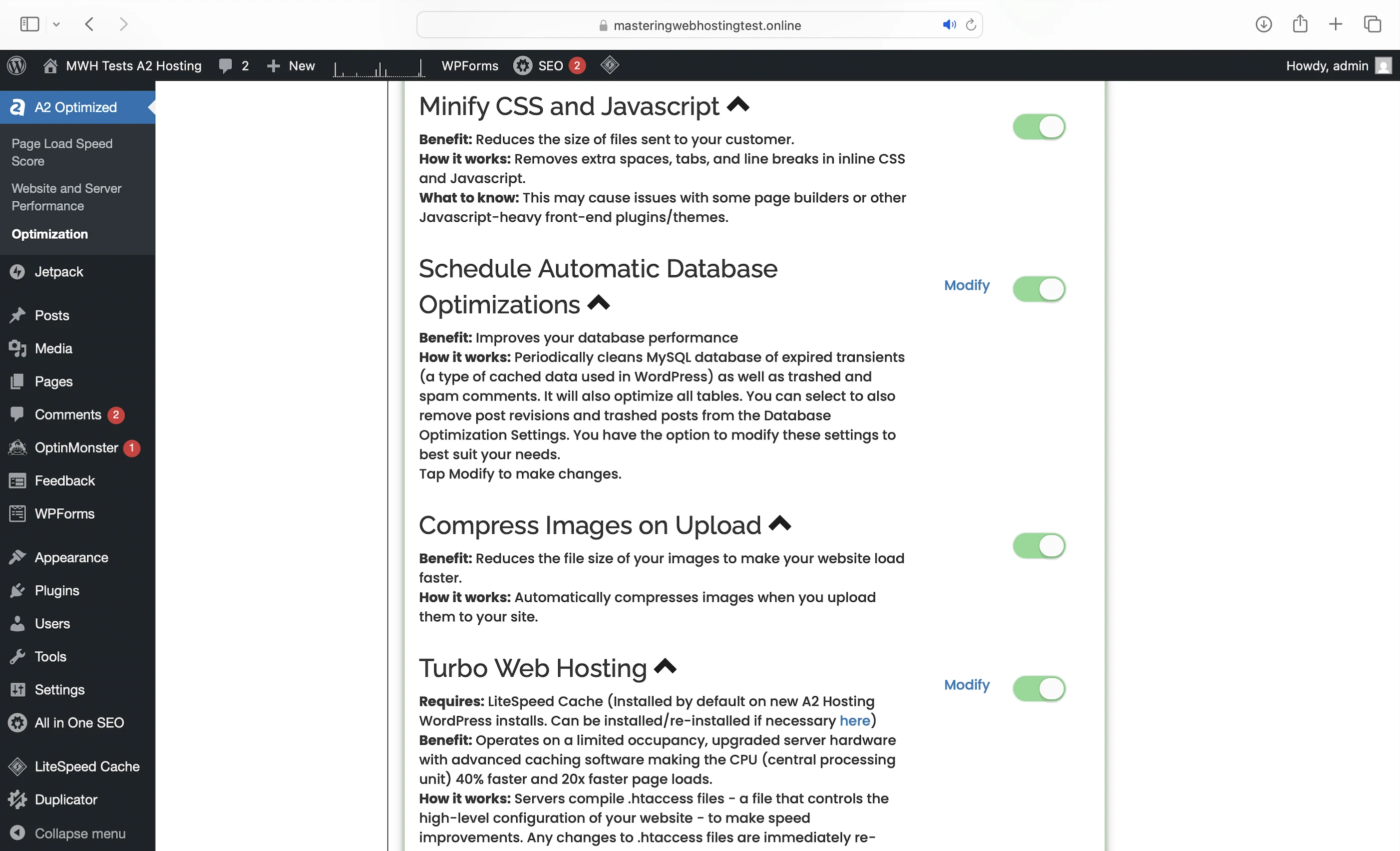
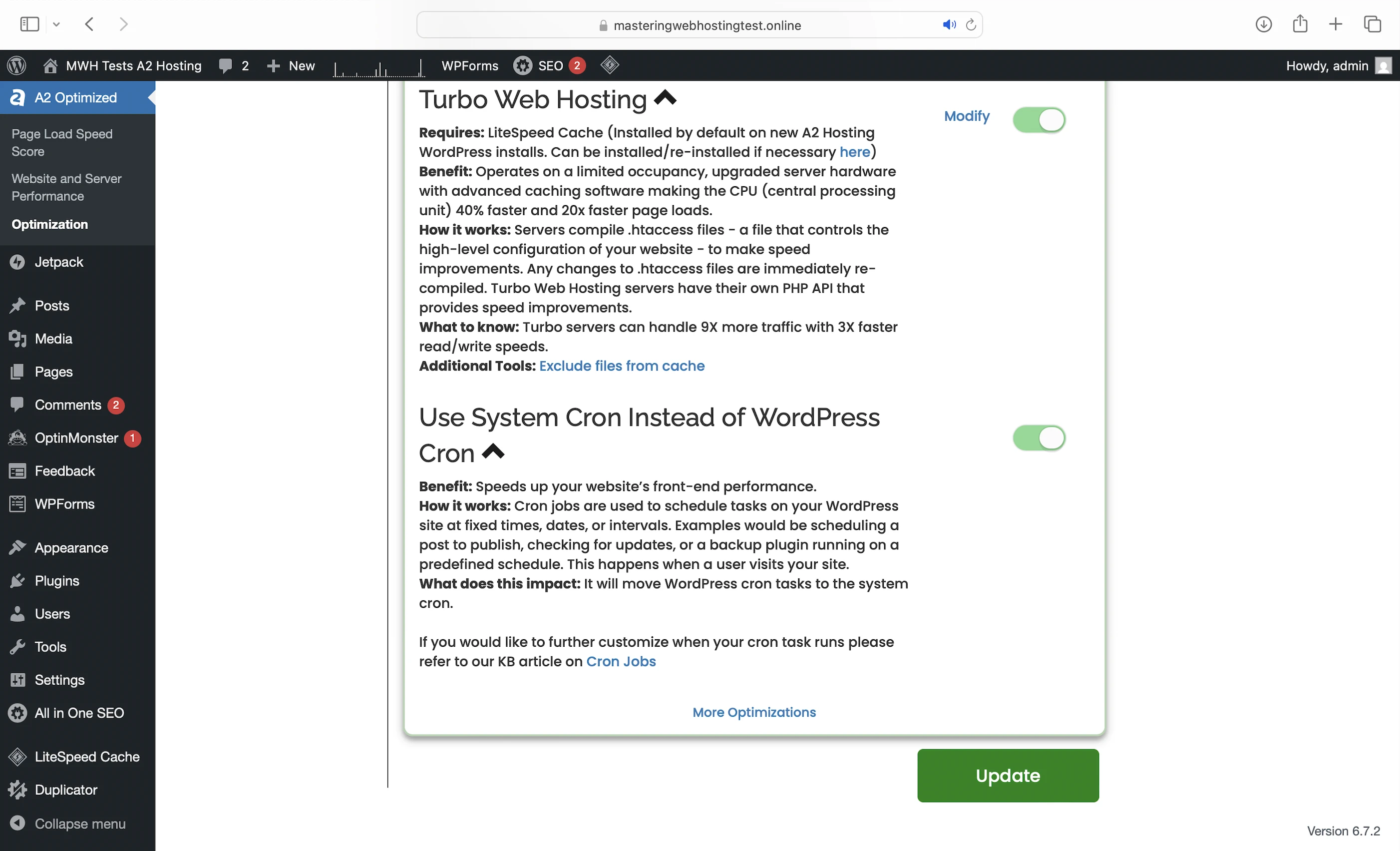
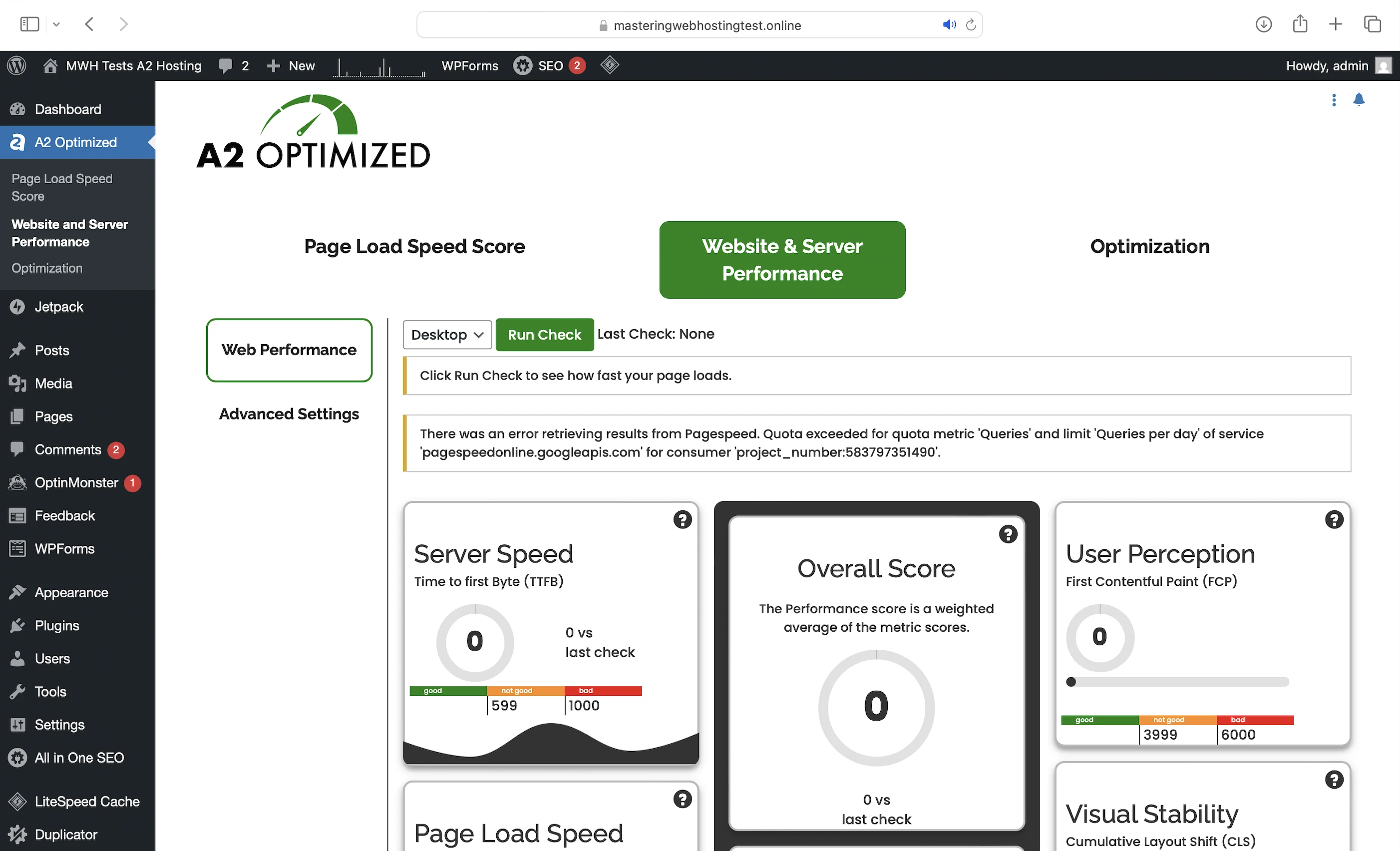
Note the plugin was supposed to measure my page loading speeds and server performance too, but there’s an issue with the API every time I try it.
Pre-configured LiteSpeed Cache
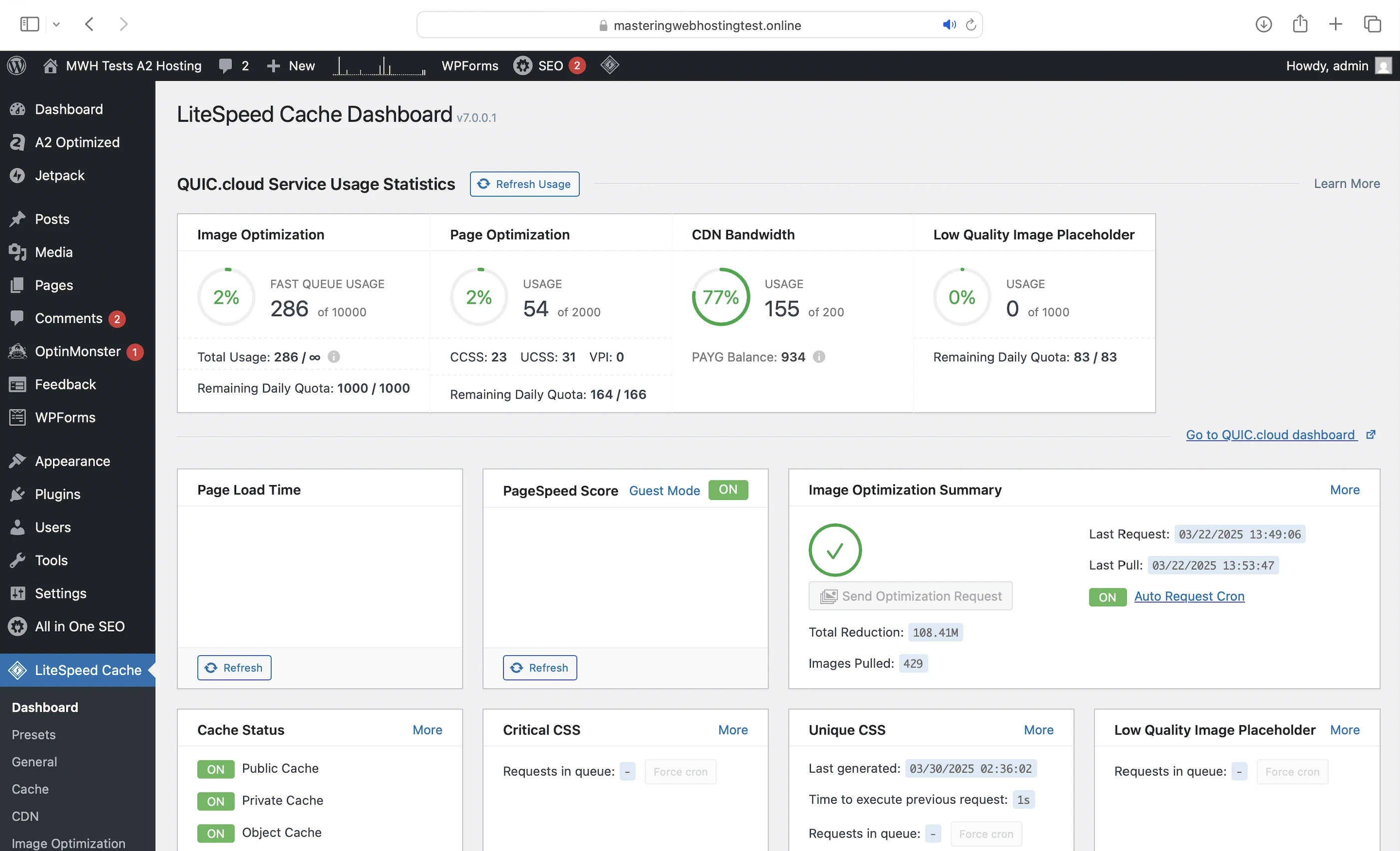
The “Advanced Caching Software” in Turbo. Designed to work with the LiteSpeed Web Server, this plugin gives you features like:
- Object cache: You can cache your frequently accessed data (e.g., posts) in memory with Redis. This way, if the opcode includes instructions to query your database, PHP can get the data from Redis instead, which is much faster. Using an object cache also prevents your database from being overloaded with repeated queries for the same data.
- Browser cache: Stores your static content on your visitors’ devices so they don’t have to be downloaded again when they revisit your website.
- Minify: Same as what A2 Optimized does.
- Deferred JS loading: Ensures your HTML loads and renders correctly before JS files are executed in the proper order. Some JS files can block this rendering process, causing your website to load slower or appear broken. By delaying the loading of certain JS files, LiteSpeed Cache helps your website load faster and more smoothly.
- Image optimization: Reduces your images sizes (I reduced mine by 108MB in total) so they load faster. Same as what A2 Optimized does too.
- Edge Side Includes (ESI): Without ESI, a page containing non-cacheable dynamic content (e.g. user-specific data) would have to be regenerated on every visit, even if most of it is cacheable static content (e.g. images). ESI helps you split the page into fragments, so the static parts can be cached at edge servers when using a CDN.
CDN
Except A2 Hosting’s WordPress plans don’t have one. But it does have an article to set up with QUIC.cloud CDN. So I went with it for this review.
You will be on the default Standard Plan which has:
- 84 high performing PoPS worldwide.
- Image optimization (Quota/mo: 10,000 images).
- Page optimization (Quota/mo: 2,000 requests).
- $0.2 free bandwidth credits/mo.
- LiteSpeed integration.
Note:
- For higher quotas, subscribe to paid plans.
- For more bandwidth for a region, buy credits.
3. Security Features
CDN
QUIC.cloud CDN is also your first line of defense at the edge with:
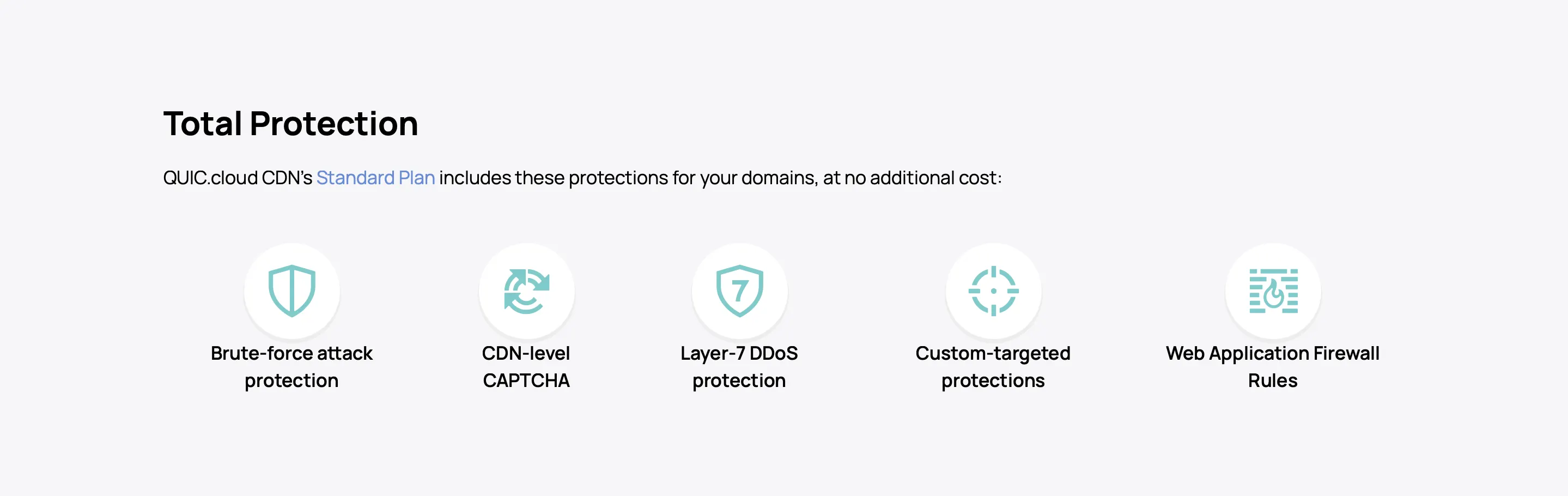
Reinforced DDoS Protection
Besides QUIC.cloud CDN’s advanced anti-DDoS at the edge, each A2 Hosting server has an in-house solution installed to keep websites online even during the most sophisticated DDoS attacks.
KernelCare
A2 Hosting also has an in-house security approach called the Perpetual Security Initiative, which means “proactive protection against malicious hackers and their security threats”. According to Support, this refers to KernelCare, which applies security updates to your Linux server’s kernel (the system core) automatically without restarting it. In other words, security upgrades with zero downtime.
Dual Firewalls
- Server Firewall: ConfigServer Firewall (CSF) restricts protocol access to server contents (eg. FTP for files, SMTP for emails). It also protects against server-level brute force attacks by blocking suspicious IP addresses with multiple login failures.
- Web Application Firewall (WAF): ModSecurity is an open source WAF that guards your website against web application threats like SQL Injection and XSS Scripting.
Malware Scanning
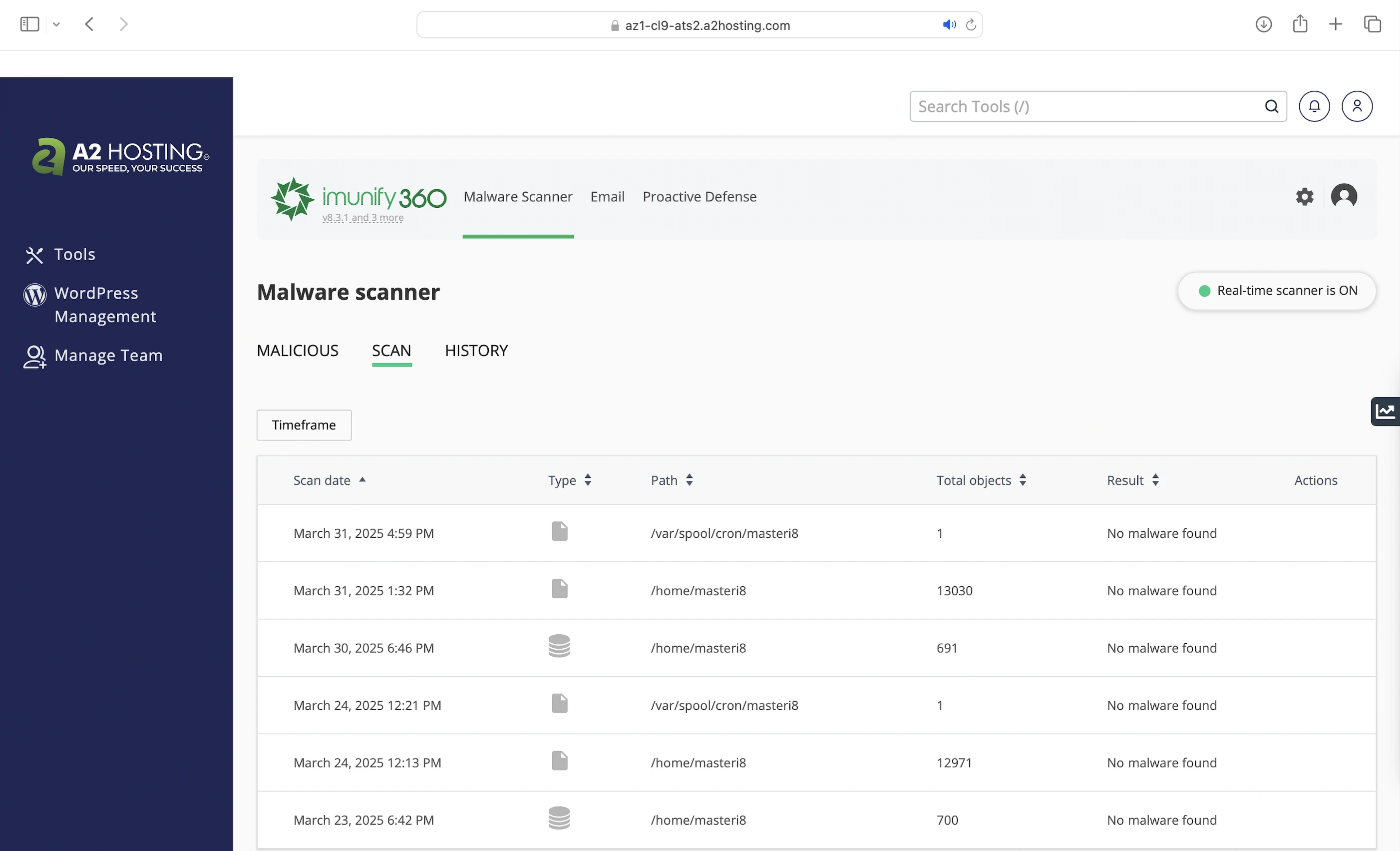
And if everything fails, A2 Hosting servers use Imunify360 to detect and remove malware. You can even quarantine suspicious emails.
A2 Optimized Plugin
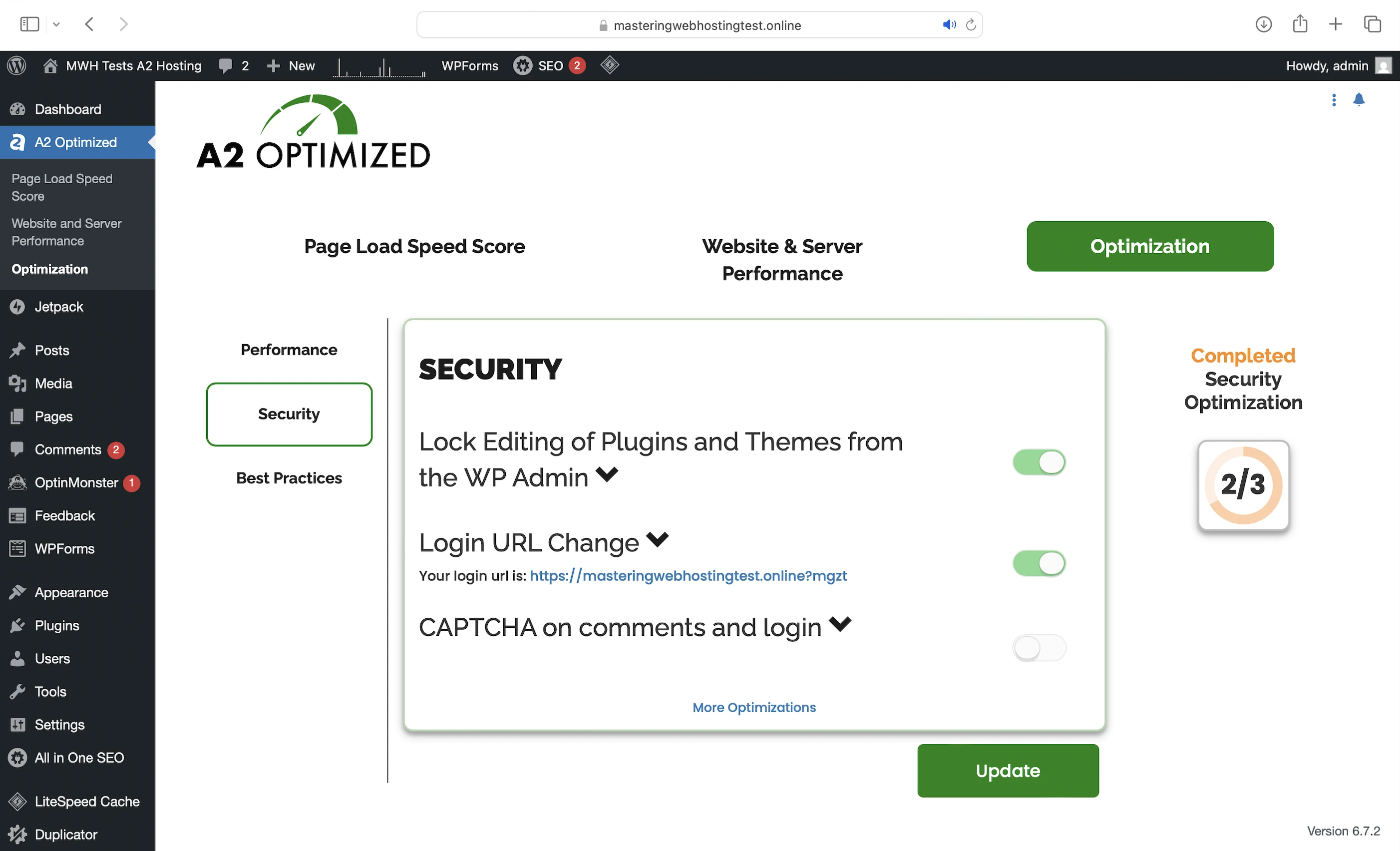
A2 Optimized also provides WordPress security by:
- Locking your themes and plugins from unauthorized changes.
- Changing your Admin Console URL.
- Implementing CAPTCHA for comments and logins.
IP Blocker
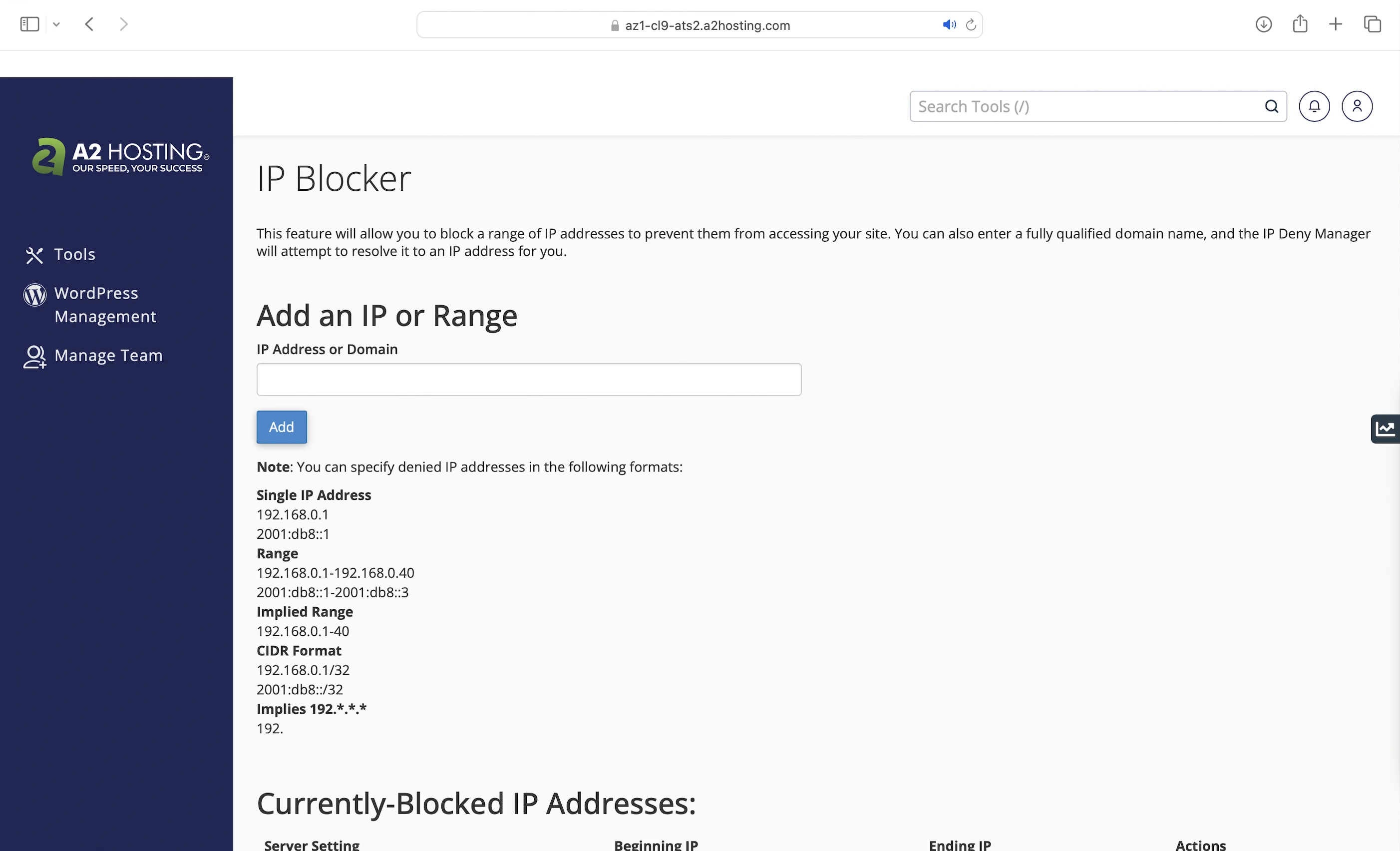
Finally, you can get your hands dirty by blocking suspicious IP addresses in cPanel by yourself. However, you’d need to go through your logs to find out who’s attacking you.
4. Speed Test
Time to First Byte (TTFB)
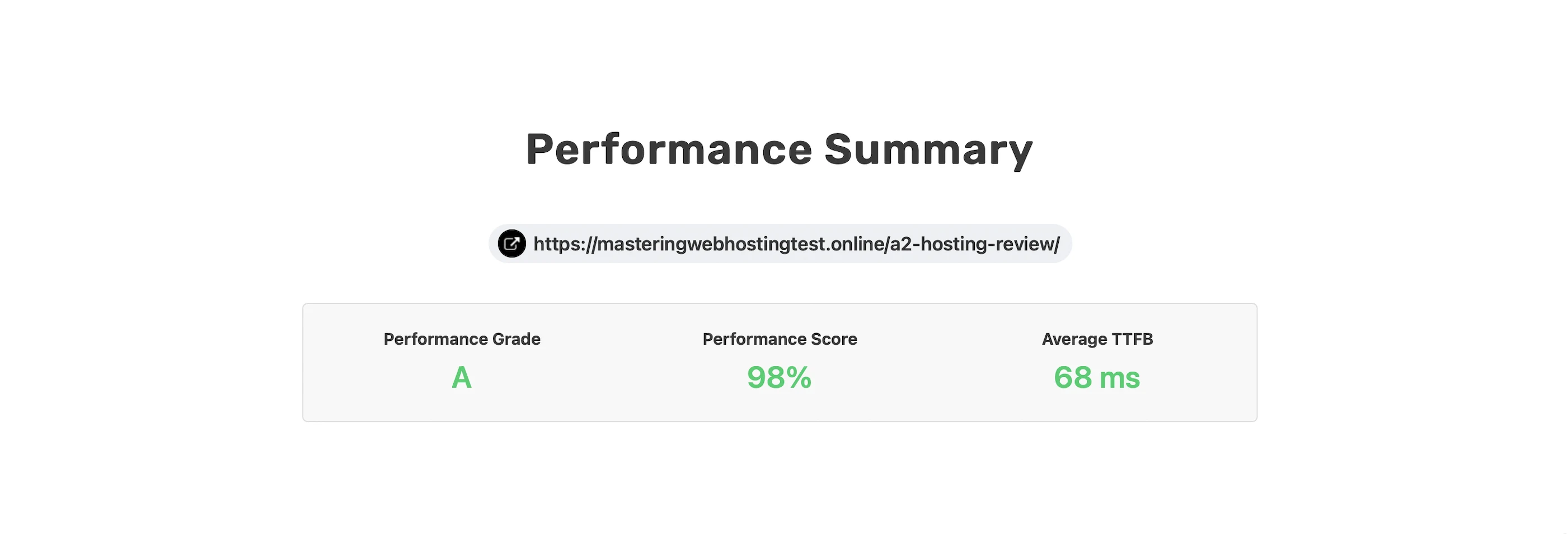
Since A2 Hosting sets so much store by its Turbo web hosting improving TTFB massively, I wanted to see how good it is.
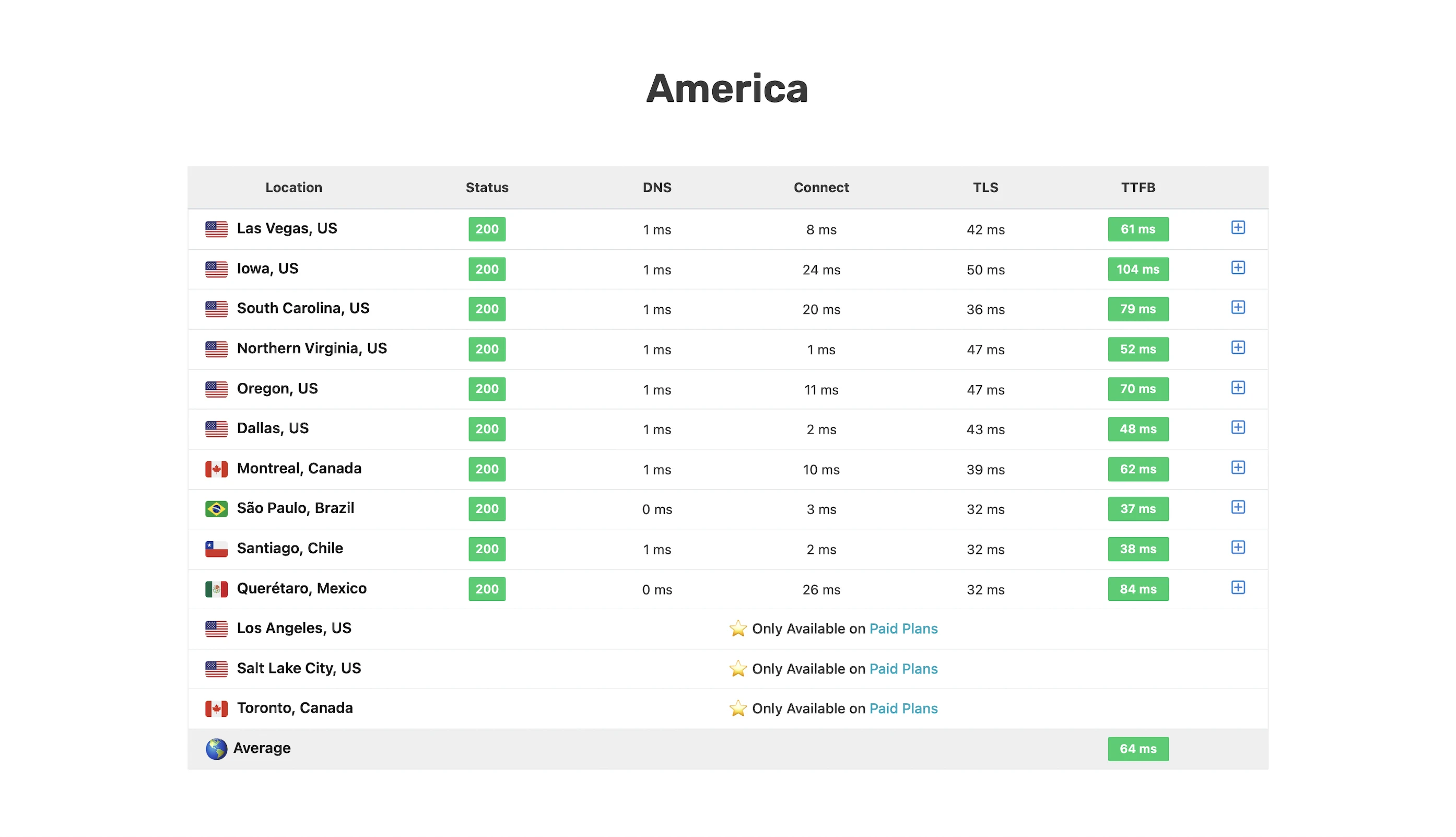
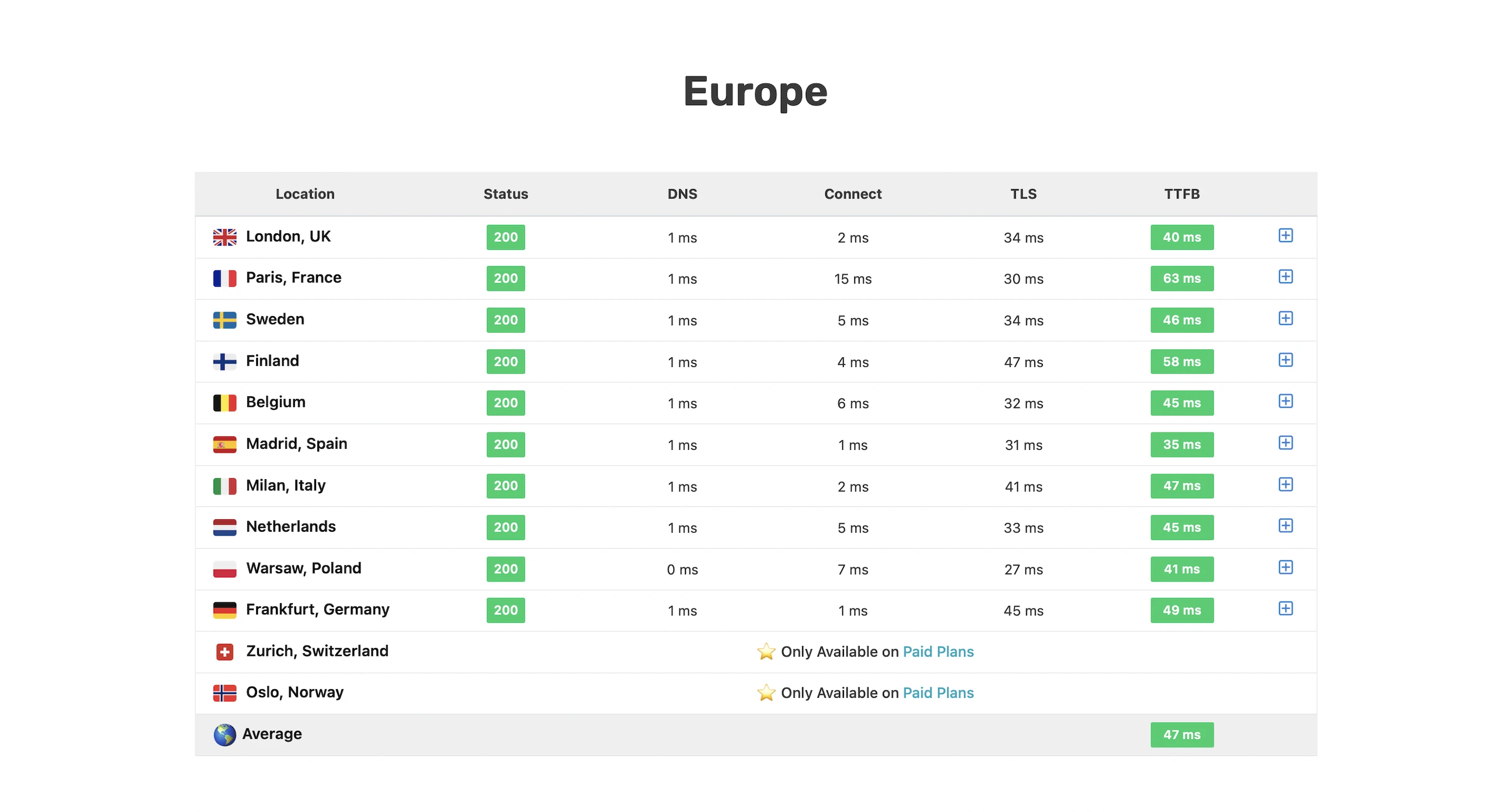
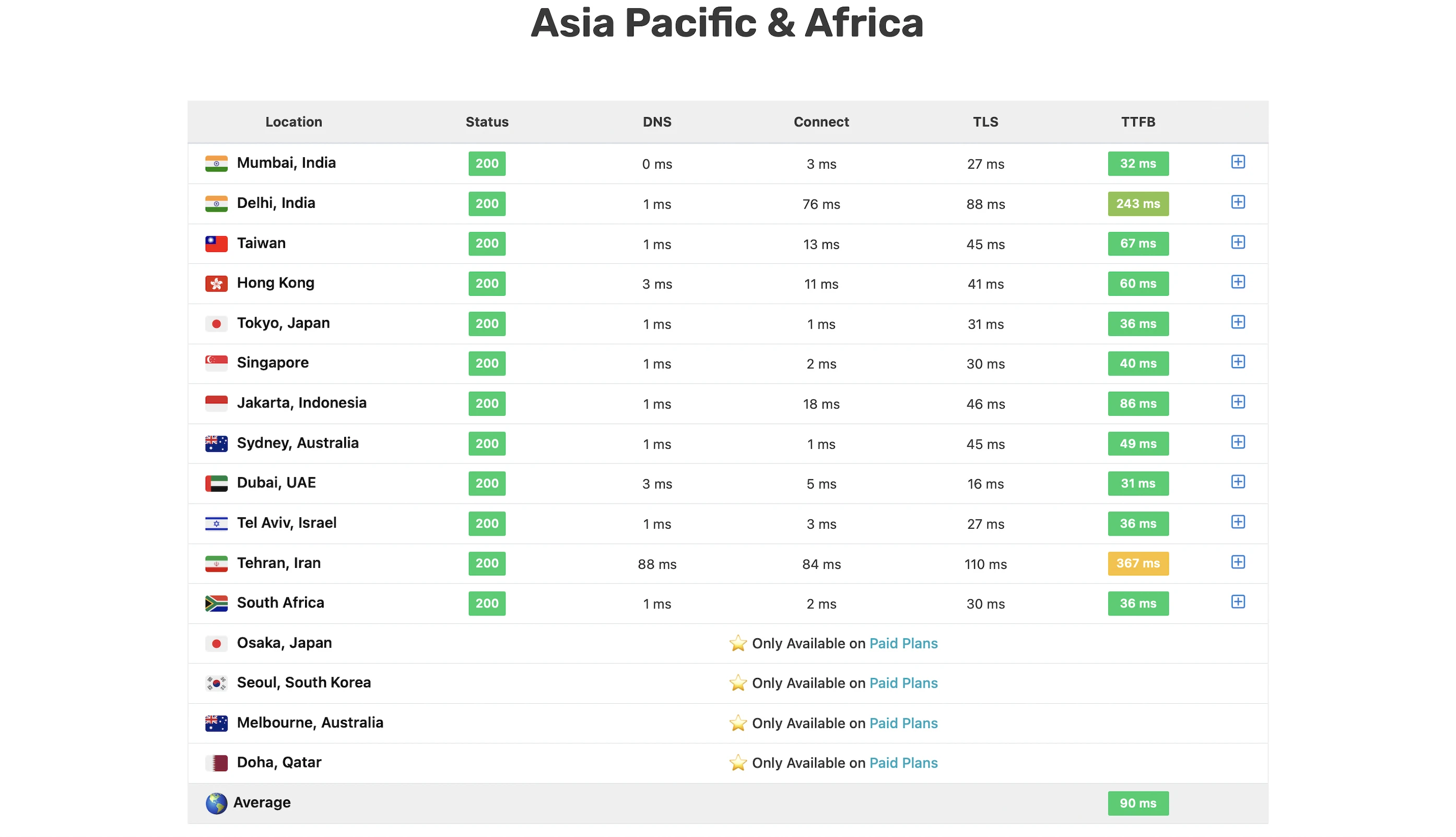
And SpeedVitals gave me my second fastest TTFB ever at an A grade of 68ms, just behind WPX’s.
Well done!
Largest Contentful Paint (LCP)
In fact, GTMetrix said my LCP was a meh 427ms in Dallas, even though my TTFB was an awesome 49ms.
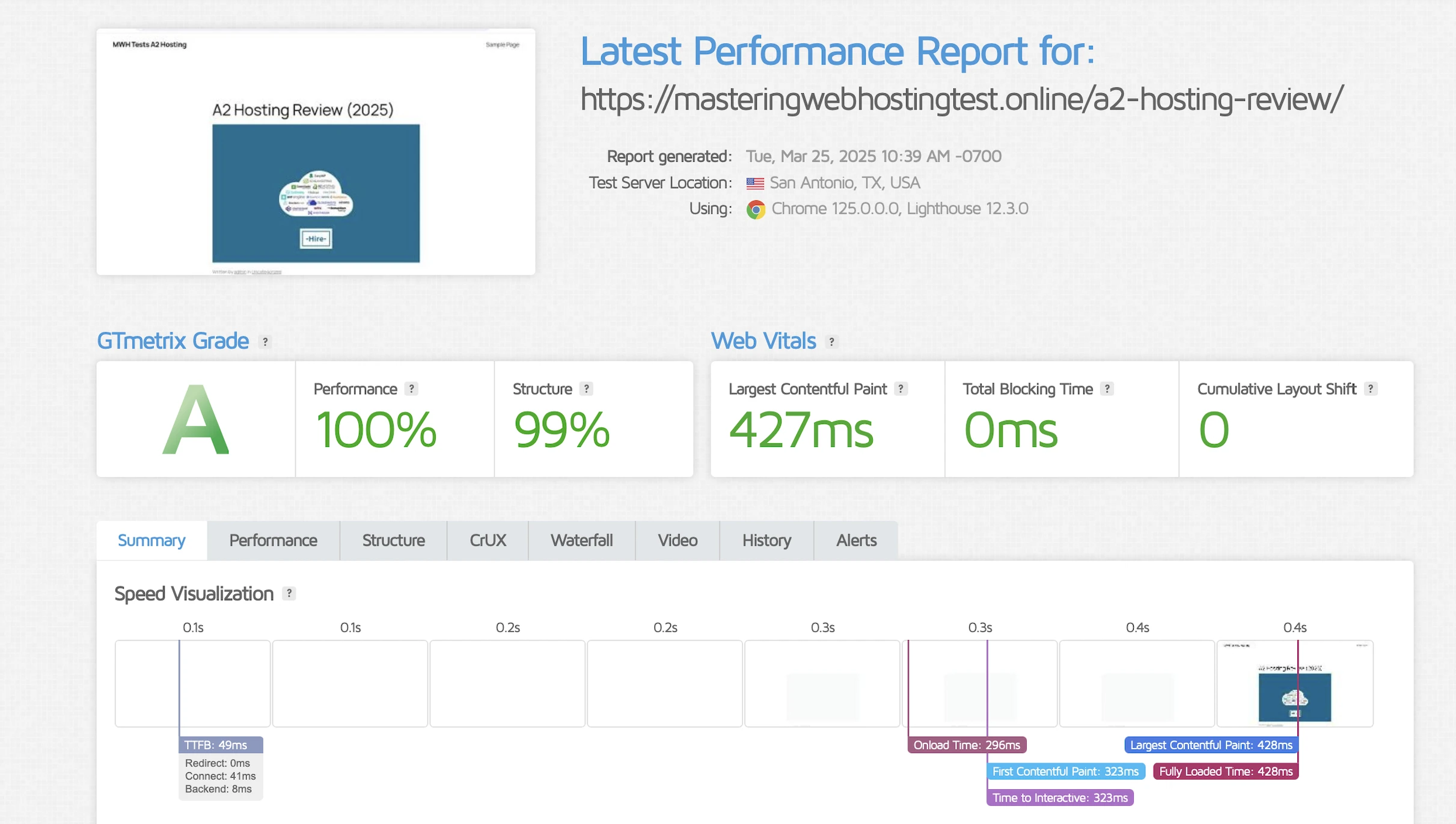
Then, here’s a reminder: a good TTFB =/= good LCP.
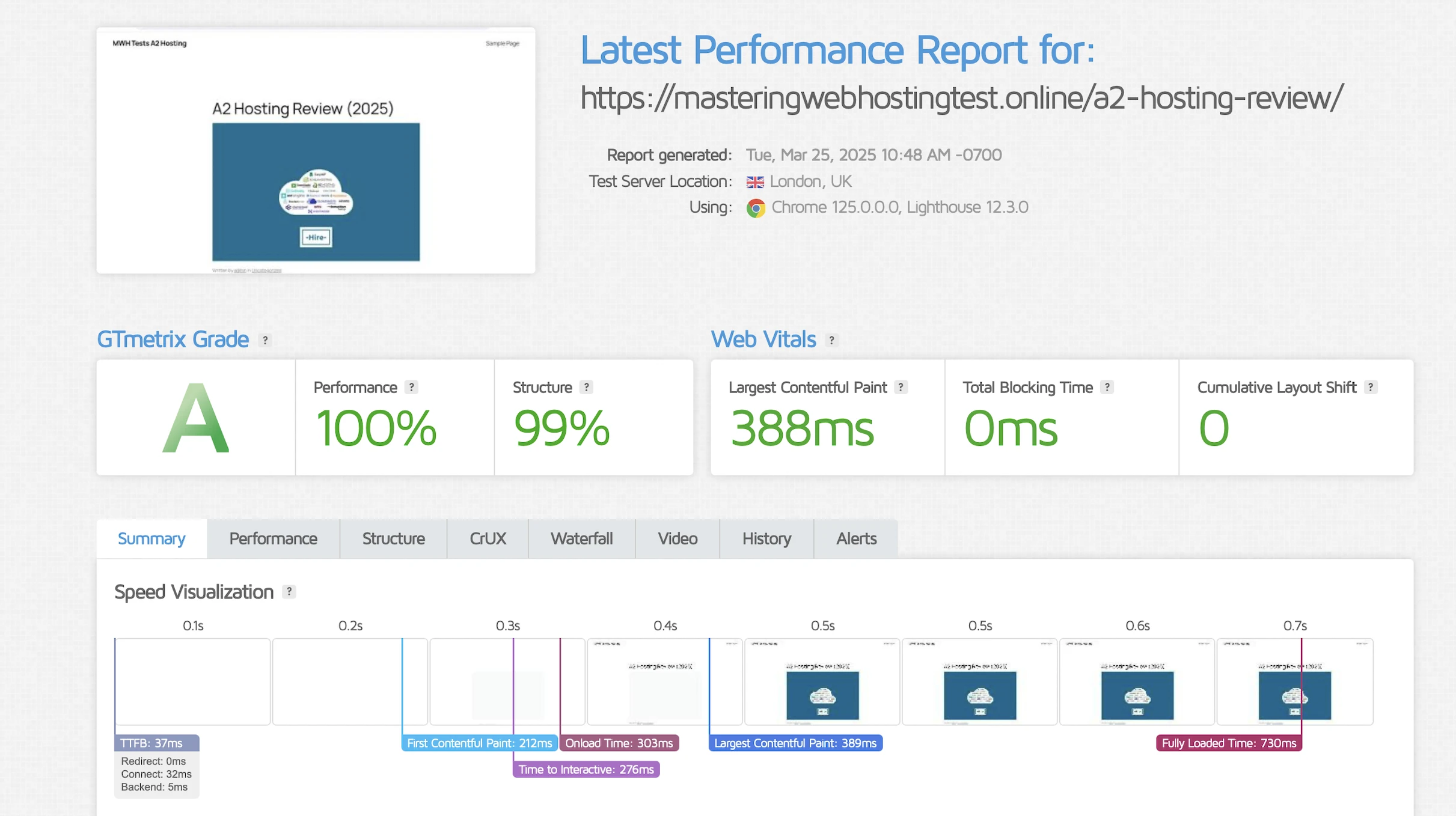
It got slightly better in London at 388ms.
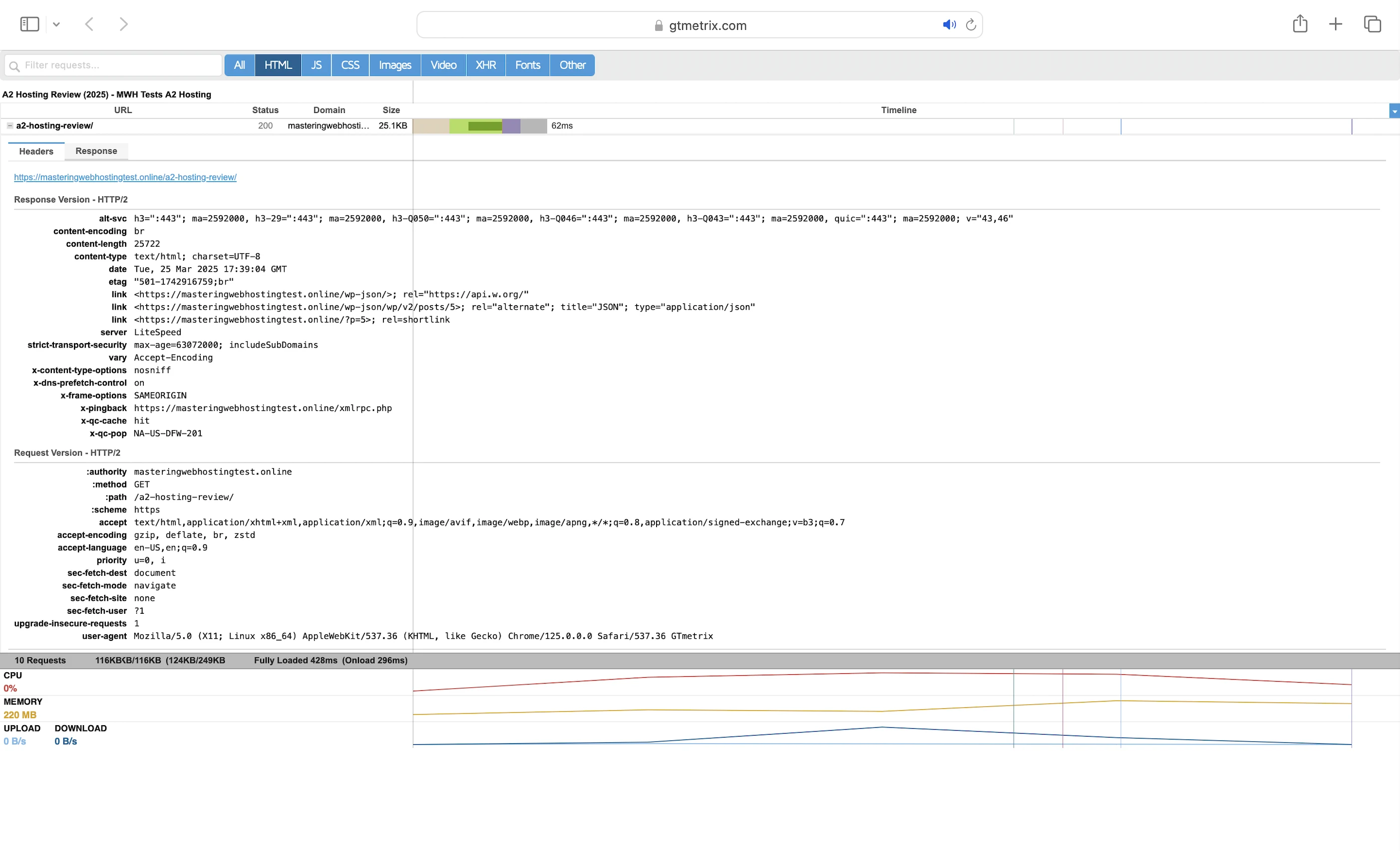
And this was despite my requests hitting the QUIC.cloud CDN cache (x-qc-cache: HIT).
So, what 20X speed?
5. Security Test
First, I launched 24,253 cyberattacks against my website:
- 3 out of 30 high risk vulnerabilities detected:
- Path Traversal: 2 out of 926 attacks successful.
- SQL Injection: 3 out of 1,316 attacks successful.
- SQL Injection – Oracle: 1 out of 330 attacks successful. Okay as A2 Hosting doesn’t use Oracle.
- 0 out of 12 medium risk vulnerabilities detected.
- 1 out of 2 informational risks. 912 alerts but these aren’t vulnerabilities.
- Success Rate: 23,335 or 96.2% of my attacks were completely neutralized.
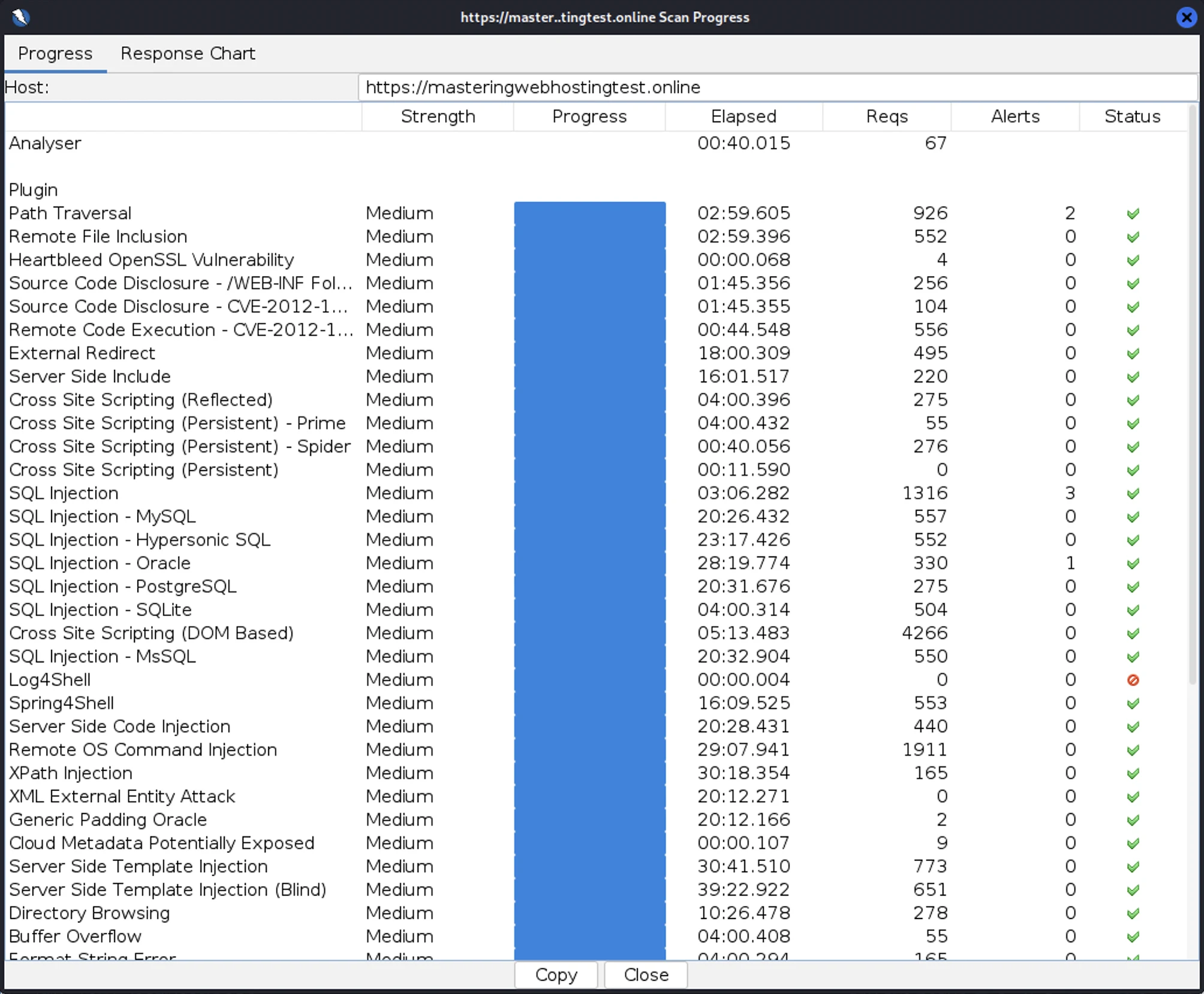
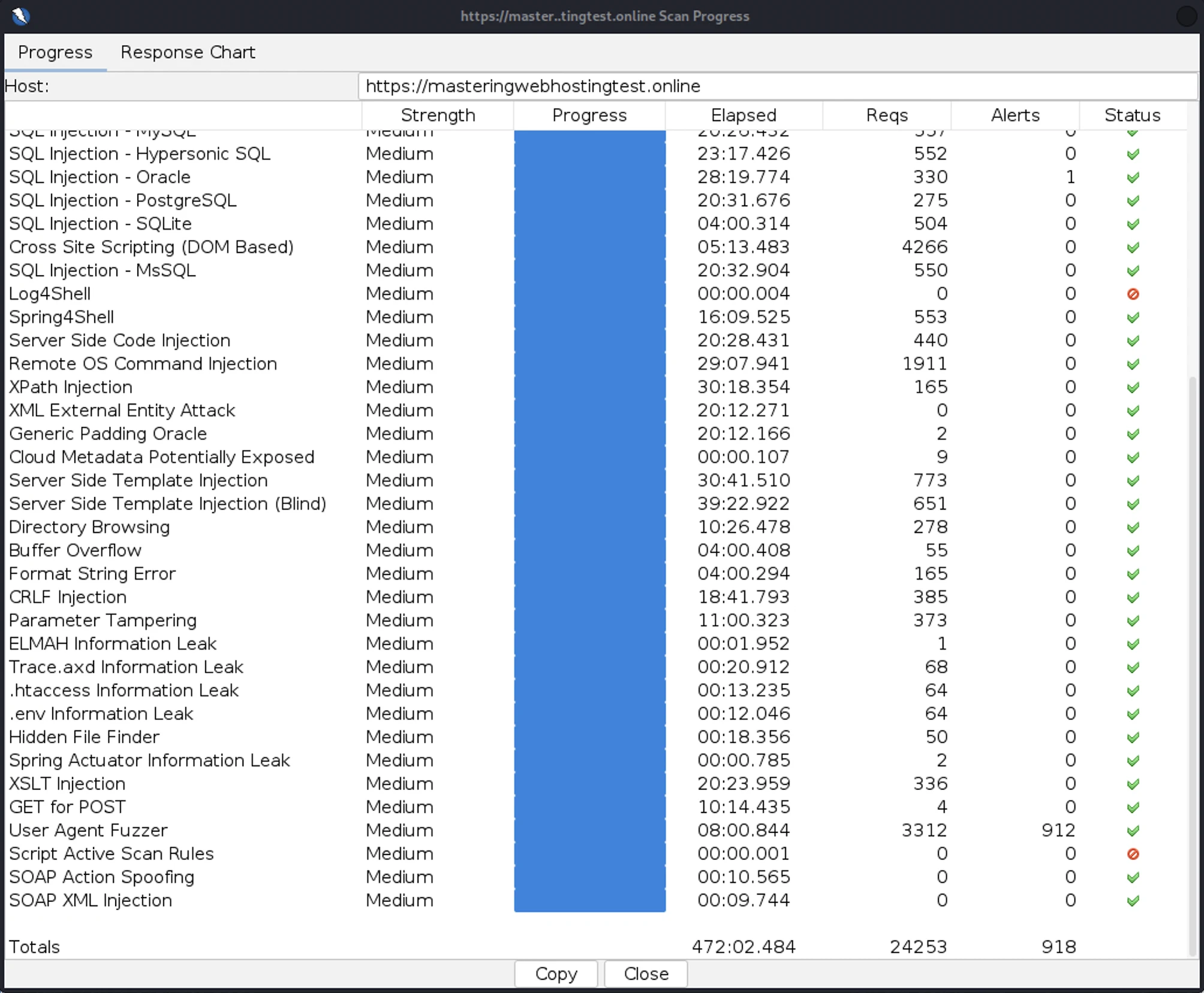
Note: I had to disable QUIC.cloud CDN’s URL Flood Protection or my scan would be really slow.
6. Uptime Test
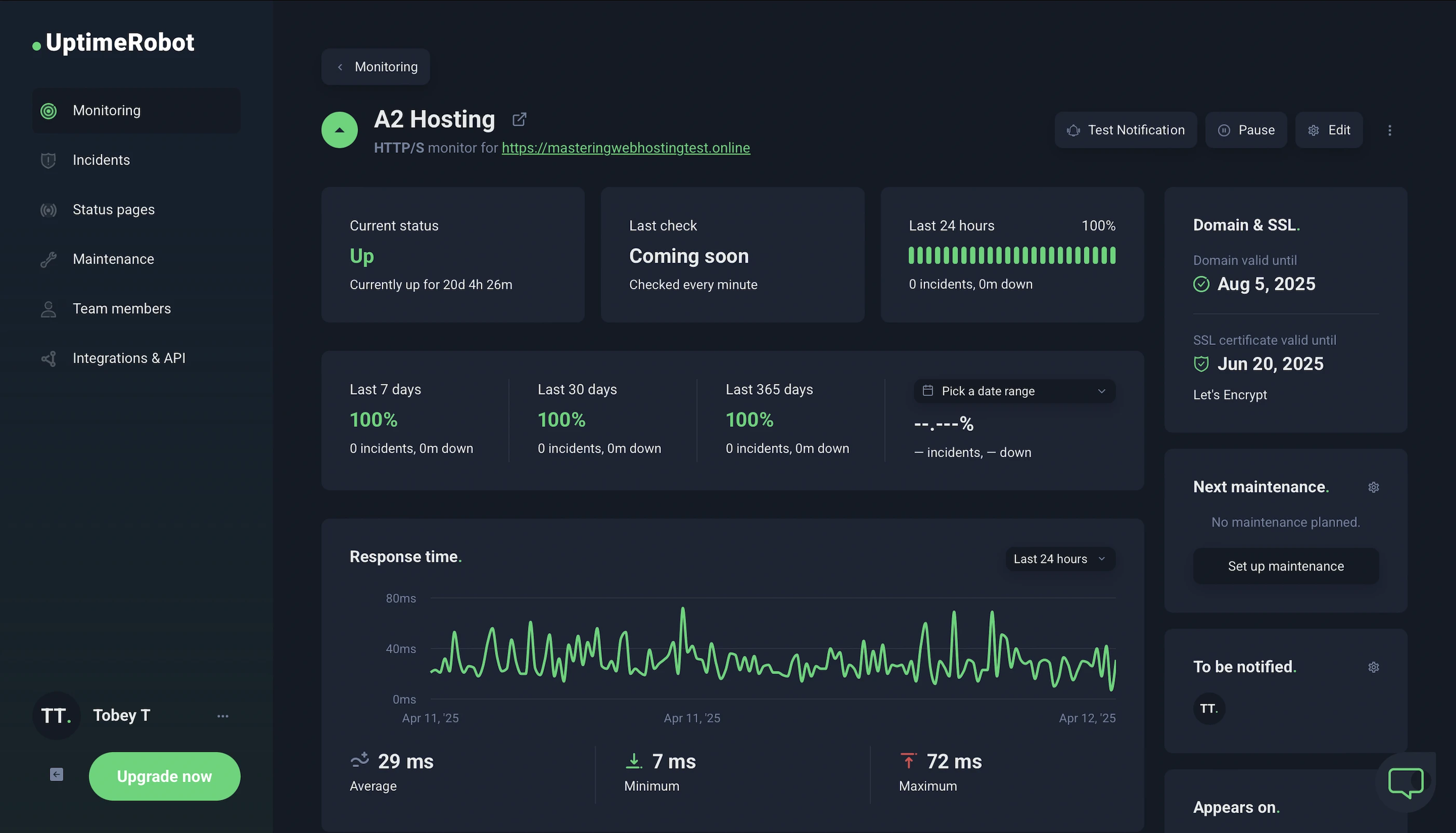
In the 20 days I was reviewing, UptimeRobot reported that my A2 Hosting website enjoyed 100% uptime after checking on it every minute.
HetrixTools reported the same results after monitoring my website at 1-minute intervals for 20 days.
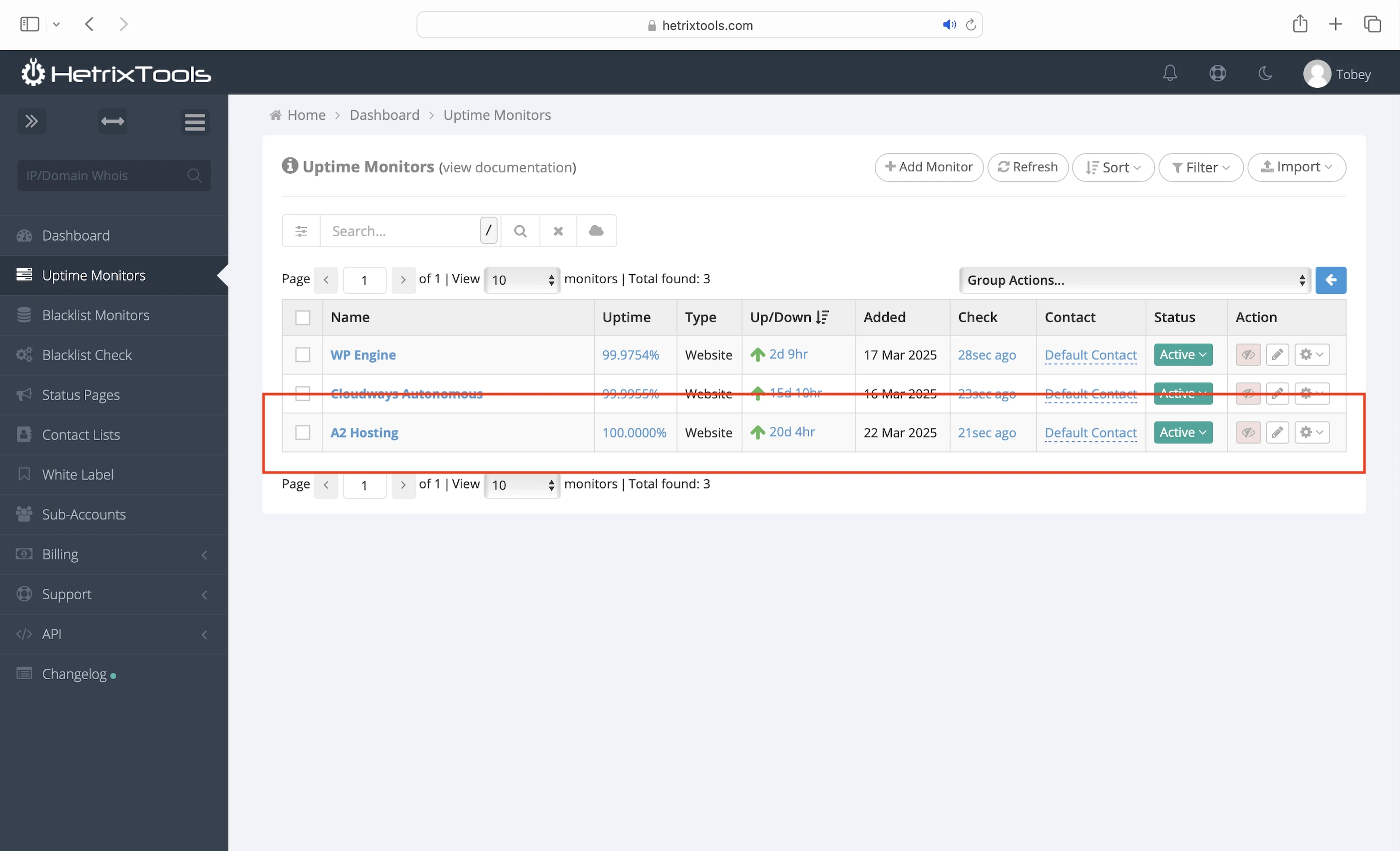
So A2 Hosting has met its 99.9% uptime commitment.
It’s also one of the few hosts who publishes its system status and detailed outage reports.
7. 20X Faster Speed, 20X Slower Support
Did A2 Hosting need something slow to balance out its “fast” website speeds?
It always takes Support a few hours to get back when I open a ticket.
The worst was 3 days for my A2 AI issue.
8. A2 AI
Like other older hosts, A2 Hosting seems to think jumping on the AI bandwagon makes it more relevant. Well, it doesn’t, but I wanted to try its AI anyway.
And boy was I glad I did.
After enabling A2 AI, I got the most comprehensive AI tool package of any host to date:
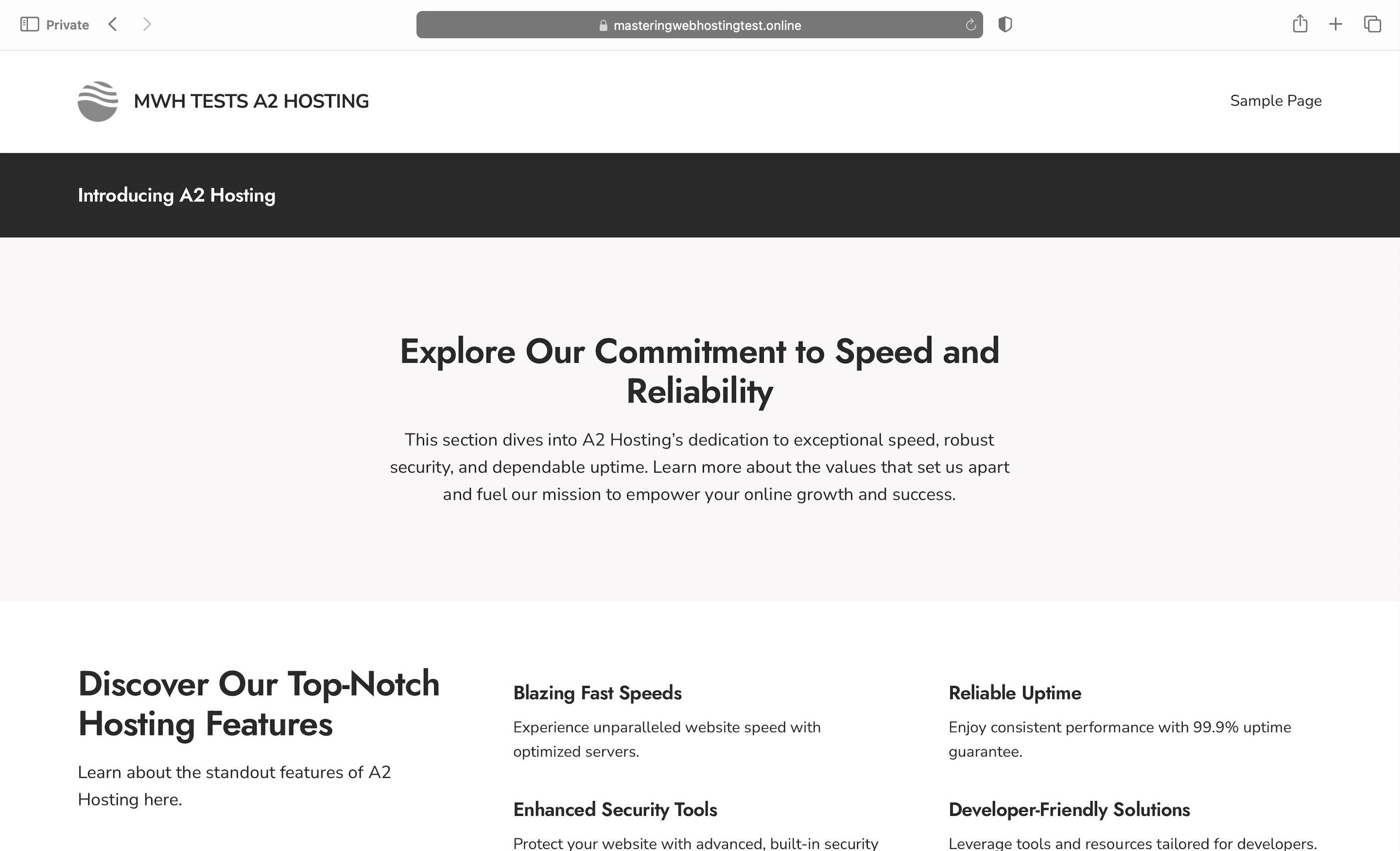
- AI-enhanced site creation: Describe the website you want and the website creator will do the rest. I think A2 Hosting and GreenGeeks use the same AI tool because their website creators/builders looked the same. Even the designs generated were similar, which meant I found them better than Bluehost’s or Hostinger’s. To my non-UI designer eyes, of course.
- AI-enhanced page creation: Get a webpage with a prompt. Honestly, I think the designs were meh. I will stick to Twenty Twenty-Five’s templates and blocks.
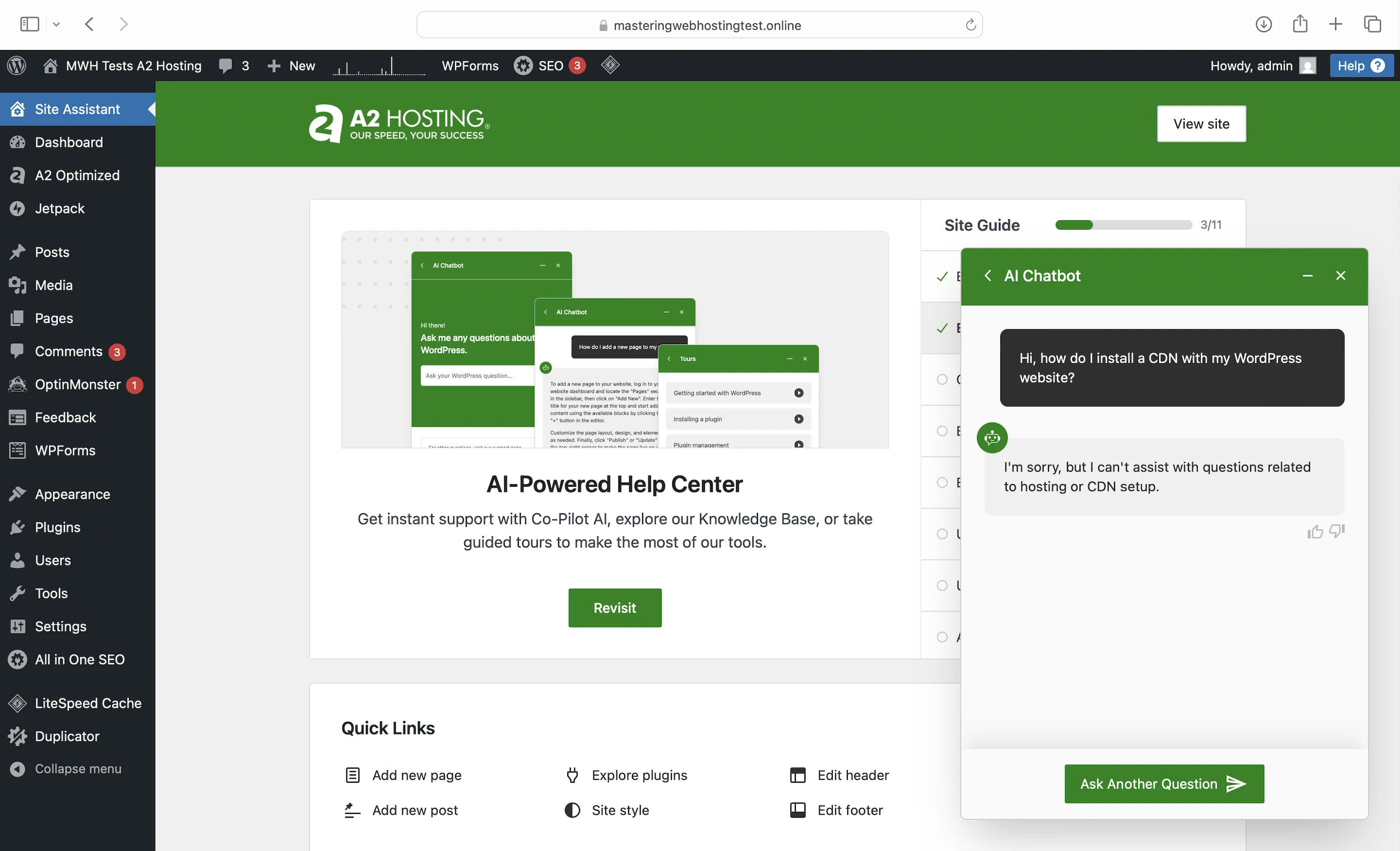
- AI-powered chat assistant: Only answer questions strictly related to WordPress and nothing else, even if there are overlaps. I guess it could be useful if you want to ask design questions?
- AI Design Library
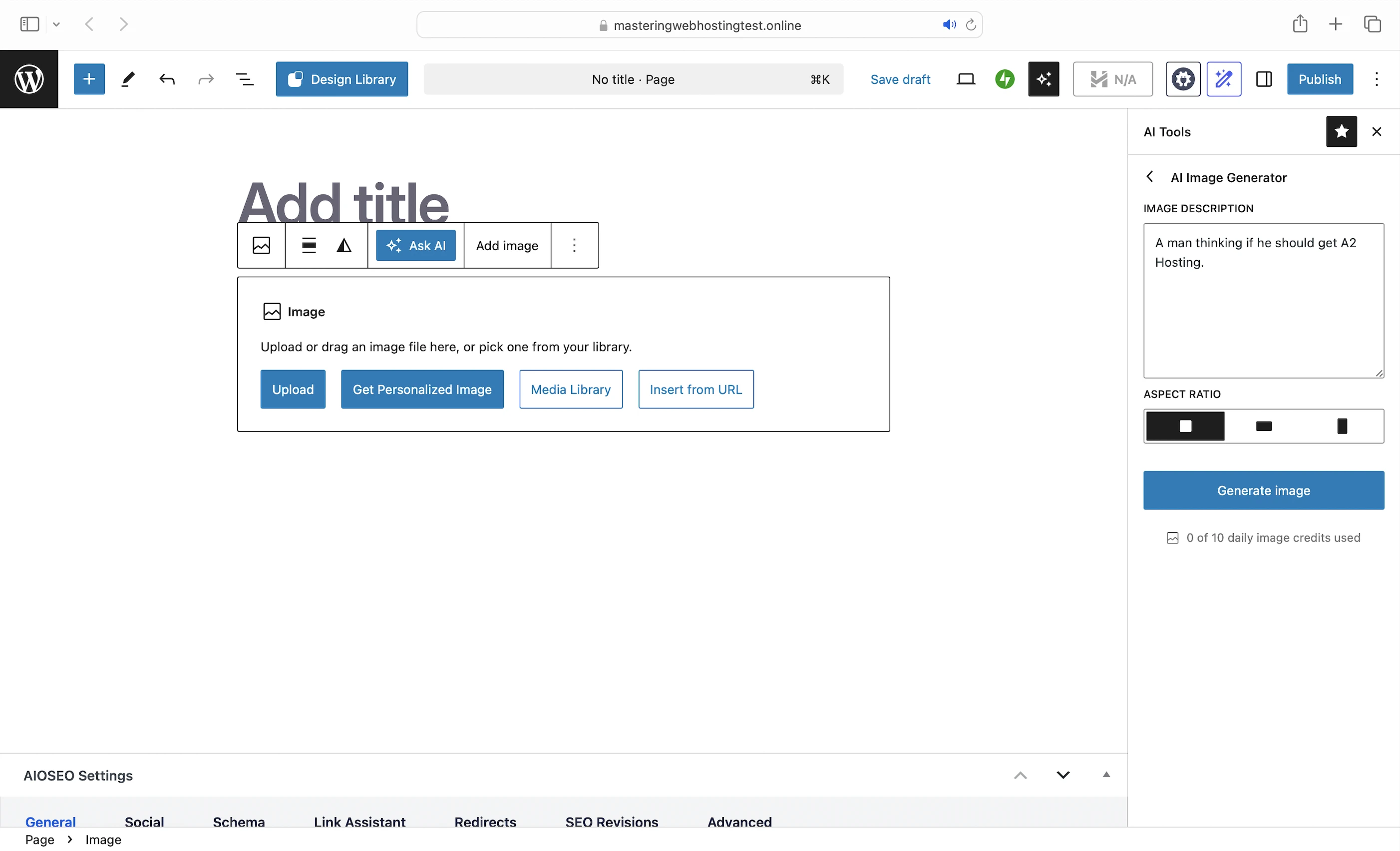
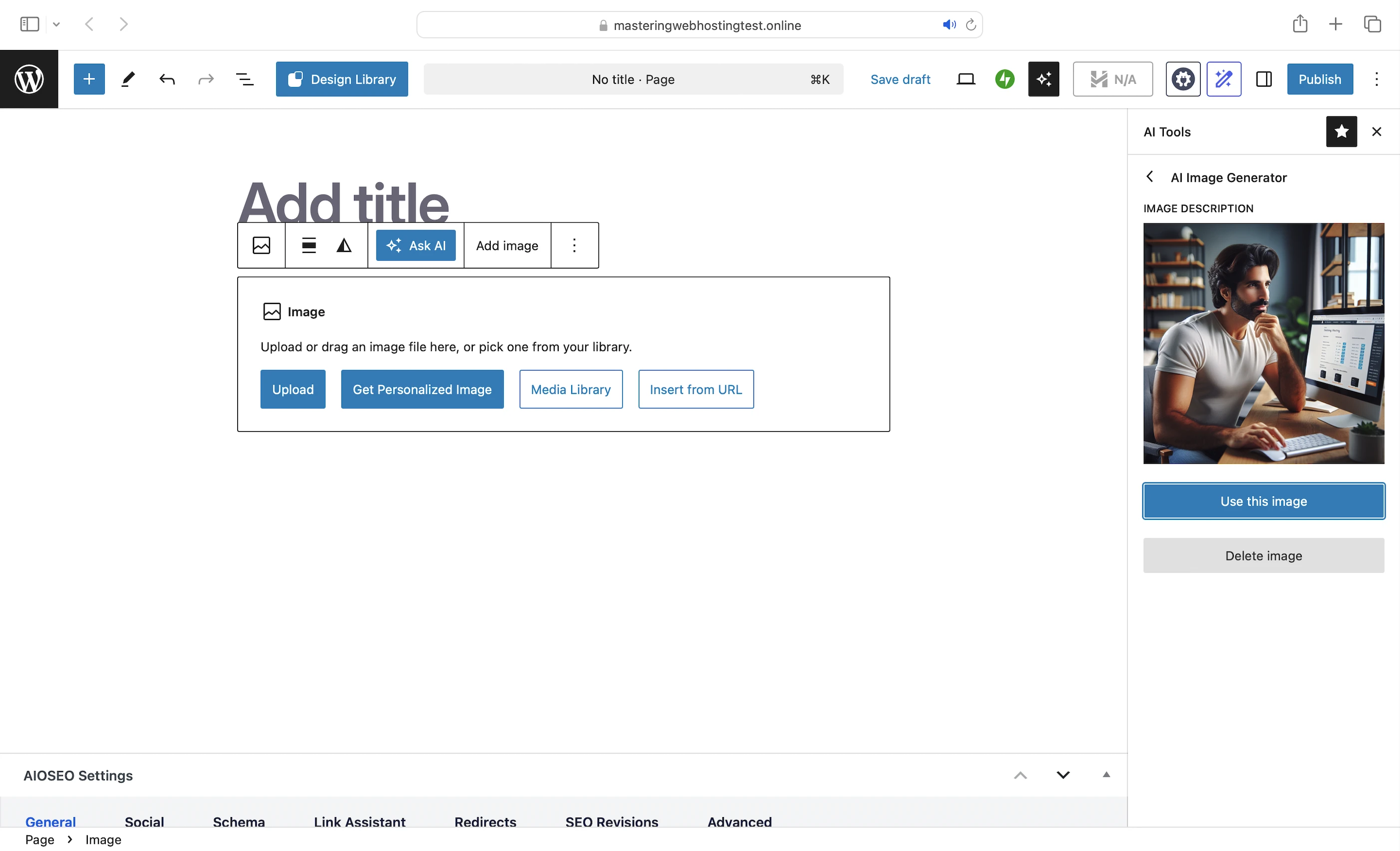
- AI-powered image generator: An L here because the image generated didn’t have anything related to A2 Hosting despite my prompt.
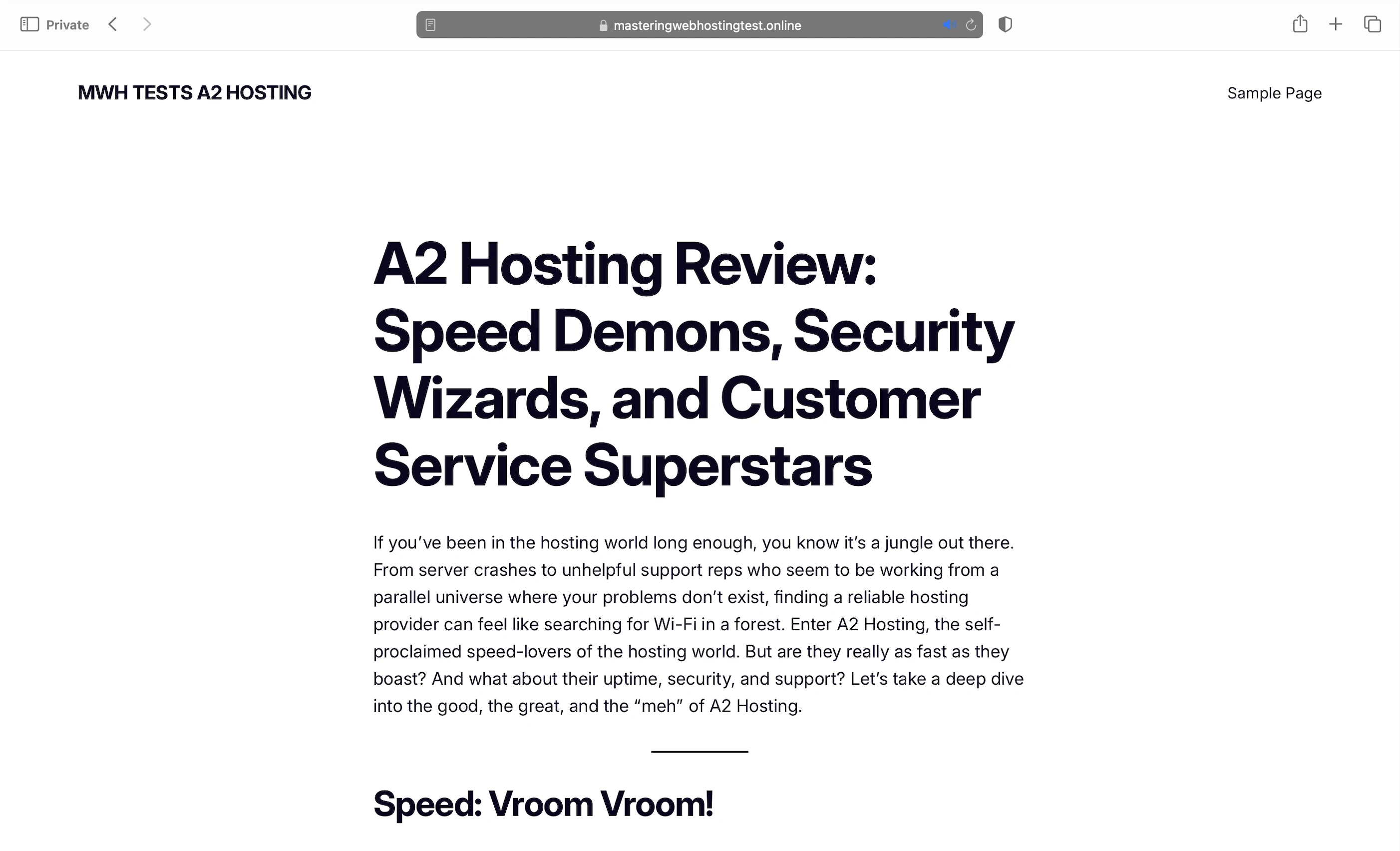
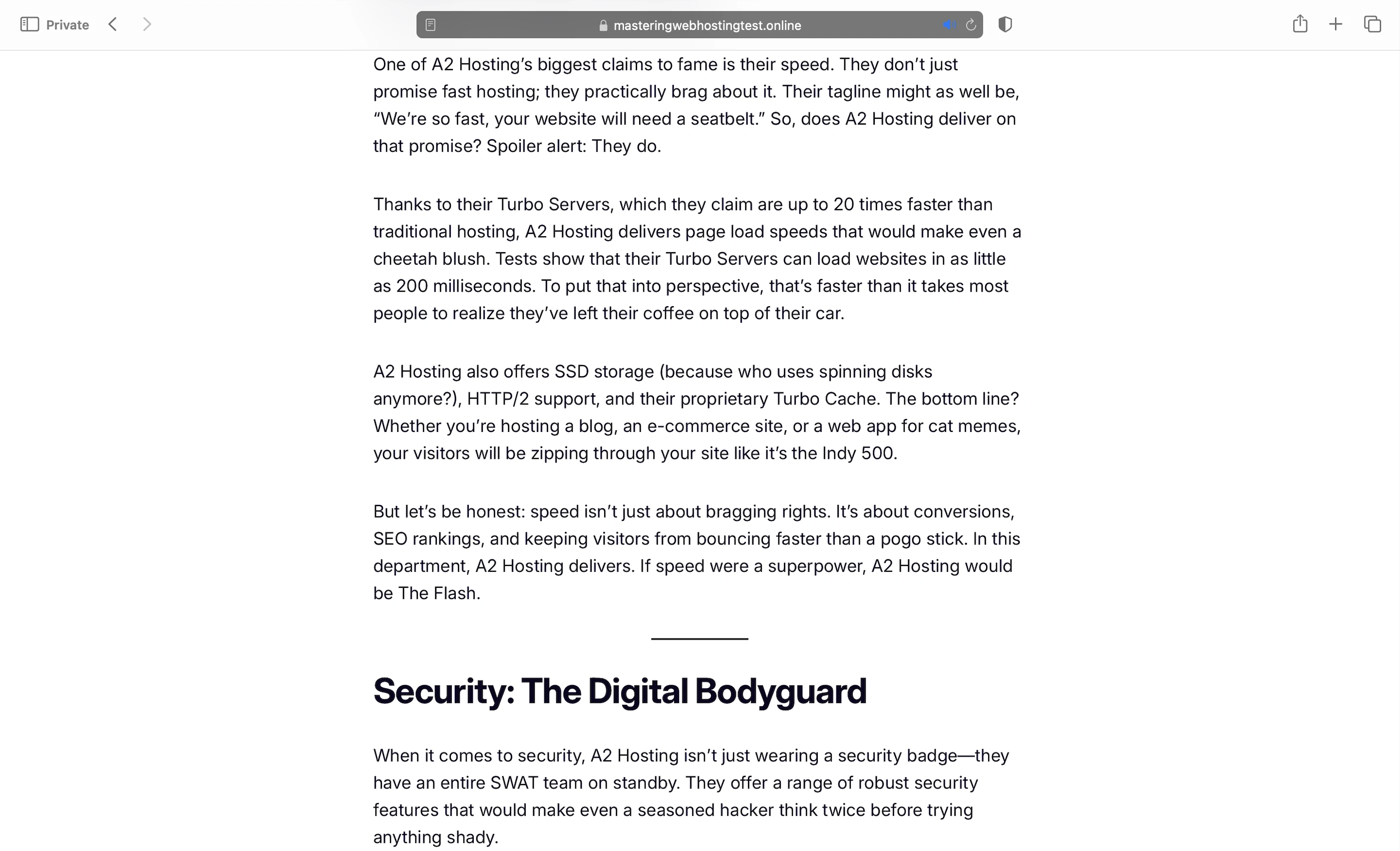
- AI writing assistant: Same tool as GreenGeeks and same results too: Not thrilled about the content generated. Again, it screamed AI slop and left out important details like LiteSpeed and the A2 Optimized plugin, which are A2 Hosting’s key speed features. Though to be fair, I might get better content with better prompts.
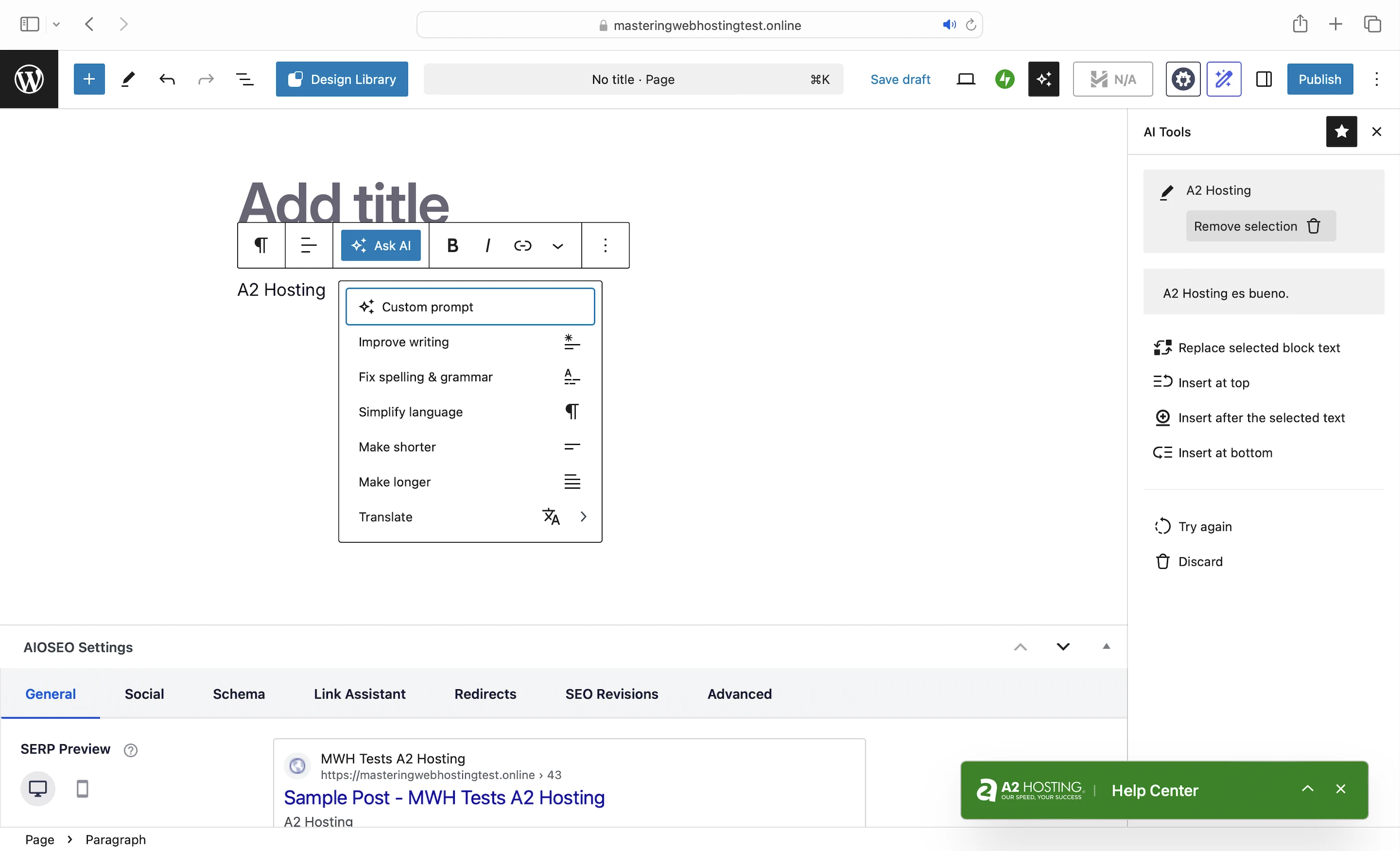
- It has an Ask AI feature that improves my writing like Grammarly. It can simplify, translate, or lengthen my content, and fix my spelling and grammatical errors.

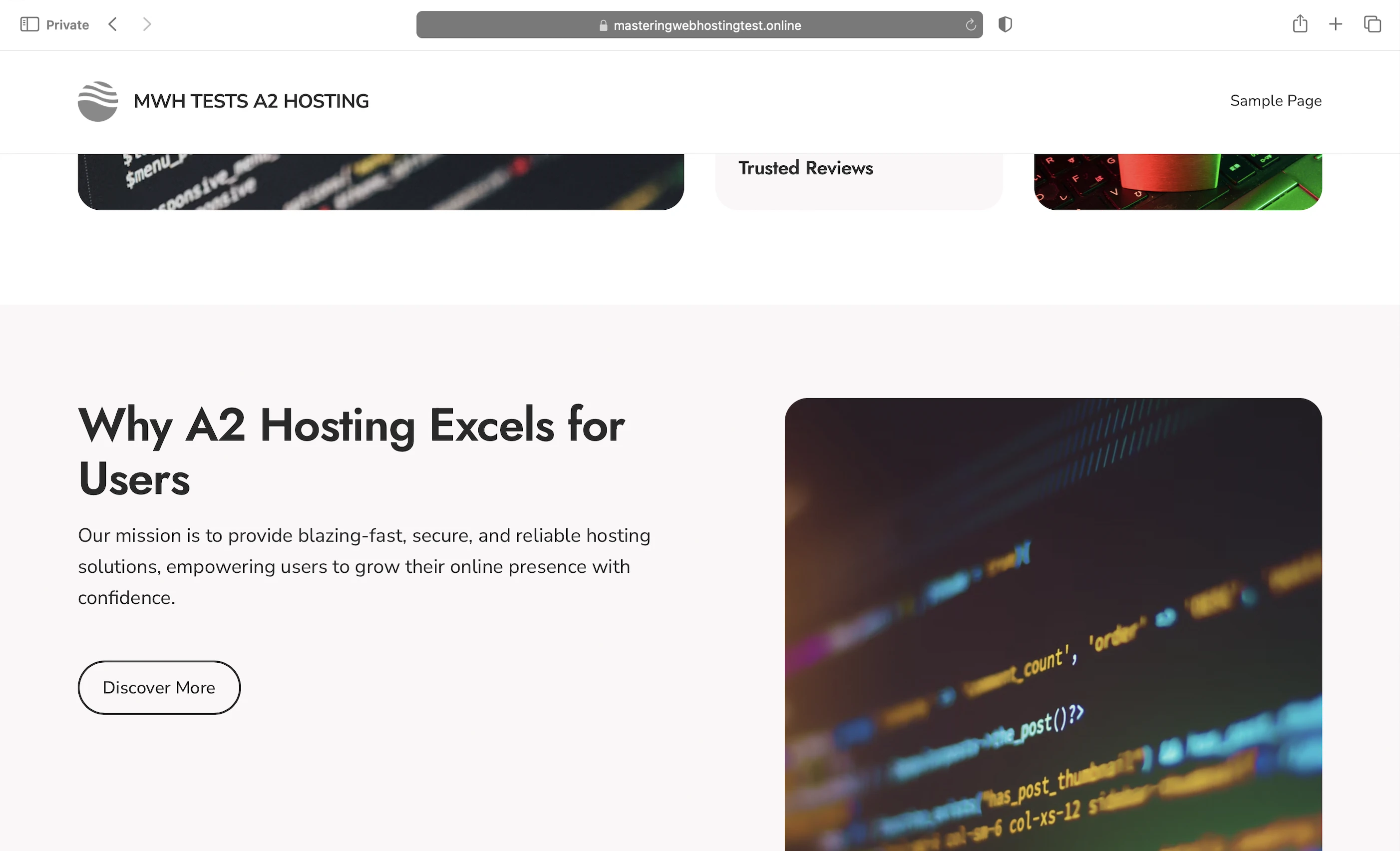
Overall, extra aura points for the AI tools, though they were meh and wouldn’t have mattered in my review and recommendation anyway.
9. Cons
Four Data Centers
Only 2 in the US (Michigan & Arizona), 1 in Europe (Amsterdam, Netherlands), and 1 in Asia (Singapore) so you need a CDN if your visitors are far from these locations.
Logging In Was A Pain In The A**
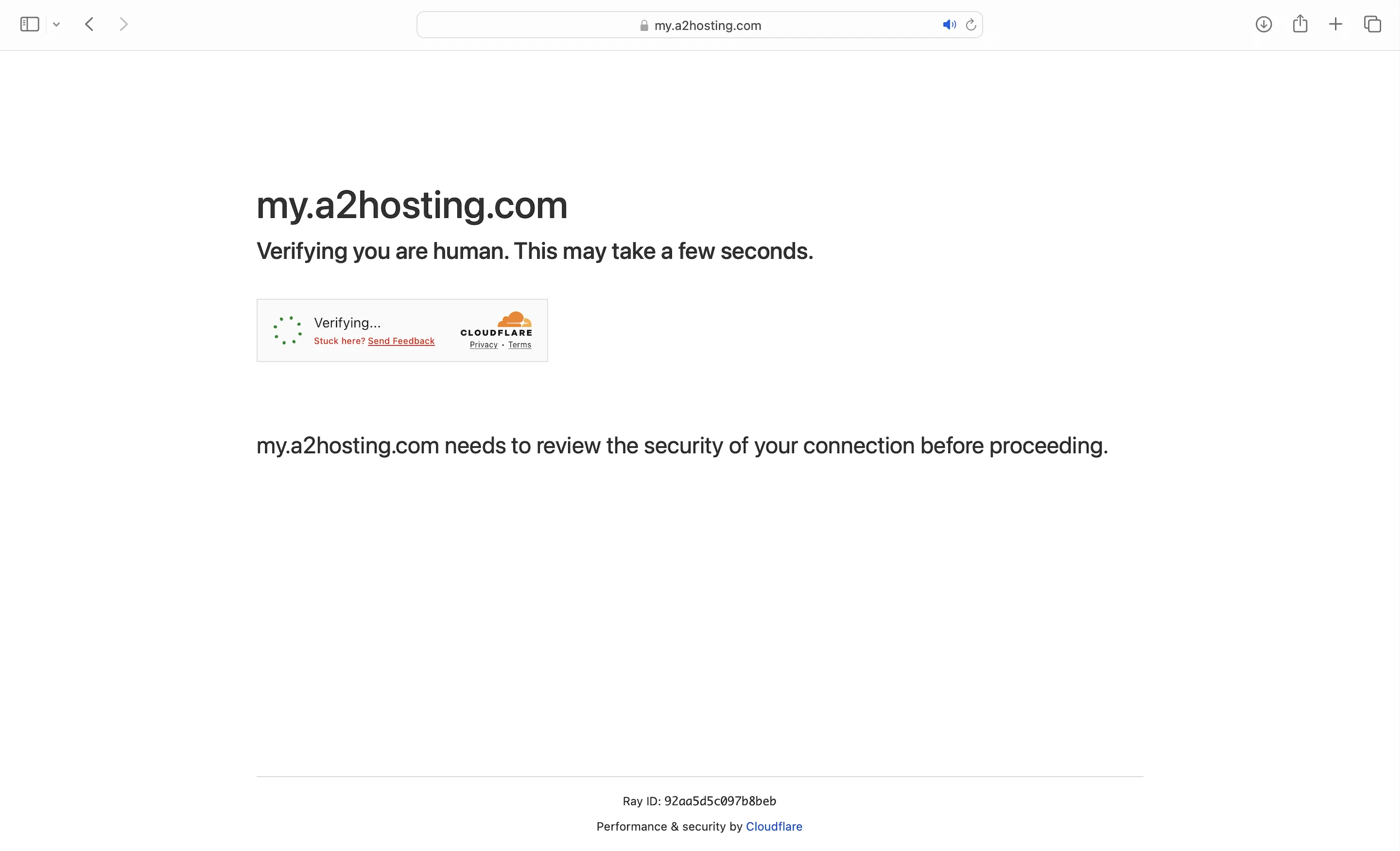
You have to go through Cloudflare’s Turnstile to reach the login page. It’s a defense against bots, and you just need to check a checkbox to verify you are human. However, I got stuck at the verifying stage a lot, and I had to refresh the page many times. Once, it took me 30 minutes before I got past Turnstile to get to the login page.
Duplicate Plugin Speed Features
For example, both A2 Optimized and LiteSpeed Cache have Minify. Was it necessary for the former to have it then? Wouldn’t there be a clash? It was a confusing design to me, but this has nothing on the next con.
Unclear, Misleading Plan Features
My biggest complaint. First, A2’s website doesn’t really explain how their Turbo web hosting works, and I had to ask Support to fill in the gaps a lot of times to complete this review. Second, from my conversations with them, Turbo features, like the so-called Turbo Cache and ESI, aren’t what they seem: A2’s website seems to imply they are unique to A2 servers, only for Support to tell me they are part of LiteSpeed Cache. The same LiteSpeed Cache that A2 tries to pass off as an “Advanced Caching Software”. And the same LiteSpeed Cache that you can install for free at other hosts. All in all, it was a frustrating experience writing this review because A2 made its features so confusing that I had to sort everything out as best I could.
10. Evaluation
Let’s see how A2 Hosting did against my self-hosting:
| Self-hosting | A2 Hosting | |
|---|---|---|
| Speed (LCP) – Dallas | 306ms | 427ms |
| Speed (LCP) – London | 253ms | 388ms |
| Speed (TTFB) | 90ms | 68ms |
| Security | 0 | 3 high risk vulnerabilities. 1 doesn’t affect WordPress. |
| Uptime | 95% | 100% with system status and incident reports. |
| Winner | 👑 |
11. Final Thoughts
A2 Hosting only scored A in 1 area—uptime. And you know it’s in trouble when its only schtick didn’t even stick.
I didn’t see the 20X faster speed, and its security wasn’t great either.
And even if it did get A-grade speed, A2 Hosting would be in for a world of shock if it thinks it’s enough to be a Jack of all trades and master of one—Customers can have their pick of Avatar-like, master-of-all-4-elements (speed, security, uptime, support) host at a similar or even cheaper price.
Good A2 Hosting alternatives like ChemiCloud, InterServer, and WPX.
But all is not lost for it yet.
A2’s server set-up is one of the best I have seen, though I really dislike the confusing and misleading way it’s advertised.
There’s still a strong chance it could improve its speed massively, and that would merit 1 more A in my book.
Enough for A2 Hosting to live up to its name at last.
But I am also hoping, fingers crossed, that it may become A4 Hosting someday.
Comment below if you agree/disagree with my A2 Hosting review!
Leave a Reply