WP Engine used to be that company everyone knew existed—not unpopular, just not popular enough.
Sure, it’s come up from time to time since it came on board in 2010, but the conversation always drifted back to the more popular players—even if they were less skilled and arguably less deserving of the spotlight. Out of sight, out of mind.
Until its very public legal spat with WordPress.
1. Persona Non Grata?
Some context: WordPress is an open-source project that any hosting company can use to sell paid services. In return, hosts are expected to contribute to the project (e.g., improve WordPress code and features).
This became a source of tension between WordPress and WP Engine. WordPress co-creator Matt Mullenweg criticized the host for not contributing enough, even going so far as to call it a “cancer to WordPress.”
Mullenweg then accused WP Engine of infringing on the WordPress trademark by using “WP” in its brand name. He claimed this misled customers into thinking WP Engine was affiliated with WordPress.
In turn, WP Engine fought back with its own accusations and legal actions.
The spat reached a boiling point when Mullenburg banned WP Engine from accessing WordPress.com resources, preventing its customers from installing plugins and receiving security updates. This sparked a strong reaction from both WP Engine customers and the broader open-source community.
Since then, both parties have taken steps to resolve the matter peacefully. But regardless whose side you’re on, this incident has finally given the often overlooked WP Engine the spotlight (or notoriety) it deserved. Otherwise, I probably wouldn’t be reviewing it.
Let’s give WP Engine the limelight again here at MWH and see if it shines.
2. Plan
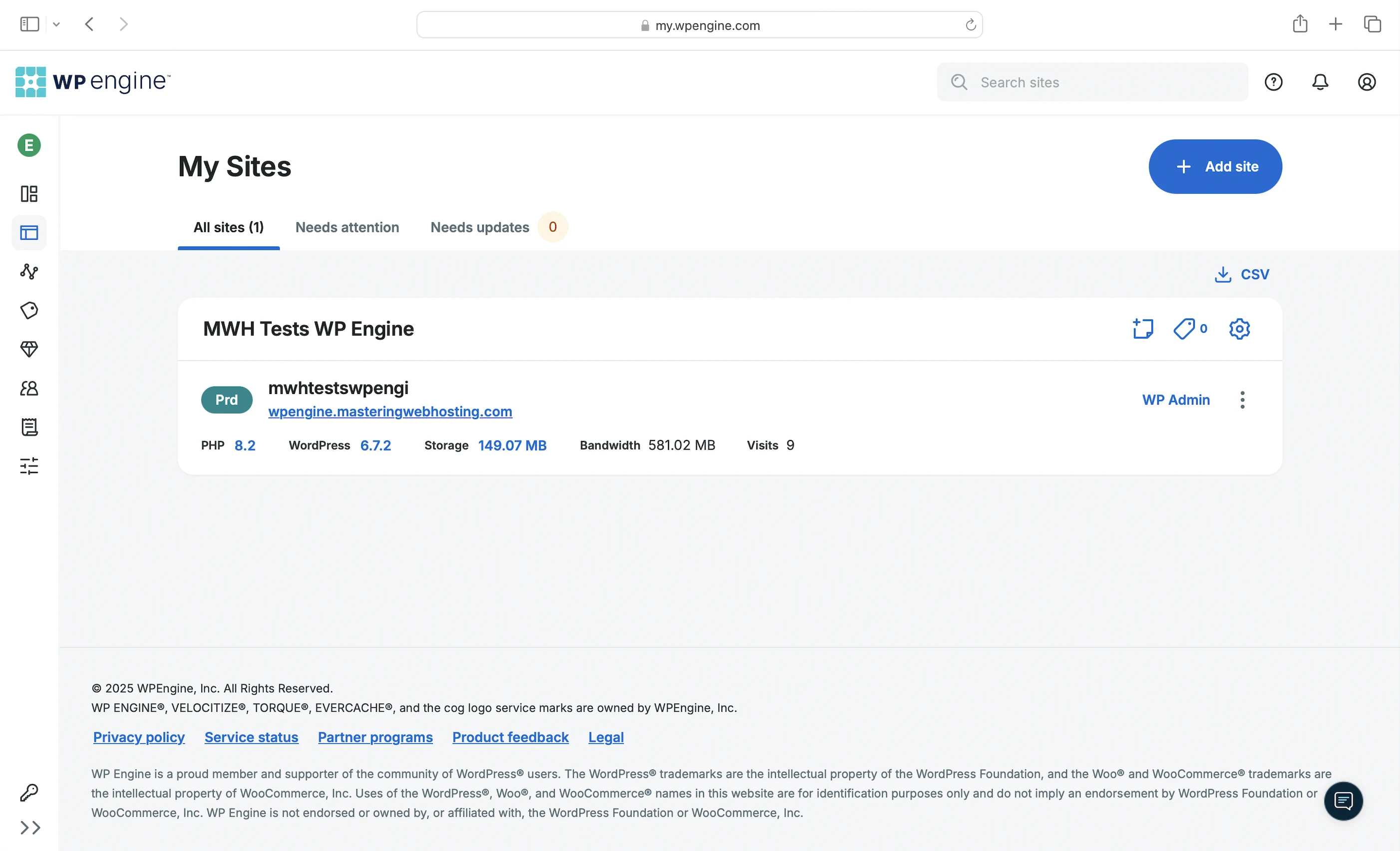
I got the Startup, which comes with:
- 25,000 visitors/mo
- 10GB storage
- 50GB bandwidth
- Nginx web server
- 1 PHP worker
- Opcode cache
- Page cache
- Memcached object cache
- Browser cache
- Smarter Cache
- Cloudflare CDN + GES ($30/mo add-on)
- OWASP ModSecurity Core Rule Set
- Browser Integrity Check
- Advanced DDoS mitigation
- Proprietary server firewall
- Disk Write Protection/Limitations
- Malware scanning
- Web Rules Engine
This plan starts at $30/mo for a 1-year commitment.
3. Speed Features
Nginx Web Servers
A web server handles and responds to incoming requests for your WordPress content. It is connected to PHP through a handler that’s usually optimized for fast and efficient communication between the two systems. This allows the web server to forward requests to PHP and receive responses faster, directly improving your page load times.
WP Engine uses Nginx with PHP-FPM as PHP handler to serve your web content.
1 PHP Worker
Your WordPress website serves 2 types of web content: Static and dynamic. PHP workers are for the latter.
Static content is called so because it remains the same across visits. Examples include the images and CSS files that make up your website’s layout. Unless manually updated, everyone sees the same layout when they visit your website.
Dynamic content, on the other hand, changes based on the data retrieved from your database. Examples include your blog posts and comments. New posts or comments update what visitors see in your post list and comment section.
If both types of content are uncached, Nginx returns static content more quickly because it can be served immediately. In contrast, dynamic content must be generated on the fly, which takes more time. This means a robust process is needed to handle the generation efficiently.
Since WordPress is built with PHP, that process is PHP workers.
When Nginx forwards a request for uncached dynamic content, PHP-FPM spawns a PHP worker to handle the request. The worker executes your PHP code, queries your database, and generates the dynamic content based on the retrieved data. The content is returned as HTML, which is what your visitors see in their browser.
So the more PHP workers you have, the more requests for uncached dynamic content your website can handle concurrently without slowing down.
Opcode Cache
Here’s what happens behind the scenes when your PHP workers execute your code: they compile it into opcode, which are machine-readable instructions that PHP uses to generate the HTML for your dynamic content. By caching this opcode with OPcache, PHP can reuse it instantly without needing to recompile your code on every request.
Varnish Page Cache
Caches the generated HTML of your dynamic content on your server. By storing it as static content, Varnish allows Nginx to deliver it instantly, without running any PHP code or querying your database.
Memcached Object Cache
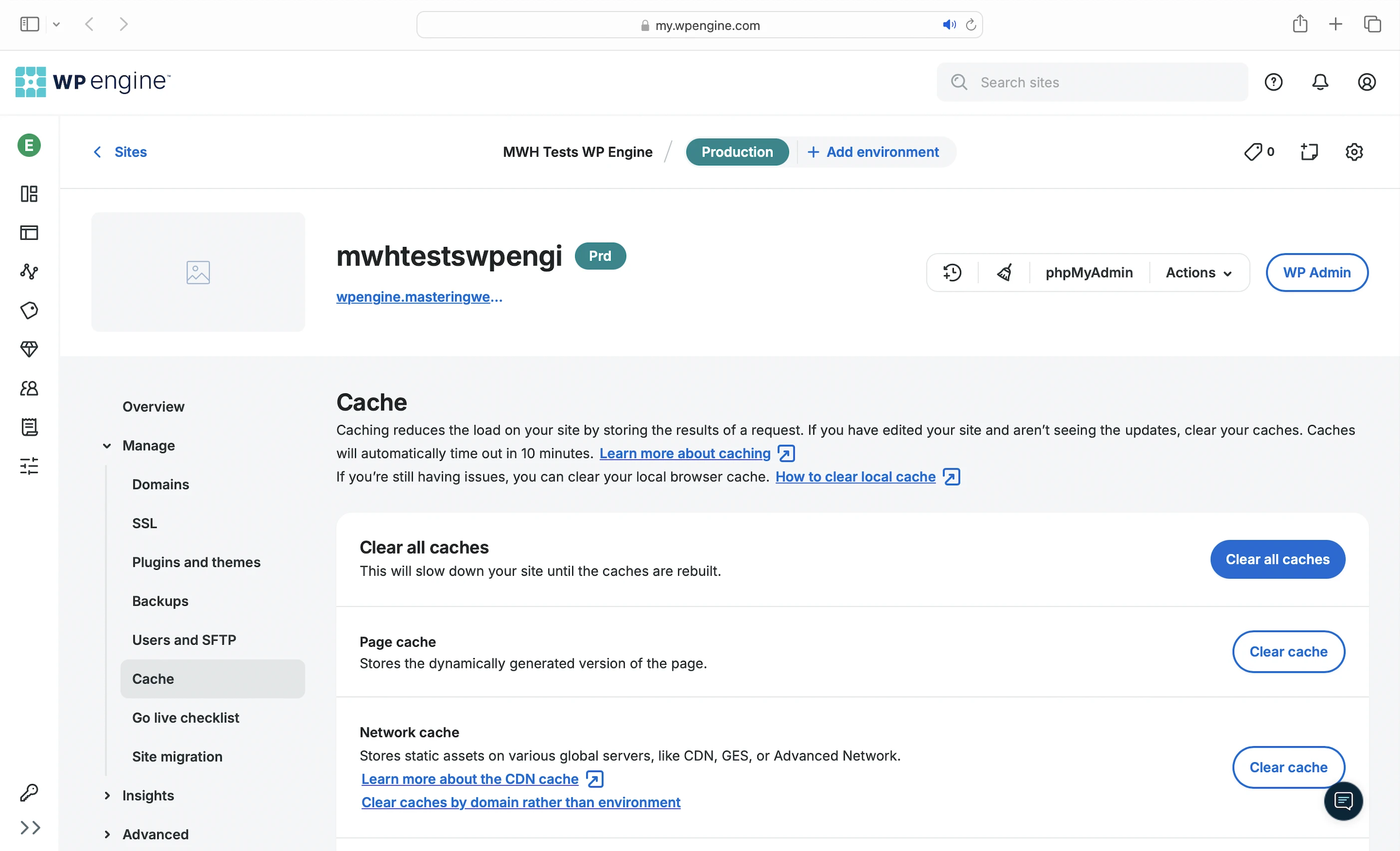
Caches your frequently accessed data (e.g., posts) in memory. This way, if the opcode includes instructions to query your database, PHP can get the data from the object cache instead, which is much faster. Using Memcached also prevents your database from being overloaded with repeated queries for the same data.
Browser Cache
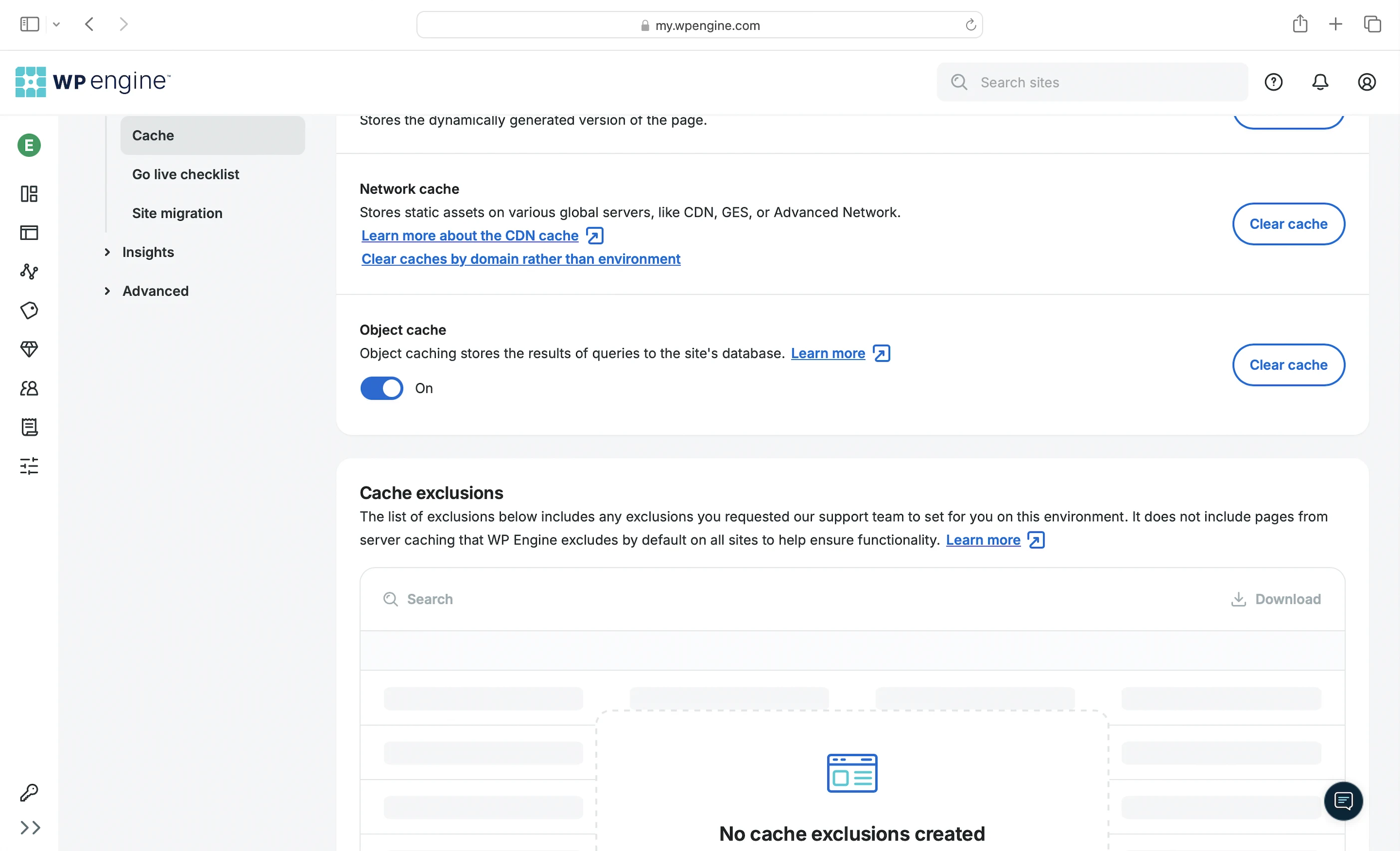
Stores your static content on your visitors’ devices so they don’t have to be downloaded again when they revisit your website.
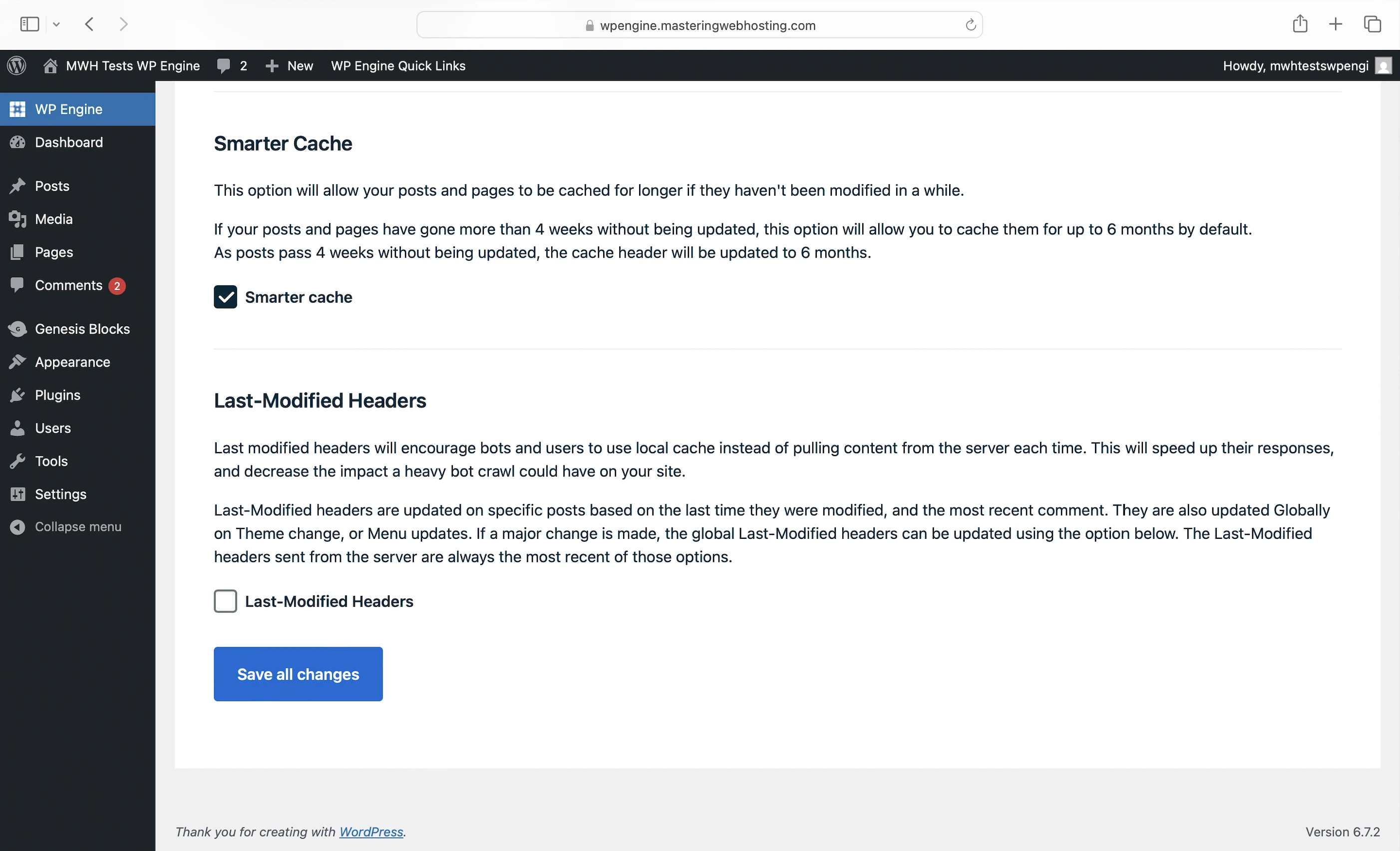
Smarter Cache
Caches static content from posts and pages that haven’t been updated in over four weeks, storing them for up to six months. You can find this in the WordPress dashboard.
Cloudflare CDN + GES
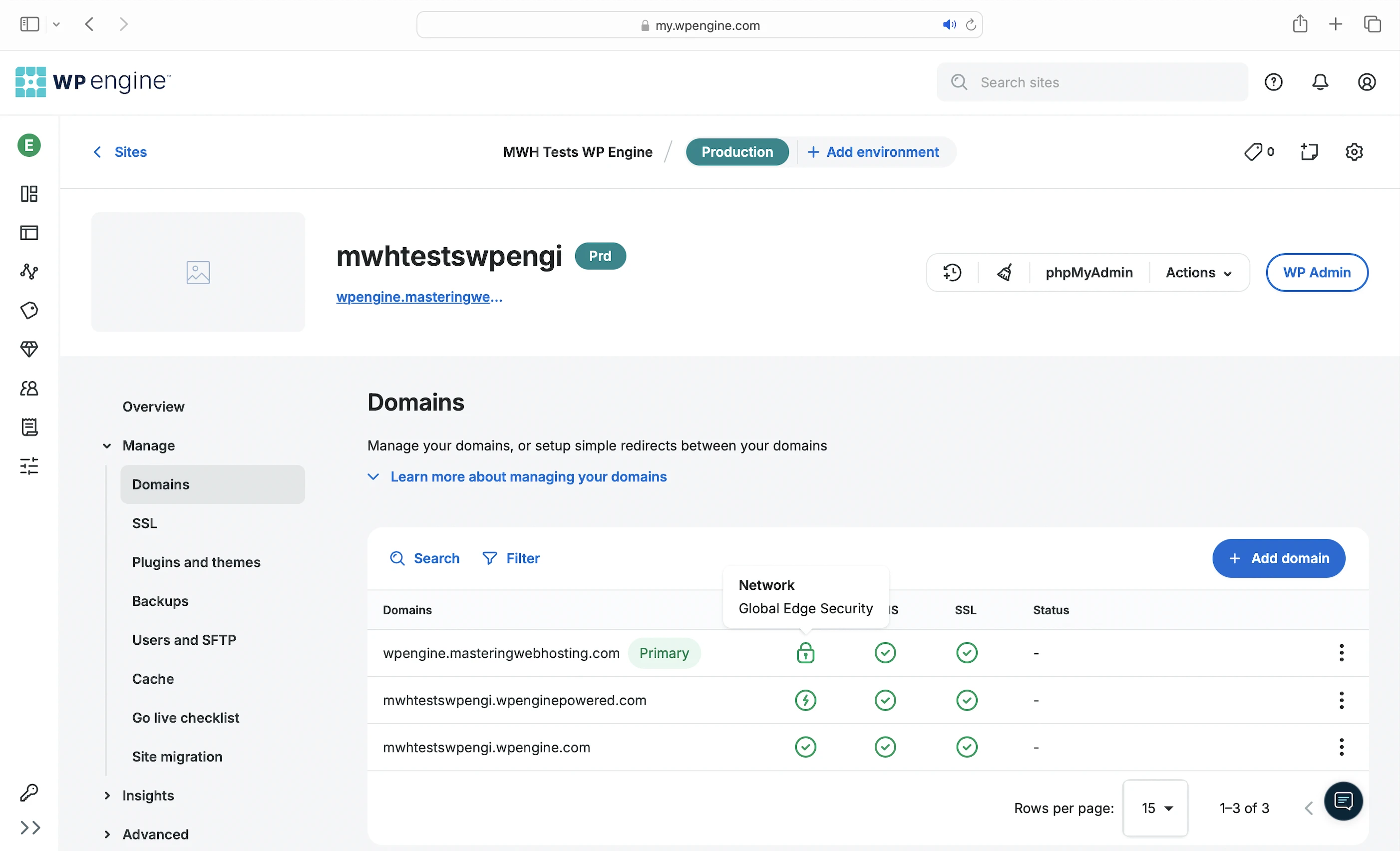
Pair the Global Edge Security (GES) add-on with Cloudflare CDN for $30/mo to get:
- Network caching: Caches your static content across 250+ PoPs worldwide.
- Polish: Optimizes and compresses your images by converting them to the WebP format.
- Argo (GES only): Intelligently routes your web traffic through 335 cities via optimized, low-latency paths.
You can also get GES at a discounted rate of $300/yr if you pay yearly.
4. Security Features
Cloudflare CDN + GES
As the point of entry to your website, Cloudflare and GES serve as your first line of defense, filtering most malicious traffic before it reaches your server. Some key features include:
- Enterprise-grade WAF: Regularly updated to deal with common web vulnerabilities like SQL Injection and XSS attacks.
- Latest OWASP ModSecurity Core Rule Set: Protects against the OWASP top-10 vulnerabilities.
- Browser Integrity Check: Automatically verifies whether a request is coming from a legitimate web browser.
- Advanced DDoS protection:
- Defends against attacks targeting layers 3, 4, and 7 of your network.
- Leverages Cloudflare’s Global Anycast network, which has 10X the capacity of the largest recorded DDoS attack.
- Obfuscates your server’s IP address to prevent bad actors from sending traffic directly to it.
Even the basic Cloudflare plan has:
- IP-based rate limiting.
- Unmetered Application Layer (layer 7) DDoS Protection: You won’t be charged extra for bandwidth consumed during DDoS attacks.
Server Firewall
The remaining malicious attacks are handled by WP Engine’s proprietary server-level firewall, the details of which are not shared publicly. It also blocks bots and protects your sensitive files and directories from unauthorized public access.
File Security
On top of the existing security for your files and directories, WP Engine uses Disk Write Protection and Disk Write Limitations to prevent unauthorized changes to your WordPress content.
Malware Scanning
You can ask Support to do a deep-level malware scan and cleaning of your website. They will create a backup copy of your site before starting the scan, which could take up to 24 hours.
Web Rules Engine
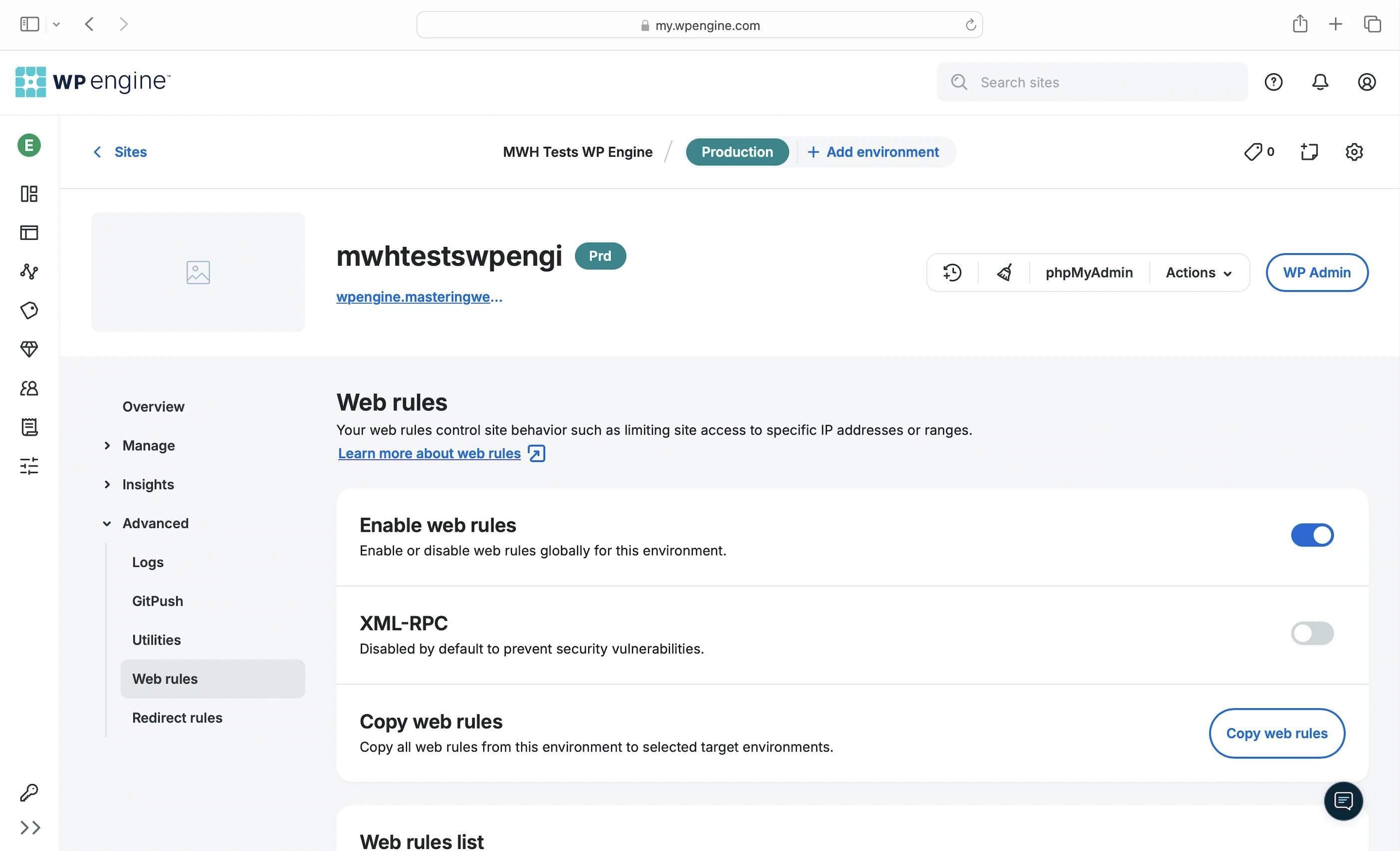
Finally, you can self-manage your security by blocking suspicious IP addresses and requests with the Web Rules Engine in the dashboard. Make sure you know what you are doing or you will end up blocking your visitors!
5. Speed Test
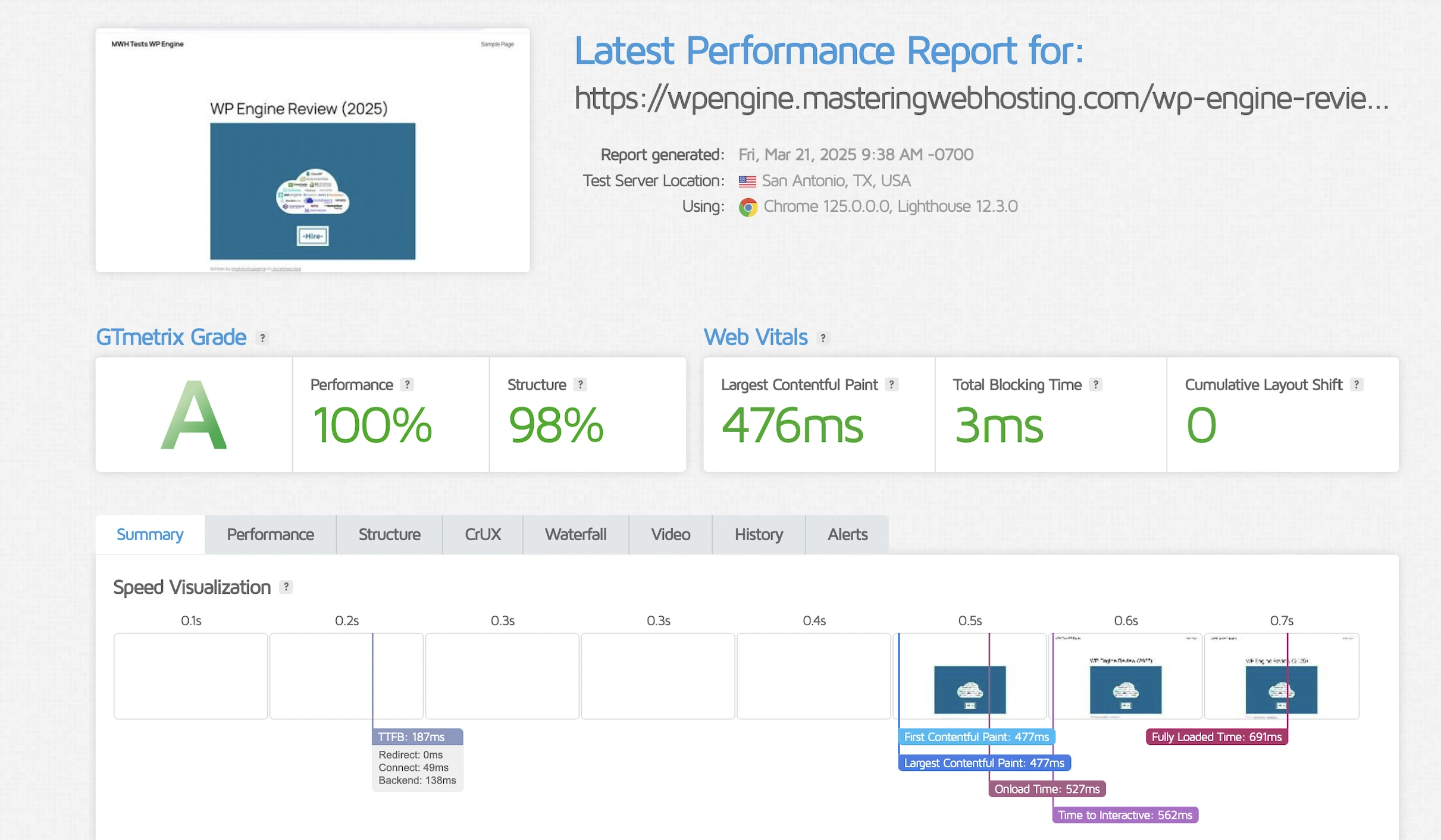
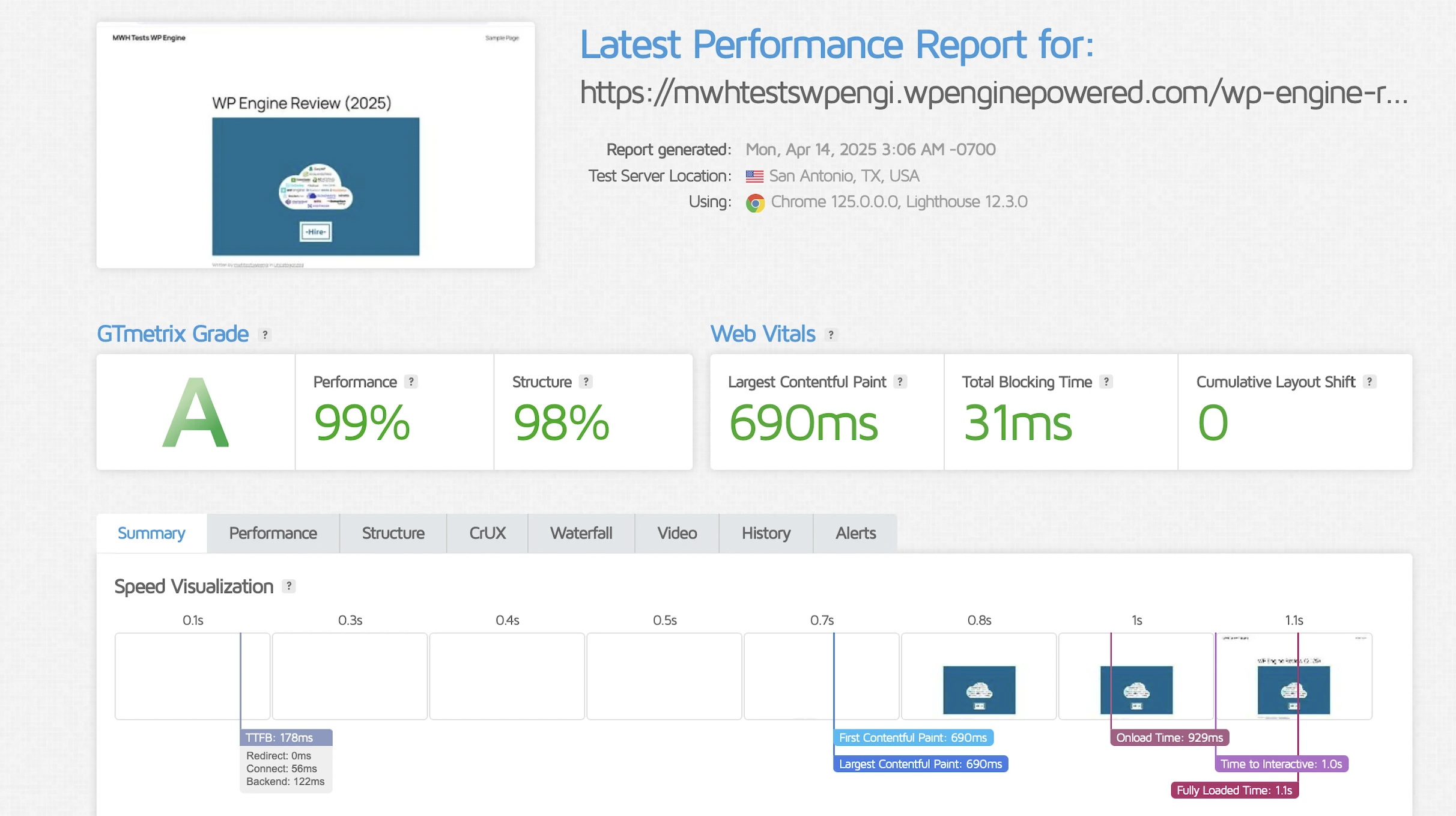
GTMetrix said my Largest Contentful Paint (LCP) was 476ms in Dallas.
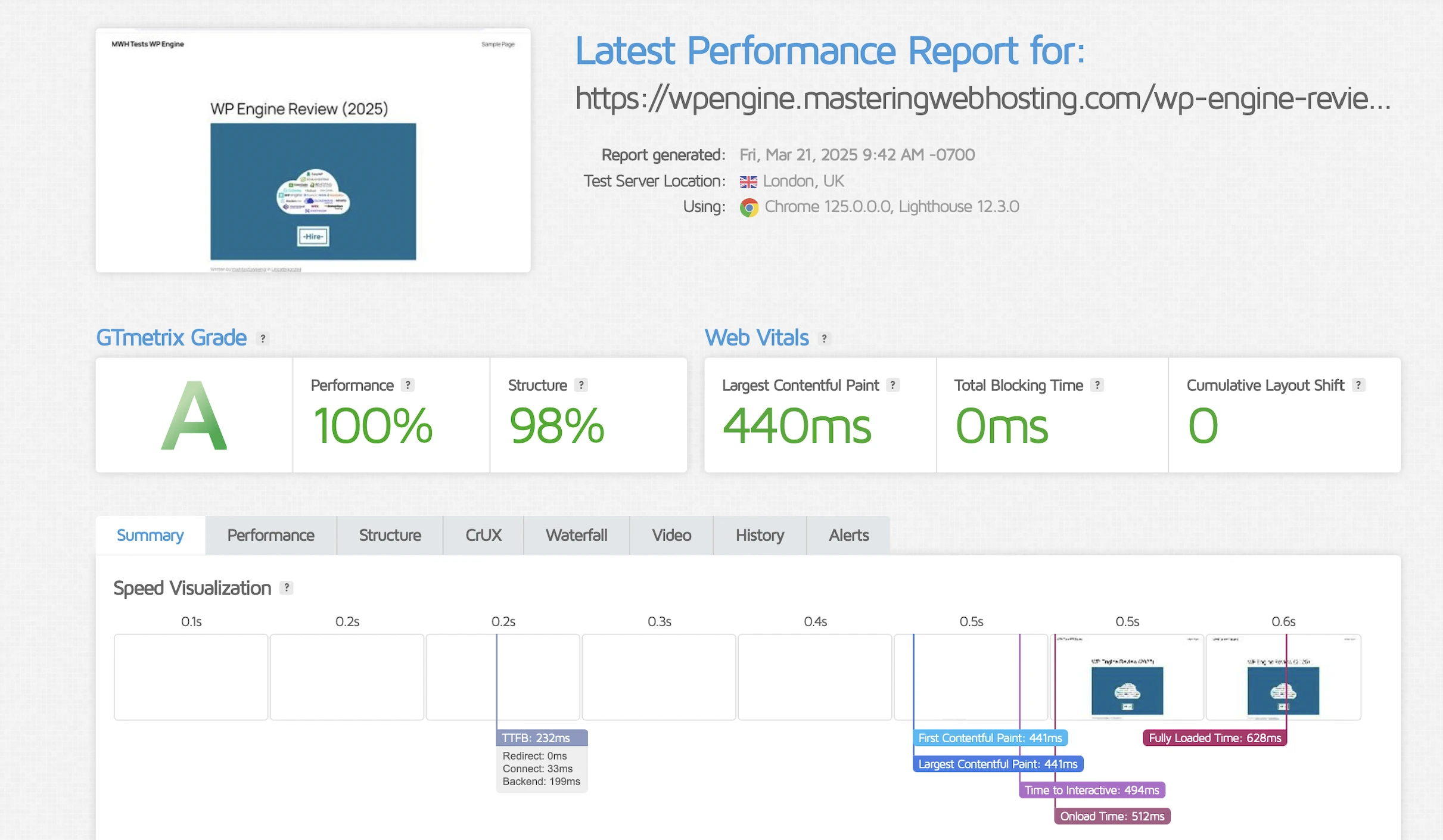
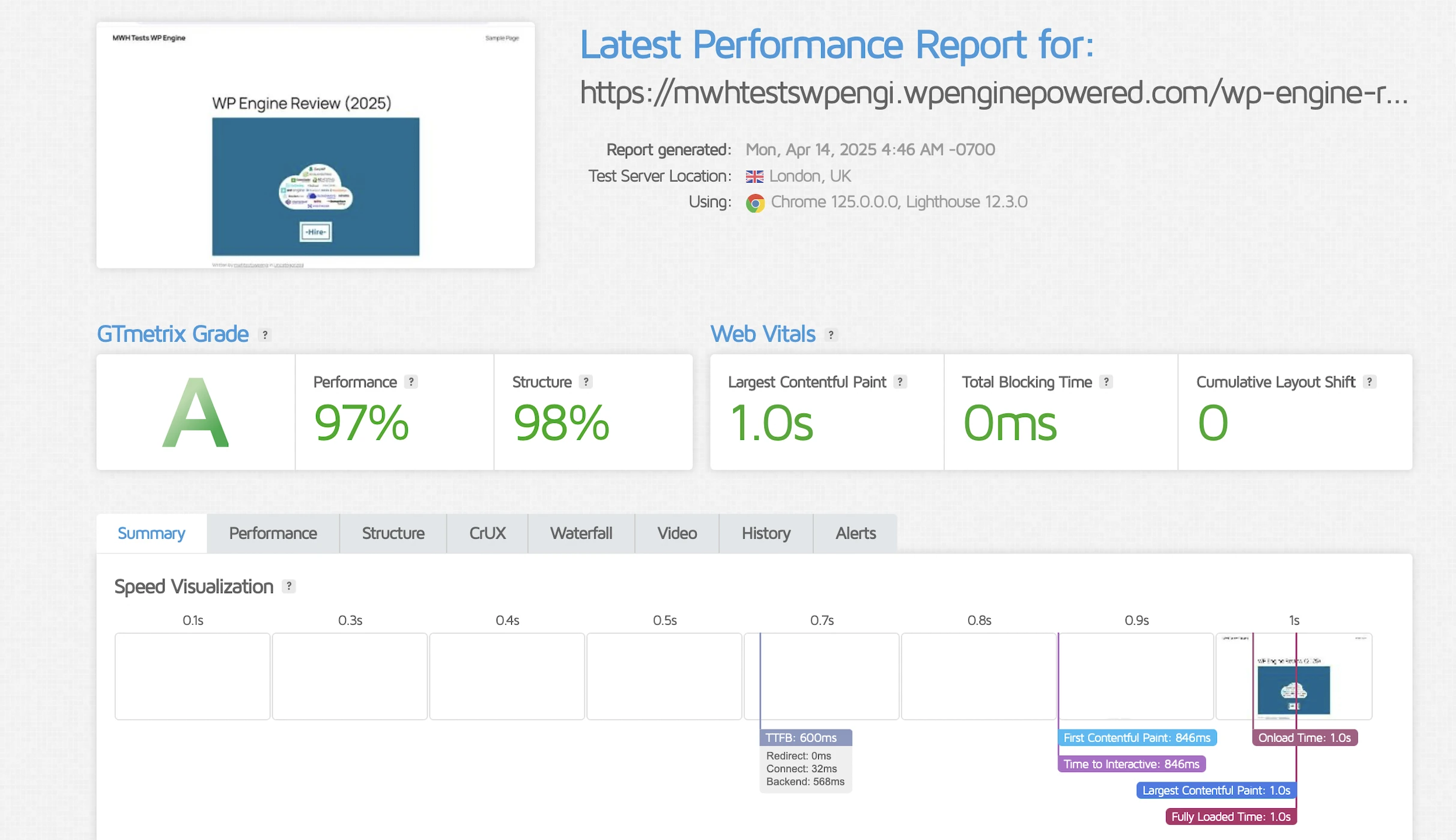
It got slightly better in London at 440ms.
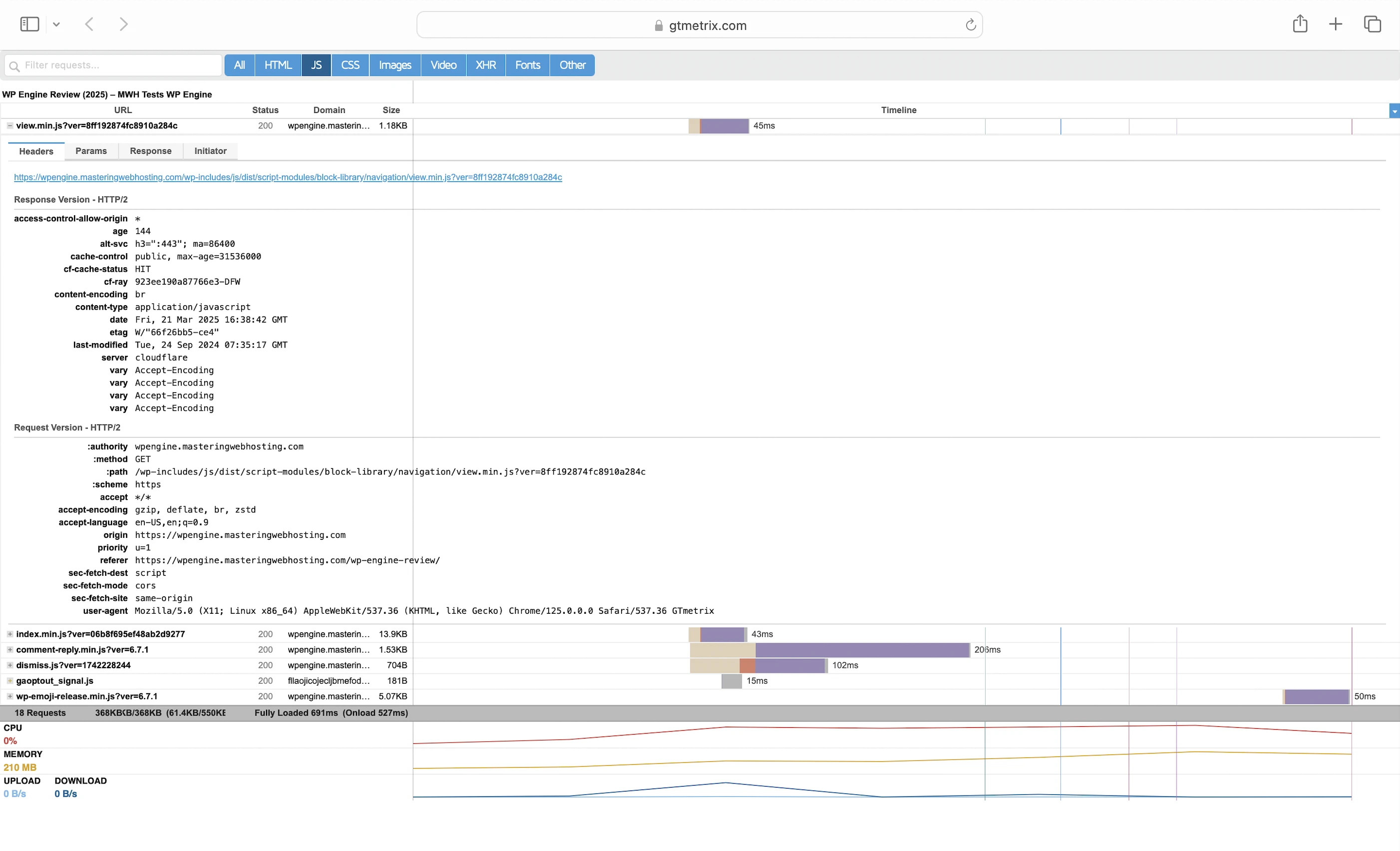
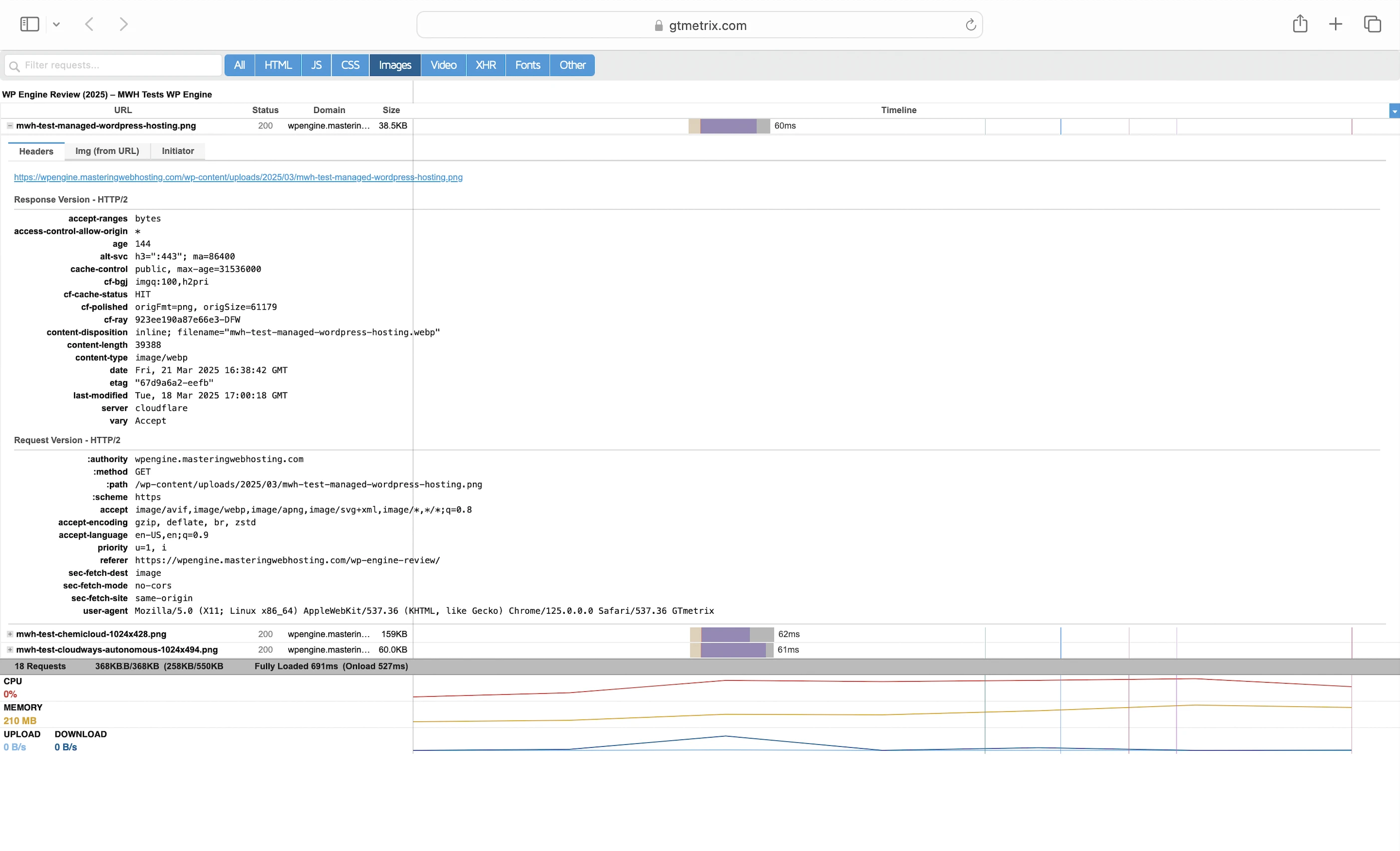
And this was despite the requests for my static content hitting the Cloudflare cache (cf-cache-status: HIT).
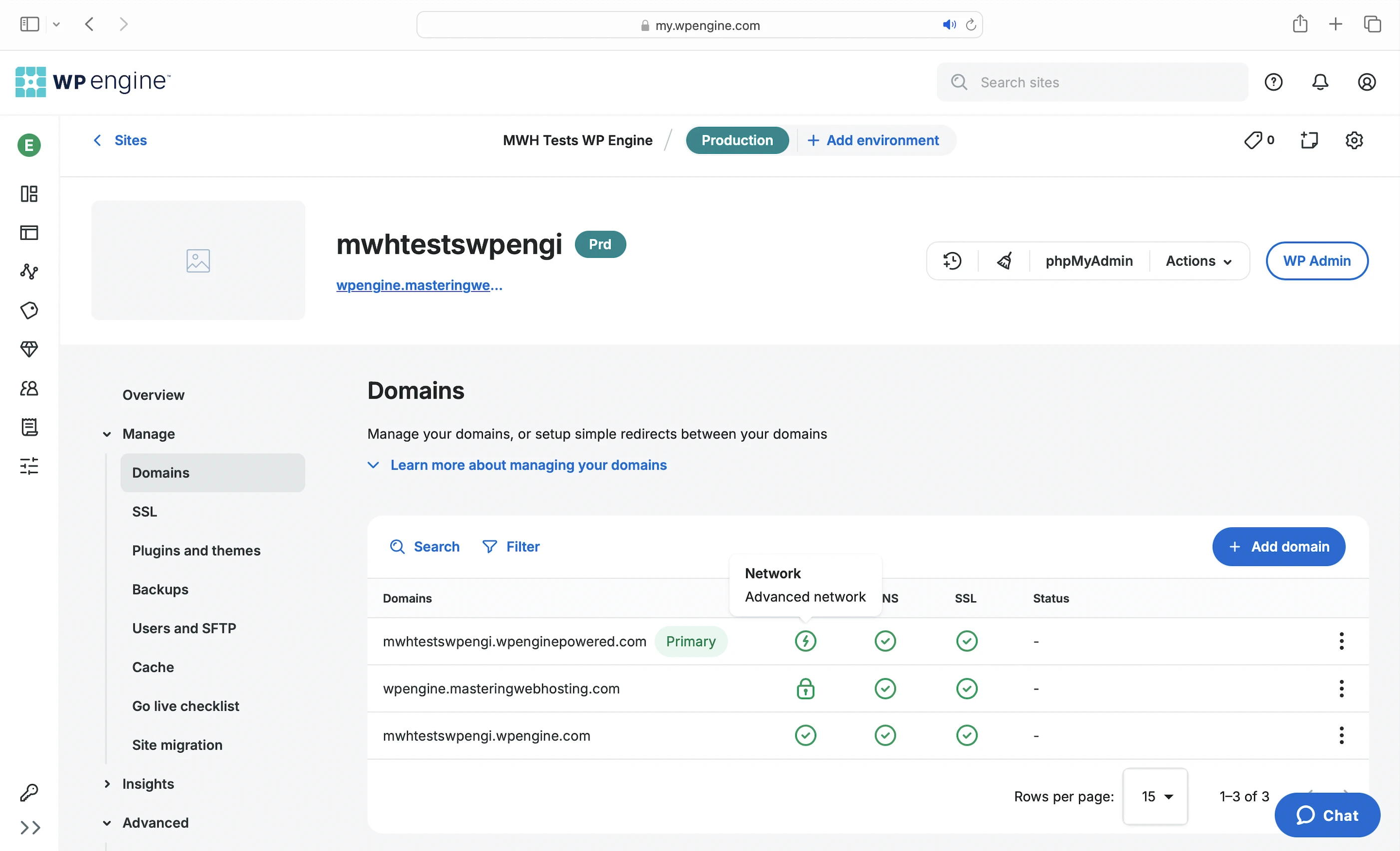
I initially suspected the slowdown was due to the lack of Edge Full Page Caching, which GES didn’t support at the time. Without it, my CDN couldn’t cache or serve dynamic HTML content—my response header cf-cache-status returned DYNAMIC instead of HIT.
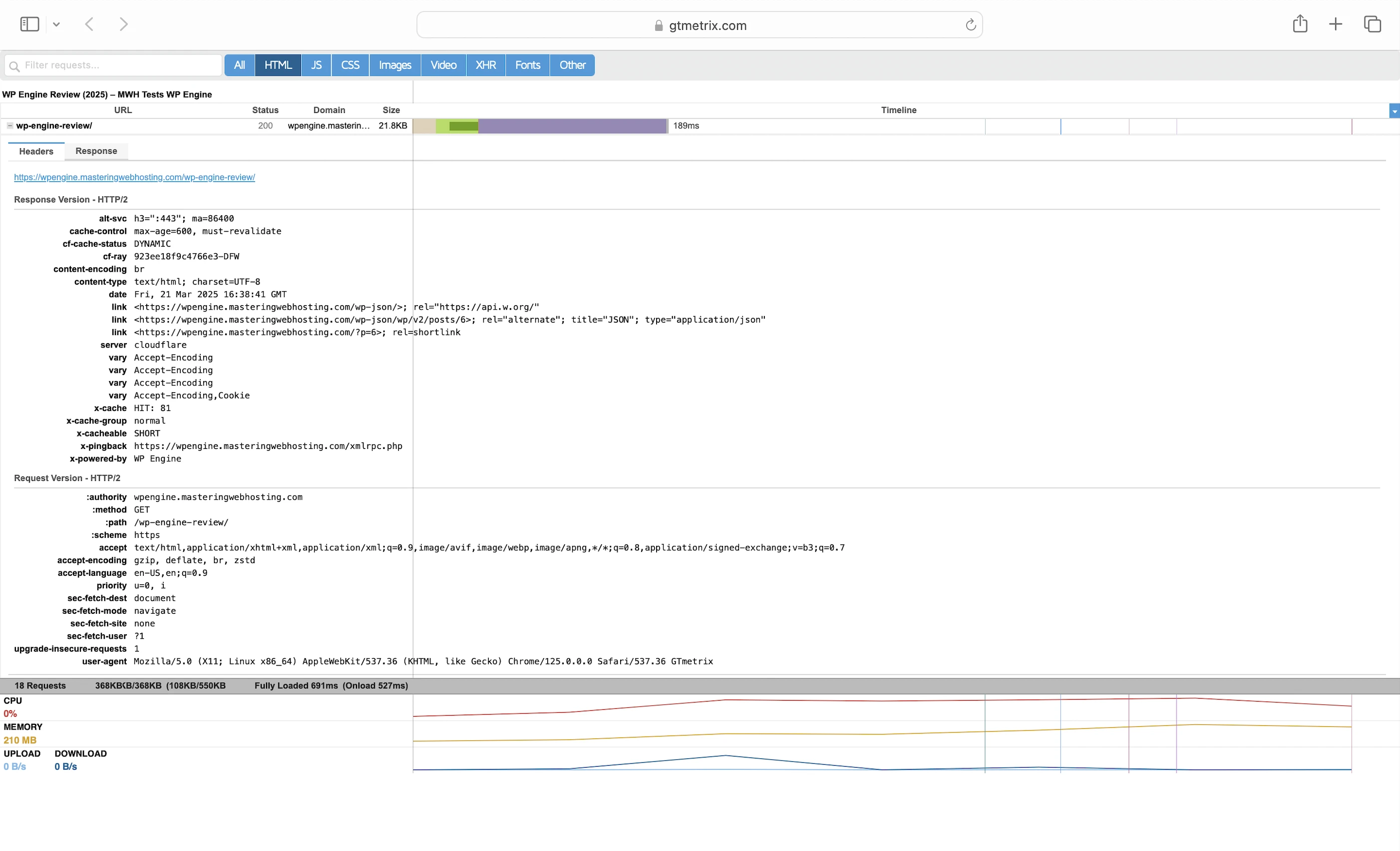
To test this theory, I switched to the Advanced network, hoping it would enable Edge Full Page Caching. However, even after the switch, my CDN still couldn’t cache or serve dynamic HTML—only my static assets continued to be cached.
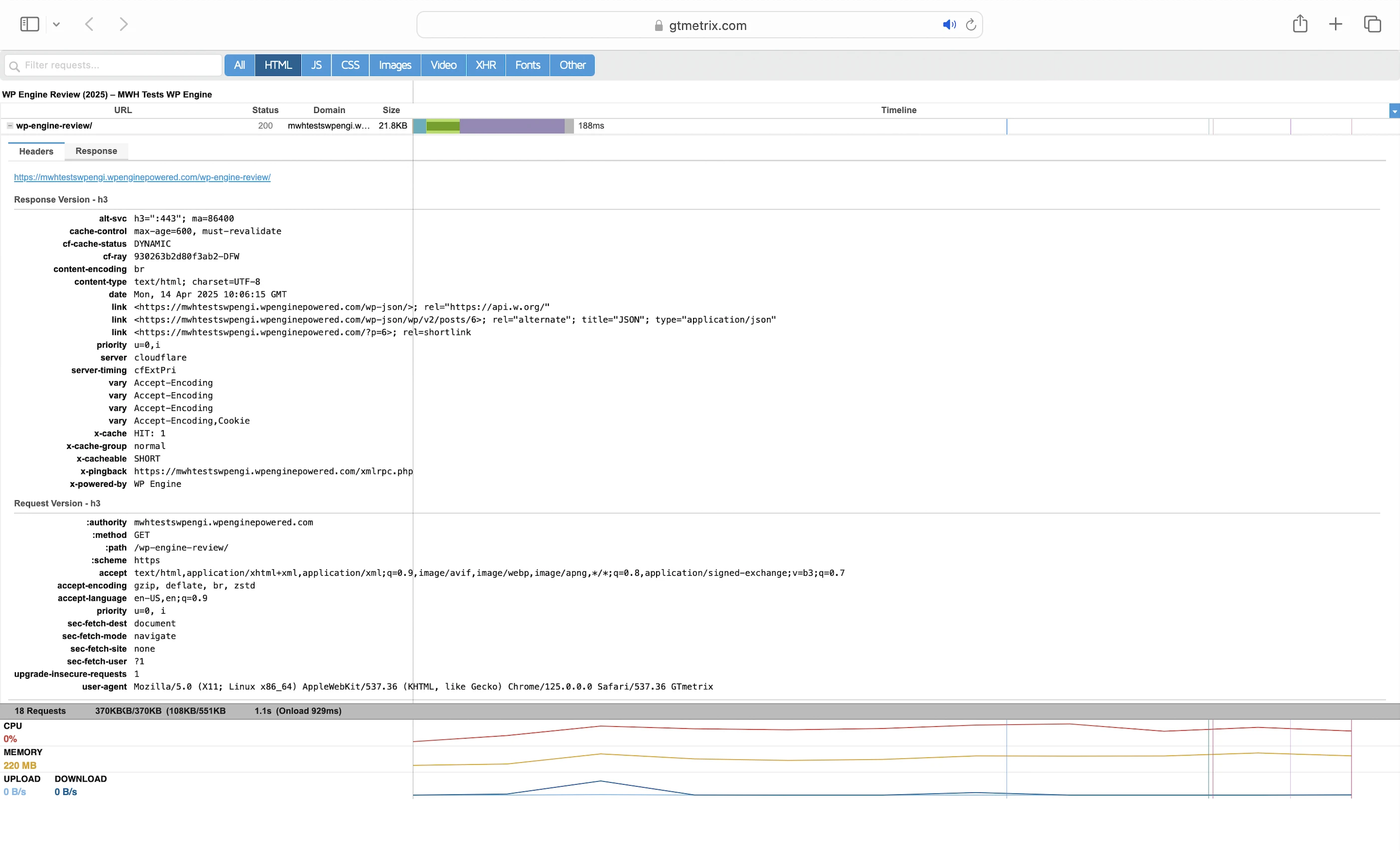
In fact, my LCP in Dallas and London even got worse.
6. Security Test
I launched 26,002 cyberattacks against my website:
- 1 out of 30 high risk vulnerabilities detected:
- SQL Injection: 18 out of 1,528 attacks successful. All of them were even vulnerabilities in my wp-login page!
- 0 out of 12 medium risk vulnerabilities detected.
- 1 out of 2 informational risks. 748 alerts but these aren’t vulnerabilities.
- Success Rate: 25,236 or 97% of my attacks were completely neutralized.
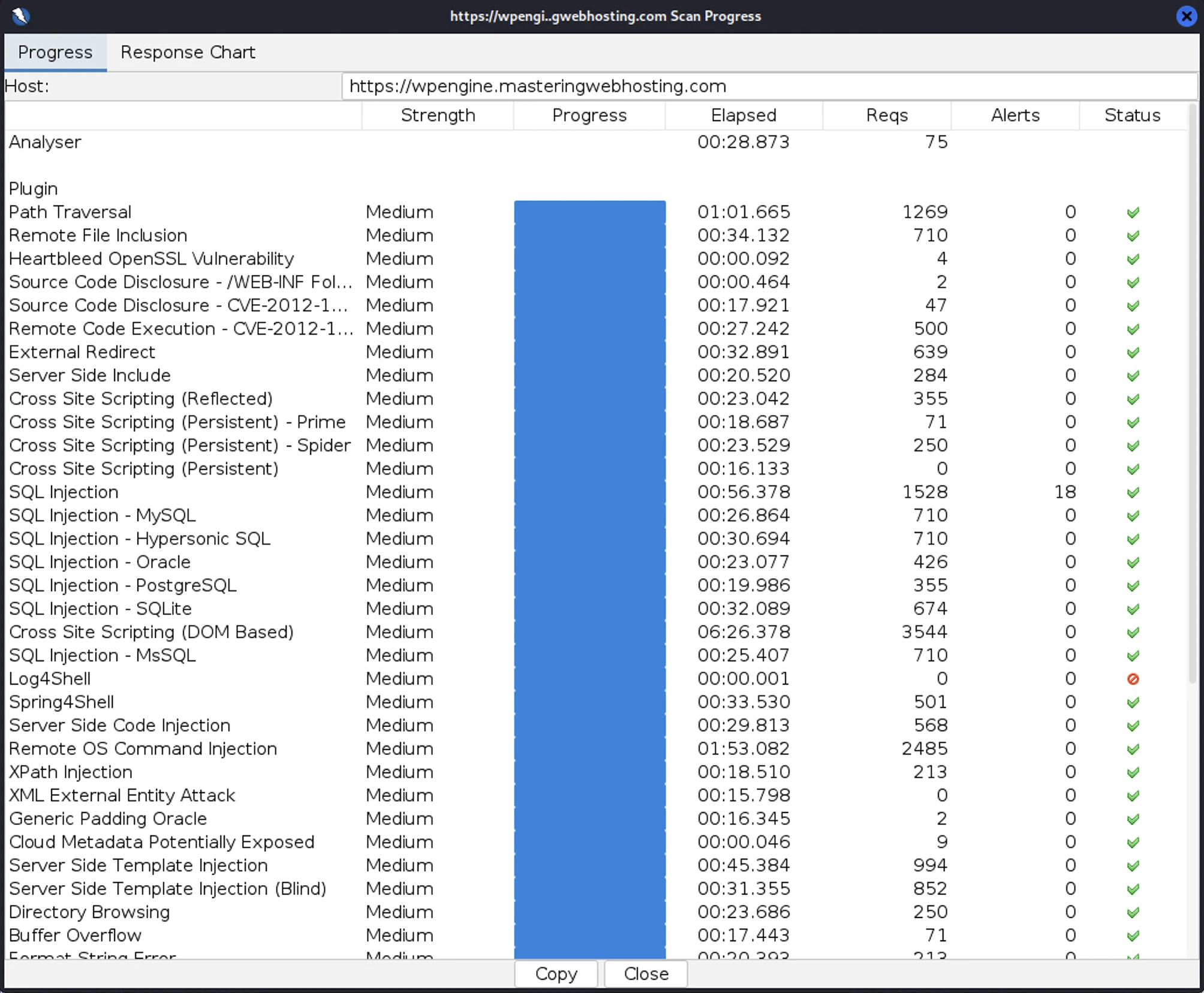
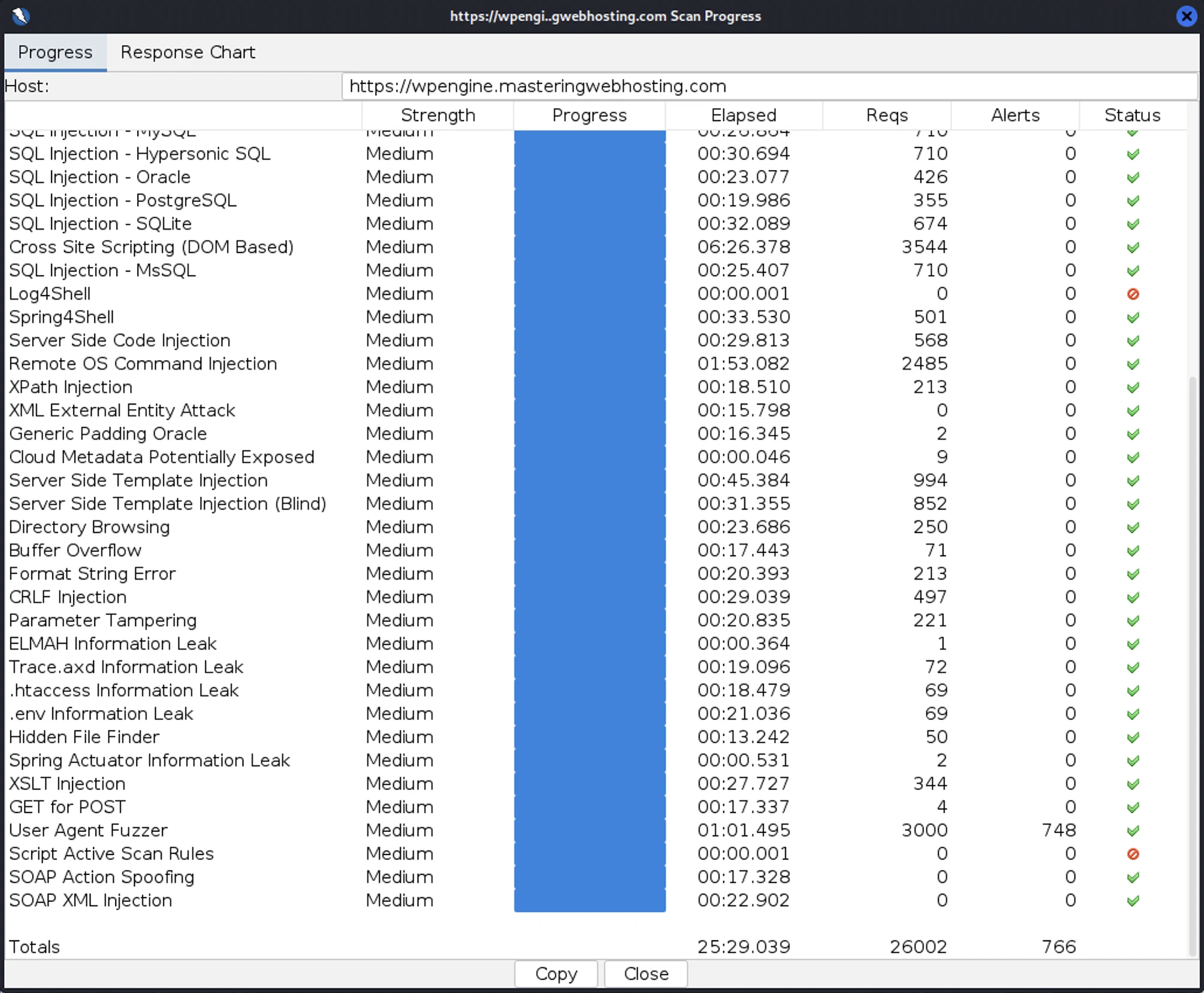
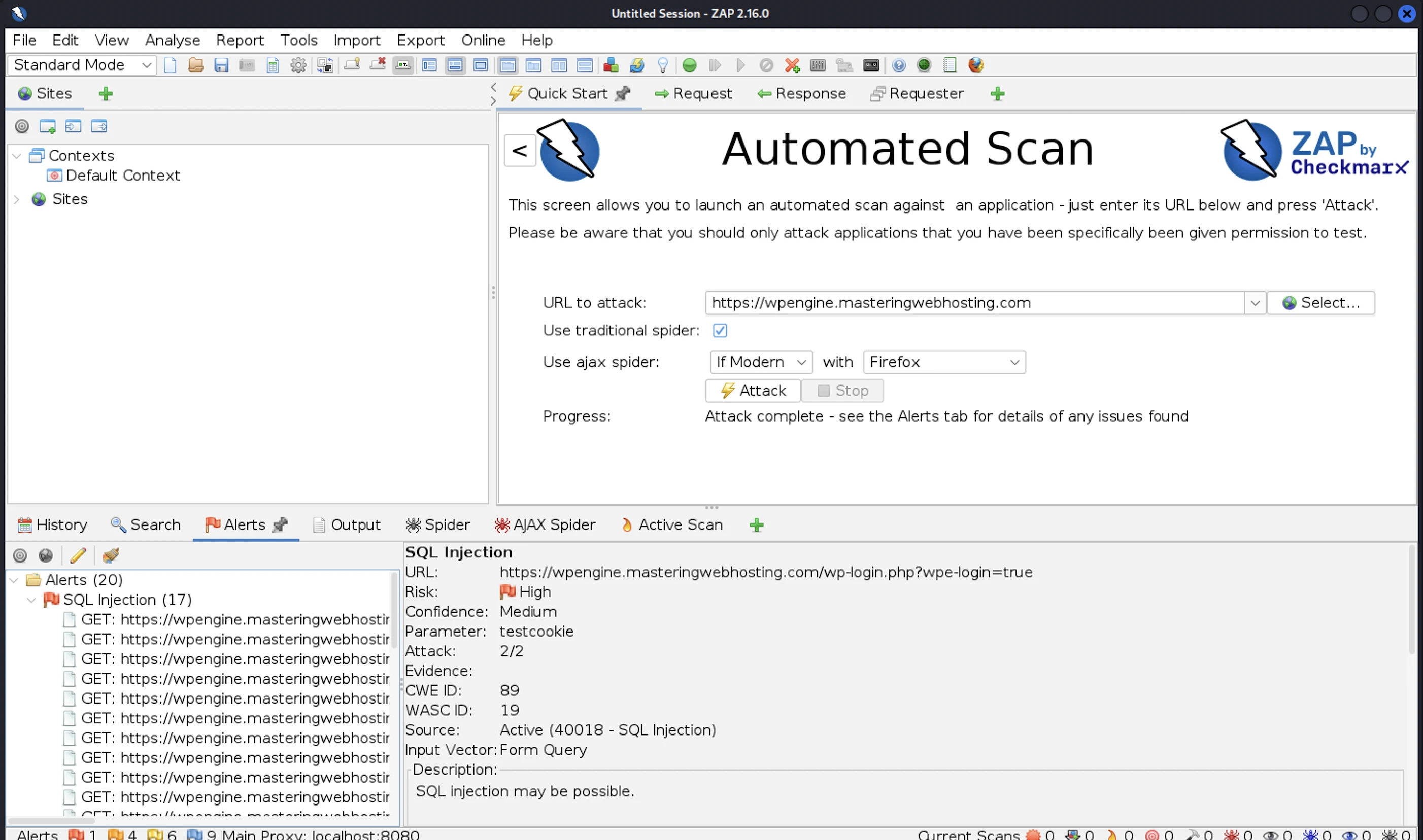
Not only that, but I made a startling discovery when I tried a second scan: My first swarm of attacks had actually brought down my website for a few seconds.
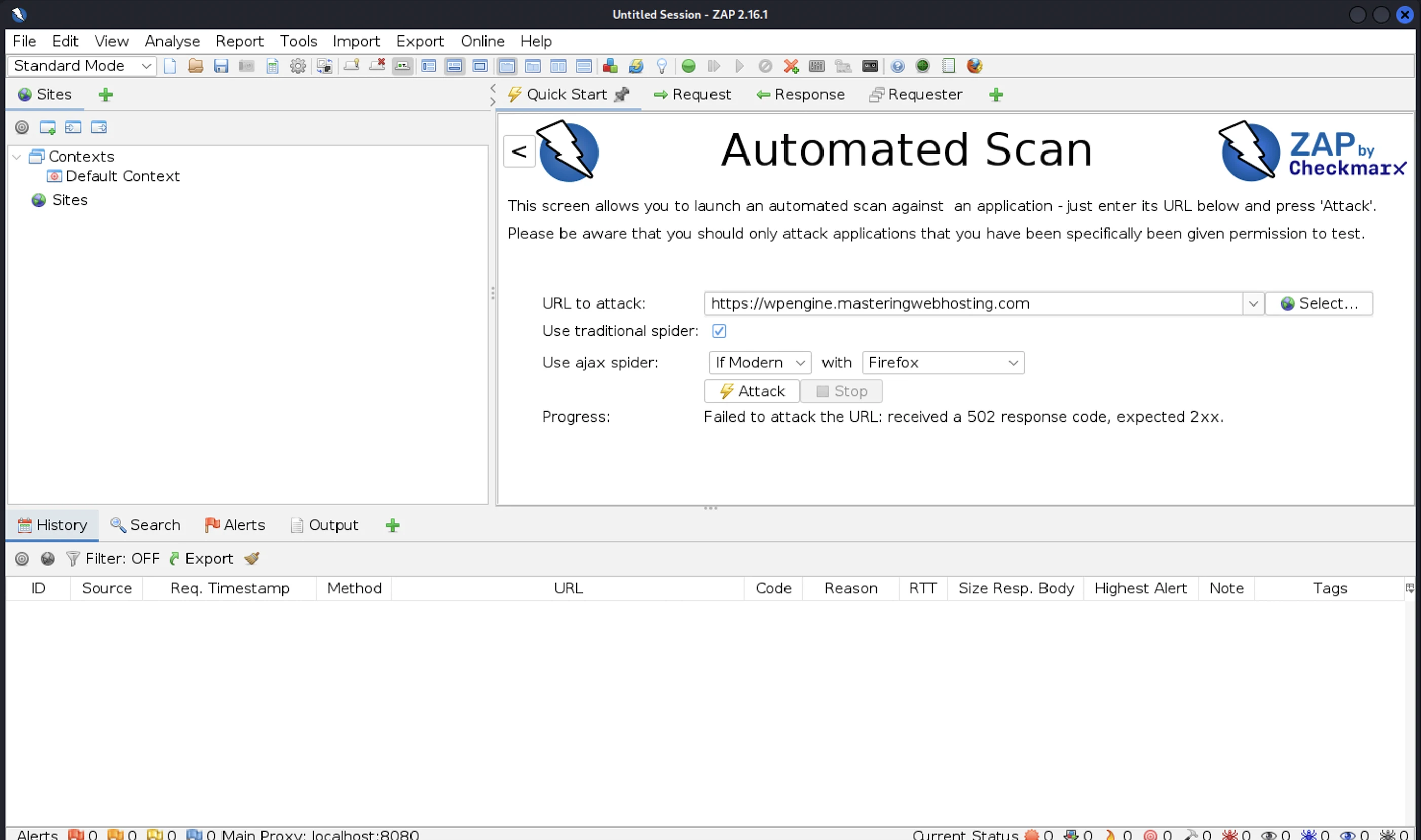
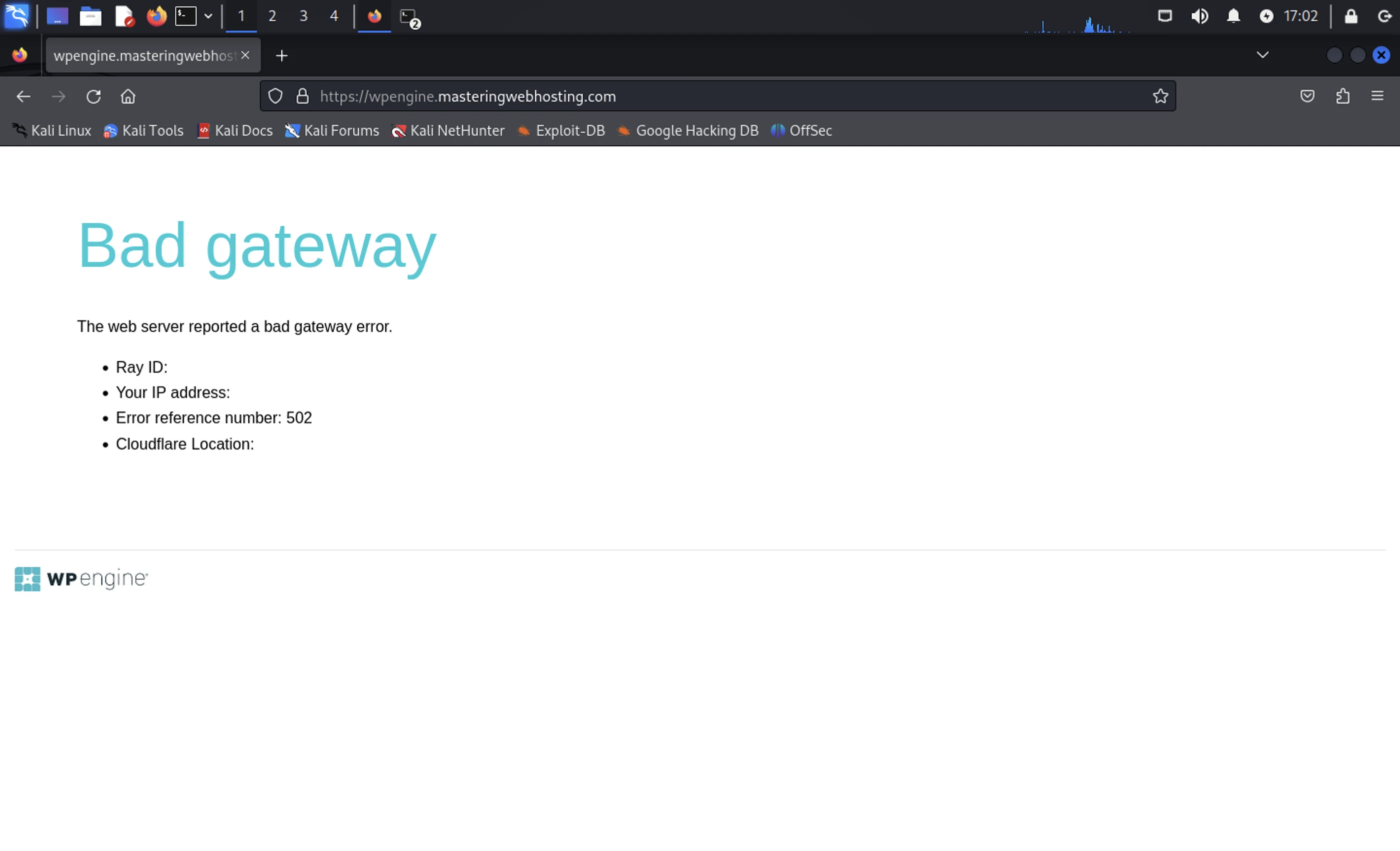
Since my attacks were launched from the same server and IP address, it was similar to a simple DoS attack.
This was something I expected the expensive GES add-on to handle easily with its much touted advanced DDoS mitigation. If it couldn’t withstand my simple scan, how was it supposed to stand up against larger-scale attacks?
If this is the best security GES offers, I hate to think what it’d be like without it.
7. Uptime Test
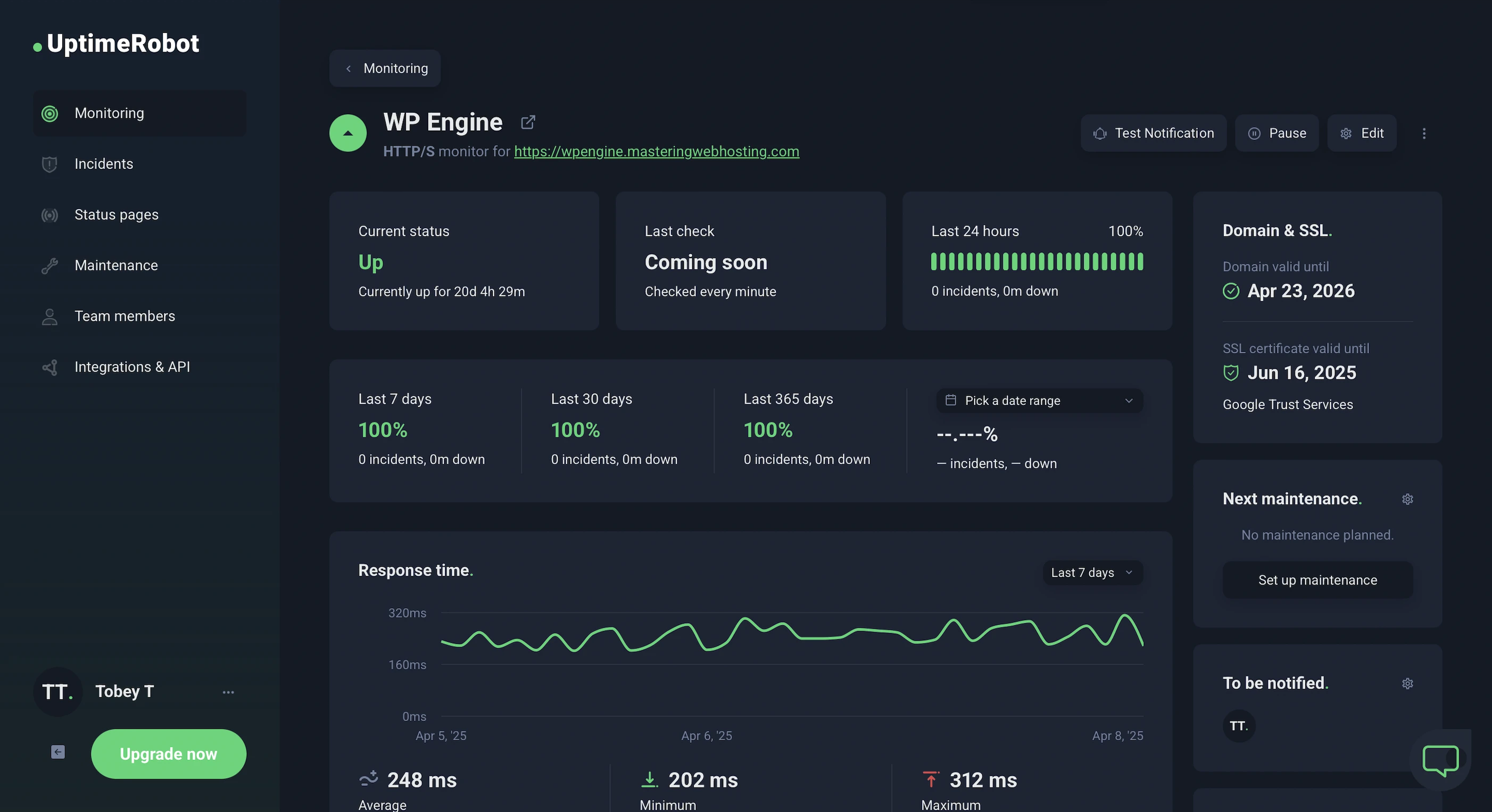
In the 20 days I was reviewing, UptimeRobot reported that my WP Engine website enjoyed 100% uptime after checking on it every minute.
On the other hand, HetrixTools put my uptime at 99.98% after monitoring my website at 1-minute intervals for 20 days too—I saw 1 downtime lasting 1 minute in my daily report.
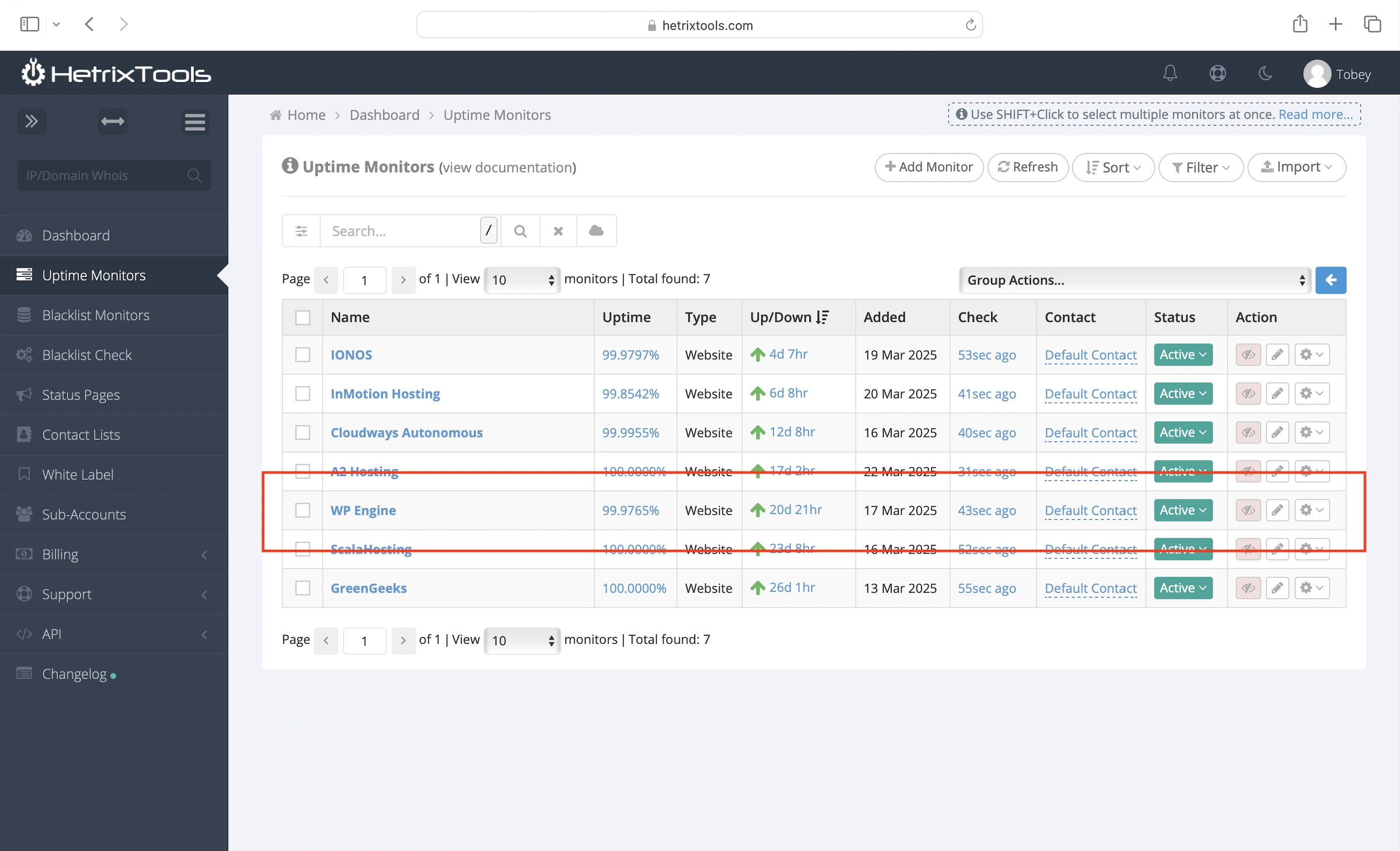
Both are solid results, even though WP Engine doesn’t include an uptime SLA for my plan.
However, what absolutely blew me away was WP Engine’s system status and incident reporting.
Not only is the system status page sleek and intuitive, but it also lets you drill down into the finer details of past incidents.
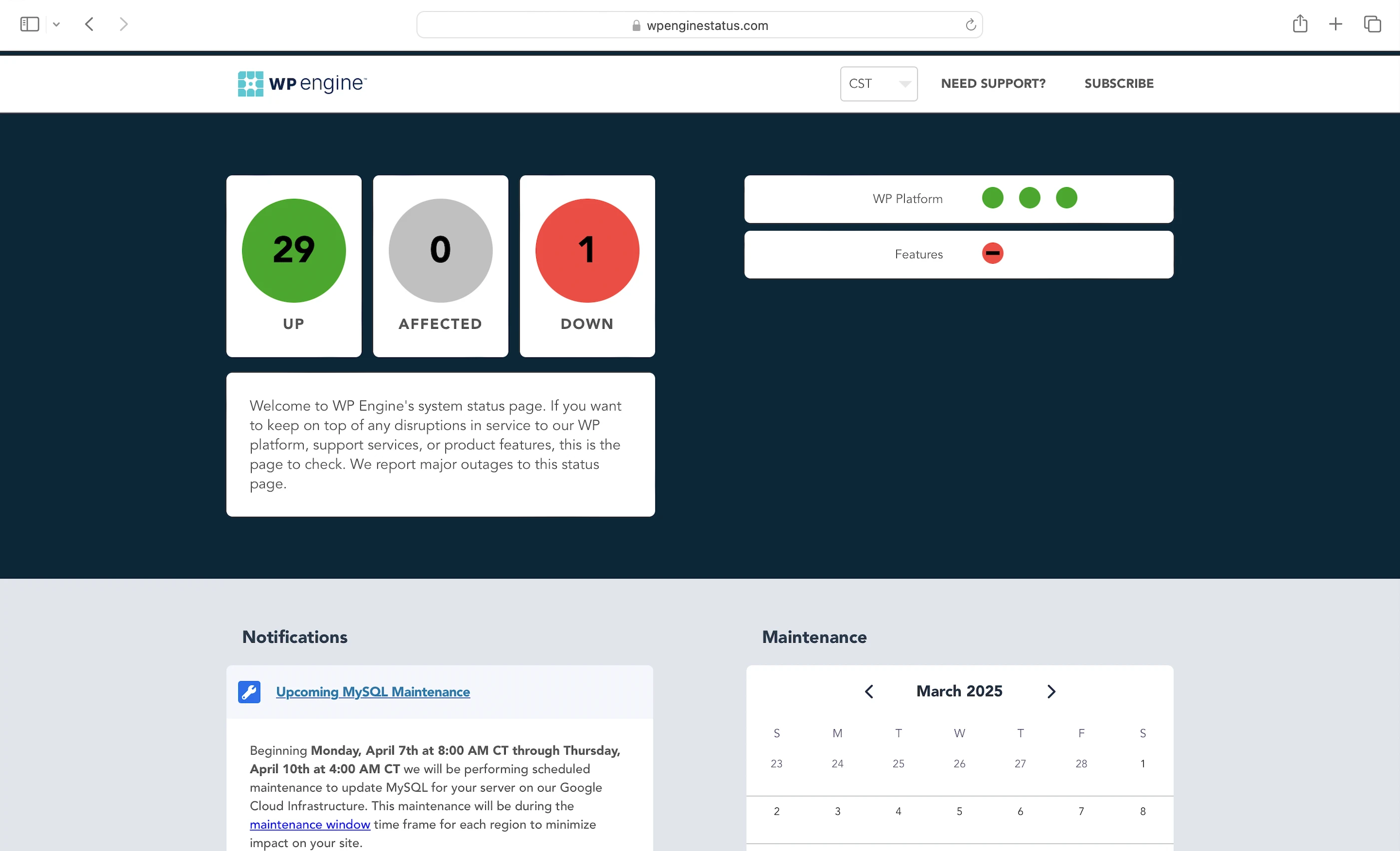
You can explore WP Engine’s service history:
- In list or calendar view (visually beautiful)
- Across three service categories: WP Platform, Support Services, and Features
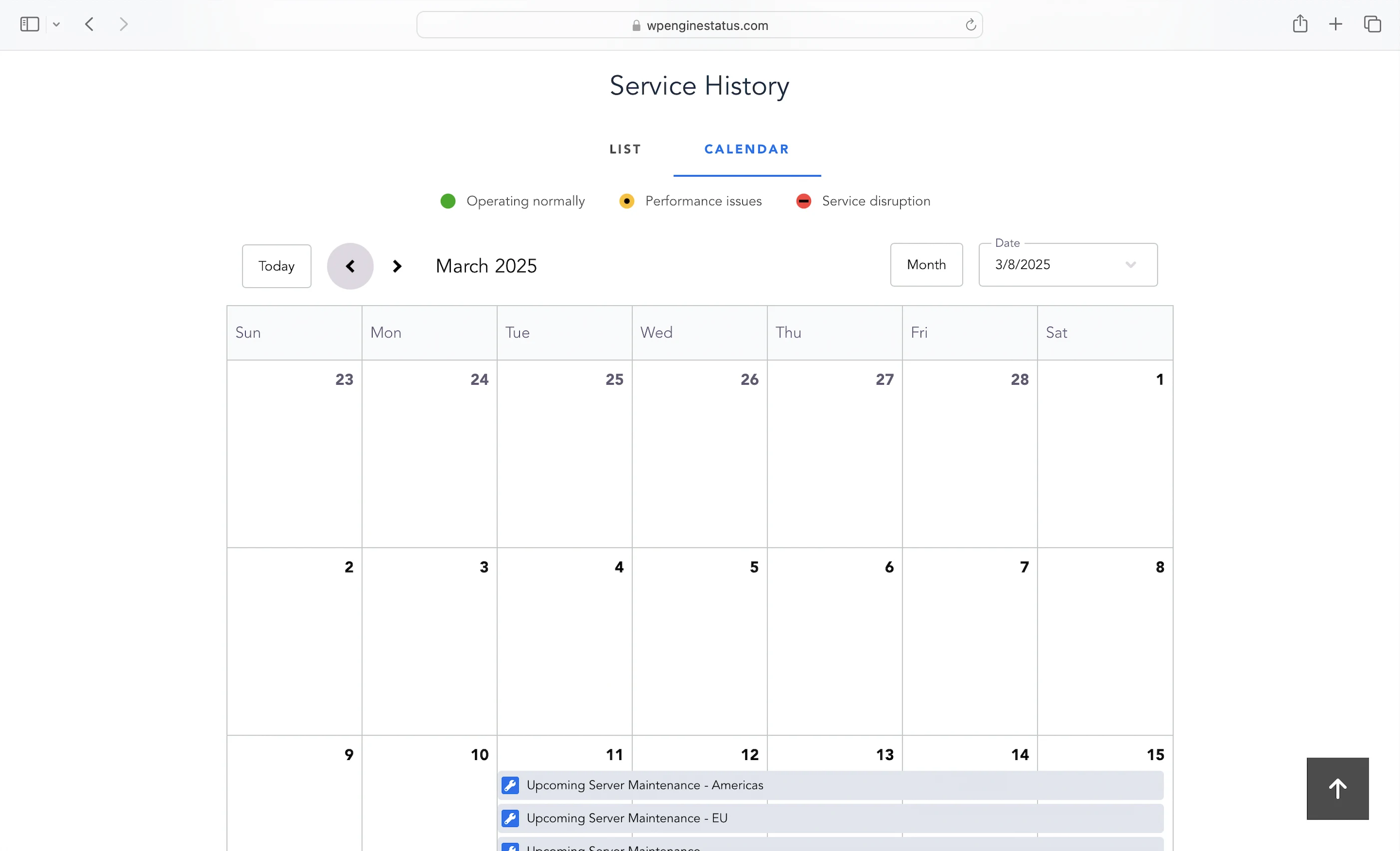
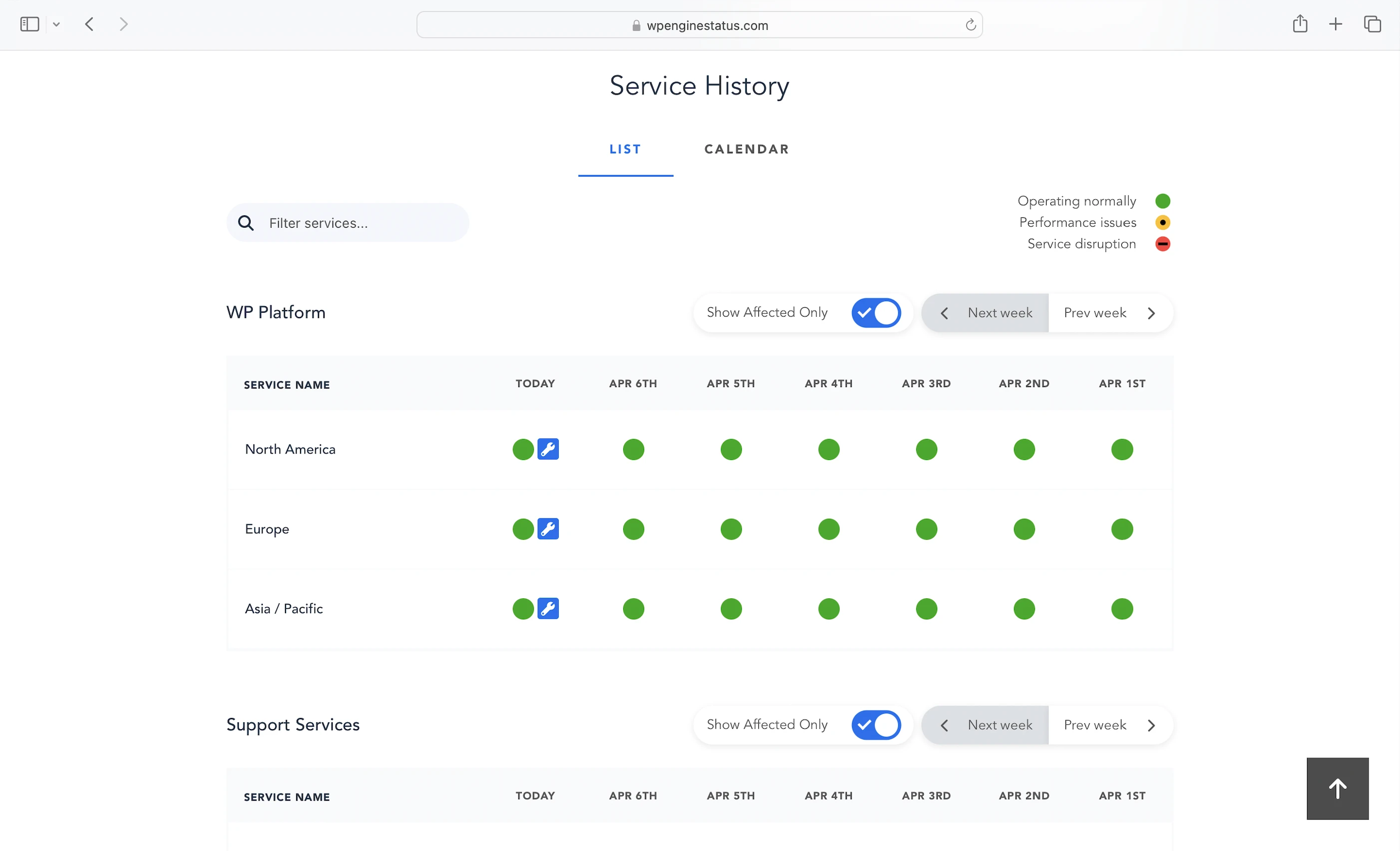
I signed up with WP Engine to review its hosting, but I didn’t expect to get a crash course on data visualization along the way.
The only disappointment? It removed uptime reporting. You used to be able to view uptime stats by service category, time period, and region.
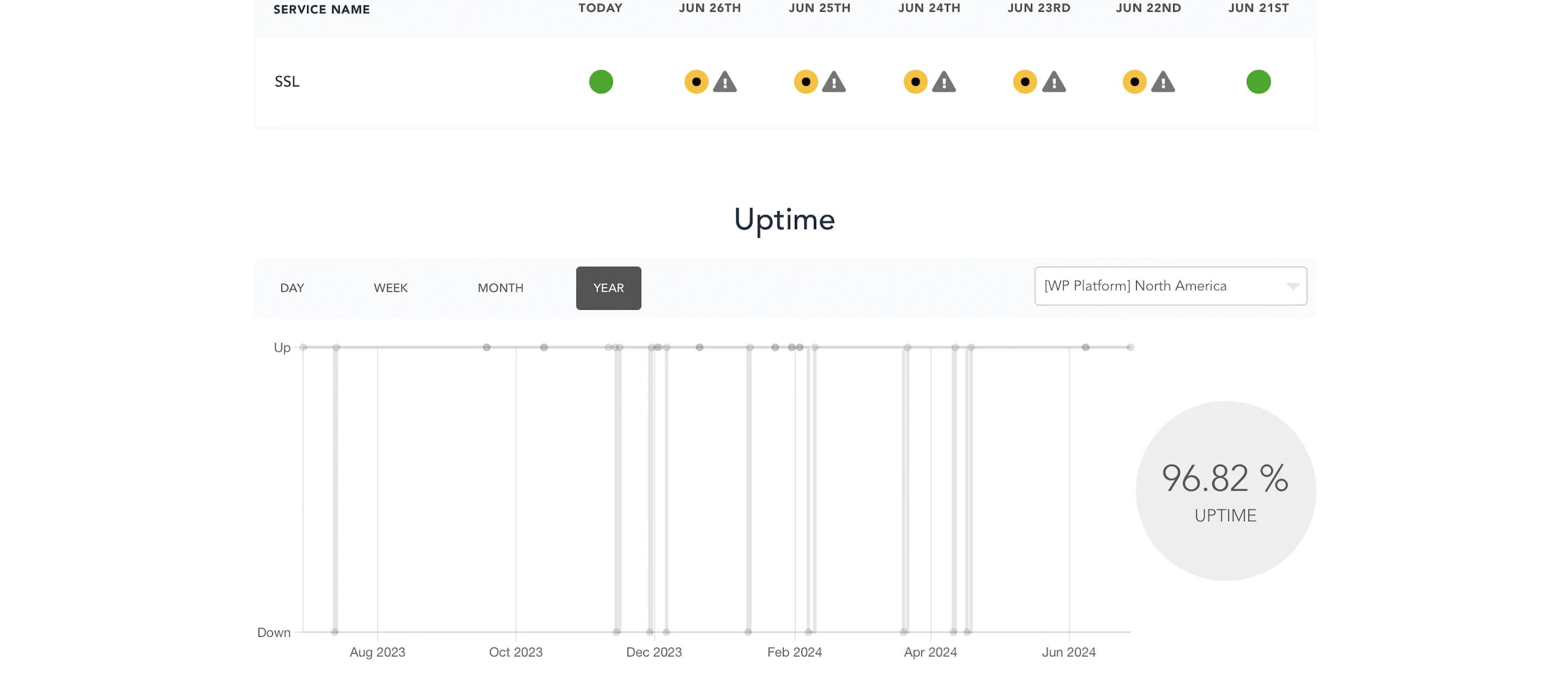
It would have been so cool to compare WP Engine’s reported uptime with UptimeRobot’s and HetrixTools’.
What a letdown.
8. Cons
Disallowed Plugins
You may encounter issues if you’re migrating from another host where those plugins were in use.
Only 1 PHP Worker
Just when I thought SiteGround’s 2 PHP workers was bad. Good luck if you have lots of visitors clicking around at the same time.
Memcached Object Cache
Slower than Redis and way slower than the $95/mo Object Cache Pro, which some hosts like Cloudways include for free.
10GB SATA SSD Storage
Makes WP Engine servers slower than hosts who use servers with NVMe SSDs. And come on, those hosts also give more storage for half the price too. It gets worse…
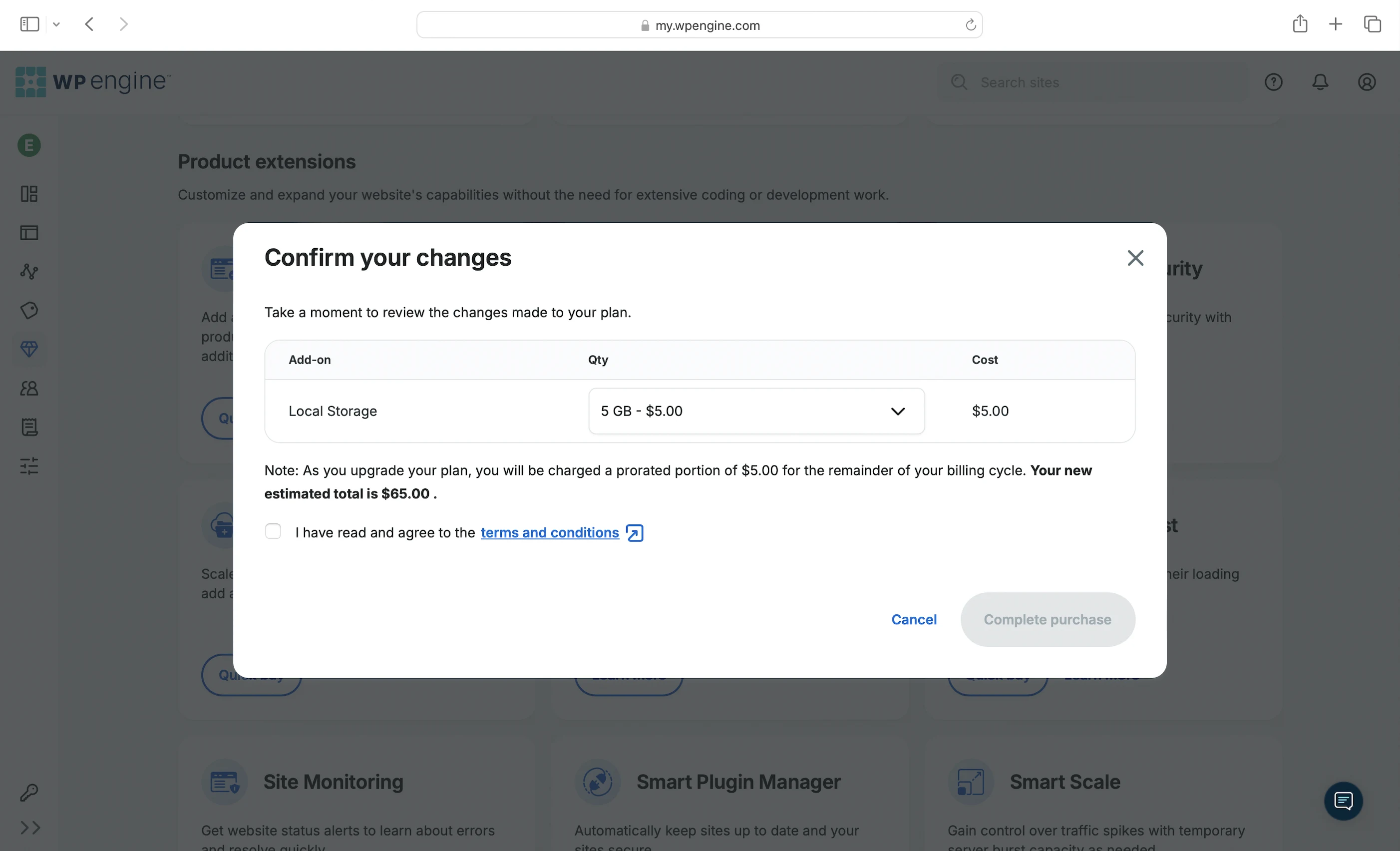
Storage Add-on
What really takes the cake is that WP Engine charges $5/mo for every extra 5GB of storage. Like seriously?
GES Add-on
You’re paying an extra $30/mo for just two features: Argo and a WAF. Neither improved my speed and security. The kicker? That $30 is more than some full hosting plans that already include those features.
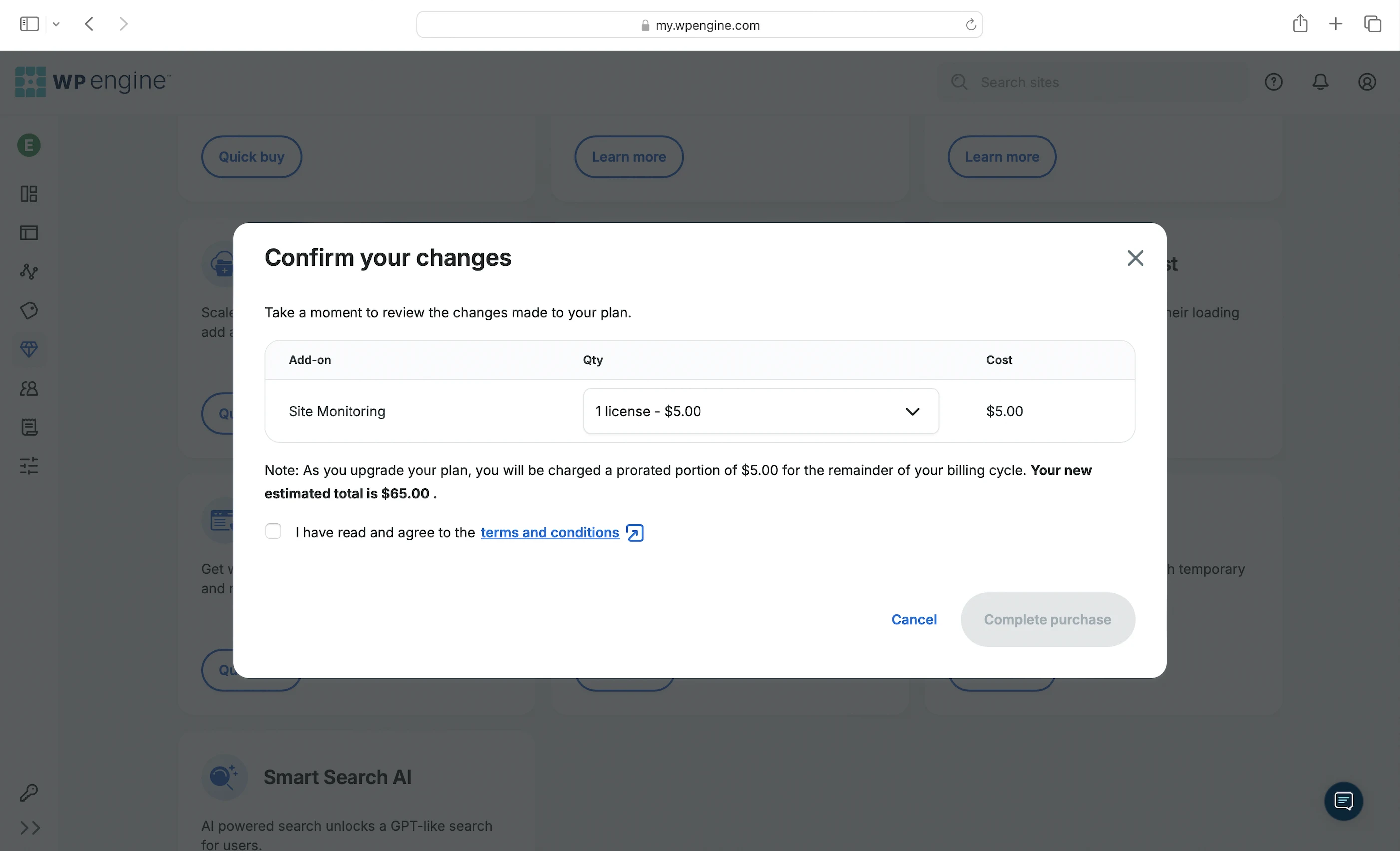
Site Monitoring Add-on
WP Engine also charges another $5/mo just to notify you of downtime. Something you can get for free from its system status page or a plugin like Jetpack. At this point, it really feels like it’s nickel-and-diming us.
No Uptime SLA
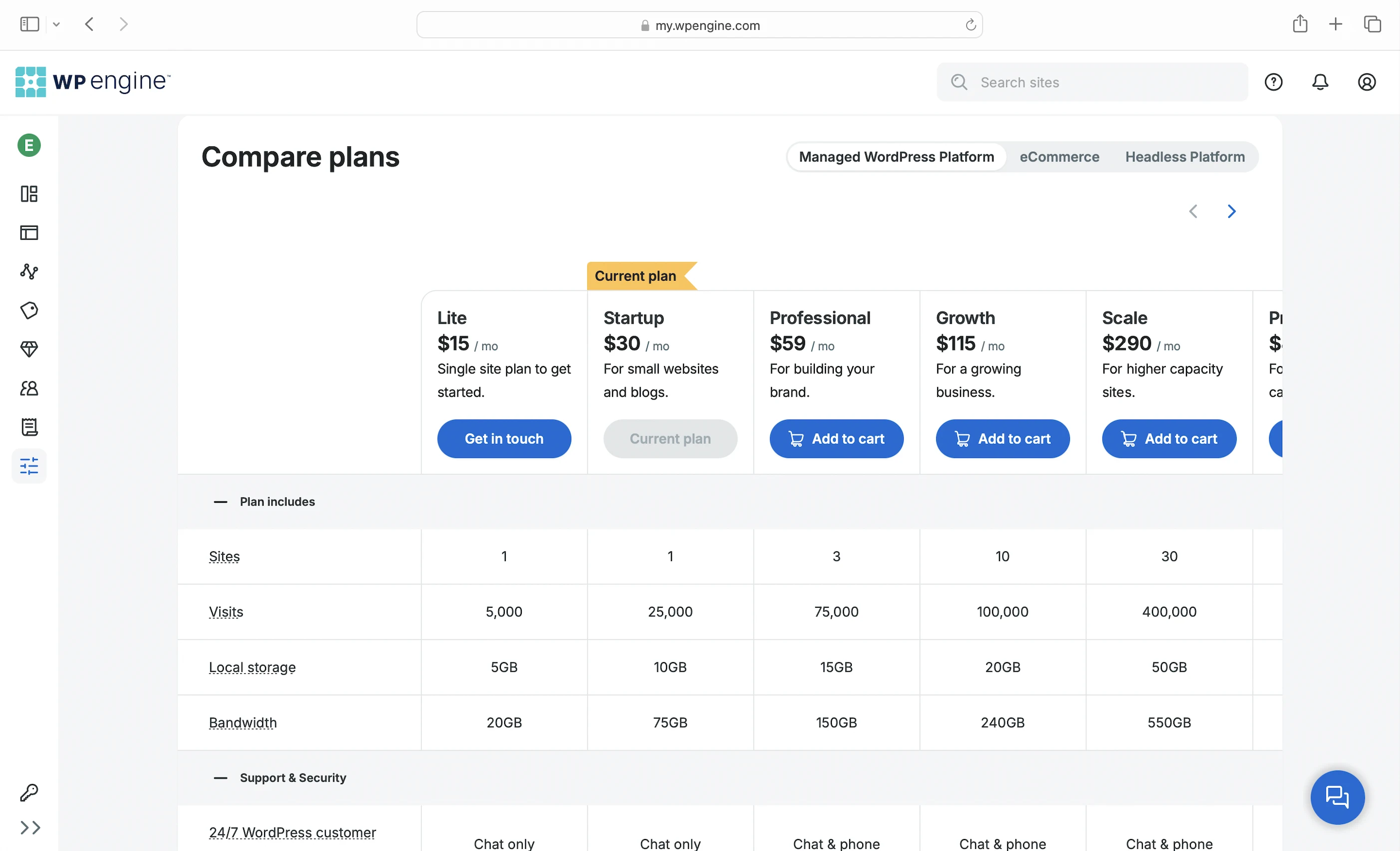
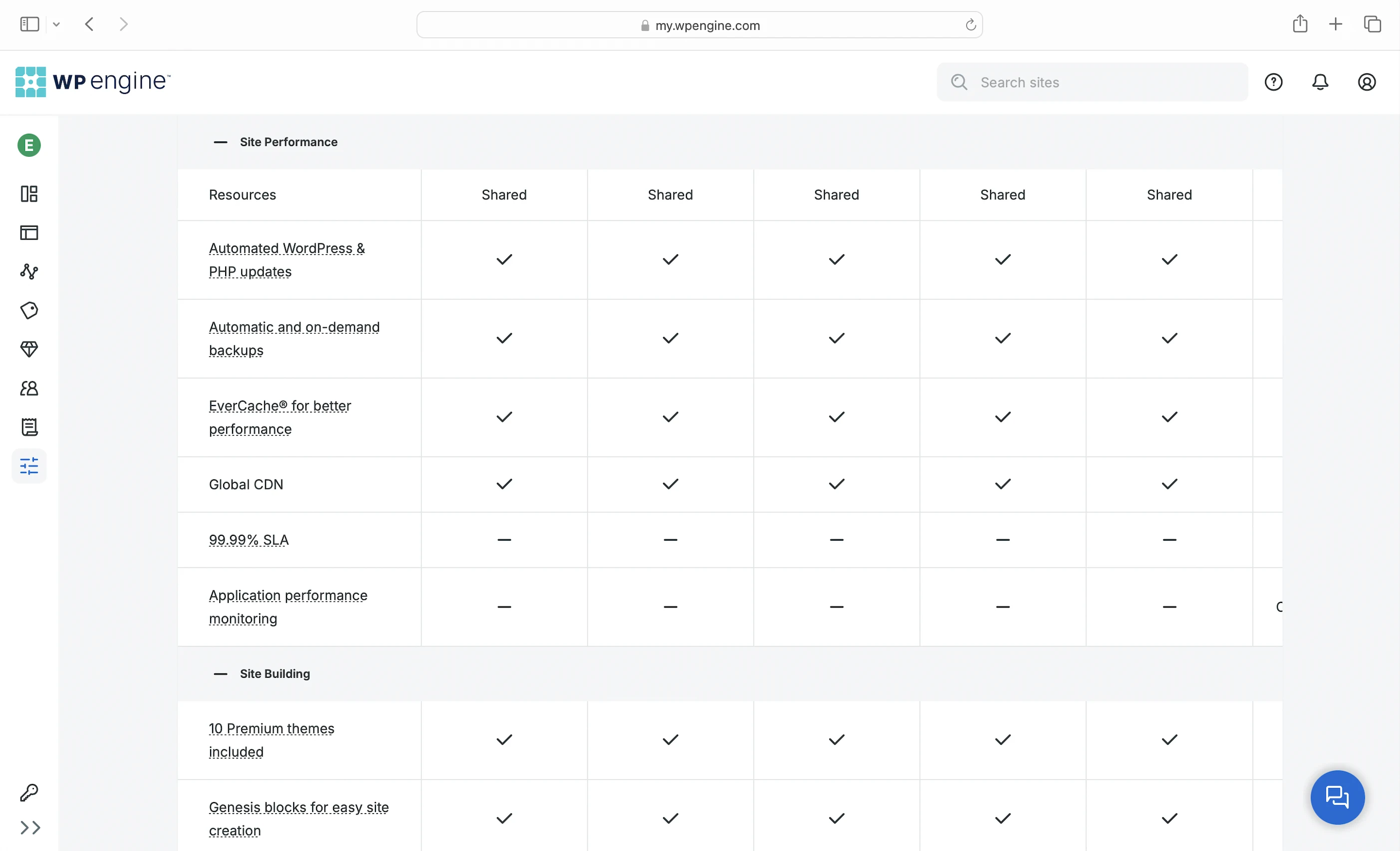
It’s clear WP Engine isn’t cheap, but its features sure feel like they are. There’s no uptime guarantee unless you’re on the Premium 0 plan or higher, which starts at $400/mo.
Shady Hosting Plans (A Bit)
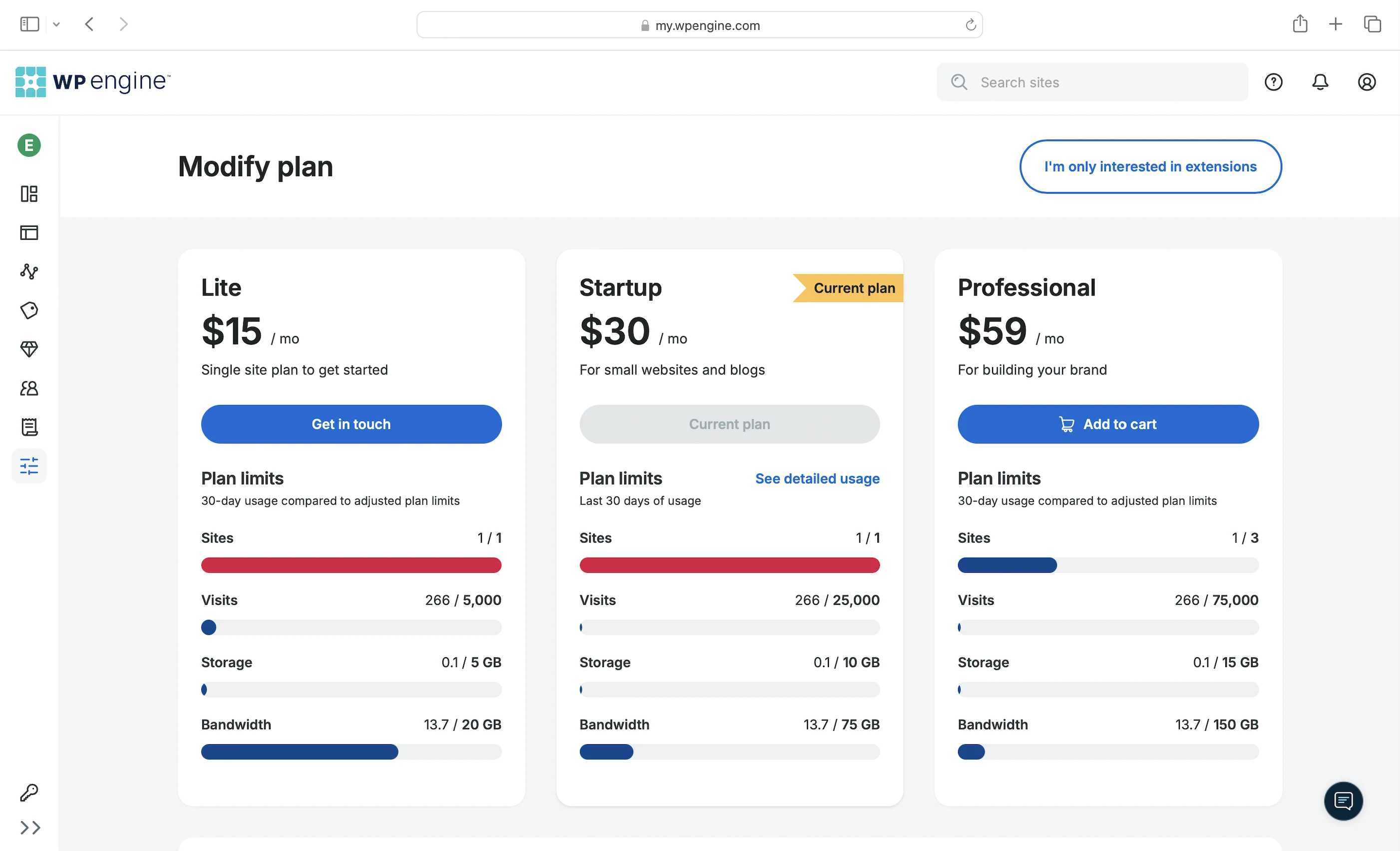
Because I’m cheap too, I went with the most basic plan listed on WP Engine’s website. Imagine my surprised Pikachu face when I found the even cheaper Lite plan that’s only visible in the dashboard after signing up. Kinda odd that we only got to see this plan after we’d already paid…
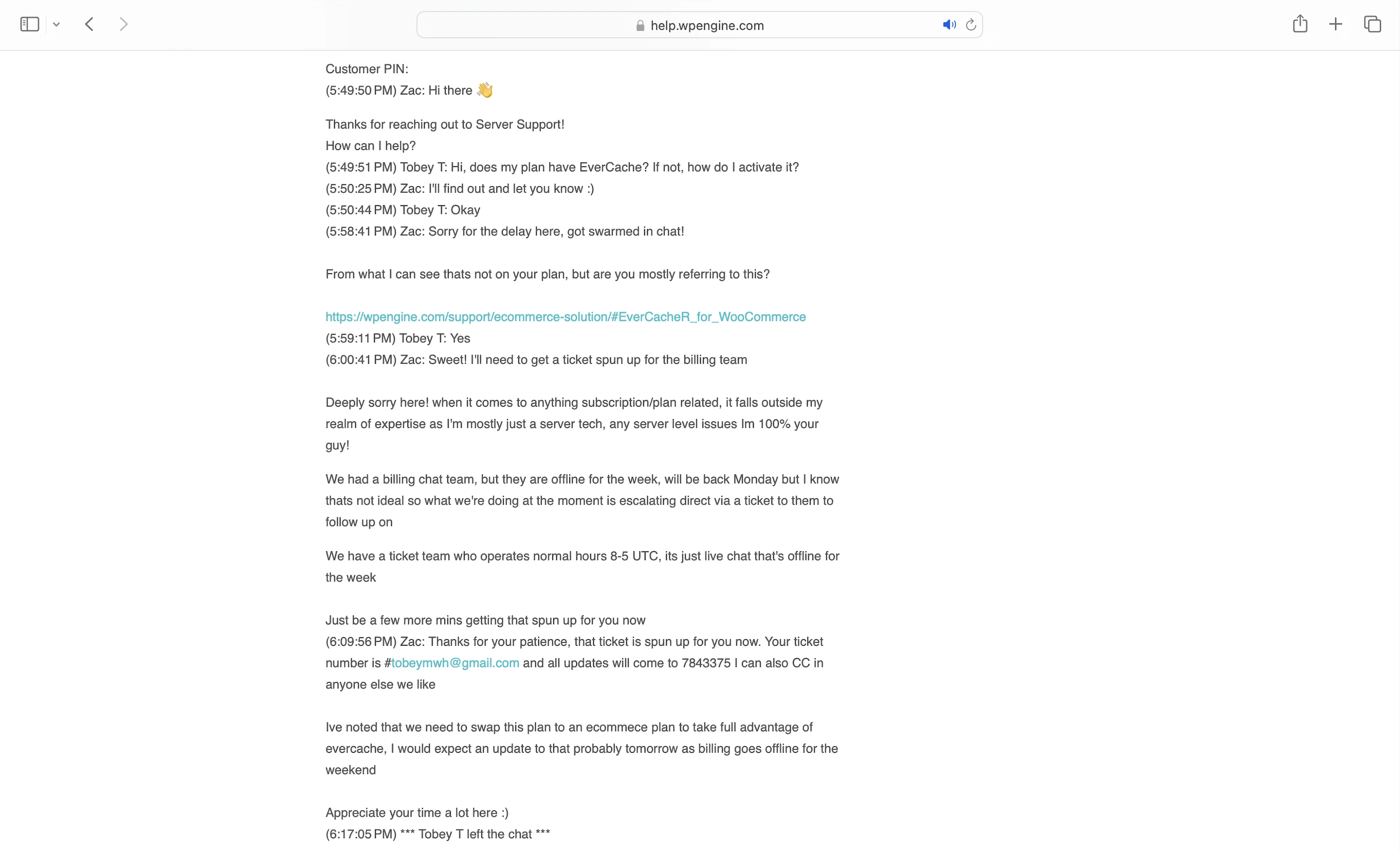
Conflicting Info About EverCache
More shady stuff. My dashboard said EverCache was included, but Support told me I’d need to switch to an eCommerce plan to get it. So which is it? If it’s another add-on, I’m not paying extra.
9. Evaluation
Let’s see how WP Engine did against my self-hosting:
| Self-hosting | WP Engine | |
|---|---|---|
| Speed (LCP) – Dallas | 306ms | 476ms |
| Speed (LCP) – London | 253ms | 440ms |
| Security | 0 | 1 high risk vulnerability – all SQL Injection vulnerabilities at my wp-login page! Its advanced DDoS mitigation feature wasn’t all that too if I could bring down my website with a scan. |
| Uptime | 95% | 100% with a beautiful system status and incident report page. No SLA though. |
| Winner | 👑 |
10. Final Thoughts
I once called Kinsta the iPhone of managed WordPress hosting, and well, WP Engine fits the bill too. Except if Kinsta is the Pro Max, WP Engine would be the 16e. There’s just no reason to get it.
It’s not a budget option for small websites, nor is it good enough for any organization larger than a startup.
Seriously, just who exactly is WP Engine for?
If it’s for small bloggers like me, why isn’t the Lite plan even listed on its website? I only found out about it after buying the Startup plan, and downgrading wasn’t even an option!
If WP Engine is for startups as my plan name says, I expect way better speeds and security for the price. At the very least, it should have an uptime SLA.
Instead, I ended up with a host that’s slower, more vulnerable (especially to SQL Injection and DDoS attacks), and less reliable than smaller, cheaper hosts like InterServer and ChemiCloud. Given such, it’s definitely leagues beneath WPX.
And that’s if you’re willing to turn a blind eye to its blatant nickel-and-diming add-ons or its bad blood with WordPress.
So WP Engine? Just, no.
If you’ve used WP Engine, let me know in the comments if you agree or disagree with my review!
Leave a Reply