At just $1.50/month, I self-host this fast, secure, enterprise-grade WordPress blog on Amazon Web Services (AWS) with 100% uptime.
Self-hosting means setting up and managing your own web servers, networking, and firewalls. Managed hosting means paying a provider to handle all of that for you.
Since I know how to do it and actually enjoy it, self-hosting is the cheaper and better option for me.
If you don’t know how to do it or don’t want to be your own support, just stick to managed hosting. There are plenty of providers to choose from, and hopefully my blog can help you find the right one by serving as a benchmark for comparison.
But first: is my self-hosting even good enough to be a benchmark against managed hosting?
- The Hosting Best Practices I Followed — and What I Ended Up With
- Static WordPress
- Dynamic Comments Section (My Free, Ad-Free Disqus Alternative)
- AI-Powered Comments Moderator
- Free WordPress CDN + WAF
- Private Staging Site
- Data Encrypted + Restricted + Backed Up
- Speed Results
- Security Results
- Uptime Results
- AWS WordPress Hosting Costs
- I’m Better Than Lightsail
- My Design’s Limitations
- Hosts That Outperform Me
1. The Hosting Best Practices I Followed — and What I Ended Up With
To answer that, I first had to define what actually makes good WordPress hosting. Using the AWS Well-Architected Framework as my North Star, my self-hosting setup had to be:
- Fast: Better performance means a better user experience and stronger Core Web Vitals, especially Largest Contentful Paint (LCP). Faster LCP → better SEO → more traffic → more revenue. Google considers anything under 2.5 seconds to be good.
- Secure: Strong protection against common vulnerabilities and attacks.
- Reliable: Most hosting providers target at least 99.9% uptime, so let’s go with that.
- Cost-effective: Cheaper than managed hosting—otherwise, why self-host?
Based on these goals, here’s the architecture I ended up with:
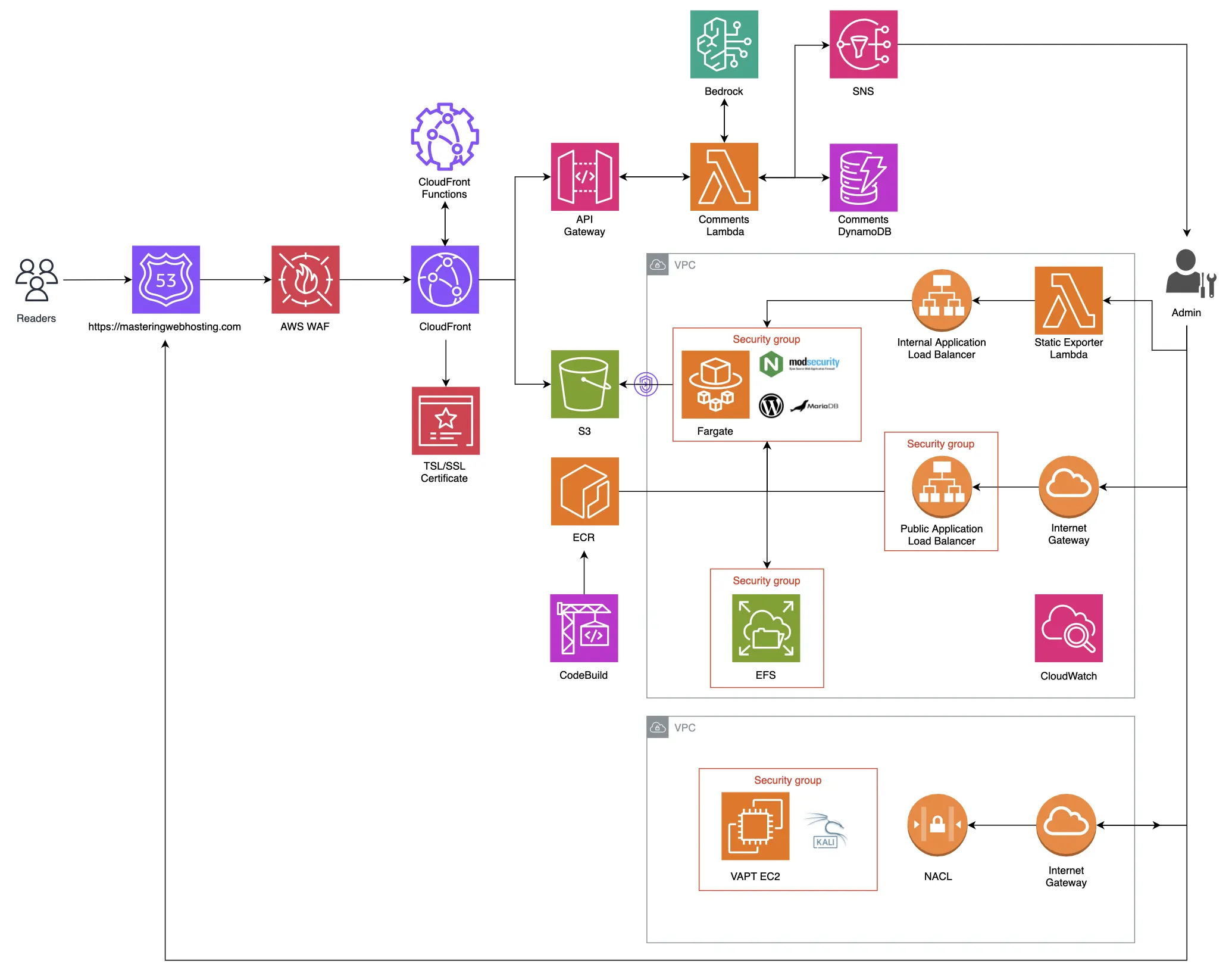
Let’s break it down.
2. Static WordPress
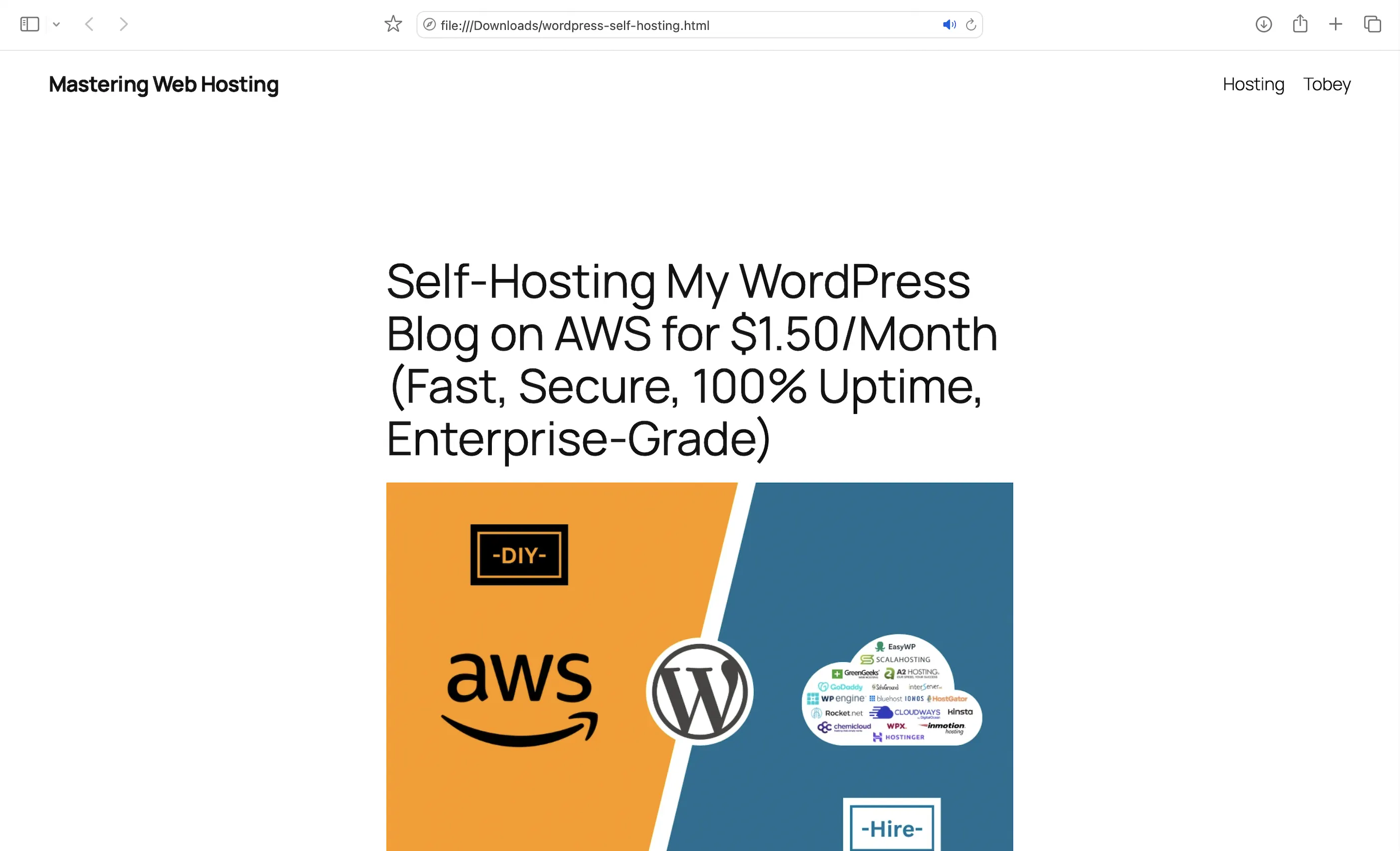
I use a custom AWS Lambda function to export my WordPress site as static HTML, CSS, JavaScript, and image files, then host them on Amazon S3. I built the Lambda function based on the Simply Static plugin.
By default, WordPress is a dynamic PHP application that requires a running server and a MySQL/MariaDB database to function.
From a business perspective, this means paying for a server that runs even when no one is visiting the site.
By exporting WordPress as a static website, I no longer need a 24/7 running server, which allows me to host my blog for almost nothing.
The trade-off is that dynamic features like comments stop working because they depend on a server running PHP to process data.
I still wanted a way to interact with my readers in real time, so…
3. Dynamic Comments Section (My Free, Ad-Free Disqus Alternative)
It’s powered by a serverless API built using Amazon API Gateway, AWS Lambda, and Amazon DynamoDB.
When a blog post loads, its HTML file calls the API, and a Lambda function fetches existing comments from DynamoDB to render the comments section.
If you leave a comment, the API triggers another Lambda function that runs it through my AI-powered content moderator to check for harmful content before the comment is published.
4. AI-Powered Comments Moderator
I use AWS Bedrock Guardrails to moderate my comments section, so I don’t have to spend time manually blocking comments containing:
- Offensive language
- Sensitive information (PII)
- Irrelevant topics: Ensuring the conversation stays focused on hosting and the cloud.
- Prompt Injection attacks: When a malicious user attempts to hijack an LLM by instructing it to ignore its original rules and perform unauthorized actions, such as leaking customer data.
Readers simply receive a notification if they post a comment that violates my guidelines:
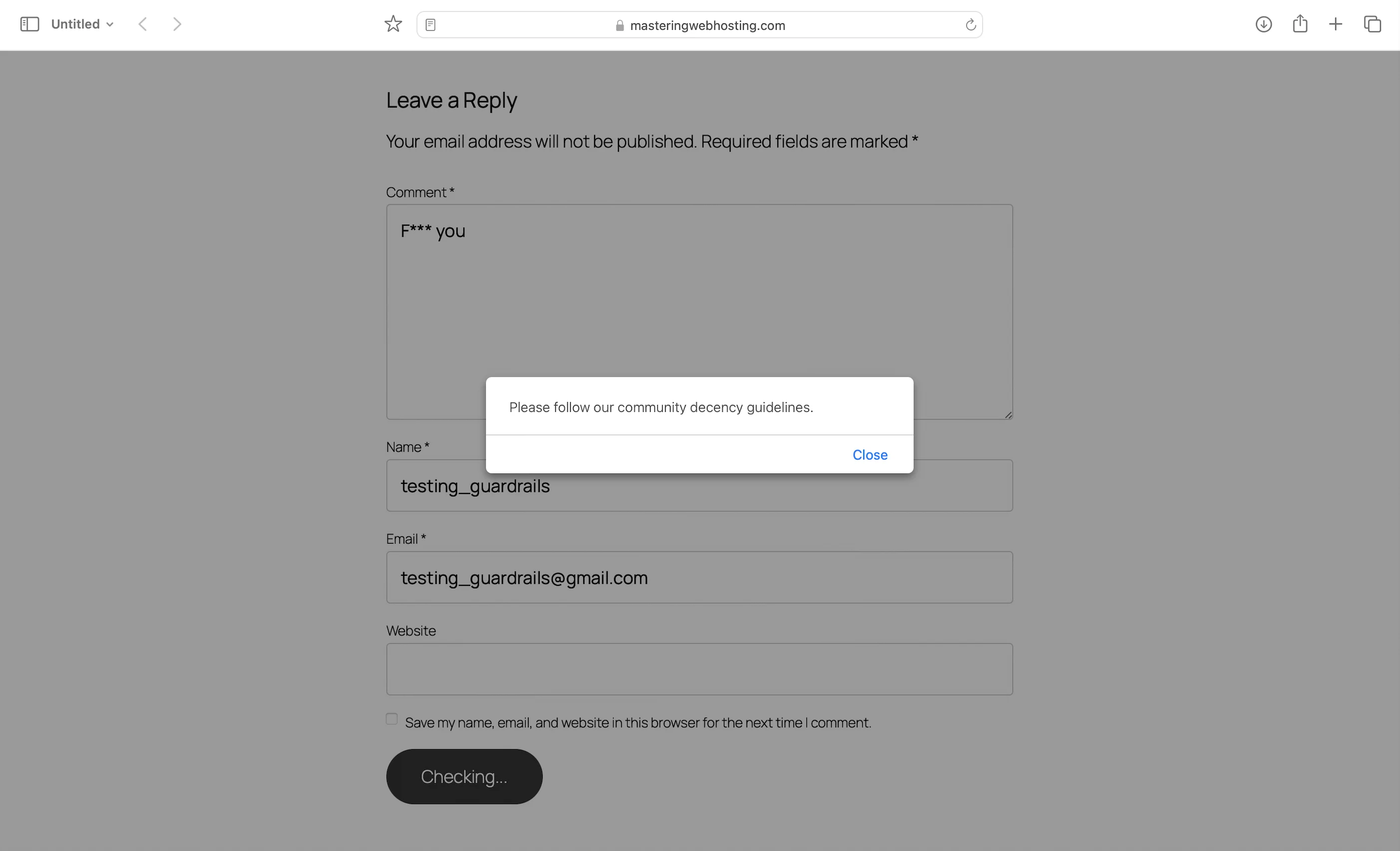
Meanwhile, I receive an SNS notification whenever a comment is submitted, whether it’s approved or blocked.
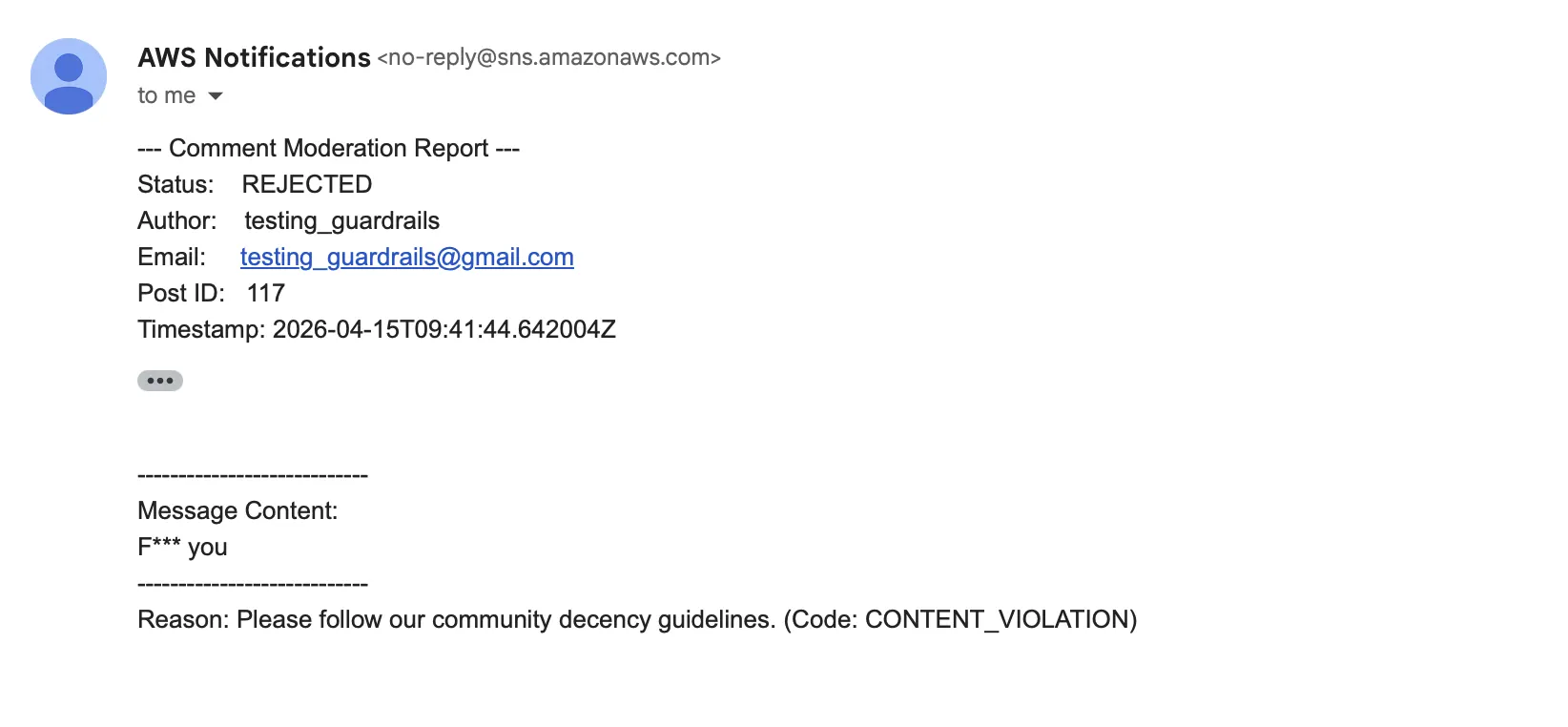
Sick.
And the best part? It’s practically free.
Try it yourself! Leave a comment (keep it clean) and see my API and AI moderator in action.
5. Free WordPress CDN + WAF
Since AWS introduced CloudFront flat-rate pricing plans in November 2025, I’ve been using CloudFront as my CDN and AWS WAF as my firewall because both services are free within certain limits.
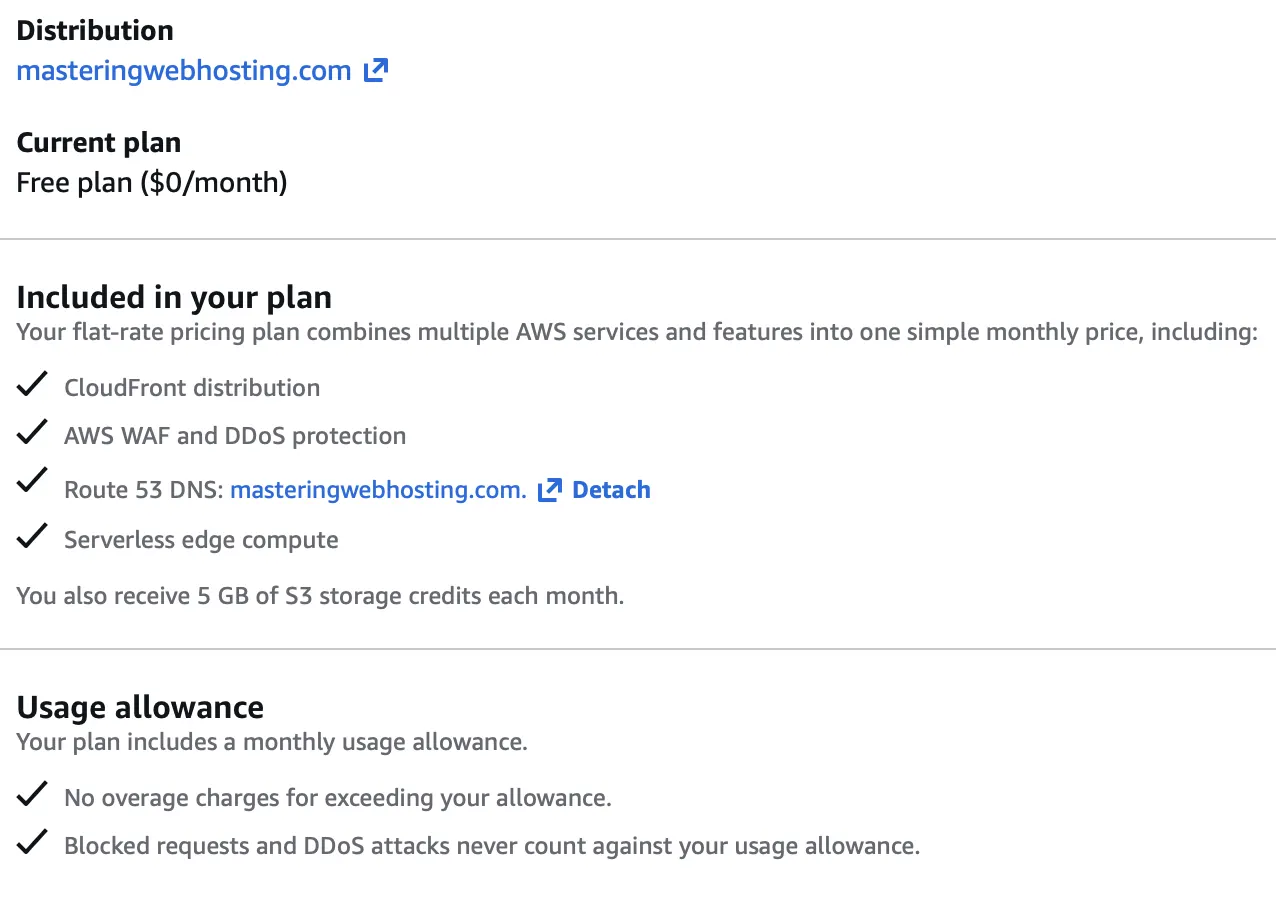
This combination improves both my speed and security at the edge, with features such as:
- A massive network of 750+ Points of Presence (PoPs) across 100+ cities and 50+ countries: Your traffic is routed to the nearest PoP, which significantly reduces page load times.
- Long TTLs (Time-to-Live) and high cache hit ratios: My readers almost always get instant page loads.
- DDoS protection with AWS Shield Standard at no additional cost.
- Geographic restrictions.
- Protection against common vulnerabilities listed in the OWASP Top 10, including SQL injection attacks.
- Rate Limiting for IP addresses that exhibit suspicious traffic spikes or brute-force behavior: Helps prevent denial-of-wallet attacks.
- Origin Access Control (OAC): The Amazon S3 bucket that stores my WordPress files is not publicly accessible, and only CloudFront can retrieve its contents using signed AWS SigV4 requests.
- CloudFront Functions: Lightweight scripts that run at the edge to:
- Inject API keys securely. My keys aren’t hardcoded in my HTML files, preventing exposure in the browser. Instead, CloudFront securely passes them to my API Gateway for authorization.
- Block common bots and requests to sensitive paths such as
/wp-login.php. - Return security headers, especially my Content Security Policy (CSP), which helps protect browsers against XSS and clickjacking attacks.
6. Private Staging Site
An isolated environment where I write posts and test updates in the original dynamic WordPress before exporting them as static files. Because this involves an actual running server, I only spin this site up when I’m working on new content to keep costs low.
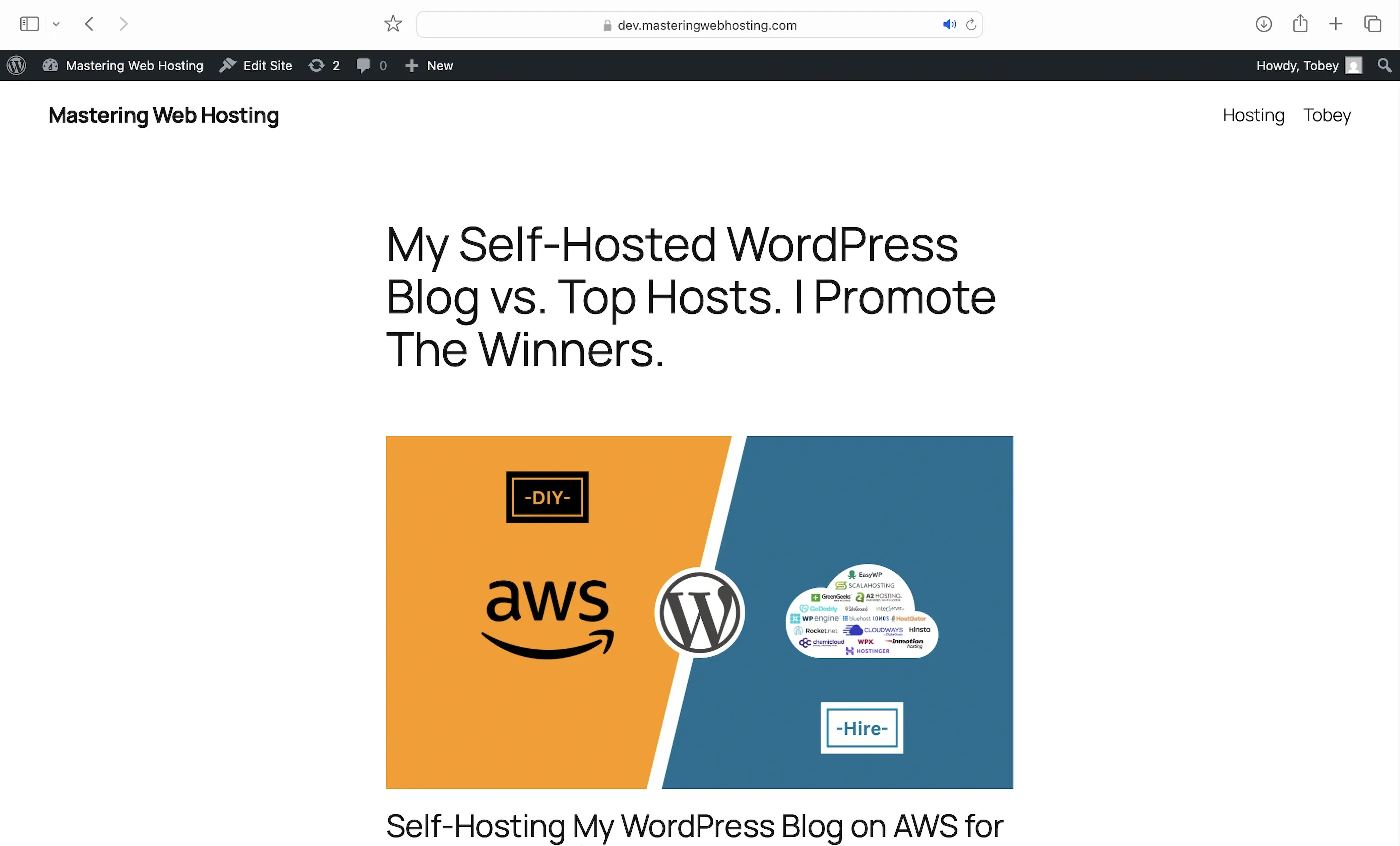
Behind the scenes, it’s powered by:
- ECS Fargate: A managed, self-healing orchestrator that runs healthy WordPress, Nginx + ModSecurity, and MariaDB containers.
- Elastic File System: Encrypted, persistent storage for my content.
- CloudWatch: Full observability with logs and performance metrics.
- CodeBuild + Private ECR: Automatically builds and pushes my custom Nginx + ModSecurity WAF to Elastic Container Registry (ECR) when I spin up the staging site.
- VPC: Isolates my resources in a private network, tucked away from public access.
- Application Load Balancers (ALB): A public ALB acts as my entry point from the internet, while an internal ALB handles the static export process within the VPC (Split-horizon DNS).
- Security Groups & IAM Policies: The Principle of Least Privilege (PoLP) in action. Only my private IP address can access the staging site, and no AWS resource has more permissions than it strictly needs to interact with another.
- Nginx + ModSecurity WAF: Like AWS WAF, it protects against common WordPress vulnerabilities, denies access to sensitive files (even for me), and enforces strict Security Headers.
7. Data Encrypted + Restricted + Backed Up
Here’s how:
- A free SSL/TLS certificate from AWS Certificate Manager.
- My S3 static files and DynamoDB data are encrypted by default.
- My Comments API doesn’t have IAM permissions to update or delete existing comments (PoLP).
- S3 replicates my blog content across at least three physically separate Availability Zones or data centers.
- Version control for my static files.
- My design is backed with Terraform scripts, so I can recreate everything in seconds.
8. Speed Results
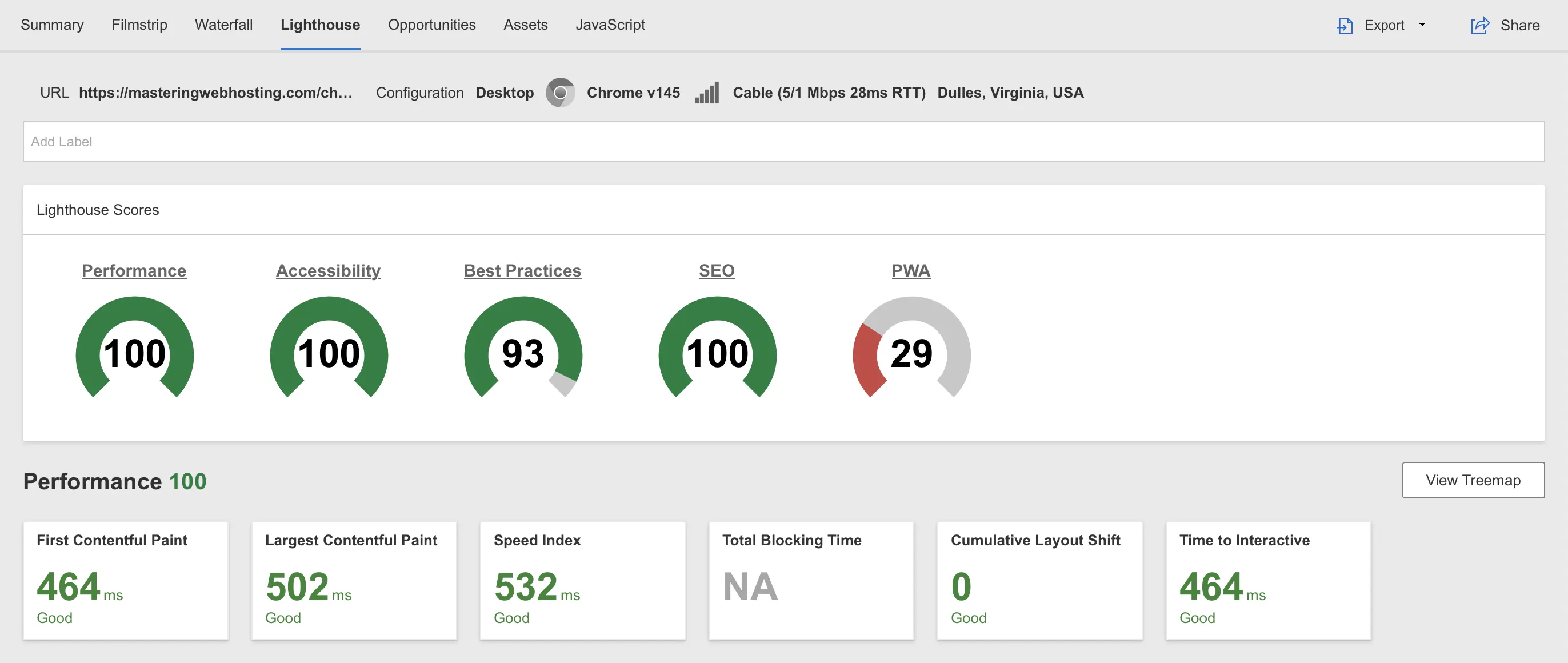
Largest Contentful Paint (LCP)
WebPageTest reported that my LCP was 502 ms in Dulles, Virginia. That’s about 5× faster than what Google considers good!
Time to First Byte (TTFB)
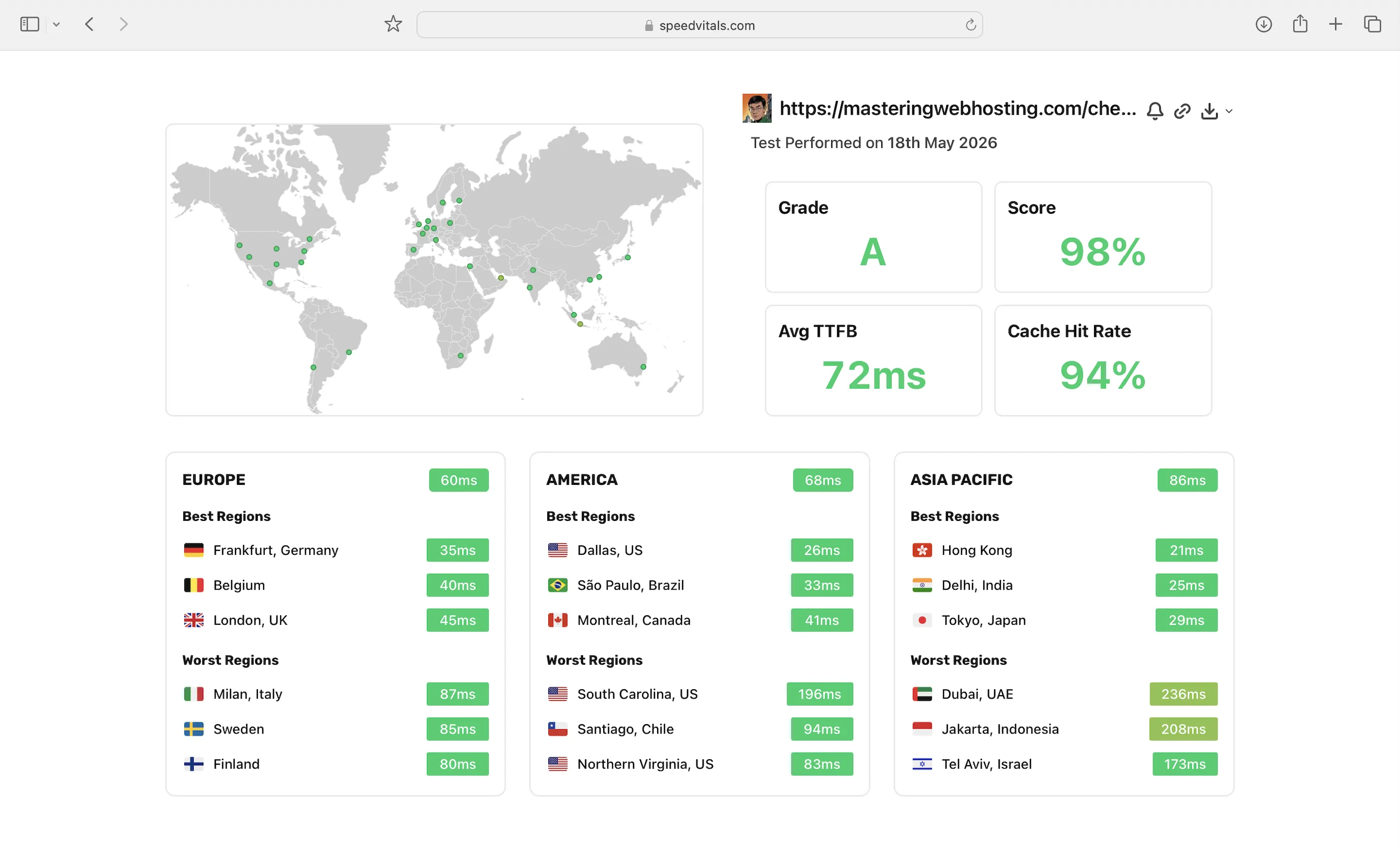
I also wanted a real-world benchmark to see how my self-hosting compared to premium hosts that use proprietary CDNs and advertise “lightning-fast” TTFB.
According to SpeedVitals, my global average TTFB was 72 ms.
9. Security Results
I ran a Vulnerability Assessment and Penetration Testing (VAPT) scan on my WordPress blog using Zed Attack Proxy (ZAP) on a Kali Linux EC2 instance. It proved that my website is secure against common web-based attacks.
During the scan, I launched 50,531 simulated cyberattacks. The results:
- High-risk vulnerabilities detected: 0
- Medium-risk vulnerabilities detected: 0
- Informational alerts: 1,308 (these are not vulnerabilities)
- Protection rate: 49,223 attacks, or 97.4%, were successfully neutralized.
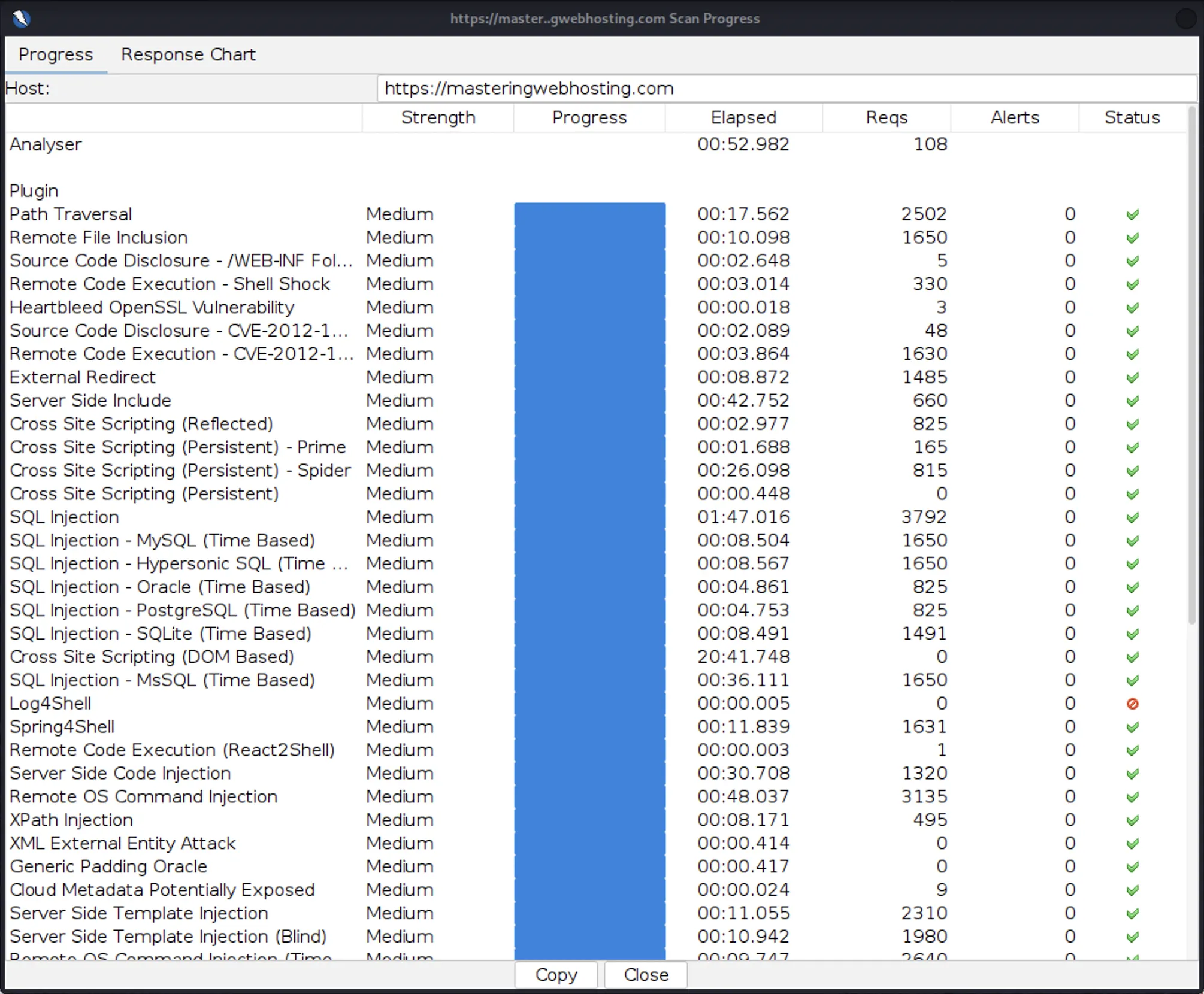
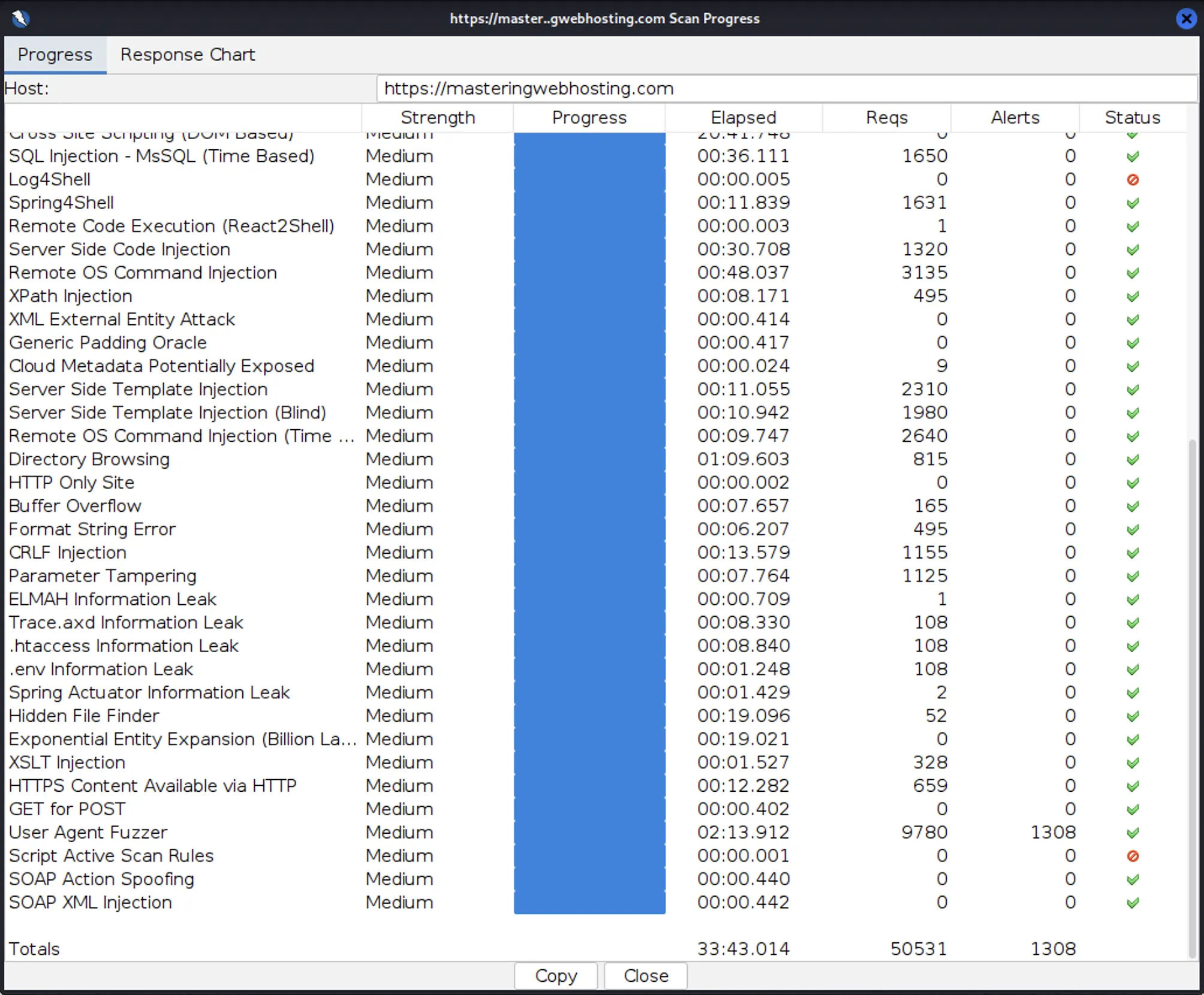
I actually had to run my scan twice. My rate-limiting rules were so effective that they identified my Kali Linux instance as a potential DoS threat and automatically blacklisted its IP address within the first few minutes. To complete the VAPT, I temporarily disabled those rules and reran the scan. It was reassuring to confirm that my DoS protection was working exactly as intended.
10. Uptime Results
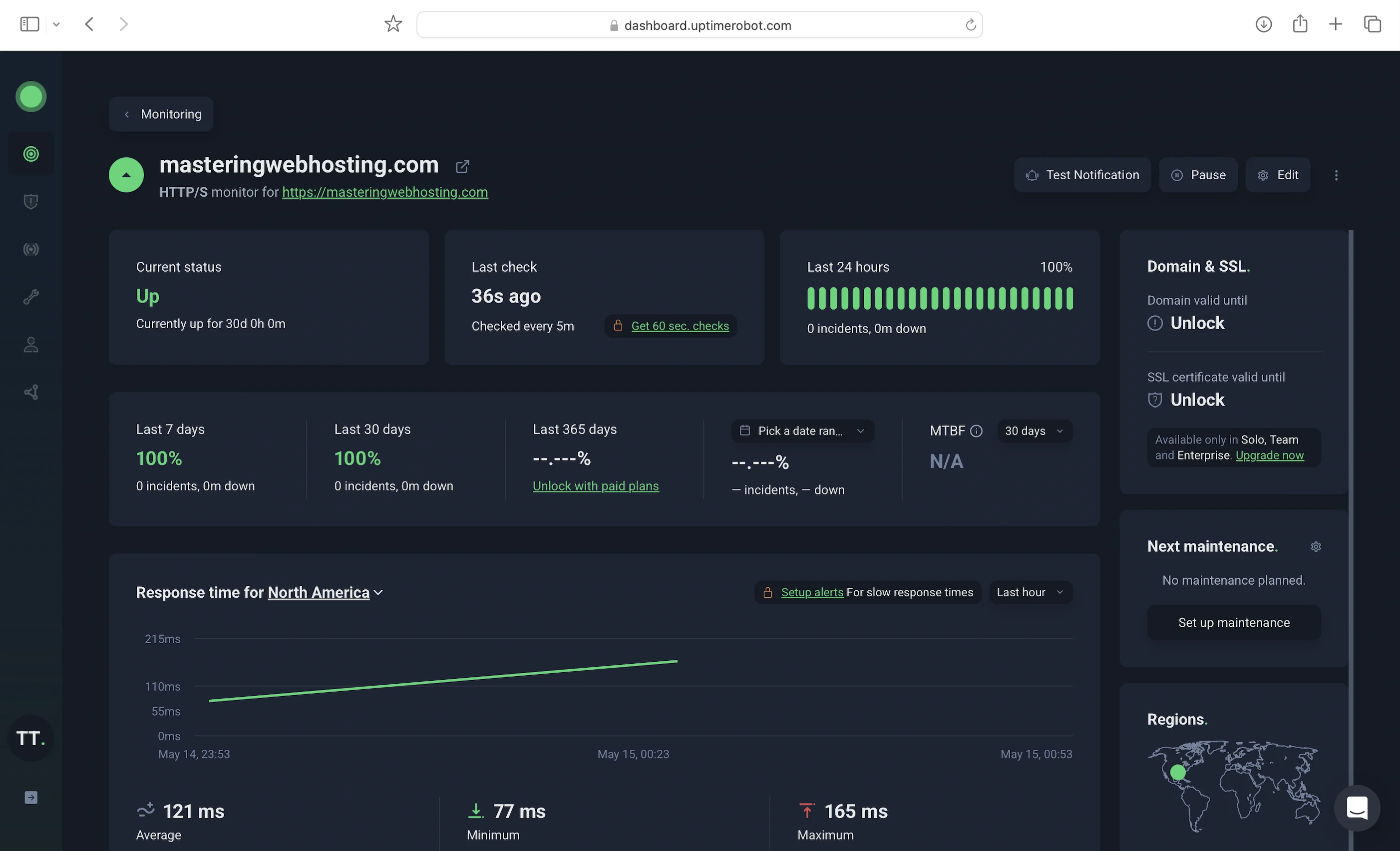
During the 30 days I was monitoring it, UptimeRobot reported 100% uptime for my self-hosted WordPress blog.
11. AWS WordPress Hosting Costs
Like I said, ~$1.50/month. I included my domain cost ($15/year or $1.25/month) in my monthly spend on other resources:
Yeah, you read that right. My WordPress hosting on AWS costs less than a slice of pizza in New York City.
12. I’m Better Than Lightsail
Here’s why my self-hosting cooked Google’s #1 result for AWS WordPress hosting:
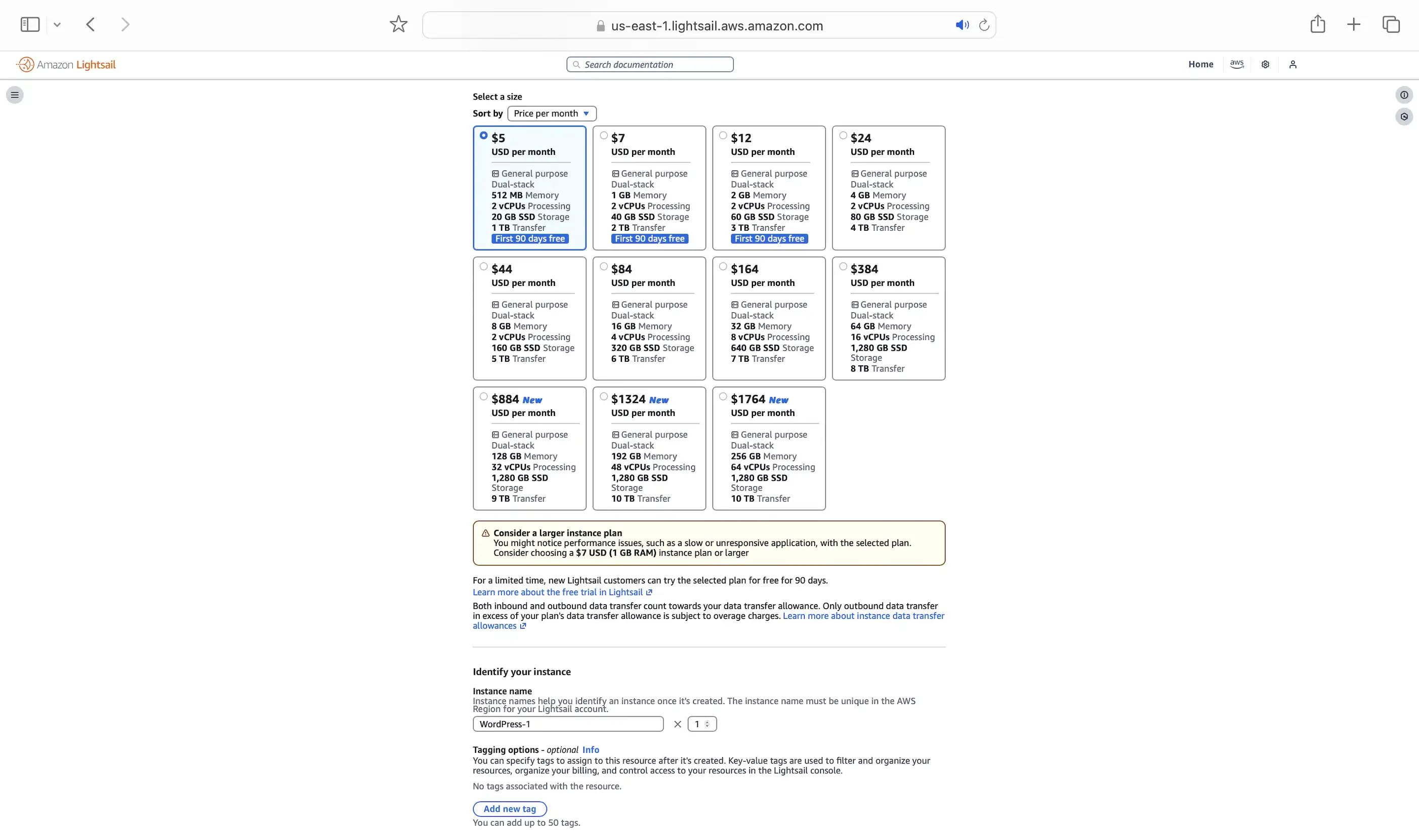
I’m cheaper: AWS recommends you get at least the $7/month instance plan for WordPress so you don’t have performance issues. And this doesn’t include a CDN (starts at $2.50/month) or WAF (starts at $5.00/month).
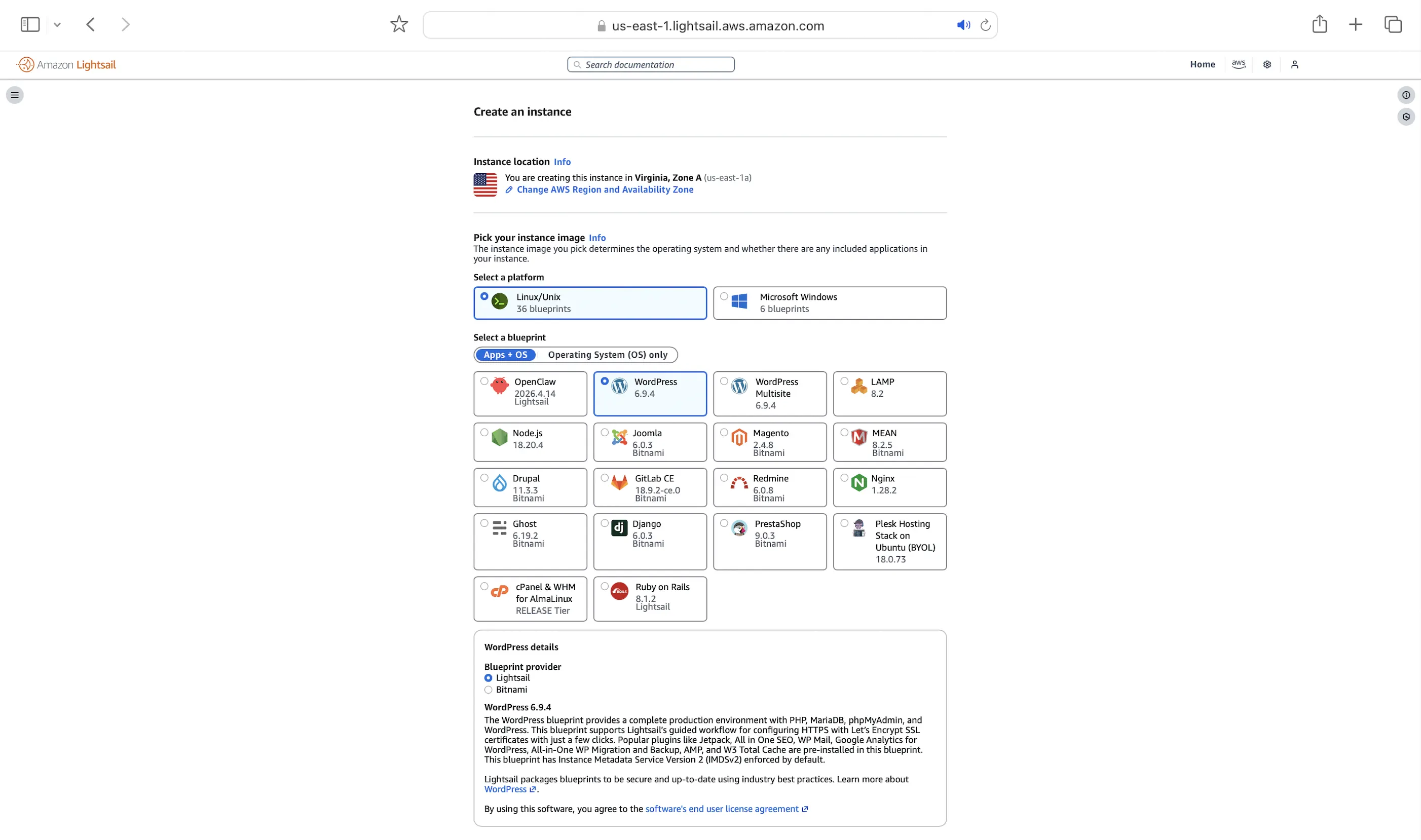
I’m more reliable: Your instance runs in only one Availability Zone (us-east-1a in my pic) or data center. If that center goes down, your WordPress site goes down too. Mine runs across at least three data centers.
13. My Design’s Limitations
- AI missed some irrelevant comments — It works for most cases, but a few edge cases still slip through. Fine-tuning Bedrock Guardrails with representative examples of irrelevant topics remains an ongoing effort.
- Twenty Twenty-Five Theme Only — I’ve only validated this design, especially the Comments API, on the Twenty Twenty-Five theme. It should work with other default WordPress themes, though premium themes may require custom tweaks.
- Advanced features not included in the CloudFront + WAF free plan:
- No access logs with details like requests, processing times, and responses.
- No custom origin request, cache, or response policies: This means I can’t return hardened security headers like a strict Content Security Policy, while the managed response headers are too permissive.
- No Origin Shield: It consolidates simultaneous requests for the same files across multiple regions so my S3 bucket and API Gateway don’t get overwhelmed. This is especially bad for my API Gateway because its lower TTL invalidates the CloudFront cache more frequently, which could cause my bill to skyrocket due to repeated API calls.
- No Lambda@Edge: Think of it as CloudFront Functions with more features and broader language support. This doesn’t really affect me since I can just use CloudFront Functions.
- No URI path-matching WAF rules: Even though a static WordPress site doesn’t have an admin portal at /wp-login.php or /wp-admin, I still wanted to block those paths so I wouldn’t waste resources processing those requests.
- No advanced managed WAF rules, especially the Bot Control, Anti-DDoS, and WordPress rule sets, all of which require additional charges.
14. Hosts That Outperform Me
As my benchmarking results show, my self-hosted setup can compete with managed hosting in both performance and cost. However, because I handle everything myself, it can never match managed hosting when it comes to convenience and support.
That said, a few hosts have outperformed even my setup. I’m now their affiliate because they’ve genuinely proven the quality of their performance and service to me:
WPX — the fastest, most secure, and most beginner-friendly host. It also offers the fastest support response times of any host I’ve reviewed.
Check out their reviews, and let me know what you think in my dynamic comments section below!
Leave a Reply