On its website, ChemiCloud says it was founded with a “desire to create a reliable cloud hosting platform and to offer the best customer experience in the industry.”
Haven’t heard of it?
Not surprising since ChemiCloud is a small, independent hosting provider that doesn’t get much attention.
In other words, an underdog.
Now, I love supporting underdogs as much as anyone, but they need to prove themselves by beating me.
Especially when it’s been a couple of years since it set out with its lofty ambition.
Which, to be honest, sounds almost identical to every other hosting provider’s proclaimed vision.
And most of those providers have either improved their craft or turned into corporate shills pushing awful services.
So the question is: Is ChemiCloud still chasing that lofty dream, or has it become just another money-grabber?
1. Plan
ChemiCloud’s WordPress plans come in two flavors: regular and managed.
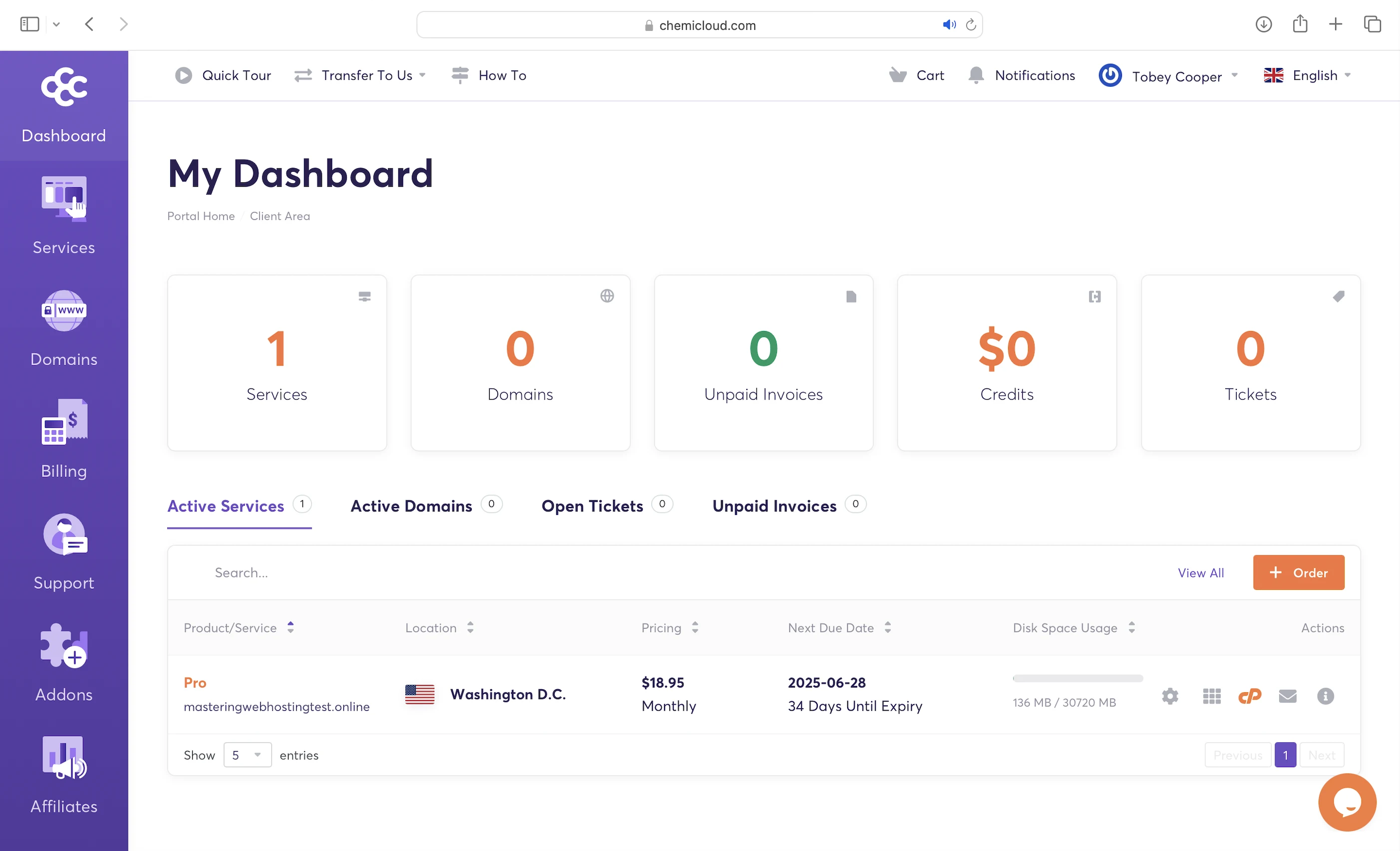
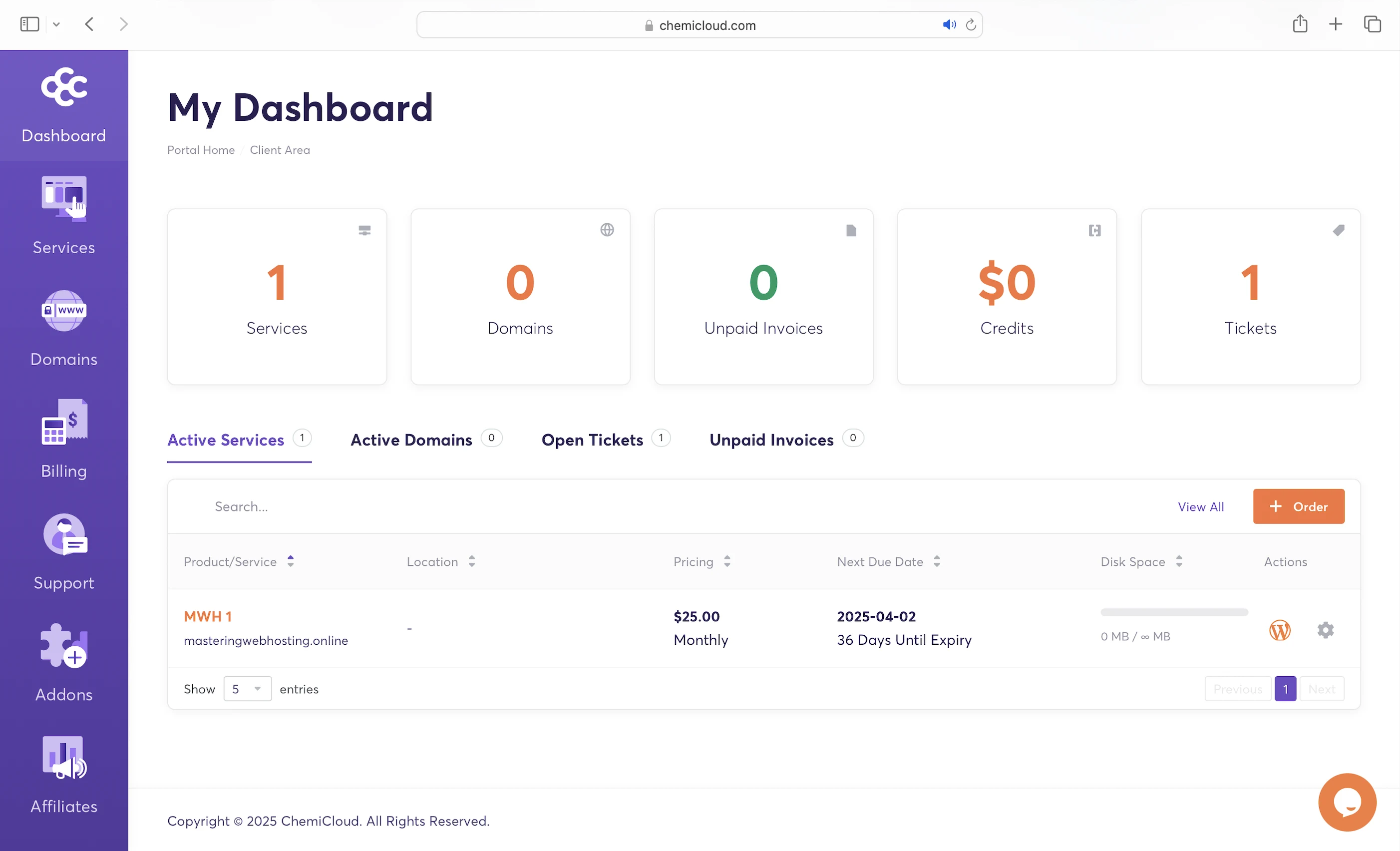
I signed up for the WordPress Pro as my regular plan, and MWH1 as my managed plan:
| WordPress Pro | MWH1 | |
|---|---|---|
| CPU cores | 2 | Shared |
| RAM | 2 GB | Shared |
| Visitors/mo | 50,000 | 250,000 |
| CloudLinux OS | Yes | Yes |
| NVMe SSD storage | 30GB | 20GB |
| LiteSpeed Web Server | Yes | Yes, Enterprise |
| PHP workers | Unlimited | Unlimited |
| Opcode Cache/APC | Yes | Yes |
| Pre-configured LiteSpeed Cache | Yes | Yes |
| Redis Object Cache | Yes | Yes |
| Rebootless Secure Kernels | Yes | Yes |
| CageFS | Yes | Yes |
| SecureLinks | Yes | Yes |
| HardenedPHP | Yes | Yes |
| Traditional WAF | Yes | Yes |
| AI-powered advanced WAF | Yes | Yes |
| Network firewall | Yes | Yes |
| Malware scans | Yes | Yes |
| 99.99% uptime guarantee | Yes | Yes |
| Cost (1-year plan) | $5.95/mo | $20.83/mo |
2. Speed Features
Server OS
Usually, shared WordPress hosting is priced cheaply because multiple websites share a single server.
However, this means they have to compete for the same CPU and RAM, making each website slower overall.
ChemiCloud completely turns shared hosting on its head.
Its servers run on CloudLinux OS , which allocates dedicated resources to each ChemiCloud website. This allows them to perform as if they’re hosted on their own server or VPS.
Shared hosting prices with VPS-level performance? Sign me up!
NVMe SSD Storage
ChemiCloud servers also use NVMe SSDs. These make retrieving and updating your WordPress content much faster compared to hosts that still use older SATA SSDs.
LiteSpeed Web Servers
A web server handles and responds to incoming requests for your WordPress content. It is connected to PHP through a handler that’s usually optimized for fast and efficient communication between the two systems. This allows the web server to forward requests to PHP and receive responses faster, directly improving your page load times.
ChemiCloud uses LiteSpeed Web Servers with LSAPI as PHP handler. LSAPI is built specifically for LiteSpeed and communicates with PHP much more efficiently than older handlers like PHP-FPM.
This means LiteSpeed Web Servers return your WordPress content faster than Nginx or Apache web servers.
PHP Workers
Your WordPress website serves two types of content: static and dynamic. PHP workers are for the latter.
Static content is called so because it remains the same across visits. Examples include the images and CSS files that make up your website’s layout. Unless manually updated, everyone sees the same layout when they visit your website.
Dynamic content, on the other hand, changes based on the data retrieved from your database. Examples include your blog posts and comments. New posts or comments update what visitors see in your post list and comment section.
So if both types of content are uncached, static content is returned faster because it can be served immediately by the LiteSpeed Web Server. In contrast, dynamic content needs to be generated on the fly, which takes more time. This means a robust process is needed to handle the generation efficiently.
Since WordPress is built with PHP, that process is PHP workers.
When LiteSpeed forwards a request for uncached dynamic content, LSAPI spawns a PHP worker to handle the request. The worker executes your PHP code, queries your database, and generates the dynamic content based on the retrieved data. The content is returned as HTML, which is what your visitors see in their browser.
So the more PHP workers you have, the more requests for uncached dynamic content your website can handle concurrently without slowing down.
Opcode Cache/APC
Here’s what happens behind the scenes when your PHP workers execute your code: they compile it into opcode, which are machine-readable instructions that PHP uses to generate the HTML for your dynamic content. By caching this opcode with OPcache or APC, PHP can reuse it instantly without needing to recompile your code on every request.
LiteSpeed Cache
Designed to work with the LiteSpeed Web Server, this plugin gives you features like:
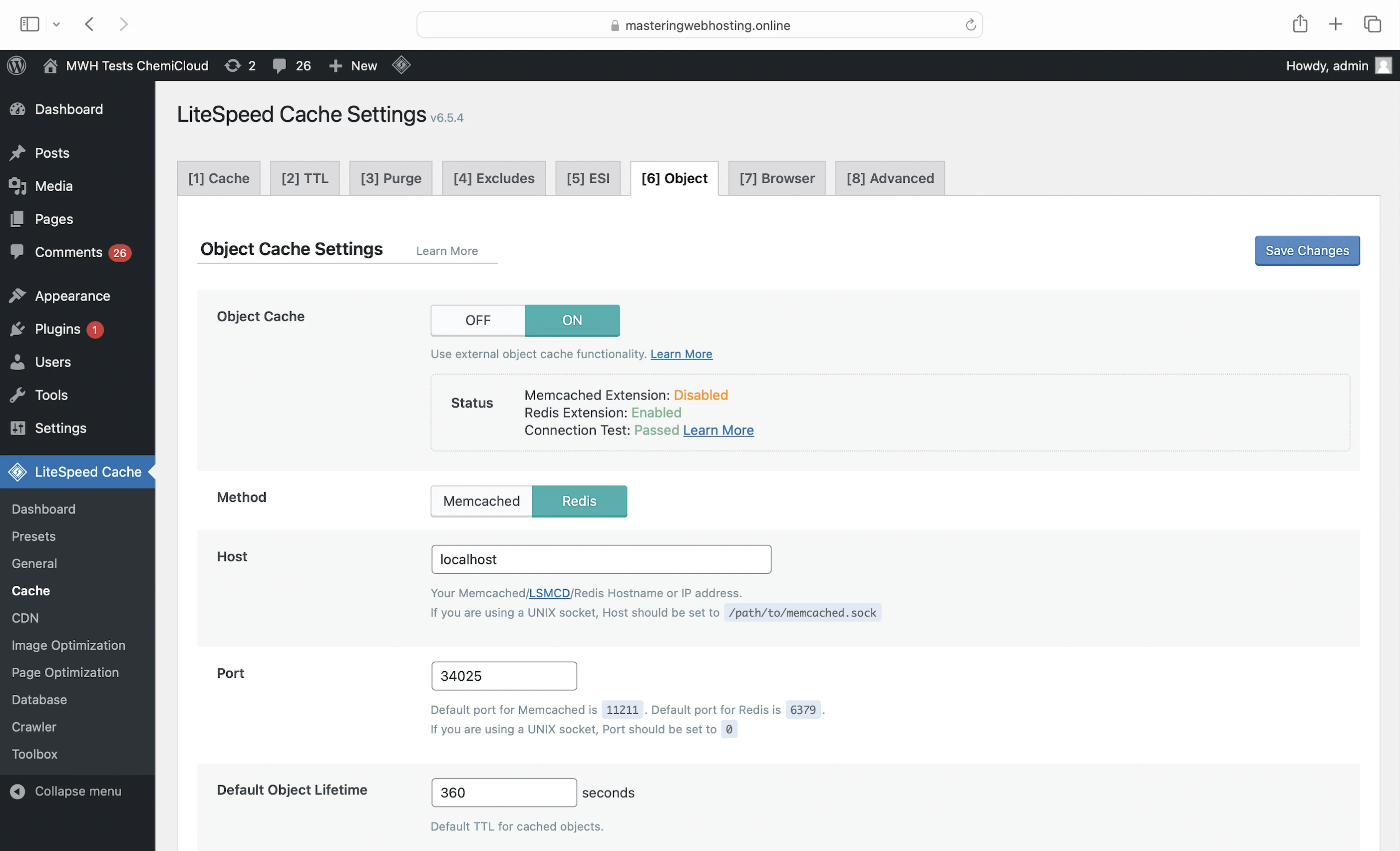
- Object cache: You can cache your frequently accessed data (e.g., posts) in memory with a free Redis Object Cache. This way, if the opcode includes instructions to query your database, PHP can get the data from the object cache instead, which is much faster. Using an object cache also prevents your database from being overloaded with repeated queries for the same data.
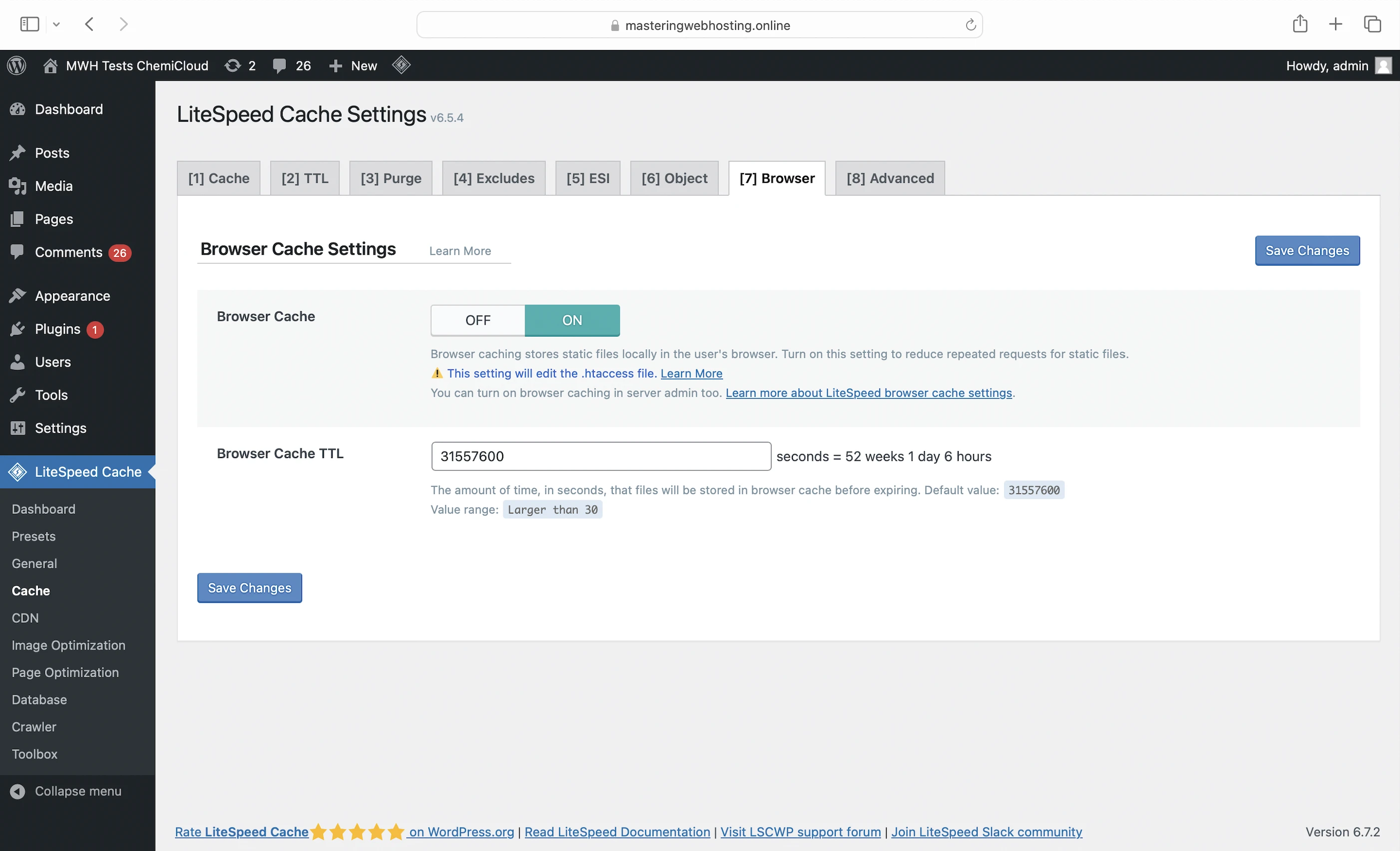
- Browser cache: Stores your static content on your visitors’ devices so they don’t have to be downloaded again when they revisit your website.
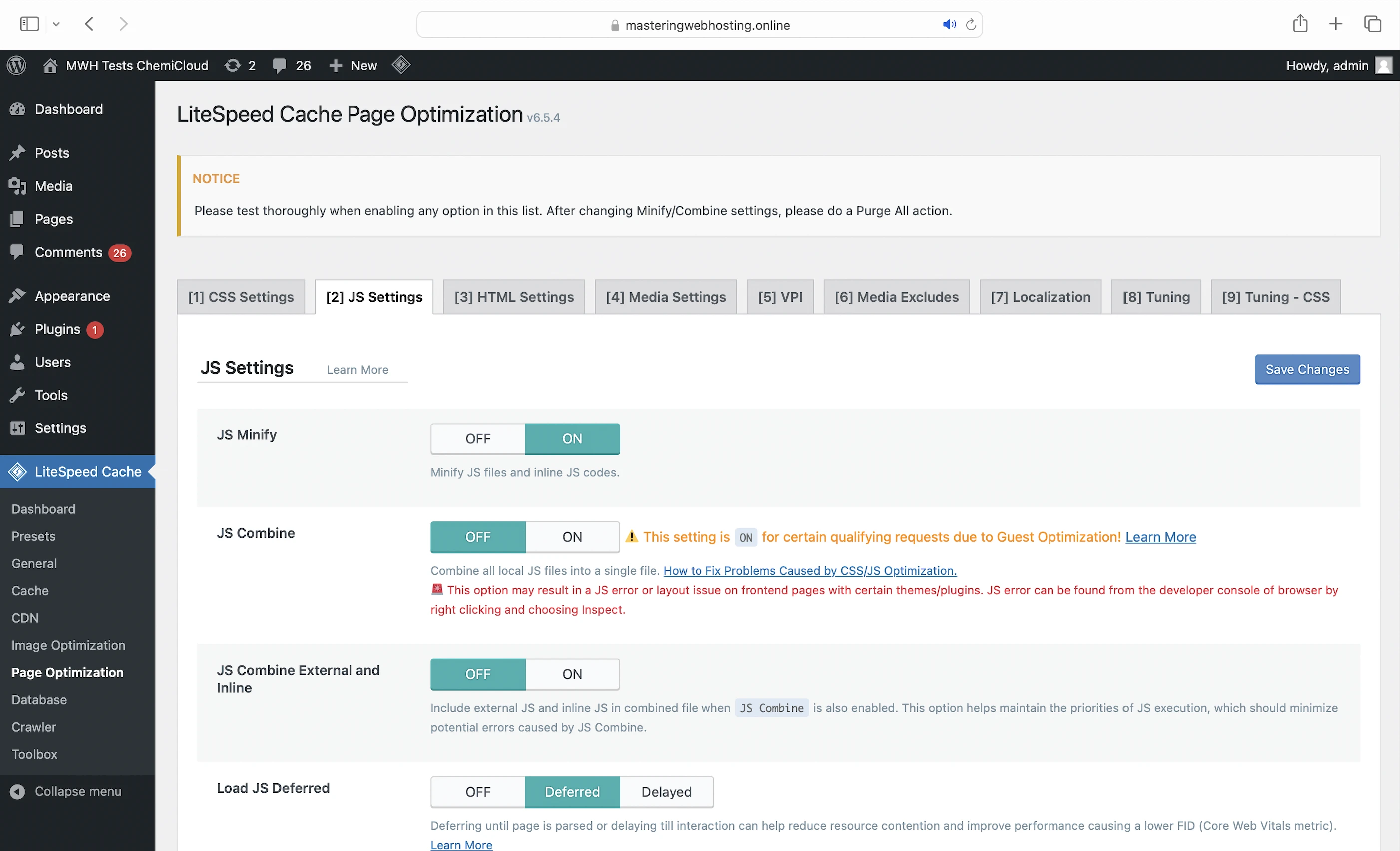
- Minify: Removes unnecessary characters from your CSS, HTML, and JavaScript (JS) files, making them smaller and faster to load
- Deferred JS loading: Ensures your HTML loads and renders correctly before JS files are executed in the proper order. Some JS files can block this rendering process, causing your website to load slower or appear broken. By delaying the loading of certain JS files, LiteSpeed Cache helps your website load faster and more smoothly.
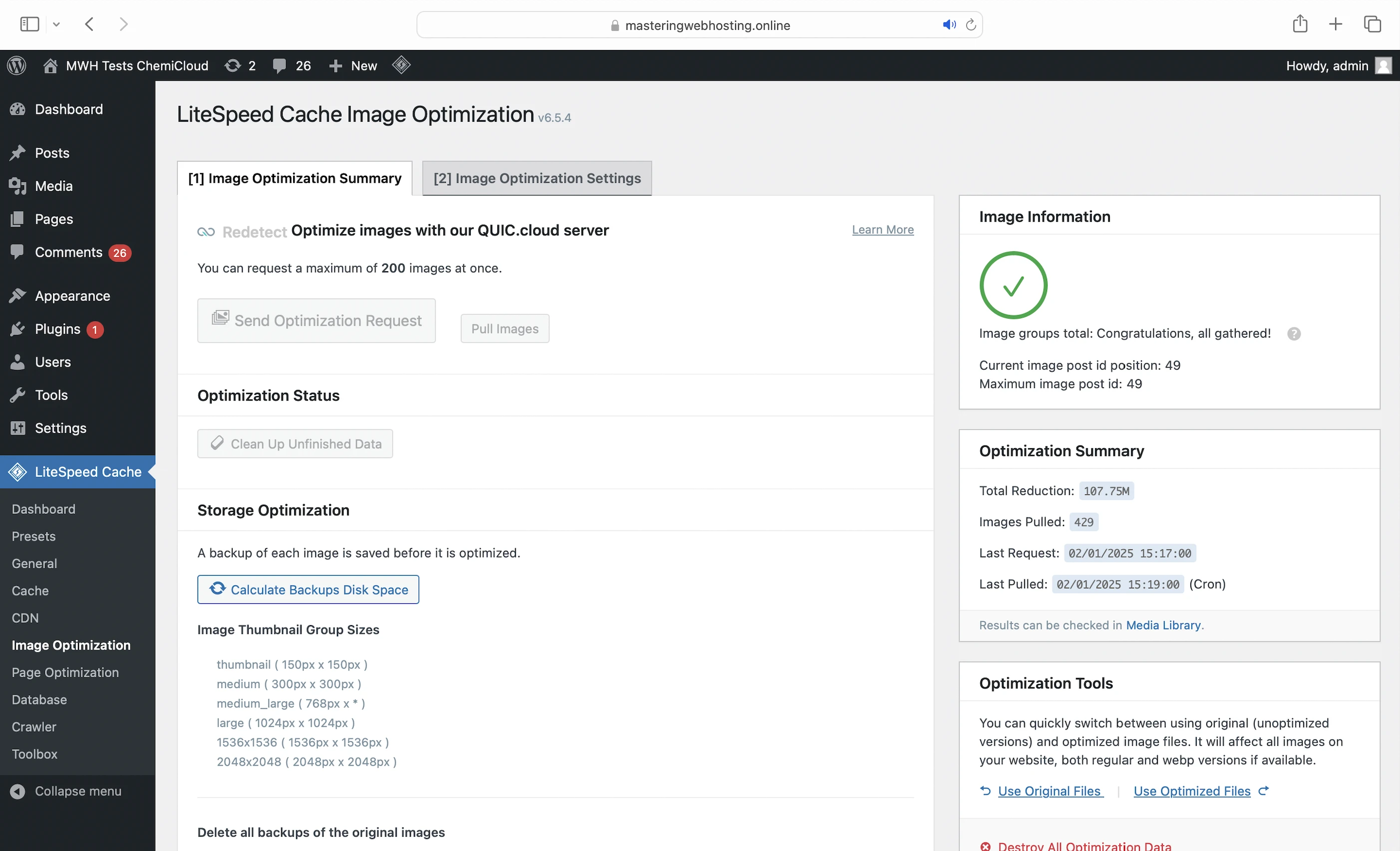
- Image optimization: Reduces image sizes (reduced mine by up to 108MB in total) so they load faster
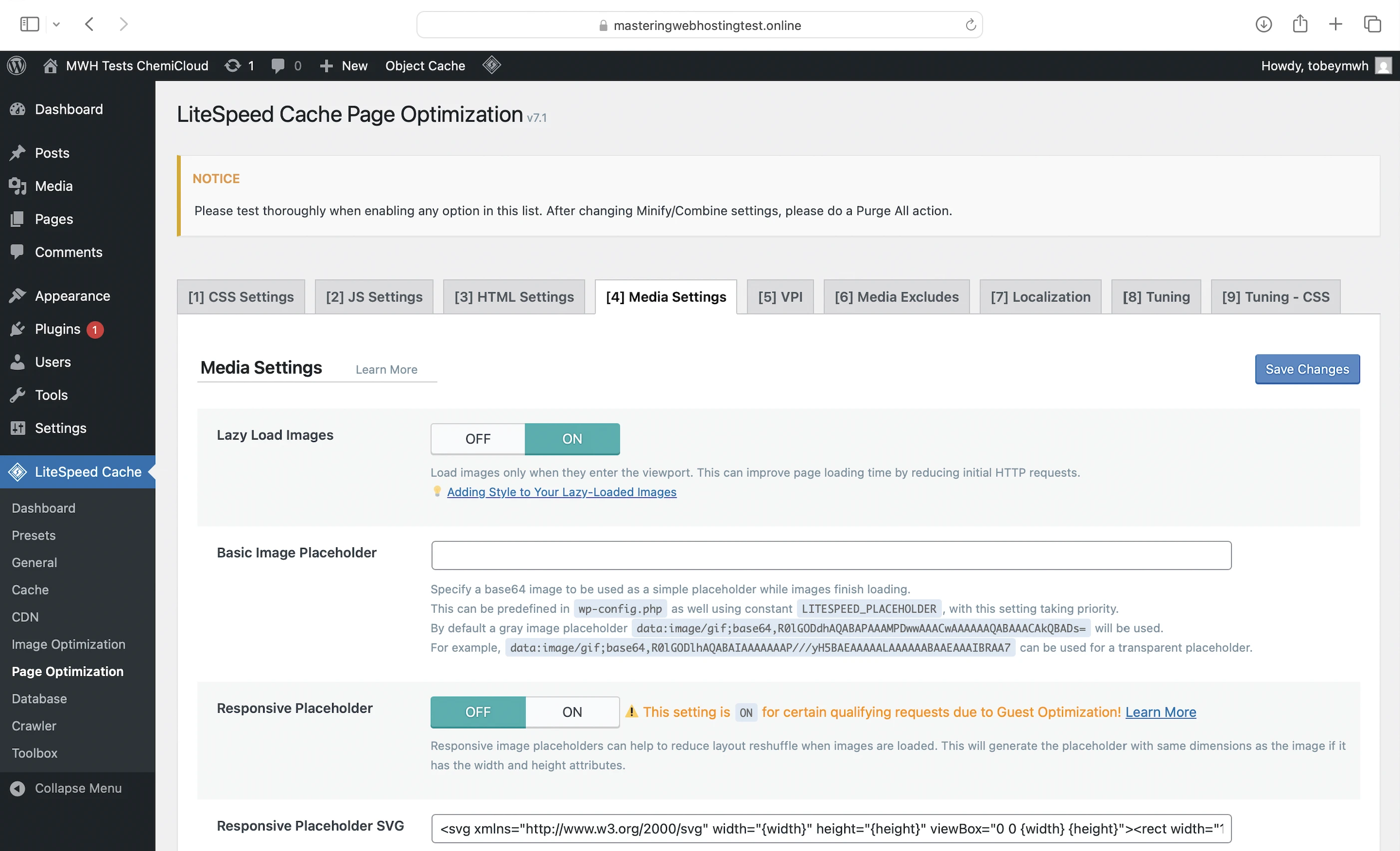
- Lazy loading: Regular plans only. Loads your images only when they are about to appear in the visitor’s viewport, improving page load speed
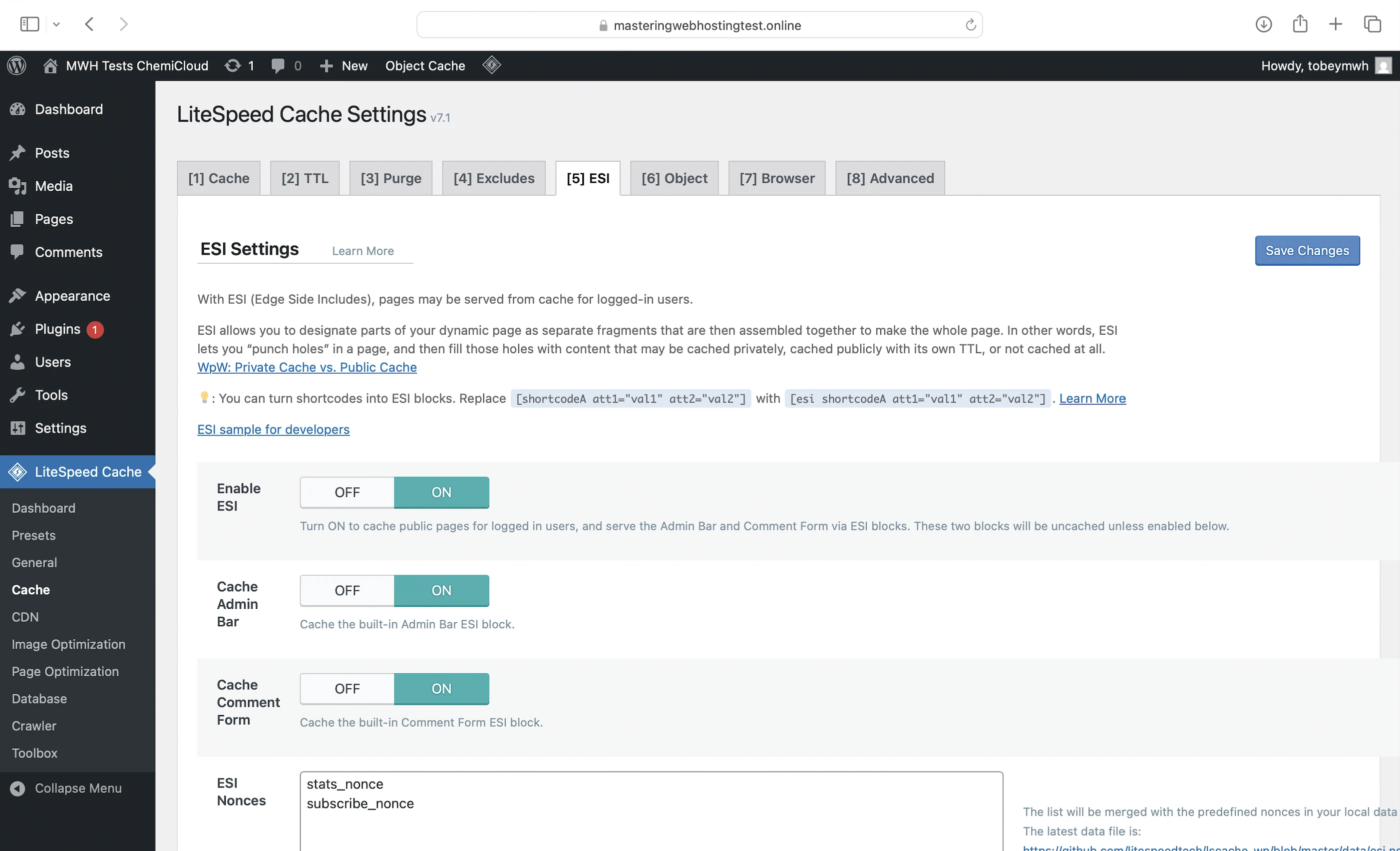
- Edge Side Includes (ESI): Regular plans only. Without ESI, a page containing non-cacheable dynamic content (e.g. user-specific data) would have to be regenerated on every visit, even if most of it is cacheable static content (e.g. images). ESI helps you split the page into fragments, so the static parts can be cached at edge servers when using a CDN, while the dynamic parts are loaded fresh.
CDN
However, unlike its managed hosting plans, ChemiCloud’s regular plans don’t include a built-in CDN, so users on these plans will miss out on exceptional global speeds and edge-level security.
Fortunately, ChemiCloud provides guides to help you set up a CDN with either Cloudflare or QUIC.cloud for free.
Since ChemiCloud uses LiteSpeed, QUIC.cloud was the ideal CDN for me because it integrates seamlessly with the LiteSpeed Web Server. In fact, ChemiCloud claims that the combination of LiteSpeed Web Server, LiteSpeed Cache plugin, and QUIC.cloud CDN can improve your website’s speed by up to 40%.
Using the same CDN as the managed plans also makes it easier for me to compare performance between regular and managed plans.
I signed up for the QUIC.cloud Standard plan, which includes:
- 84 high performing PoPS worldwide
- Image optimization (Quota/mo: 10,000 images)
- Page optimization (Quota/mo: 2,000 requests)
- $0.2 free bandwidth credits/mo
You can also:
- Subscribe to paid plans for higher quotas
- Buy credits for more bandwidth in specific regions
3. Security Features
Edge Security
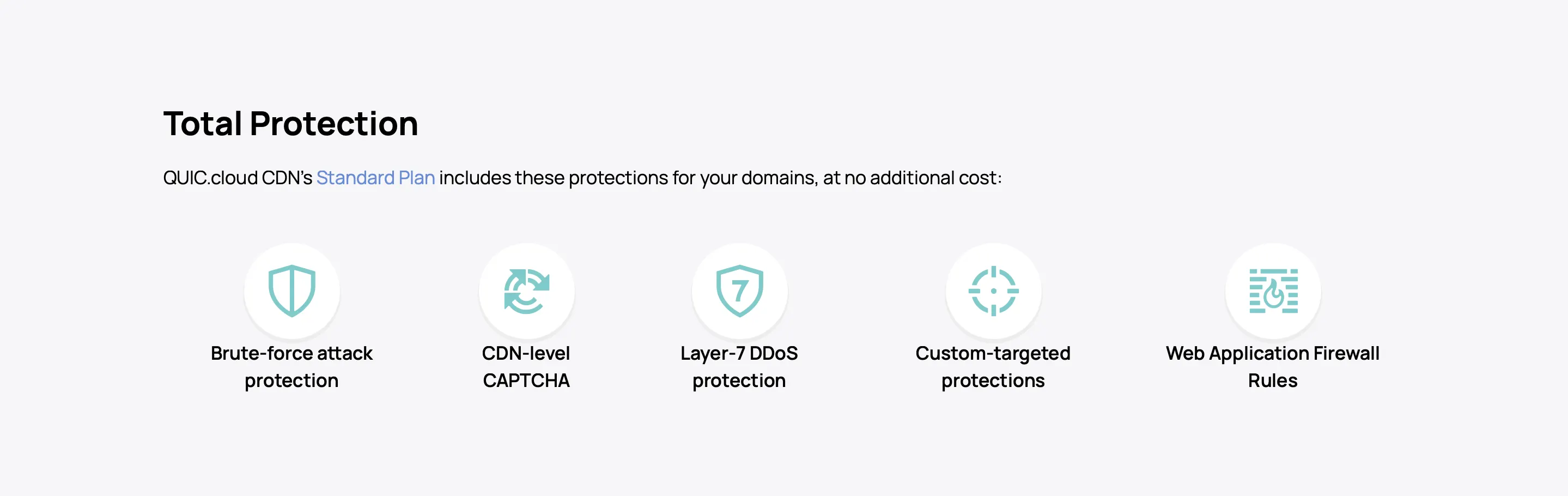
As the point of entry to your website, QUIC.cloud CDN is also your primary defense at the edge with features like:
Server Security
The CloudLinux OS that ChemiCloud servers run on also includes the following security features:
- Rebootless Secure Kernel: Patches kernel vulnerabilities without requiring reboots or causing downtime.
- CageFS: Isolates each website’s files in its own file system, preventing access from other users.
- SecureLinks: Protects sensitive files from symbolic link attacks.
- HardenedPHP: Secures older but widely used PHP versions that are no longer officially supported by developers.
Firewall Security
Wanna hack a ChemiCloud server? You’ll have to go through at least three firewalls first:
- Traditional WAF: Integrated with ModSecurity to block most known web-based attacks.
- Advanced firewall (Pro and Turbo plans only): Uses AI to protect your server from newer brute force, DDoS, and port scanning attacks that traditional WAFs might miss.
- Network firewall: Protects private networks from public access.
Malware Scanning
Imunify360 Proactive Defense uses AI to scan web files for malicious content (available on Pro and Turbo plans) and automatically clean infected files (Turbo only).
Challenge Pages
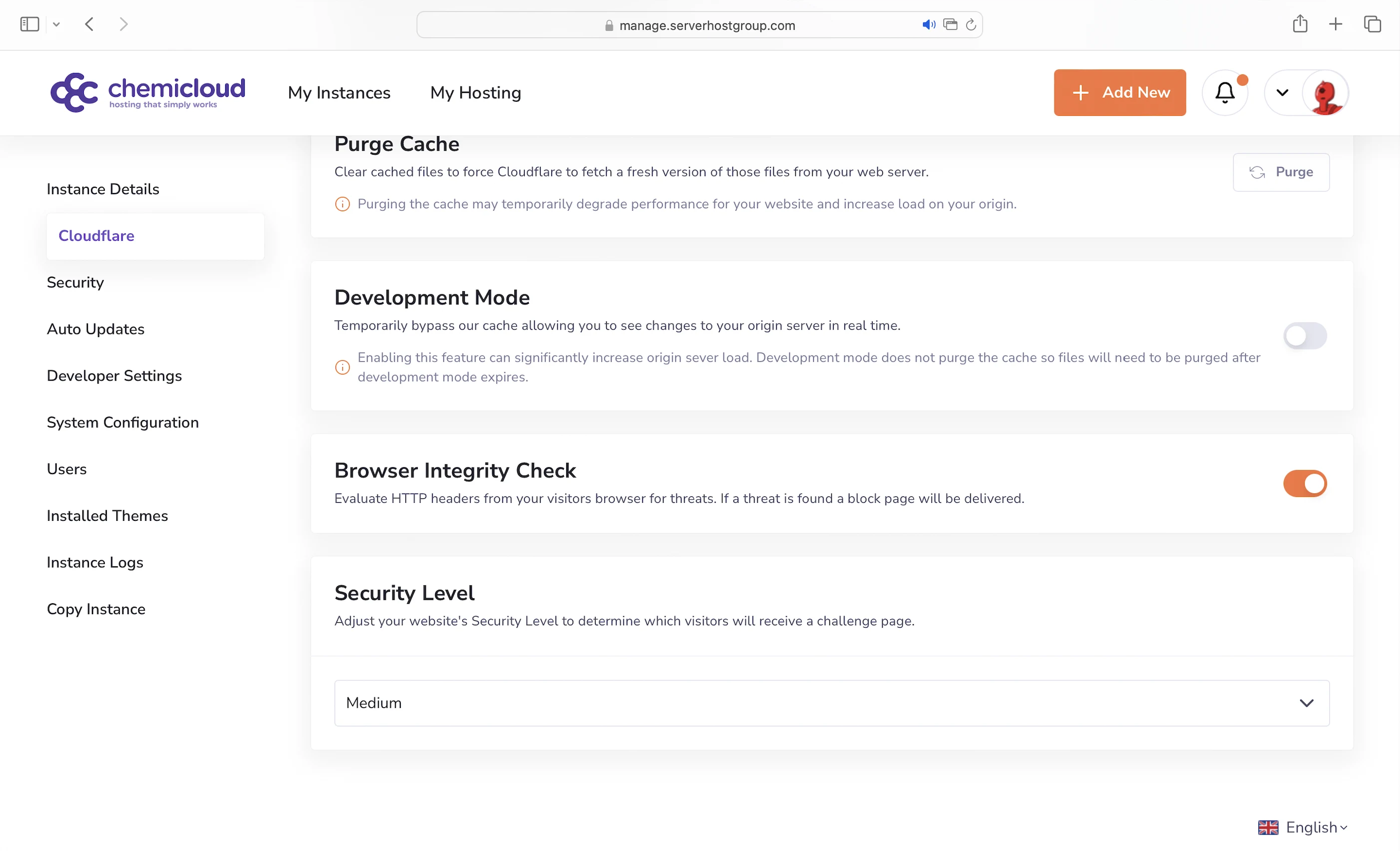
For the managed plans, you can set the security level for your website, which redirects suspicious visitors to a challenge page.
4. Speed Test
WordPress Pro
GTmetrix reported that my Largest Contentful Paint (LCP) was a decent 474ms when tested from Dallas.
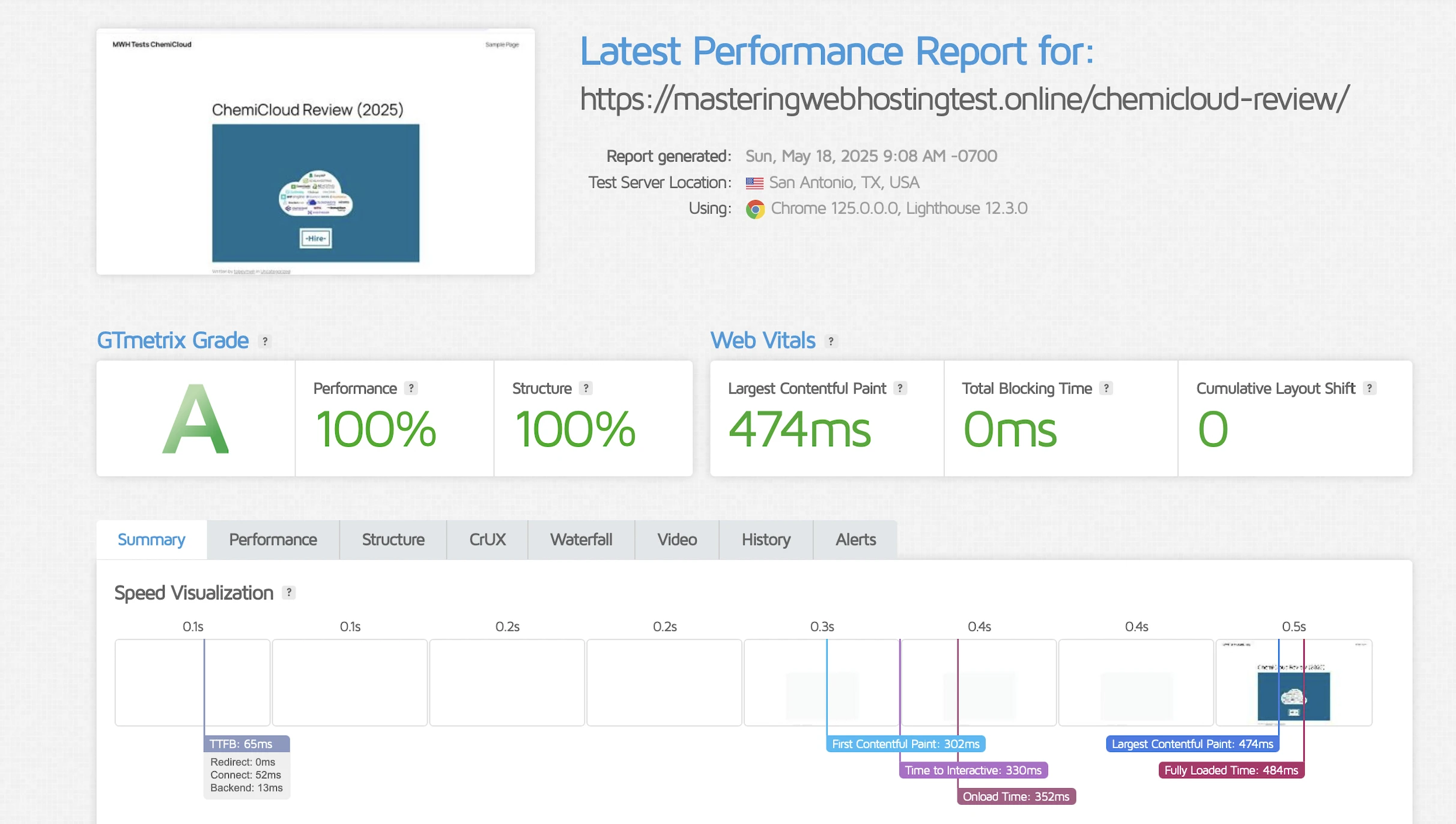
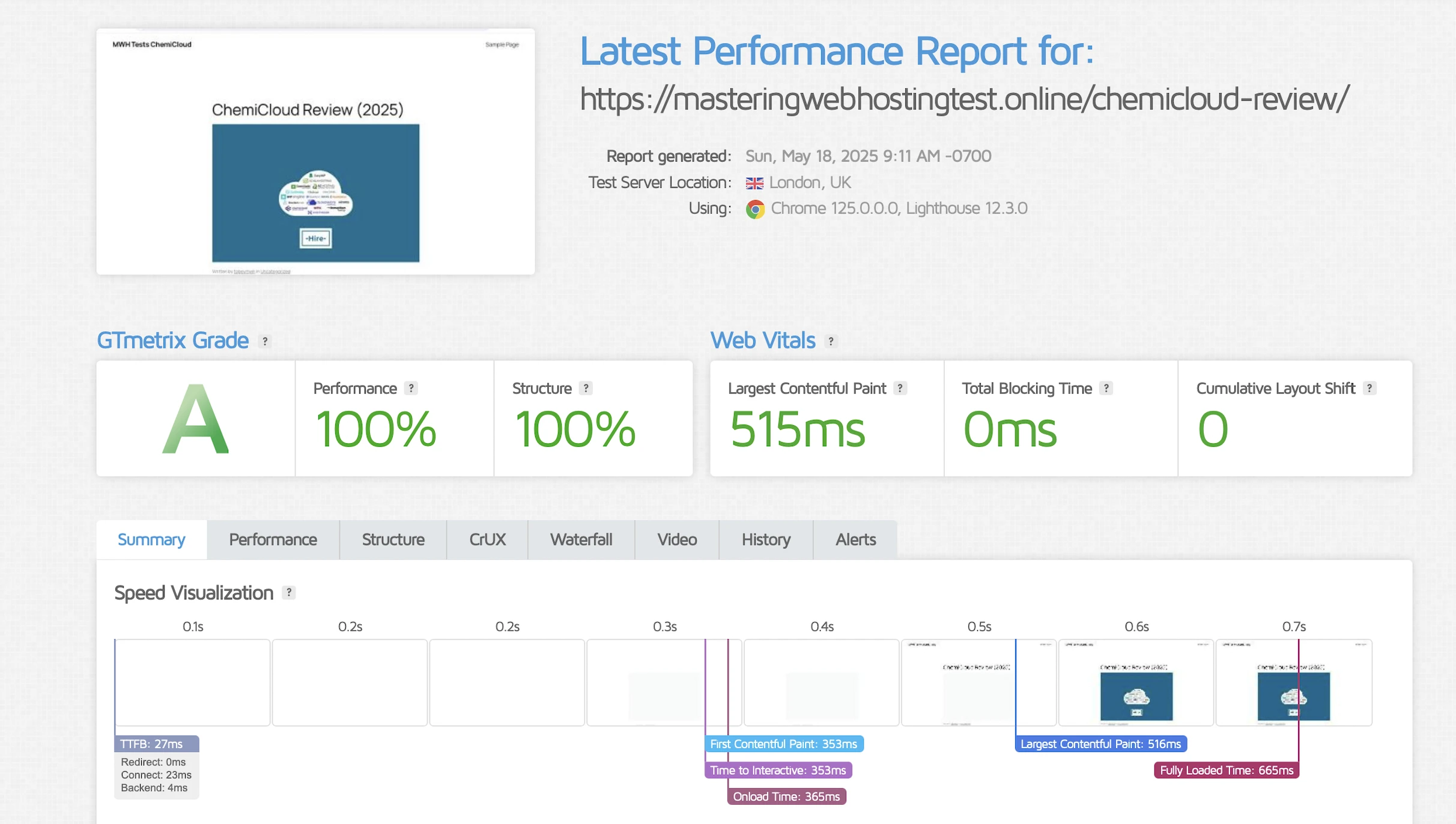
However, it performed slightly worse in London, scoring 515ms.
MWH1
Here’s where things turned around and the benefits of managed hosting became clear.
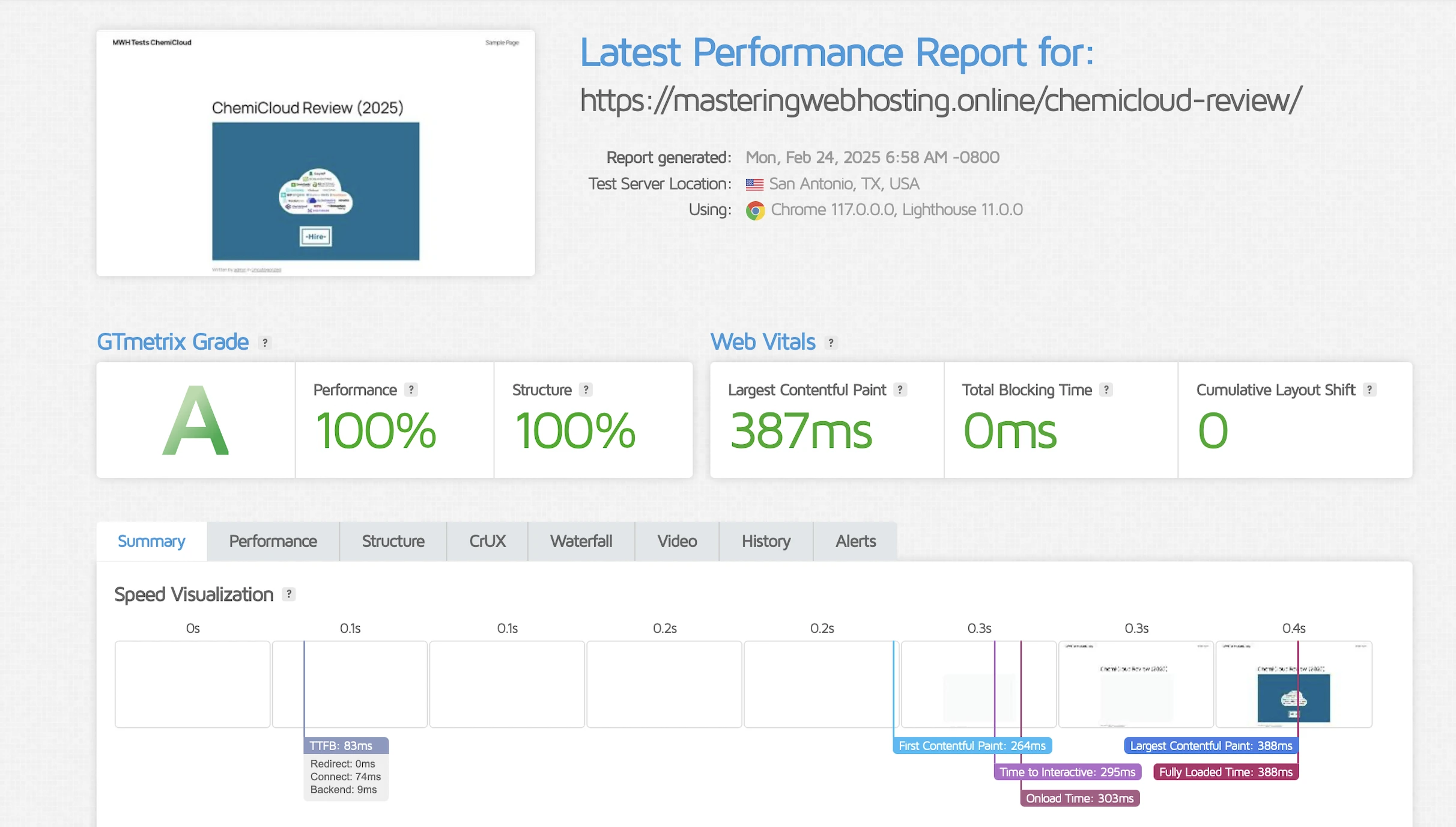
GTmetrix reported a significantly improved LCP of 387ms in Dallas.
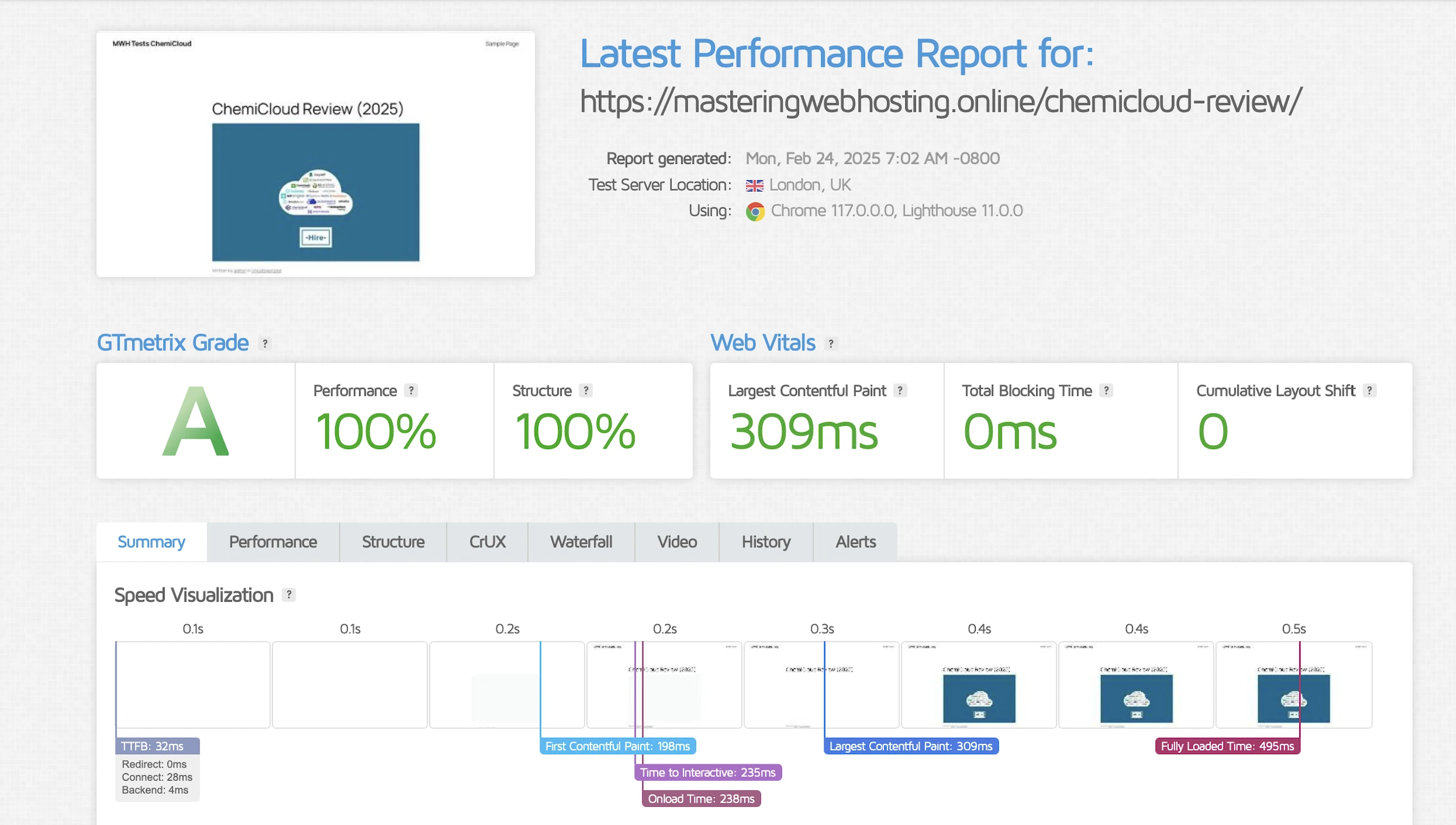
Performance was even better in London, with speeds reaching just 309ms.
5. Security Test
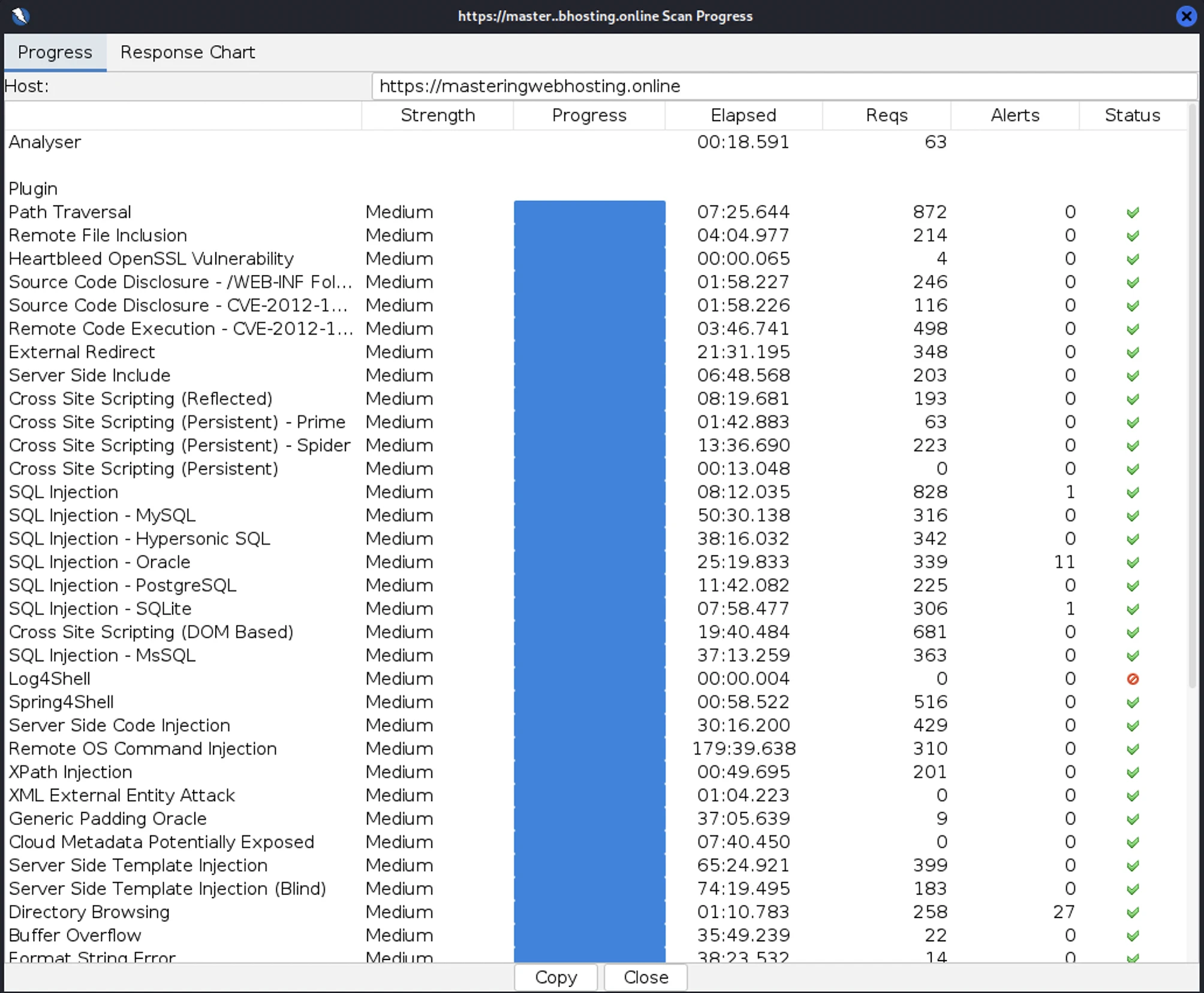
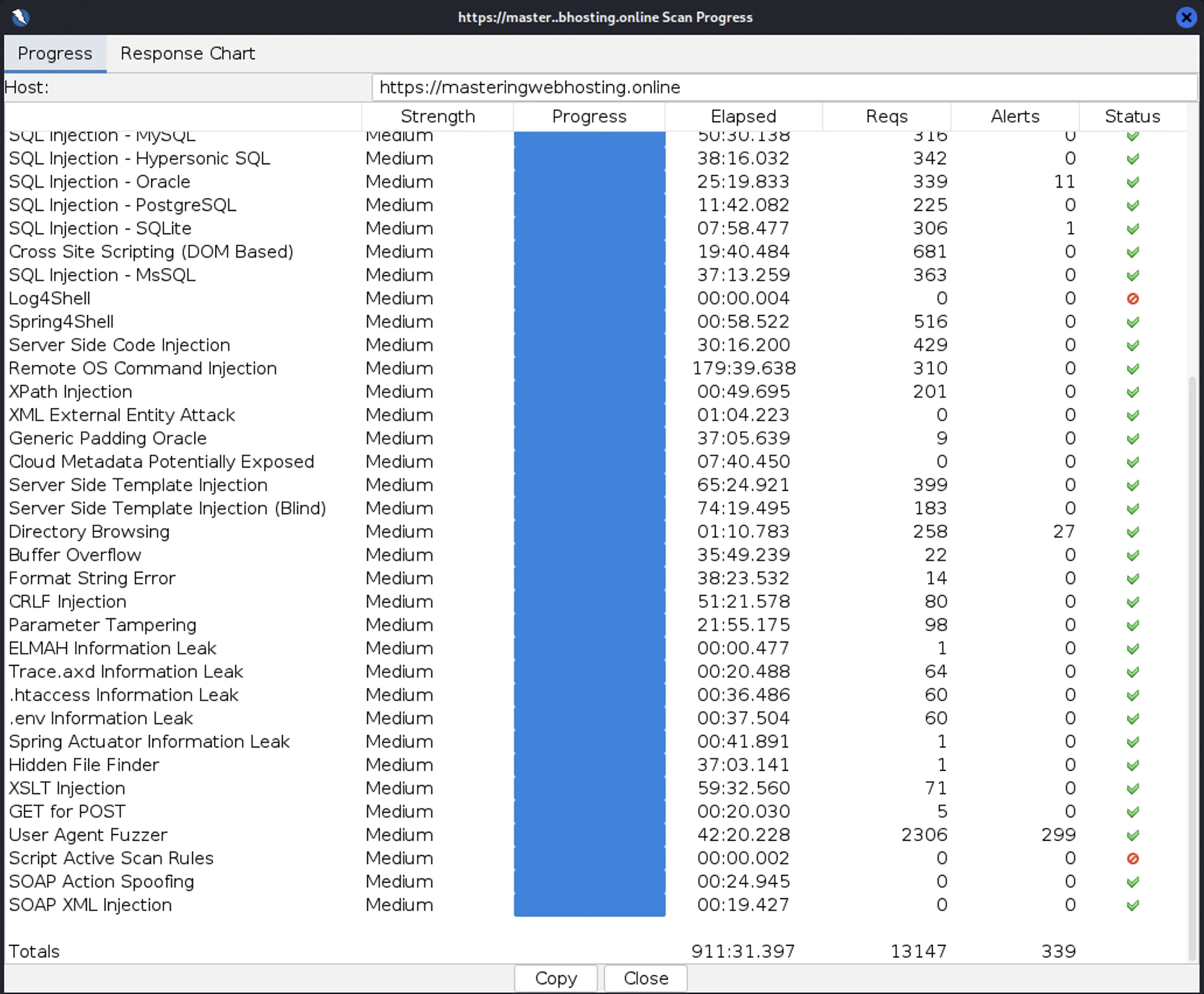
I launched 13,147 cyberattacks against my ChemiCloud websites:
- 3 out of 30 high risk vulnerabilities detected:
- SQL Injection: 1 out of 828 attacks successful.
- SQL Injection – Oracle: 11 out of 339 attacks successful. Okay as ChemiCloud doesn’t use Oracle.
- SQL Injection – SQLite:1 out of 306 attacks successful. Okay as ChemiCloud doesn’t use SQLite.
- 1 out of 12 medium risk vulnerabilities detected:
- Directory Browsing: 27 out of 258 attacks successful. The worst among all the hosts I reviewed.
- 2 out of 2 informational risks. 299 alerts but these aren’t vulnerabilities.
- Success Rate: 12,808 or 97% of my attacks were completely neutralized.
Note:
- For the WordPress Pro plan, I had to disable QUIC.cloud CDN’s URL Flood Protection, or my attacker server would be blocked before my attacks could finish.
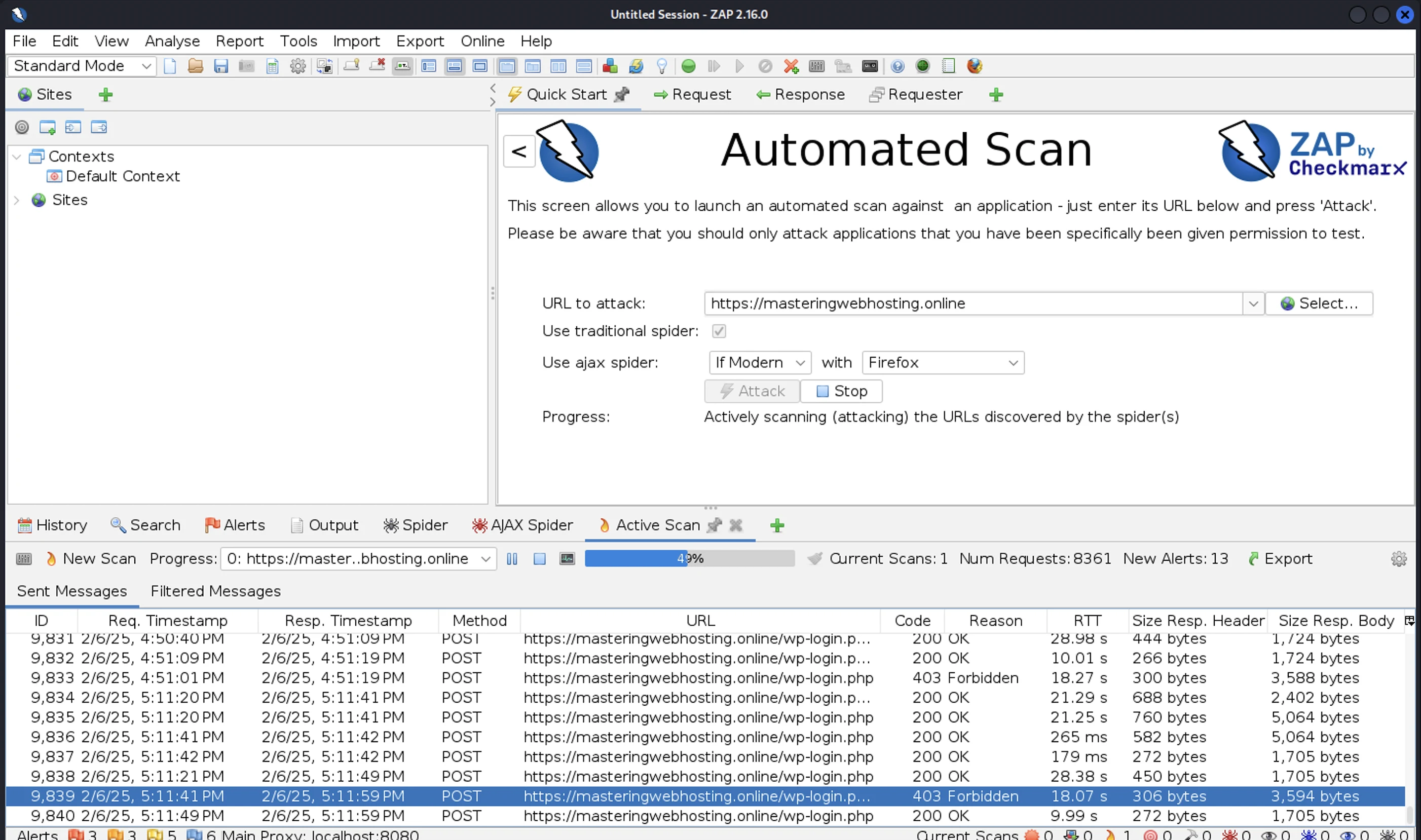
- For the MWH1 plan, much like with WPX, ChemiCloud slowed down my attacks during the first few minutes of the scan. Some requests took as long as 30 seconds to receive a response. I suspect they throttled requests from my attacker’s IP address due to the challenge pages, so I switched to different servers, but those were blocked one by one as well. Eventually, I had to ask the support team to whitelist ZAP so I could continue scanning for vulnerabilities.
6. Uptime Test
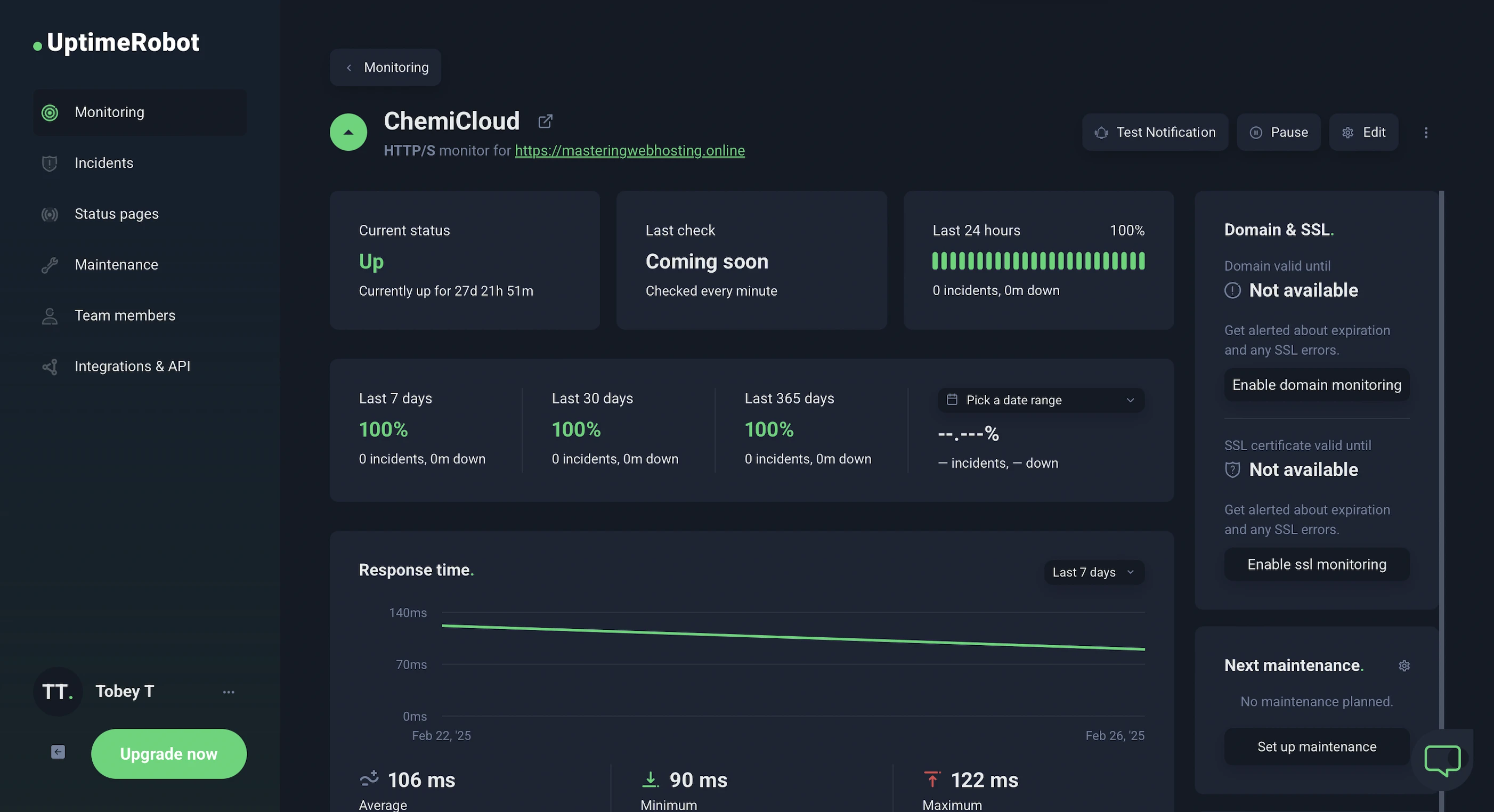
In the 28 days I was reviewing, UptimeRobot reported that my ChemiCloud websites enjoyed 100% uptime after checking on them every minute.
HetrixTools reported the same results after monitoring my website at 1-minute intervals for 8 days.
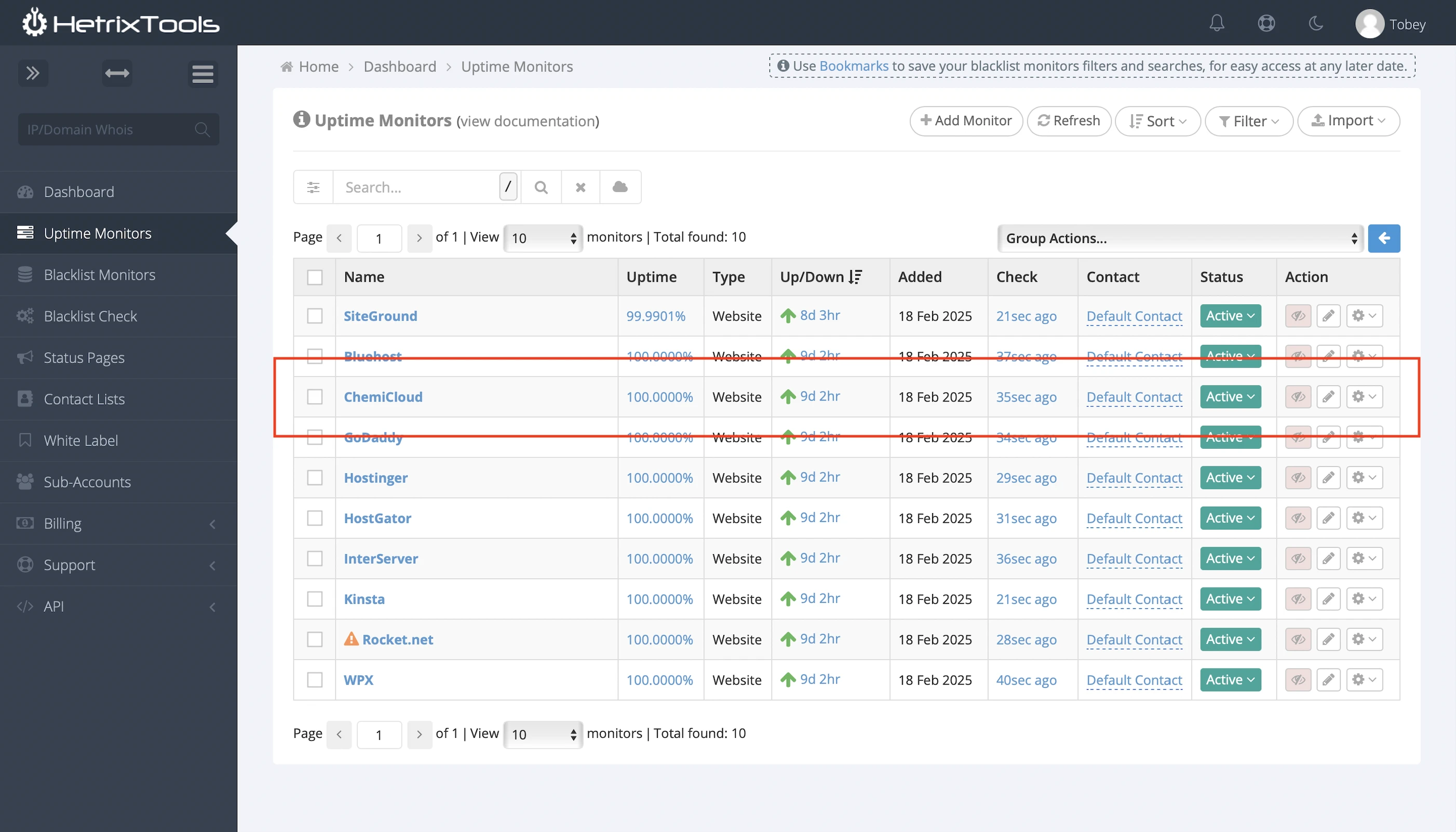
So ChemiCloud has met its 99.9% uptime guarantee.
It also publishes both its current network status and a detailed history of past incidents.
7. Dashboards
As I briefly mentioned earlier, the MWH1 plan (and the other managed plans) comes with a really cool dashboard that gives you an overview of your WordPress website, lets you configure settings, and shows some performance metrics.
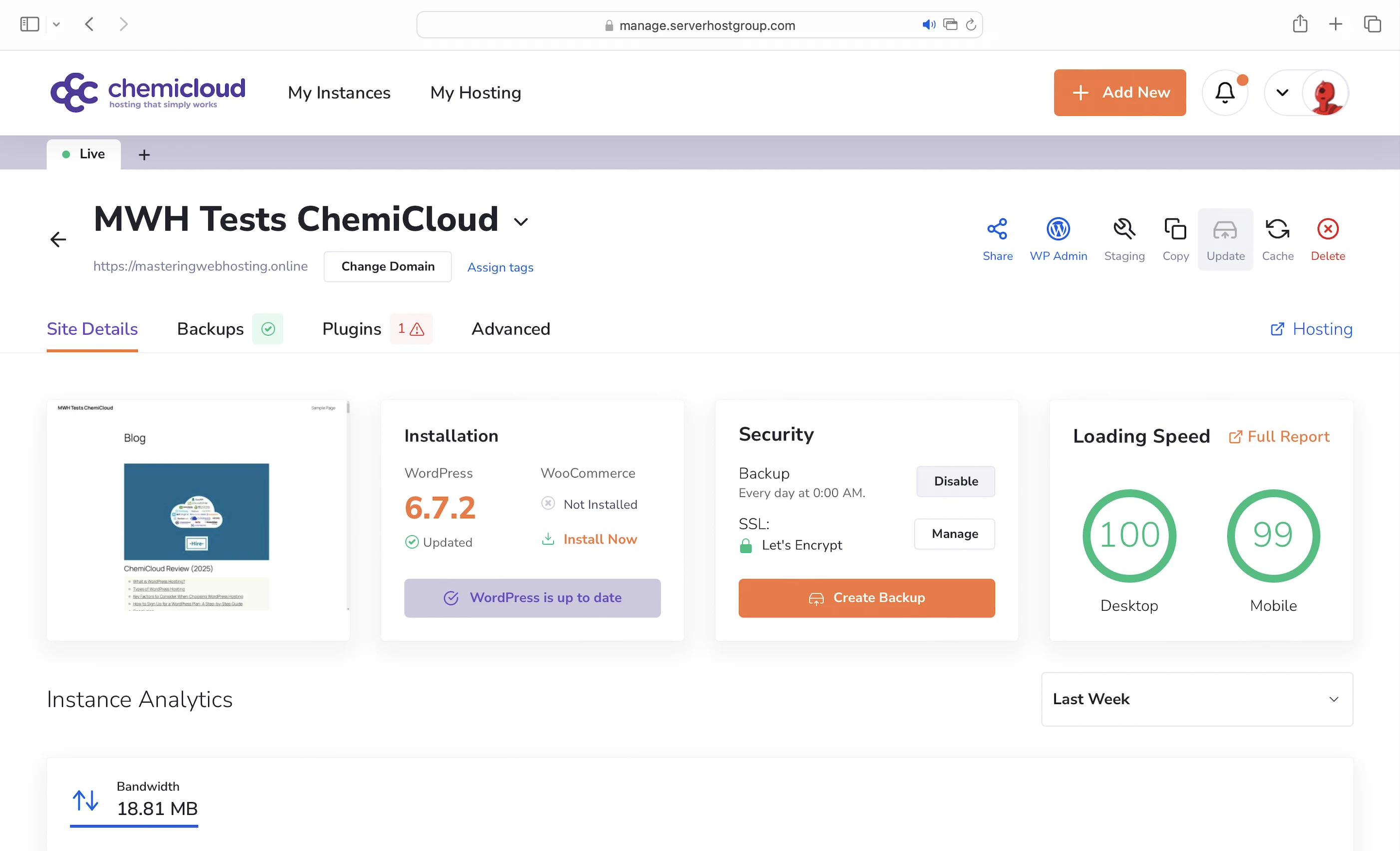
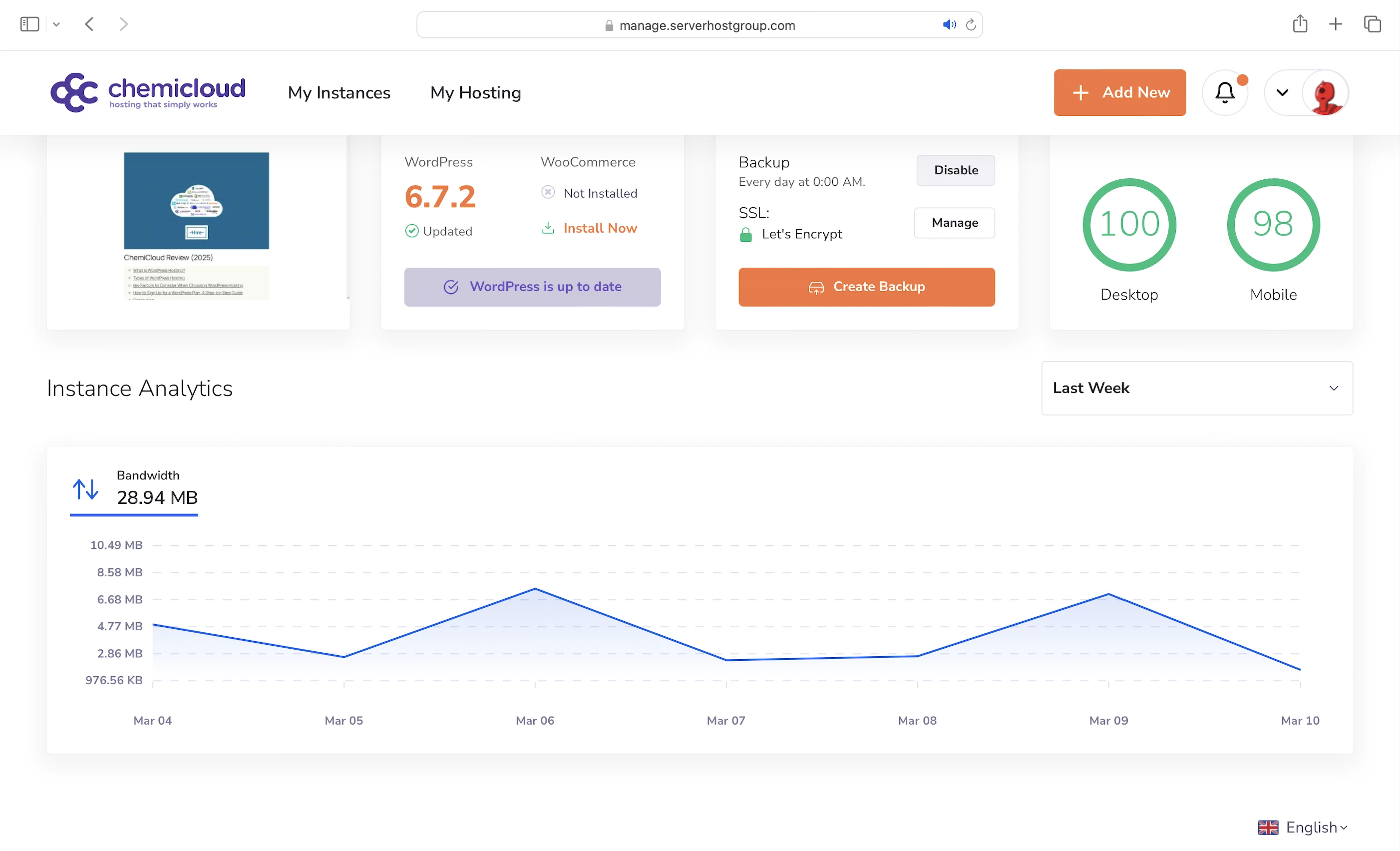
On the other hand, the regular plans like WordPress Pro don’t offer a similar dashboard, so you have to rely on cPanel or Softaculous, which comes with a few cons…
8. Cons
Laggy and Complicated Dashboard
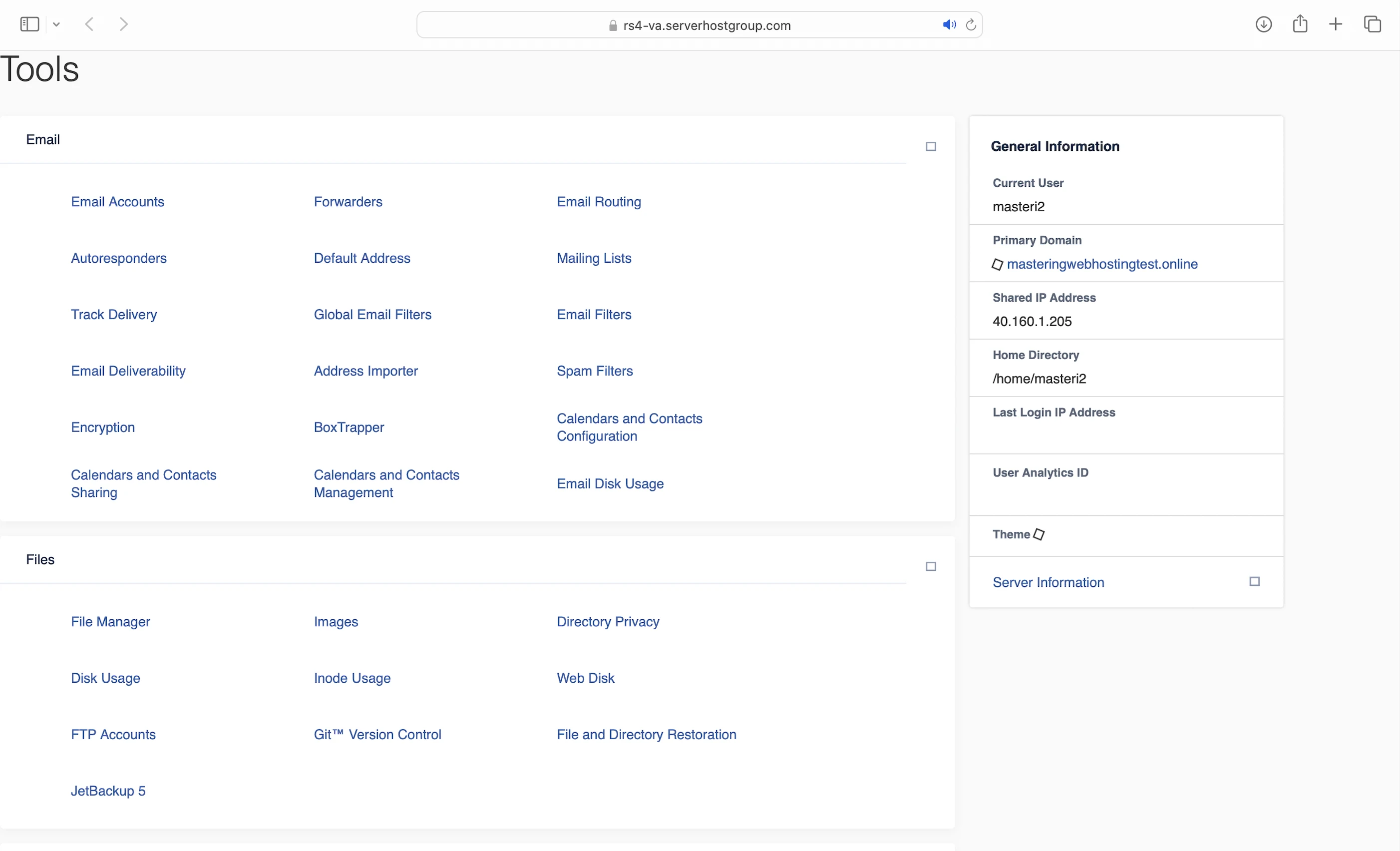
Maybe it’s just me, but ChemiCloud’s dashboard feels and cluttered. I expected a WordPress site to be set up automatically after I purchased my regular plan, but I had to install it myself. Navigating the dashboard wasn’t easy either. It took me a while to even find the installer in Softaculous.
Static IP Address Needed to Log Into cPanel
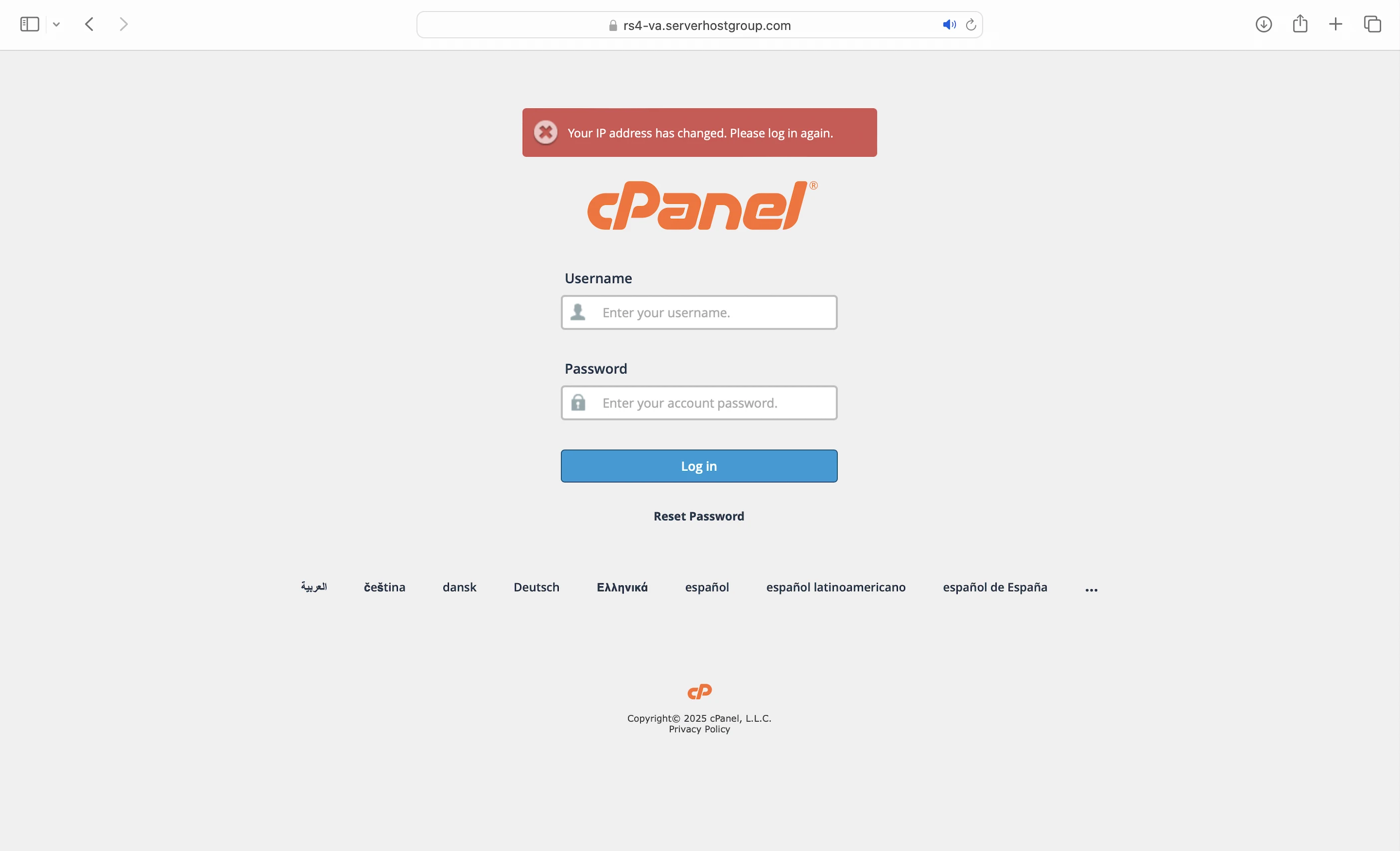
On the regular plans, once you log into cPanel for the first time, it remembers your IP address. If your IP changes frequently, like mine does, cPanel throws an error the next time you try to log in. And on the rare occasion you do manage to get in, the cPanel pages often fail to load properly.
Error When Submitting Support Tickets
ChemiCloud is the only host I’ve reviewed with this issue. Clicking the submit button brings up a page with an error message. However, if you go back to the tickets page, you’ll see that the ticket was actually submitted. If you clicked submit multiple times, you’ll find multiple ticket entries.
Free Cloudflare CDN
Just like with GreenGeeks and ScalaHosting, ChemiCloud says it includes Cloudflare in its regular plans. But since Cloudflare can be set up for free with many other hosting providers, this shouldn’t really be advertised as a standout feature on their website. And speaking of setting up a free CDN…
Non-beginner-friendly CDN Setup
While ChemiCloud’s setup guides were straightforward to me as an IT professional, I imagine the process would feel confusing and tedious for someone without technical experience. Other hosting providers, like Cloudways (Autonomous plan) and WPX, include a CDN by default, which makes things easier for beginners.
9. Evaluation
Let’s see how ChemiCloud did against my self-hosting:
| Self-hosting | ChemiCloud (WordPress Pro) | ChemiCloud (MWH1) | |
|---|---|---|---|
| Speed (LCP) – Dallas | 306ms | 474ms | 387ms |
| Speed (LCP) – London | 253ms | 515ms | 309ms |
| Security | 0 | 3 high risk vulnerabilities. 2 don’t affect WordPress. 1 medium risk vulnerability—Worst of all hosts. | 3 high risk vulnerabilities. 2 don’t affect WordPress. 1 medium risk vulnerability—Worst of all hosts. |
| Uptime | 95% | 100% with system status and incident reports. | 100% with system status and incident reports. |
| Winner | 👑 |
10. Final Thoughts
I don’t feel a Chemical Romance here. Like ScalaHosting with WordPress VPS hosting, ChemiCloud didn’t meet its potential to be the best WordPress shared hosting provider.
Such a pity, because it was so close.
It followed the modern WordPress hosting recipe and had the right mix of features. And it showed because ChemiCloud’s speed and uptime were, by all standards, fantastic.
However, its cocktail was missing a kick: ChemiCloud’s security left a lot to be desired. Its Directory Browsing vulnerability was the worst I’ve ever seen in a host. Even whitelisting ZAP doesn’t excuse the poor results, because WPX had done the same and still delivered excellent security.
Unlike ScalaHosting and many other hosts though, ChemiCloud has shown improvements in performance over time. With its new managed WordPress plans, ChemiCloud is clearly faster compared to last year. It’s just that my self-hosting setup improved even more.
So while I can’t recommend ChemiCloud based on its current performance, it’s left an excellent aftertaste. I can confidently say it is still fighting for its lofty ambition.
For this reason alone, I won’t write off ChemiCloud. In fact, I would even place it on my watchlist of potentially good hosts.
I certainly look forward to our rematch next year and hope ChemiCloud’s recipe for managed WordPress hosting can change my mind then.
Comment down below if you agree or disagree with my ChemiCloud review!
Leave a Reply