As a managed cloud hosting provider, Cloudways sets up and manages servers on public cloud platforms like AWS, allowing customers to “focus on their passions and grow their business.”
But even Cloudways hadn’t tapped into cloud hosting’s greatest advantage: Autoscaling.
Until Cloudways Autonomous.
This new solution finally allowed it to become the first true managed cloud host in my book.
But has it made Cloudways better?
There have been complaints that its services got worse after it was acquired by DigitalOcean in 2022.
Not to mention that brief episode in 2023 when Cloudways discontinued Vultr servers, seemingly to steer new customers toward DigitalOcean Droplets. However, due to popular demand, it reinstated Vultr support in 2024.
Still, as a managed cloud host, Cloudways offers the complete opposite of my self-hosting setup, which is a form of unmanaged cloud hosting.
1. Plan
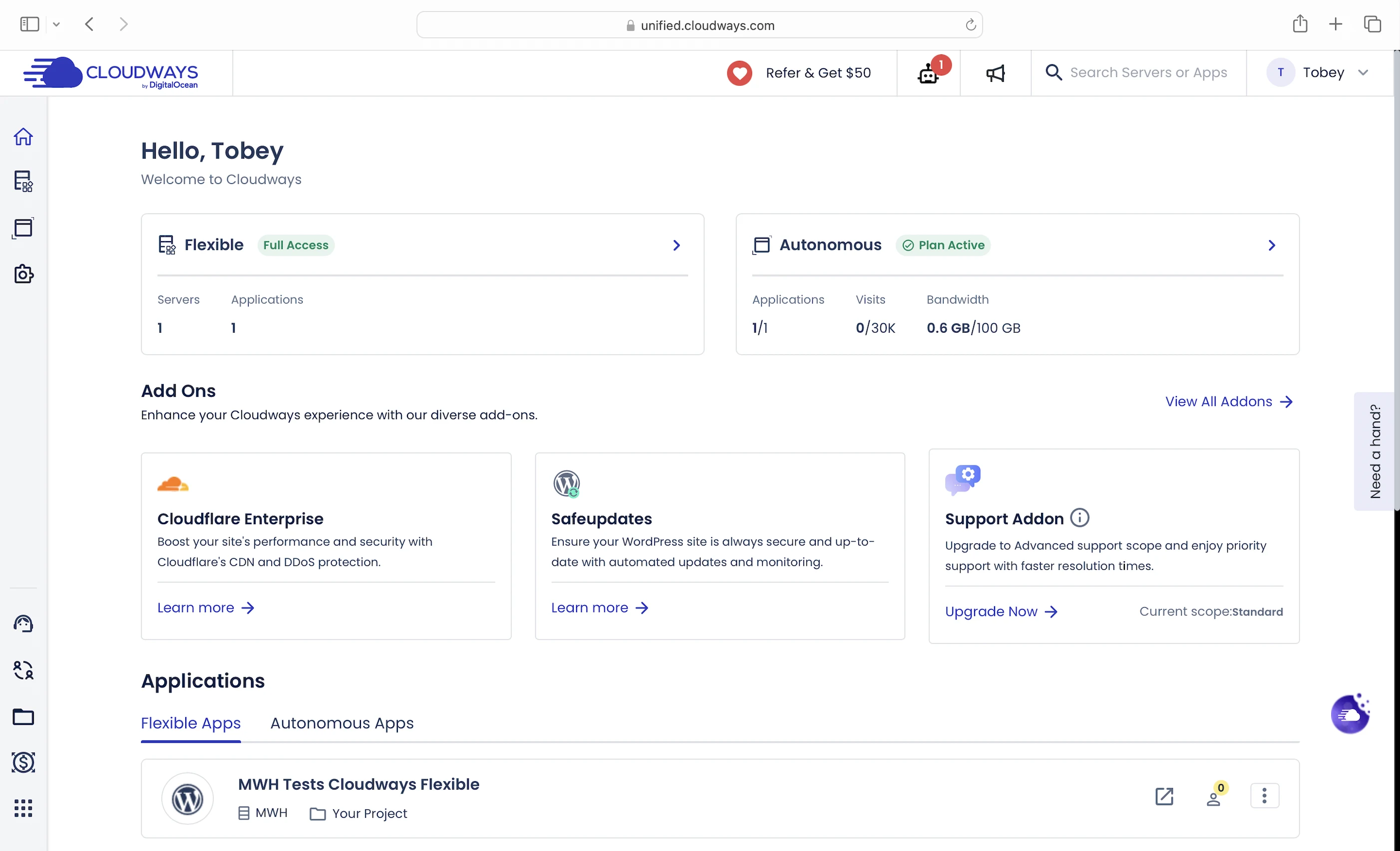
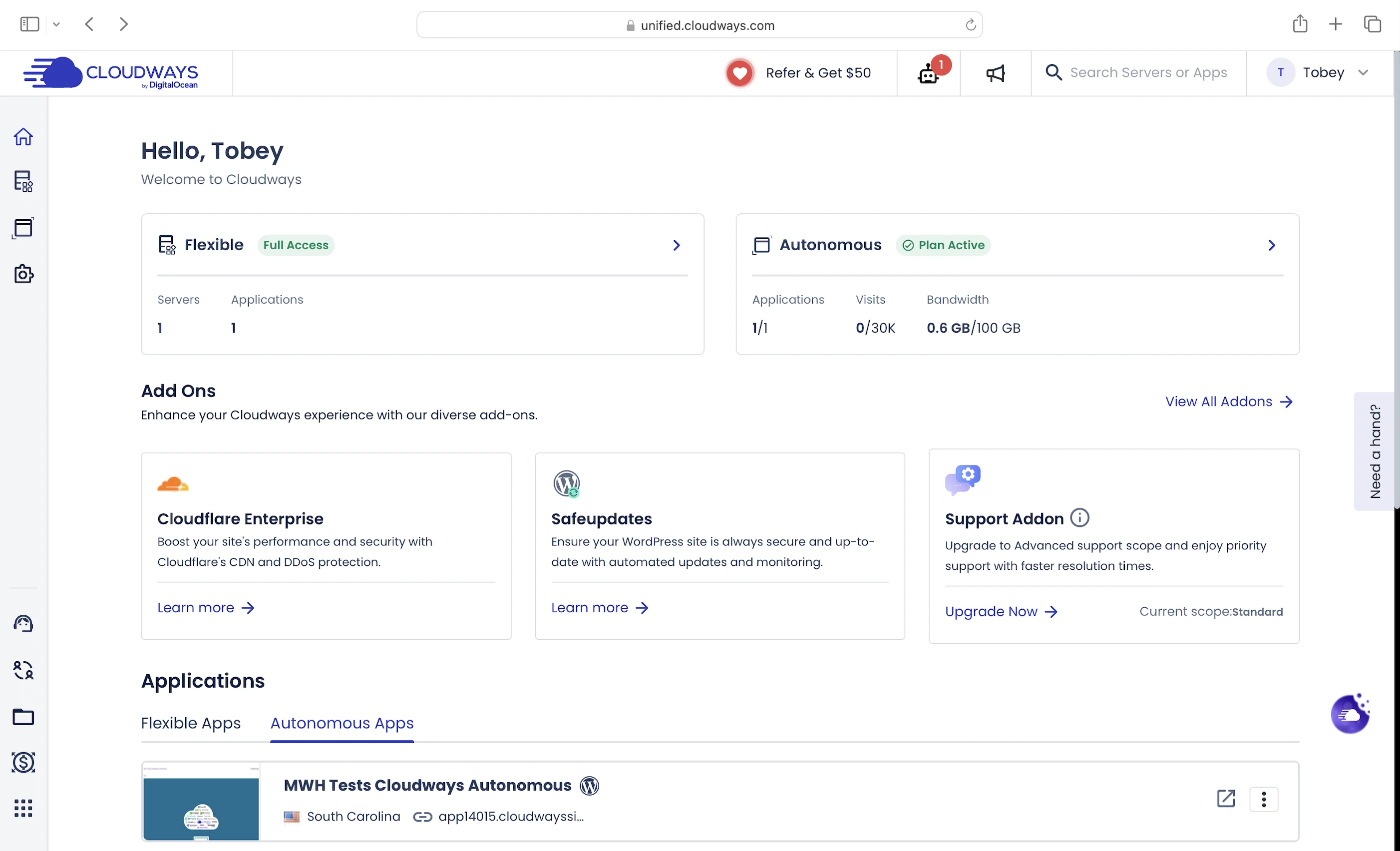
Cloudways’ WordPress plans has two flavors: the semi-managed Flexible and the fully managed Autonomous.
I got the Vultr2GB for Flexible and Plan 1 for Autonomous:
| Flexible | Autonomous | |
|---|---|---|
| Cloud service provider | AWS, Google Cloud, Vultr, DigitalOcean, Linode | Google Cloud |
| CPU cores | 1 | Scales to traffic |
| RAM | 2GB | Scales to traffic |
| Bandwidth | 1TB | 100GB |
| NVMe SSD storage | 32GB | 15GB |
| Web servers | Nginx + Apache | Apache |
| PHP workers | Unlimited | Unlimited |
| Opcode caching | Yes | No |
| Object caching | Object Cache Pro | Object Cache Pro |
| Breeze plugin | Yes | No |
| Cloudflare Enterprise | Yes (Add-on) | Yes |
| Dedicated server firewall | Yes | Yes |
| Fail2Ban | Yes | Yes |
| Vulnerability scanning | Yes | Yes |
| Autoscaling | No | Yes |
| High availability | No | Yes |
| Cost/mo | $30 | $35 |
| Add-ons | $4.99/mo Cloudflare Enterprise | $1/mo per 10GB extra bandwidth, $1/mo per 1000 extra visits, $2/mo per 1GB extra disk space |
2. Flexible
The original Cloudways hosting solution.
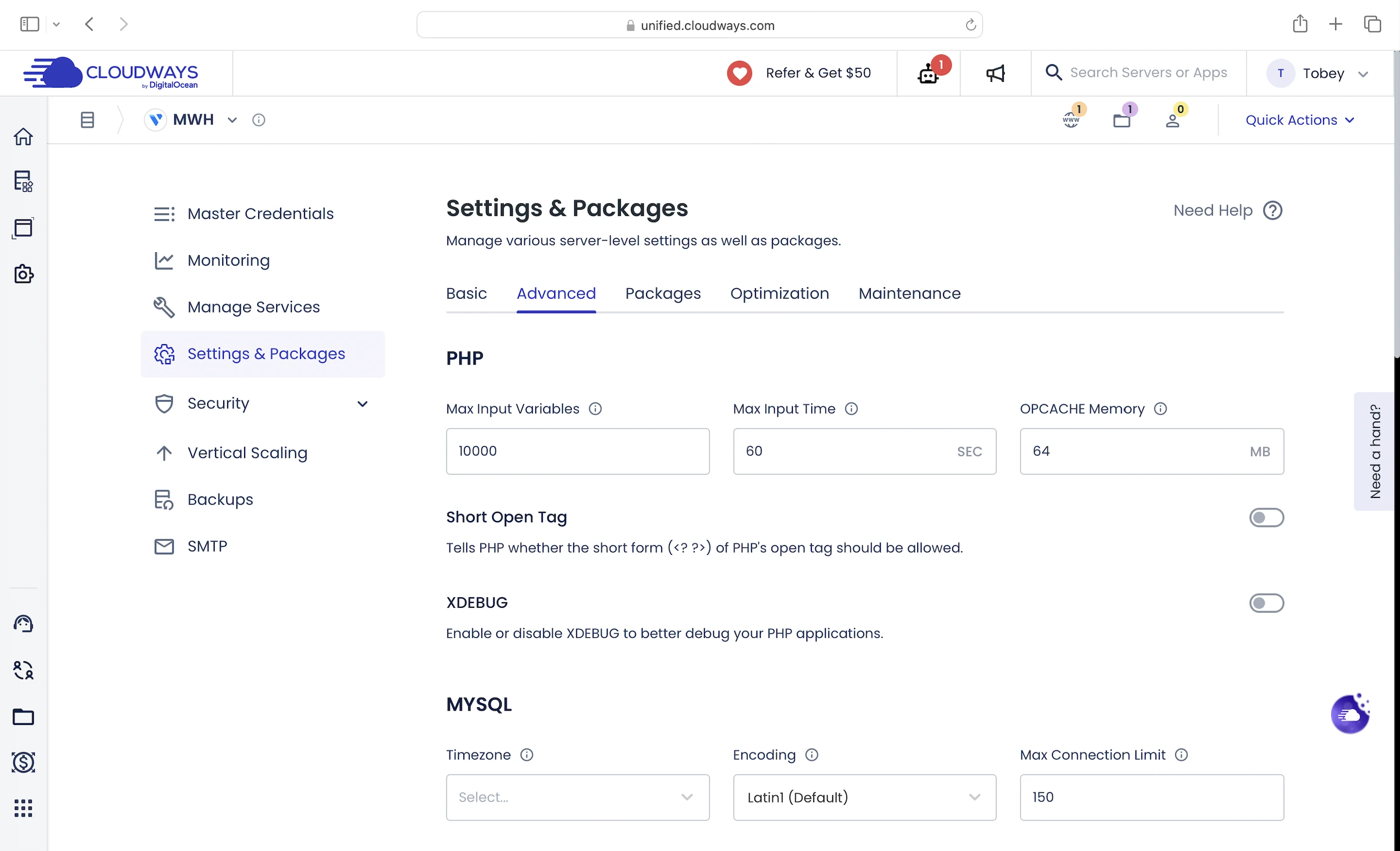
I consider it a semi-managed solution because customers are responsible for configuring key hosting settings to optimize the performance of their WordPress websites. In this sense, Cloudways offers significant flexibility for customers to control how their servers and websites are set up and run.
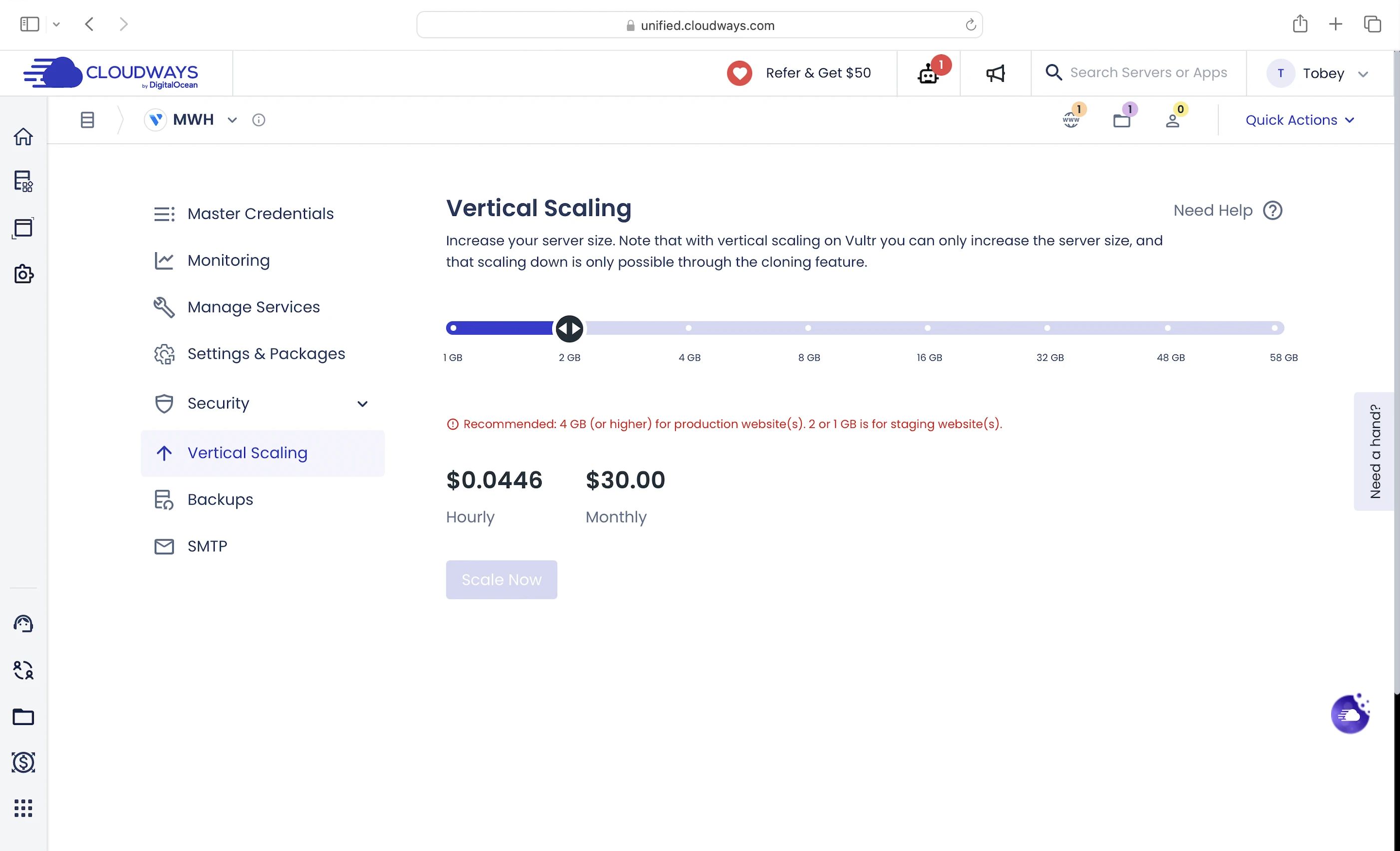
The first decision customers must make is choosing the right server size. They need to estimate how much CPU and RAM they’ll need before launching their server.
If their estimates are off or if their web traffic grows, they can manually scale up to a more powerful server to handle the increased demand. We call this vertical scaling.
On its end, Cloudways manages the server (think OS updates and backups) on the customer’s chosen cloud service provider, after the server has been launched.
Which Cloud?
Flexible customers can choose from five cloud service providers:
- AWS
- Google Cloud
- DigitalOcean
- Linode
- Vultr
Personally, I think Vultr is the best:
- The AWS and Google Cloud plans are crazy expensive: at least 40X my self-hosting cost and with fewer features.
- Linode servers don’t stand out, unlike DigitalOcean’s Premium Droplets or Vultr’s High Frequency (HF) servers.
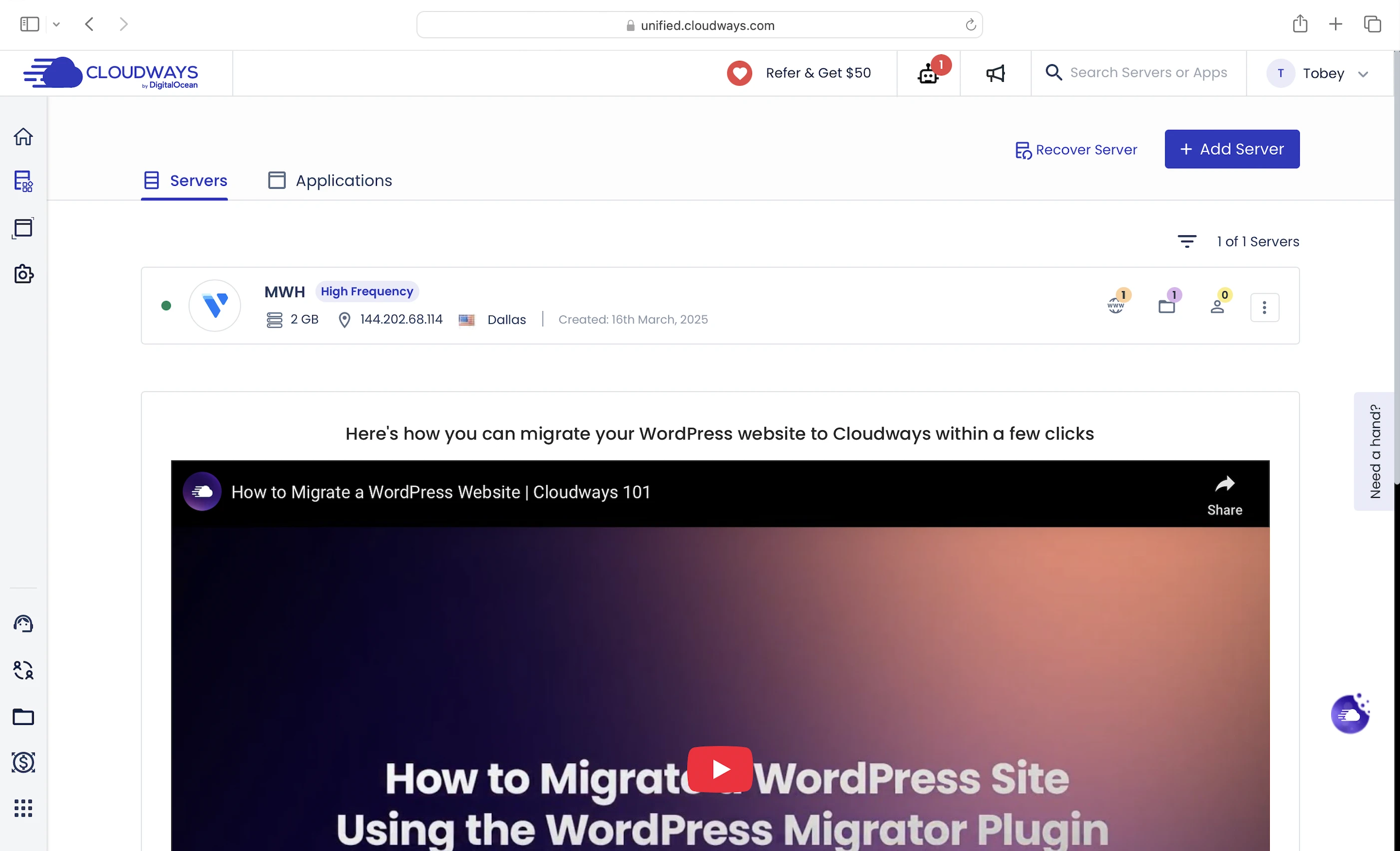
- DigitalOcean has only 14 data centers (7 in the US and 3 in Europe) while Vultr has 32 (9 in the US and 8 in Europe).
- Cloudways is the one of the only two hosts that manage Vultr HF servers for you.
Drawbacks
Regardless which cloud service provider you choose, you can only use vertical scaling to manage your workloads. This has a few drawbacks:
- The bigger your servers, the faster your bill skyrockets.
- You can’t downgrade to a smaller server even if you don’t need that much CPU/RAM anymore.
- Servers can’t scale automatically, so you have to estimate how much CPU/RAM you need and to scale them yourself.
Autonomous fixes them all.
3. Autonomous
Released on January 23, 2024, Cloudways Autonomous is its fully managed WordPress solution built on Google Kubernetes Engine (GKE).
As far as I know, it’s the first of its kind in the WordPress hosting space.
But how does it work exactly?
Design
In one blog post, Cloudways explained how Autonomous works behind the scenes.
Let me explain some of the tech buzzwords in layman’s terms.
Kubernetes
It’s software that runs your WordPress website on something called Pods, which are lightweight units that can be created or destroyed fast.
Each Pod runs 1 copy of your WordPress website.
A collection of Pods forms a cluster, and Kubernetes manages this cluster by deciding how many Pods should be running at any given time.
If your web traffic spikes, Kubernetes automatically adds more Pods to the cluster to handle the increased workload. The Load Balancer then distributes the incoming traffic evenly across all available Pods.
If traffic drops, Kubernetes automatically removes Pods to save on CPU and RAM resources, keeping your system efficient.
We call this automatic adding and removal of Pods horizontal autoscaling.
File System
And since Pods are meant to be created and destroyed easily, any updates you make directly on a Pod (like changing font color) will be lost if that Pod is destroyed.
To prevent this, your changes are saved in an external file system that’s shared and accessible by all Pods. This ensures any new Pods created will have the same state and content as the existing ones.
In this way, all Pods serve the same version of your WordPress website.
Database Read Replicas
As your Pods scale horizontally, your database also needs to scale to handle the increased number of connections.
These new database copies or Read Replicas are read-only and help your Pods fetch data faster while the original handles data updates.
Google Kubernetes Engine
Finally, it’s a service that runs Kubernetes on the Google Cloud Platform.
Whew, that was a long explanation, but I did my best!
Unlike Flexible, Cloudways fully manages everything above.
It also seems proud of this solution, even getting Koddr.io to test and publish results showing that Autonomous is much faster and better than its competitors.
But besides horizontal autoscaling, Autonomous has fewer speed features than Flexible.
4. Speed Features
NVMe SSD Storage
Makes Cloudways servers faster than servers with old-school SATA SSDs, which some hosts are still using.
Web Servers
A web server handles and responds to incoming requests for your WordPress content. It is connected to PHP through a handler that’s usually optimized for fast and efficient communication between the two systems. This allows the web server to forward requests to PHP and receive responses faster, directly improving your page load times.
Cloudways uses Nginx and Apache web servers with PHP-FPM as PHP handler to serve your WordPress content.
Your WordPress website serves two types of content: static and dynamic. The web servers handle incoming requests for each and deliver both content to visitors.
Static content is called so because it remains the same across visits. Examples include the images and CSS files that make up your website’s layout. Unless manually updated, everyone sees the same layout when they visit your website.
Dynamic content, on the other hand, changes based on the data retrieved from your database. Examples include your blog posts and comments. New posts or comments update what visitors see in your post list and comment section.
If both types of content are uncached, web servers return static content more quickly because it can be served immediately. In contrast, dynamic content must be generated on the fly, which takes more time.
This key difference is why Cloudways uses a special Nginx + Apache web server combination to serve dynamic content faster and more efficiently with its Flexible plans.
In this setup, if you disable the default Varnish cache (more on that below), Nginx forwards incoming requests to Apache, the primary web server that generates dynamic content. After processing the requests, Apache sends the content back to Nginx. Since Nginx is better at serving and caching static content, Cloudways configured it to cache the dynamic content as if it were static before serving it to visitors.
This means Cloudways can serve both static and dynamic content instantly on subsequent requests. Since the same dynamic content doesn’t need to be regenerated each time, it reduces the load on your server, freeing up resources for other requests and significantly improving your overall website speed.
On the other hand, Autonomous only has Apache because it uses the default Cloudflare Enterprise (more below) to cache and serve both content faster.
Unlimited PHP Workers
Like I said earlier, uncached dynamic content takes longer to load because it needs to be generated on the fly. This means a robust process is needed to handle the generation efficiently.
Since WordPress is built with PHP, that process is PHP workers.
When Apache gets a request for uncached dynamic content, it forwards the request to PHP-FPM, which assigns a PHP worker to handle it. The worker executes your PHP code, queries your database, and generates the dynamic content based on the retrieved data. The content is then returned as HTML, which is what your visitors see in their browser. This dynamic HTML is also what Nginx (and the page caches below) stores as static content.
So the more PHP workers you have, the more requests for uncached dynamic content your website can handle concurrently, without slowing down.
Opcode Cache (Flexible only)
Here’s what happens behind the scenes when your PHP workers execute your code: they compile it into opcode, which are machine-readable instructions that PHP uses to generate the HTML for your dynamic content. By caching this opcode with OPcache, PHP can reuse it instantly without needing to recompile your code on every request.
Object Cache Pro
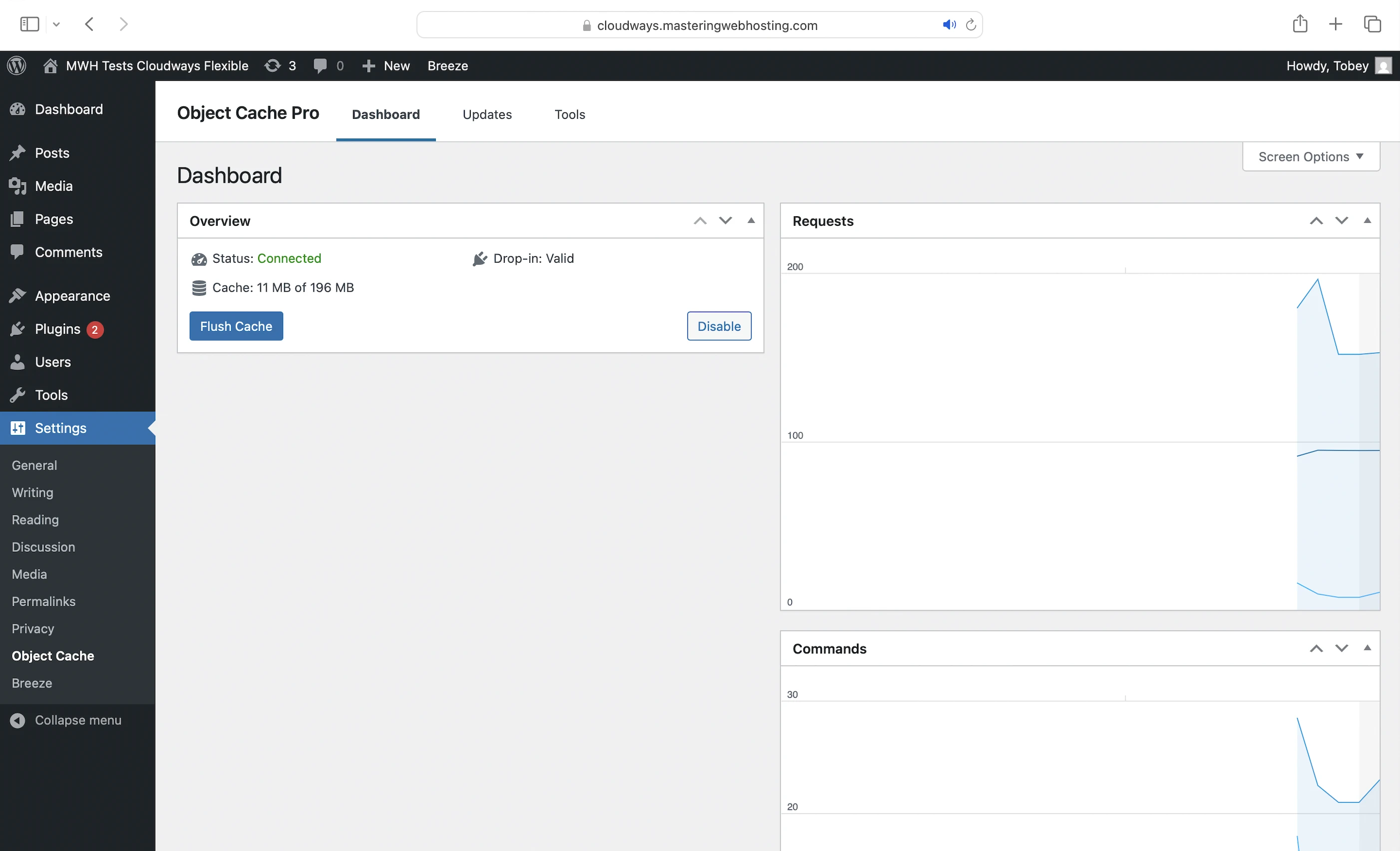
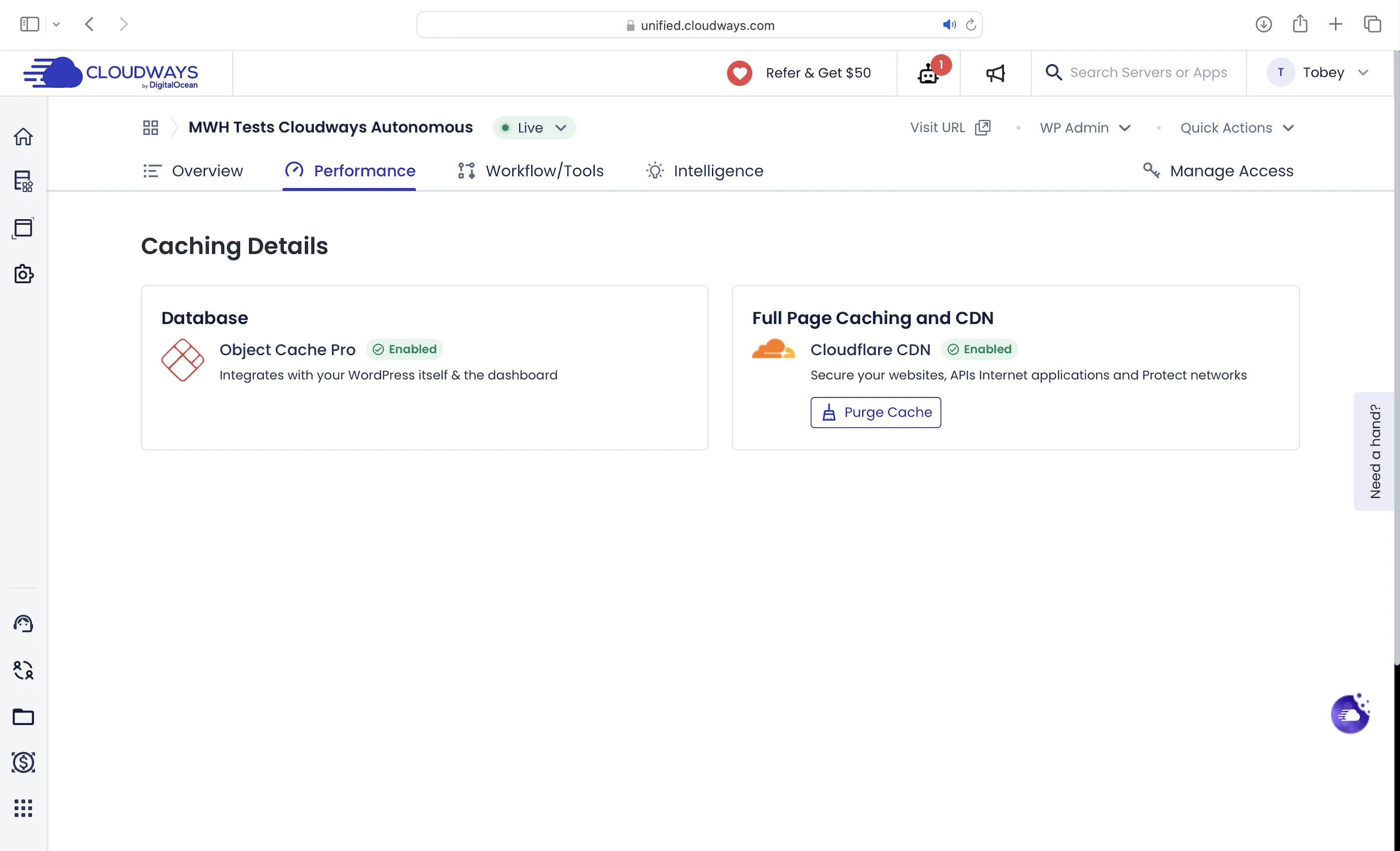
You can cache frequently accessed data (e.g., posts) in memory with standard Redis. This way, if the opcode includes instructions to query your database, PHP can get the data from Redis instead, which is much faster. Using Redis also prevents your database from being overloaded with repeated queries for the same data.
Object Cache Pro takes this performance up a notch.
At its core, it optimizes how requests are made to Redis, allowing PHP to retrieve your cached data even faster and more efficiently.
And you know what’s more insane? Cloudways offers the Object Cache Pro for free when it would have cost you $95/mo.
Breeze Plugin (Flexible only)
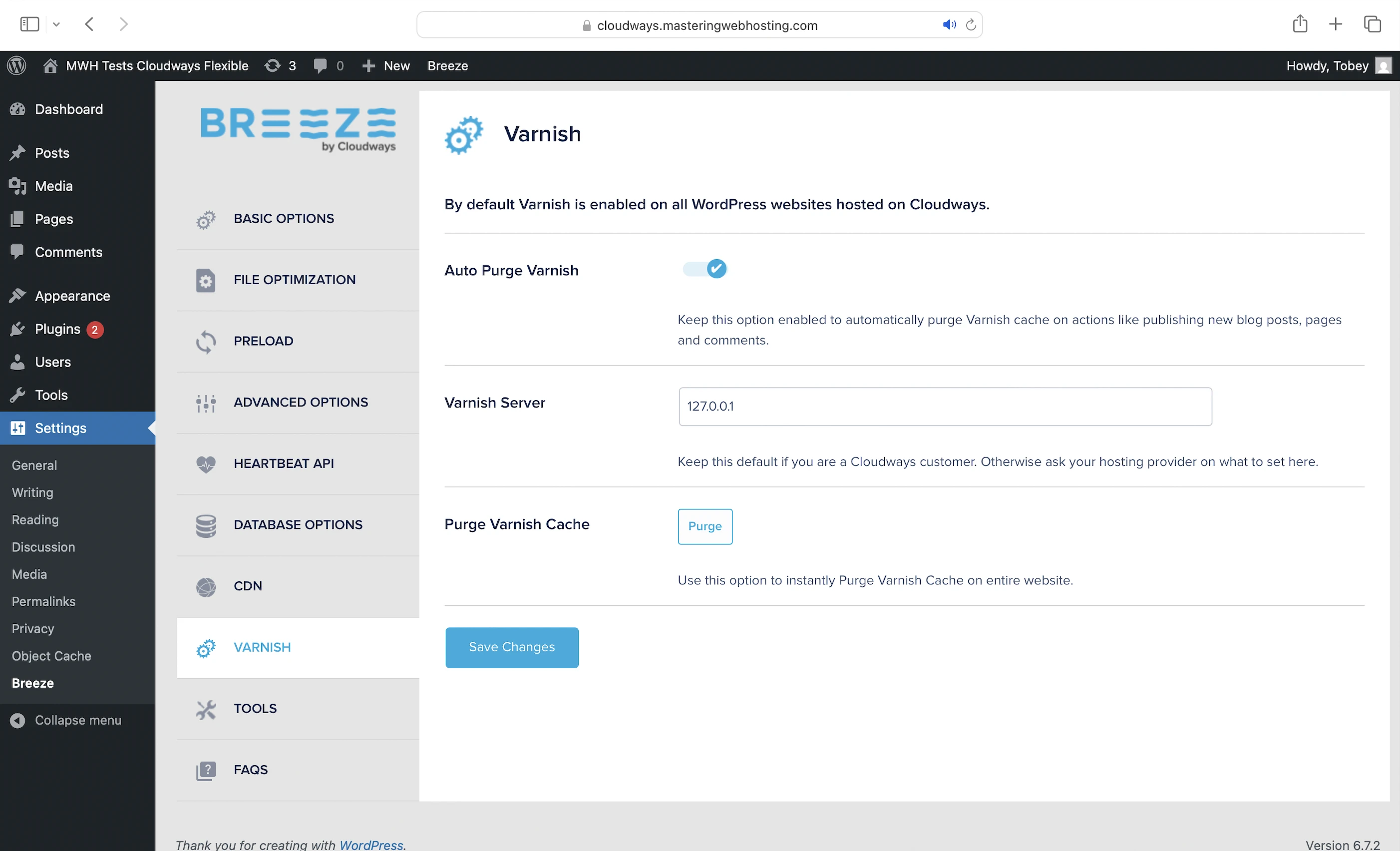
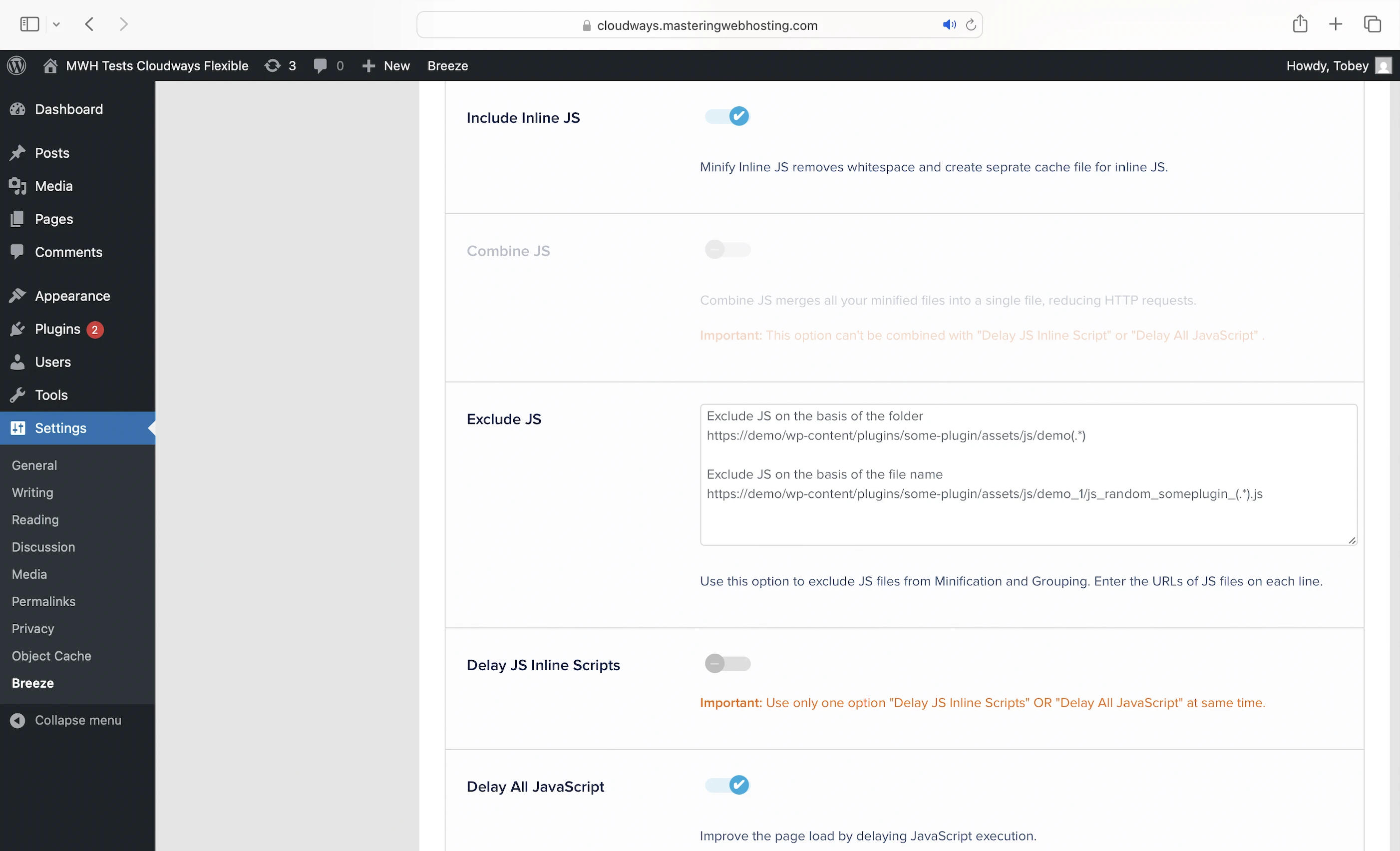
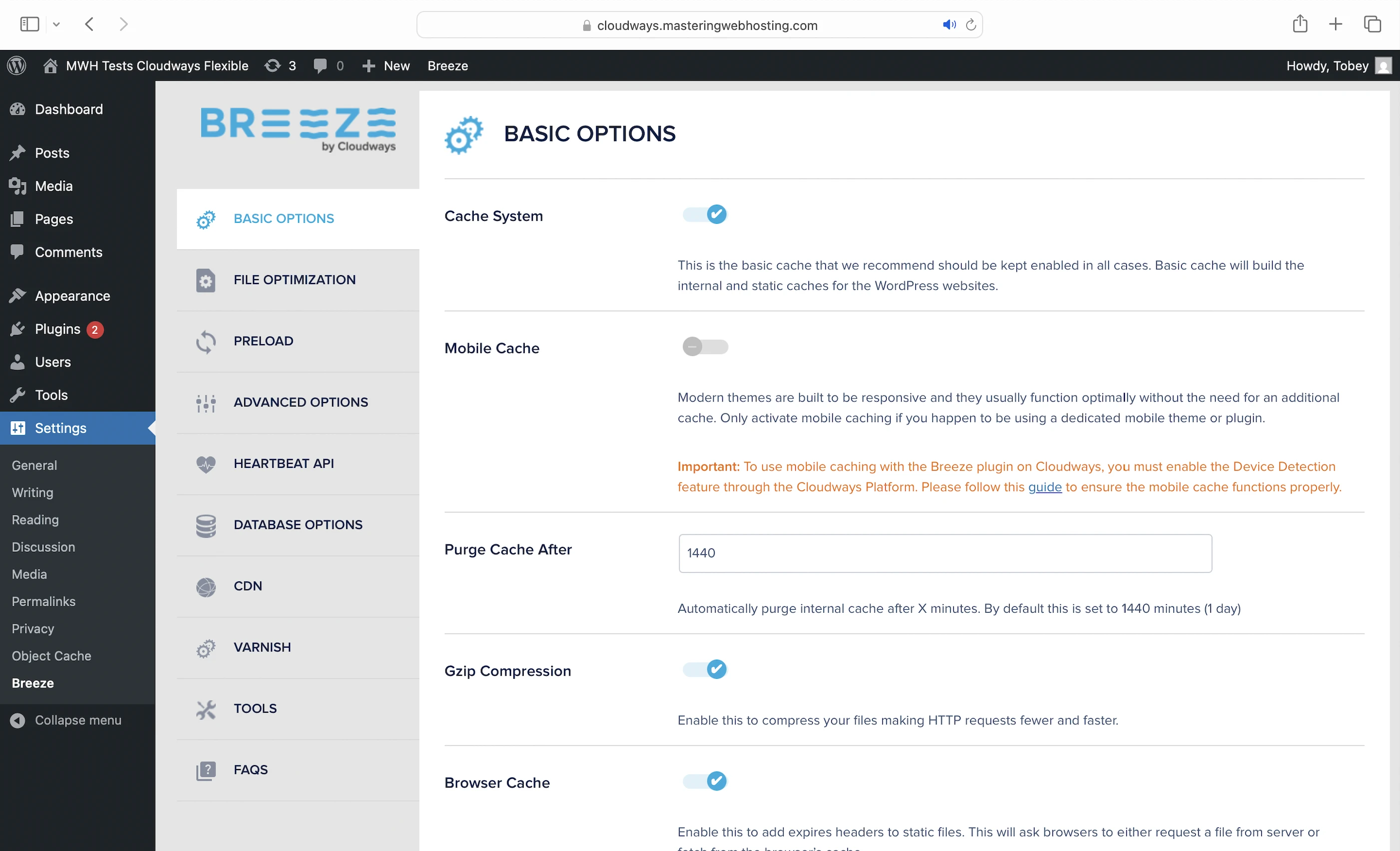
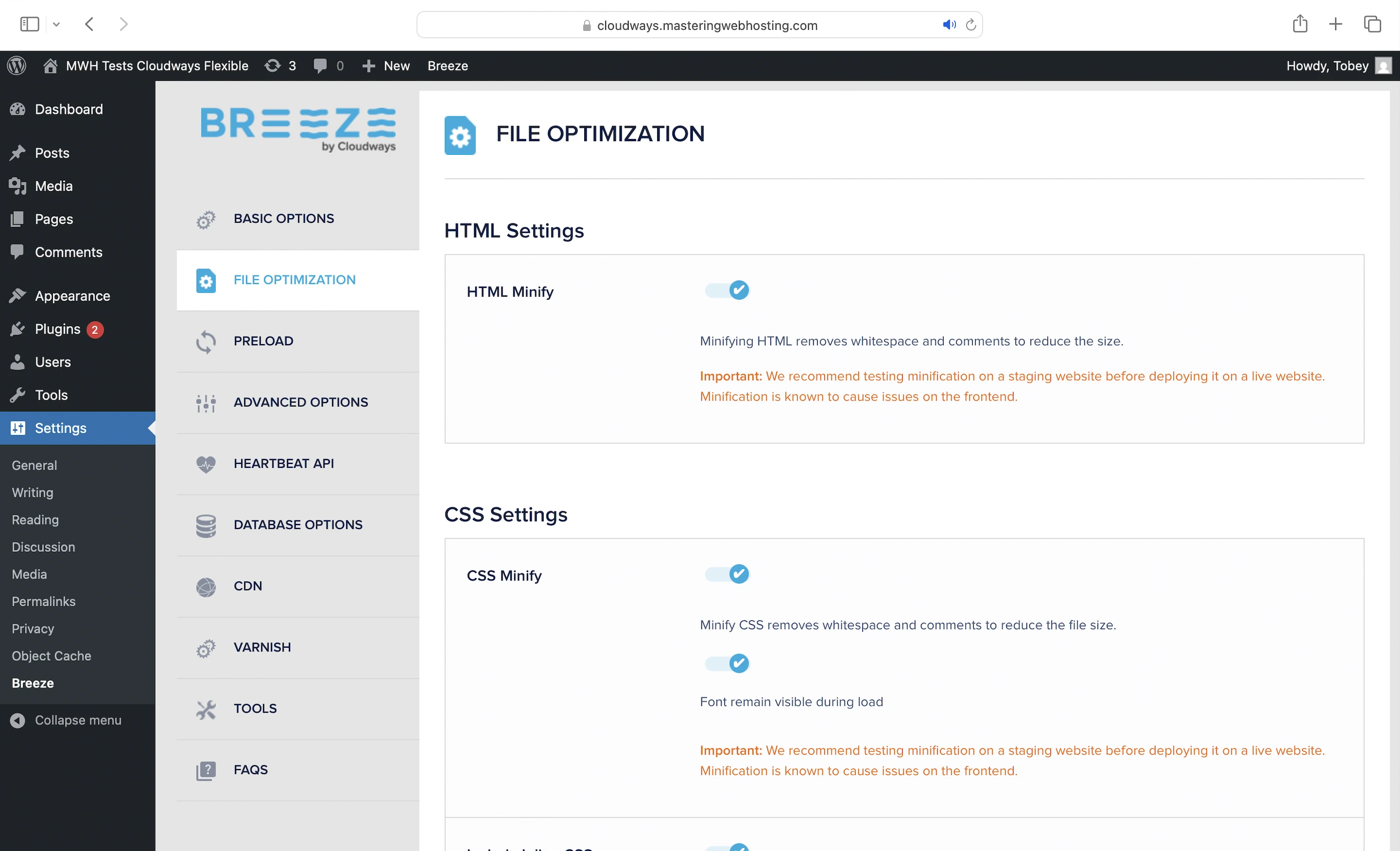
Preconfigured by Cloudways to give you:
- Server-level full-page caching with Varnish: Caches the generated HTML of your dynamic content on your server. By caching it as static content, Varnish allows your web server to deliver it much faster, without even running your PHP code or querying your database.
- Gzip: Compresses text-based files like your CSS scripts when a visitor requests them, allowing them to be sent faster over the Internet.
- Browser Cache: Stores your static content on your visitors’ devices so they don’t have to be downloaded again when they revisit your website.
- Minify: Removes unnecessary characters from your CSS, HTML, and JavaScript (JS) files, making them smaller and faster to load.
- Lazy load Images: Loads your images only when they are about to appear in the visitor’s viewport, improving page load speed.
- JS delay: Ensures your HTML loads and renders correctly before JS files are executed in the proper order. Some JS files can block this rendering process, causing your website to load slower or appear broken. By delaying the loading of certain JS files, Breeze helps your website load faster and more smoothly.
- Preload Links – Caches the content of your links when a customer hovers over them, so the page loads instantly when visited.
Cloudflare Enterprise
Cloudways configured Cloudflare’s most premium plan for you with:
- CDN + Argo Smart Routing: Intelligently routes your web traffic through 335 cities via optimized, low-latency paths.
- Brotli: Compresses your text-based files even better than gzip.
- Polish: Optimizes and compresses your images by converting them to WebP format.
- Mirage: Optimizes image loading on low-bandwidth connections by loading lower-resolution versions first. The full-resolution images are only loaded once they can be rendered, improving your loading times and ensuring a smooth user experience as visitors scroll through your web page.
- Edge full-page caching: Same as what Varnish does, except it’s on Cloudflare servers closer to your visitors, making your page delivery even faster. Note that only Varnish or Cloudflare Enterprise can only be used for full-page caching at any time.
5. Security Features
Cloudflare Enterprise
As the entry to your website, Cloudflare Enterprise is also your first line of defense with:
- WAF: Which “analyzes millions of sites and 32 million requests per second to intelligently identify & block attackers and emerging threats at the edge” with “rule sets tailored to protect WordPress websites.” This WAF filters most of the malicious traffic (like SQL Injection and XSS) before they reach your origin server.
- DDoS protection (layers 3, 4, and 7 of your network) with global rate limiting.
- Under Attack Mode: Reduces the impact of Layer 7 DoS attacks by making your website only accessible to validated users while blocking suspicious traffic. Note: only activate this as a last resort when your website is under attack.
- Bot mitigation
- PCI compliance: Secure credit card transactions
- Project Honey Pot: Stops traffic from suspicious IP addresses with Turnstile. Eric’s got a good explanation for how it works.
Dedicated Server Firewall
Powered by Imunify360, this multi-purpose firewall protects your server with:
- Advanced firewall against a wide range of cyber threats from port scans to DoS attacks. It “uses a sophisticated cloud-based system to analyze traffic and block suspicious connections” to your server.
- WAF against common web-based attacks like SQL Injection and XSS with a rule set tailored for WordPress.
- Brute Force Protection by monitoring and blocking suspicious login activity across your services like SSH, FTP, and control panels.
- Weak Password Protection by “analyzing login attempts to WordPress sites and checking the passwords used against a database of known weak passwords. If a login attempt is made with a weak password, the user is redirected to a password reset page instead of being allowed to log in.”
In the future, we can expect two more features: Reputation Management and Email Spam Protection.
You can also self-manage this firewall by blocking suspicious IP addresses/subnets ranges and countries in the dashboard.
Fail2Ban
Protects each Cloudways server against brute force attacks by blocking suspicious IP addresses after multiple login failures.
Vulnerability Scanning
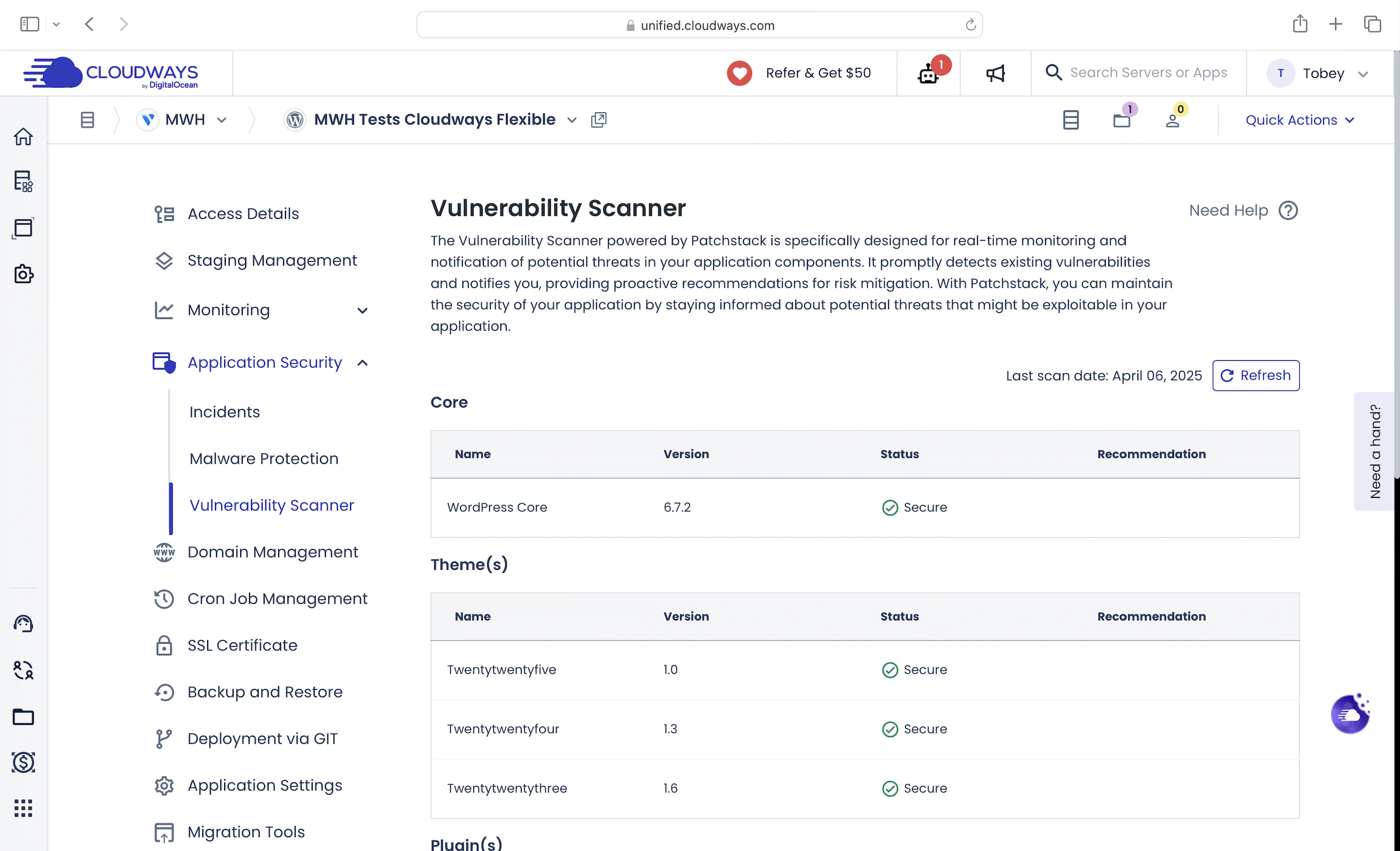
Powered by Patchstack, it detects vulnerabilities in your WordPress version, plugins, and themes, and provides recommendations for risk mitigation.
6. Speed Test
I wanted to see if Flexible or Autonomous was faster.
Flexible
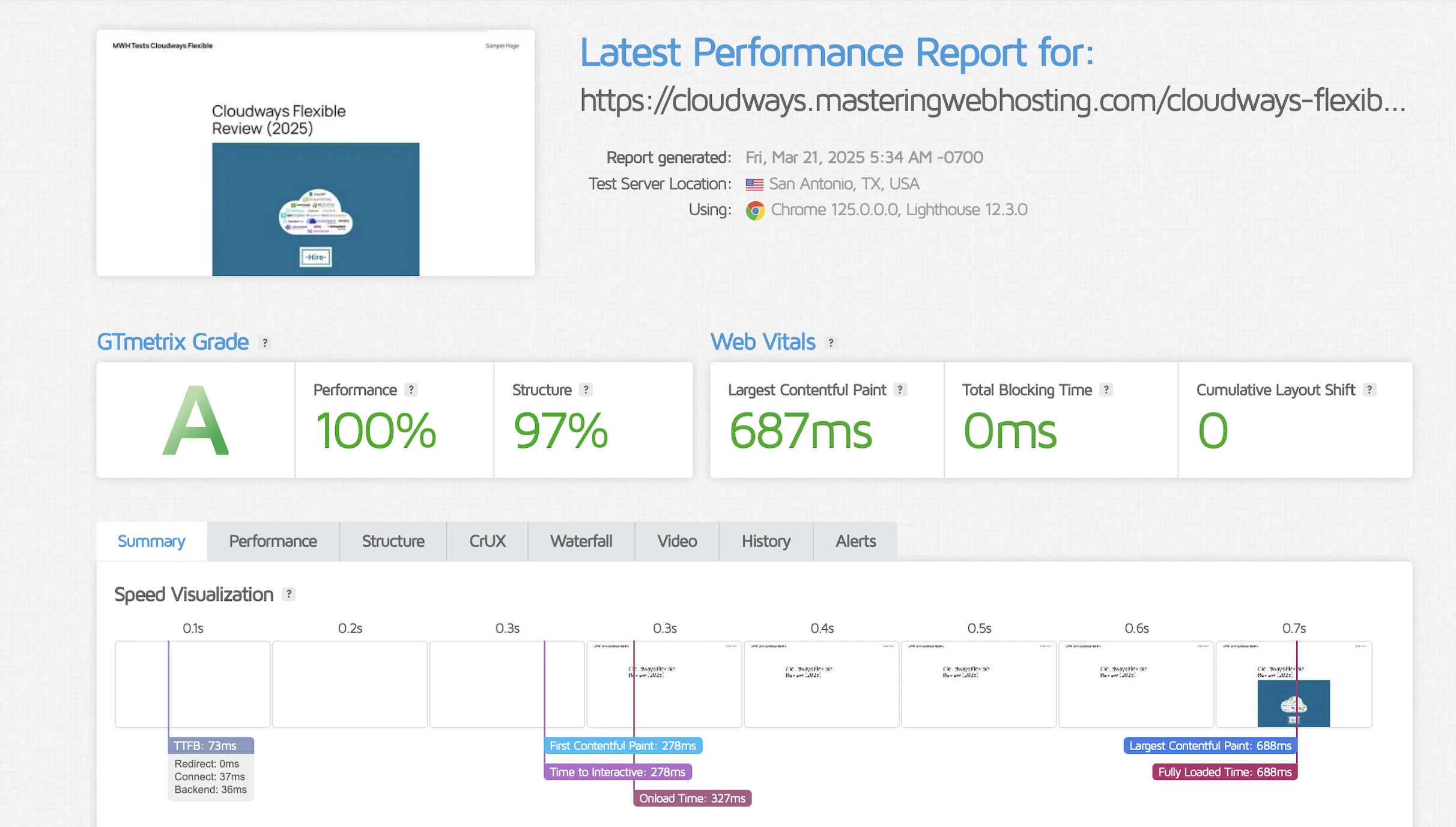
GTMetrix said my Largest Contentful Paint (LCP) was 687ms in Dallas.
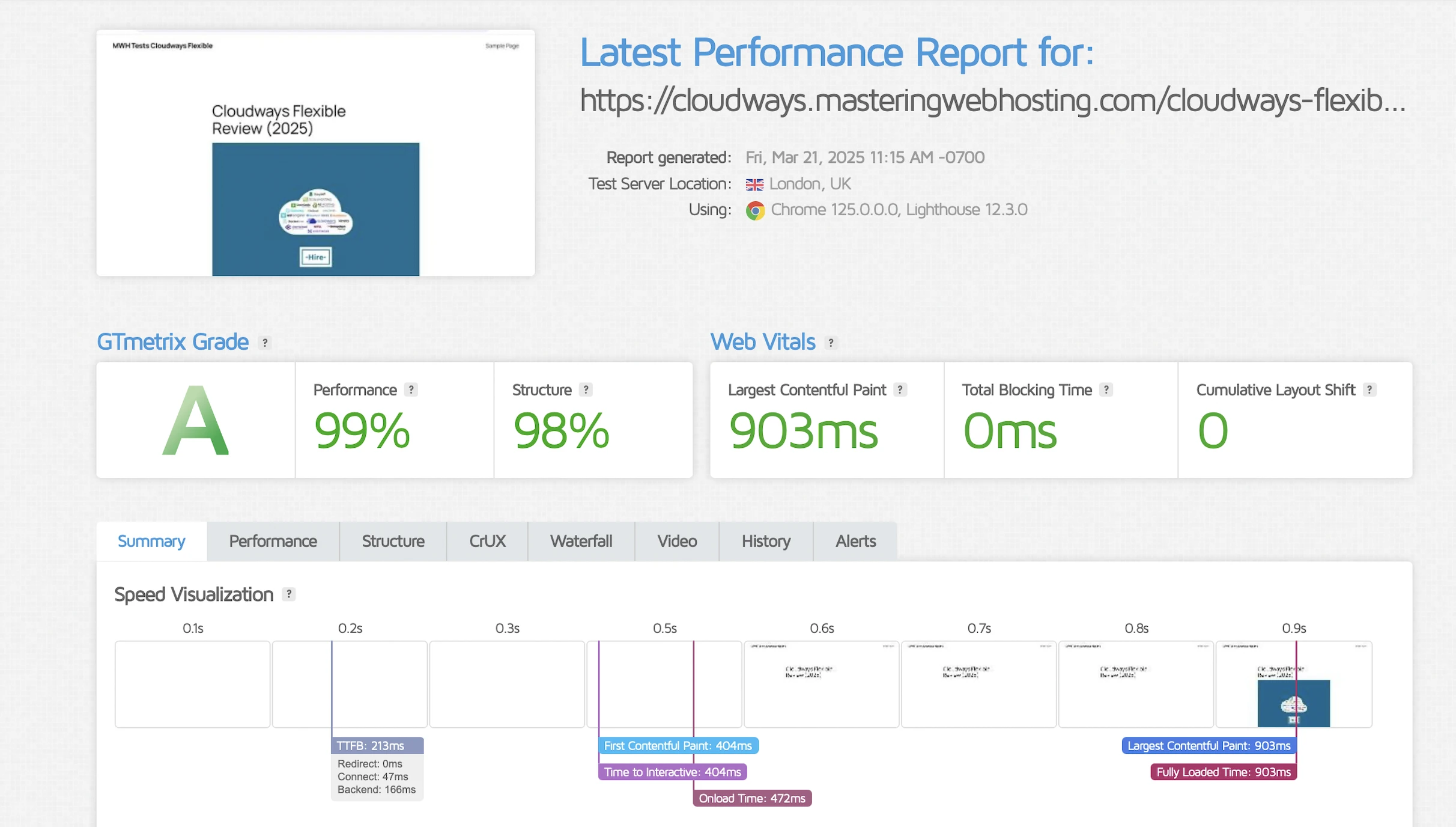
It even got worse in London at 903ms!
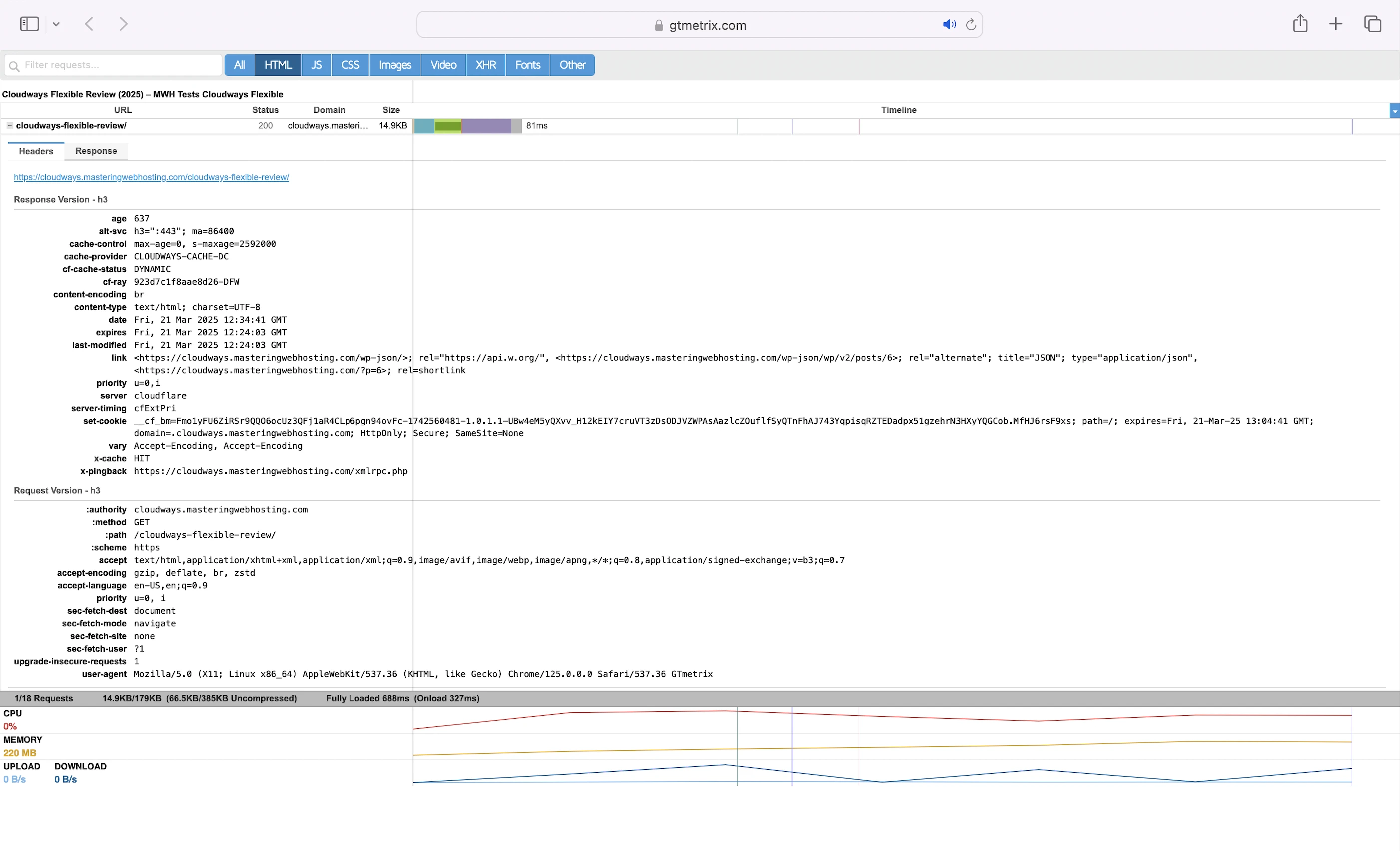
This was despite my static assets (like JS) being served from the Cloudflare Enterprise cache (cf-cache-status: HIT).
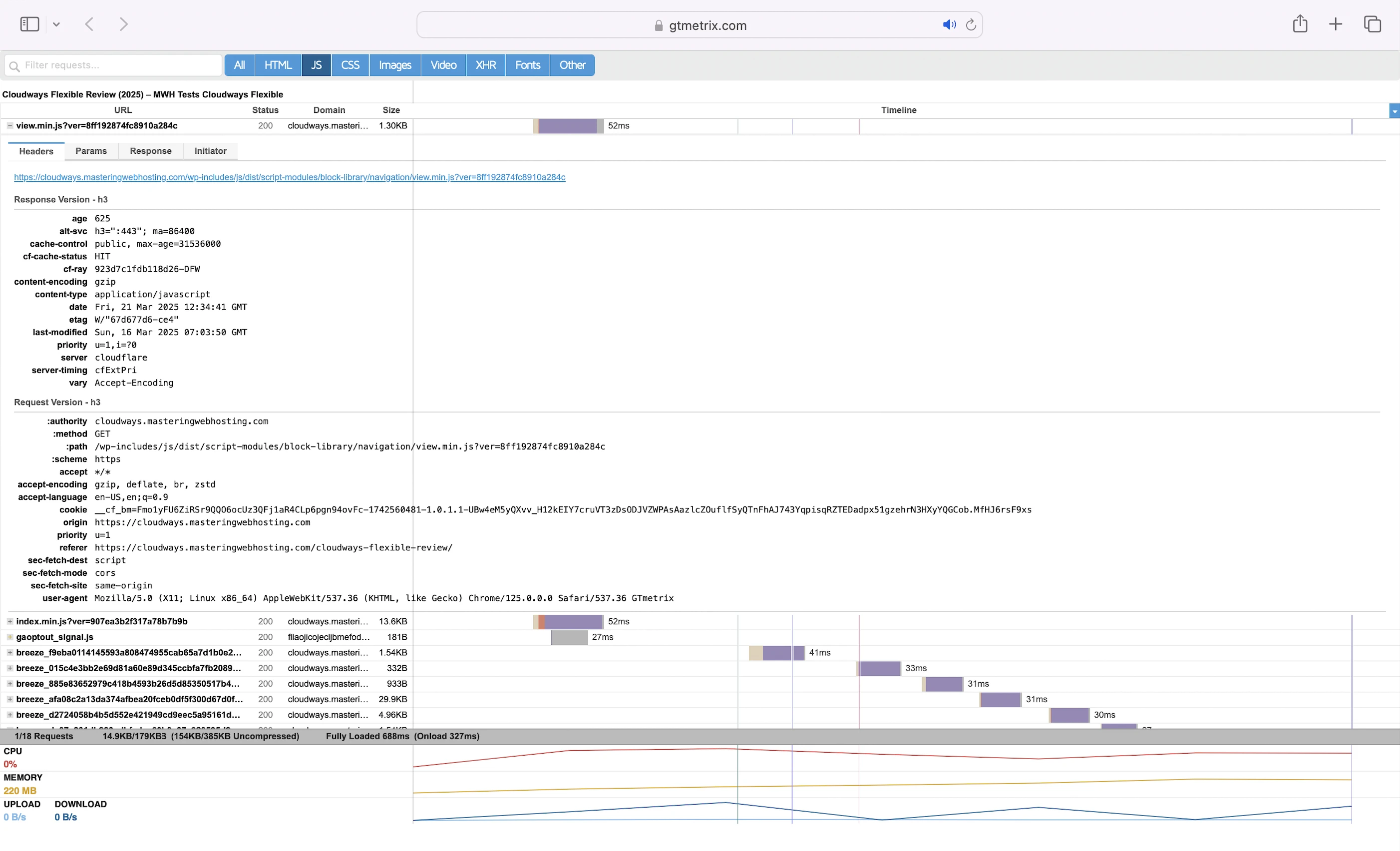
So, I suspected that the slow speeds were due to edge full-page caching being disabled by default (cf-cache-status: DYNAMIC), in favor of Varnish-based full-page caching.
Autonomous
And I was right—the default edge full-page caching here improved my speed massively.
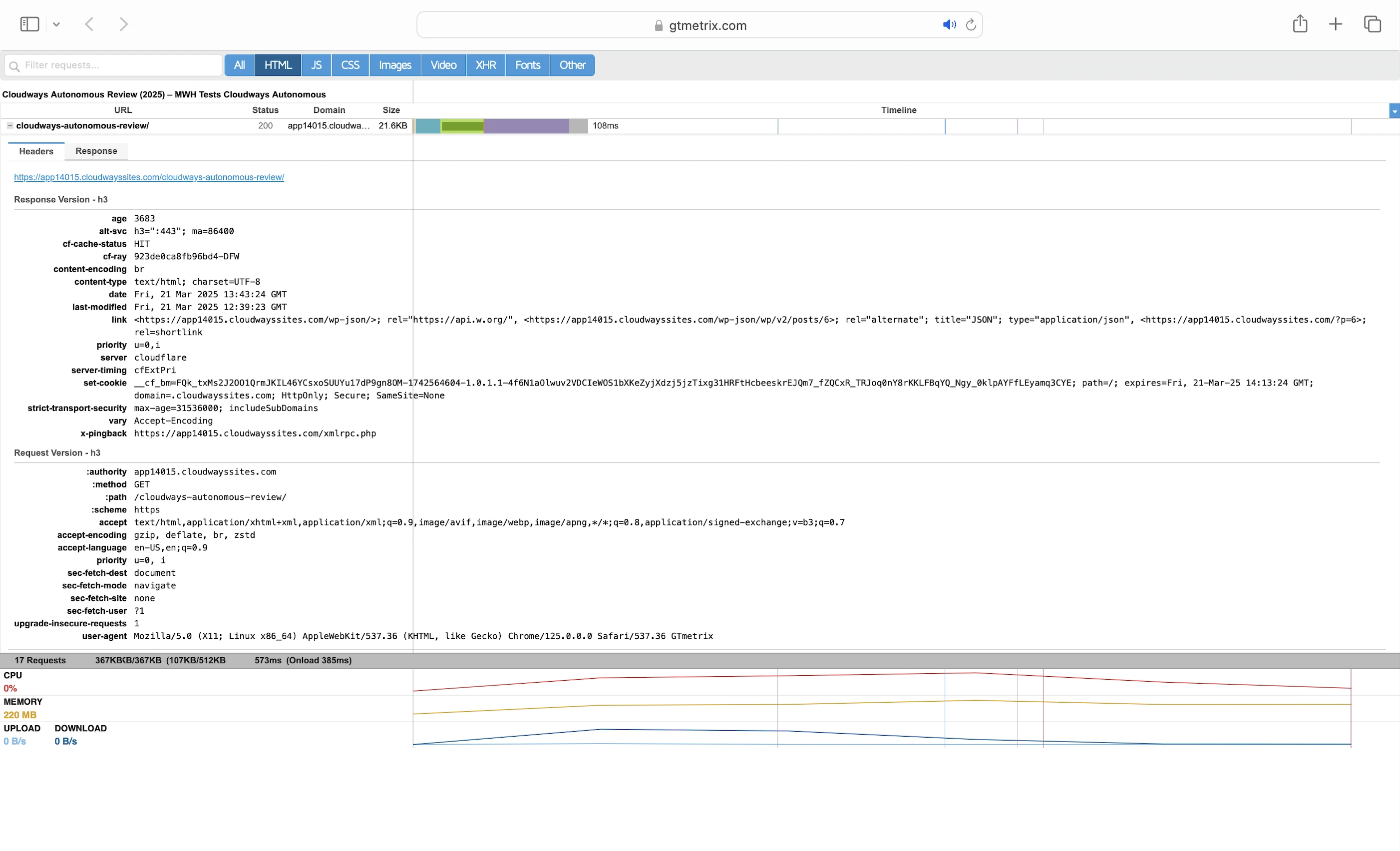
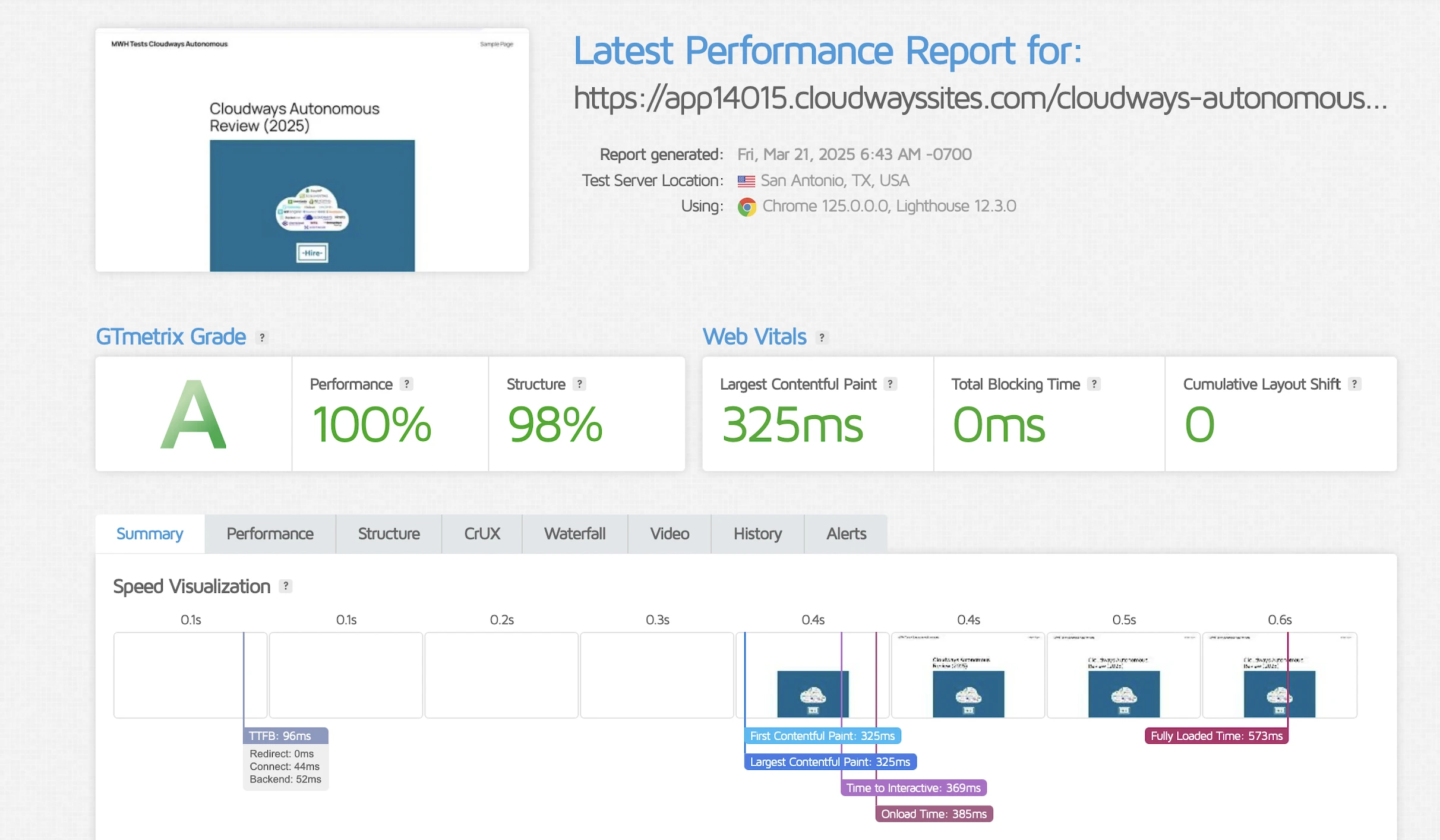
This time, my LCP was 2X faster at 325ms in Dallas.
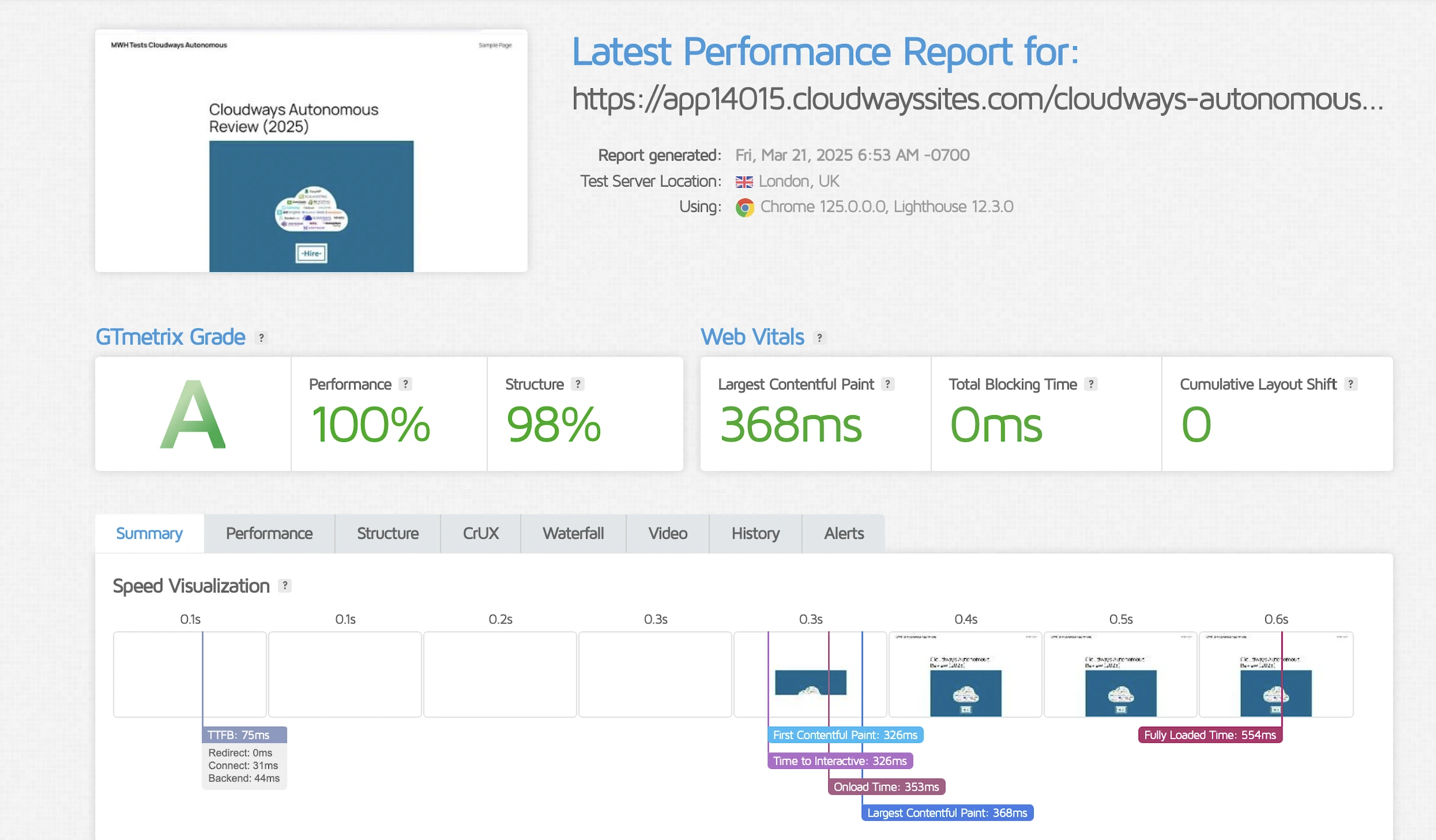
It got 3X faster in London at 368ms too.
7. Security Test
Flexible
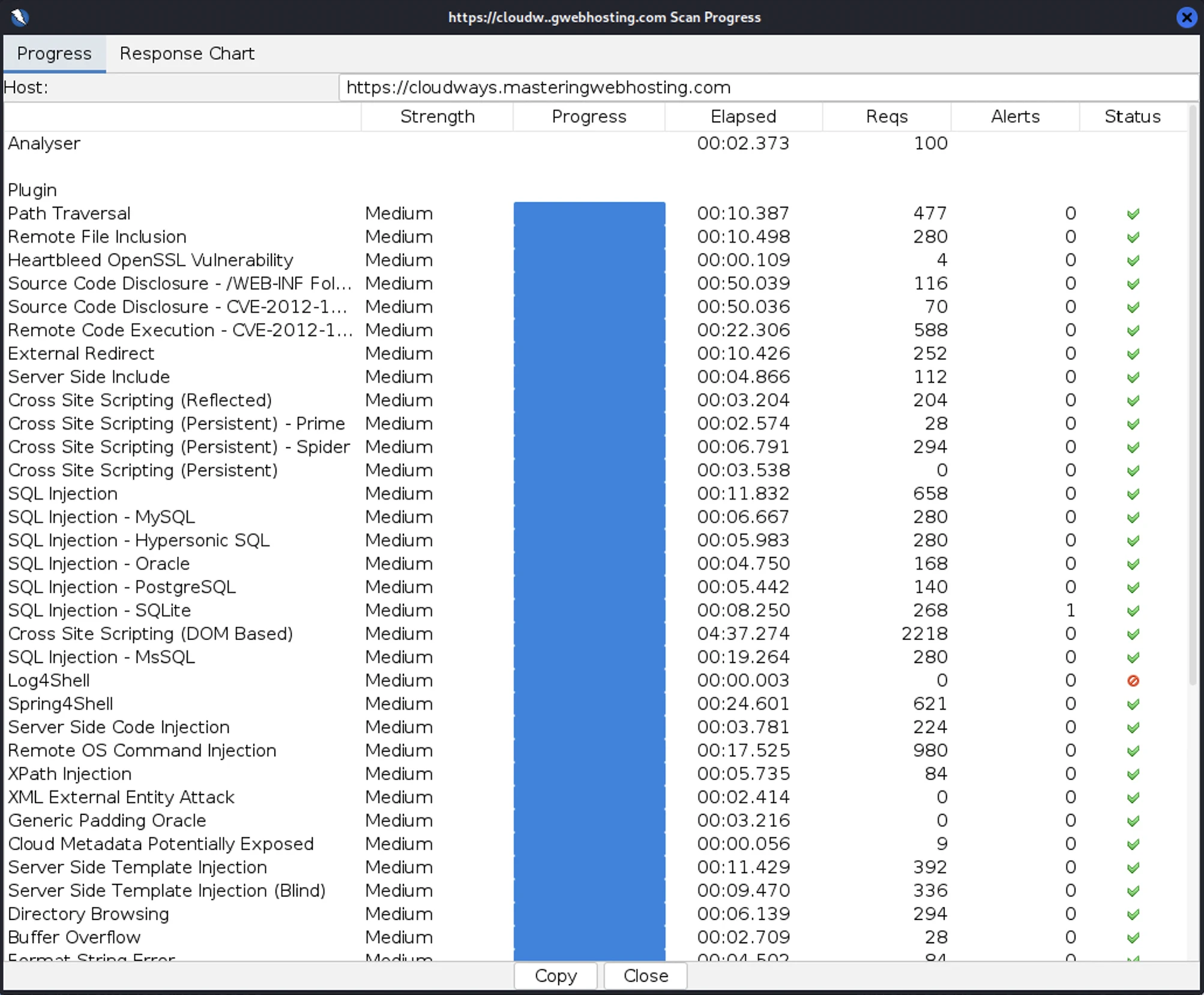
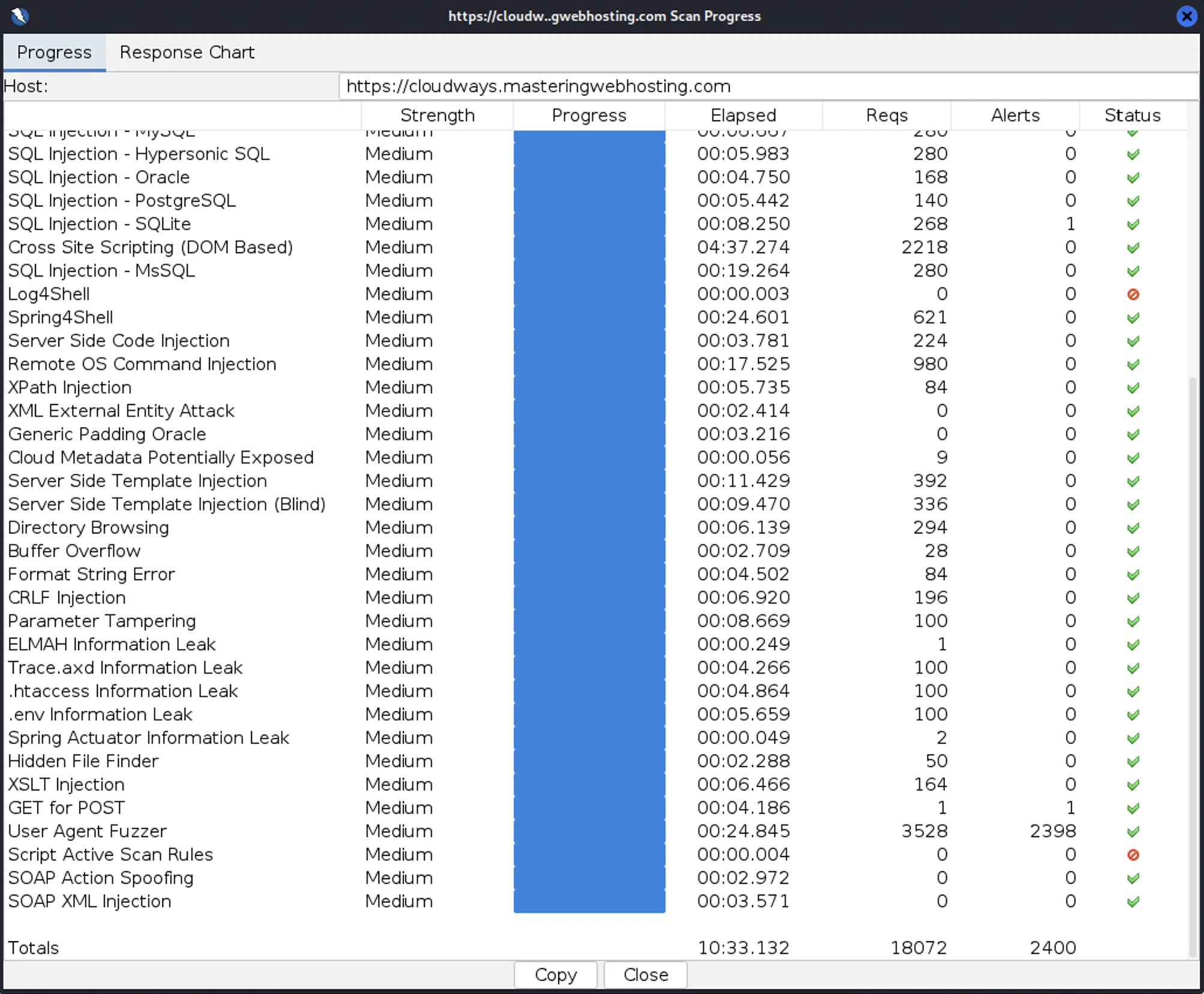
First, I launched 18,072 cyberattacks against my website:
- 1 out of 30 high risk vulnerabilities detected:
- SQL Injection – SQLite: 1 out of 268 attacks successful. Okay as Cloudways doesn’t use SQLite.
- 0 out of 12 medium risk vulnerabilities detected.
- 2 out of 2 informational risks. 2,399 alerts but these aren’t vulnerabilities.
- Success Rate: 15,672 or 86.7% of my attacks were completely neutralized. Worst ever with SiteGround.
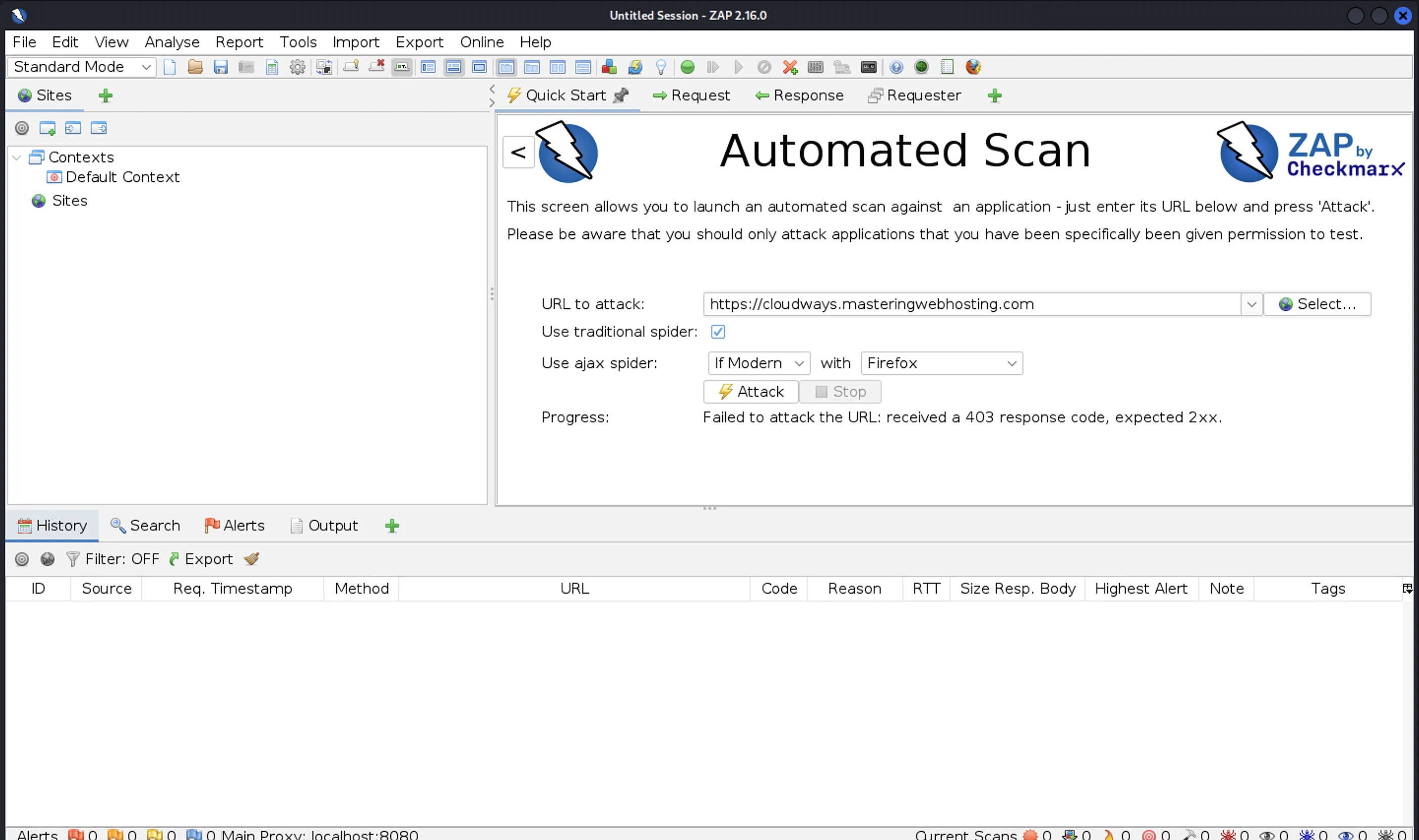
An interesting find: I tried my attacks again using the same attacker server, but my scan failed because its IP got blocked. It’s clear Cloudflare Enterprise had done its job.
Autonomous
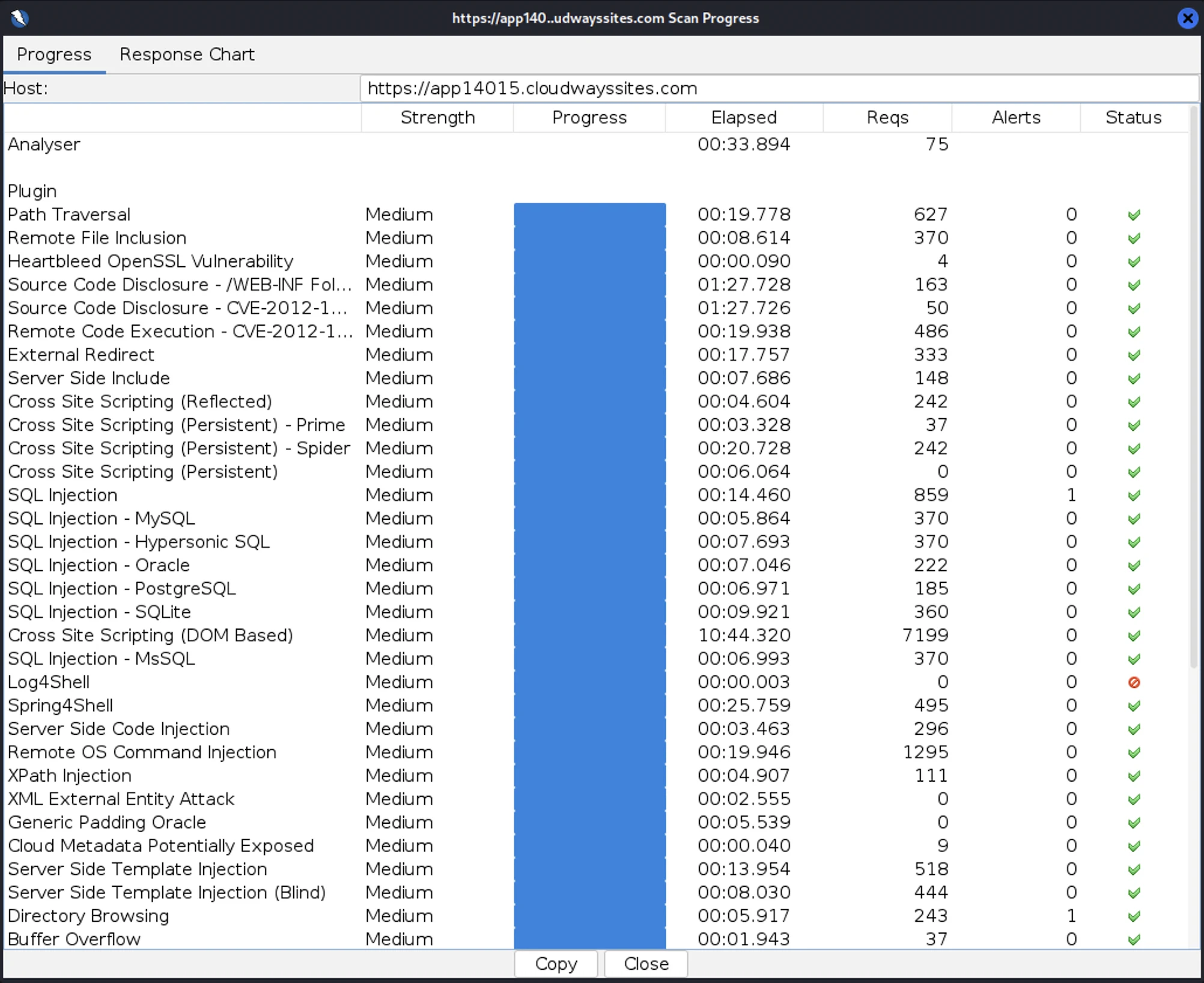
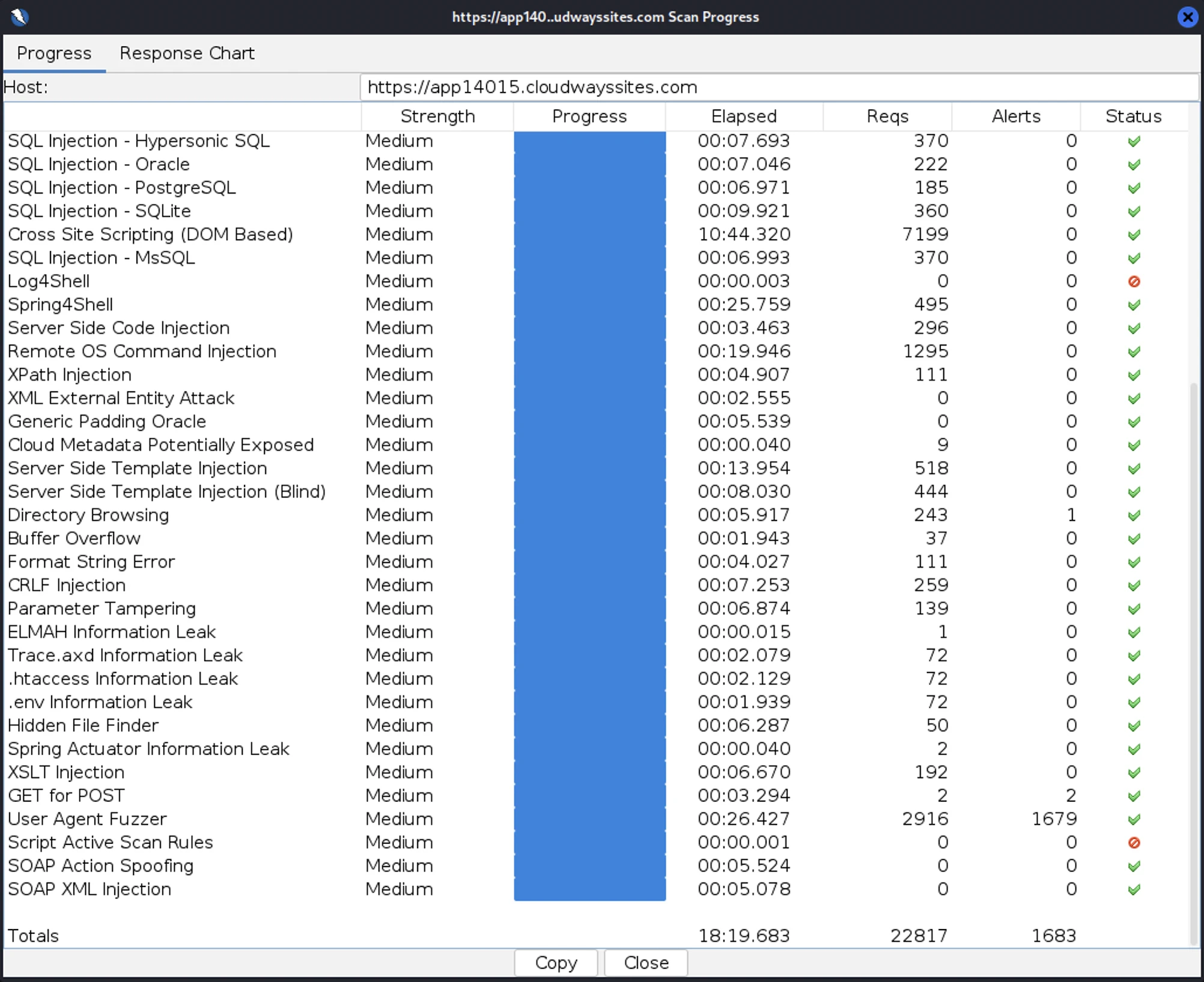
Next, I launched 22,817 cyberattacks:
- 1 out of 30 high risk vulnerabilities detected:
- SQL Injection: 1 out of 859 attacks successful.
- 1 out of 12 medium risk vulnerabilities detected:
- Directory Browsing: 1 out of 243 attacks successful.
- 2 out of 2 informational risks. 1,681 alerts but these aren’t vulnerabilities.
- Success Rate: 21,134 or 92.6% of my attacks were completely neutralized.
8. Uptime Test
Flexible
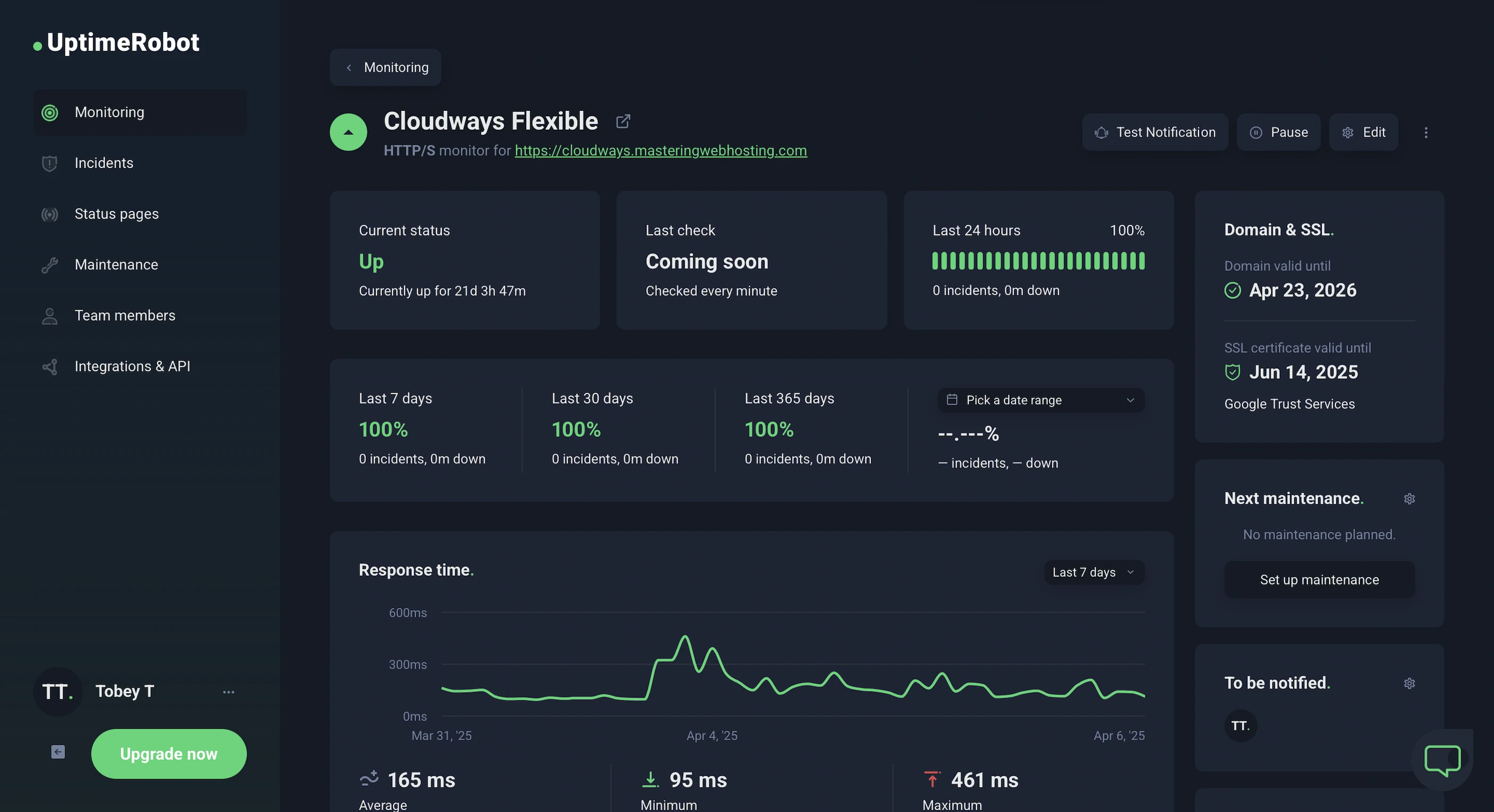
In the 21 days I was reviewing, UptimeRobot reported that my Cloudways Flexible website enjoyed 100% uptime after checking on it every minute.
HetrixTools reported the same results after monitoring my website at 1-minute intervals for 18 days.
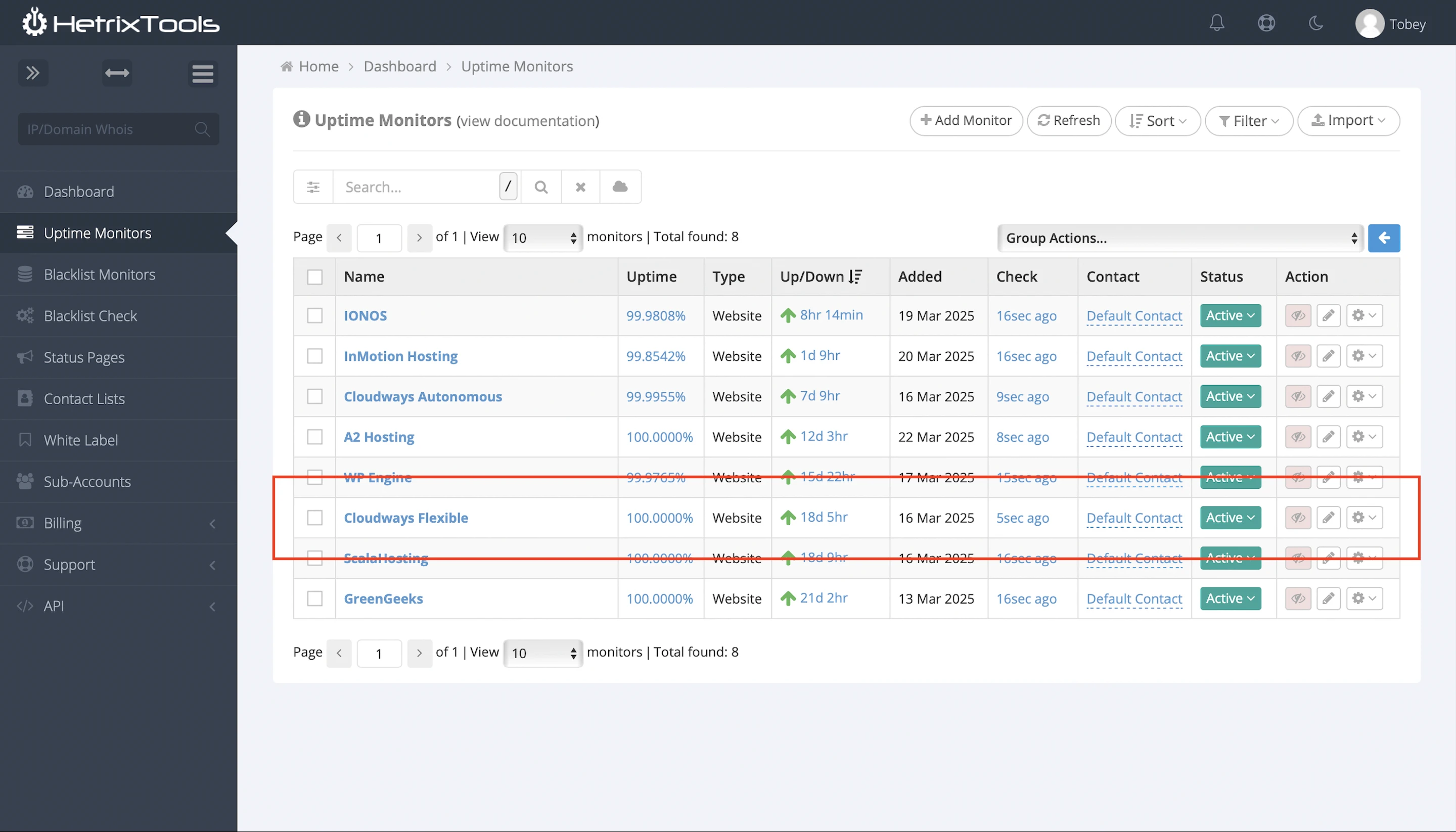
Despite the fact Cloudways doesn’t have any uptime guarantee.
Autonomous
Which was fortunate for them, because I got completely different results here.
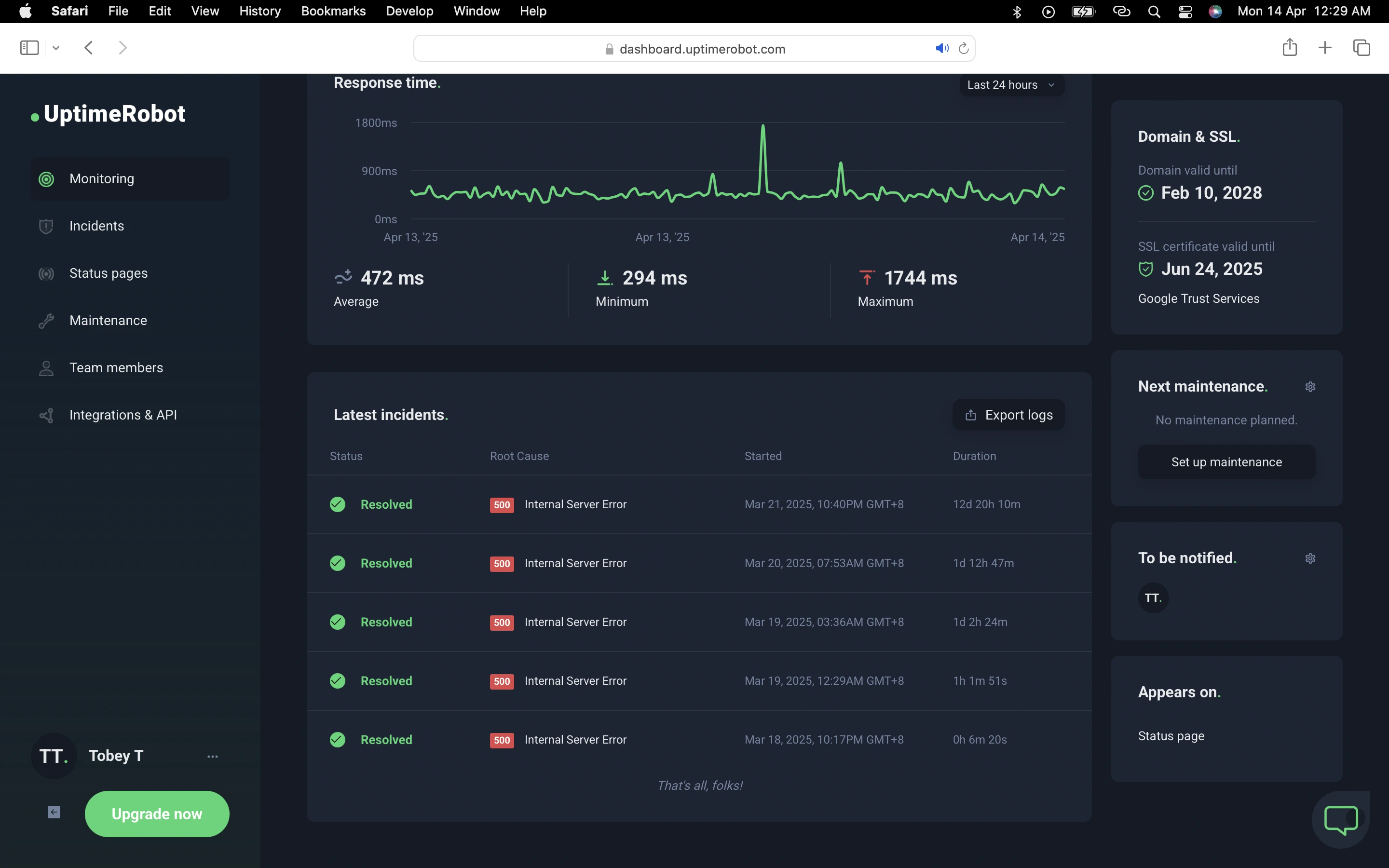
After checking on my Cloudways Autonomous website every minute for 30 days, UptimeRobot said it had a 40.51% uptime with 5 downtimes lasting 15 days, 12 hours, and 31 minutes in total!
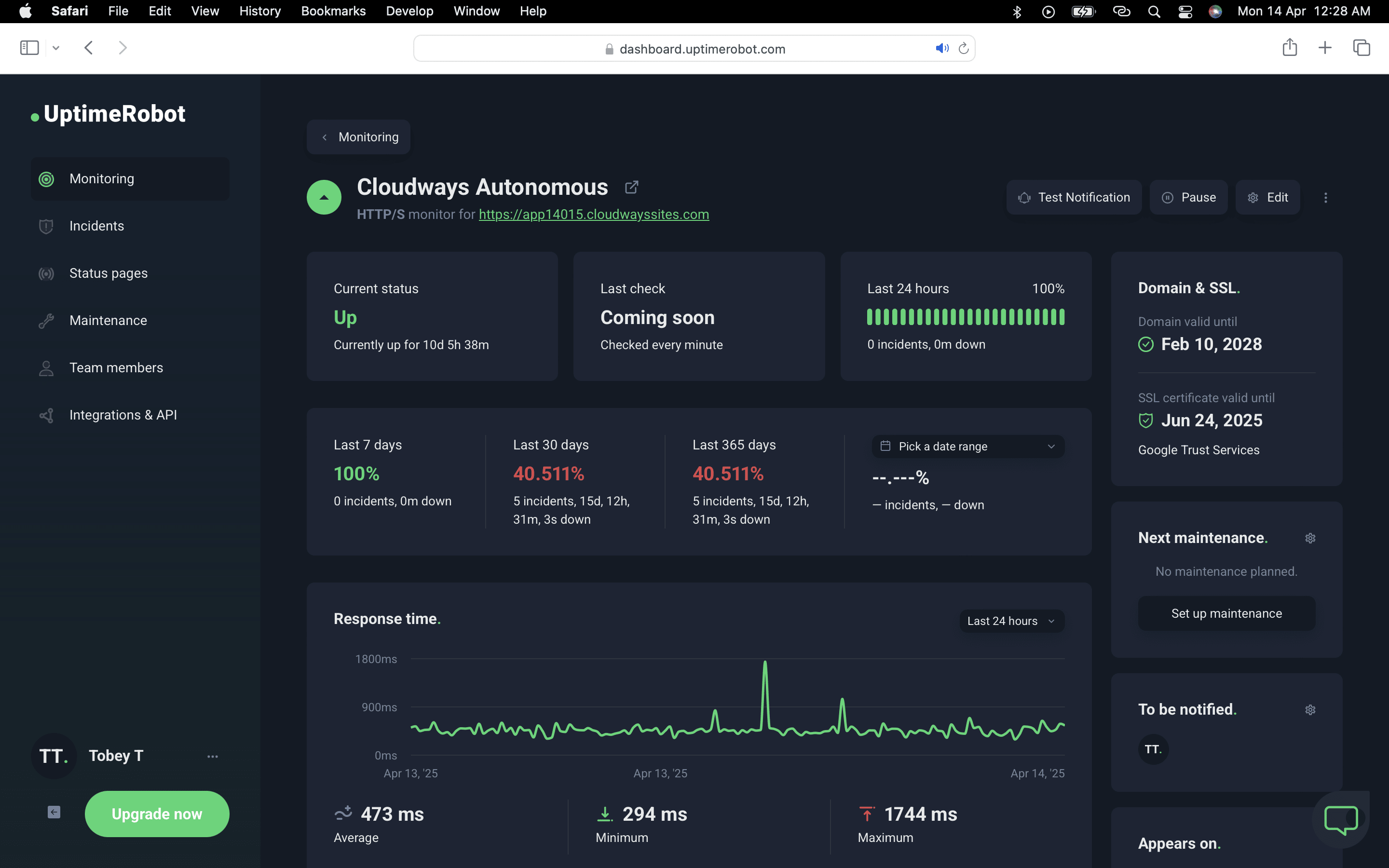
However, HetrixTools put it around 99.99% after monitoring my website at 1-minute intervals for 15 days.
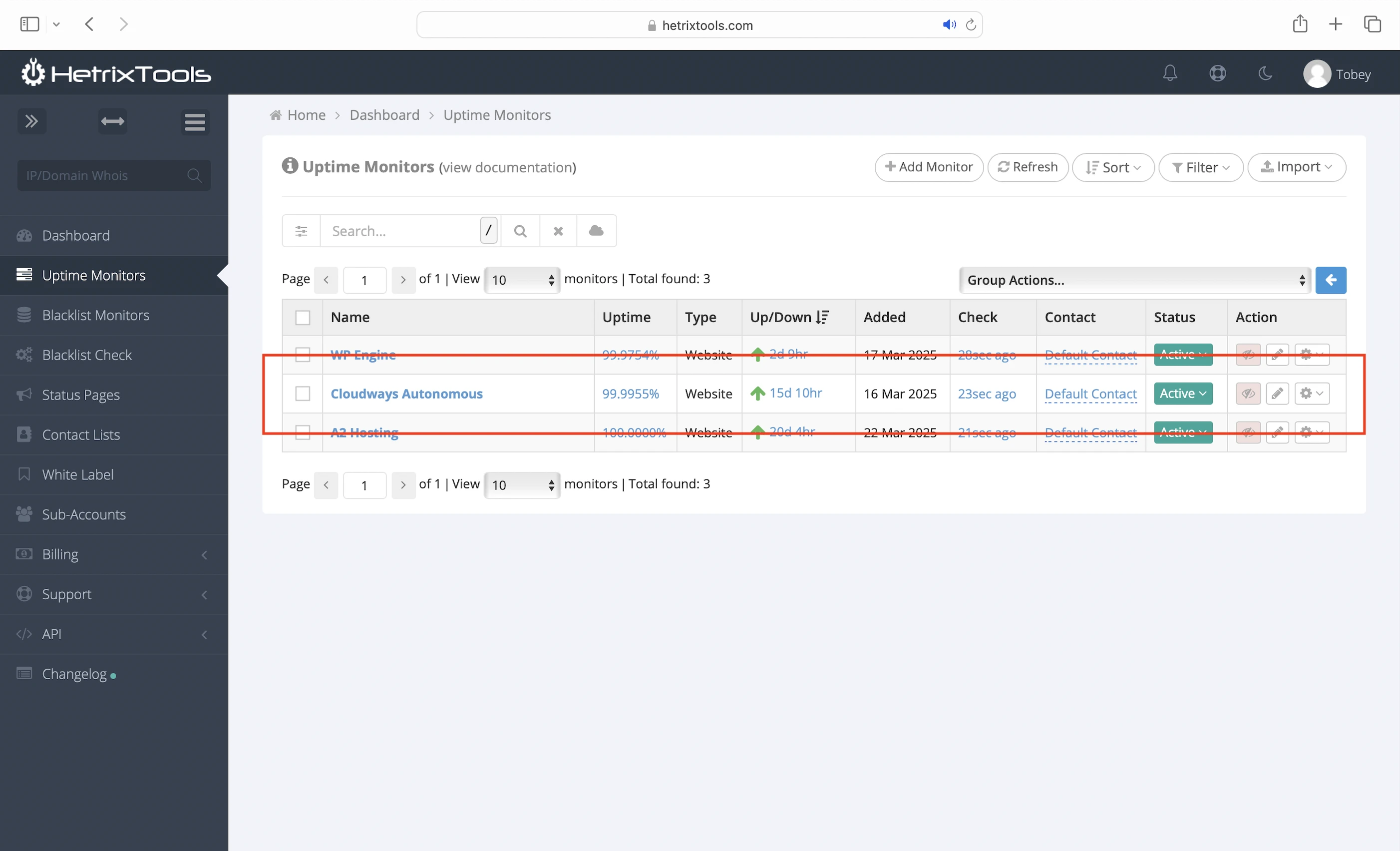
The stark contrast in results baffled me, but I suspected that Cloudways Autonomous might have been blocking UptimeRobot’s IP addresses. UptimeRobot reported downtimes in Dallas, but HetrixTools and GTmetrix were still able to access my website. Even my own ad-hoc checks confirmed my website was up and running the whole time.
Finally, Cloudways also publishes their system status and incident history.
9. Detailed Monitoring
For Flexible customers, the Cloudways dashboard provides insight into:
- Your web traffic
- Server performance and security
- Website performance
10. Cons
What Autonomous Dashboard?
On the other hand, there’s barely anything on the Autonomous dashboard to give you meaningful insights.
Low Bandwidth and Storage
For Autonomous. 15GB and 100GB each. Like, seriously? You’d definitely need more than that if you are in this for the long haul. But wait, it gets worse.
Pay for More Bandwidth and Storage
Autonomous is seriously nickel-and-diming us here. $1/mo for every 10GB of extra bandwidth? Another $2/mo for just 1GB of additional disk space? Wow.
More Add-ons
It’s not just Autonomous. Flexible customers should expect to pay an extra $4.99/mo for Cloudflare Enterprise, which is honestly essential if you want the best speed and security. Then there’s another $3/mo for SafeUpdates just to update your plugins and themes without breaking your website. Meanwhile, other hosts offer similar features for free.
No Cloudways Enterprise During the 3-day Free Trial
And speaking of Cloudflare Enterprise, Flexible customers must upgrade to a paid plan and provide a credit card to access its features.
Flexible Is a Semi-managed Solution
Its biggest strength is also its biggest con. Besides vertical scaling, you need to configure your server, application, and Breeze plugin settings to get the best performance. That can be daunting for non-technical customers, because you need a solid understanding of what you’re doing.
Slow Company Website
Websites hosted on Cloudways might be fast. Its own website? Not so much. I’ve lost count of how many times I’ve had to wait for it to load. It makes for a poor user experience and leaves a bad first impression for potential customers.
11. Evaluation
Let’s see how Cloudways did against my self-hosting:
| Self-hosting | Cloudways (Flexible) | Cloudways (Autonomous) | |
|---|---|---|---|
| Speed (LCP) – Dallas | 306ms | 687ms | 325ms |
| Speed (LCP) – London | 253ms | 903ms | 368ms |
| Security | 0 | 1 high risk vulnerability (Doesn’t affect WordPress). | 1 high risk vulnerability, 1 medium risk vulnerability. |
| Uptime | 95% | 100% with system status and incident reports. | 40.51-99.99% with system status and incident reports. |
| Winner | 👑 |
12. Final Thoughts
Cloudways? More like Cloud-nays—my unmanaged cloud hosting actually beat managed cloud hosting this year.
But seriously, even with my decisive victory, I couldn’t help feeling a bit hollow.
I’ll admit, I was rooting for Cloudways Autonomous because, out of all the hosting plans I’ve reviewed, it came the closest to truly harnessing the full potential of cloud hosting. I also felt a soft spot for it since its design most closely resembled my own Year One self-hosting setup. In fact, as the first of its kind, Autonomous had the potential to be a game-changer in the managed WordPress cloud hosting space, particularly with premium features like Object Cache Pro and Cloudways Enterprise.
However, instead of raising the bar, Autonomous fell short of my self-hosting in both speed and security. Its uptime was far from consistent, too.
And the final blow? Its plan limits are so ridiculously low that you end up paying extra for almost everything. Honestly, no one would have bat an eye if it renamed itself Cloud-pays.
But sure, I get that Autonomous costs more because it’s fully managed, but what about its semi-managed counterpart?
Cloudways Flexible was almost the polar opposite: better security and uptime than mine, but far worse speed.
It’s also a double-edged sword. That same flexibility to manage parts of your server makes the dashboard feel cluttered and overly complex for the average user. Even worse, it assumes you already know how to configure your server and plugins.
This excessive hands-on completely defeats the purpose of getting a managed WordPress host in the first place: Most folks just want to focus on building their WordPress websites, not dealing with technical tasks. Has Cloudways lost sight of its original vision?
So I think Cloudways Flexible is really best suited for a very specific customer: another WordPress host looking to outsource some technical heavy lifting. Not folks like you and me.
This leaves Autonomous as Cloudways’ main product for the masses, which still feels like a work in progress that hasn’t reached its full potential.
That’s why I’ll be back next year for a rematch. Hopefully, it improves enough to change my mind and earn my recommendation.
Try it yourself (first 3 days free, no credit card needed), and let me know in the comments if you agree or disagree with my take on Cloudways.
Leave a Reply