GreenGeeks prides itself on being a leader in eco-friendly or green web hosting services.
Even before founding GreenGeeks in 2008, CEO Trey Gardner realised that the Internet industry was a major (and still growing) contributor to carbon emissions with its many data centers.
So Trey set out to create the most eco-friendly web hosting company in the world.
That brainchild was GreenGeeks.
So far, I haven’t seen another host that puts the environment at the forefront of what it does.
And GreenGeeks has done quite a fair bit for Mother Earth.
So GreenGeeks is clearly geeking out about being green, but is it geeking out about being the best web hosting provider?
1. Plan
To answer that, I got the EcoSite Lite plan, which comes with:
- 2 CPU cores
- 1GB RAM
- 50GB NVMe SSD storage
- LiteSpeed Web Servers
- Up to 100 PHP workers
- Opcode cache
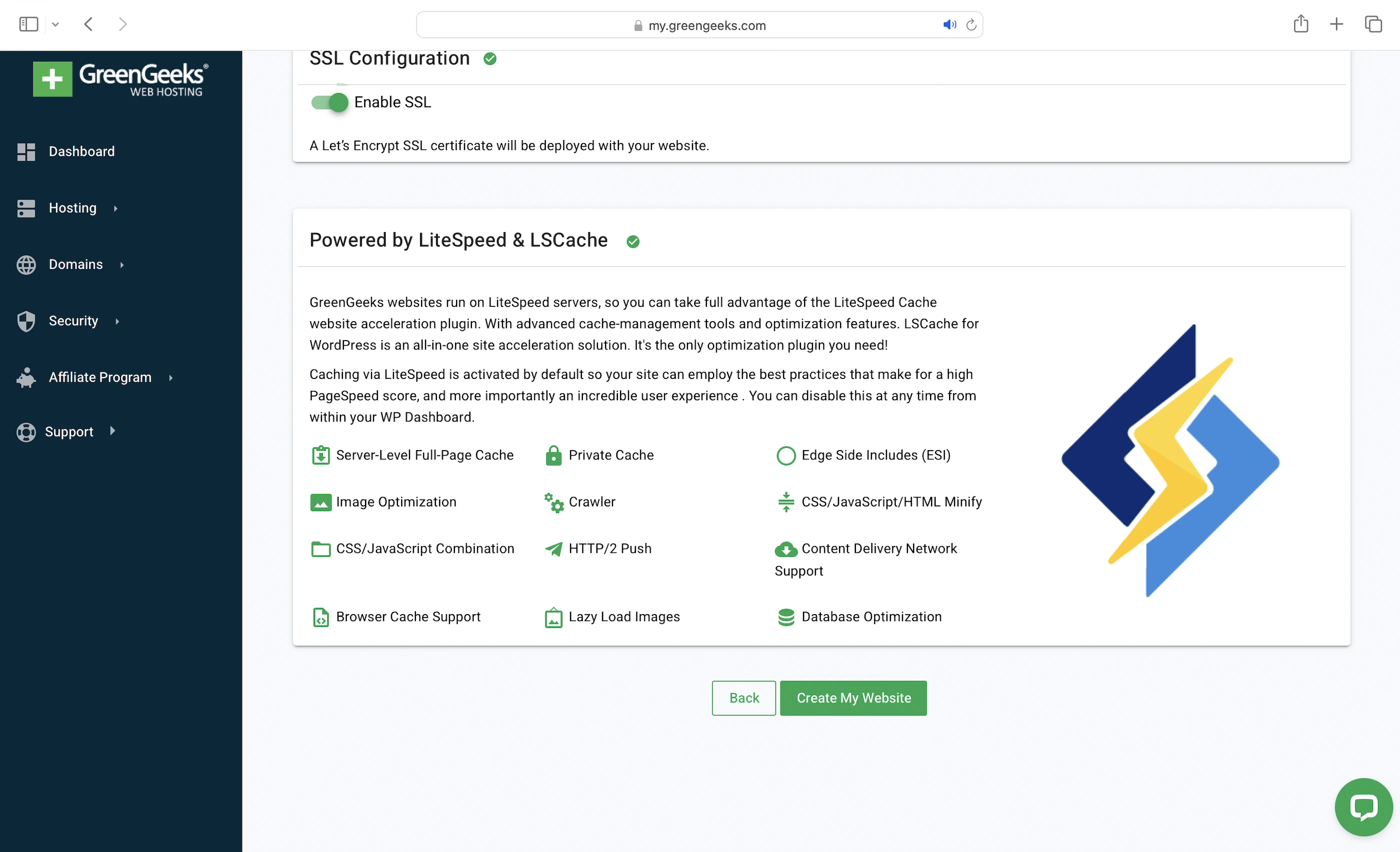
- Pre-configured LiteSpeed Cache
- ModSecurity WAF
- Container-based account isolation
- Malware scanning
- IP Blocker
- 99.9% uptime
- 24/7/365, every 10 seconds monitoring
This plan costs $12.95/mo for a 1-year commitment (Renewal, not promotion price).
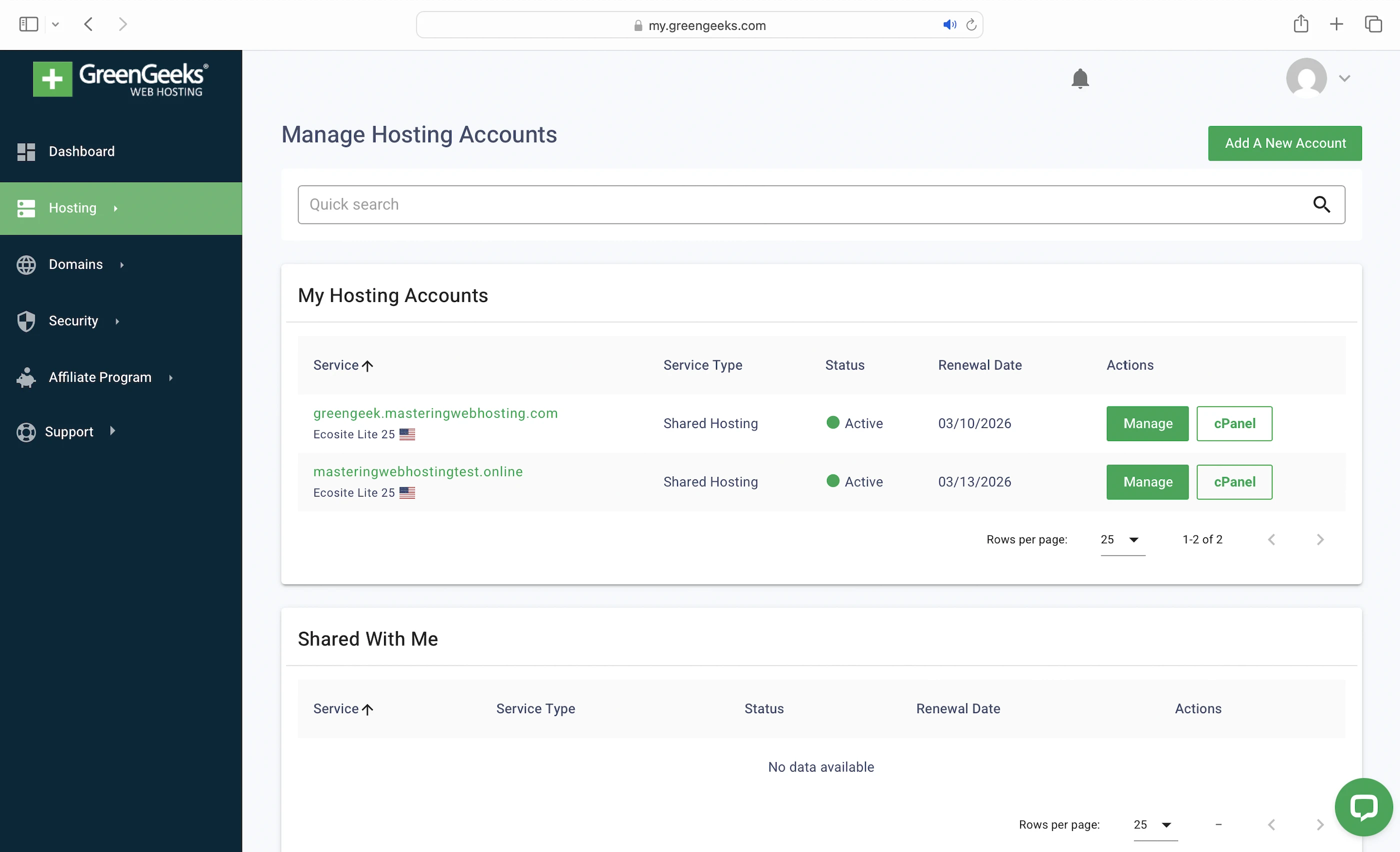
By the way, you might be wondering why I created two accounts with two domains:
- greengeek.masteringwebhosting.com
- masteringwebhostingtest.online
I did this to test two CDNs with this plan. I’ll explain more in the next section.
2. Speed Features
NVMe SSD storage
Makes GreenGeeks servers faster than servers with old-school SATA SSDs, which some hosts are still using.
LiteSpeed Web Servers
A web server handles and responds to incoming requests for your WordPress content. It is connected to PHP through a handler that’s usually optimized for fast and efficient communication between the two systems. This allows the web server to forward requests to PHP and receive responses faster, directly improving your page load times.
GreenGeeks uses LiteSpeed Web Servers with LSAPI as the PHP handler. LSAPI is built specifically for LiteSpeed and communicates with PHP much more efficiently than older handlers like PHP-FPM.
This means LiteSpeed Web Servers return your WordPress content faster than Nginx or Apache web servers.
100 PHP Workers
Your WordPress website serves two types of content: static and dynamic. PHP workers are for the latter.
Static content is called so because it remains the same across visits. Examples include the images and CSS files that make up your website’s layout. Unless manually updated, everyone sees the same layout when they visit your website.
Dynamic content, on the other hand, changes based on the data retrieved from your database. Examples include your blog posts and comments. New posts or comments update what visitors see in your post list and comment section.
So if both types of content are uncached, static content is returned faster because it can be served immediately by the LiteSpeed Web Server. In contrast, dynamic content needs to be generated on the fly, which takes more time. This means a robust process is needed to handle the generation efficiently.
Since WordPress is built with PHP, that process is PHP workers.
When LiteSpeed forwards a request for uncached dynamic content, LSAPI spawns a PHP worker to handle the request. The worker executes your PHP code, queries your database, and generates the dynamic content based on the retrieved data. The content is returned as HTML, which is what your visitors see in their browser.
So the more PHP workers you have, the more requests for uncached dynamic content your website can handle concurrently without slowing down.
Opcode Cache
Here’s what happens behind the scenes when your PHP workers execute your code: they compile it into opcode, which are machine-readable instructions that PHP uses to generate the HTML for your dynamic content. By caching this opcode with OPcache, PHP can reuse it instantly without needing to recompile your code on every request.
LiteSpeed Cache
Designed to work with the LiteSpeed Web Servers, this plugin is pre-configured with:
- Minify: Removes unnecessary characters from your CSS, HTML, and JavaScript (JS) files, making them smaller and faster to load.
- Browser cache: Stores your static content on your visitors’ devices so they don’t have to be downloaded again when they revisit your website.
- Deferred JS loading: Ensures your HTML loads and renders correctly before JS files are executed in the proper order. Some JS files can block this rendering process, causing your website to load slower or appear broken. By delaying the loading of certain JS files, LiteSpeed Cache helps your website load faster and more smoothly.
- Image optimization: Reduces image sizes (reduced mine by 36MB in total) so they load faster.
- Edge Side Includes (ESI): Without ESI, a page containing non-cacheable dynamic content (e.g. user-specific data) would have to be regenerated on every visit, even if most of it is cacheable static content (e.g. images). ESI helps you split the page into fragments, so the static parts can be cached at edge servers when using a CDN, while the dynamic parts are loaded fresh.
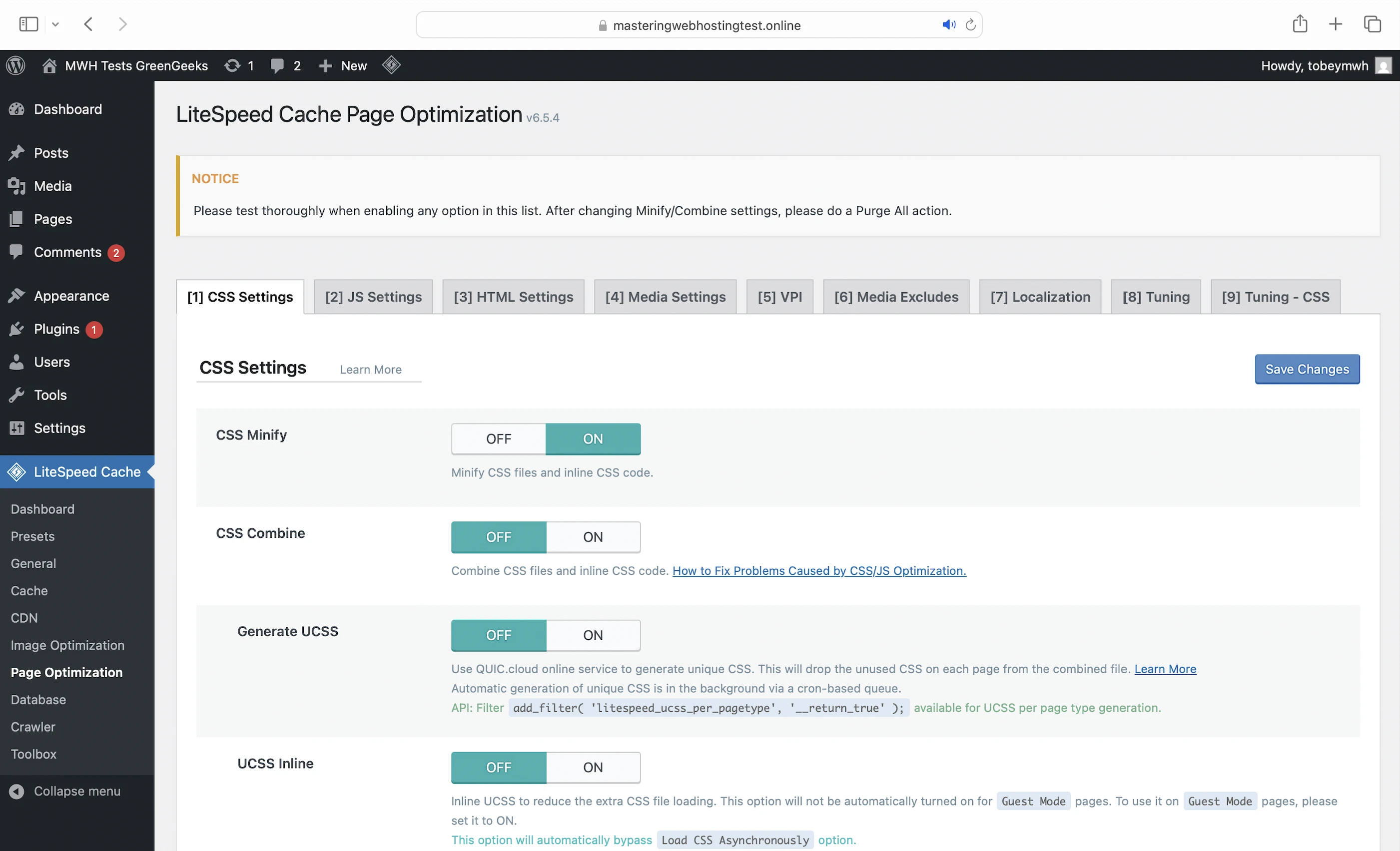
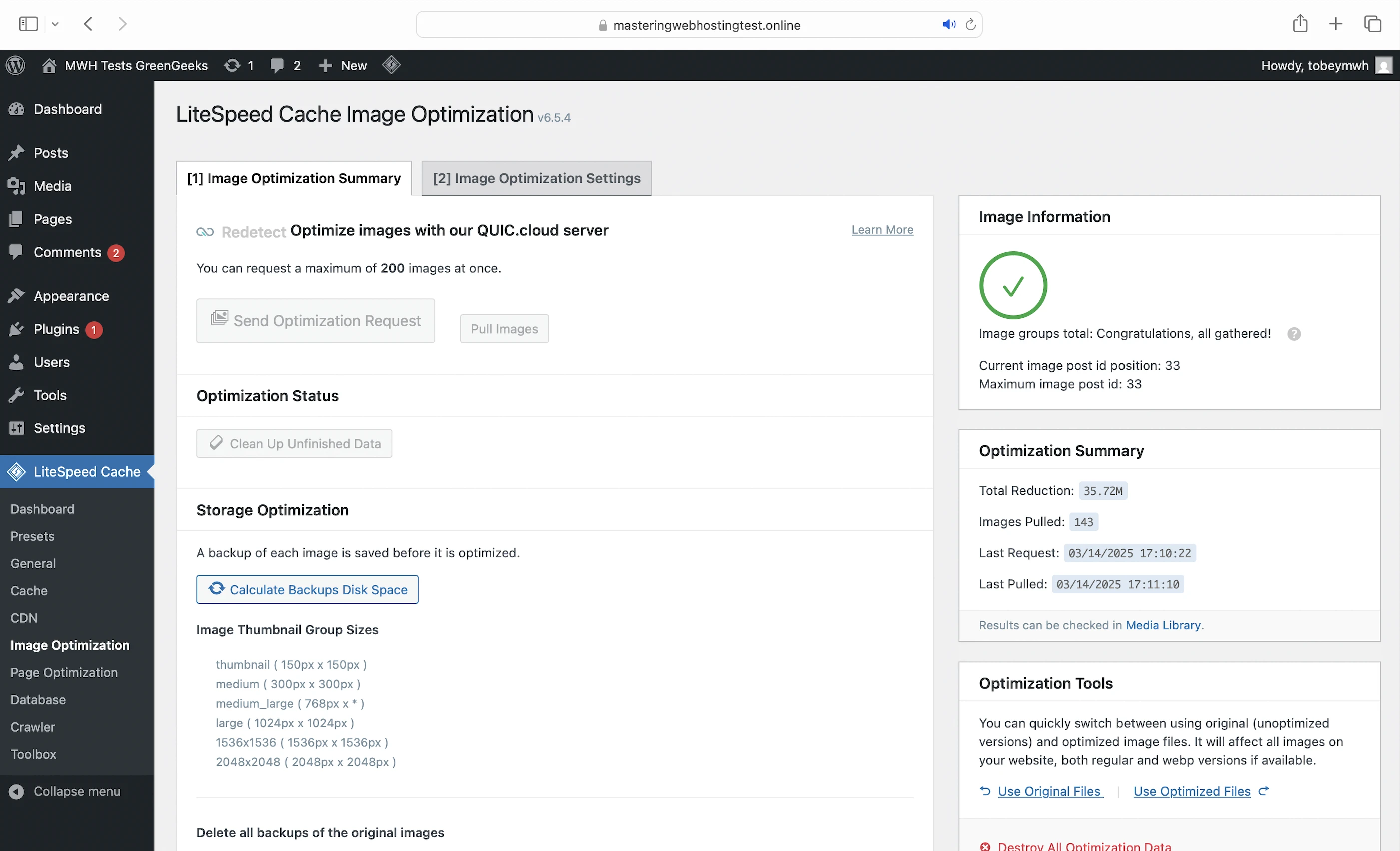
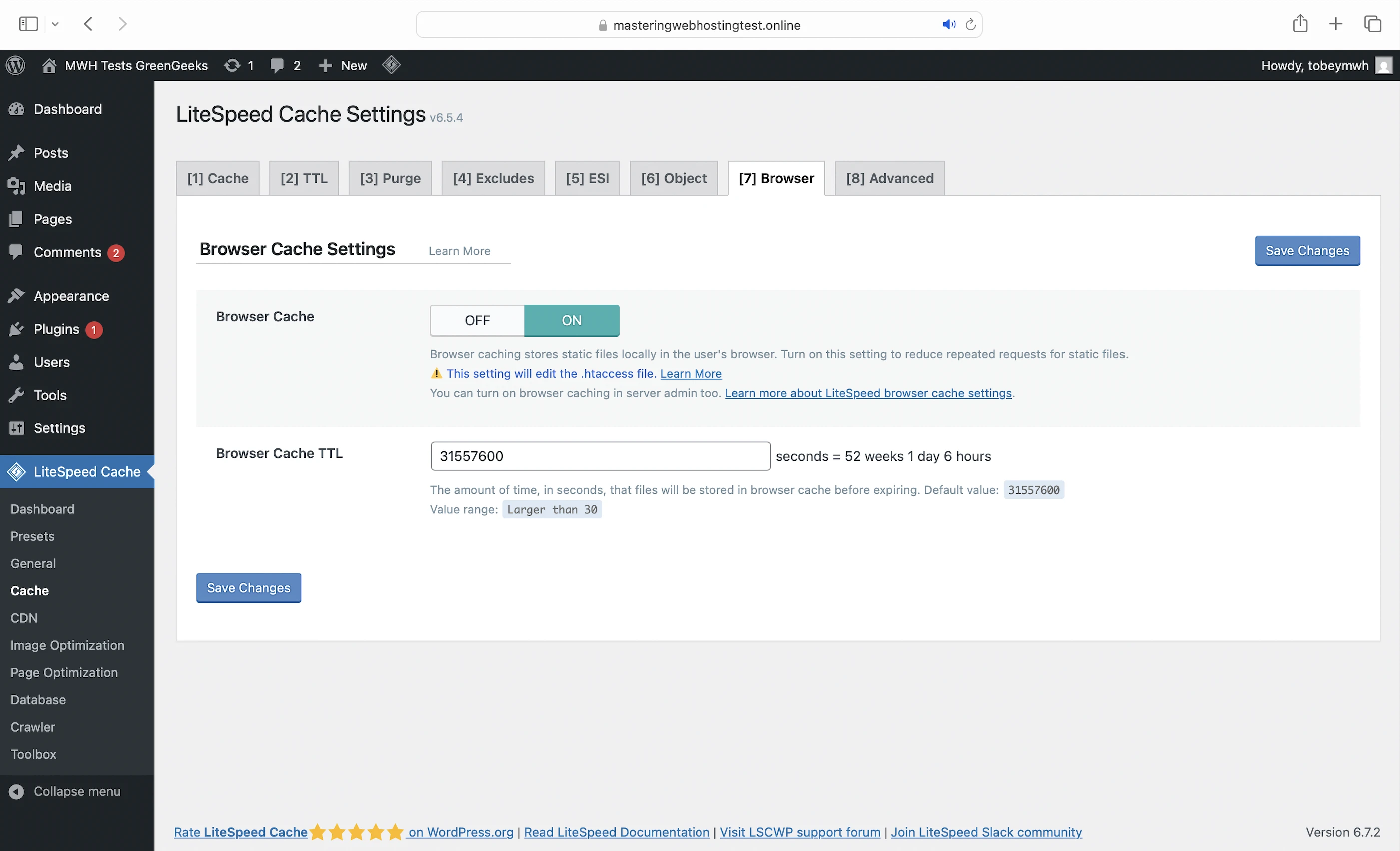
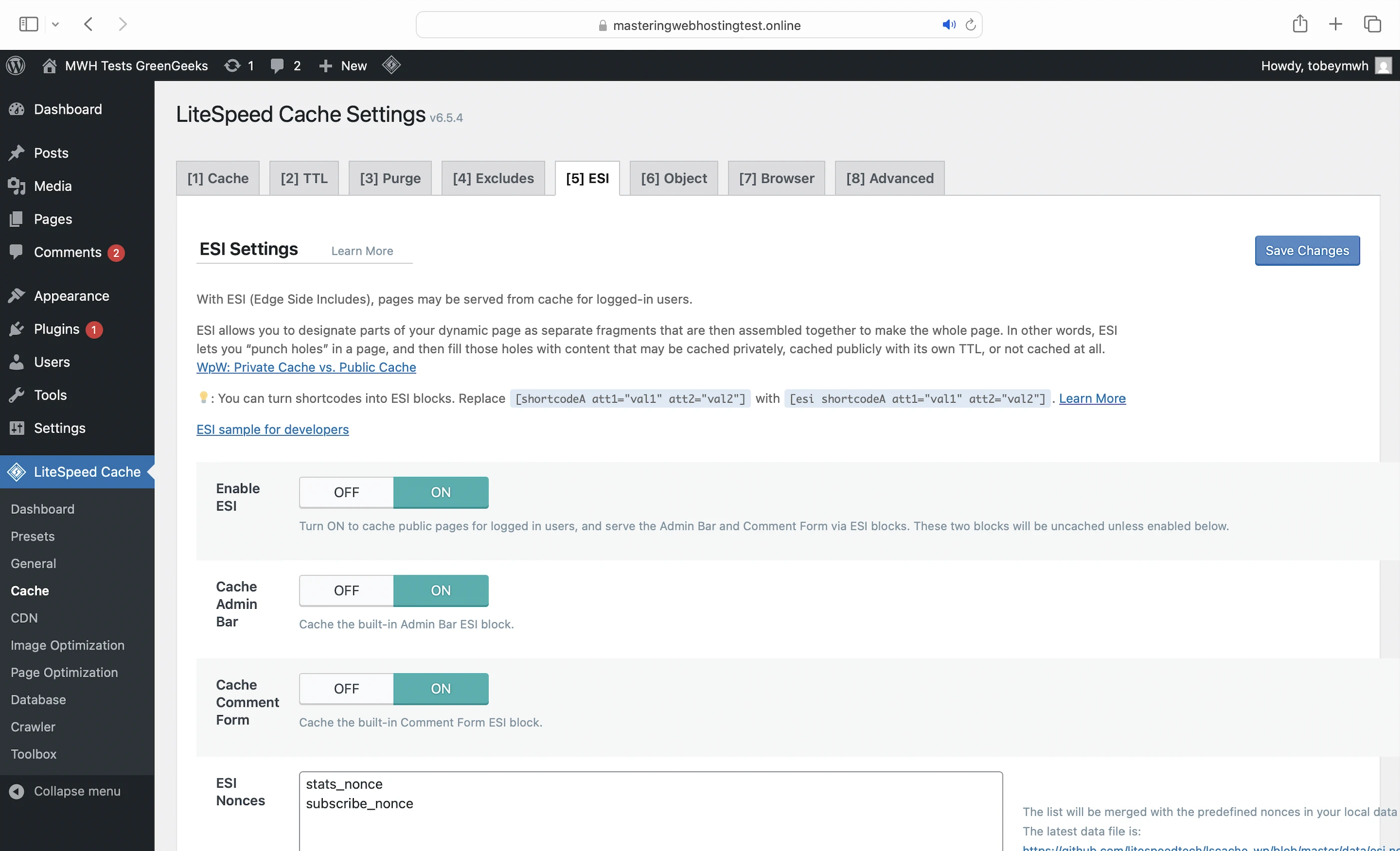
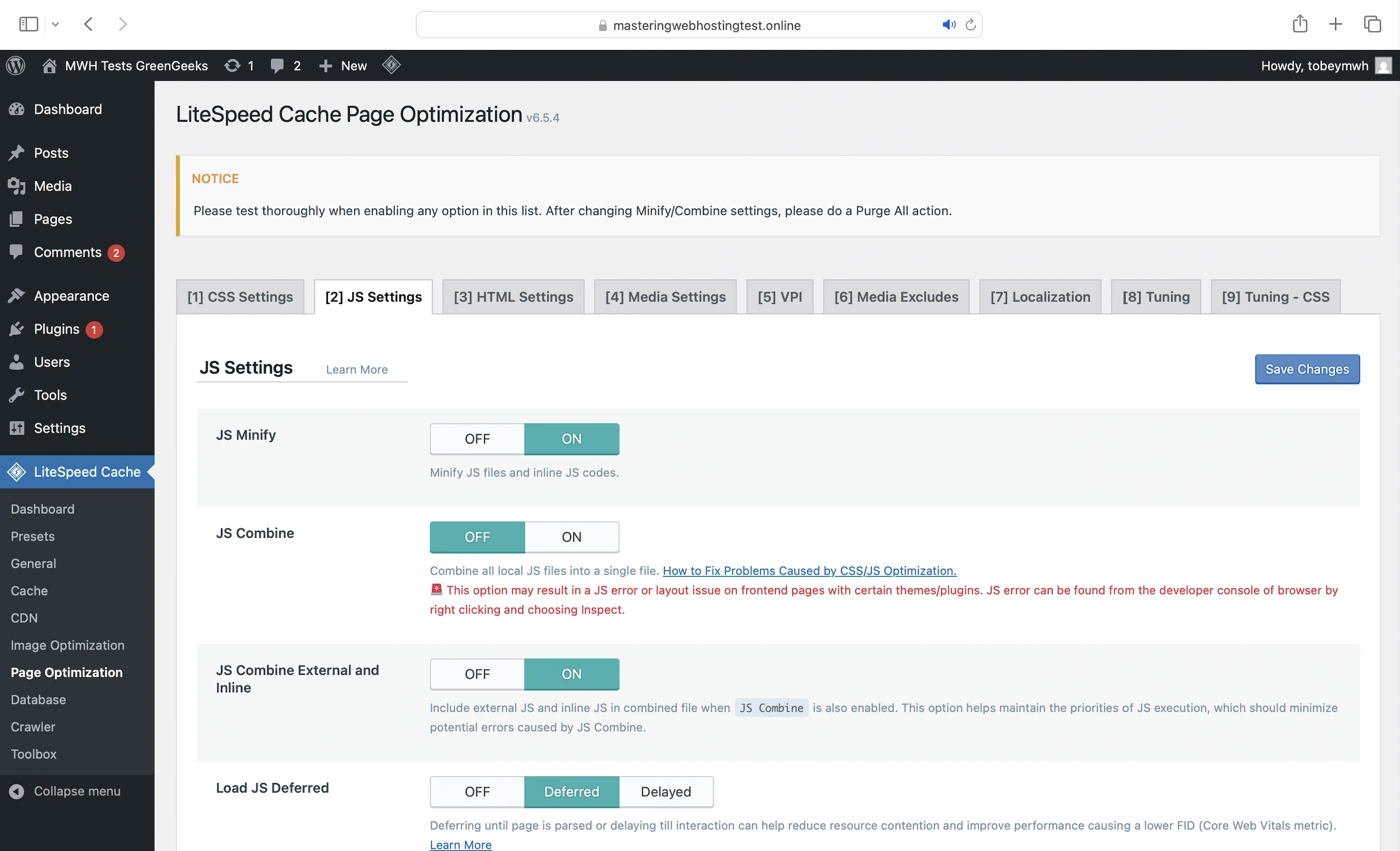
Litespeed Cache also has Preset configurations that can optimize your website speed with a single click, but I left the plugin exactly as GreenGeeks configured.
CDN
Originally Cloudflare to cache your website across 335 cities worldwide and deliver content to them along optimized routes with Argo Smart Routing.
But here’s a twist:
Their website says the CDN comes with my plan for free, so I thought GreenGeeks would have set it up for me like the other hosts.
However, Support told me the Cloudflare integration had been discontinued, and we can use one of their guides to set it up ourselves.
Oof.
Alternatively, you can use QUIC.cloud CDN, which is integrated with LiteSpeed and its plugin. You will be on the Standard Plan by default, which comes with:
- 84 high-performance PoPs worldwide
- Image optimization (10,000 images per month quota)
- Page optimization (2,000 requests per month quota)
- $0.20 in free bandwidth credits each month
You can also:
- Subscribe to a paid plan for higher quotas
- Purchase bandwidth credits for specific regions
I set up a CDN for each of my accounts and compared their speeds below:
- masteringwebhostingtest.online (Cloudflare)
- greengeek.masteringwebhosting.com (QUIC.cloud)
3. Security Features
Edge Protection
And you should totally set up a CDN, be it Cloudflare or QUIC.cloud. A CDN acts as your first line of defense, handling most threats at the edge before they even reach GreenGeeks’ servers.
With Cloudflare, you get:
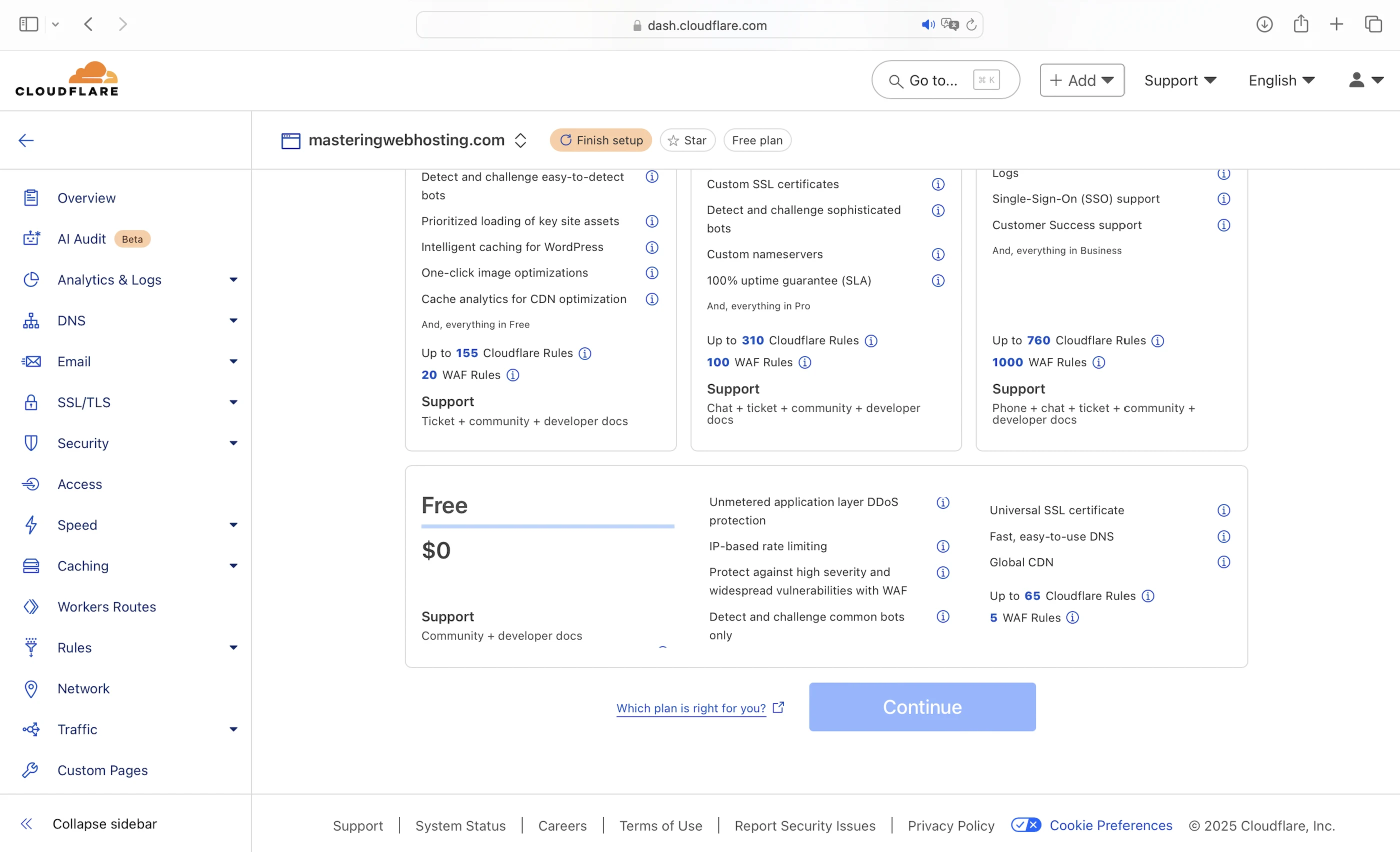
And with QUIC.cloud, you get:
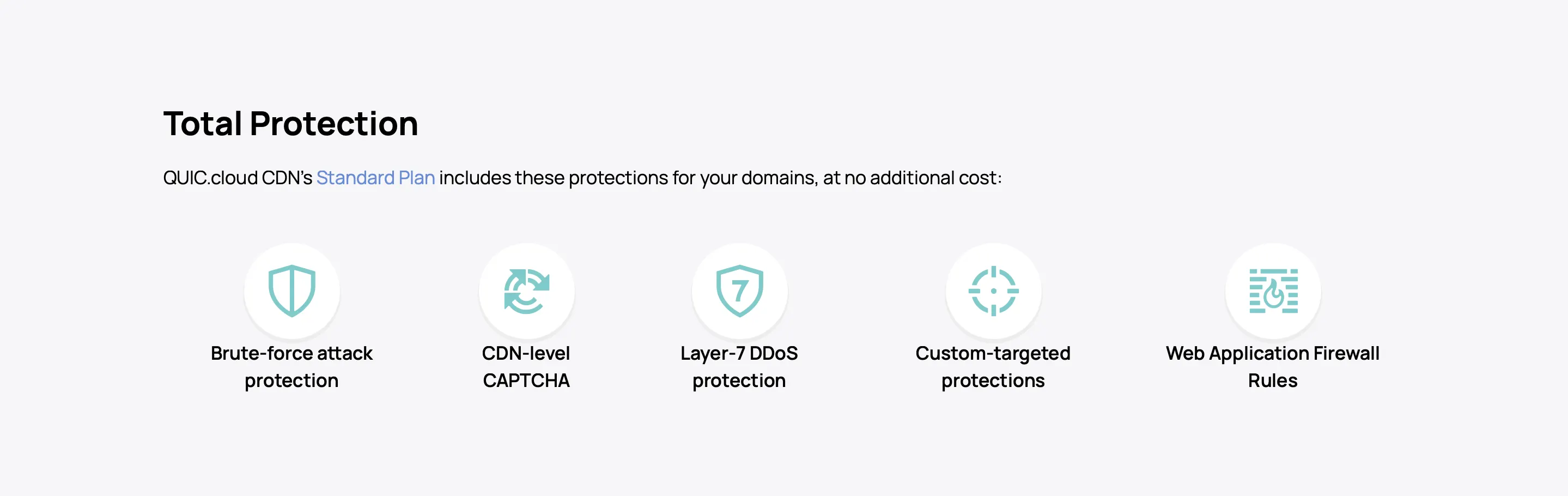
Again, I compared both CDNs to see who’s more secure.
Server Protection
Deals with any attacks that got past the CDN. According to Support, GreenGeeks’ servers have:
- ModSecurity WAF: Blocks web application attacks like SQL Injection
- Container-based account isolation: Ensures that your WordPress files are securely separated from those of other accounts on the shared server, so any breaches in other accounts won’t affect your website.
- 24/7 network monitoring: Protects against DDoS attacks by constantly scanning for threats.
Malware Scanning
And in case the CDN and server defenses fail, GreenGeeks uses third-party services and its own scripts to scan their servers for malware. However, Support was unable to disclose the specific technology behind these services.
IP Blocker
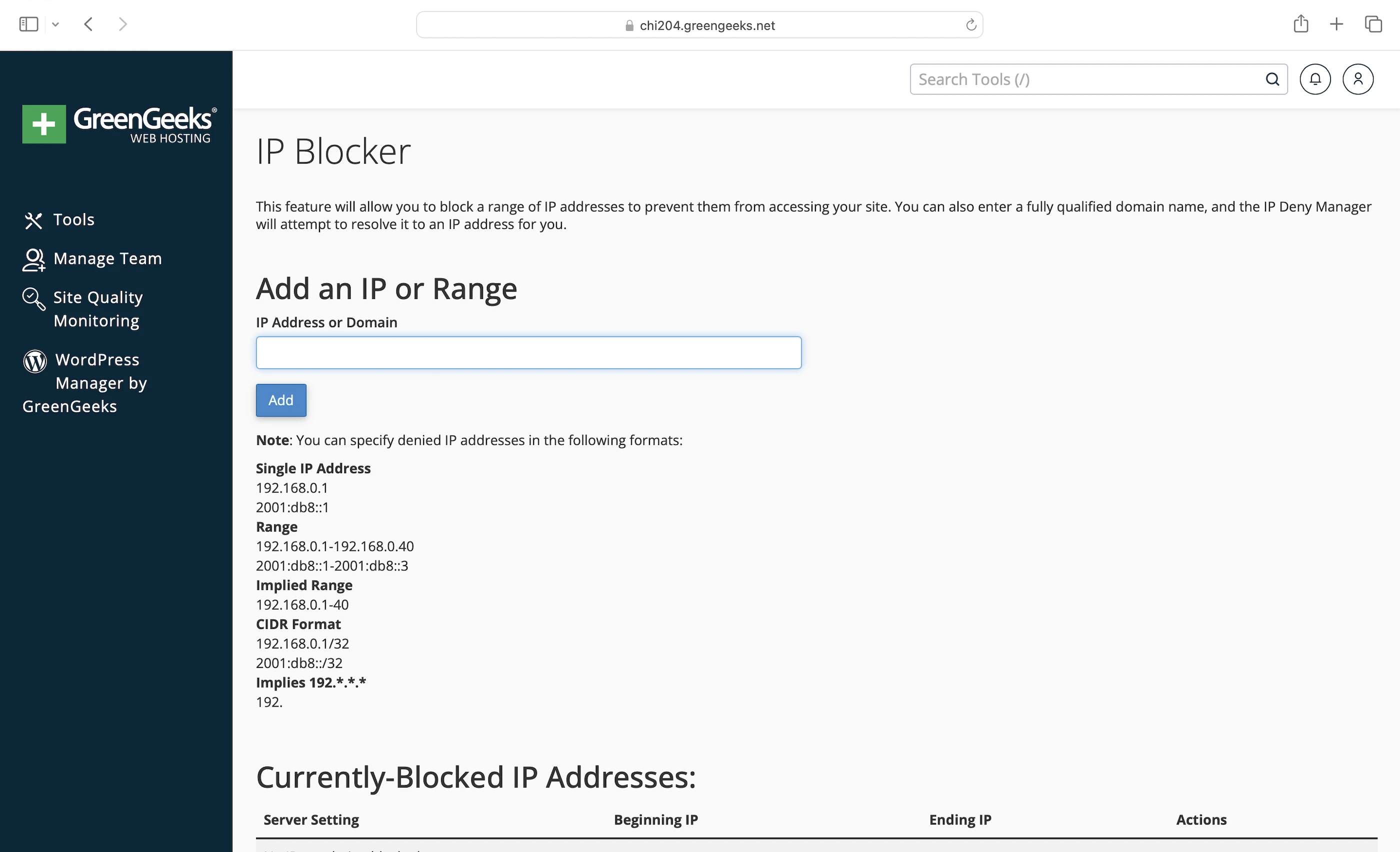
Finally, you can get your hands dirty by blocking suspicious IP addresses in the dashboard or cPanel. However, you’d need to go through your logs to find out who’s attacking you.
4. Speed Test
Cloudflare
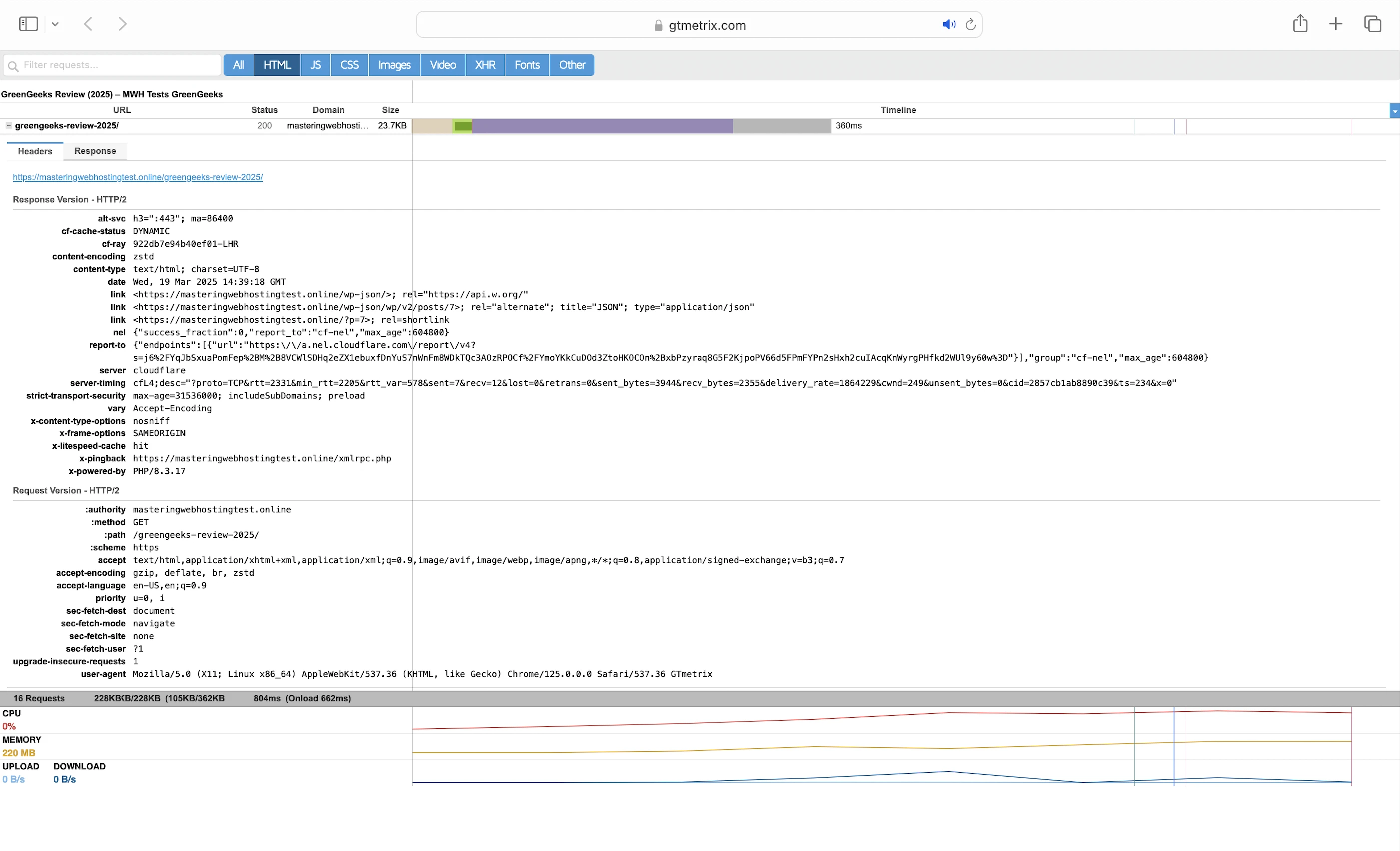
GTMetrix reported that my Largest Contentful Paint (LCP) was a good 380ms in Dallas.

However, it was almost 2x slower at 651ms in London.
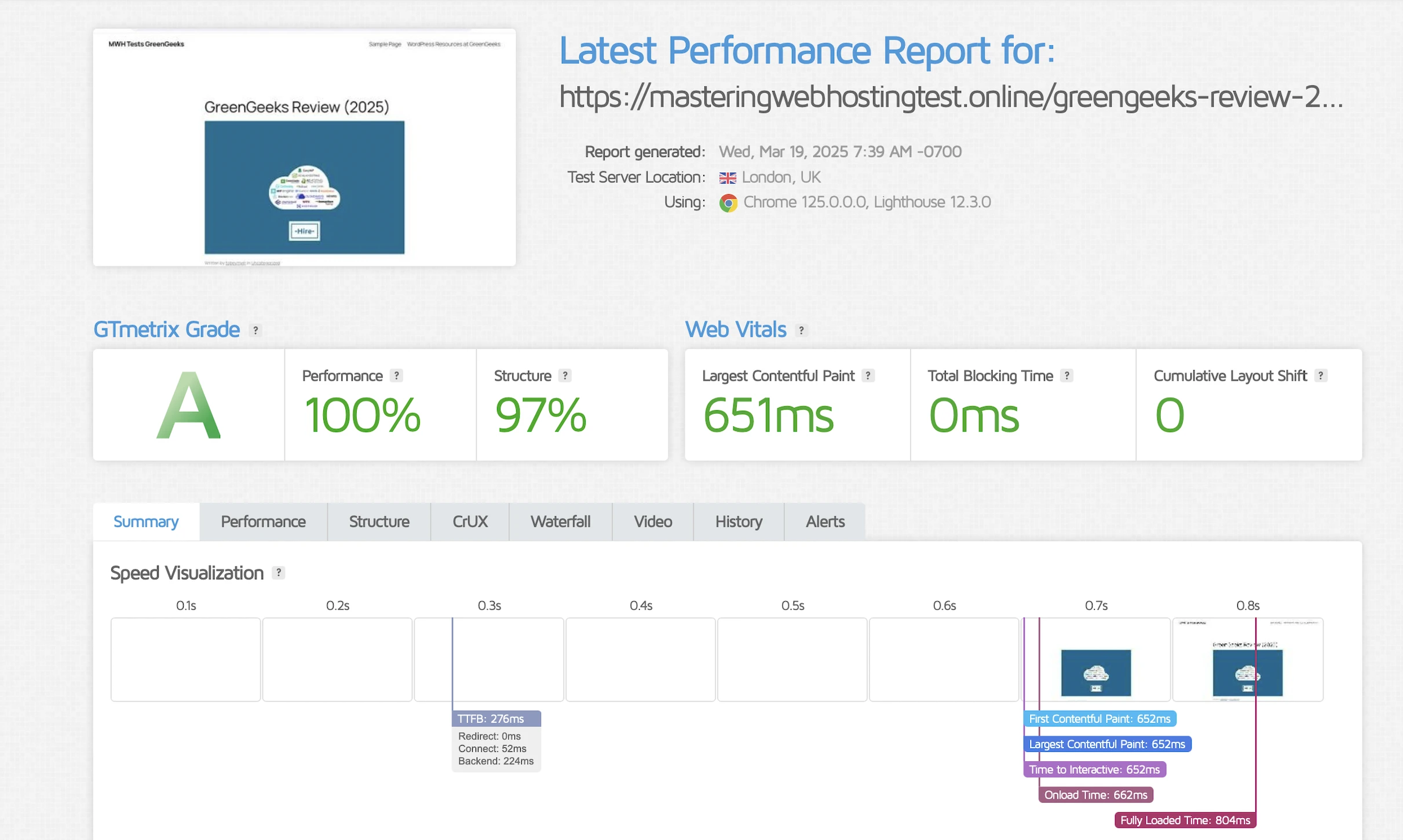
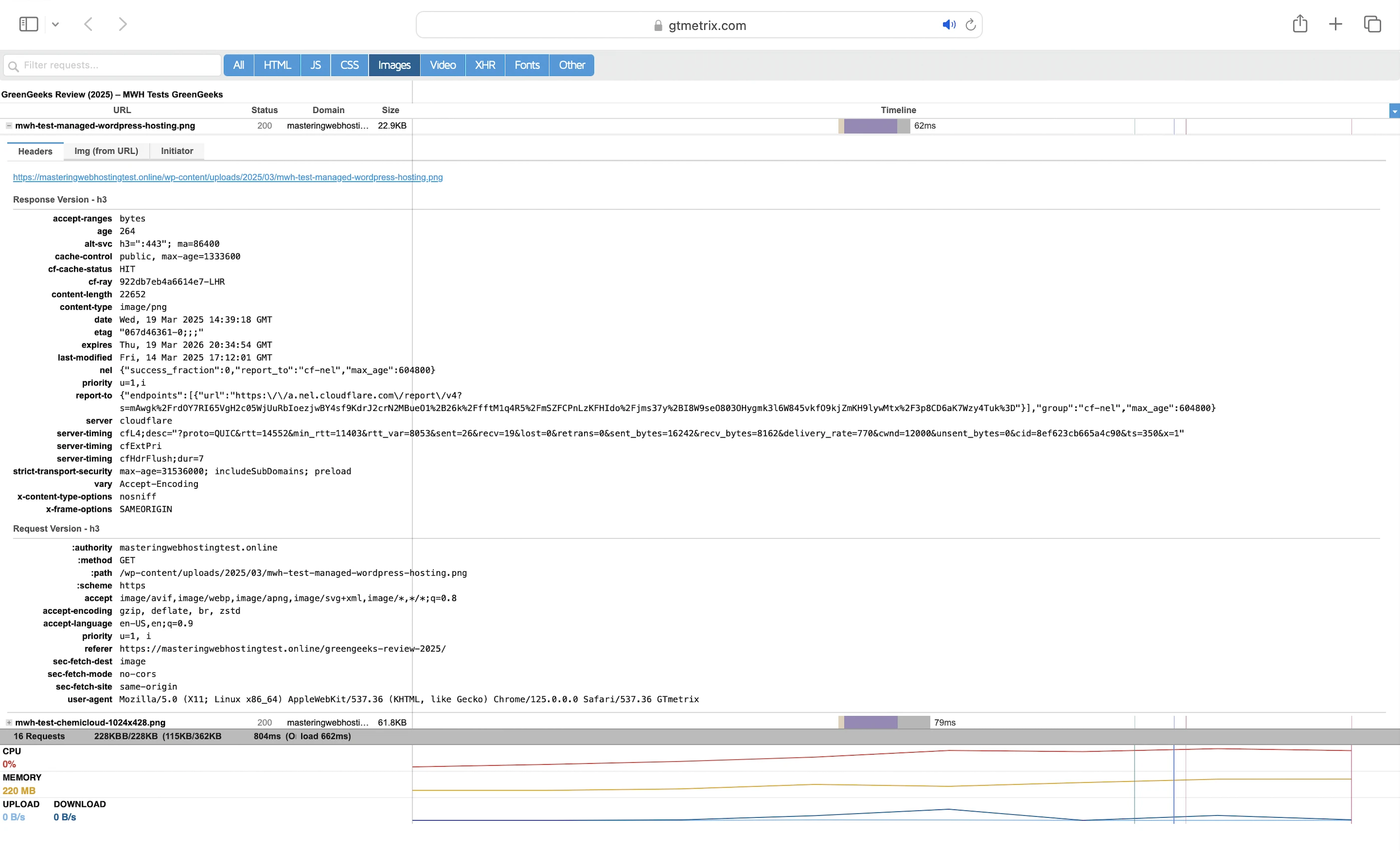
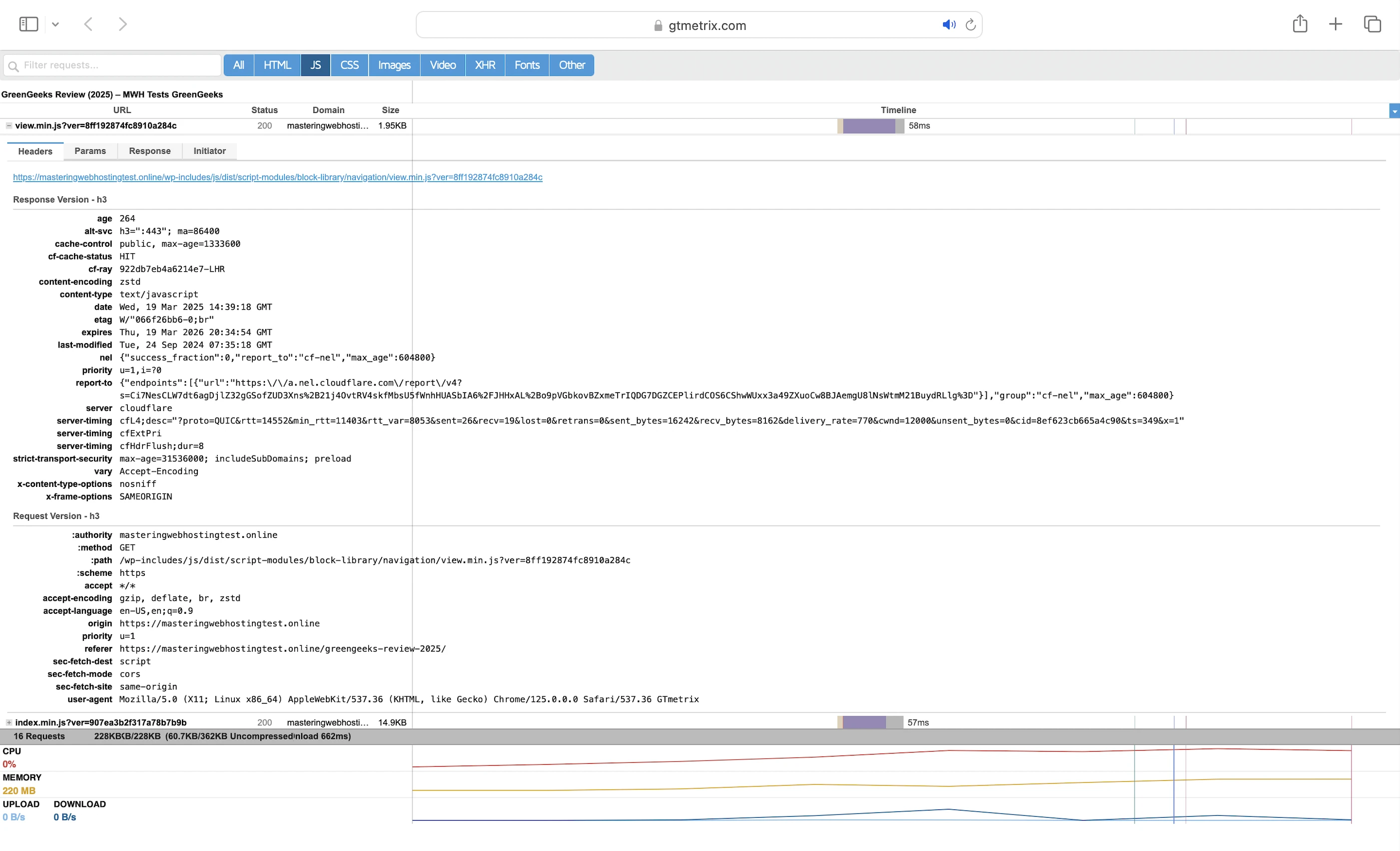
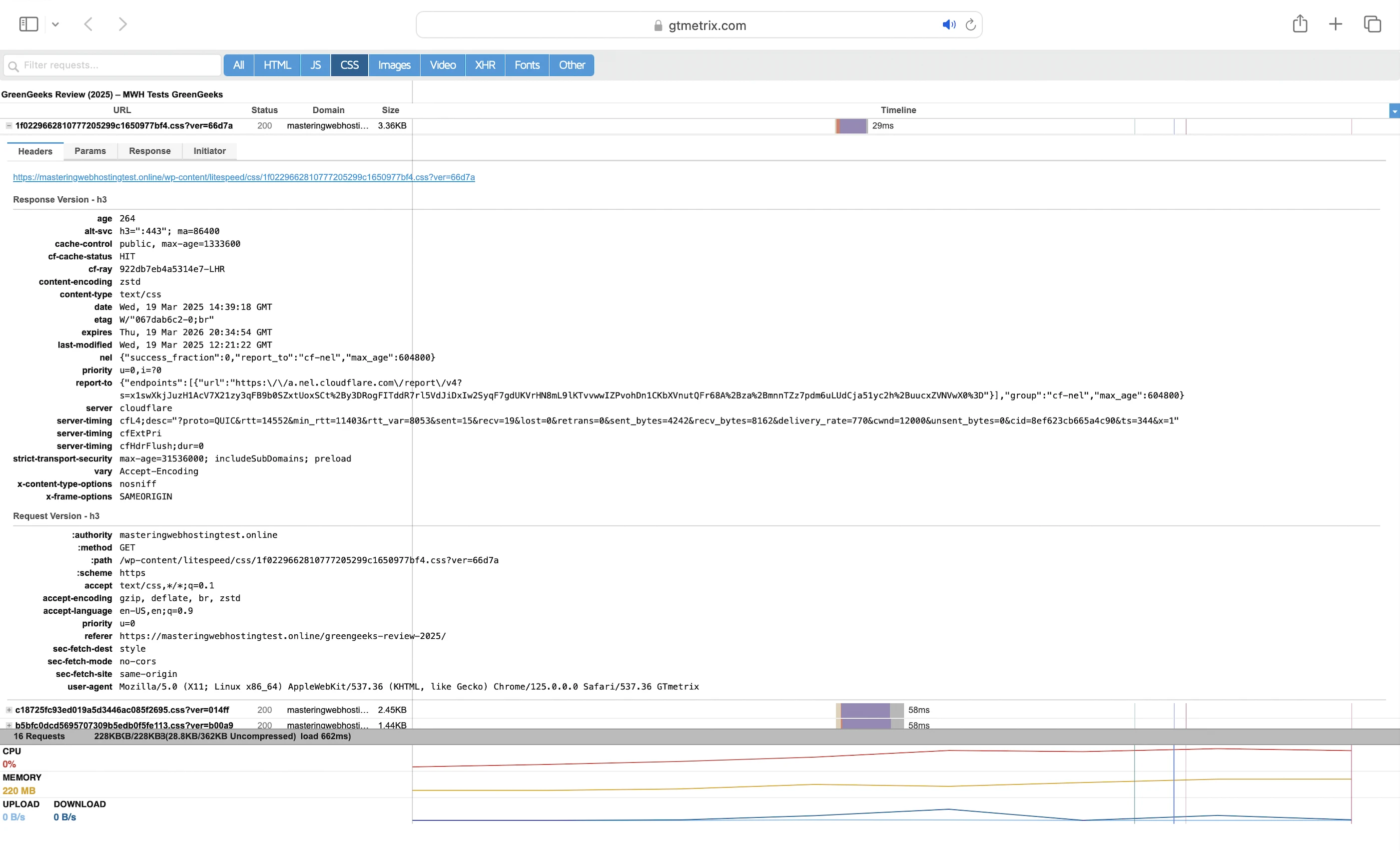
This was despite my requests mostly hitting the Cloudflare cache (cf-cache-status: HIT), except for my HTML one (cf-cache-status: DYNAMIC).
QUIC.cloud CDN
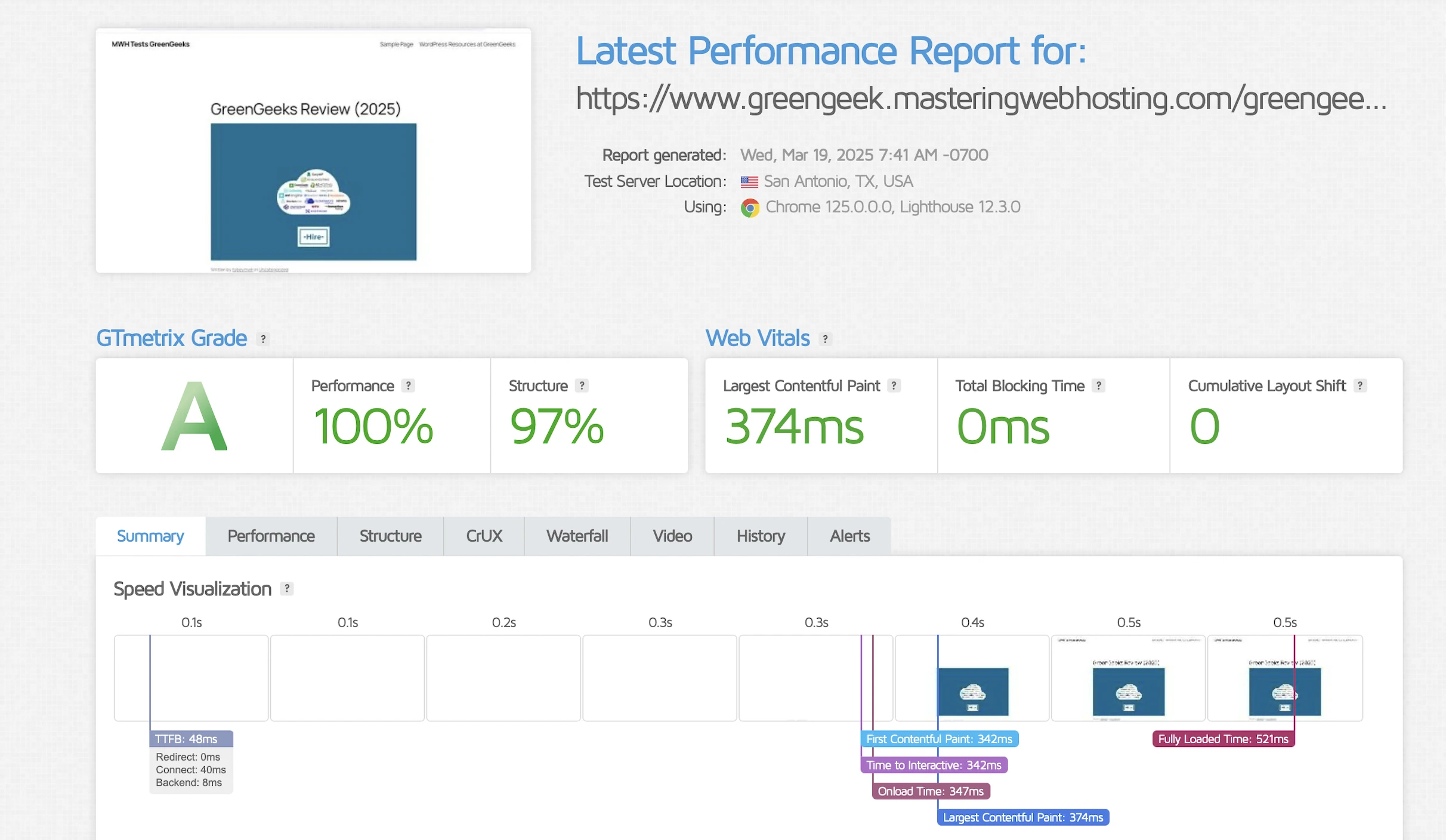
Again, GTMetrix said my LCP was a good 374ms in Dallas.
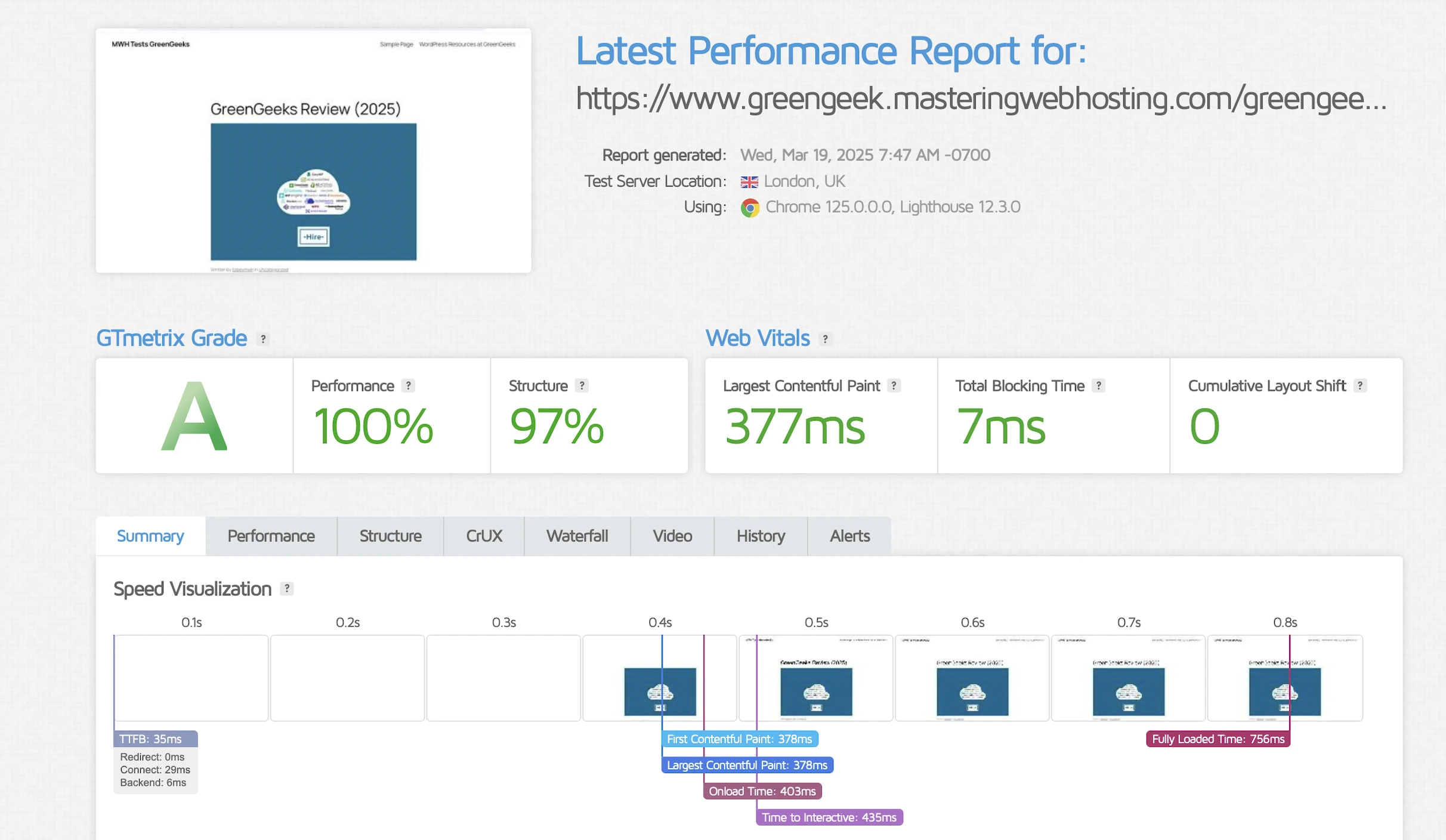
This time, my LCP was more consistent at 377ms in London.
5. Security Test
Cloudflare
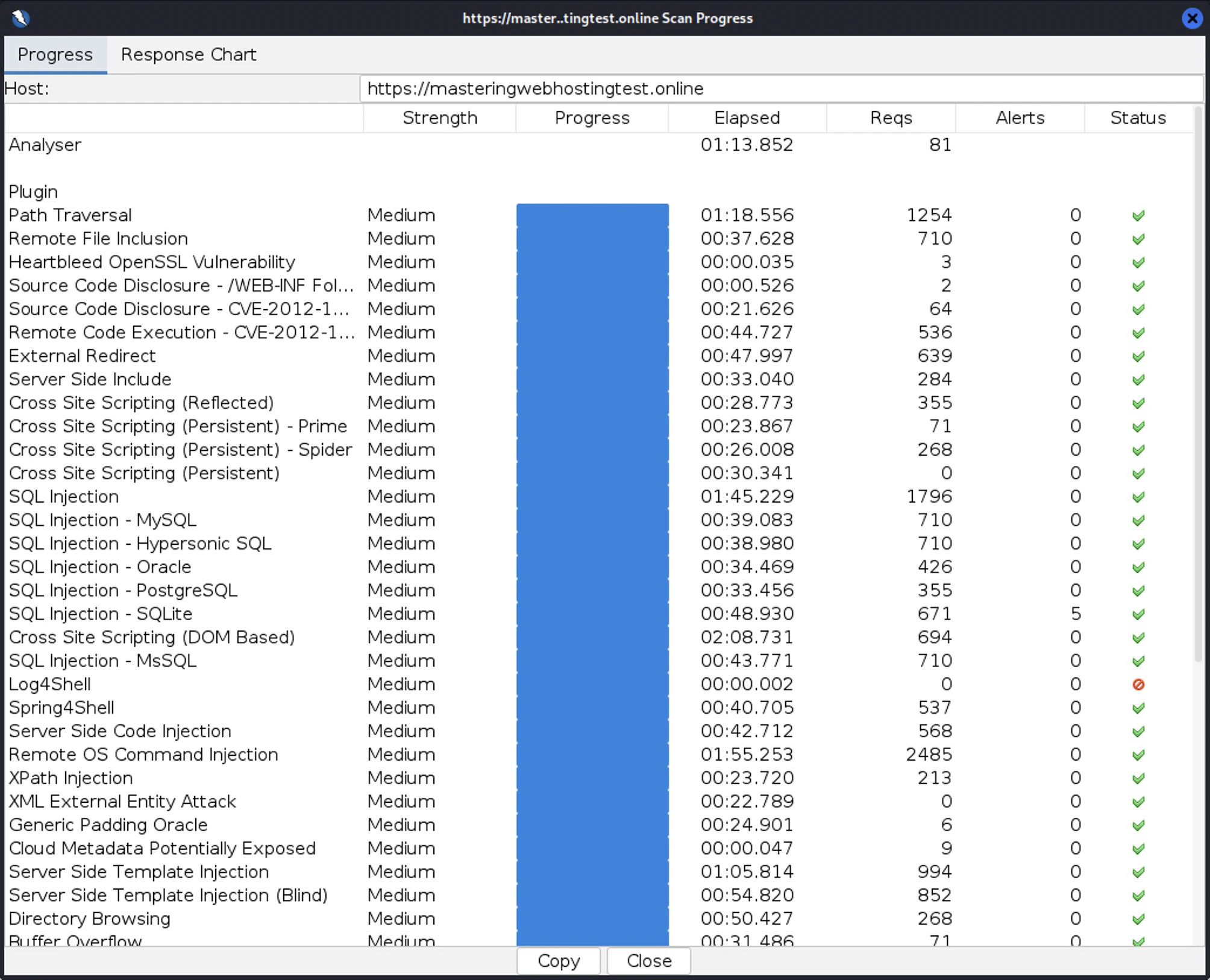
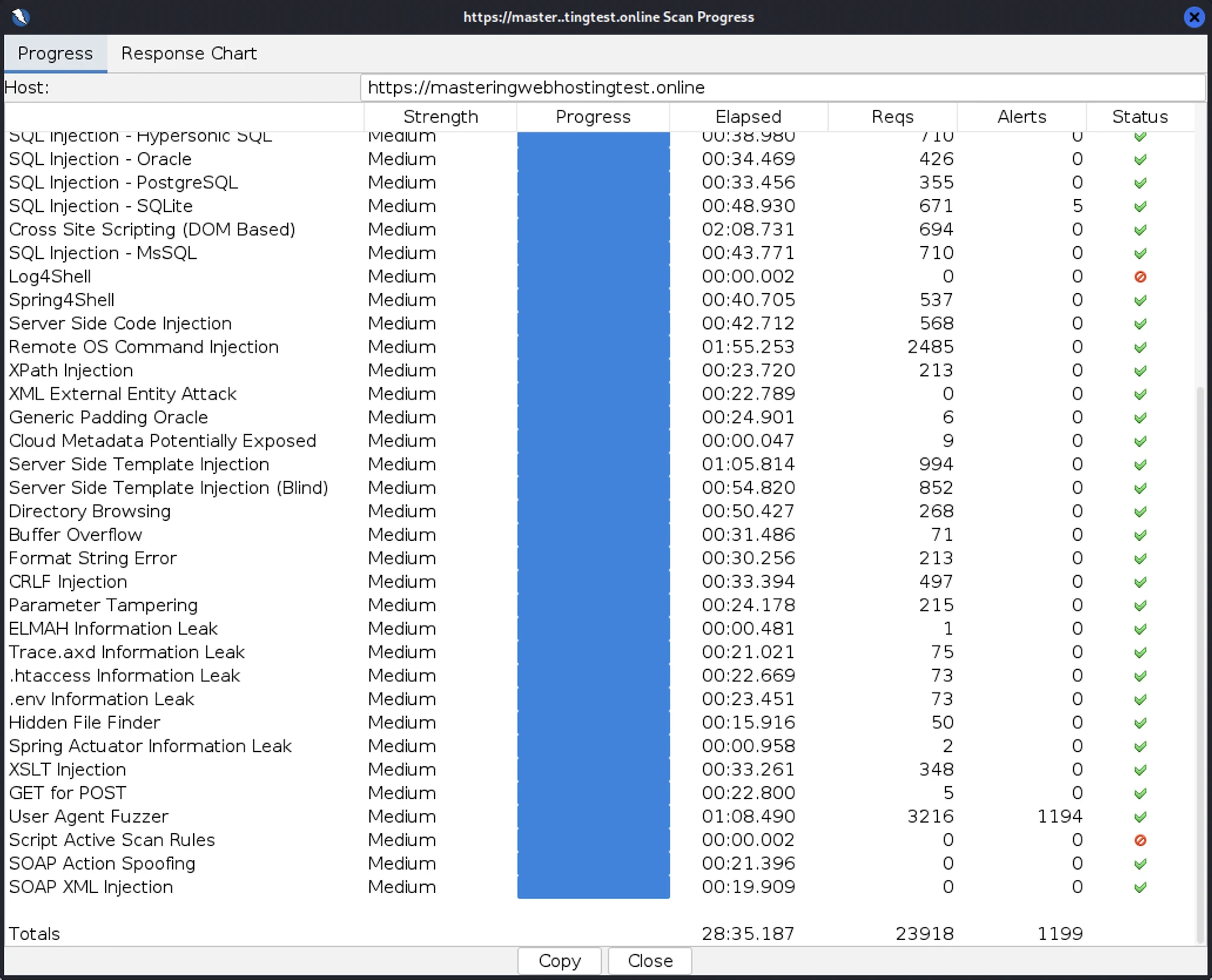
I launched 23,918 cyberattacks:
- 1 out of 30 high risk vulnerabilities detected:
- SQL Injection – SQLite: 5 out of 671 attacks successful. Okay as GreenGeeks doesn’t use SQLite.
- 0 out of 12 medium risk vulnerabilities.
- 1 out of 2 informational risks. 1,194 alerts but these aren’t vulnerabilities.
- Success Rate: 22,719 or 95% of my attacks were completely neutralized.
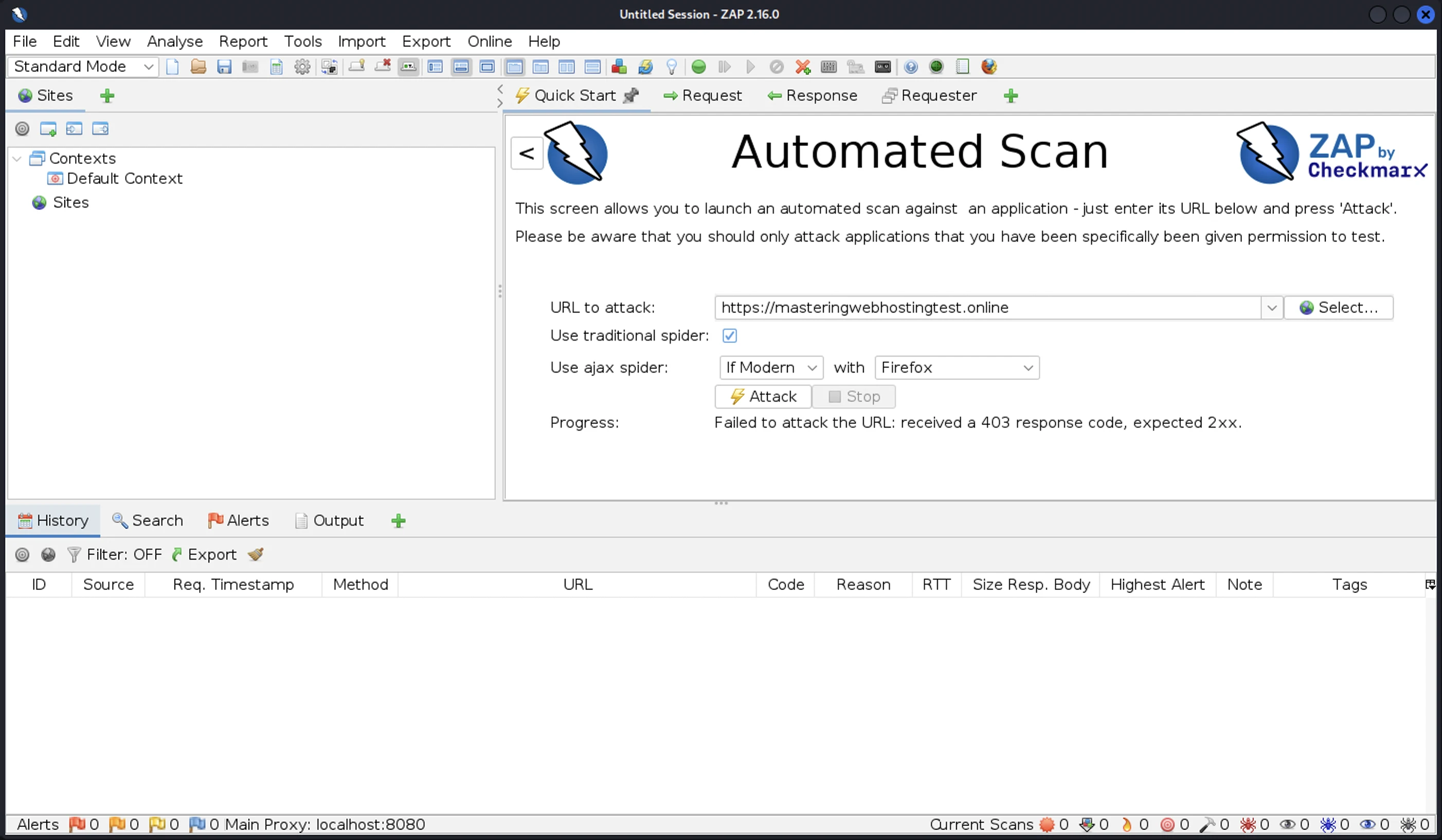
An interesting find: I tried attacking with the same server again, but this time I received a 403 Forbidden response. I had been blocked. It seems GreenGeeks still worked marvelously with Cloudflare when it came to security.
QUIC.cloud CDN
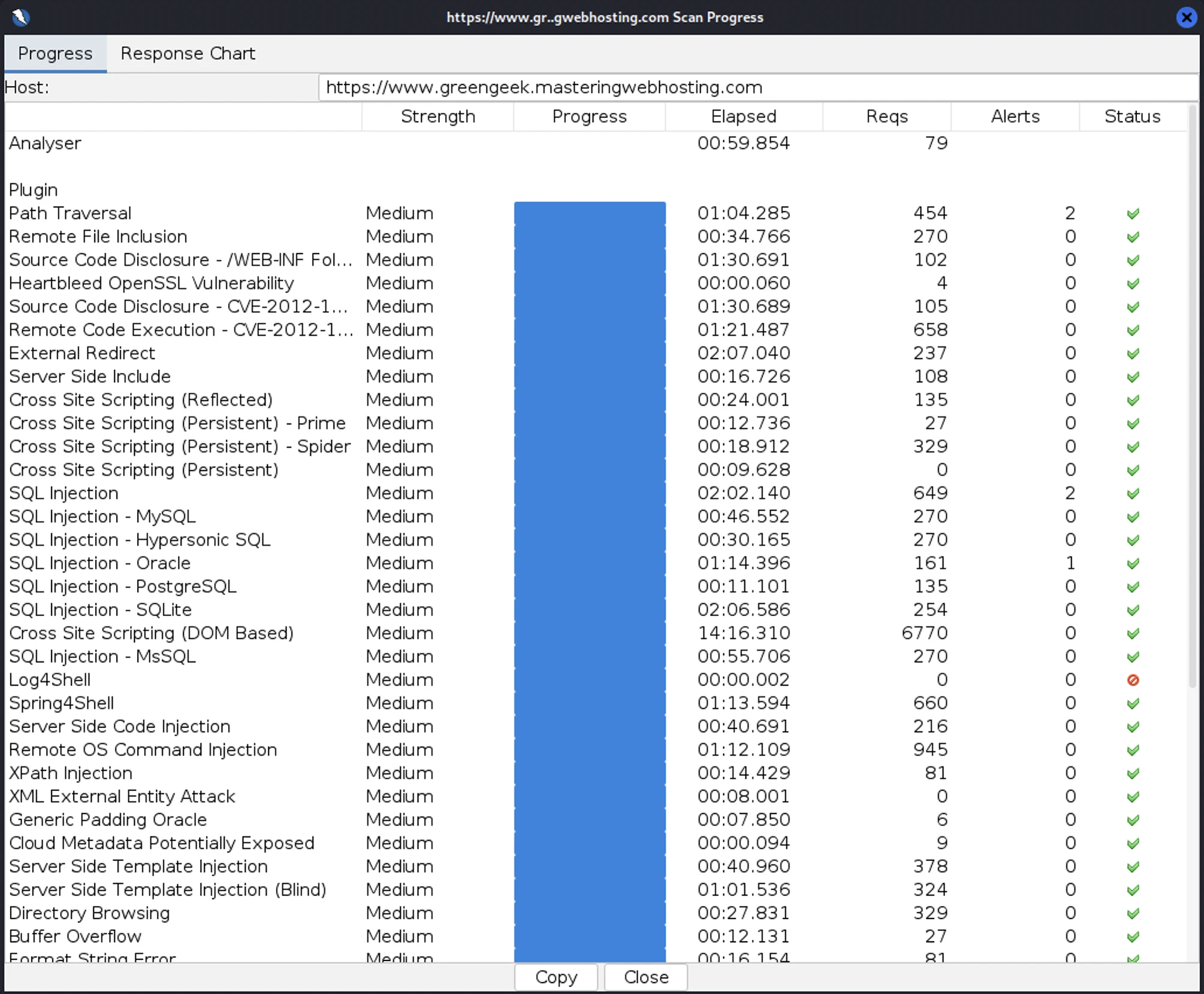
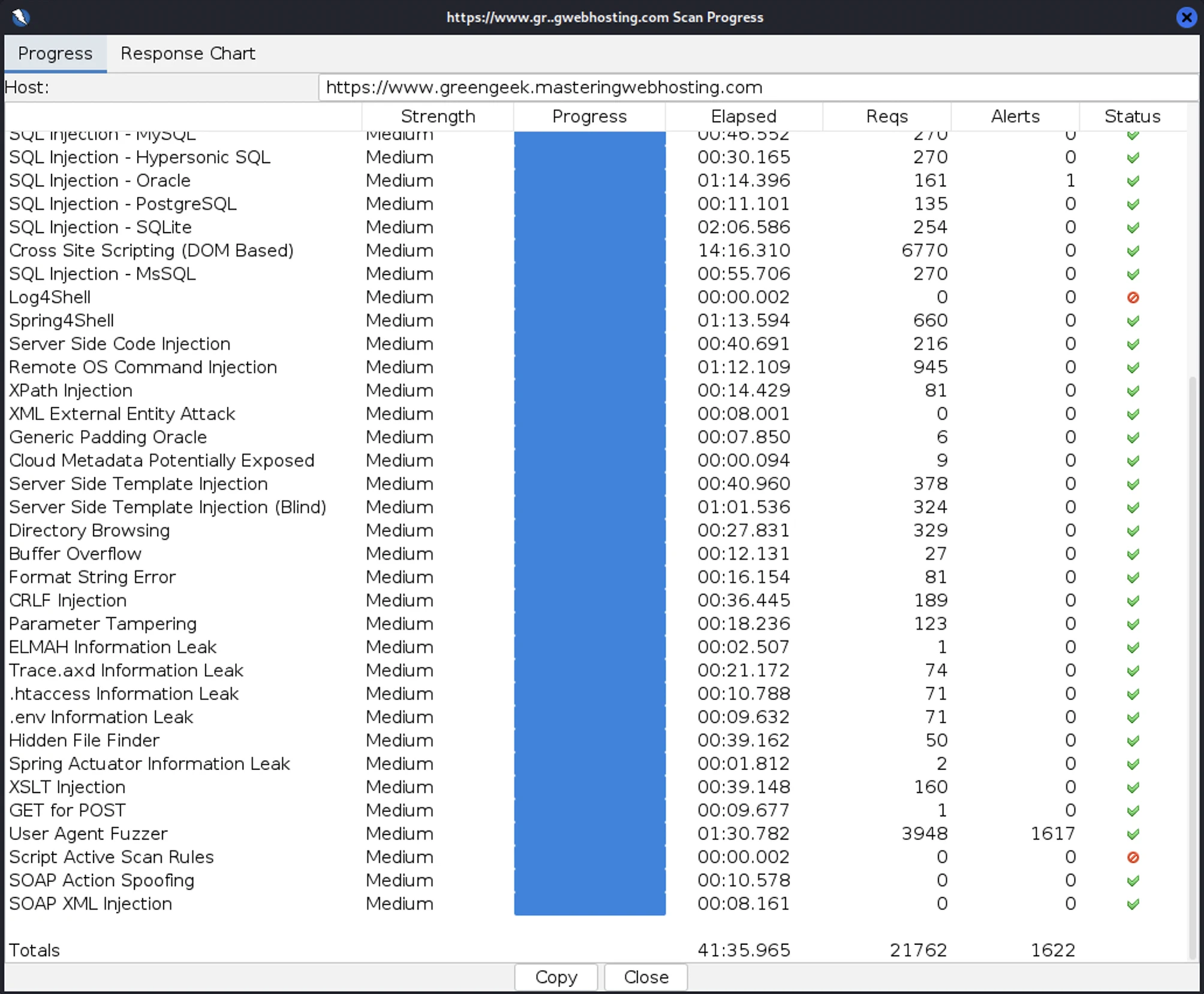
I then launched 21,762 cyberattacks:
- 3 out of 30 high risk vulnerabilities detected:
- Path Traversal: 2 out of 454 attacks successful.
- SQL Injection: 2 out of 649 attacks successful.
- SQL Injection – Oracle: 1 out of 161 attacks successful. Okay as GreenGeeks doesn’t use Oracle.
- 0 out of 12 medium risk vulnerabilities.
- 1 out of 2 informational risks. 1,617 alerts but these aren’t vulnerabilities.
- Success Rate: 20,140 or 92.5% of my attacks were completely neutralized.
6. Uptime Test
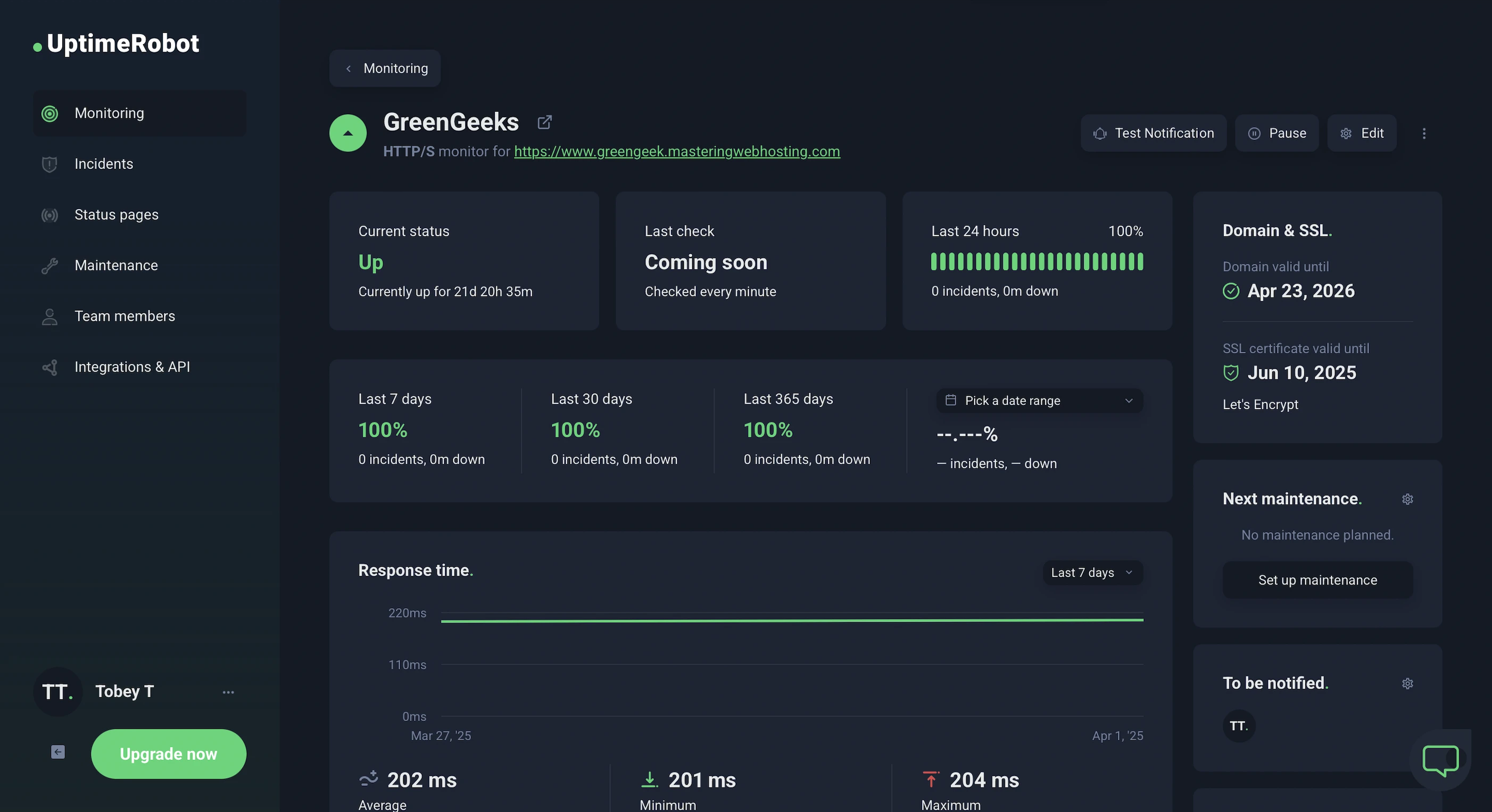
In the 21 days I was testing it, UptimeRobot reported that my GreenGeeks website enjoyed 100% uptime after checking on it every minute.
HetrixTools reported the same results after monitoring my website at 1-minute intervals for 21 days.
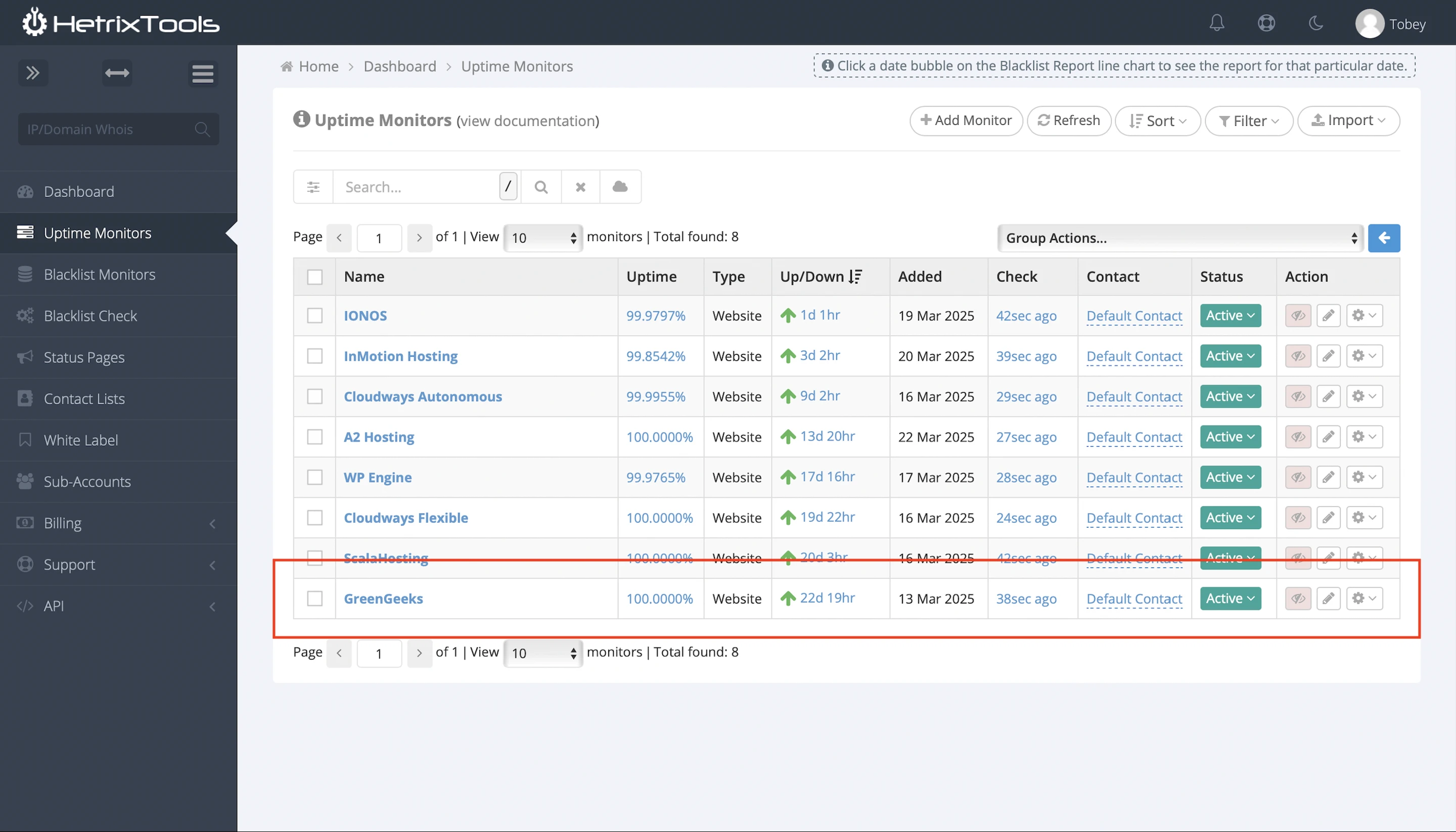
This meant GreenGeeks met its SLA of 99.9% uptime.
It’s hard to expect otherwise when it claims its “automated monitoring software checks its servers every 10 seconds while human server engineers perform additional checks every 30 minutes.”
In fact, GreenGeeks takes its uptime SLA so seriously that it compensates customers for downtime – 1x the hosting rate for scheduled maintenance and 3x for unplanned incidents like emergency maintenance.
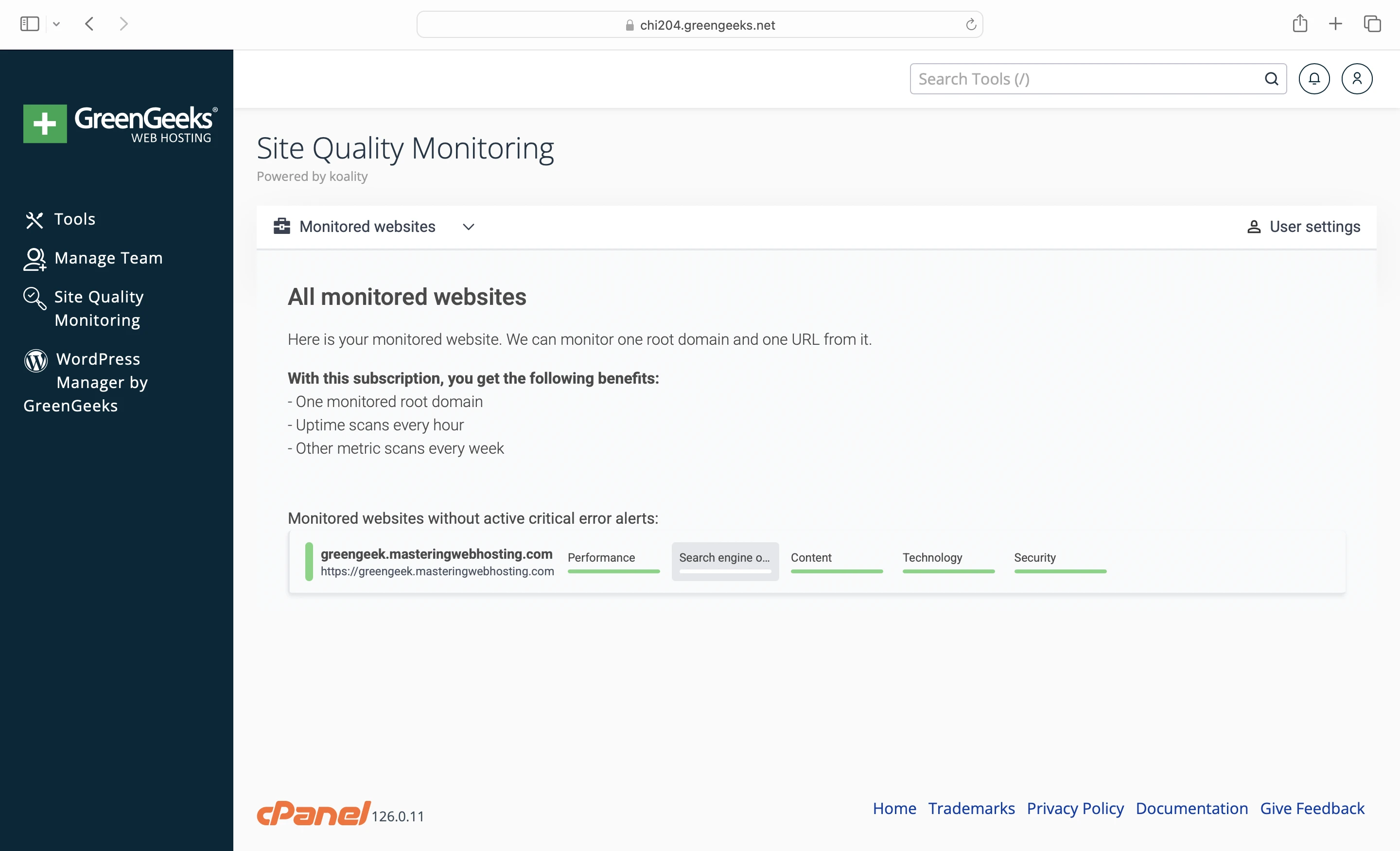
It even has a Site Quality Monitoring tool in cPanel that lets you track your uptime. Its commitment here is perfect.
Almost.
While many hosts release detailed reports about their outages with start times, fix updates, and resolution, GreenGeeks doesn’t even display its current system status or maintain a public outage history.
Some, like WPX, even email customers about planned downtime. In contrast, GreenGeeks only posts notices on the dashboard.
So I couldn’t give GreenGeeks full marks here either.
7. Most Eco-Friendly Hosting
Since 2009, GreenGeeks has been recognized as a Green Power Partner by the United States Environmental Protection Agency.
Through its partnership with the Bonneville Environmental Foundation, GreenGeeks purchases Renewable Energy Certificates (REC) amounting to 3 times its annual energy consumption and carbon footprint. These RECs are then sold to fund and support renewable energy projects.
GreenGeeks also promises to plant 1 tree for every new hosting account. Personally, I hope GreenGeeks would show me the tree it planted when I signed up. I would have liked to watch it grow over the years and name it Larry.
8. AI Tools
Like many hosts, GreenGeeks has jumped on the AI bandwagon with its AI-powered website builder and Writing Assistant.
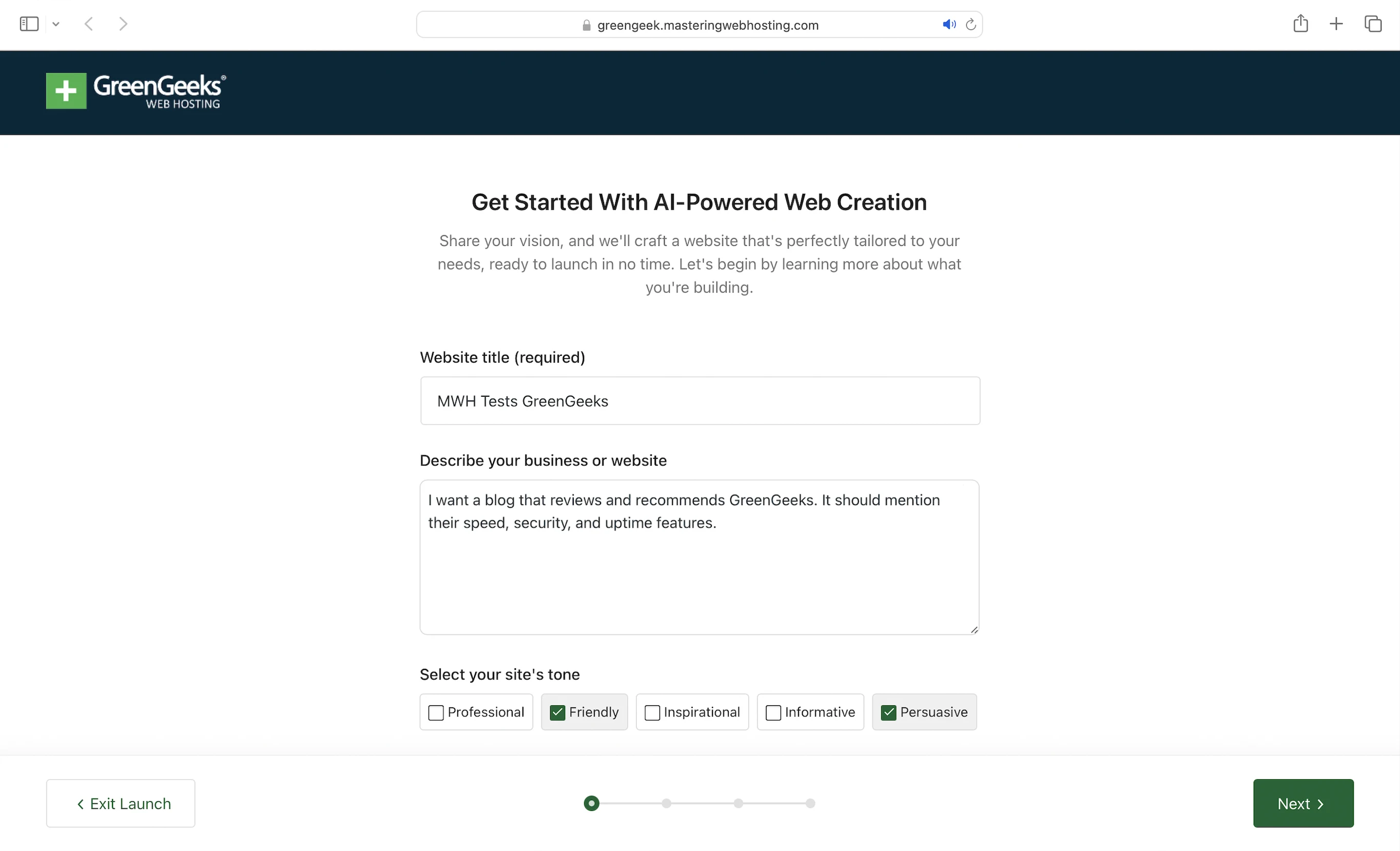
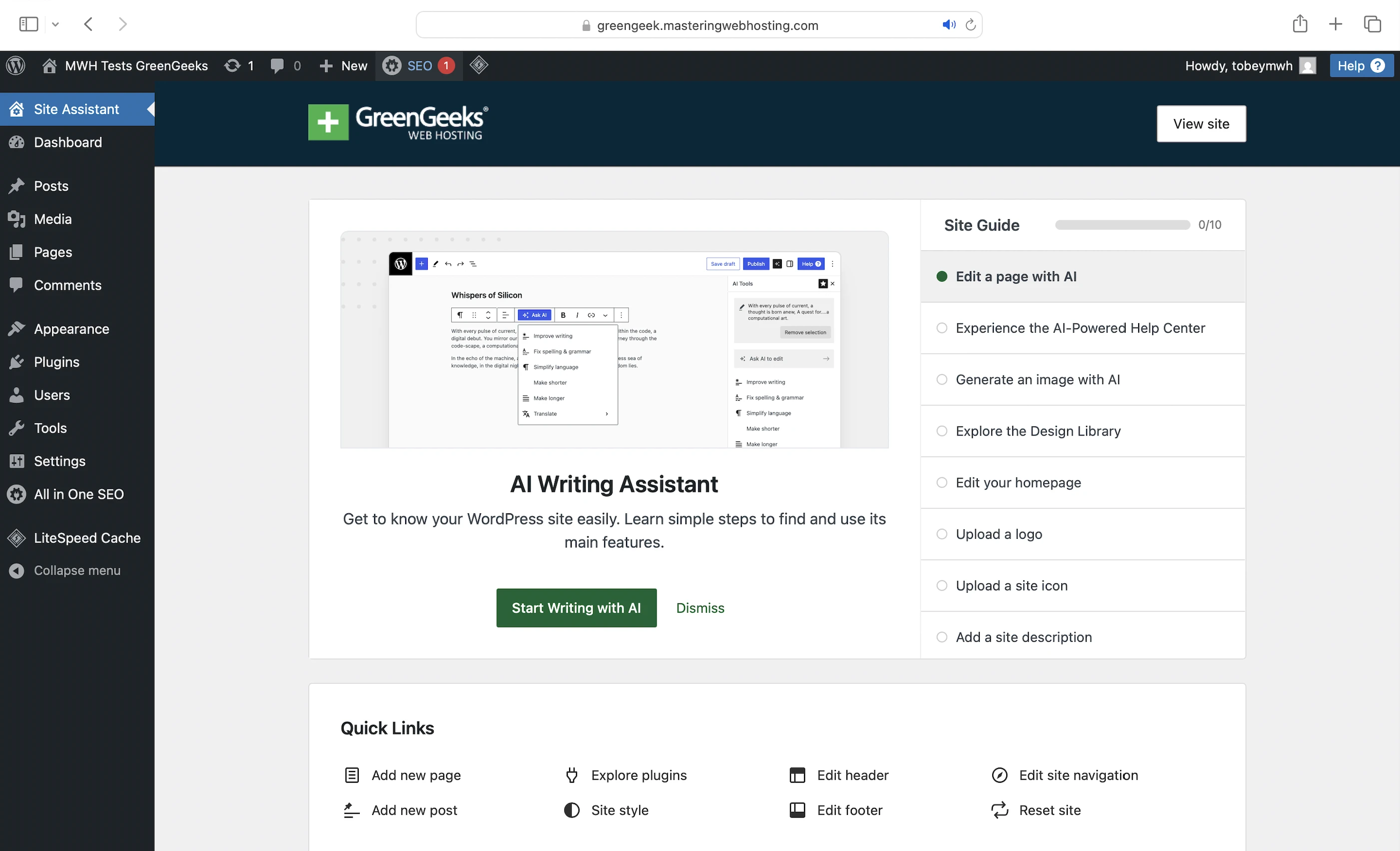
Just enter a prompt to get things started.
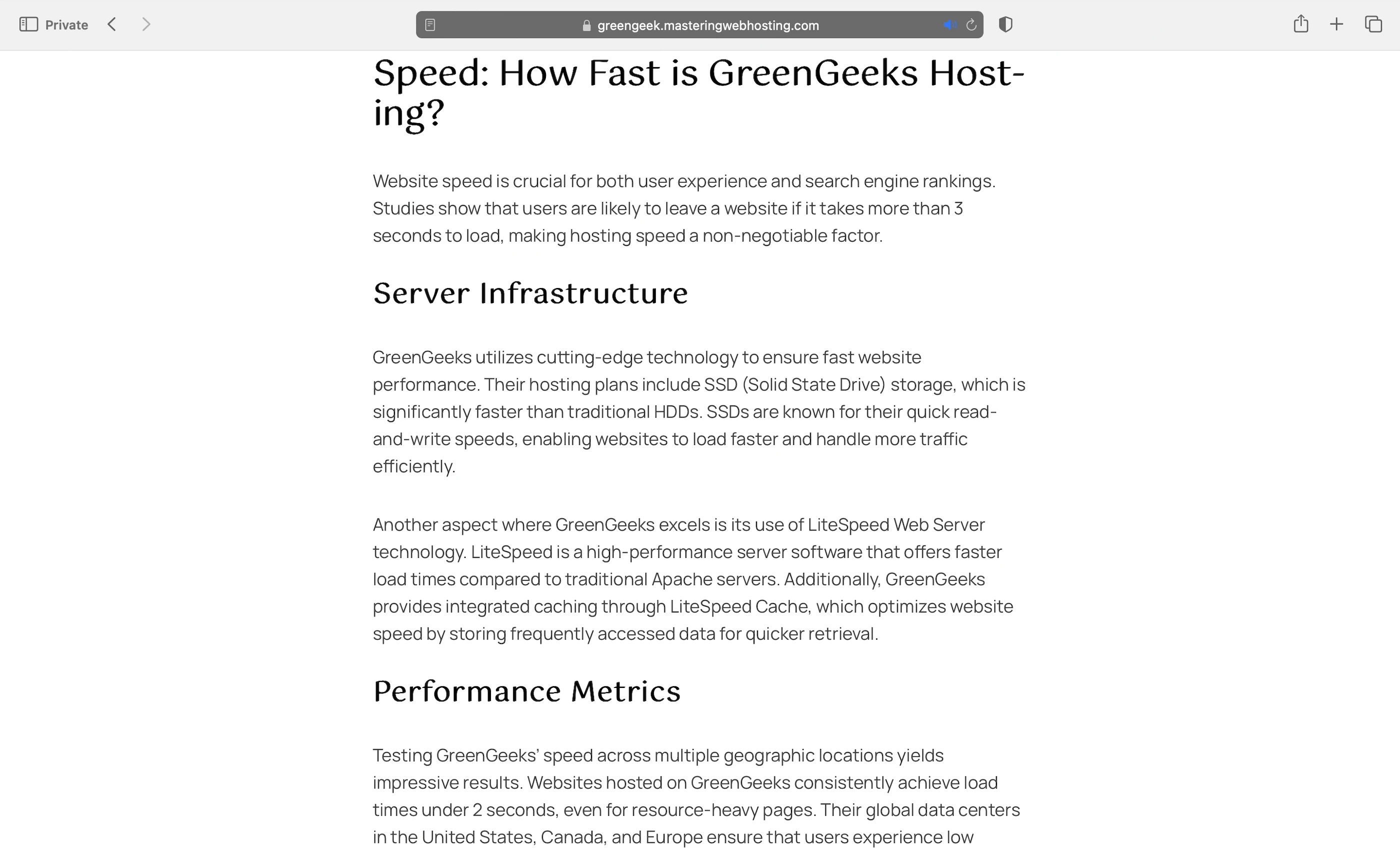
Here’s a peek of the website it generated for me:
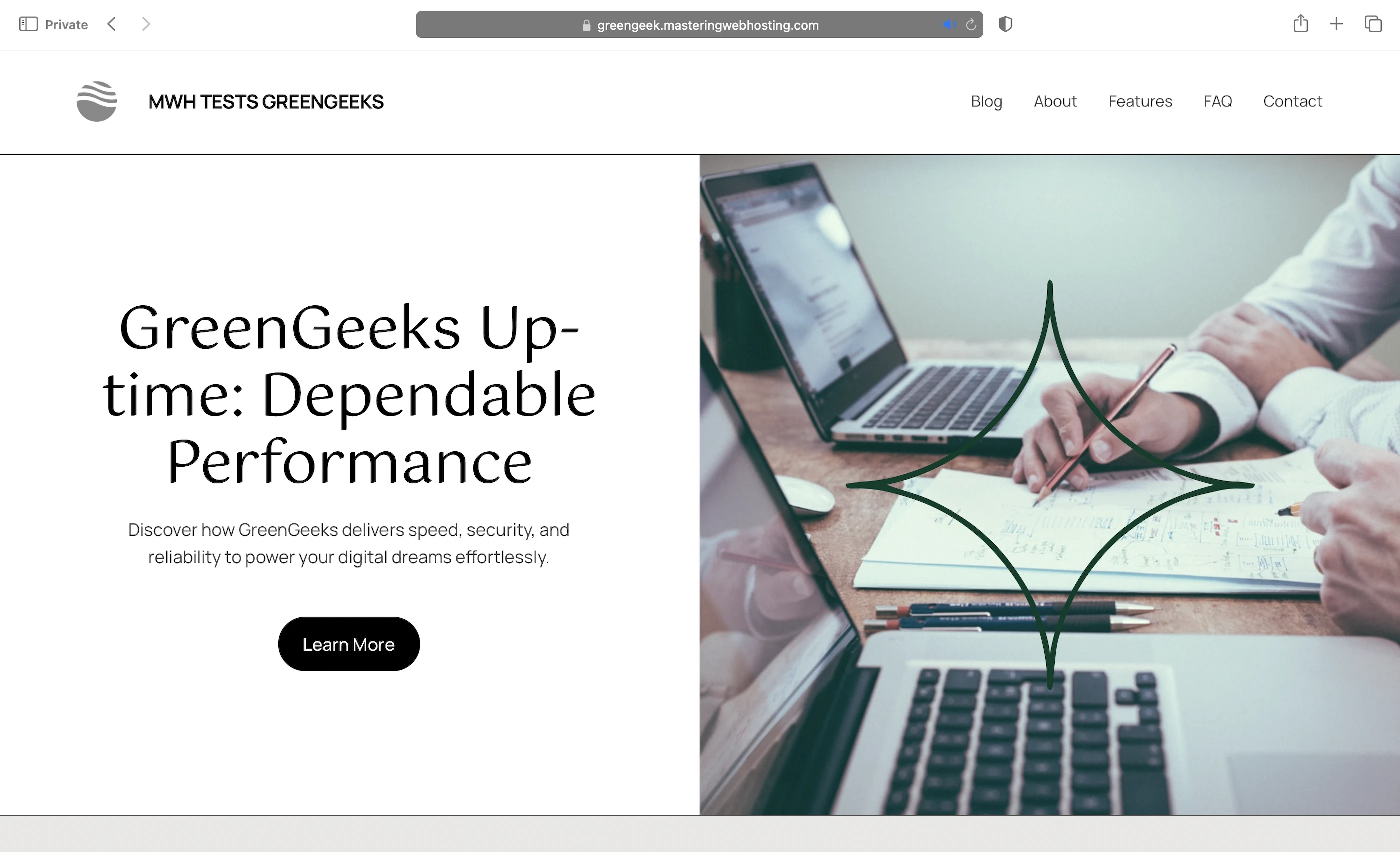
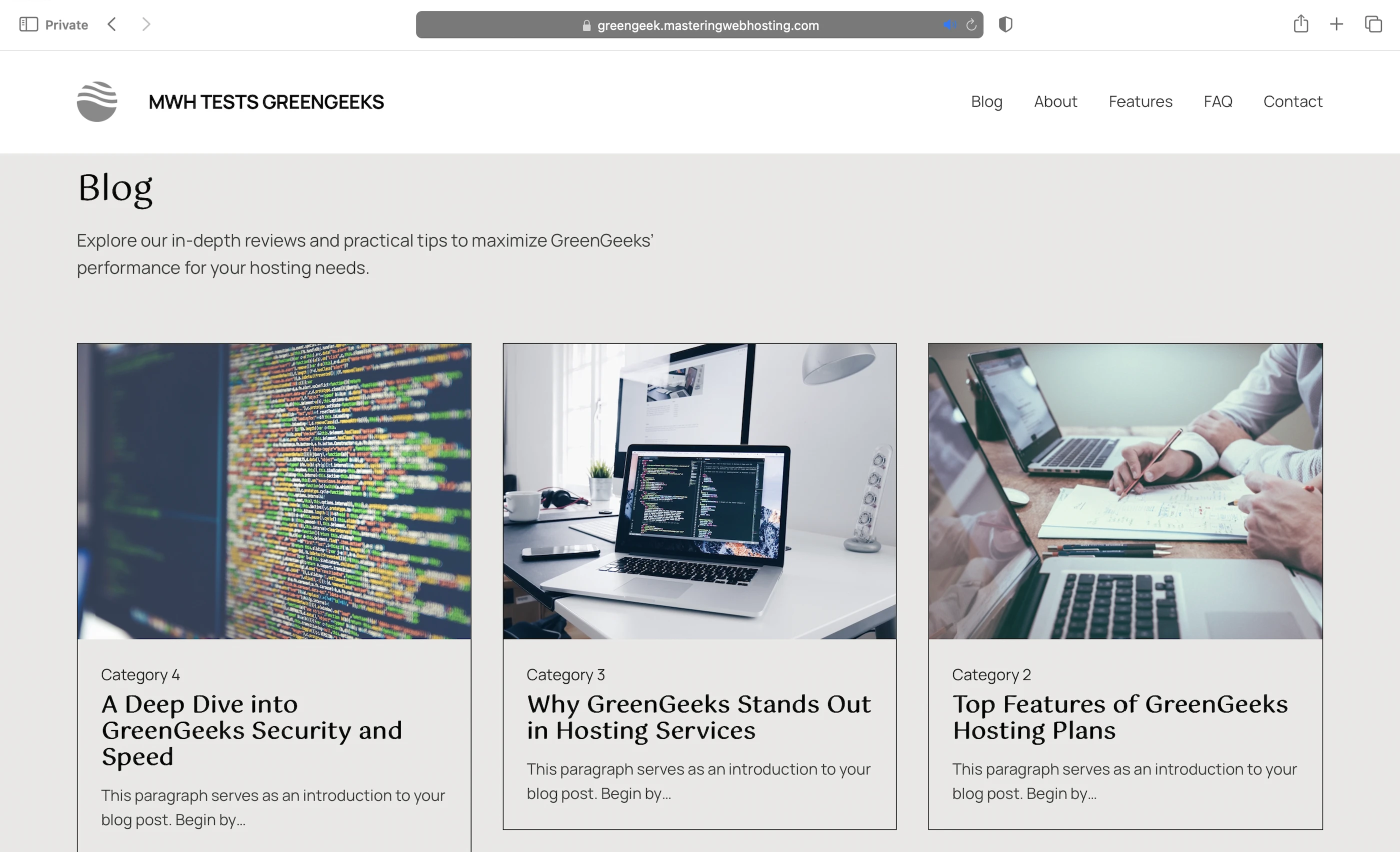
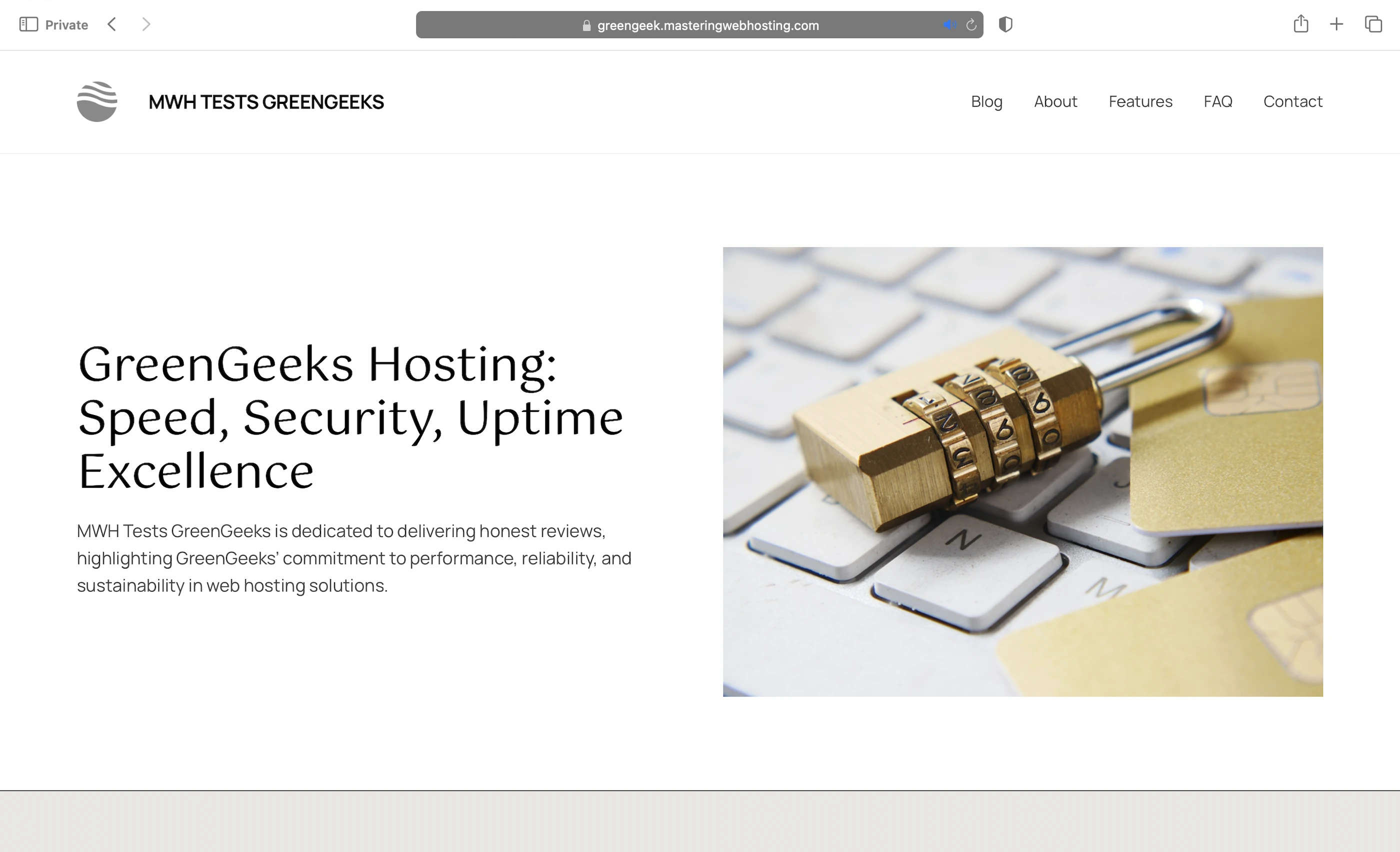
Personally, I preferred this over Bluehost’s (Love their Testimonials section though) or Hostinger’s, but I get it’s subjective.
That said, I wasn’t too thrilled about the content generated by the Writing Assistant. I felt it lacked a personal touch and screamed AI slop to me. Here’s a snippet:
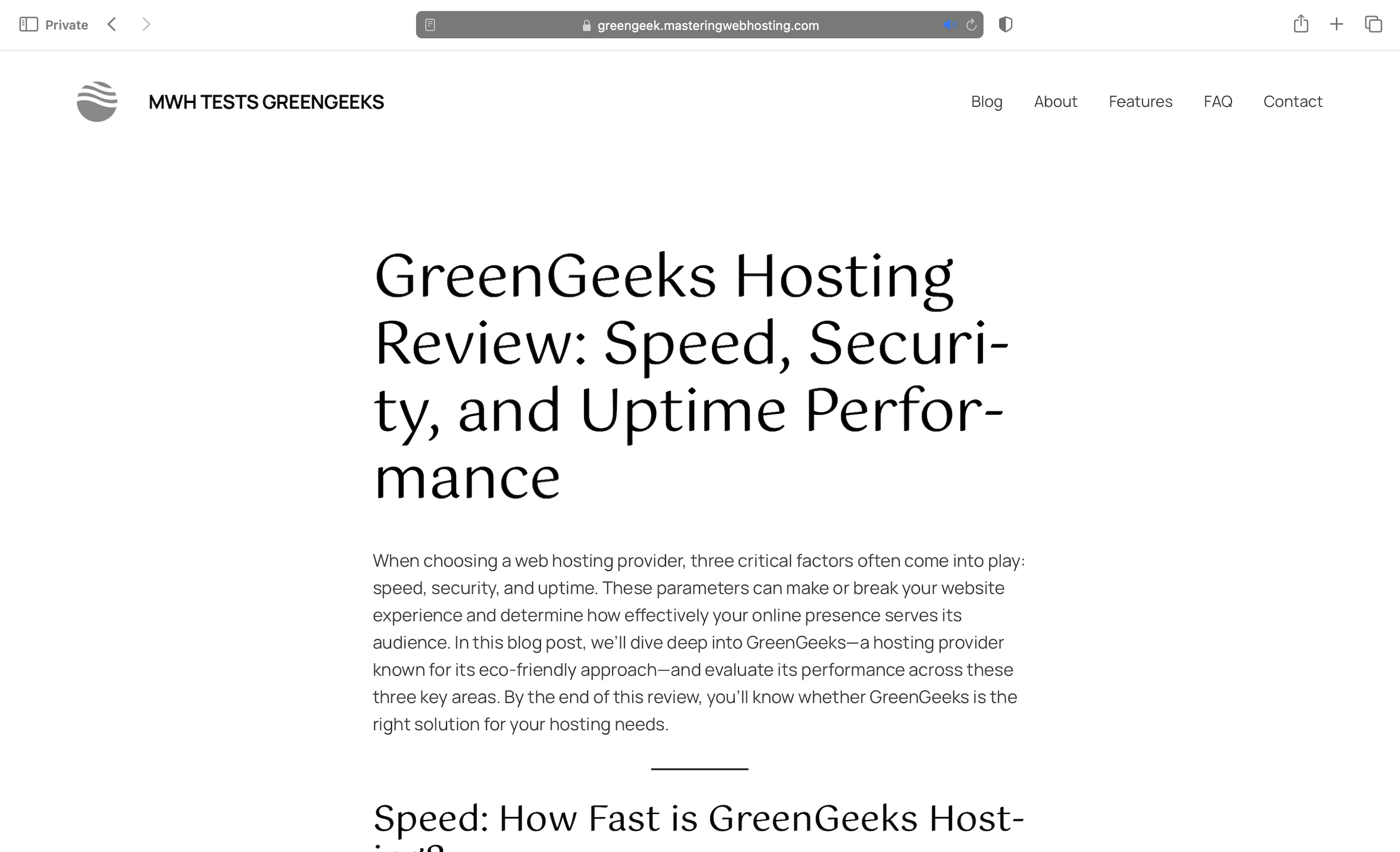
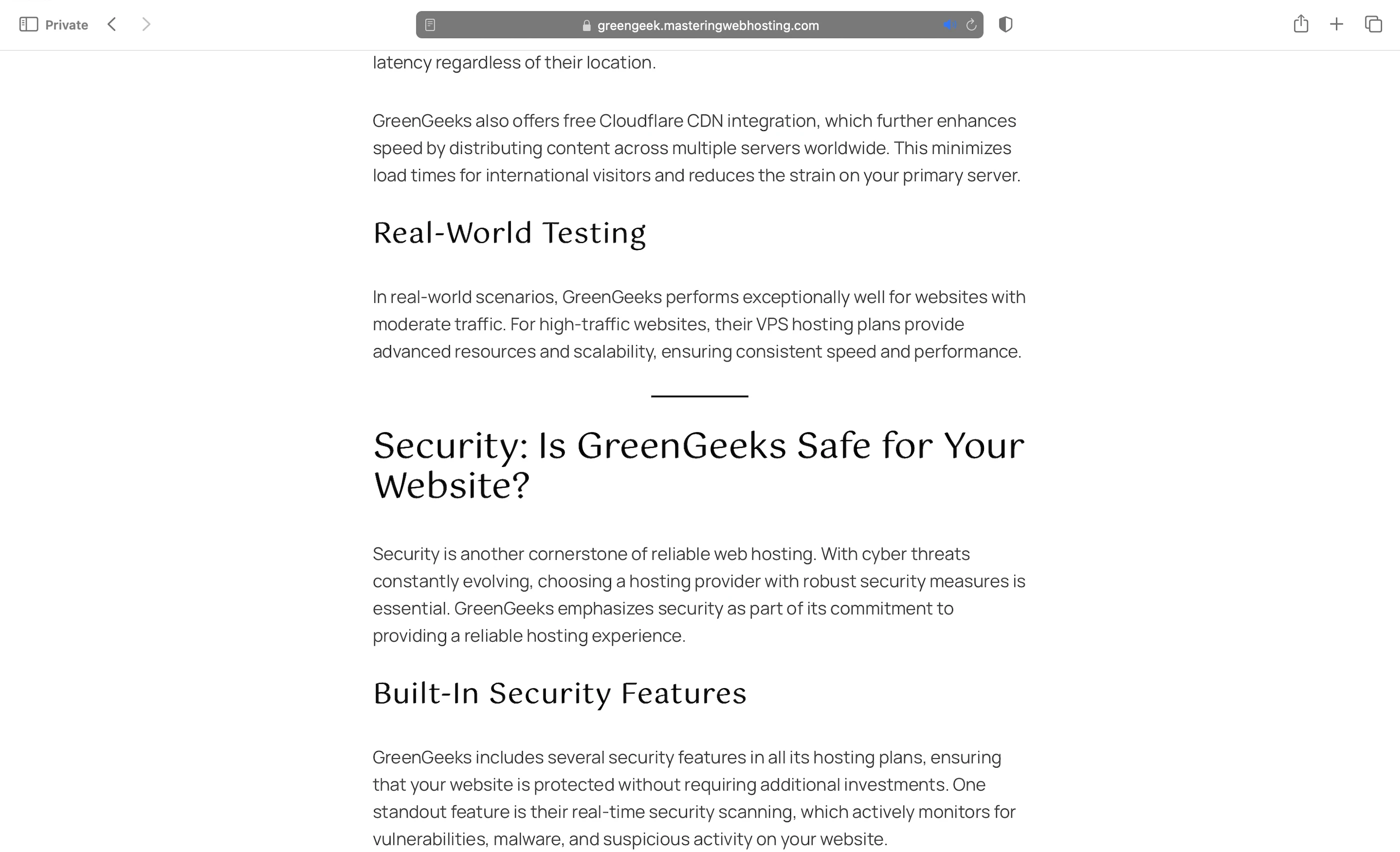
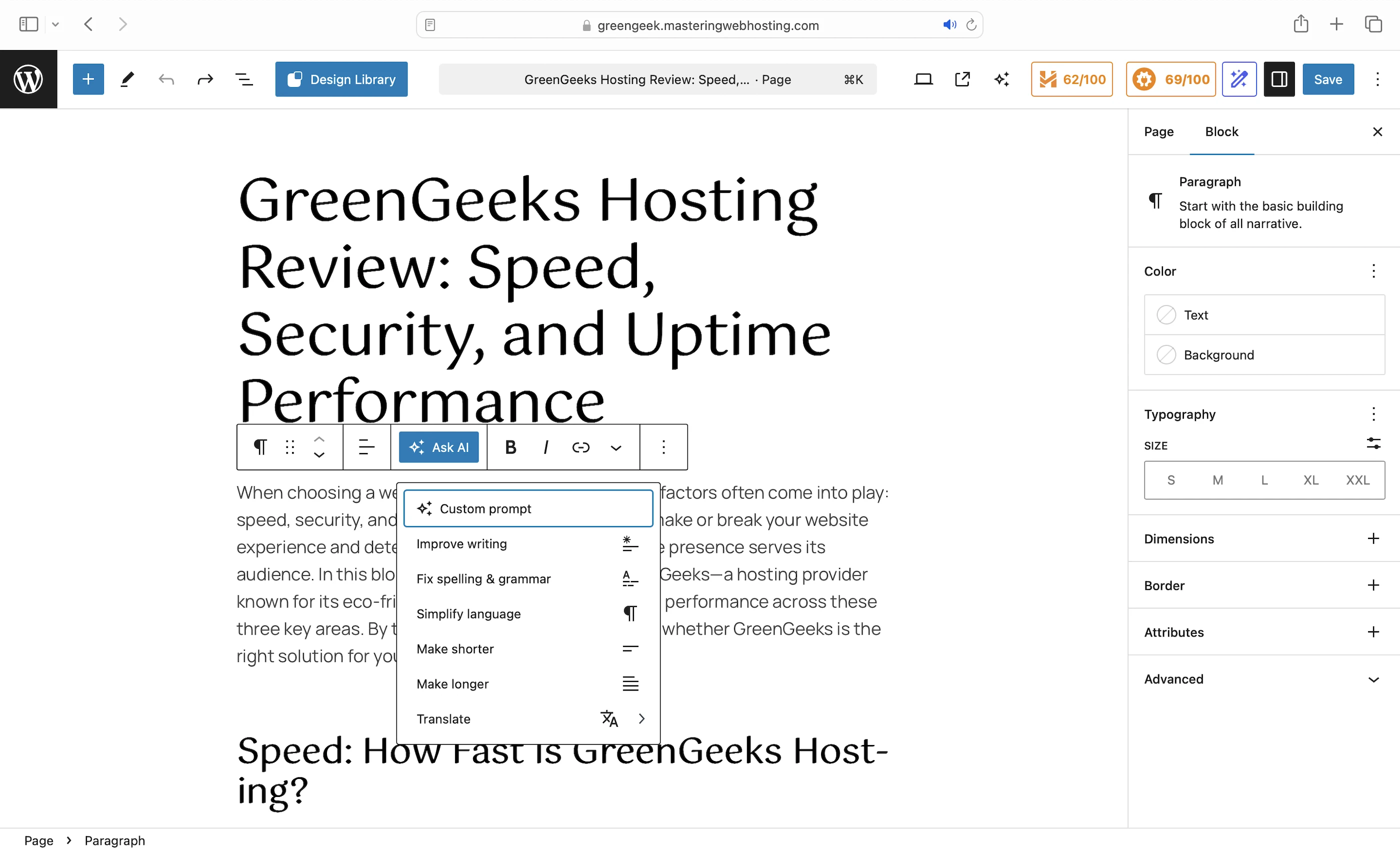
To be fair, I might get better content with better prompts or by using the Ask AI function, which works similarly to Grammarly.
9. Cons
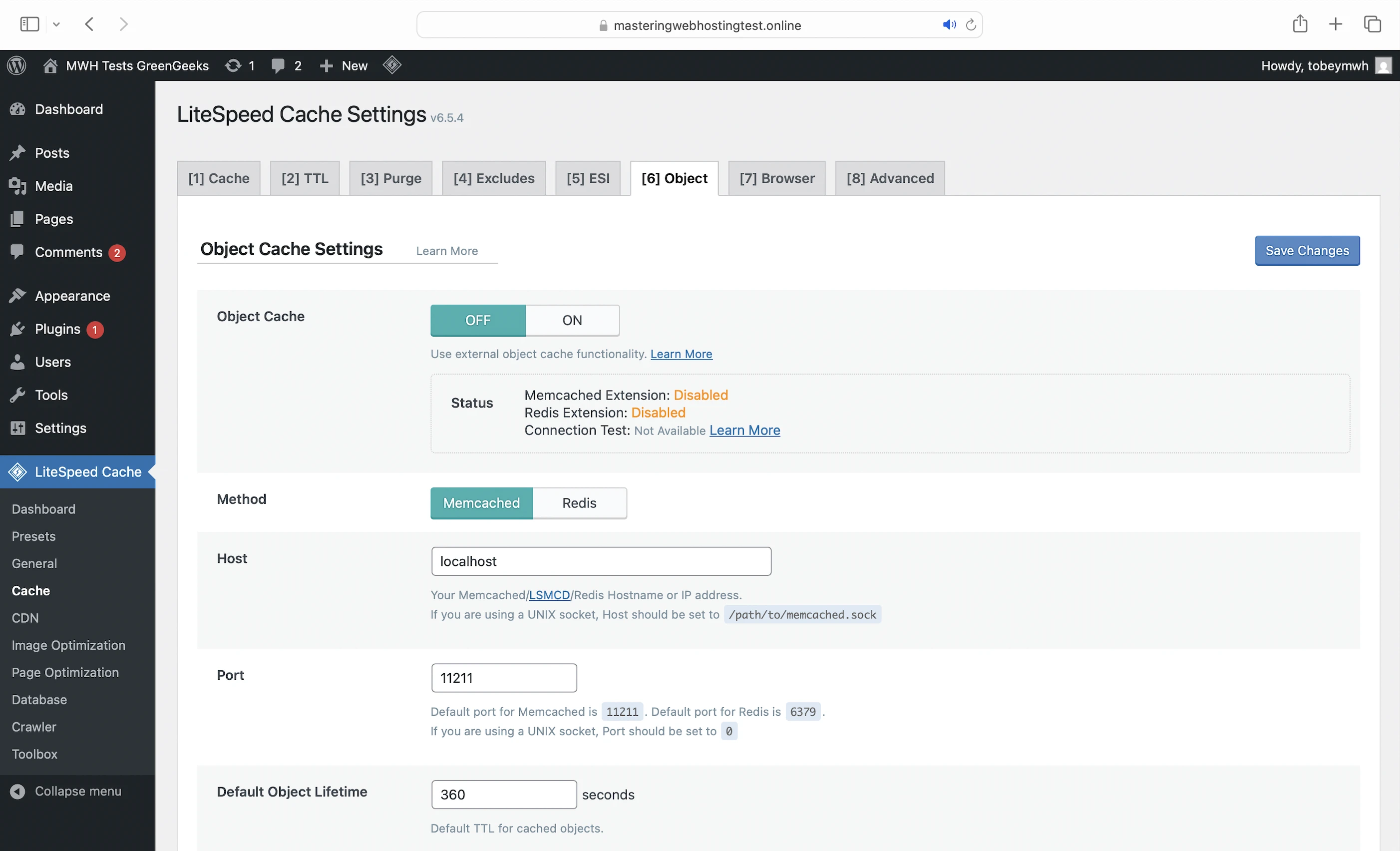
No Object Cache for Lite Plan
Only available on the Ecosite Premium plans, and even then, it’s only the Redis Object Cache. By contrast, Cloudways offers the premium Object Cache Pro (originally $95/mo) for free. If your opcode includes instructions to query your database, your PHP worker must retrieve the data with every request, even if it has been requested before. Since databases are slower than object caches, data retrieval is slower and your database might become overloaded with repeated queries.
MySQL
Slower than MariaDB.
Where’s my Free CDN?
Why advertise a free CDN in its plans when the Cloudflare integration has been discontinued?
Not the Best CDN Integration
And because I didn’t have the free CDN I was promised, Support recommended that I manually set up Cloudflare. Why not QUIC.cloud CDN, which is more compatible with LiteSpeed?
Setup Fee for Monthly Plans
Originally, I planned to try GreenGeeks with a monthly plan. Until I saw a $15 setup fee at checkout. I hadn’t seen this mentioned anywhere on the site, so I asked Support if the 30-day money-back guarantee covers it. Nope. Nada.
10. Evaluation
Let’s see how GreenGeeks did against my self-hosting:
| Self-hosting | GreenGeeks (QUIC.cloud) | GreenGeeks (Cloudflare) | |
|---|---|---|---|
| Speed (LCP) – Dallas | 306ms | 374ms | 380ms |
| Speed (LCP) – London | 253ms | 377ms | 651ms |
| Security | 0 | 3 high risk vulnerabilities | 1 high risk vulnerability (which doesn’t affect WordPress), and they blocked my IP address. |
| Uptime | 95% | 100% with current system status and incident reports. They even monitor your uptime every 10s, 24/7. | 100% with current system status and incident reports. They even monitor your uptime every 10s, 24/7. |
| Winner | 👑 |
11. Final Thoughts
Being green clearly isn’t GreenGeeks’ only schtick, but unfortunately, it’s not enough.
Paired with Cloudflare, its security was impeccable, but its speed was lacking.
With QUIC.cloud, it was the opposite: speed was solid, but its security left much to be desired.
Was it so hard to get the best of both worlds at GreenGeeks?
Now, to be fair, it was consistently exceptional in 2 areas: uptime and Support, who were fast and helpful in bridging the gaps in my understanding.
But I wanted a green AND keen WordPress hosting provider.
And GreenGeeks ain’t it yet.
Until it ups its game, I’d recommend going with a top-tier host like WPX and planting a tree in your backyard if you want better WordPress hosting and a smaller carbon footprint.
Leave a Reply