ScalaHosting was one of the two managed WordPress VPS hosting providers I reviewed, along with InMotion Hosting.
VPS hosting means each website has its own dedicated CPU and RAM, making them potentially faster and more secure.
It also means VPS hosting is more expensive and out of budget for most folks.
Until ScalaHosting.
In fact, that has been its mission since it started in 2007: To make VPS hosting a resource that everyone, from students to big businesses, can use to build amazing things on the web.
And it’s done well so far – its VPS plans are priced in line with some shared hosting plans from other providers, and its proprietary technology has earned it plenty of media attention and several awards over the years.
I am always for the average Joe, and I love it when technology is placed in the hands of many, instead of a few fat cats.
But that doesn’t mean I will recommend every Tom, Dick, or Harry who claims they are working for the common man—they need to beat me first.
Read on to see if ScalaHosting is what it’s cracked up to be.
1. Plan
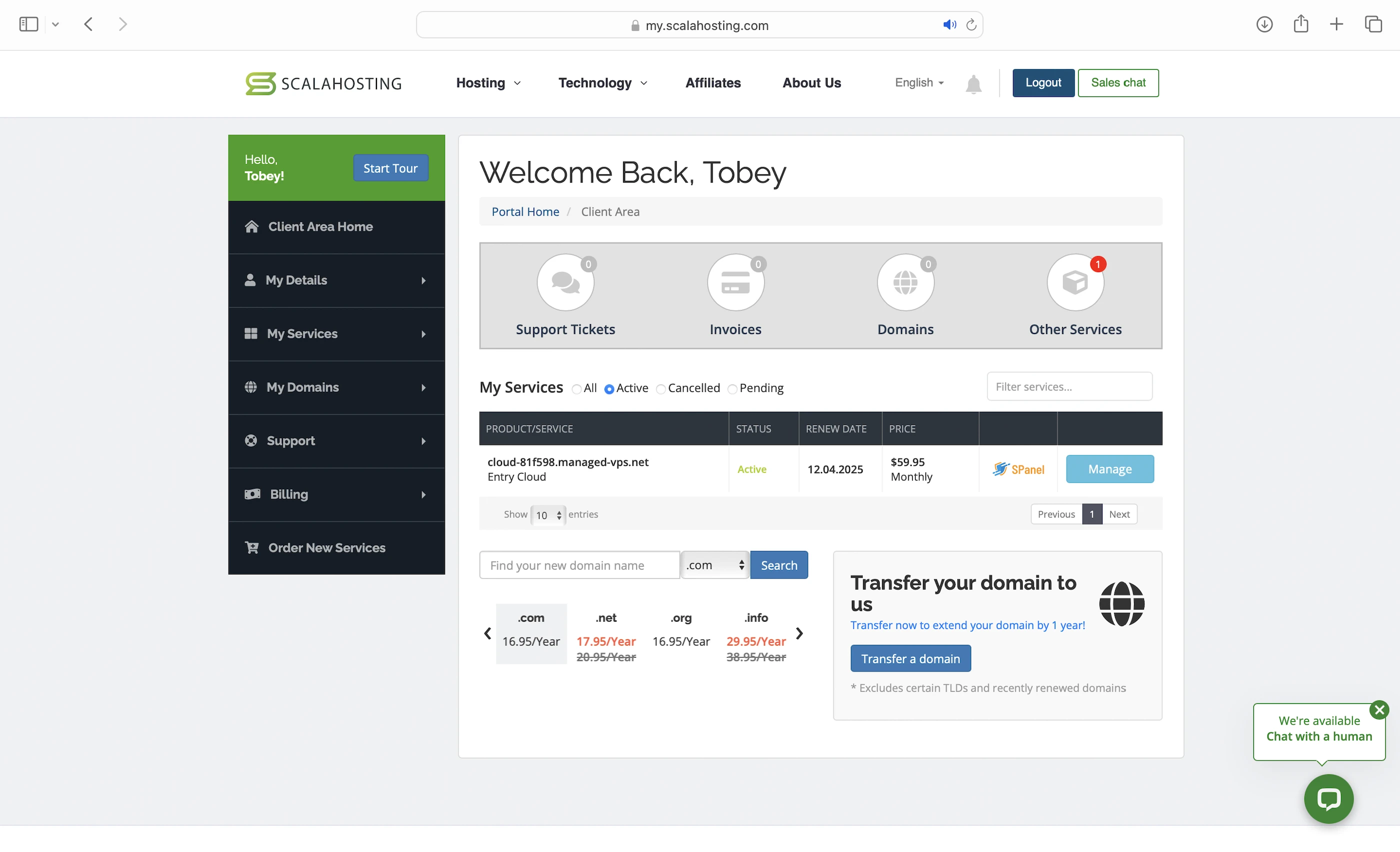
I got the Entry Cloud WordPress, which comes with:
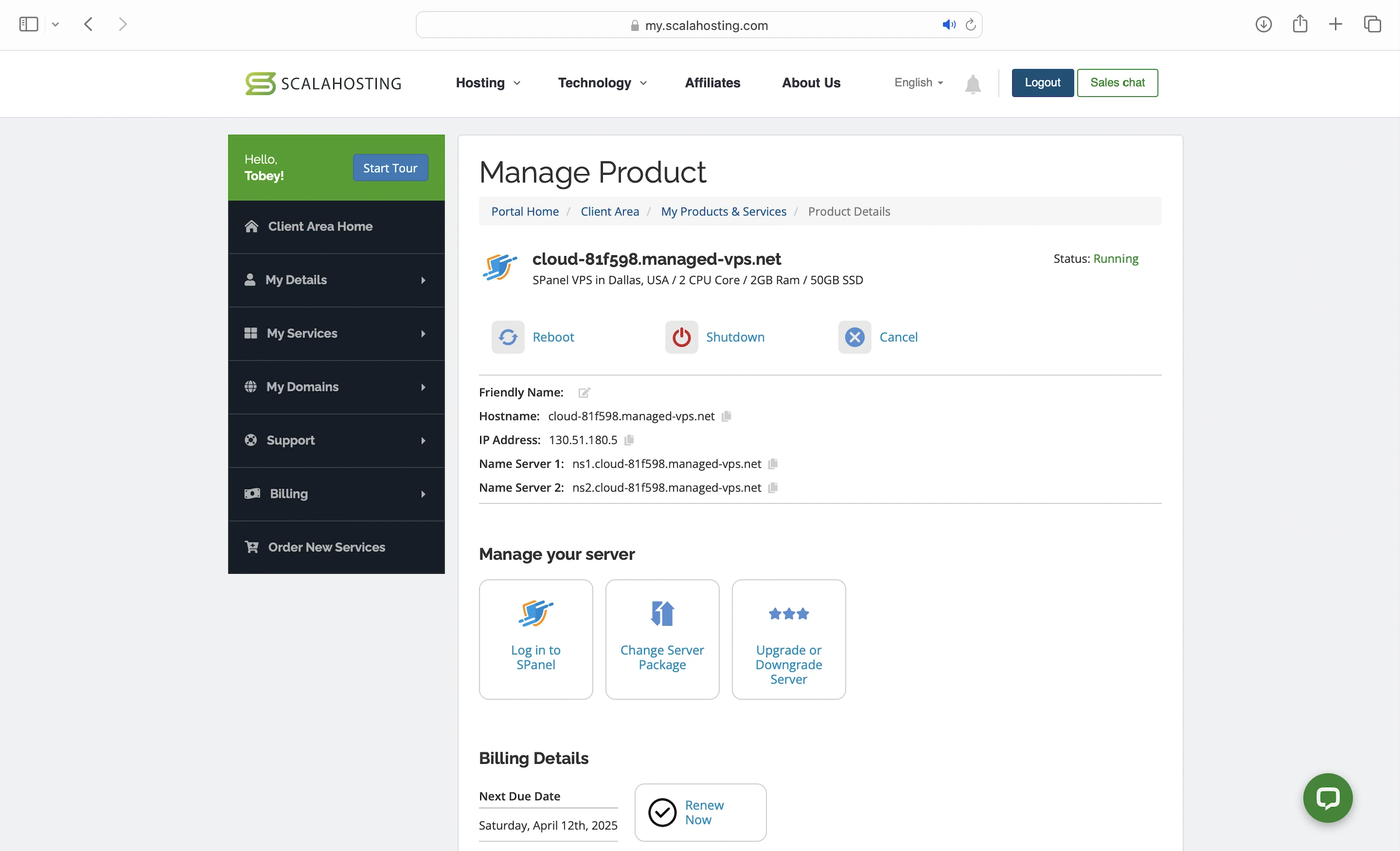
- 2 dedicated CPU cores
- 2GB dedicated RAM
- 50GB upgradeable NVMe SSDs
- LiteSpeed Web Servers
- 15 PHP workers
- Opcode cache
- Real-time malware protection
- Dedicated firewall
- ModSecurity WAF
- Huge savings from free in-house services
- 99.9% uptime guarantee
It starts at $29.95/mo for a 1-year commitment (Renewal, not promo price).
For this review, I also added:
- LiteSpeed Web Server with a license for 1 Worker, 5 domains, 8GB RAM ($10/mo).
- Proactive 24/7 Monitoring ($15/mo).
So my bill was $54.95/mo.
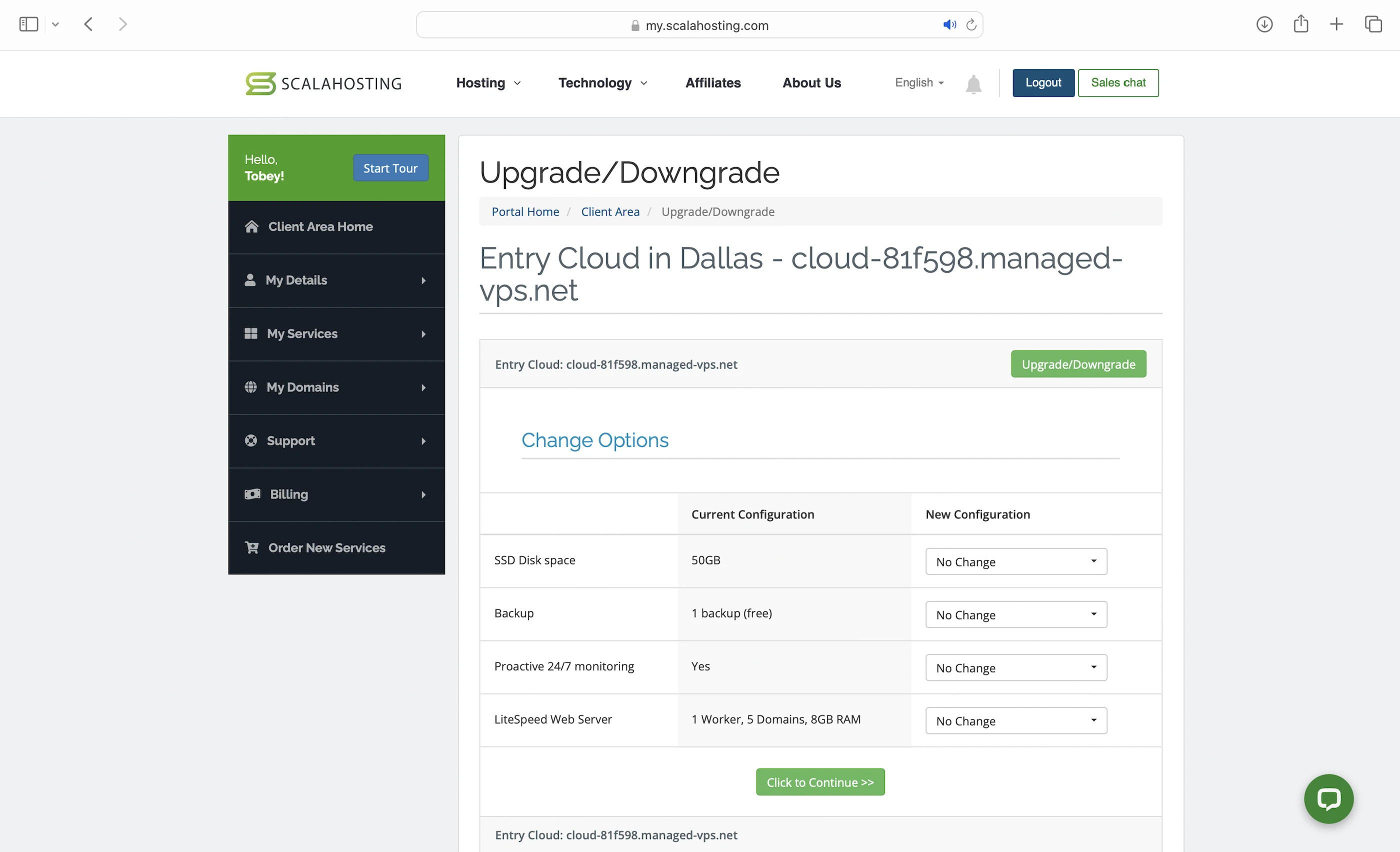
We will see if these 2 add-ons are worth the extra $25/mo too.
2. Speed Features
VPS
ScalaHosting’s signature product. Like I said, websites hosted on a VPS can load WordPress content faster because they don’t compete for CPU/RAM with other websites like in shared hosting.
NVMe SSD Storage
ScalaHosting VPS are also hosted on servers with NVMe SSDs. This makes retrieving and updating your WordPress content faster compared to hosts who use servers with the older SATA SSDs.
Note that you can increase your storage with an extra $2/mo per 10GB.
LiteSpeed Web Servers
A web server handles and responds to incoming requests for your WordPress content. It is connected to PHP through a handler that’s usually optimized for fast and efficient communication between the two systems. This allows the web server to forward requests to PHP and receive responses faster, directly improving your page load times.
ScalaHosting uses LiteSpeed Web Servers with LSAPI as their PHP handler. LSAPI is built for LiteSpeed and communicates with PHP much more efficiently than older handlers like PHP-FPM.
This means LiteSpeed Web Servers return your WordPress content faster than Nginx or Apache web servers.
With my plan, I can choose either OpenLiteSpeed or LiteSpeed Enterprise as my web server.
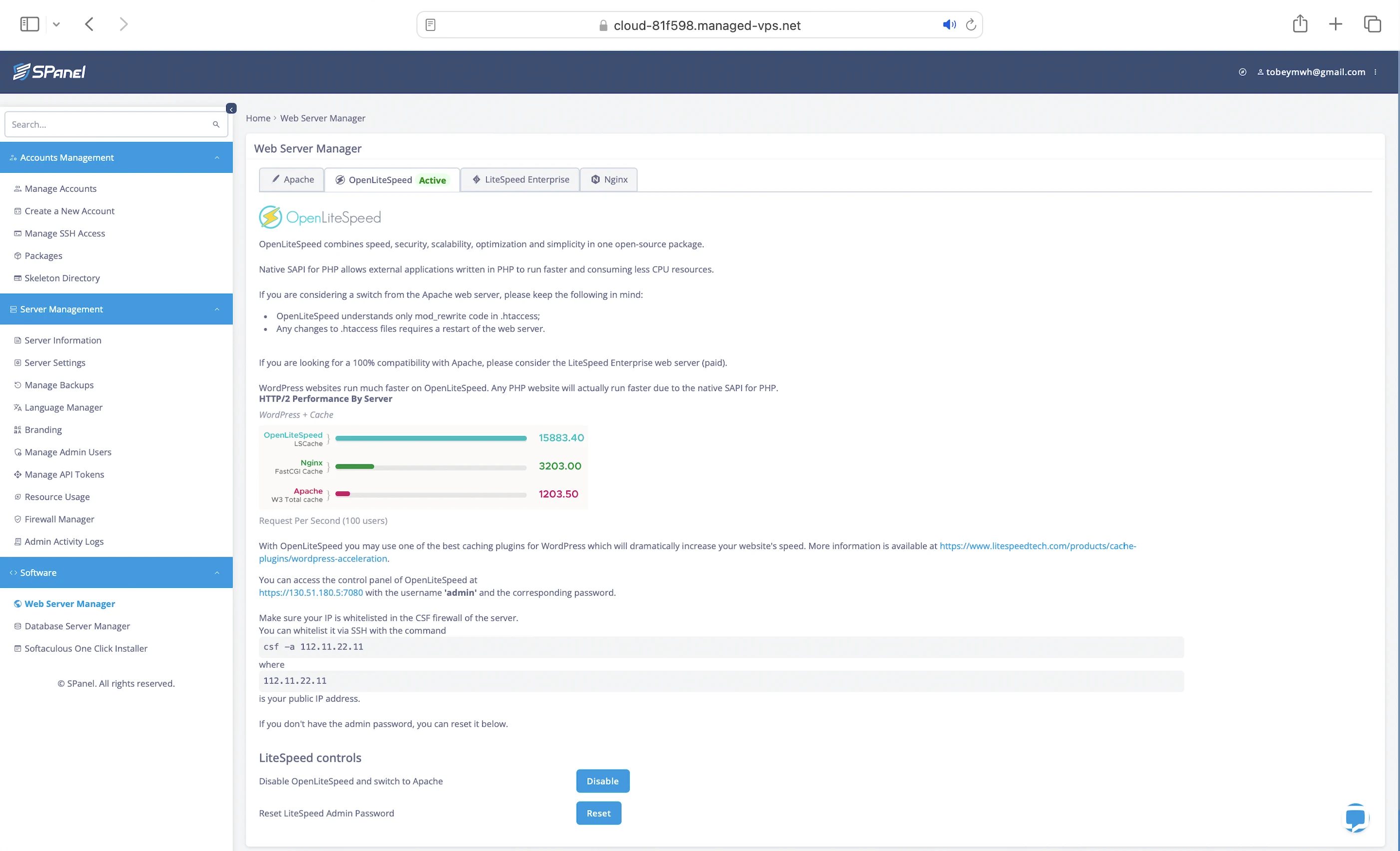
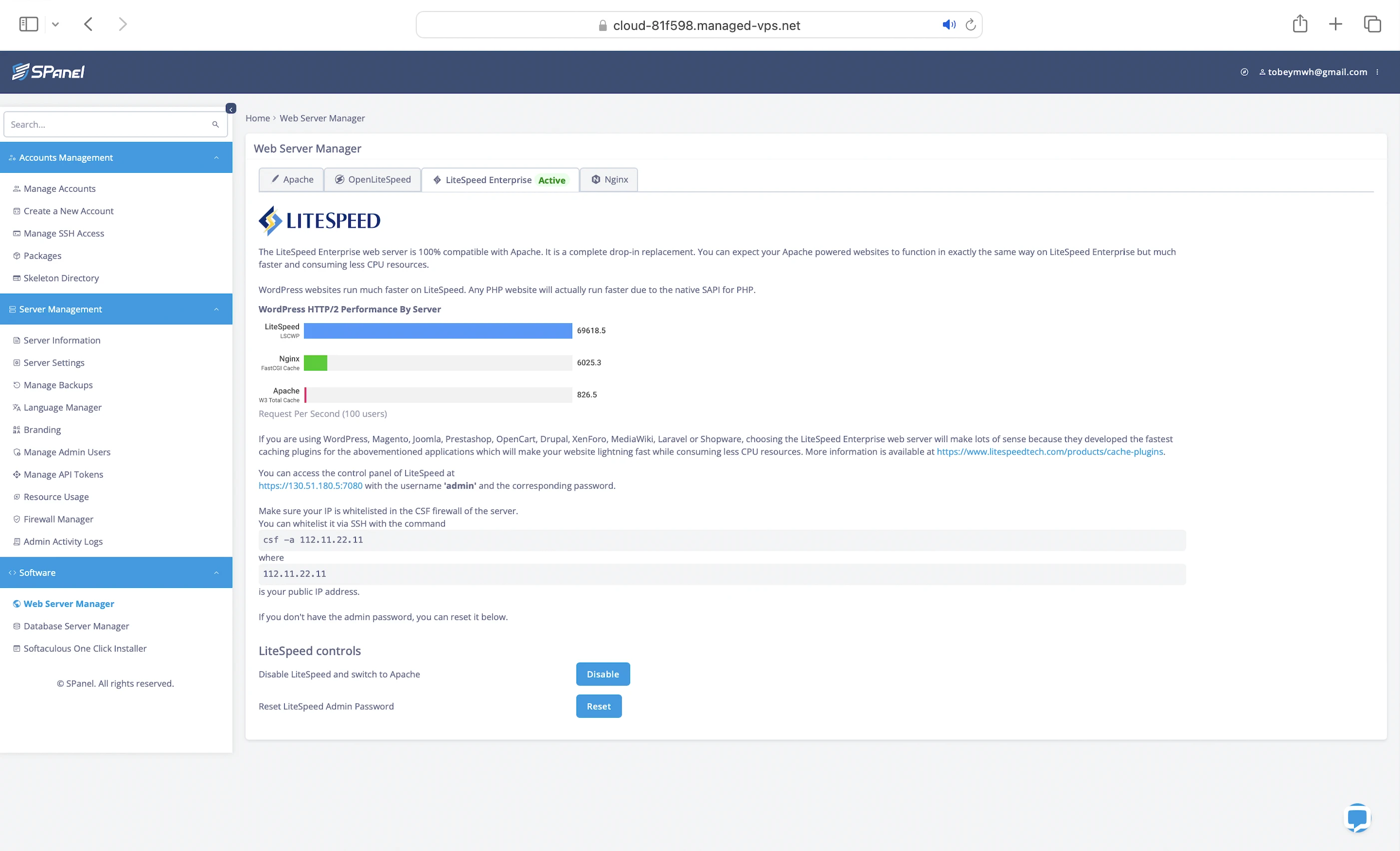
While both are developed by LiteSpeed Technologies, OpenLiteSpeed is the free, open-source version and LiteSpeed Enterprise is its commercial, enterprise-grade counterpart.
Note that LiteSpeed Enterprise starts at $10/mo (1 Worker, 5 Domains, 8GB RAM). So if your VPS hosts more than 5 websites or has more than 8GB RAM, you need a more expensive license.
Note that I could have switched to Nginx or Apache web servers too, but I had heard that LiteSpeed Web Servers were faster, so I decided to stick to them.
15 PHP Workers
Your WordPress website serves two types of content: static and dynamic. PHP workers are for the latter.
Static content is called so because it remains the same across visits. Examples include the images and CSS files that make up your website’s layout. Unless manually updated, everyone sees the same layout when they visit your website.
Dynamic content, on the other hand, changes based on the data retrieved from your database. Examples include your blog posts and comments. New posts or comments update what visitors see in your post list and comment section.
So if both types of content are uncached, static content is returned faster because it can be served immediately by the LiteSpeed Web Server. In contrast, dynamic content needs to be generated on the fly, which takes more time. This means a robust process is needed to handle the generation efficiently.
Since WordPress is built with PHP, that process is PHP workers.
When LiteSpeed forwards a request for uncached dynamic content, LSAPI spawns a PHP worker to handle the request. The worker executes your PHP code, queries your database, and generates the dynamic content based on the retrieved data. The content is returned as HTML, which is what your visitors see in their browser.
So the more PHP workers you have, the more requests for uncached dynamic content your website can handle concurrently without slowing down.
Opcode Cache
Here’s what happens behind the scenes when your PHP workers execute your code: they compile it into opcode, which are machine-readable instructions that PHP uses to generate the HTML for your dynamic content. By caching this opcode with OPcache, PHP can reuse it instantly without needing to recompile your code on every request.
LiteSpeed Cache
Designed to work with both LiteSpeed Web Servers, this plugin gives you features like:
- Object cache: You can cache your frequently accessed data (e.g., posts) in memory with Redis or Memcached. This way, if the opcode includes instructions to query your database, PHP can get the data from the object cache instead, which is much faster. Using an object cache also prevents your database from being overloaded with repeated queries for the same data.
- Browser cache: Stores your static content on your visitors’ devices so they don’t have to be downloaded again when they revisit your website.
- Minify: Removes unnecessary characters from your CSS, HTML, and JavaScript (JS) files, making them smaller and faster to load.
- Deferred JS loading: Ensures your HTML loads and renders correctly before JS files are executed in the proper order. Some JS files can block this rendering process, causing your website to load slower or appear broken. By delaying the loading of certain JS files, LiteSpeed Cache helps your website load faster and more smoothly.
- Image optimization: Reduces image sizes (reduced mine by 36MB in total) so they load faster.
- Lazy loading: Loads your images only when they are about to appear in the visitor’s viewport, improving page load speed.
- Edge Side Includes (ESI): Without ESI, a page containing non-cacheable dynamic content (e.g. user-specific data) would have to be regenerated on every visit, even if most of it is cacheable static content (e.g. images). ESI helps you split the page into fragments, so the static parts can be cached at edge servers when using a CDN, while the dynamic parts are loaded fresh.
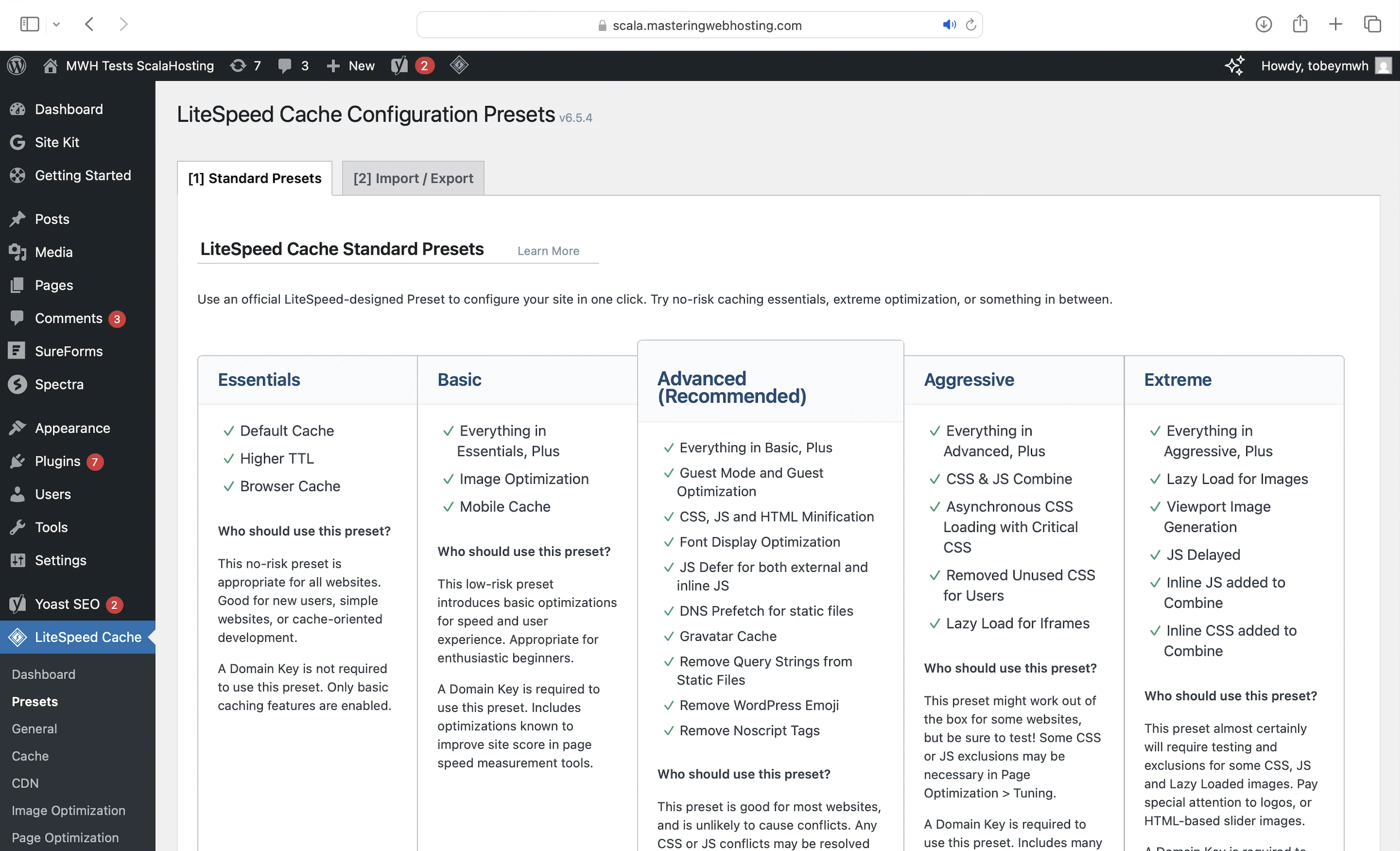
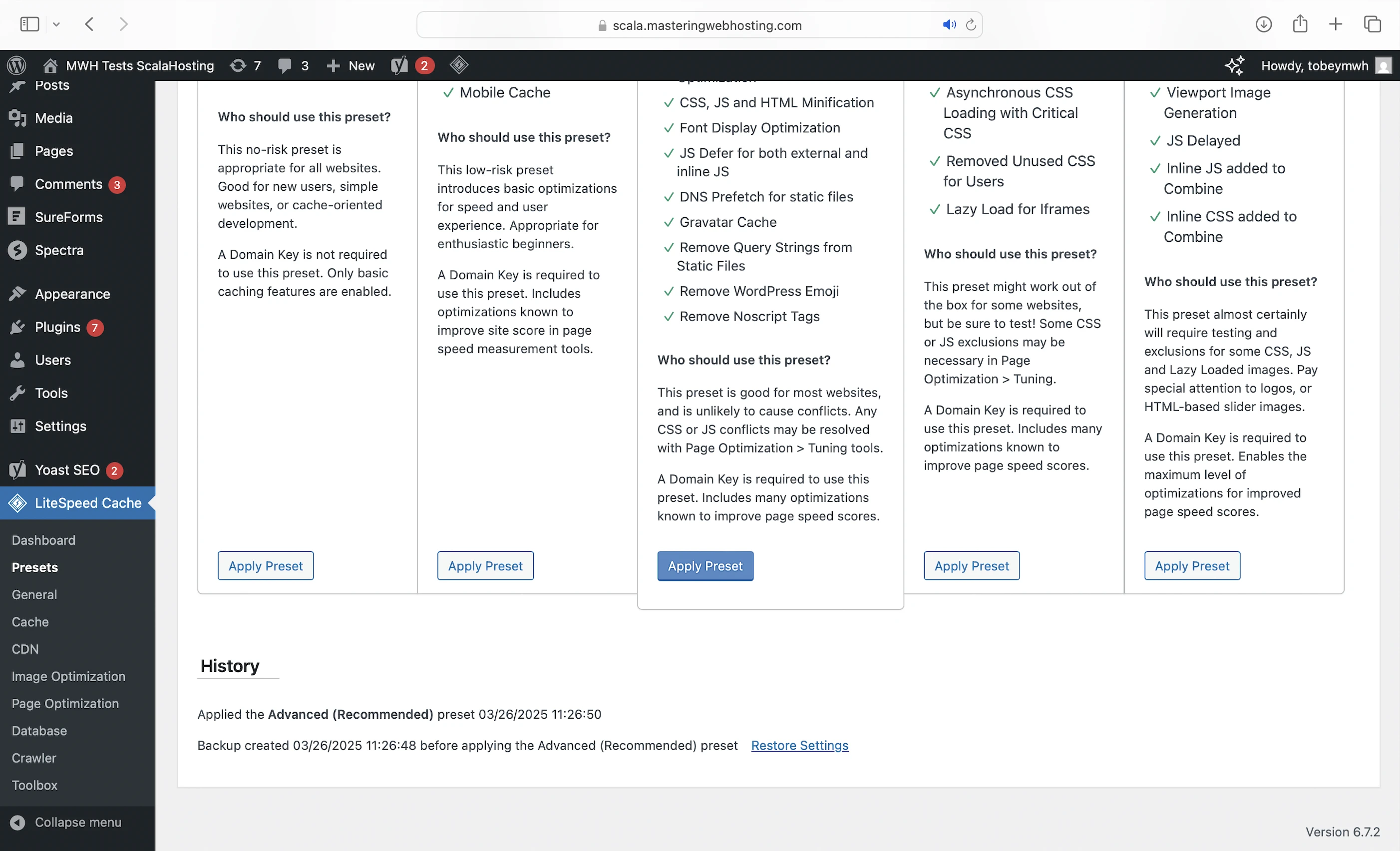
Unlike other hosts, ScalaHosting doesn’t configure LiteSpeed Cache for us, so I did it myself with its Advanced Preset.
CDN
With a CDN, you can cache your WordPress content in edge servers around the world (called PoPs). Your visitors will be directed to the nearest PoP, so your website loads faster even if your VPS is hosted in a more distant location.
Since I was using LiteSpeed Web Servers, QUIC.cloud was the ideal CDN. I signed up for the Standard plan, which comes with:
- 84 high performing PoPS worldwide.
- Image optimization (Quota/mo: 10,000 images).
- Page optimization (Quota/mo: 2,000 requests).
- $0.2 free bandwidth credits/mo.
- LiteSpeed integration.
You can also:
- Subscribe to the paid plans for higher quotas.
- Buy credits for more bandwidth for a specific region.
3. Security Features
Edge Security
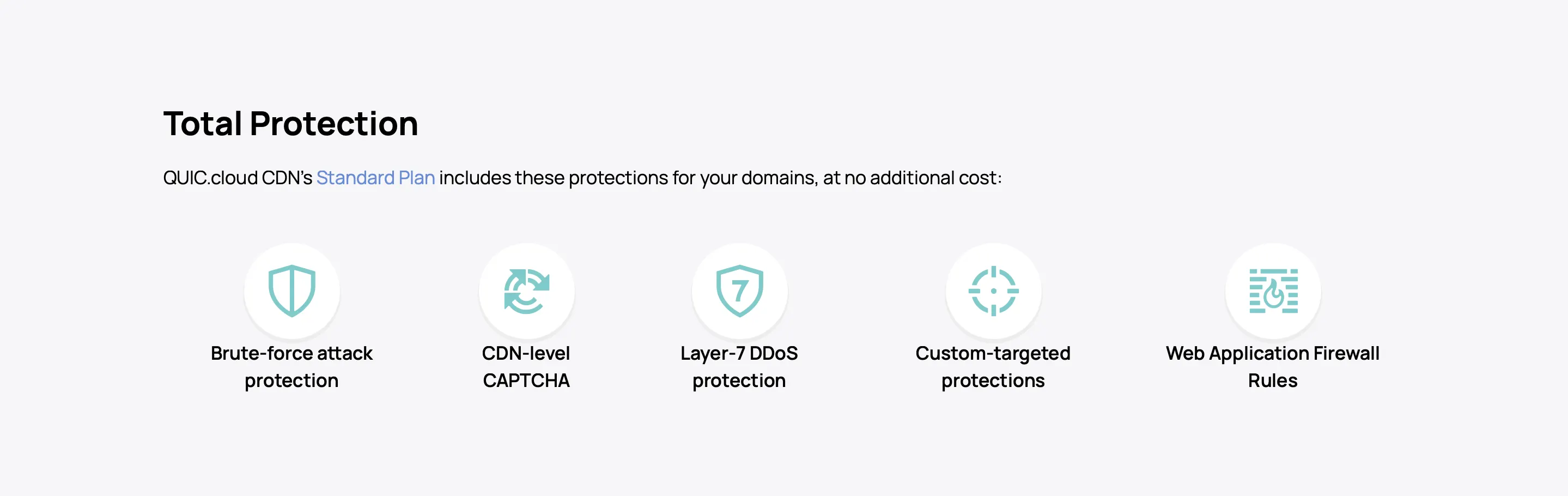
As the point of entry to your website, QUIC.cloud CDN is also your primary defense at the edge with features like:
VPS Security
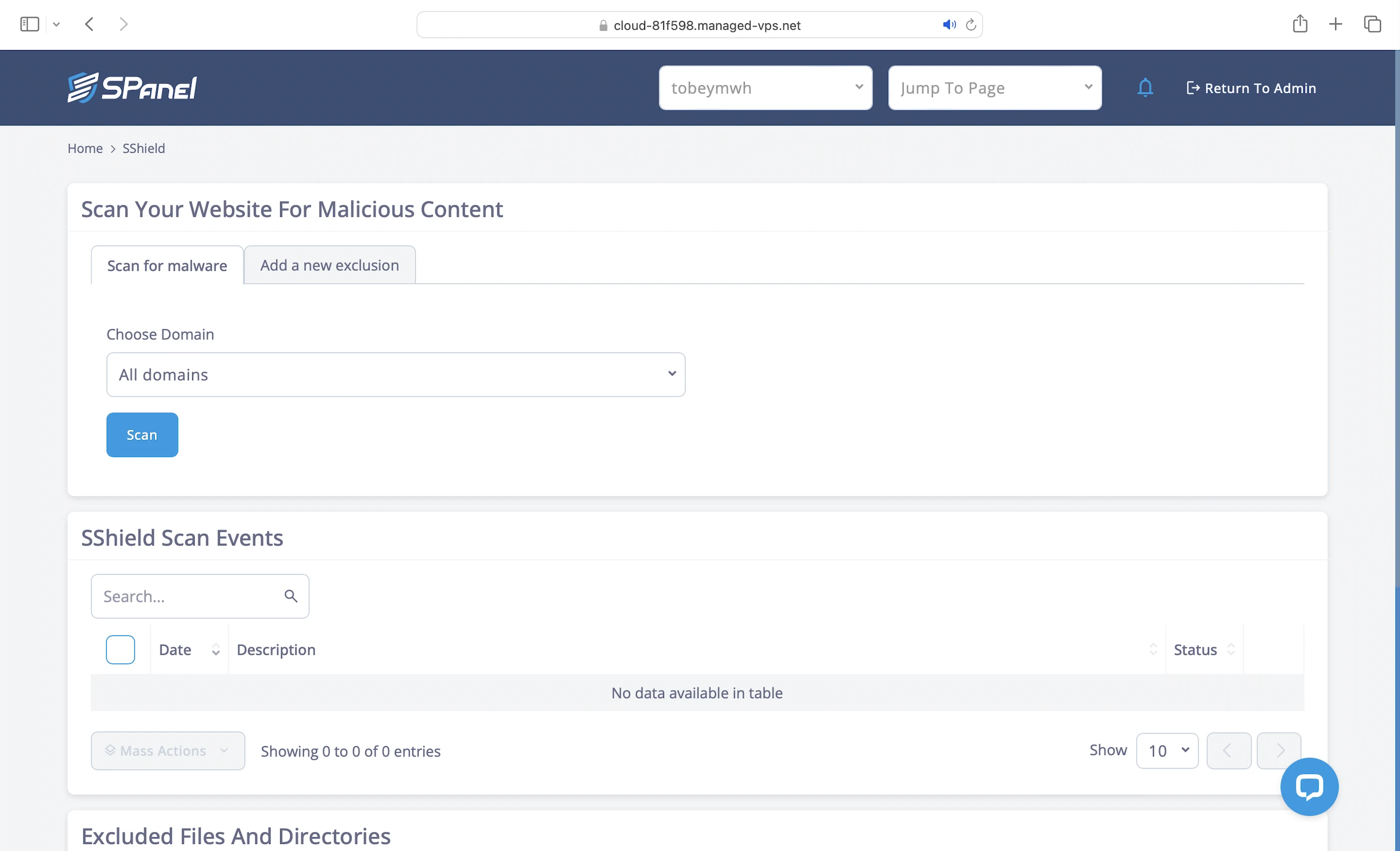
- Real-time malware protection: The SShield on your VPS will deal with any attack that slips past your edge defense. This proprietary technology blocks 99.998% of web attacks and monitors your website for malicious activity in real time 24/7. If your website is compromised, SShield will email you immediately.
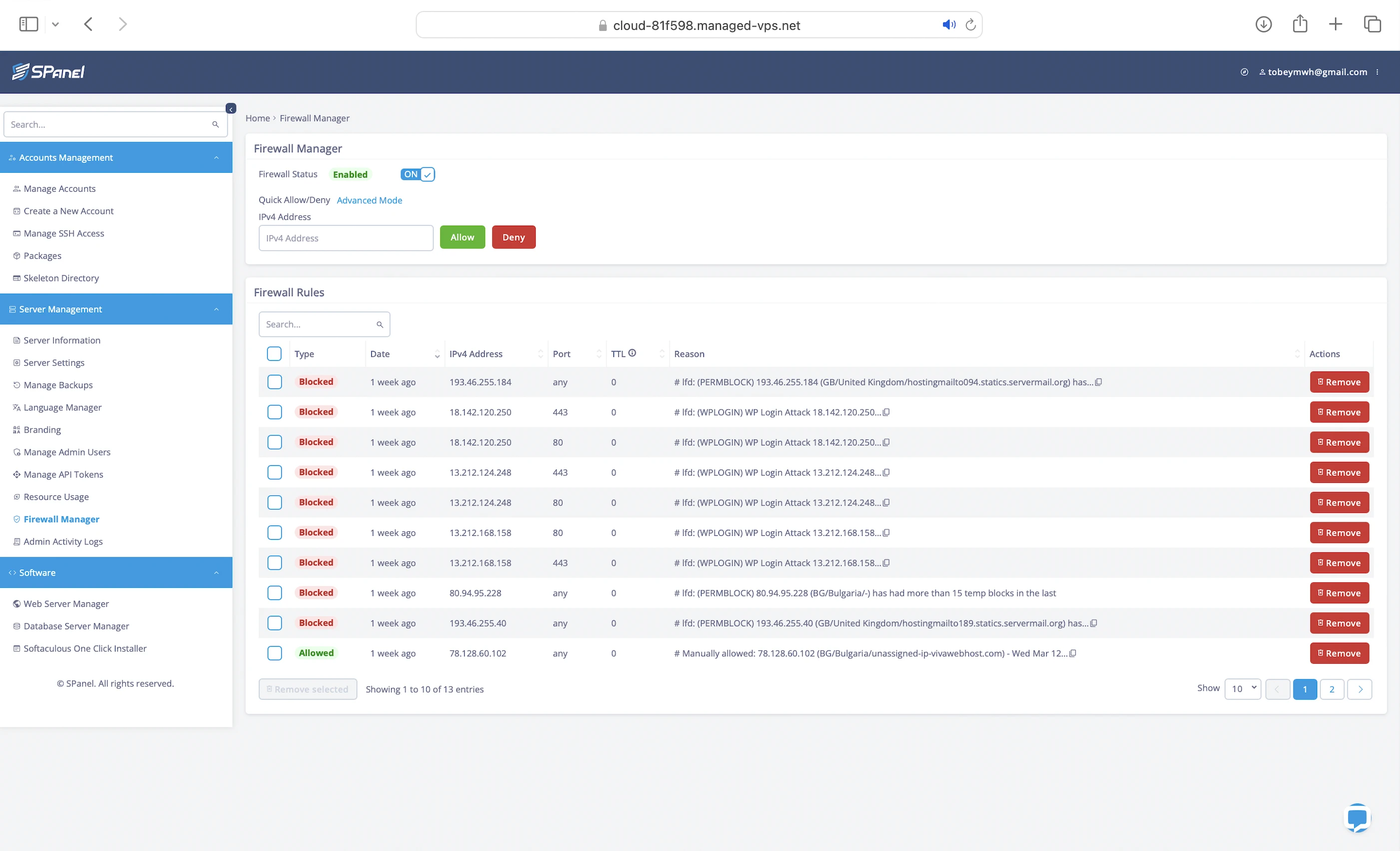
- Dedicated firewall: Actually ConfigServer Firewall. It restricts protocol access to server contents (eg. FTP for files, SMTP for emails) and protects against server-level brute force attacks by blocking suspicious IP addresses with multiple login failures. You can also use the Firewall Manager in SPanel to block them yourself.
- WAF: LiteSpeed web servers integrate seamlessly with ModSecurity (v3), an open-source WAF that protects your website against web application threats like SQL Injection.
Application Security
- Full website isolation: Since your website is hosted on its own VPS, it is fully isolated from other websites in their VPS. A security breach at another ScalaHosting website won’t impact yours.
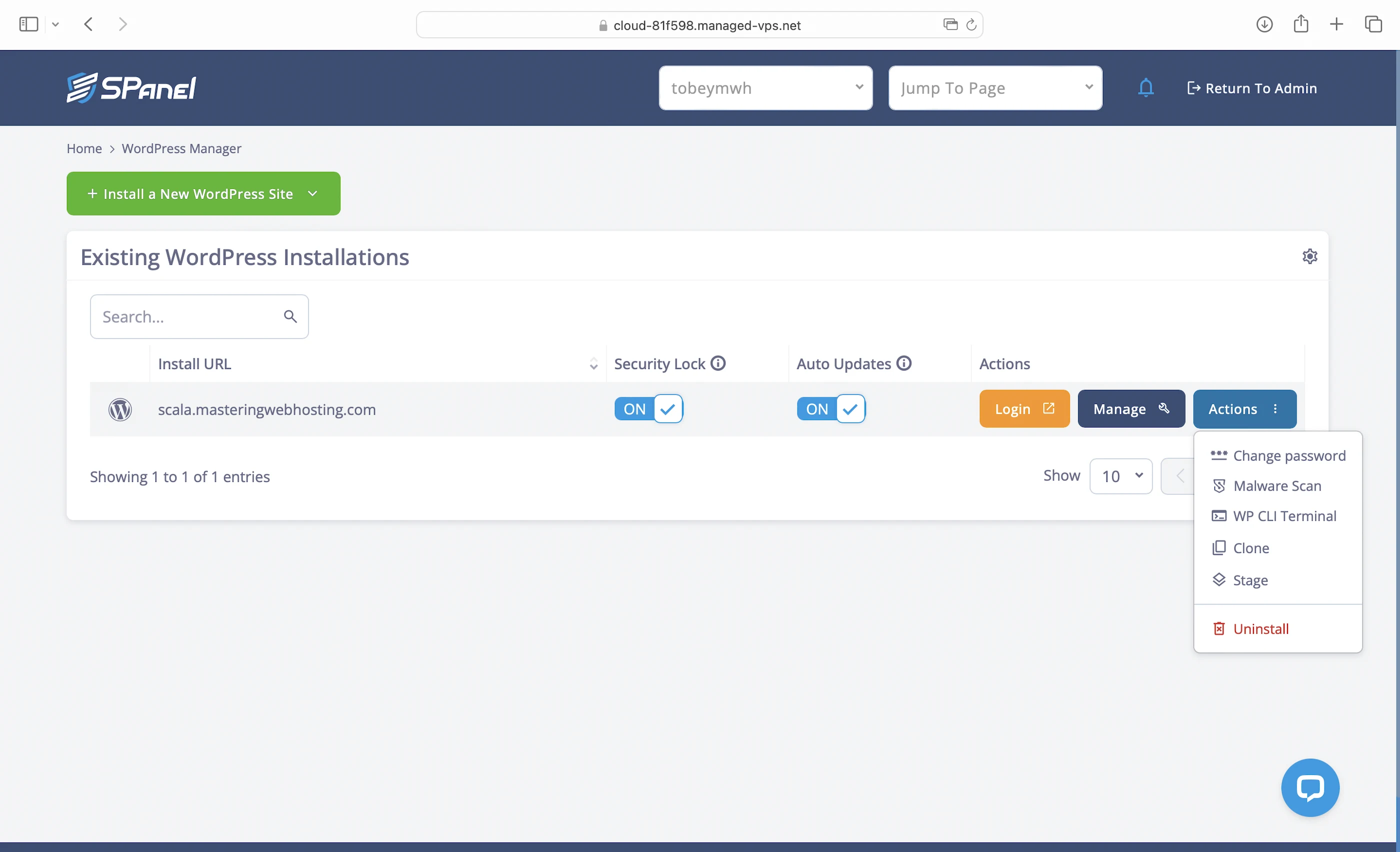
- WordPress LOCK: Prevents unauthorized changes to your WordPress website. Remember to disable this in SWordPress Manager before updating your themes or plugins!
- Free security scans: You will be notified if there are any security issues with your website. These scans take time and use a lot of server resources, so do this during off-peak hours. You can find it in SWordPress Manager too.
4. Speed Test
OpenLiteSpeed
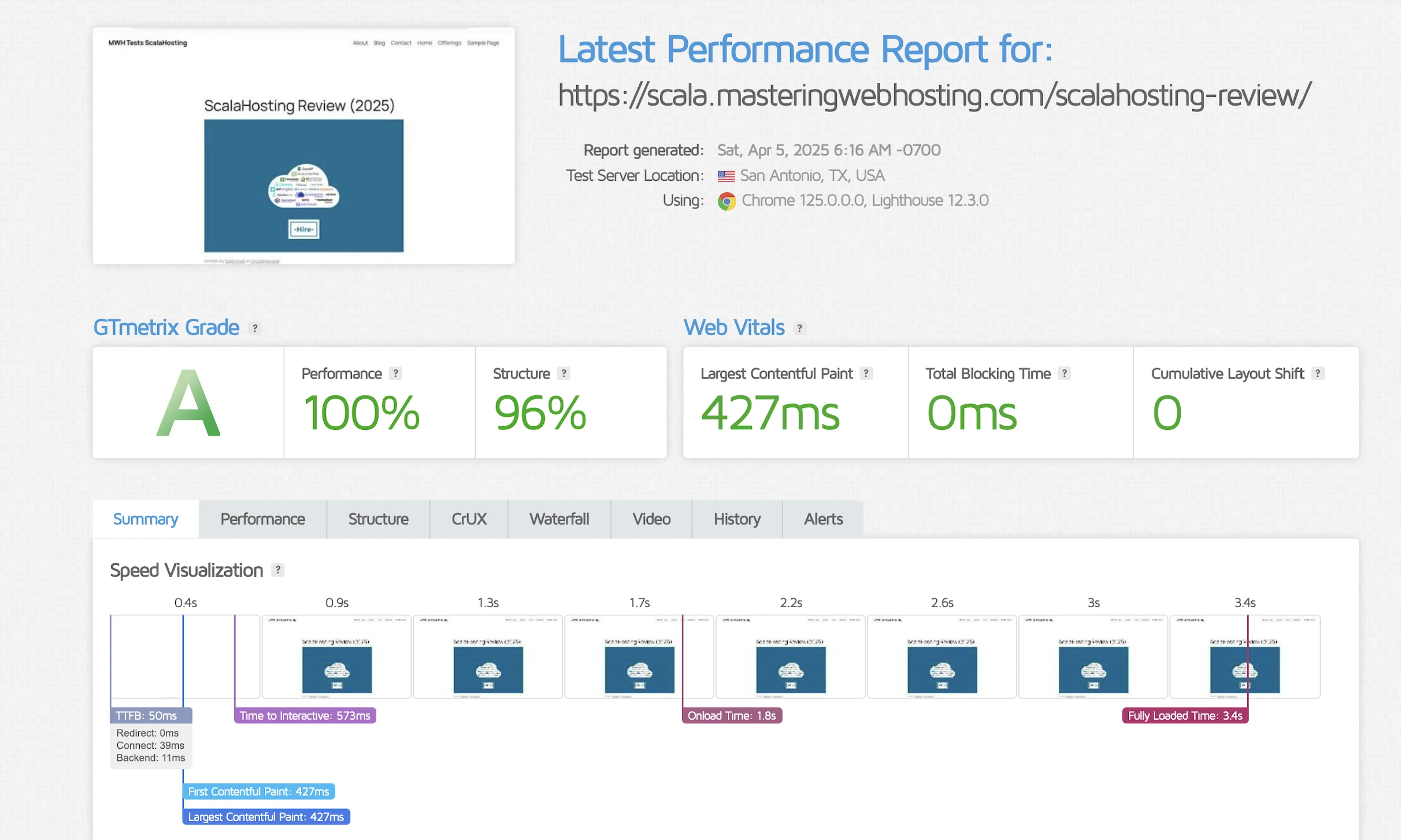
GTMetrix said my Largest Contentful Paint (LCP) was 427ms in Dallas.
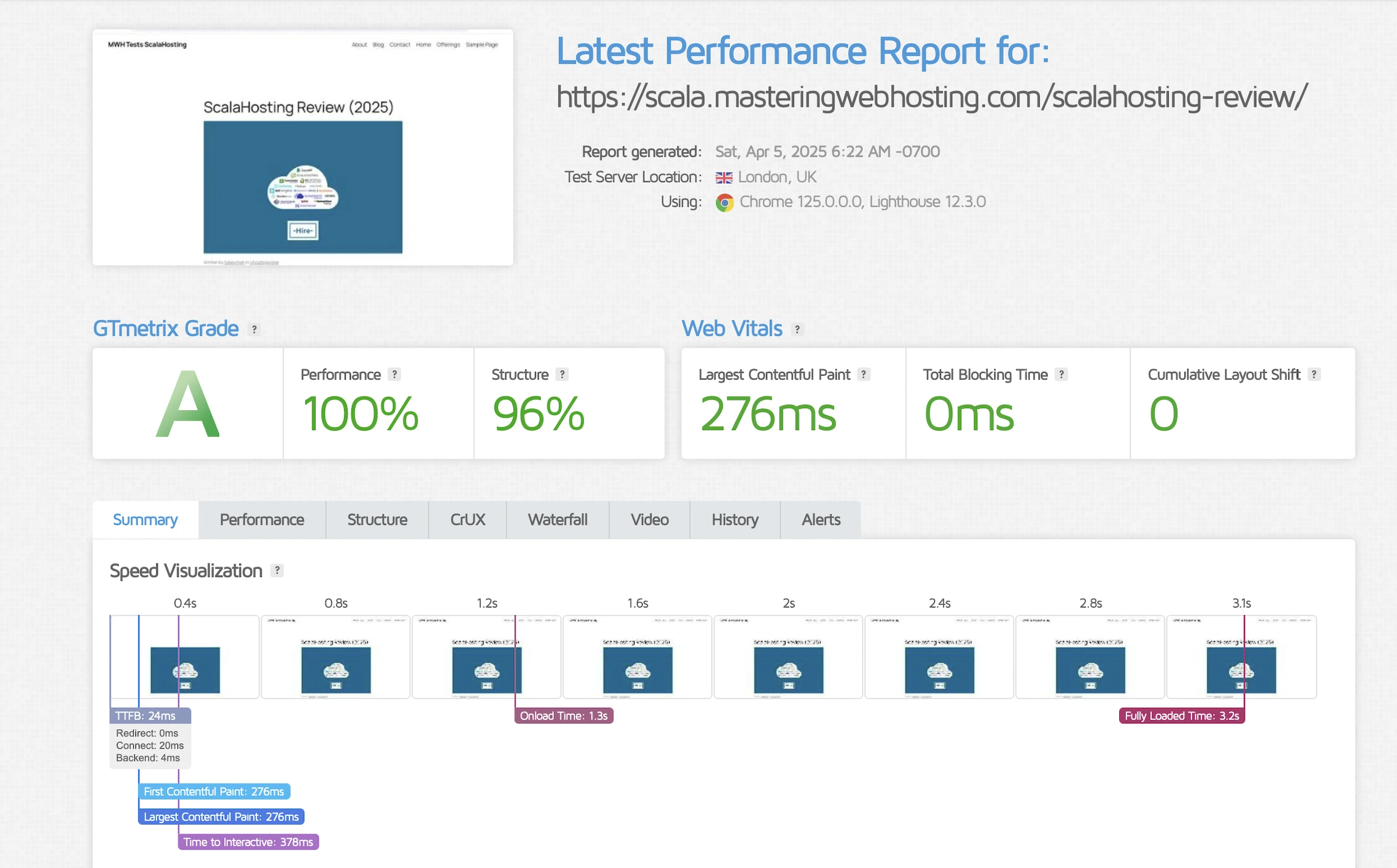
However, it got almost 2X faster at 276ms in London.
LiteSpeed Enterprise
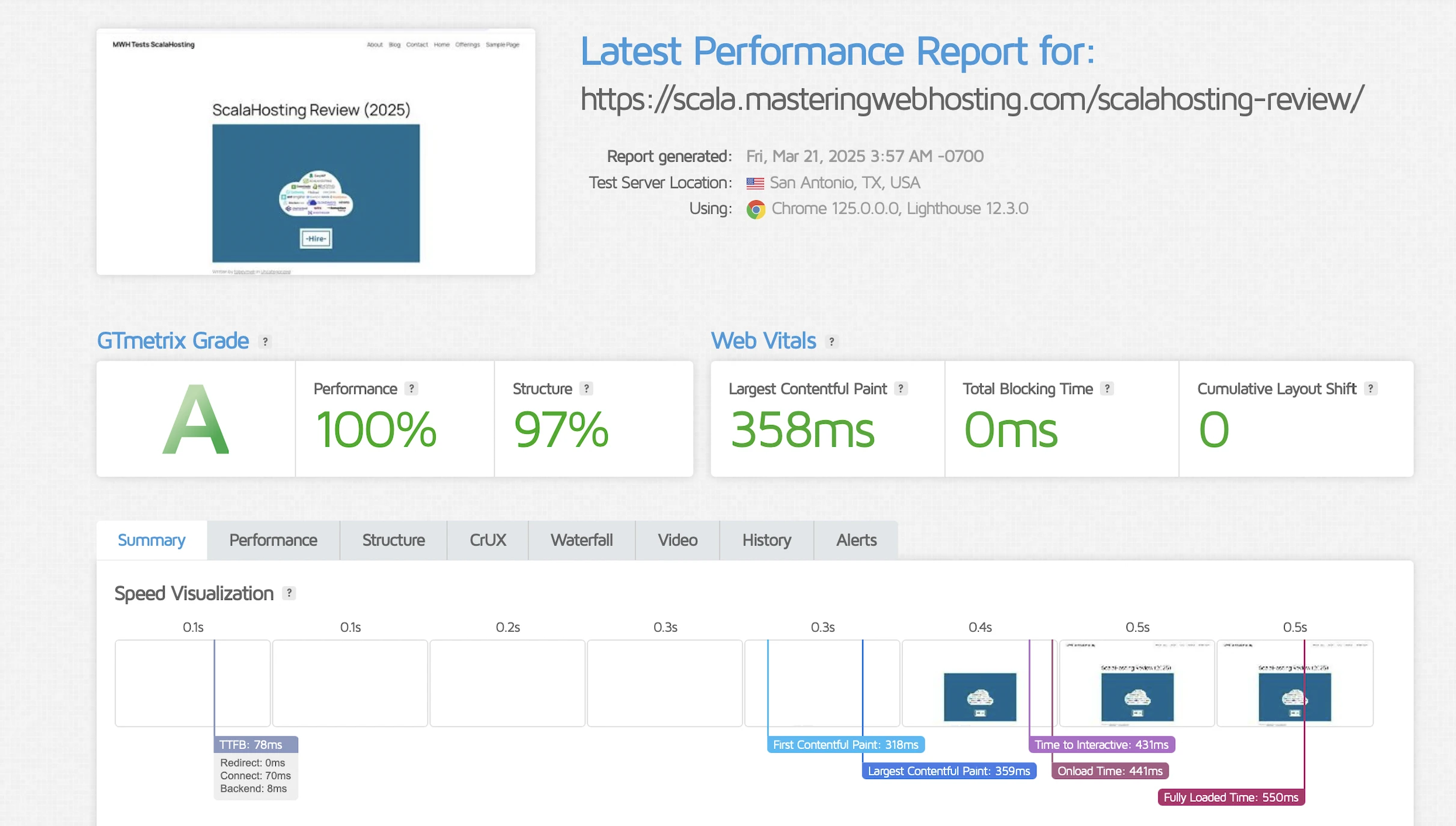
GTMetrix said my LCP was a good 358ms in Dallas.
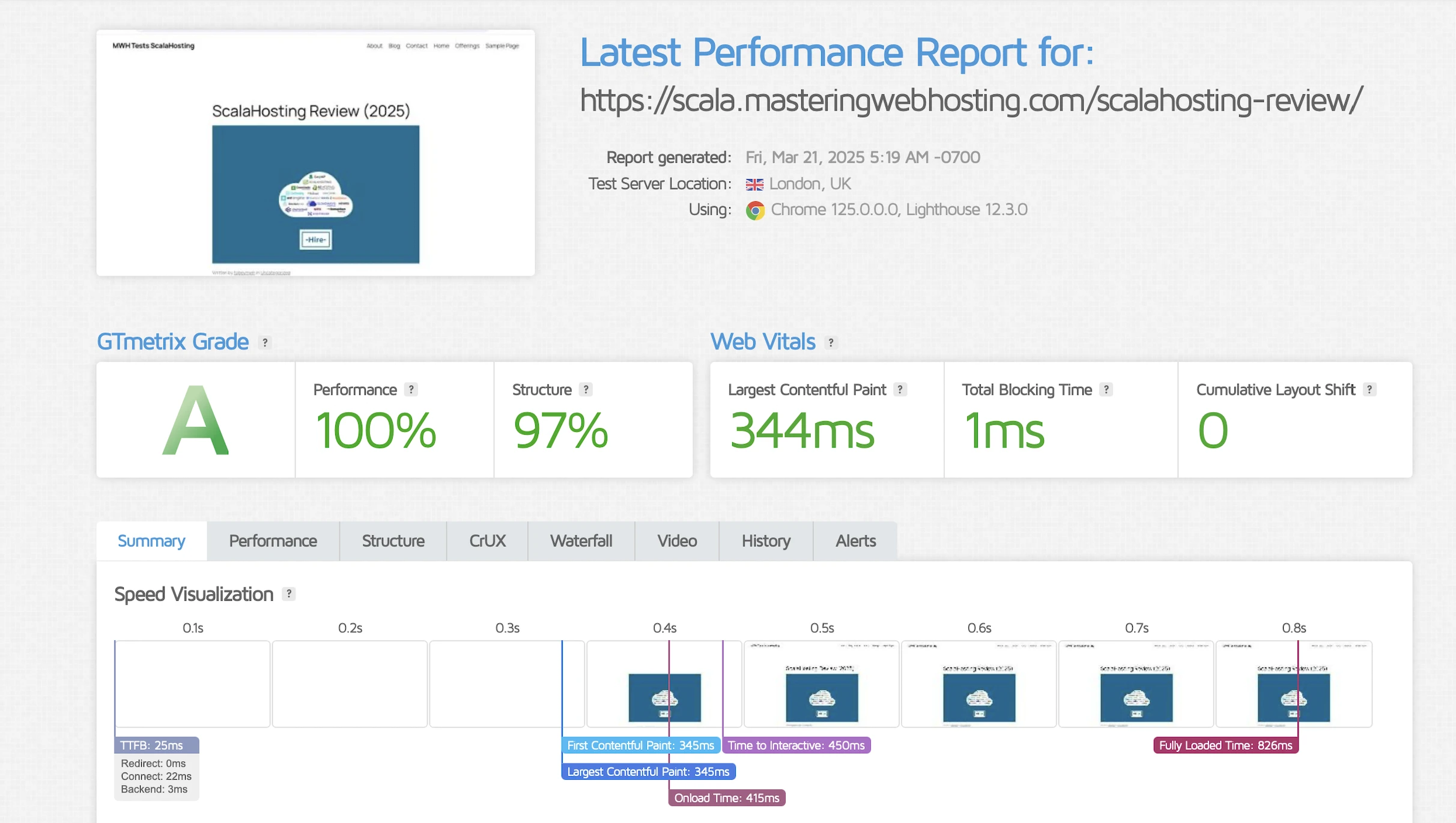
It got slightly better at 344ms in London.
5. Security Test
OpenLiteSpeed
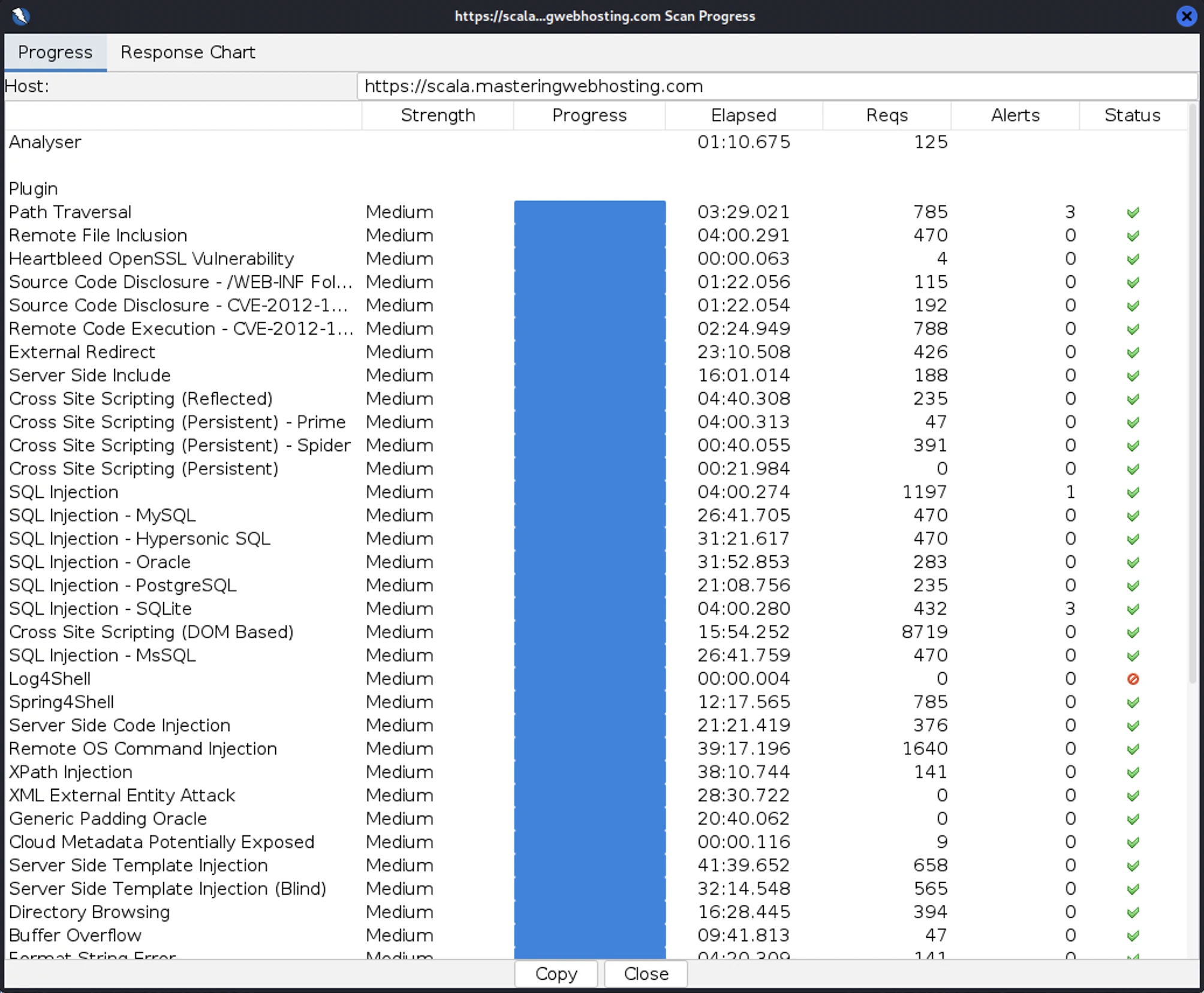
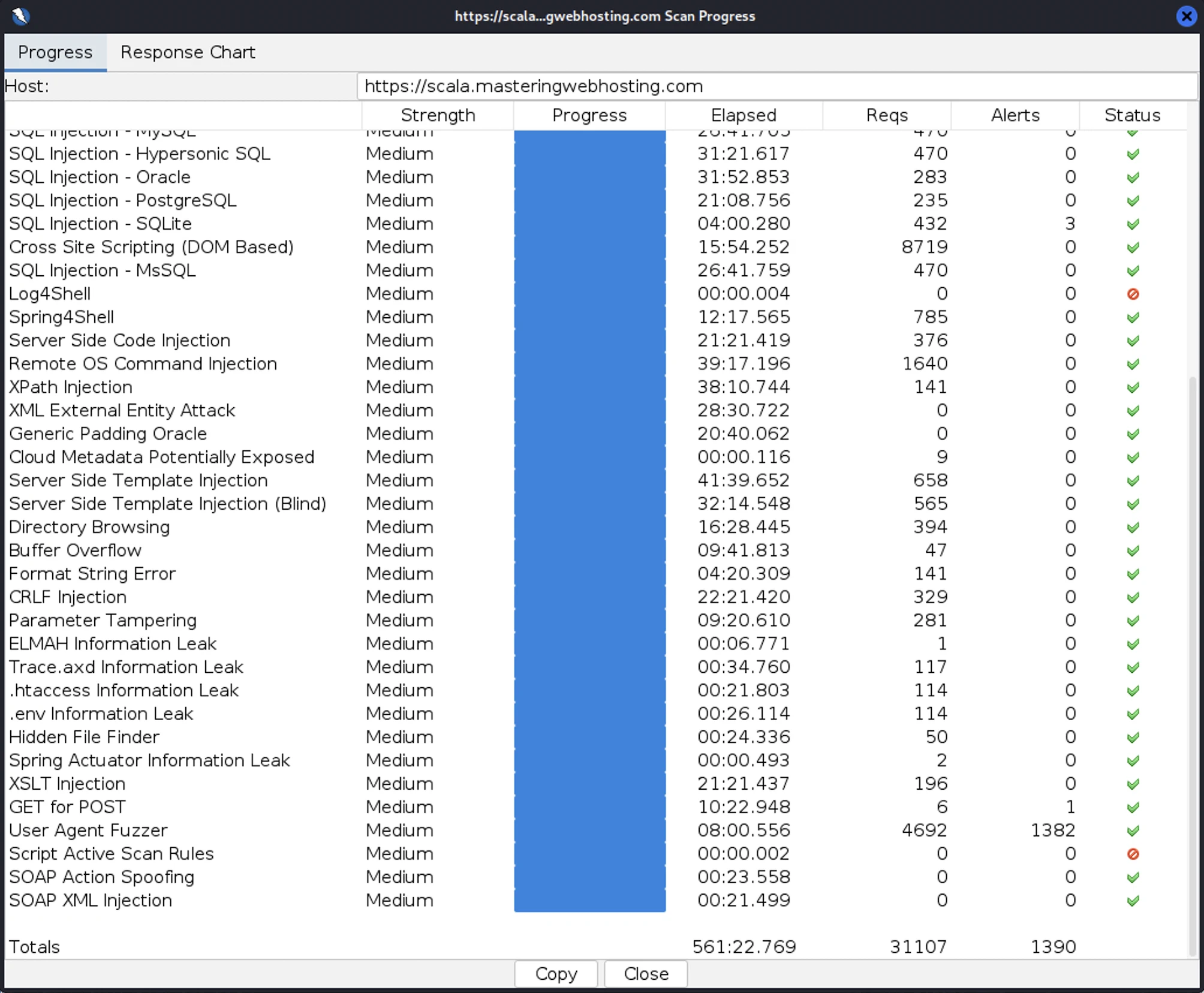
I launched 31,107 cyberattacks:
- 3 out of 30 high risk vulnerabilities detected:
- Path Traversal: 3 out of 785 attacks successful.
- SQL Injection: 1 out of 1,197 attacks successful.
- SQL Injection – SQLite: 3 out of 432 attacks successful. Okay as ScalaHosting doesn’t use SQLite.
- 0 out of 12 medium risk vulnerabilities detected.
- 2 out of 2 informational risks. 1,383 alerts but these aren’t vulnerabilities.
- Success Rate: 29,717 or 95.5% of my attacks were completely neutralized.
LiteSpeed Enterprise
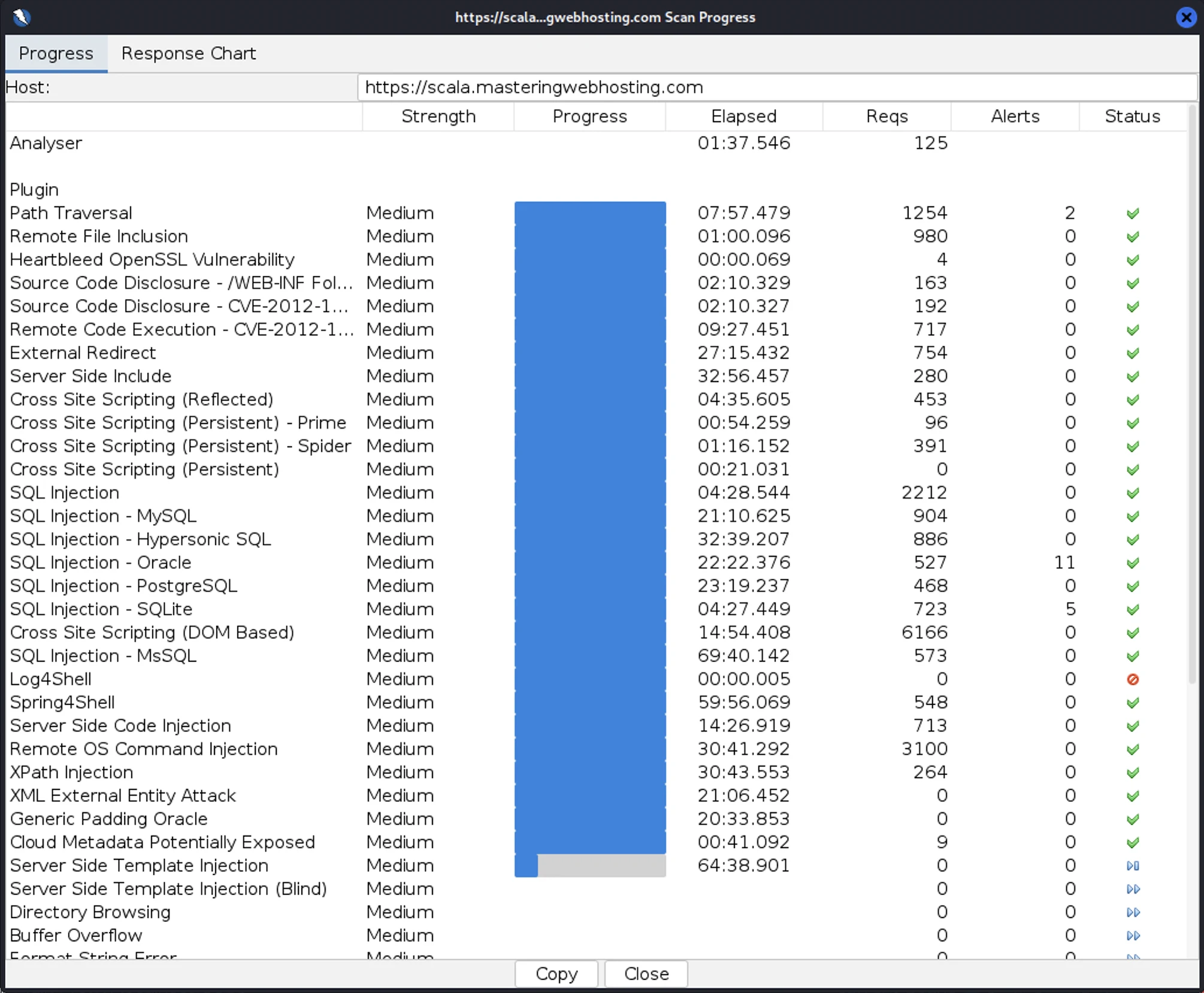
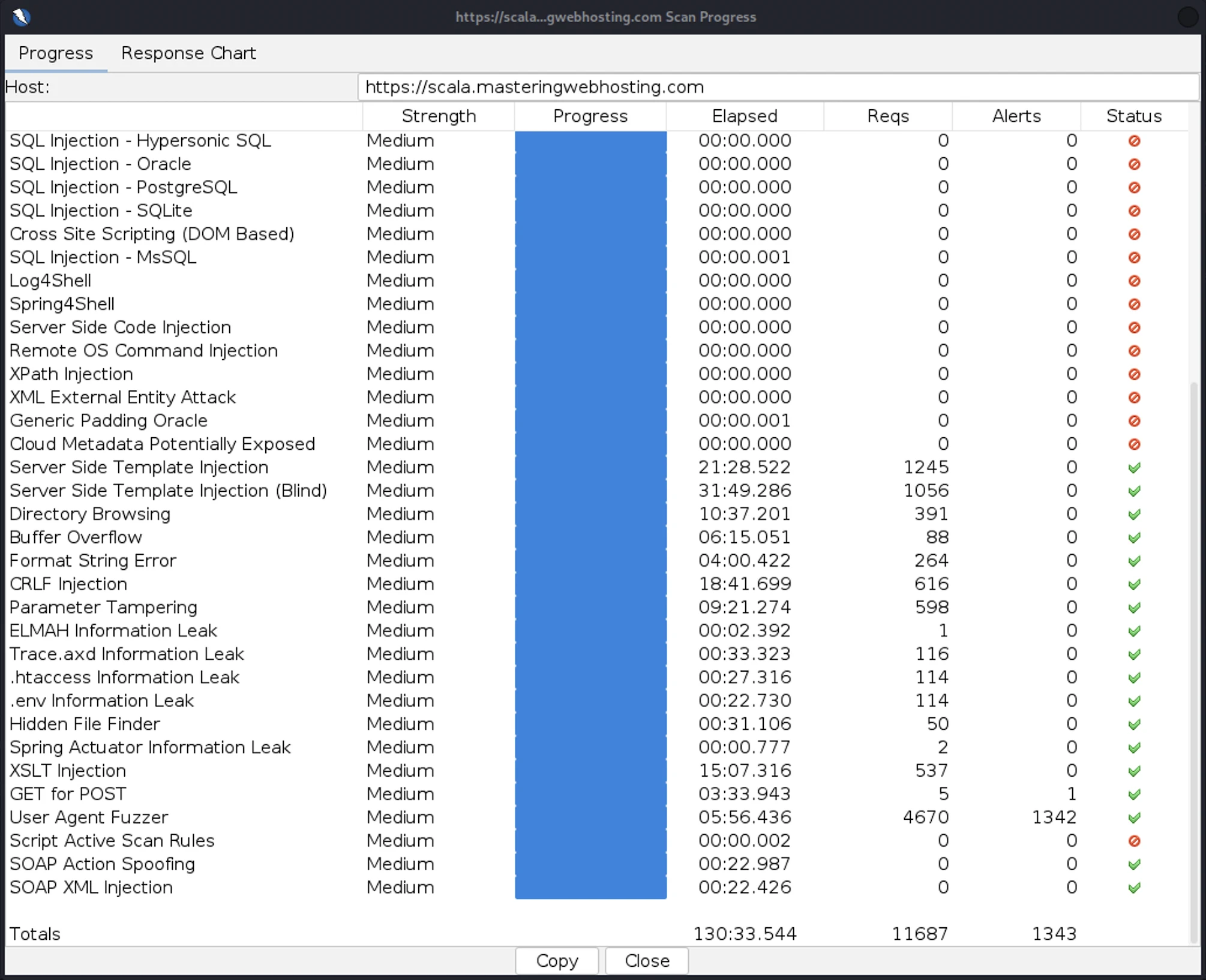
I launched 36,767 cyberattacks:
- 3 out of 30 high risk vulnerabilities detected:
- Path Traversal: 2 out of 1,254 attacks successful.
- SQL Injection – Oracle: 11 out of 527 attacks successful. Okay as ScalaHosting doesn’t use Oracle SQL.
- SQL Injection – SQLite: 5 out of 723 attacks successful. Okay as ScalaHosting doesn’t use SQLite.
- 0 out of 12 medium risk vulnerabilities detected.
- 2 out of 2 informational risks. 1,343 alerts but these aren’t vulnerabilities.
- Success Rate: 35,406 or 97% of my attacks were completely neutralized.
Note that I had to disable QUIC.cloud CDN’s URL Flood Protection or my attacker server would be blocked before my attacks were complete.
6. Uptime Test
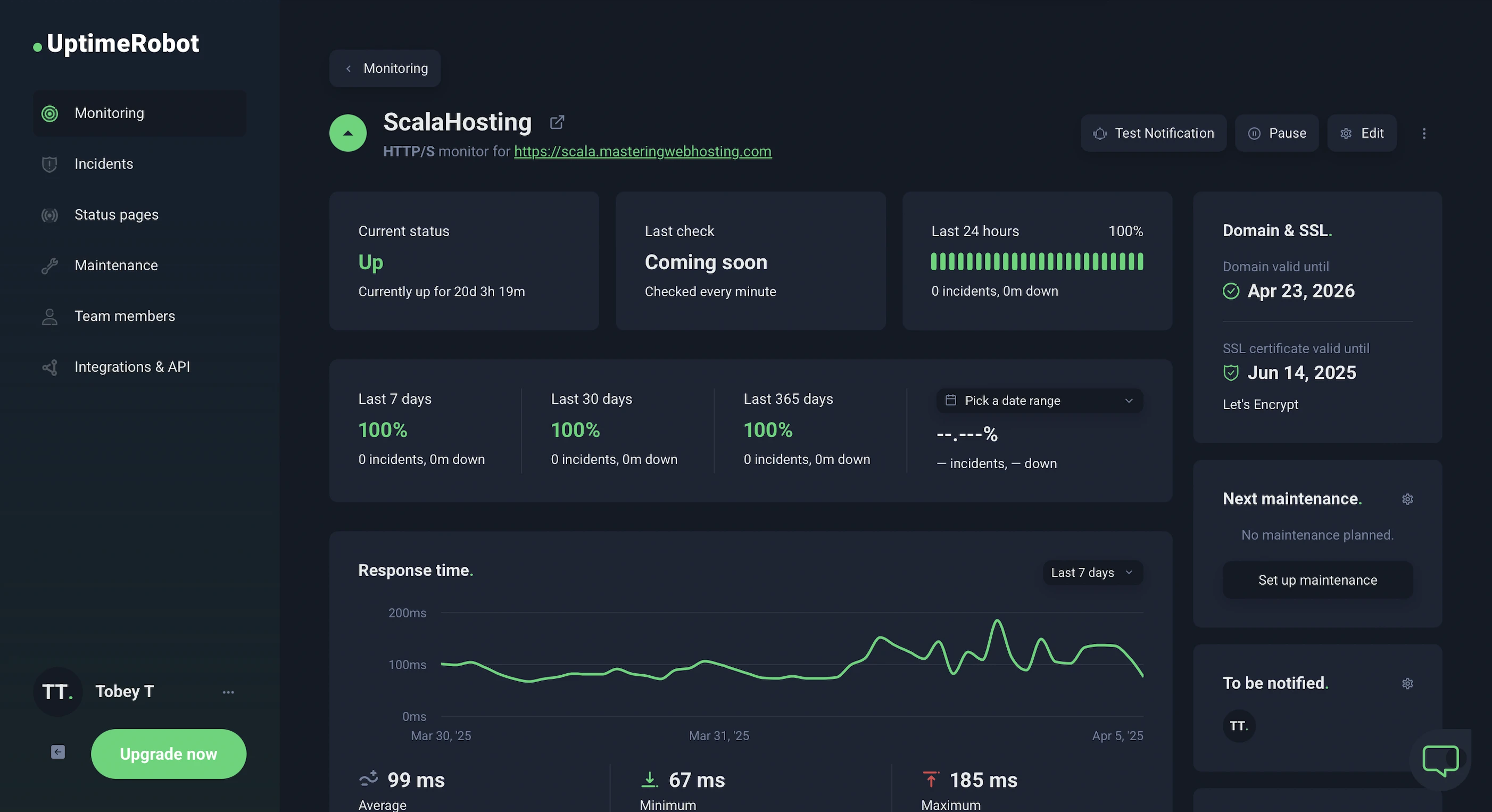
In the 20 days I was reviewing, UptimeRobot reported that my ScalaHosting website enjoyed 100% uptime after checking on it every minute.
HetrixTools reported the same results after monitoring my website at 1-minute intervals for 20 days.
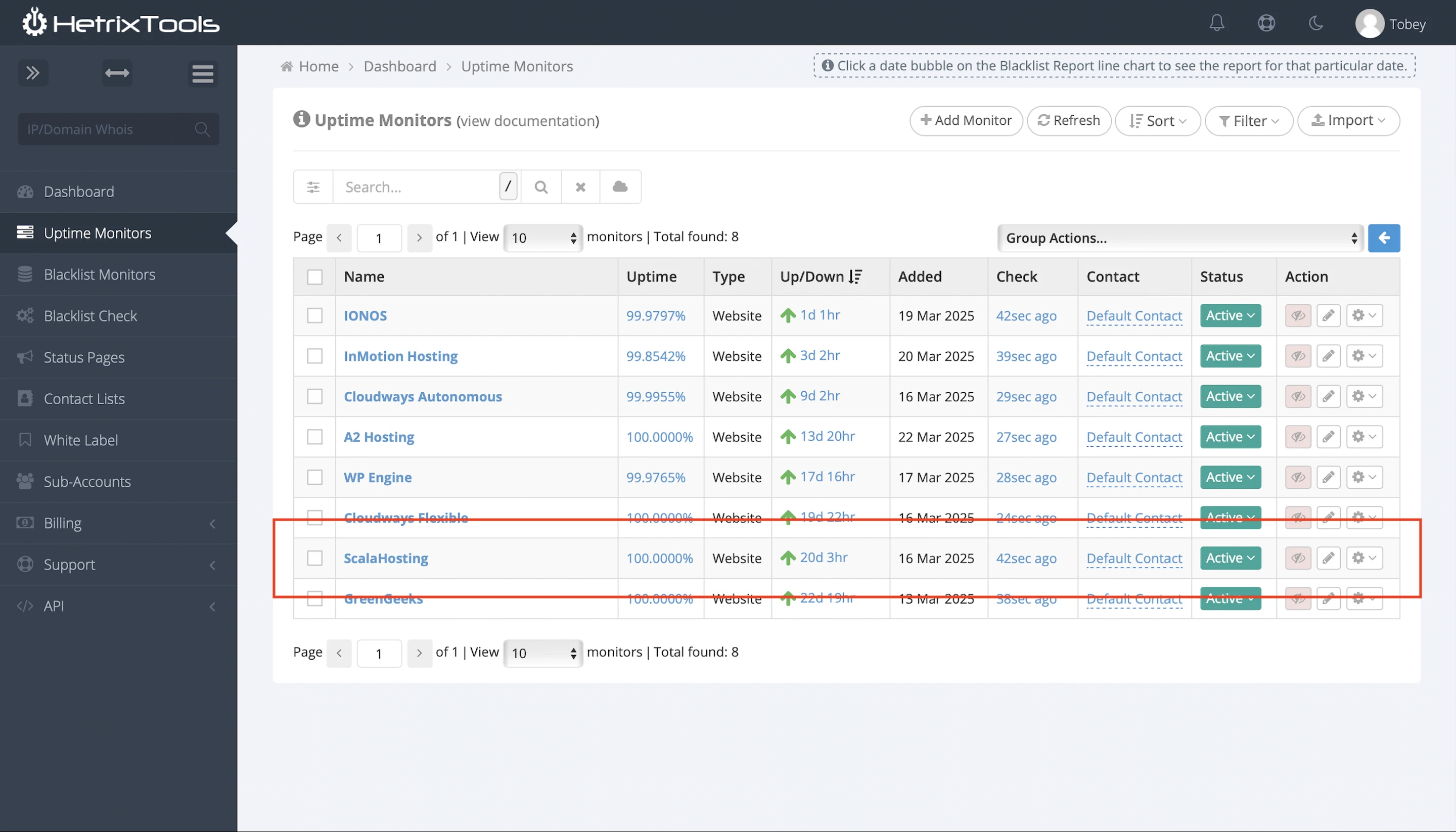
So ScalaHosting has met its 99.9% uptime guarantee.
However, it only publish its system status, but not incident history.
7. Free Tools, Huge Savings
While there are many paid tools that make managing WordPress websites easier, ScalaHosting offers similar in-house services for free.
Here’s a summary of these services and your potential savings:
| Tool | ScalaHosting’s Free Alternatives | Savings |
|---|---|---|
| Advanced commercial cybersecurity systems | SShield | $25/mo |
| CPanel – web hosting control panel | SPanel | $19.95/mo |
| WordPress Manager | SWordPress Manager | $3/mo |
| Total | $47.95/mo |
Overall, ScalaHosting estimates the Entry WP Cloud plan saves you at least $47.95/mo.
8. AI Tools
Jumping on the AI bandwagon, ScalaHosting partnered with Spectra AI and ZipWP to give us 2 AI tools:
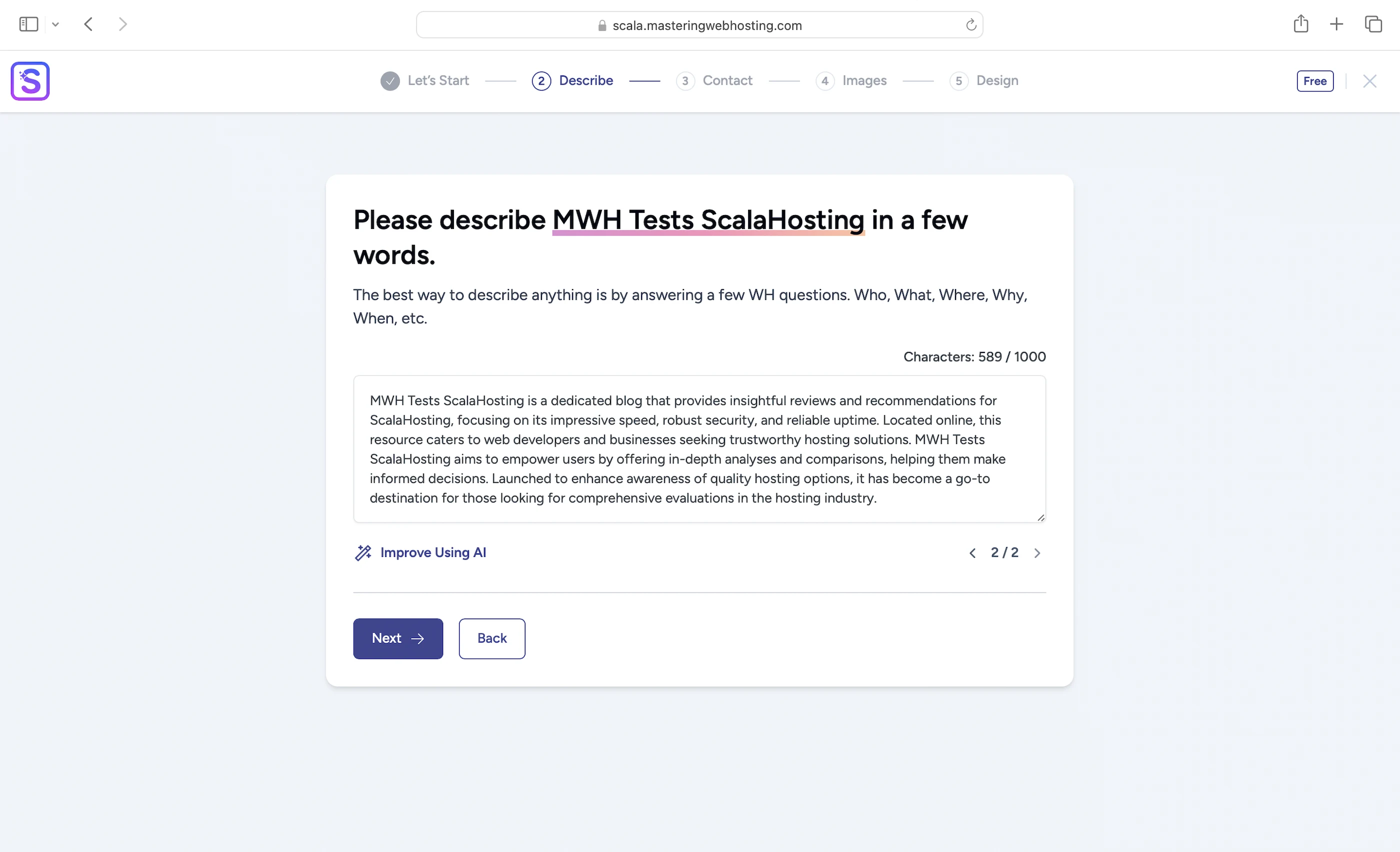
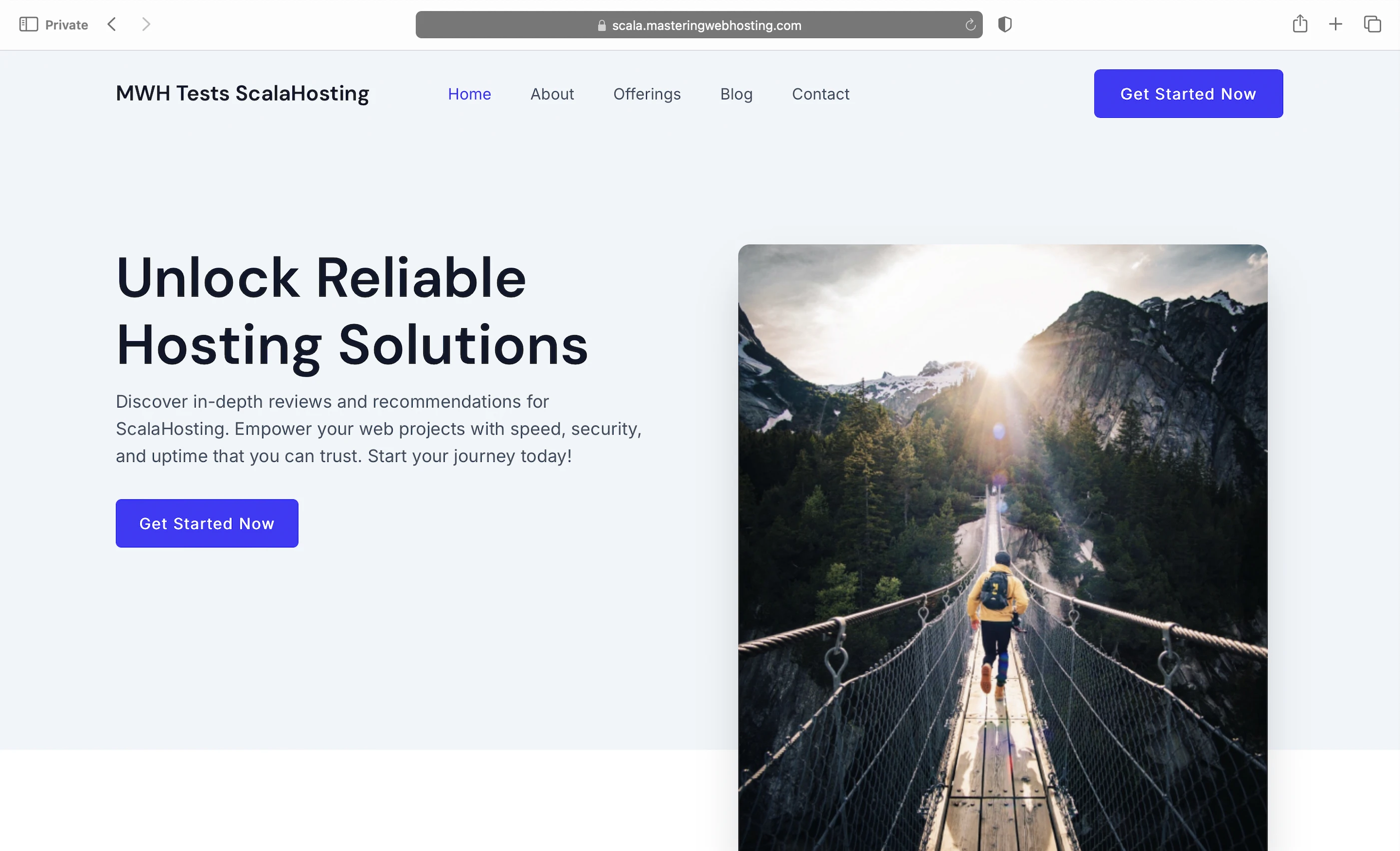
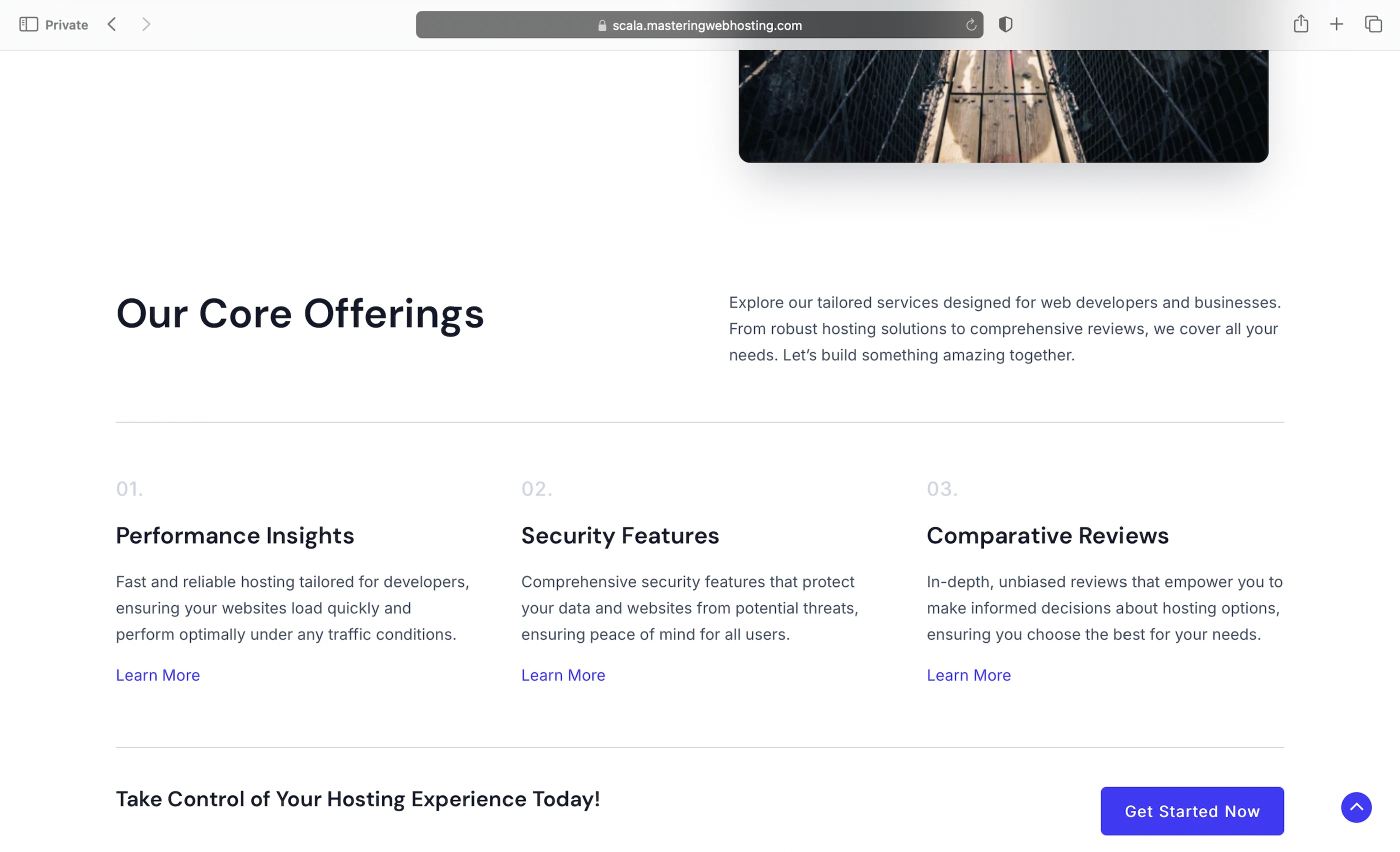
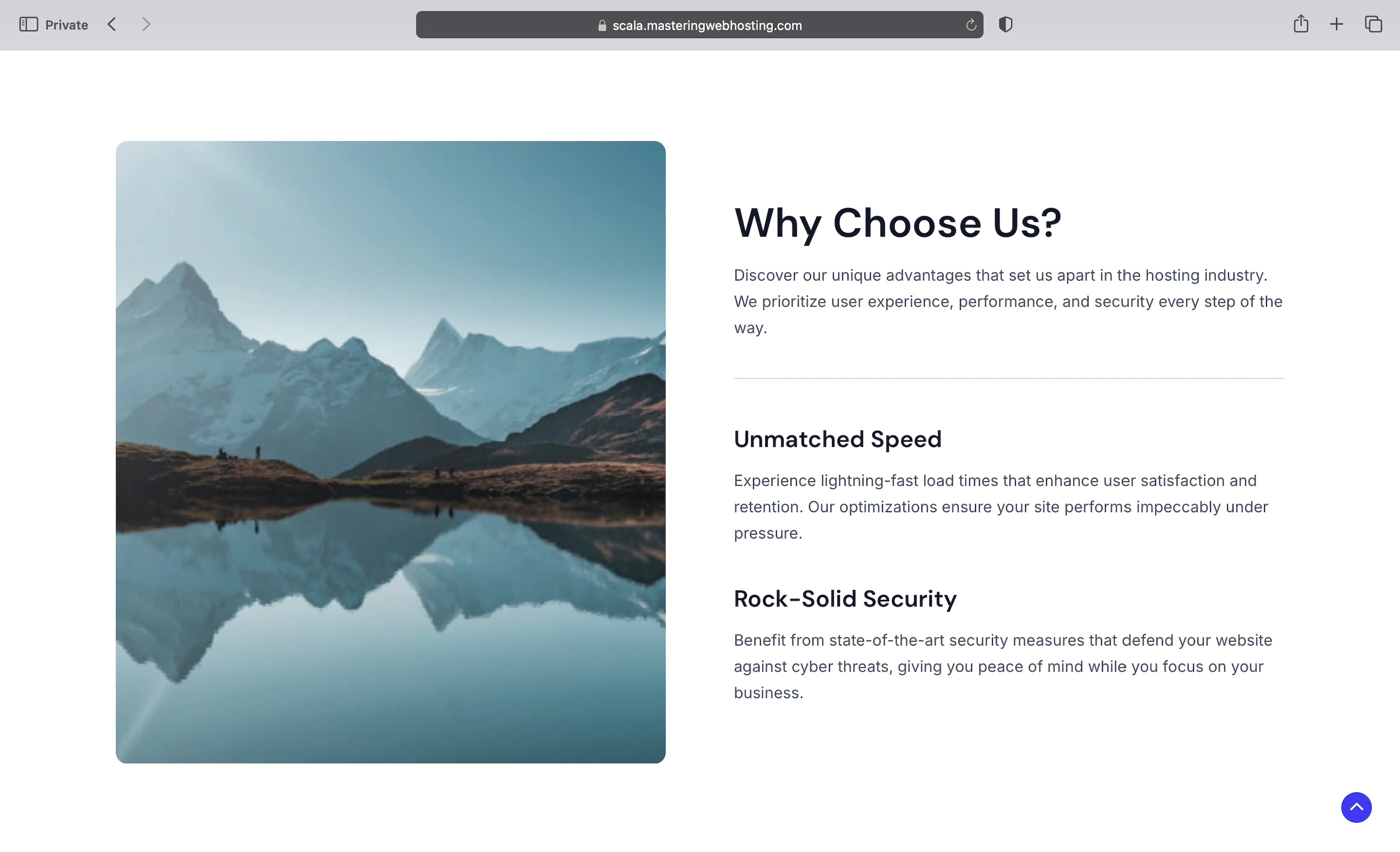
- AI Website Builder: Create a website with a prompt describing what it should be like. Your prompt needs to be detailed or the Builder will ask for more, though the cool thing is that the Builder can improve your prompt with AI too. Personally, I find the generated website slightly better than A2 Hosting’s, though I still prefer Bluehost’s Testimonials. But hey, I am not a UI designer, so do what you will with my opinion.
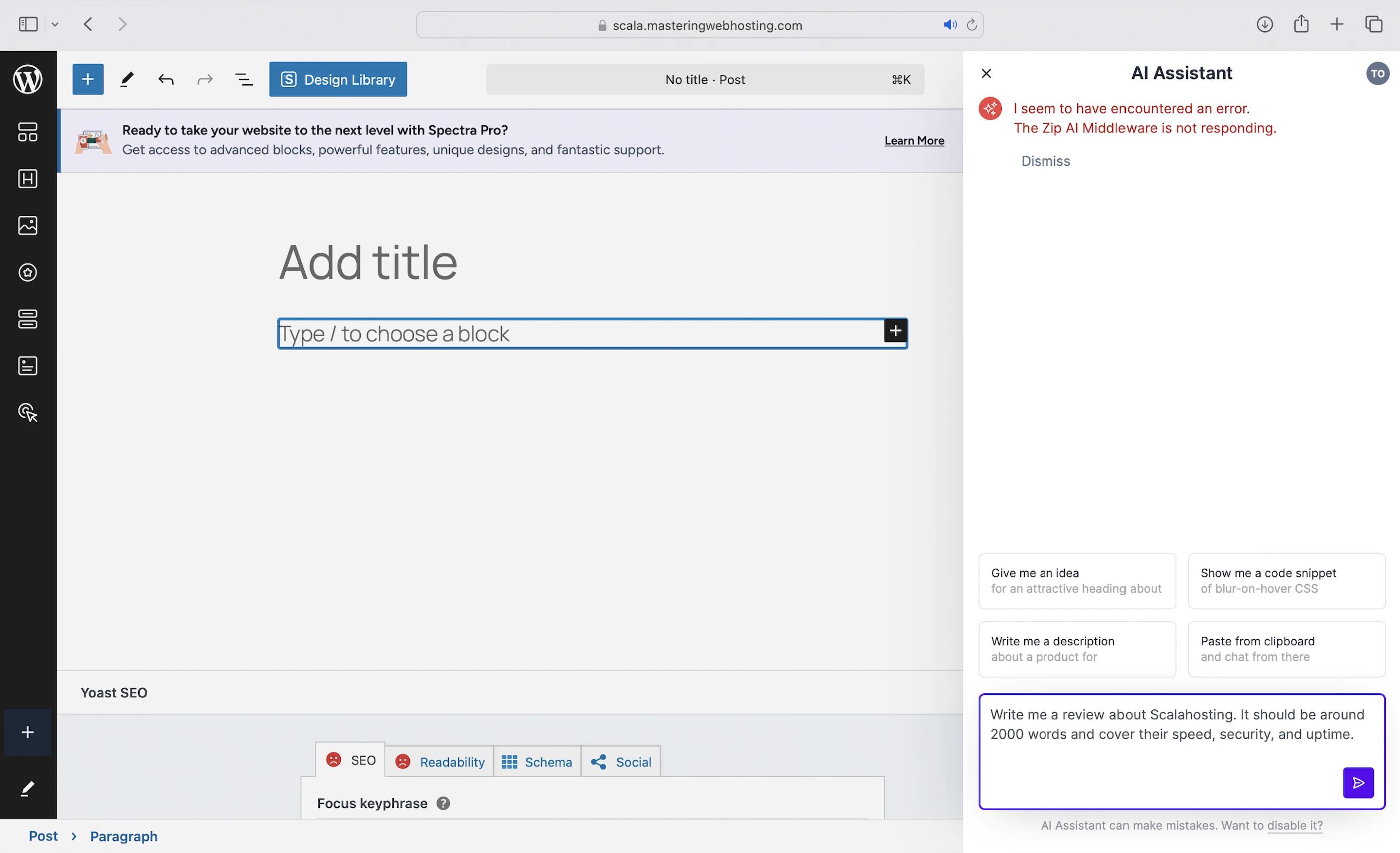
- AI Assistant: You need to sign up with ZipWP first before creating content with a prompt. However, I kept getting an error with ZipWP’s middleware, so I couldn’t test this.
Nevertheless, I think AI tools are nice to have, but they are not something I’m looking for in a good host.
9. Proactive 24/7 Monitoring ($15/mo)
ScalaHosting’s in-house software that monitors the services running on your VPS (Files, database, email service, DNS, average load). If there’s an issue, the software will notify Support, who’ll fix it before you even notice.
I had high expectations for this add-on because it was more expensive than LiteSpeed Enterprise. Instead, I was the one noticing and notifying Support of issues like:
- Errors installing and launching WordPress.
- Website broke after enabling CSS and JS Minification in LiteSpeed Cache.
- Critical website error after updating PHP version.
All these should have been detected by Proactive 24/7 Monitoring!
10. Cons
Errors Installing and Launching WordPress
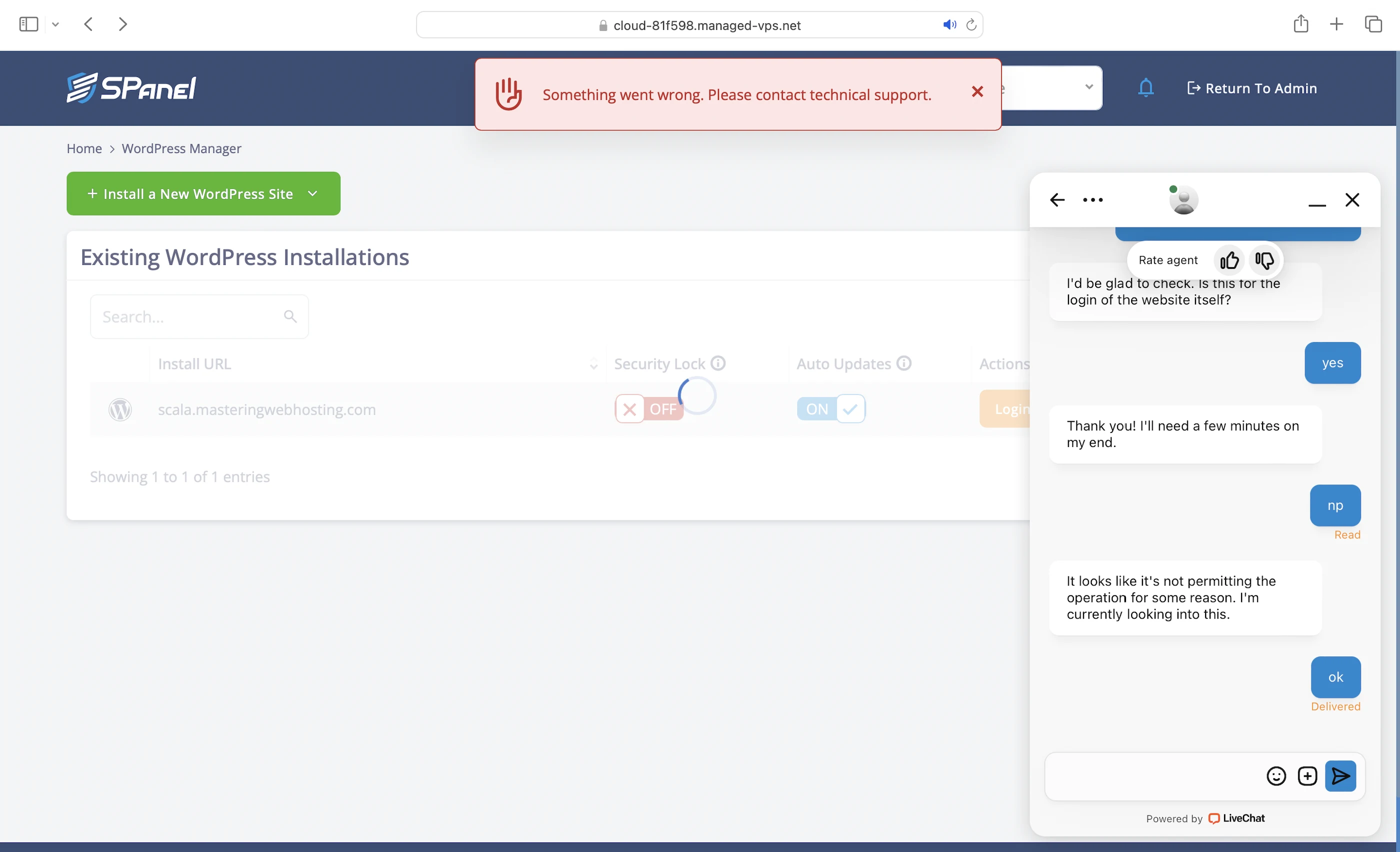
Like I mentioned, but here’s the full story. After entering my site details, I noticed that the “Install WordPress” button was still greyed out. So I reached out to Support, and it took them a while to fix it before I could continue with the installation. But just when I thought I could finally launch WordPress, I hit another error and had to contact Support again. All in all, it took almost 2 hours just to launch my first WordPress website. Not exactly a great first impression.
Website Broke After Enabling CSS and JS Minification in LiteSpeed Cache
I hit up Support again, who said ScalaHosting doesn’t support these, so I should get one more plugin for CSS and JS Minification. Defeats the purpose of using an all-in-one plugin though.
Critical Website Error After Updating PHP Version
ScalaHosting is the first host I’ve reviewed that failed to update my WordPress website seamlessly to a new PHP version.

Only 15 PHP Workers
Some hosts offer much more (45 at WPX). Others, like ChemiCloud, don’t even have a limit on PHP workers despite being 2X cheaper.
Object Cache
Memcached with the LiteSpeed Cache plugin by default, but you can ask Support to install Redis. Some hosts like Cloudways provide the premium $95/mo Object Cache Pro for free.
Fewer Data Centers
ScalaHosting only owns 4 data centers (Seattle, Dallas, New York, Sofia- Bulgaria) and shares 11 centers with AWS in Ohio, Virginia, Oregon (US), Montreal (Canada), London (UK), Paris (France), Frankfurt (Germany), Ireland, Singapore, Mumbai (India), Tokyo (Japan), Seoul (South Korea) and Sydney (Australia). So, websites with international visitors need a CDN.
Free CDN Again?
The same criticism I had with GreenGeeks. Why include a free Cloudflare CDN as a feature in their plans when you can get it for free regardless of the host?
11. Evaluation
Let’s see how ScalaHosting did against my self-hosting:
| Self-hosting | ScalaHosting (OpenLiteSpeed) | ScalaHosting (LiteSpeed Enterprise) | |
|---|---|---|---|
| Speed (LCP) – Dallas | 306ms | 427ms | 358ms |
| Speed (LCP) – London | 253ms | 276ms | 344ms |
| Security | 0 | 3 high risk vulnerabilities 3 high risk vulnerabilities. 1 doesn’t affect WordPress. | 3 high risk vulnerabilities 3 high risk vulnerabilities. 2 don’t affect WordPress. |
| Uptime | 95% | 100% with current system status, but no incident history. | 100% with current system status, but no incident history. |
| Winner | 👑 |
12. Final Thoughts
ScalaHosting may have earned the spotlight and picked up plenty of awards over the years, but it won’t be getting any from me—so much potential, but even more disappointment.
Despite being a trailblazer in VPS hosting and having an impressive tech stack, ScalaHosting fell short in speed and security against me, even at its best with the premium LiteSpeed Enterprise and Proactive 24/7 Monitoring add-ons.
More disappointingly, ScalaHosting’s performance hasn’t improved since last year when I first reviewed it. Back then, it outperformed most hosts and even beat my self-hosting setup before I upgraded it to its current form.
And now, I have gotten better while it hadn’t.
Not a good sign.
Stagnancy is a death knell in the WordPress hosting space, and shared hosting providers are already catching up. In fact, some, like ChemiCloud and InterServer, have already surpassed ScalaHosting, a managed WordPress VPS host.
If this goes on, there will be no reason for customers to choose managed WordPress VPS over shared hosting with that price tag.
Especially when ScalaHosting’s only schtick, VPS hosting, didn’t even stick.
Comment below if you agree/disagree with my ScalaHosting review!
Leave a Reply