
WPX claims it’s the fastest WordPress hosting provider.
Whoa, it seems we have a bada** over here.
Slow down there, Terry and Gerogi.
Let’s see if MWH can make you eat your words.
1. Plan
An independent (love this) company founded in 2013 by dog lovers Terry Kyle and Gerogi Petrov, WPX has always been praised as the fastest (or close to) by the likes of Kevin Ohashi four years in a row.
No disrespect to Kevin (and his amazingly detailed work), but I wasn’t going to take anyone’s word for it.
I wanted to see this speed for myself.
So I got the Professional, which comes with:
- 2 CPU cores
- Up to 15GB RAM
- Unlimited visitors/mo
- 30GB SATA SSD storage
- LiteSpeed Web Servers
- Up to 45 PHP workers
- 6 caches and Minify with pre-configured W3 Total Cache
- A high-speed custom CDN
- Free speed optimization request
- Managed Web Application Firewall (WAF)
- WPX Radar
- Hybrid DDoS protection
- Free daily malware scans
- Advanced account security
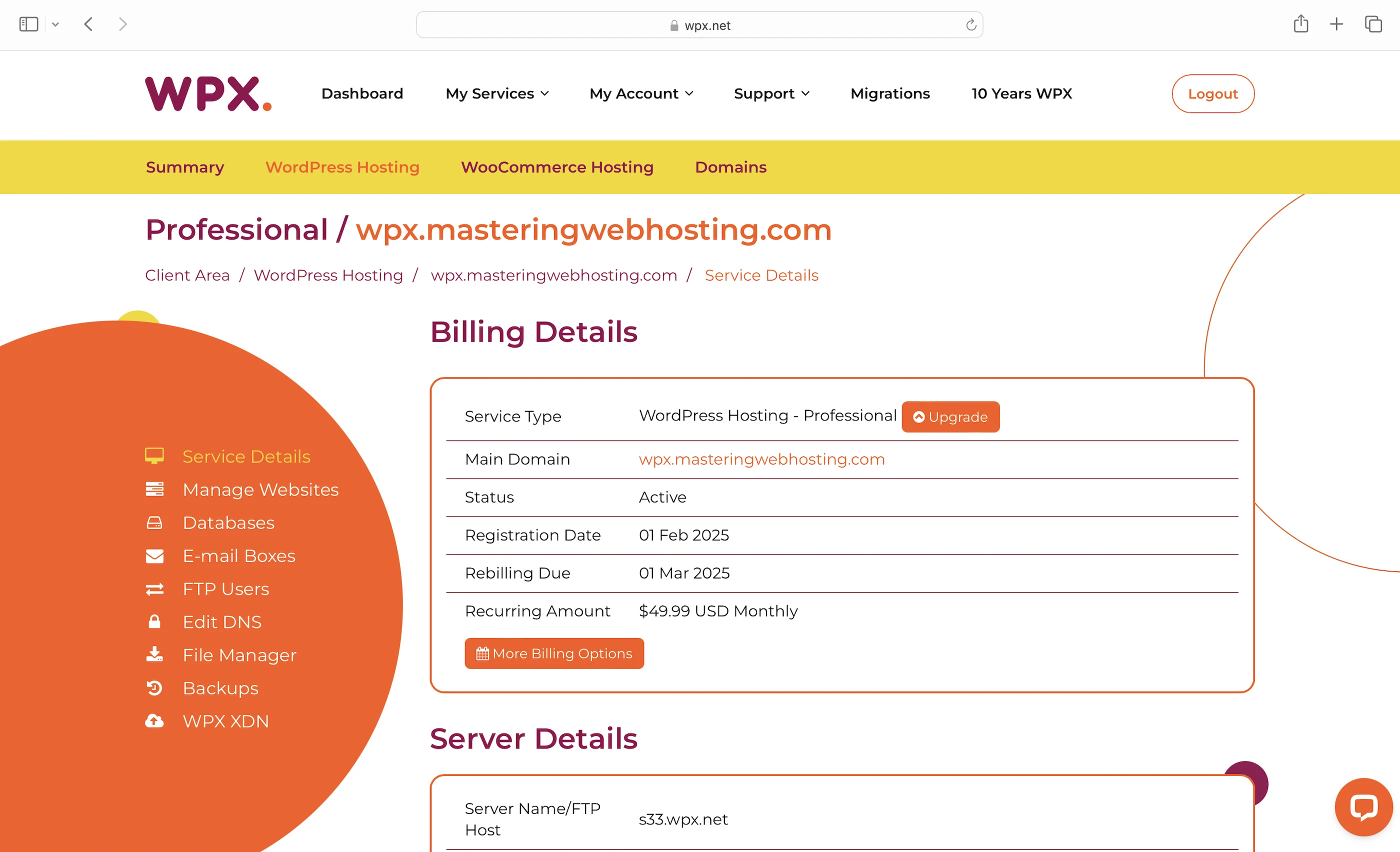
This plan costs $49.99/mo for a 1-year commitment, (you get 2 months free).
2. Speed Features
LiteSpeed Web Servers
A web server handles and responds to incoming requests for your WordPress content. It is connected to PHP through a handler that’s usually optimized for fast and efficient communication between the two systems. This allows the web server to forward requests to PHP and receive responses faster, directly improving your page load times.
WPX uses LiteSpeed Web Servers with LSAPI as the PHP handler. LSAPI is built specifically for LiteSpeed and communicates with PHP much more efficiently than older handlers like PHP-FPM.
This means LiteSpeed Web Servers return your WordPress content faster than Nginx or Apache web servers.
Up to 45 PHP Workers
Your WordPress website serves two types of content: static and dynamic. PHP workers are for the latter.
Static content is called so because it remains the same across visits. Examples include the images and CSS files that make up your website’s layout. Unless manually updated, everyone sees the same layout when they visit your website.
Dynamic content, on the other hand, changes based on the data retrieved from your database. Examples include your blog posts and comments. New posts or comments update what visitors see in your post list and comment section.
So if both types of content are uncached, static content is returned faster because it can be served immediately by the LiteSpeed Web Server. In contrast, dynamic content needs to be generated on the fly, which takes more time. This means a robust process is needed to handle the generation efficiently.
Since WordPress is built with PHP, that process is PHP workers.
When LiteSpeed forwards a request for uncached dynamic content, LSAPI spawns a PHP worker to handle the request. The worker executes your PHP code, queries your database, and generates the dynamic content based on the retrieved data. The content is returned as HTML, which is what your visitors see in their browser.
So the more PHP workers you have, the more requests for uncached dynamic content your website can handle concurrently without slowing down.
Pre-configured W3 Total Cache
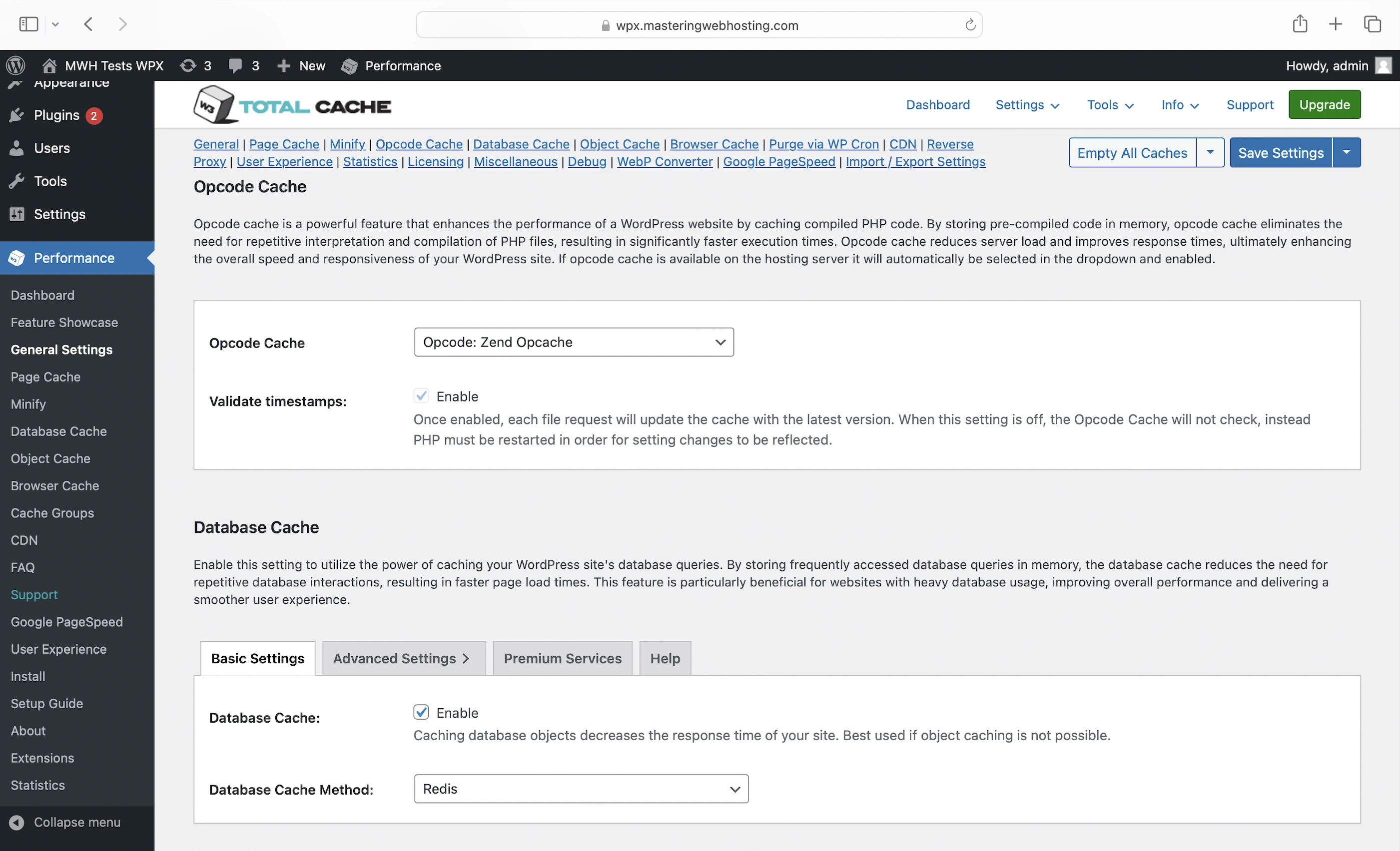
- Opcode cache: Here’s what happens behind the scenes when your PHP workers execute your code: they compile it into opcode, which are machine-readable instructions that PHP uses to generate the HTML for your dynamic content. By caching the opcode with OPcache, PHP can reuse it instantly without needing to recompile it on every request.
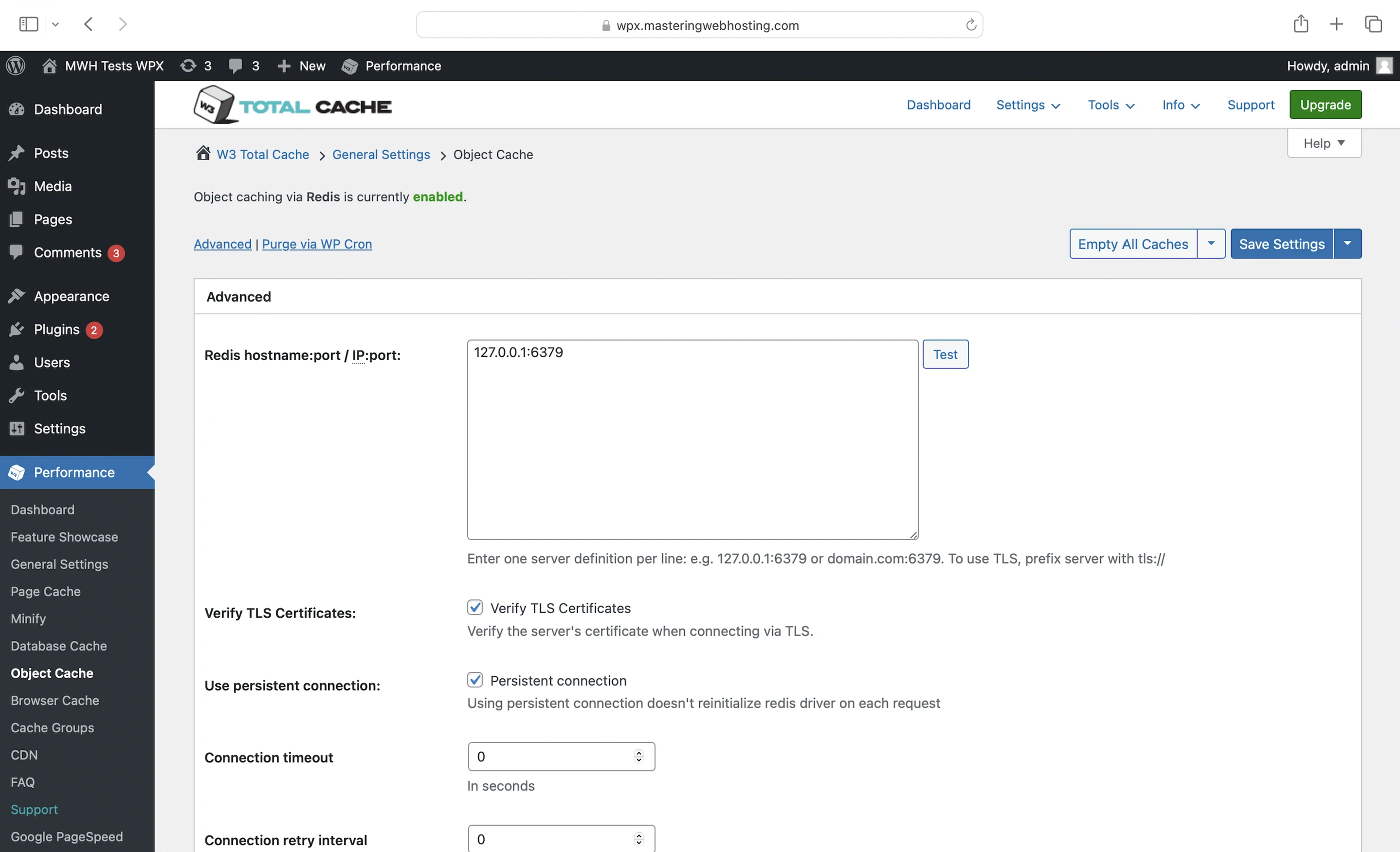
- Database and object caches: You can cache your frequently accessed data (e.g., posts) in memory with Redis. This way, if the opcode includes instructions to query your database, PHP can get the data from Redis instead, which is much faster. Using these caches also prevents your database from being overloaded with repeated queries for the same data.
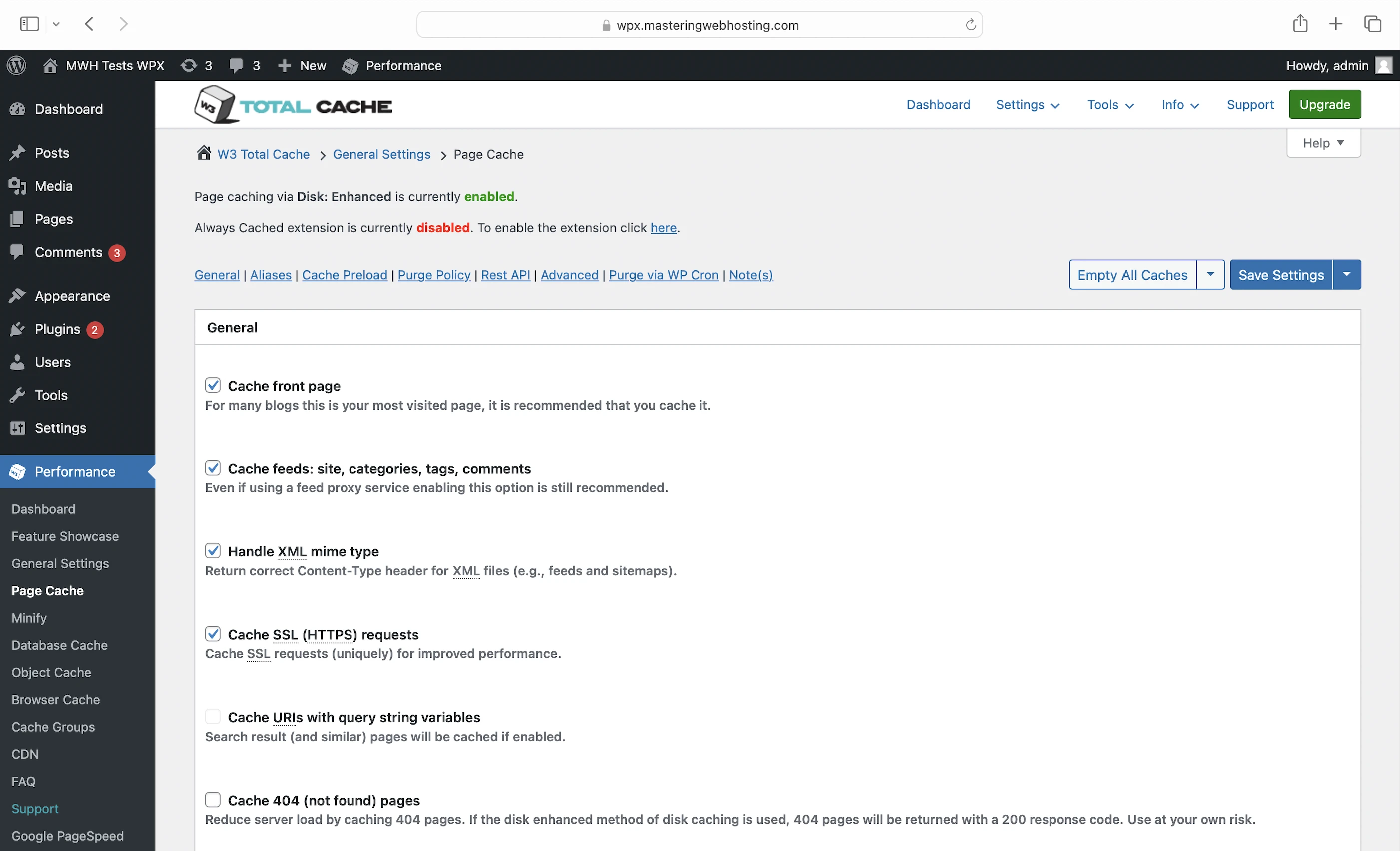
- Page cache caches the generated HTML of your dynamic content. By caching it as static content, W3 Total Cache allows the HTML to be delivered much faster, without even running your PHP code or querying your database.
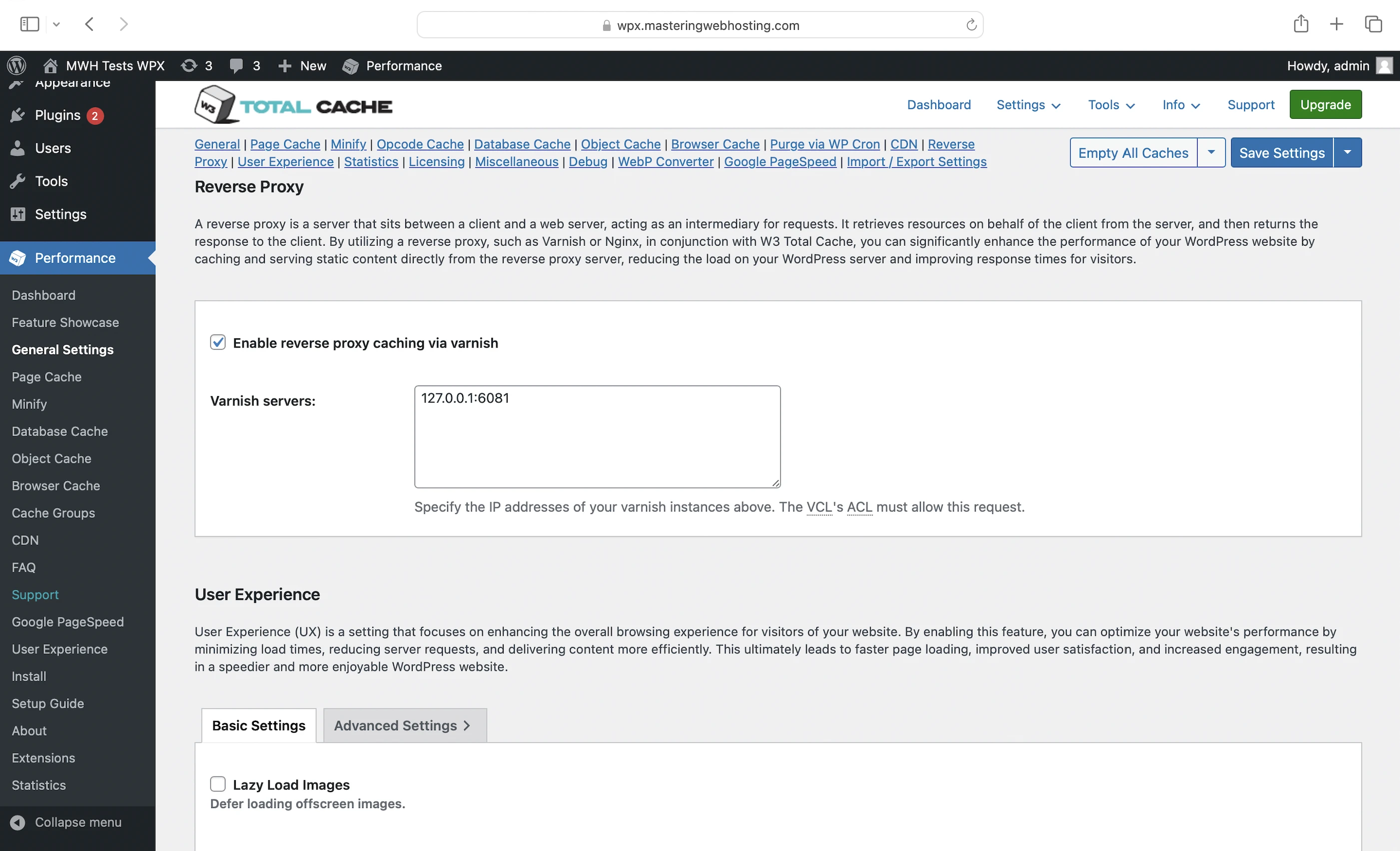
- Reverse proxy cache to cache and serve your dynamic HTML output directly from the Varnish reverse proxy on your server. Fallback for your page cache and vice versa.
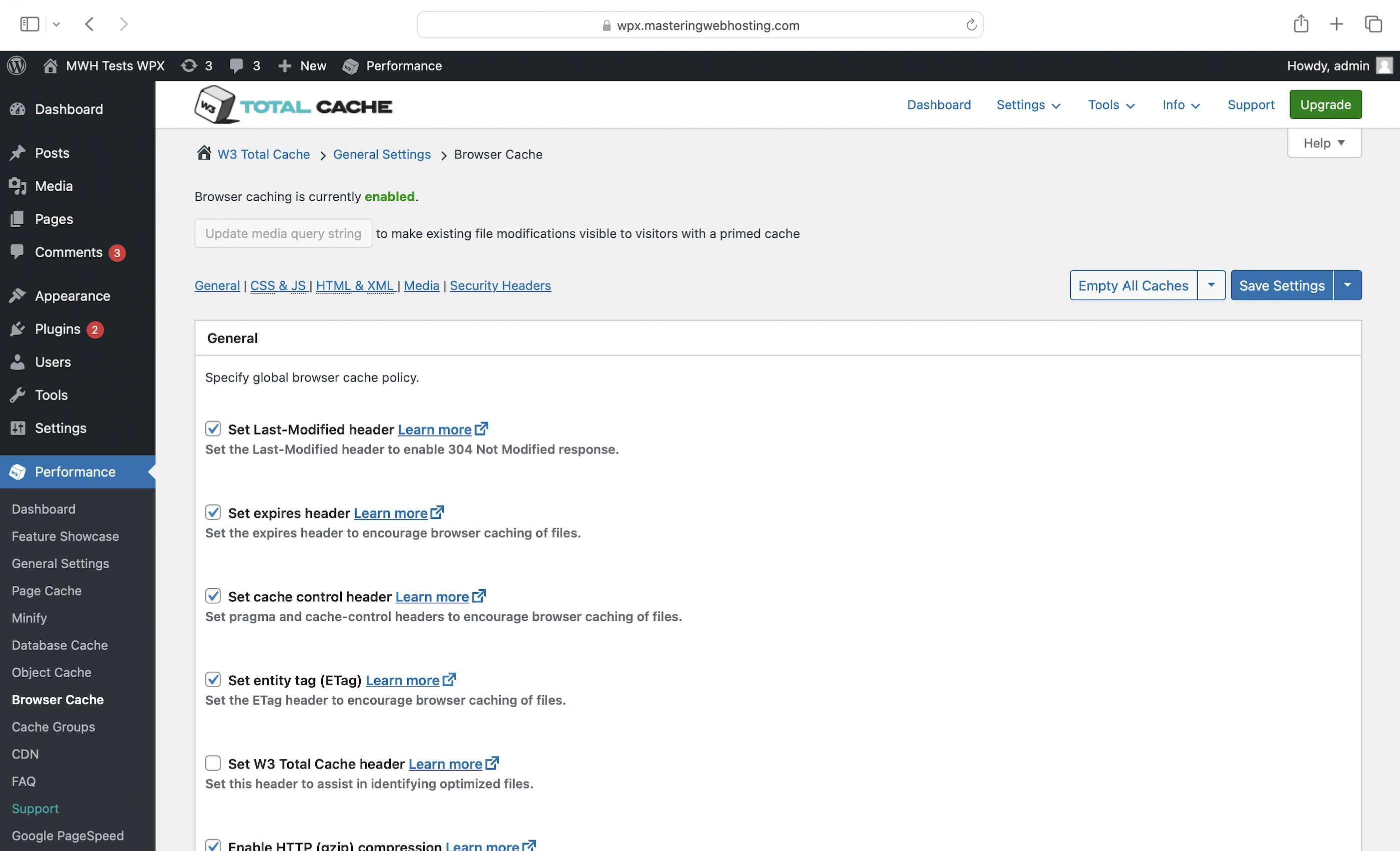
- Browser cache to store your static content on your visitors’ devices so they don’t have to be downloaded when they visit again
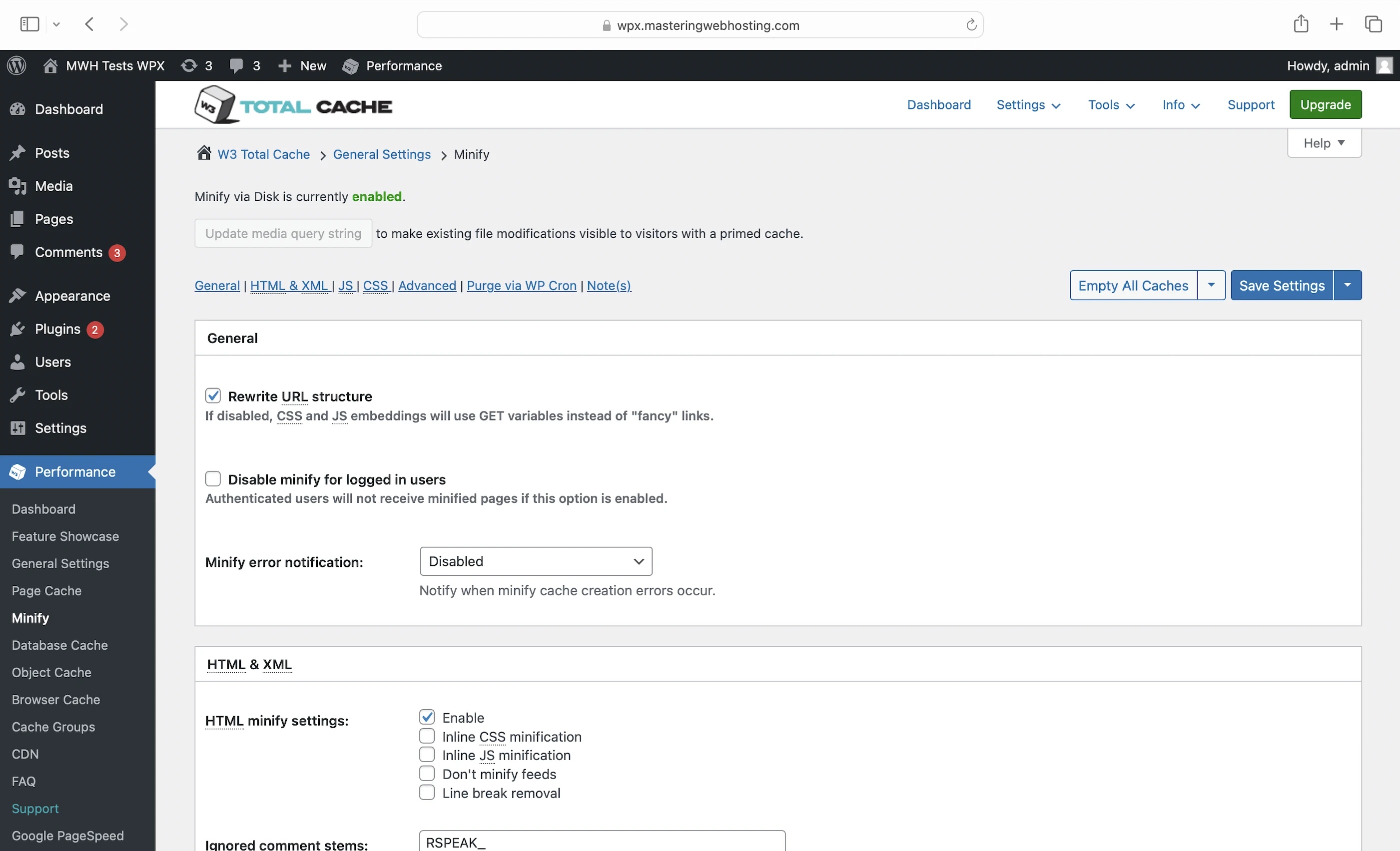
- Minify: Removes unnecessary characters from your CSS, HTML, and JavaScript (JS) files, making them smaller and faster to load
CDN
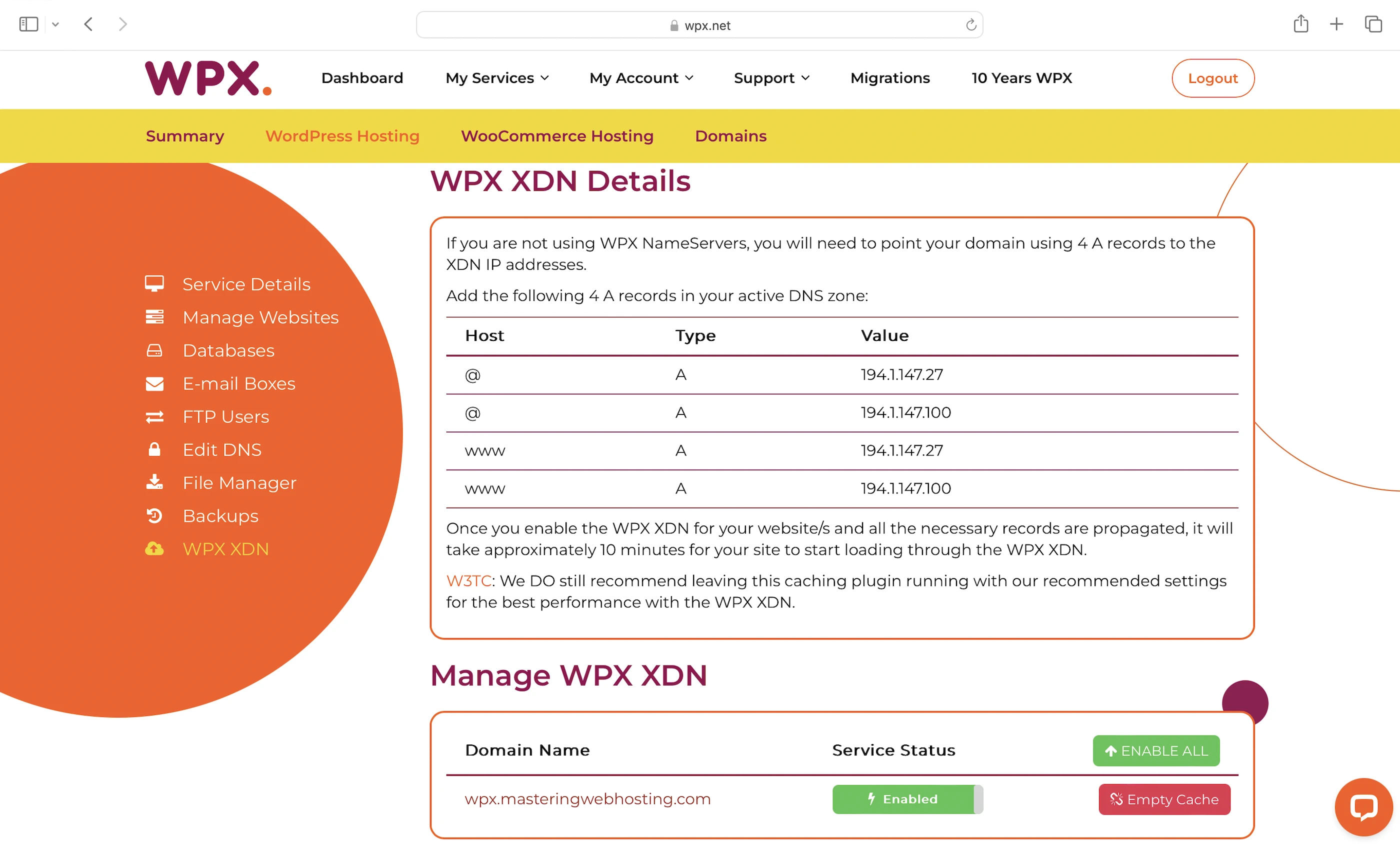
XDN (eXceptional Delivery Network) is WPX’s custom, super fast CDN with 41 PoPs around the world. It accelerates the loading speeds of websites by caching your static web content. XDN works best with the pre-configured W3 Total Cache plugin.
Free speed optimization
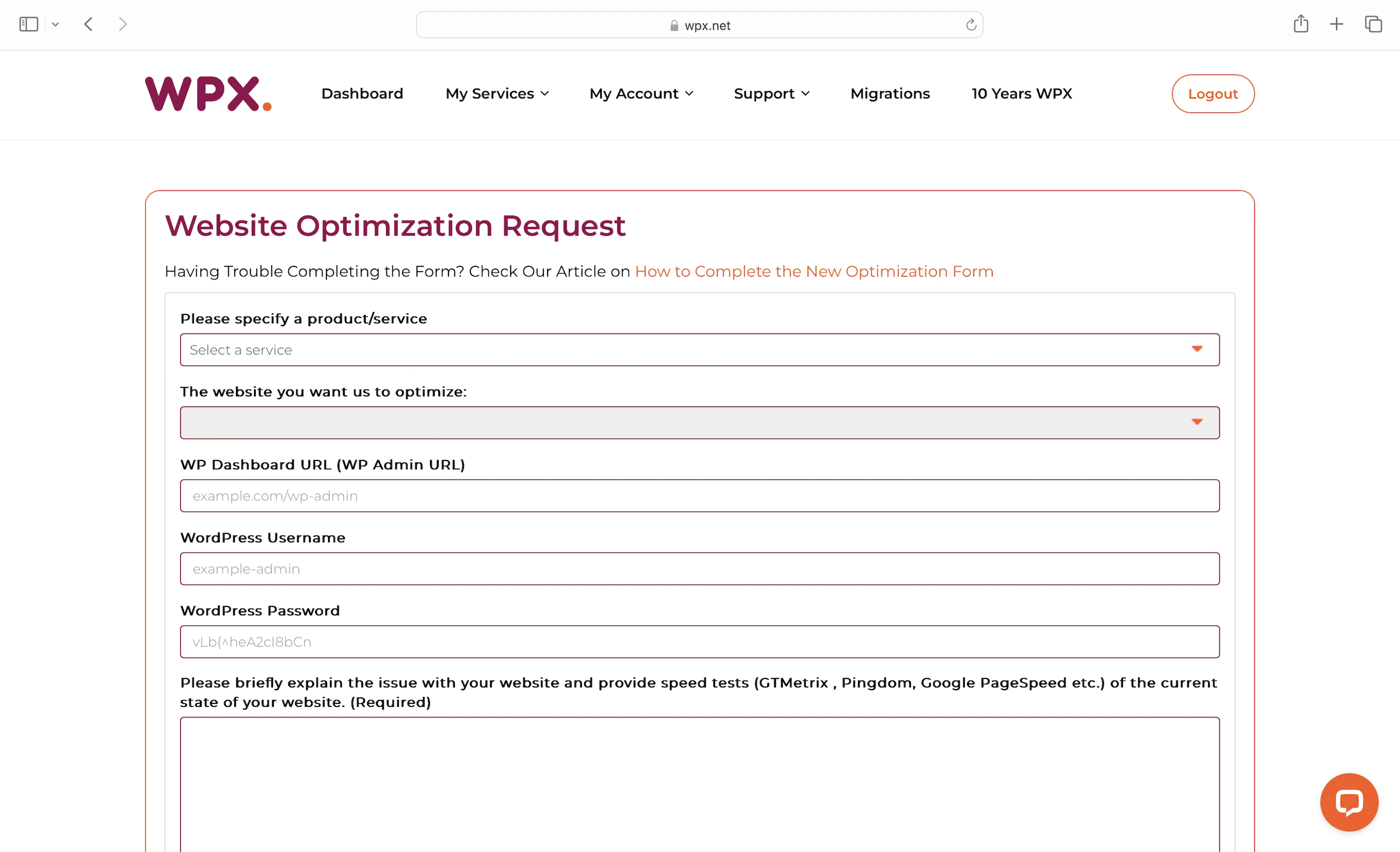
Finally, if you aren’t happy with its speed features above, you can write a request to WPX to optimize your speed even further.
3. Security Features
Managed Server WAF
WPX’s main defense. This WAF is based on ModSecurity, which means WPX websites are strong against application threats like SQL Injection and XSS attacks.
WPX Radar
A free intelligent scanning system that ‘delivers weekly insights and solutions to keep your WordPress site in peak condition’.
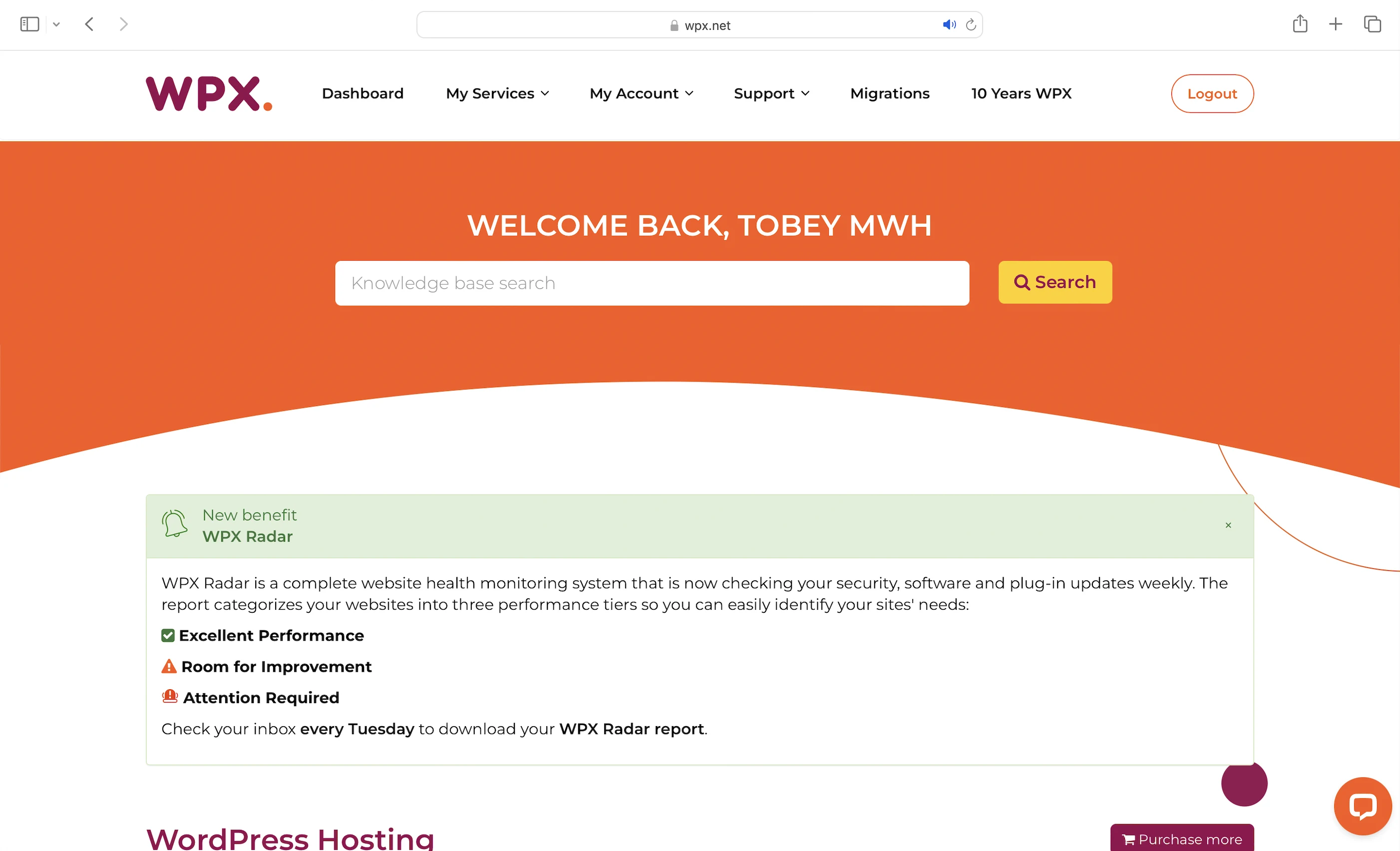
It automatically monitors your website across four critical areas:
- SSL Certificate Monitoring: No more unexpected, last-minute SSL certificate expirations.
- Redirect Verification: No more broken redirects or endless loops to ‘frustrate your visitors and hurt your SEO’
- WordPress Updates Tracking: No more outdated WordPress core, plugins, or themes to leave your website vulnerable
- HTTP Error Code Analysis
Every week, you will receive a detailed report that:
- Categorizes your websites by performance status, so you know which to prioritize
- Explains technical issues in plain, simple language
- Provides step-by-step solutions for resolving each issue
- Emphasizes prevention, not just detection
Other Security Features
- Enterprise level DDoS and bot protection
- Daily malware scans
- Advanced account security at a hardware level – Your website files are secured in their own isolated folder on the shared server
4. Speed Test
Here we shall see if WPX is bragging about being the fastest WP service.
Largest Contentful Paint (LCP)
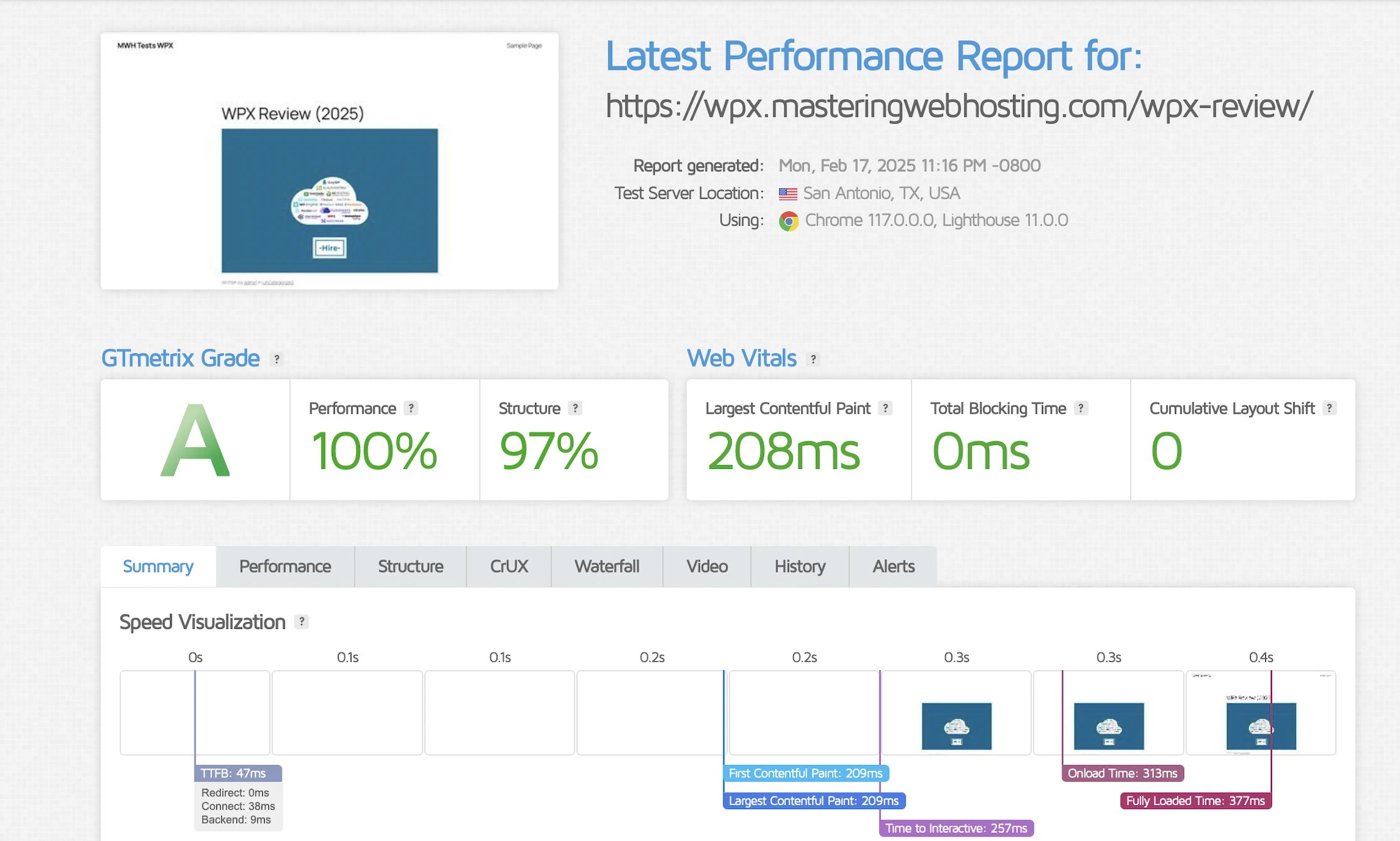
GTMetrix showed my LCP was an insane 208ms in Dallas, the fastest of all the hosts that I have reviewed so far.
But just when I thought WPX couldn’t get any faster, it just did: My LCP in London was a sick 195ms, once again the fastest of all hosts.
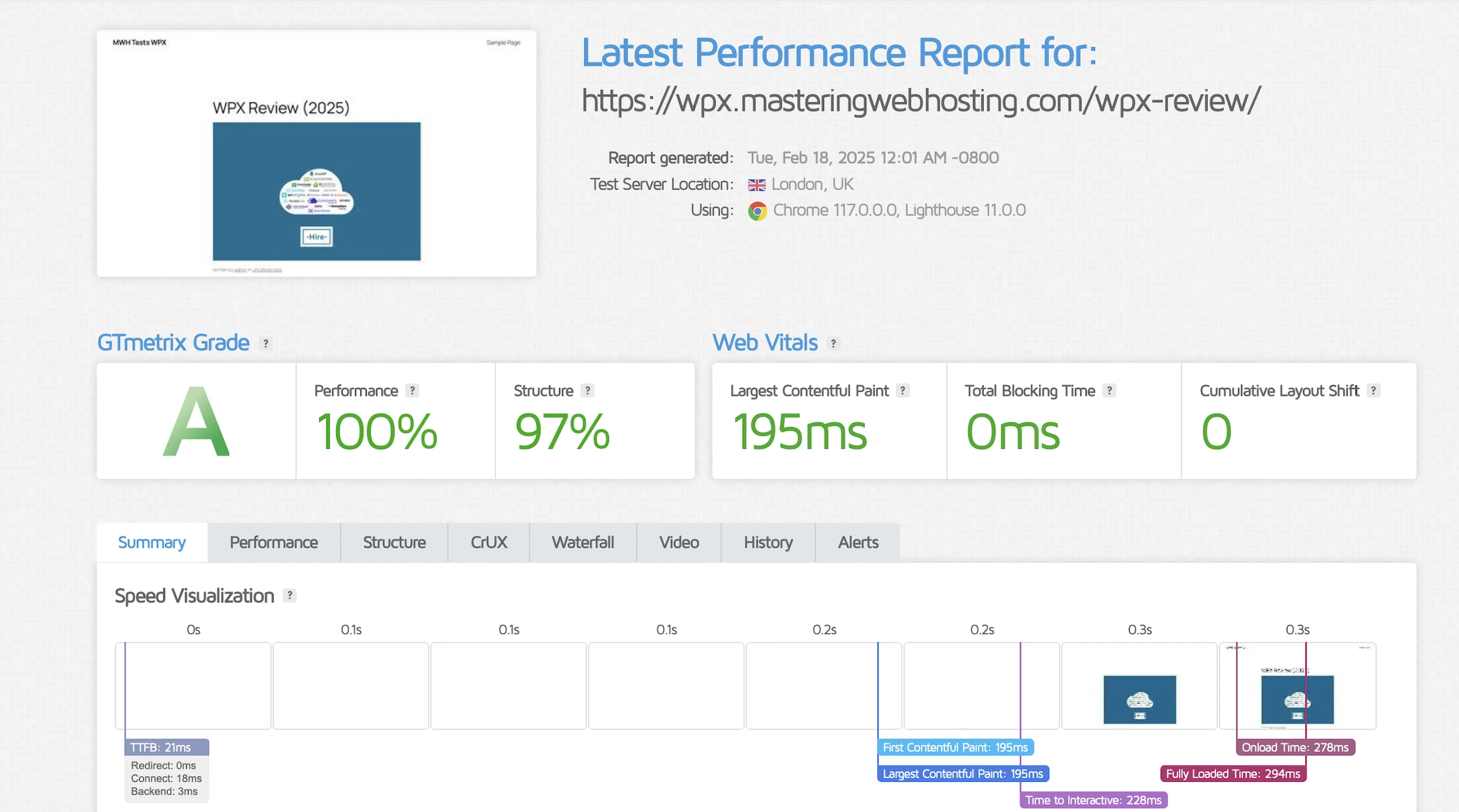
Slay.
Time to First Byte (TTFB)
Since WPX has its own CDN, I wanted to see its speed in different parts of the world. Just for a rough idea.
SpeedVitals gave my global TTFB an amazing A grade, with an average of 52ms, the fastest by far among all hosts once again.
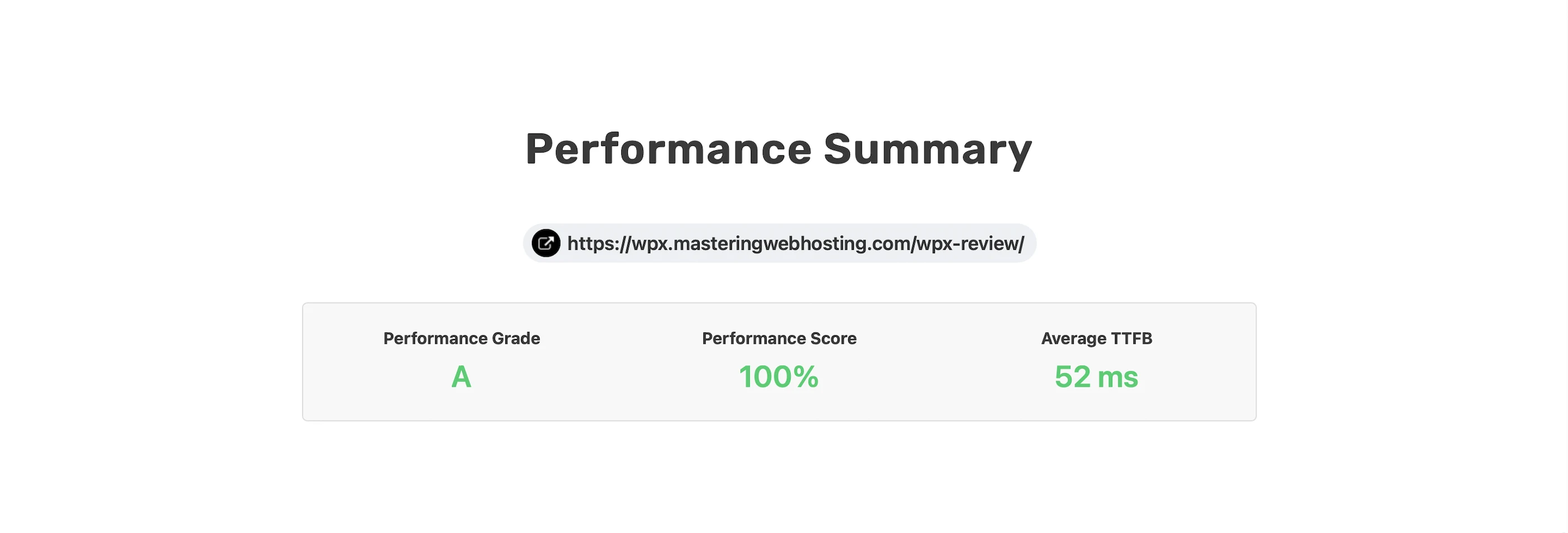
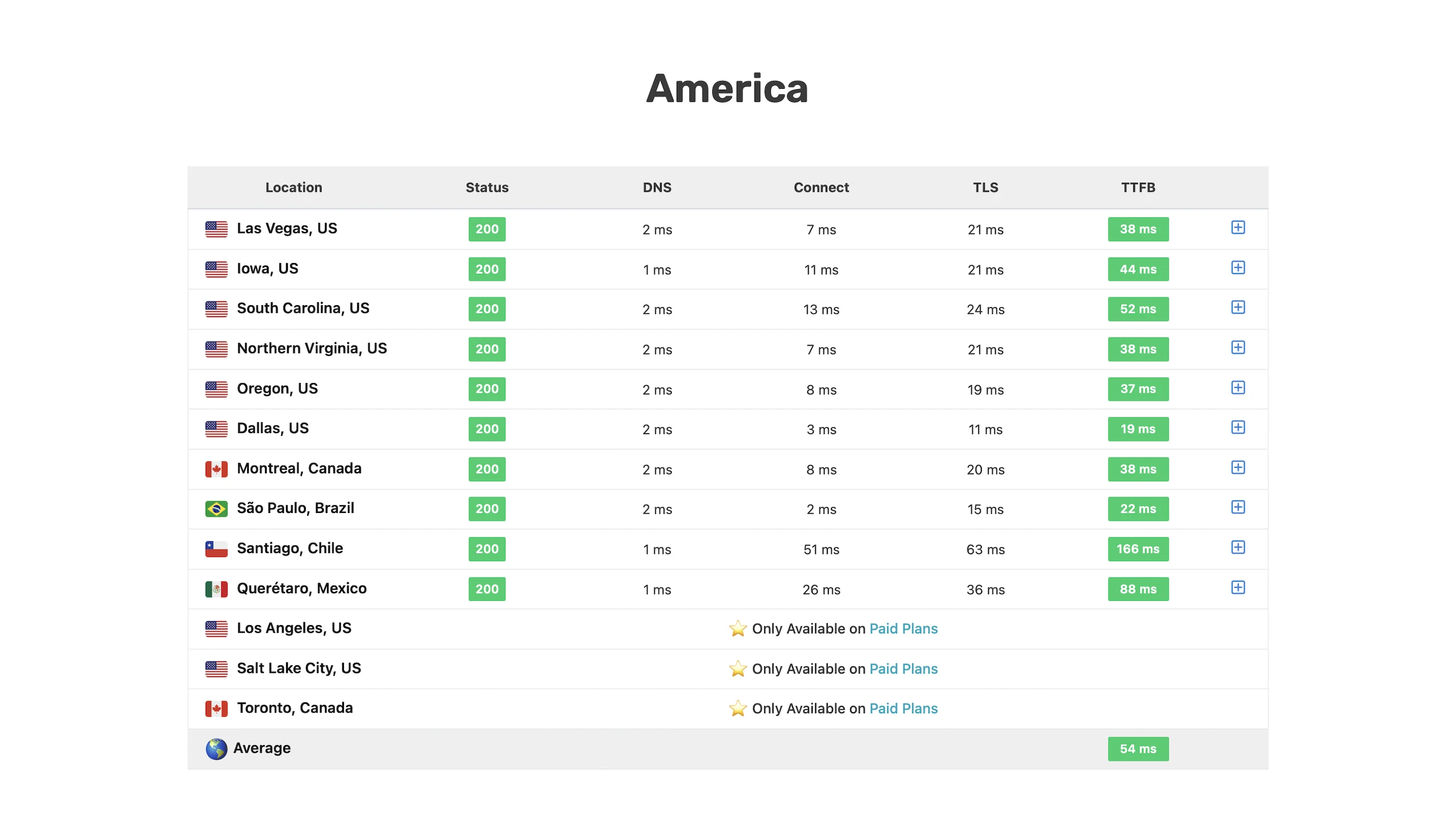
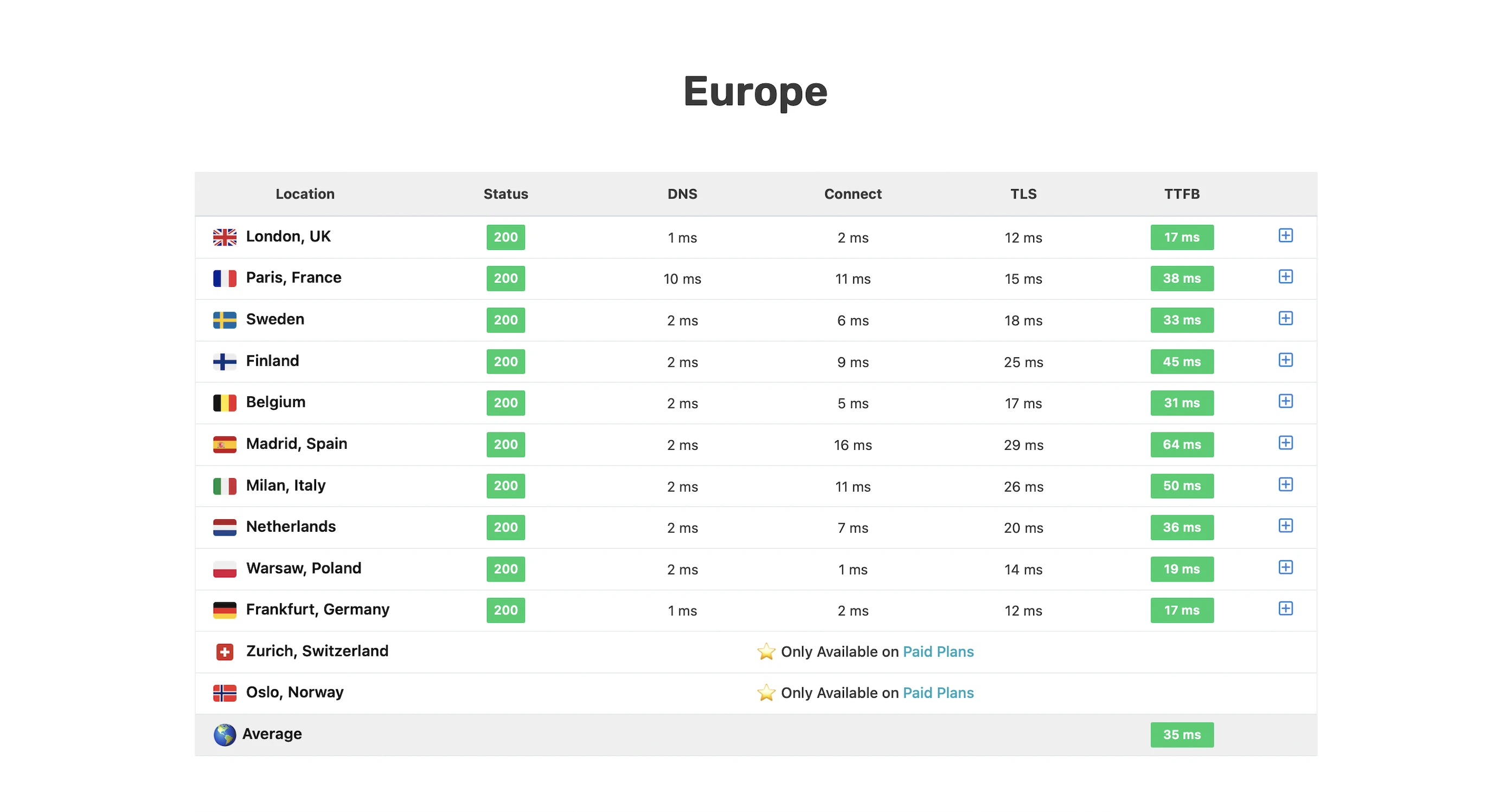
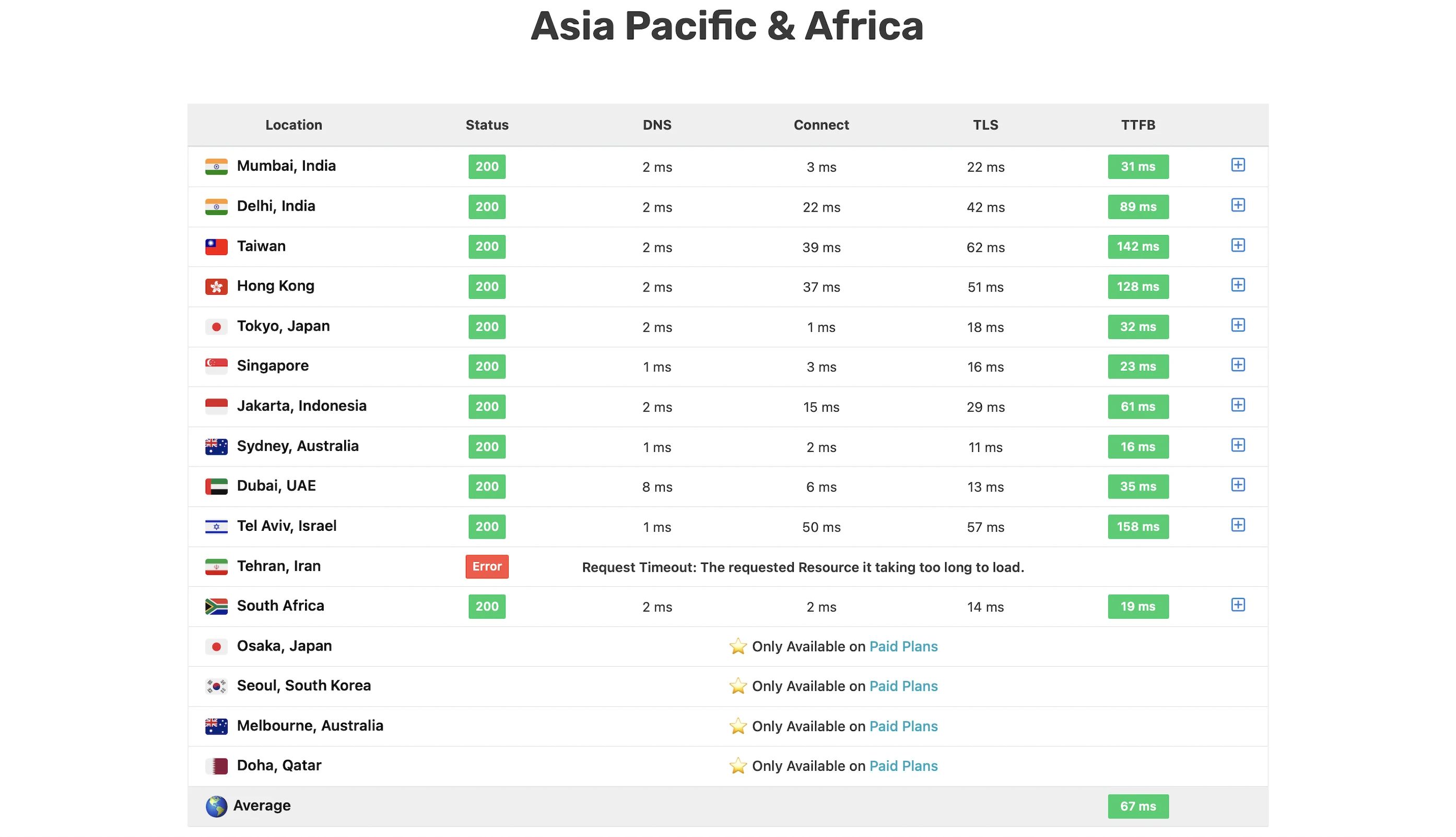
Verdict: WPX is HANDS DOWN the FASTEST WordPress host.
5. Security Test
WPX’s excellent security made this part a real pain in the *** for me.
Unlike most hosts, it blocked my ZAP server’s IP address after the first attacks.
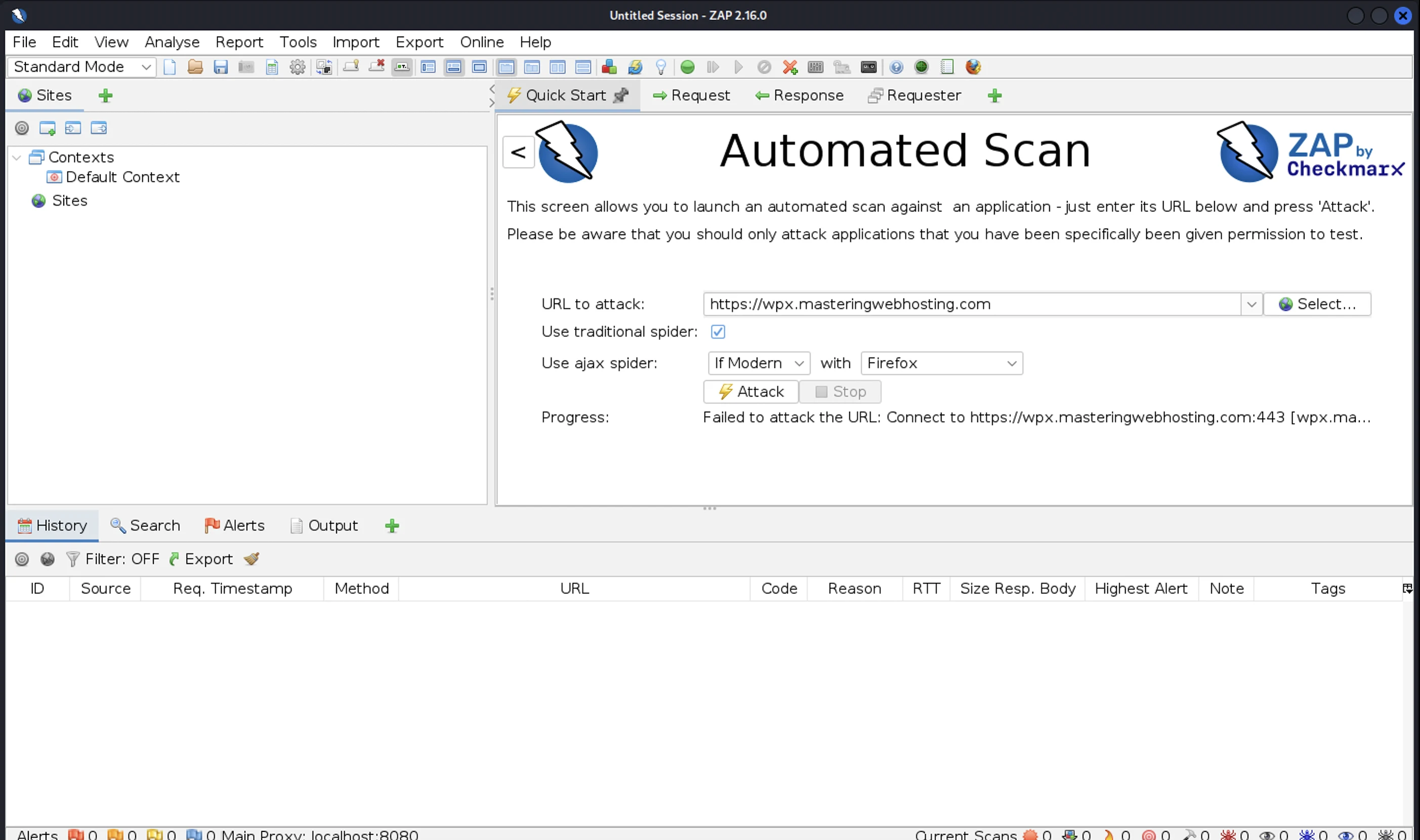
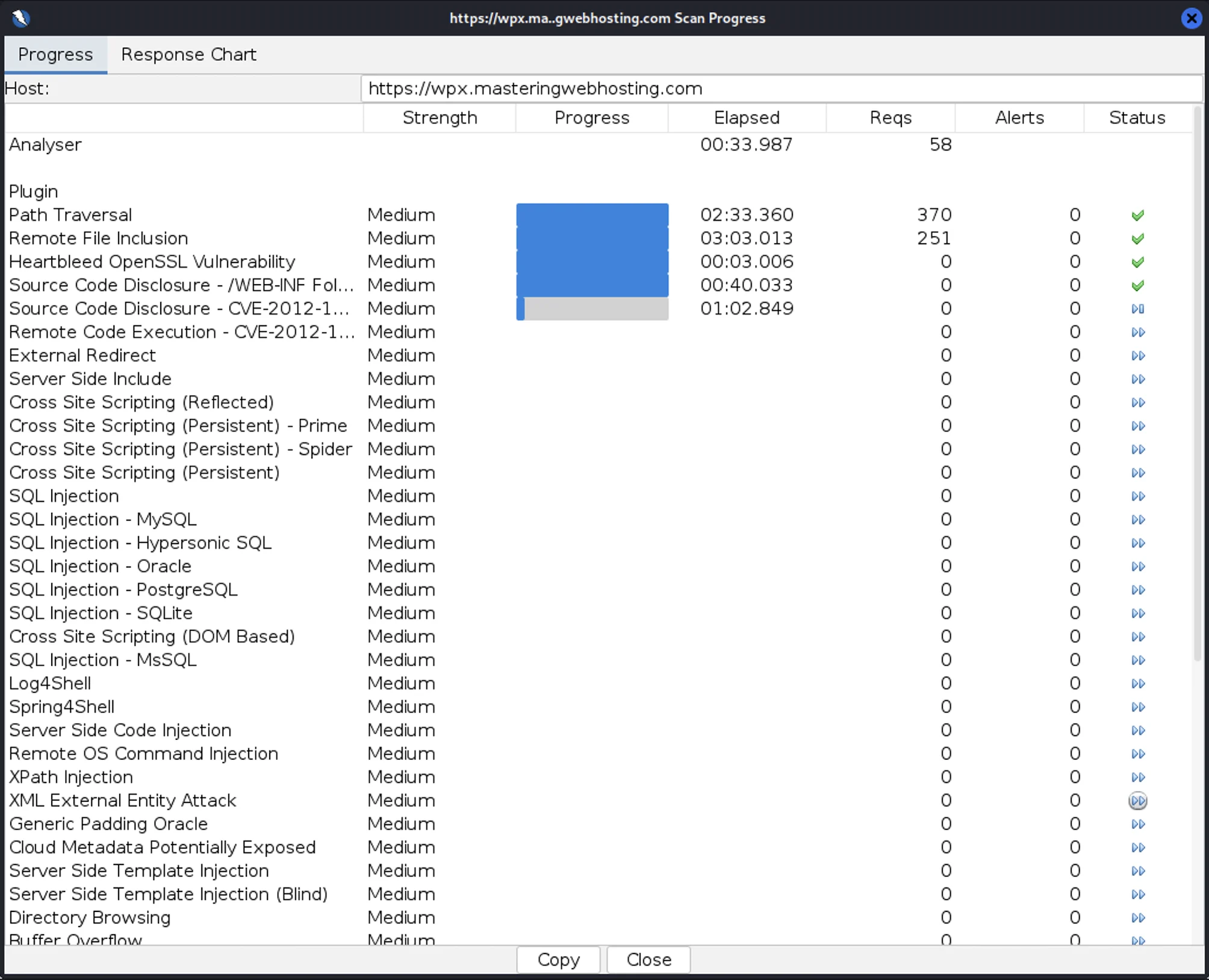
I switched to different servers, only for them to get blocked one by one too.
In the end, I had to ask the Support team to whitelist ZAP and my IP addresses so I could continue scanning my WPX website for vulnerabilities.
Even so, WPX’s stubborn defenses kept slowing my attacks, and it took me 6 hours to complete a scan!
In total, I launched 20,724 cyberattacks against my WPX website:
- 3 out of 30 high risk vulnerabilities detected:
- SQL Injection: 2 out of 773 attacks successful.
- SQL Injection – Oracle: 5 out of 244 attacks successful. Okay as WPX doesn’t use Oracle
- SQL Injection – SQLite: 10 out of 349 attacks successful. Okay as WPX doesn’t use SQLite
- 0 out of 12 medium risk vulnerabilities
- 1 out of 2 informational risks. 823 alerts but these aren’t vulnerabilities
- Success Rate: 19,884 or 96% of my attacks were completely neutralized
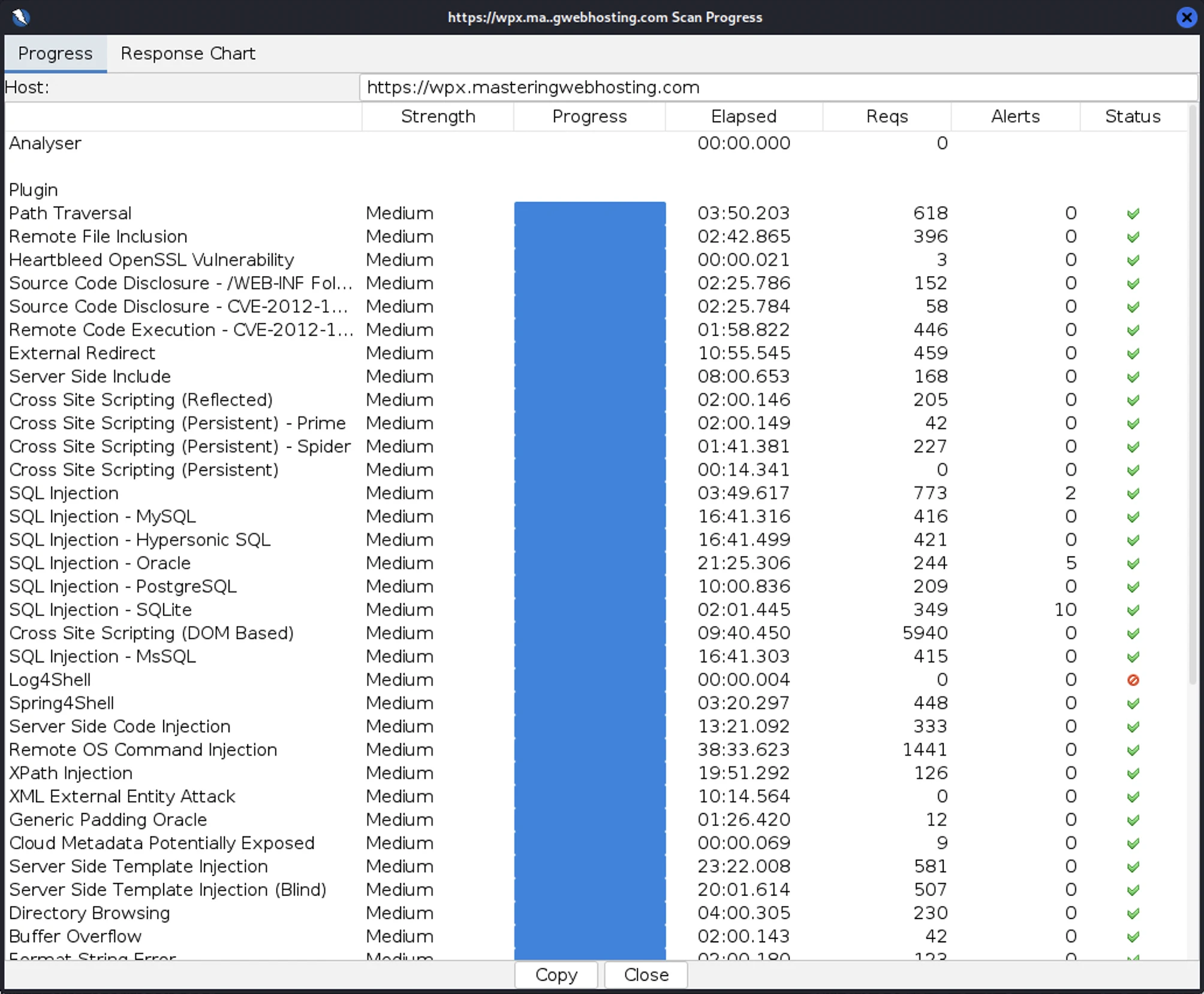

These results showed that WPX’s security is already good enough, and it’s even better when you consider that it would be difficult for anyone to discover and exploit these weaknesses without prior whitelisting.
Above all, the results proved that WPX does have impressive defenses against DoS attacks and malicious software and IP addresses.
So, for making my review so hard and shielding its vulnerabilities so well, WPX gets a thumbs up from me!
6. Uptime Test
In the 17 days I was reviewing, UptimeRobot reported that my WPX website enjoyed 100% uptime after checking on it every minute.
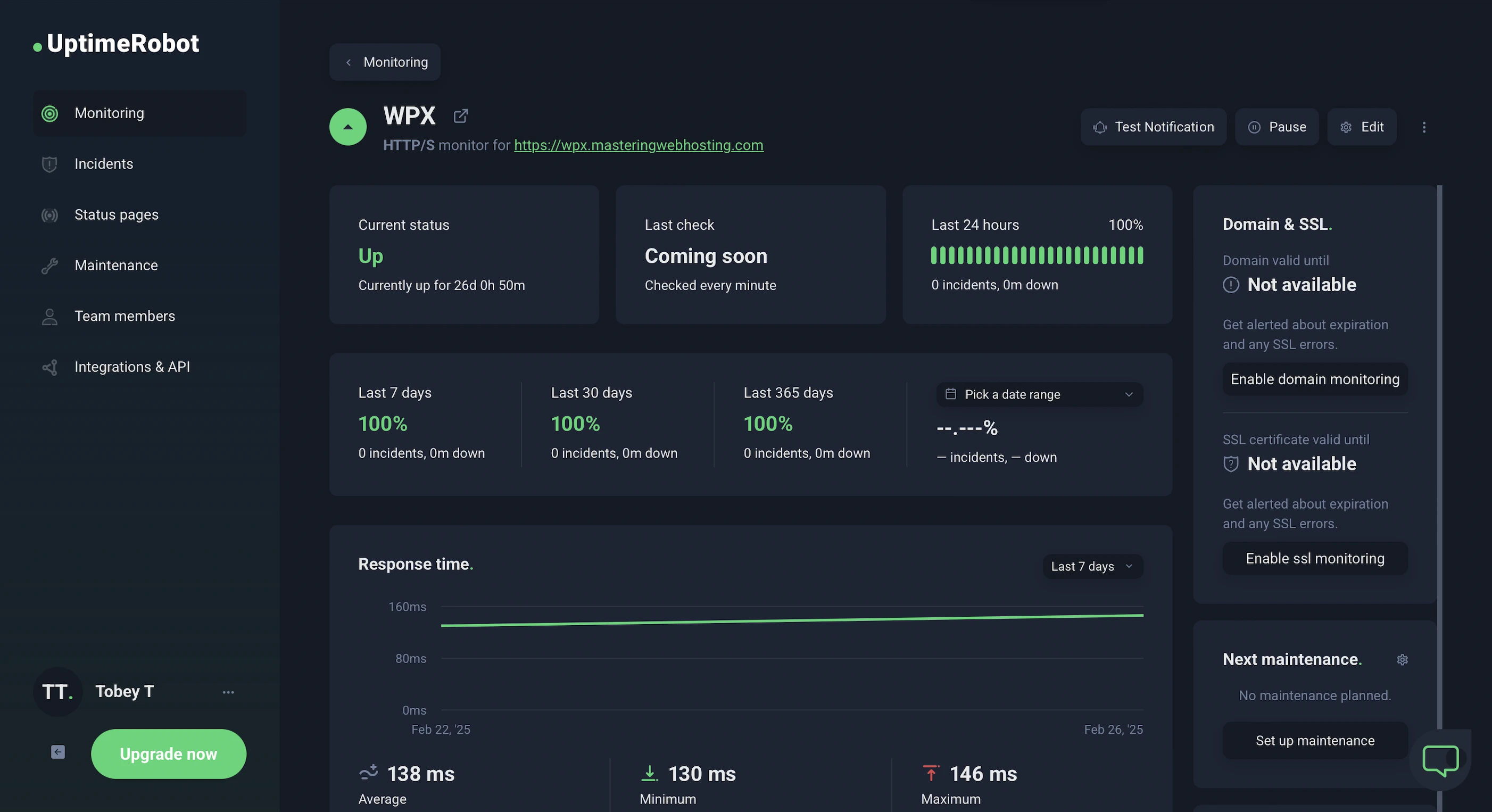
HetrixTools reported the same results after monitoring my website at 1-minute intervals for 9 days.
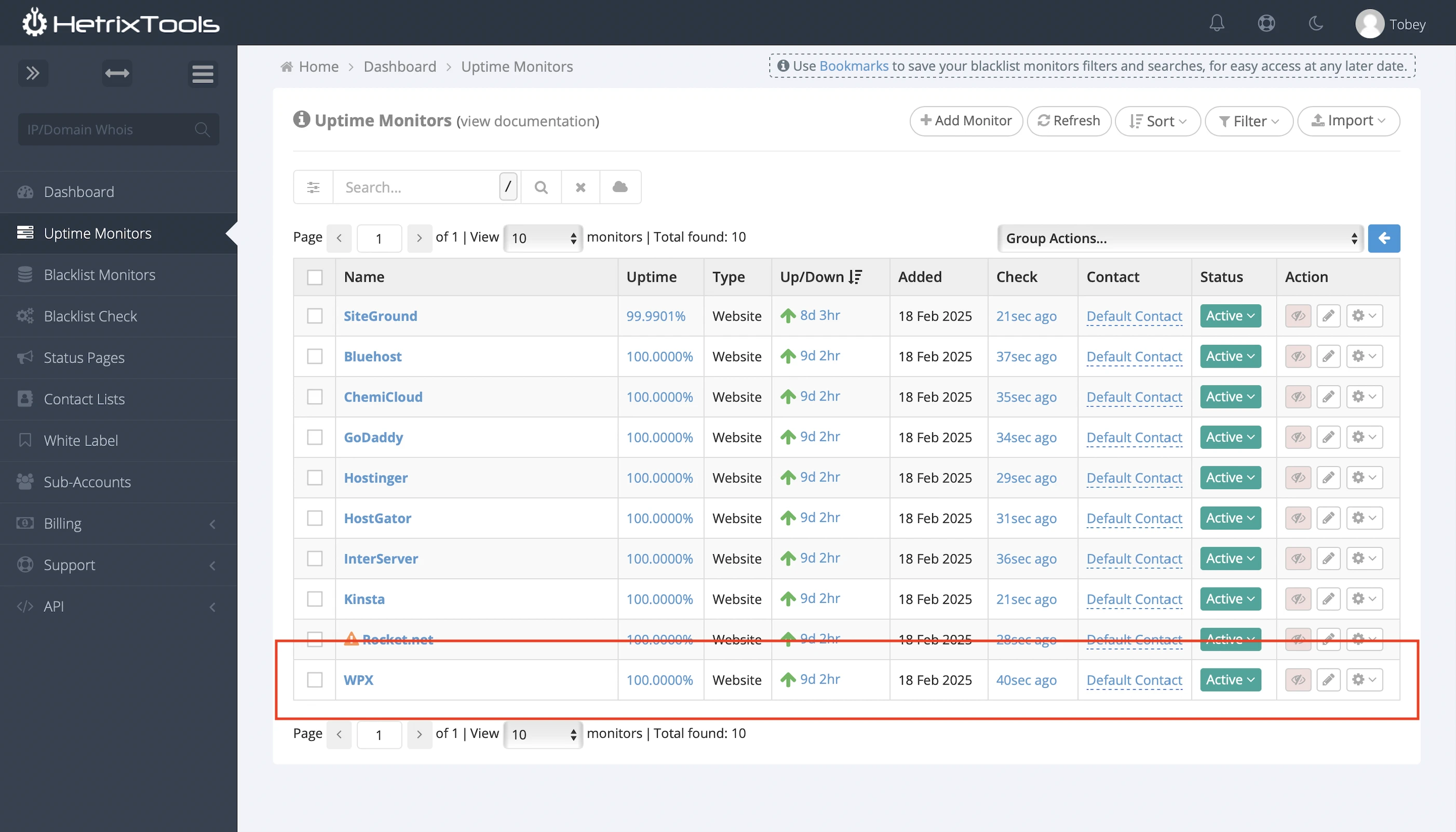
However, WPX doesn’t publish its outage history. The last major outage I found was on August 2, 2021 that lasted 5 hours, which it said was caused by its upstream provider Steadfast.
I spoke to Support, who confirmed there had been no major downtimes since then. They would also email customers about planned downtimes.
Meanwhile, major reviewers like Kevin also reported that WPX had at least 99.95% uptime during their investigations.
Nonetheless, other hosting companies provide detailed outage reports with start times, fix updates, and resolution times.
Their current system status is also available to the public.
So, WPX didn’t get full marks here.
7. Fastest Support
WPX promised a 30s response time if you open a chat with its Support team.
I am not one to count down the seconds, but I have initiated many chats with it, and I can confidently say all its agents got back within 10s.
They were also very polite and incredibly knowledgeable about its services (Unlike cough* Bluehost).
WPX might not have many downtimes, but if it does happen, I feel I can trust WPX with fixing it.
8. The Worthwhile Starter Plan
The Professional plan absolutely blew me away, but I get that shelling out $50/mo can be tough in these belt-tightening times.
Fortunately, there’s the starter Business plan at half the price ($20.83/mo). But does that mean half the performance too, or could it actually be a worthwhile compromise?
I originally chose the Professional plan because its server specs were closest to mine (2 CPU cores, 2GB RAM), though the Business plan wasn’t far off either.
So, how do the two plans stack up? Here’s a quick comparison:
| Business | Professional | |
|---|---|---|
| CPU cores | 1 | 2 |
| RAM | 5GB | 15GB |
| PHP workers | Up to 15 | Up to 45 |
So, we can expect websites hosted on the Business plan to be slightly slower overall.
In terms of security and uptime, both plans offer the same features, so there shouldn’t be any difference there.
The real difference, then, comes down to speed.
Largest Contentful Paint
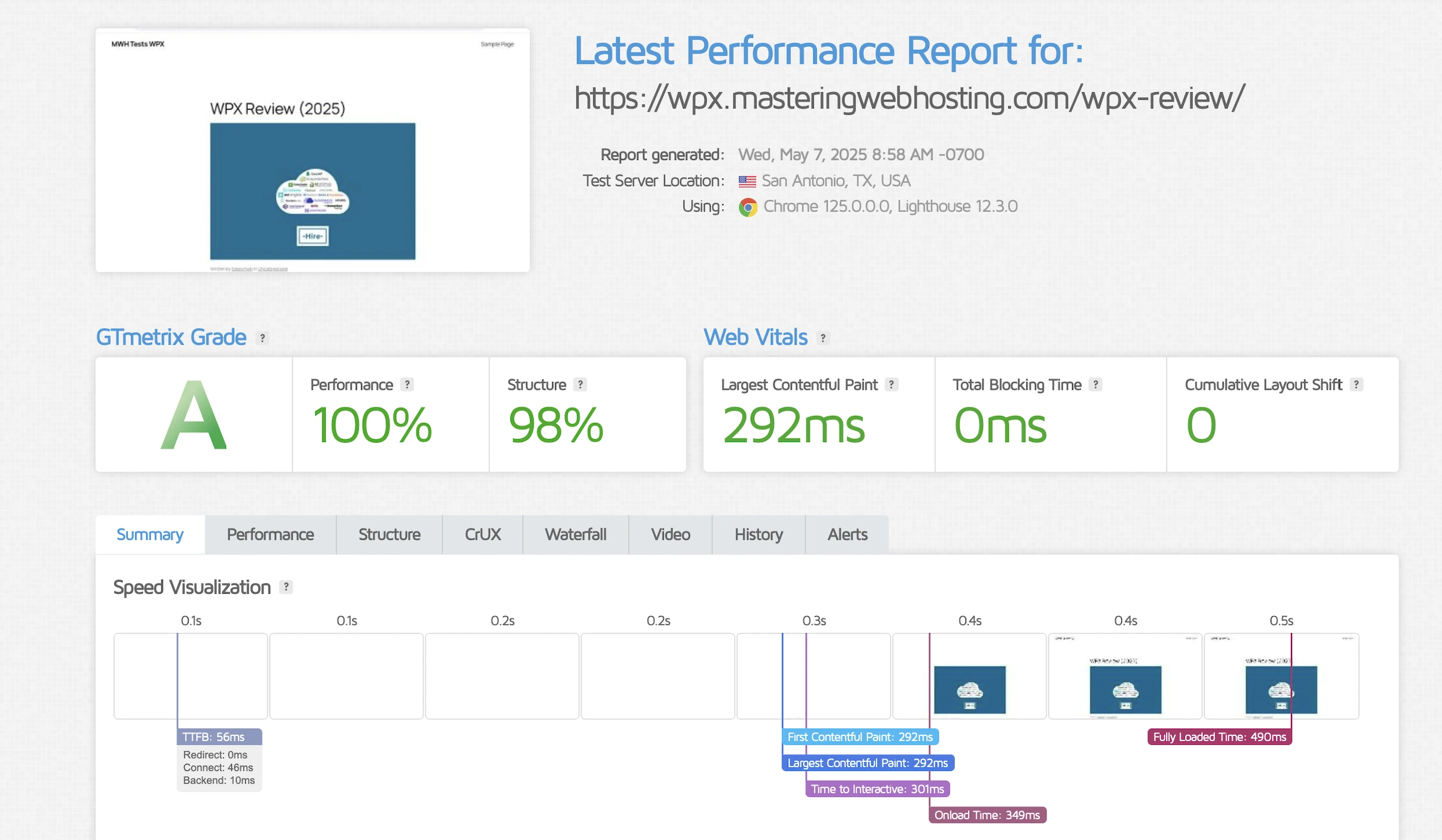
GTmetrix reported an impressive 292ms LCP in Dallas, making it one of the fastest among all the hosts I’ve reviewed so far.
And even better again, my LCP in London clocked in at 243ms, ranking among the best I’ve ever recorded there.
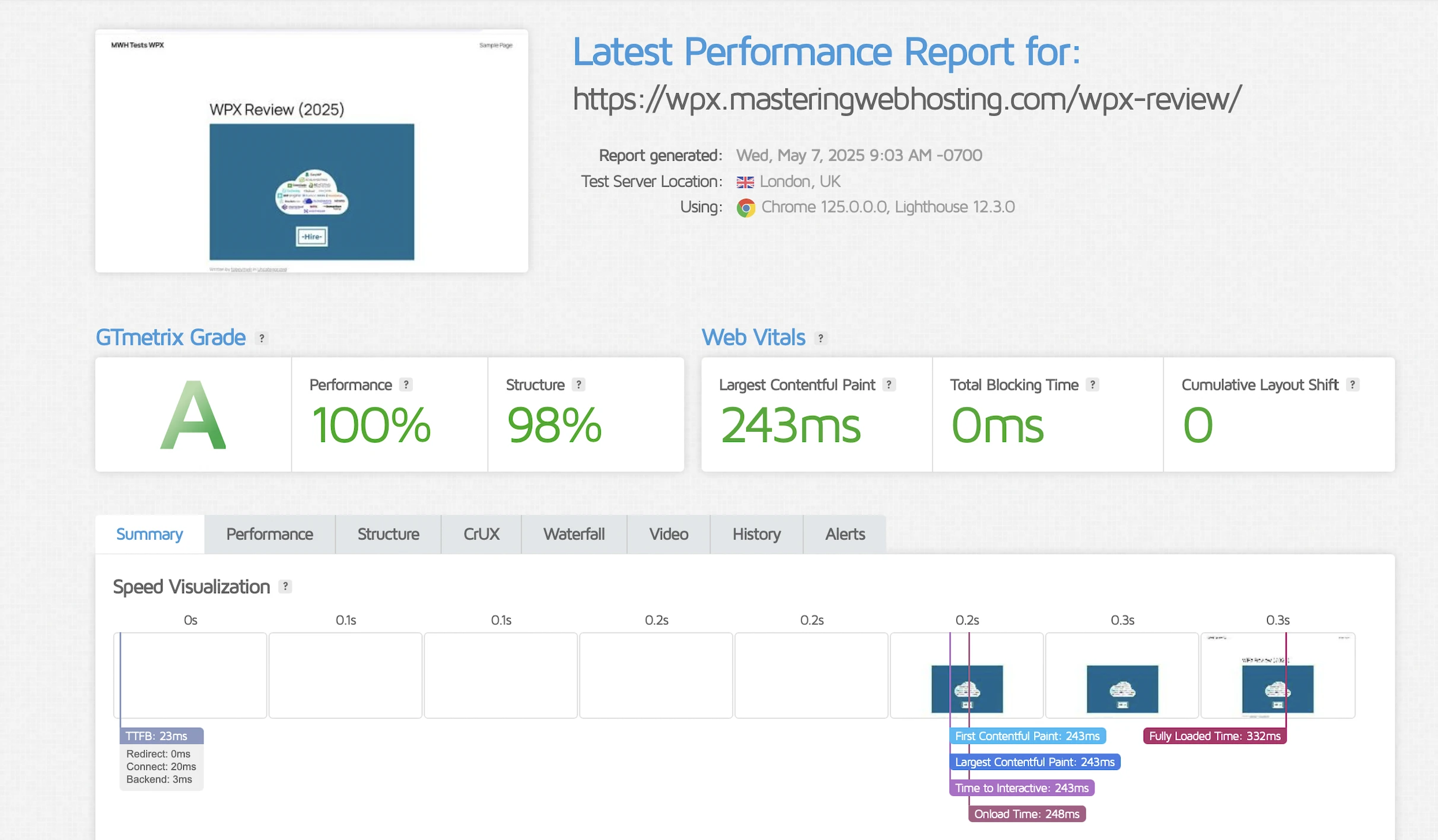
My only complaint? Consistency. At times, my LCP dipped into the 300ms range, which was still very good, but a step down from its peak performance.
Time to First Byte
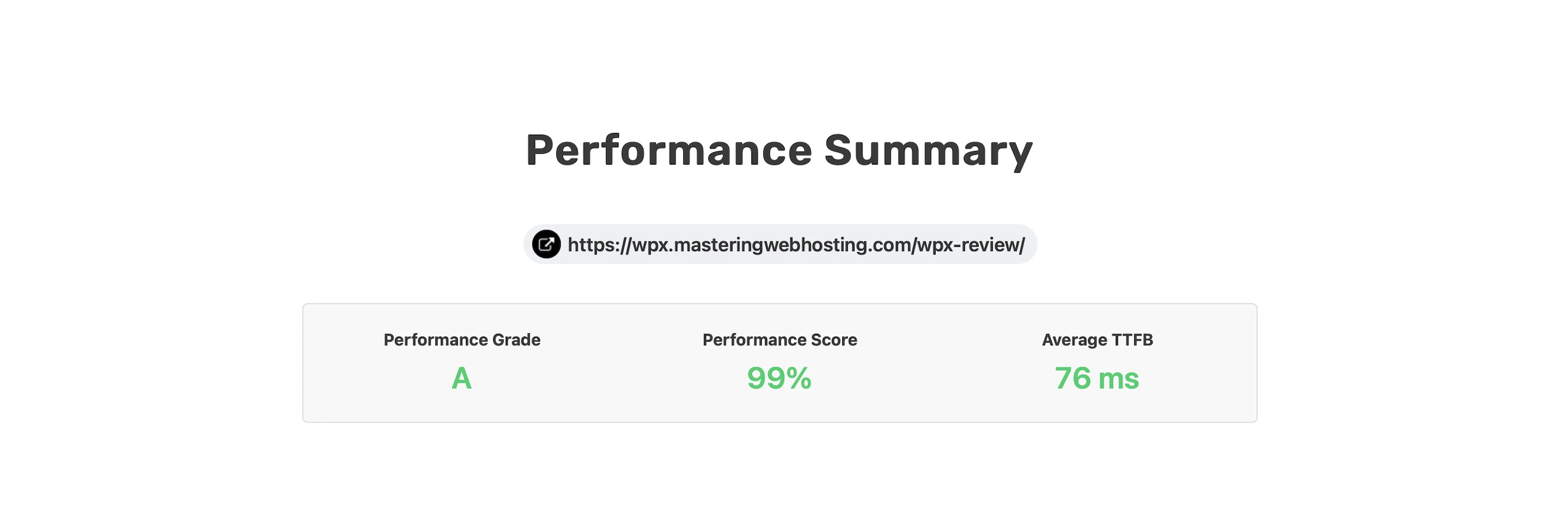
SpeedVitals gave my global TTFB an amazing A grade, with an average of 76ms—the third fastest overall, behind the Professional plan and A2 Hosting.
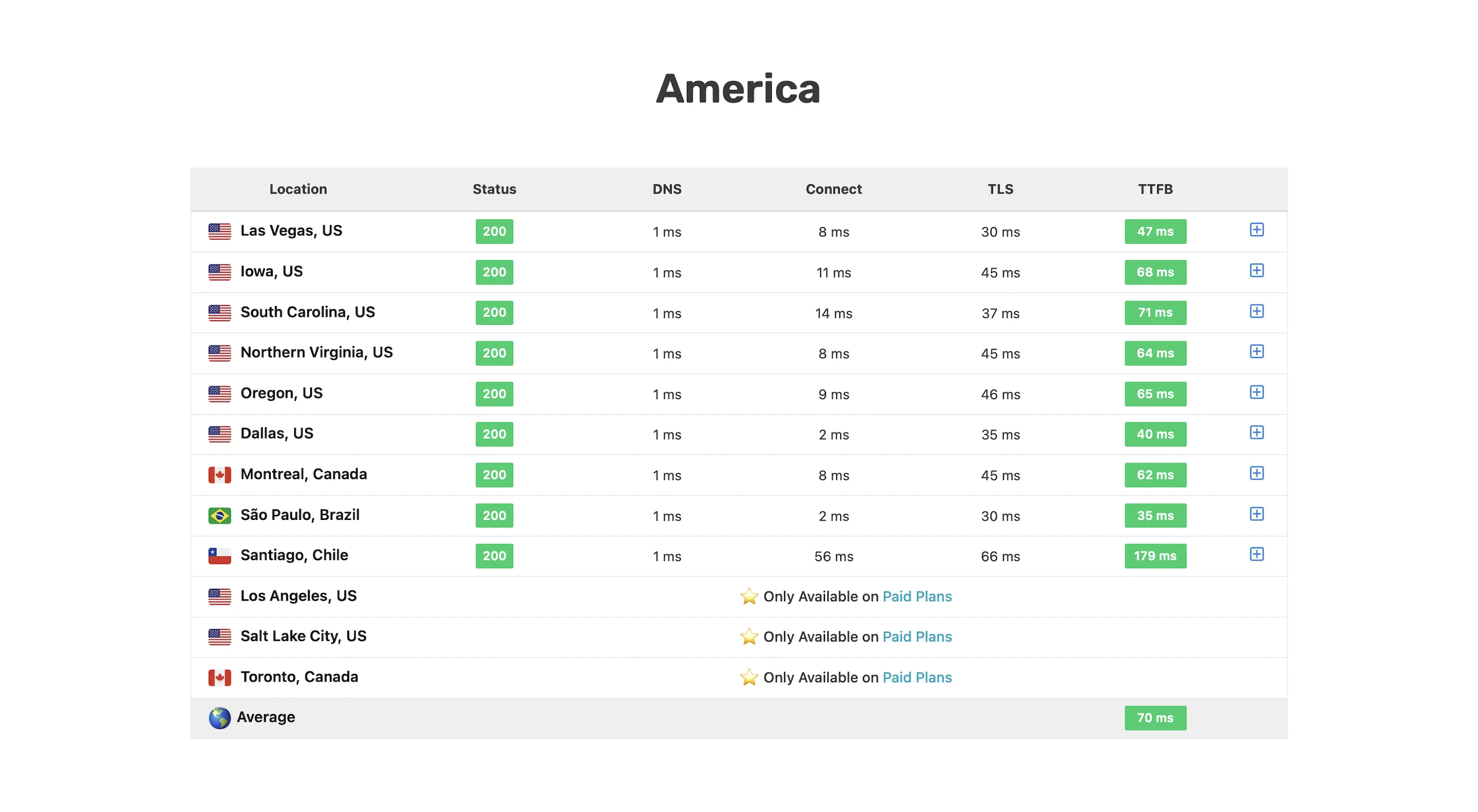
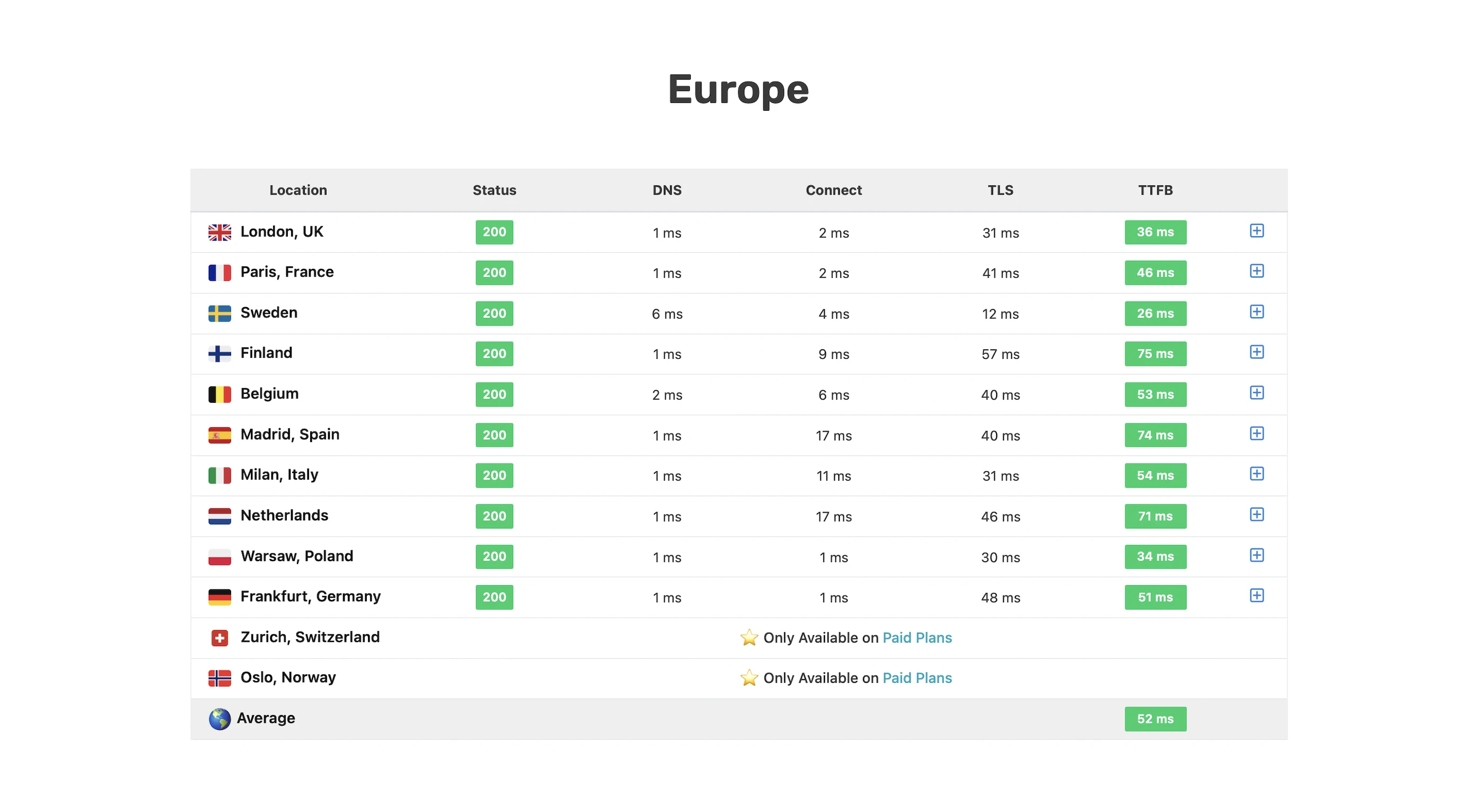
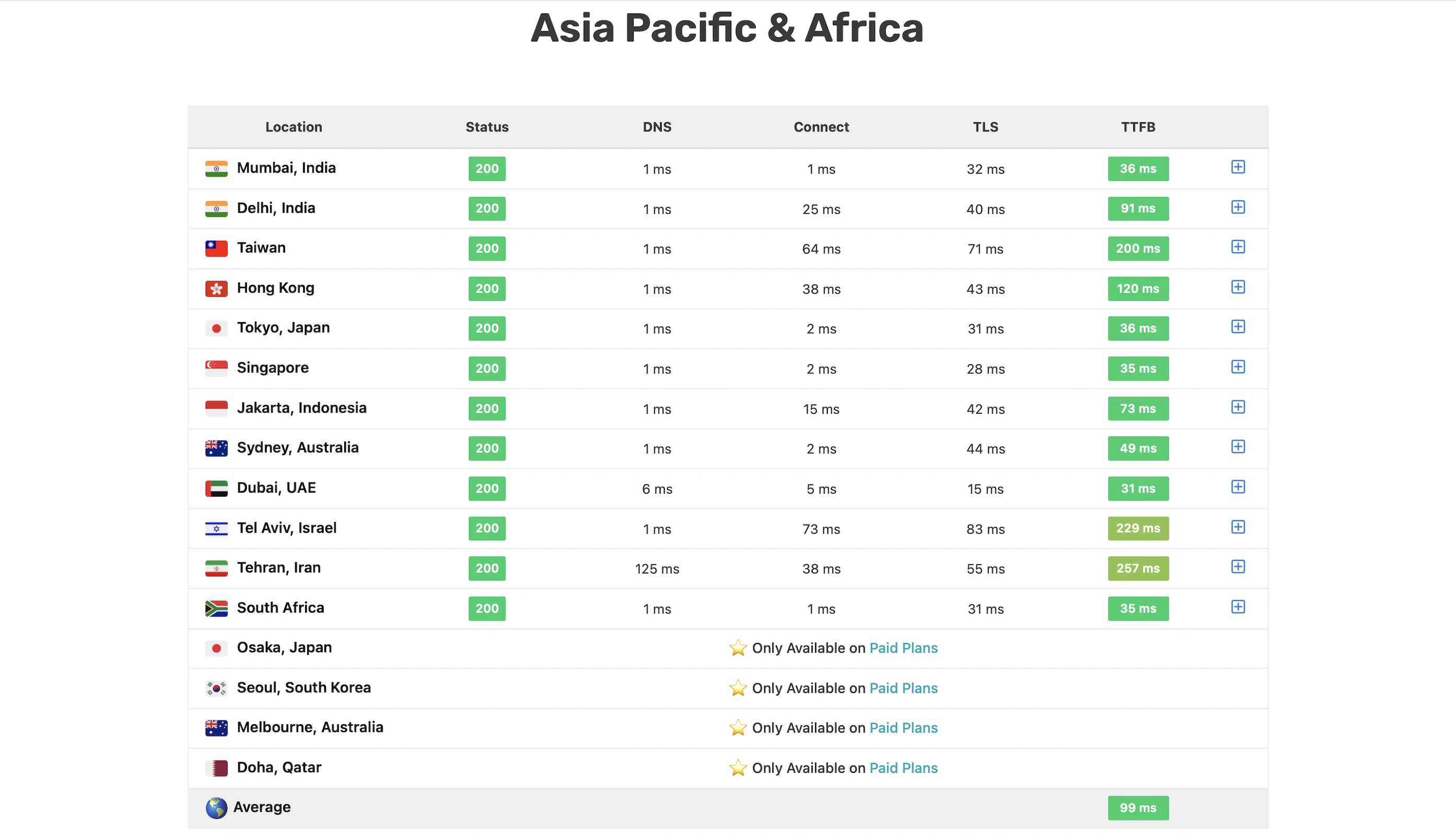
Verdict: Unlike many hosts’ starter plans, WPX’s Business plan is actually a worthwhile compromise if you’re looking for a top-tier host on a budget.
9. Cons
SATA Storage
Slower than the NVMe server drives used by hosts like InterServer.
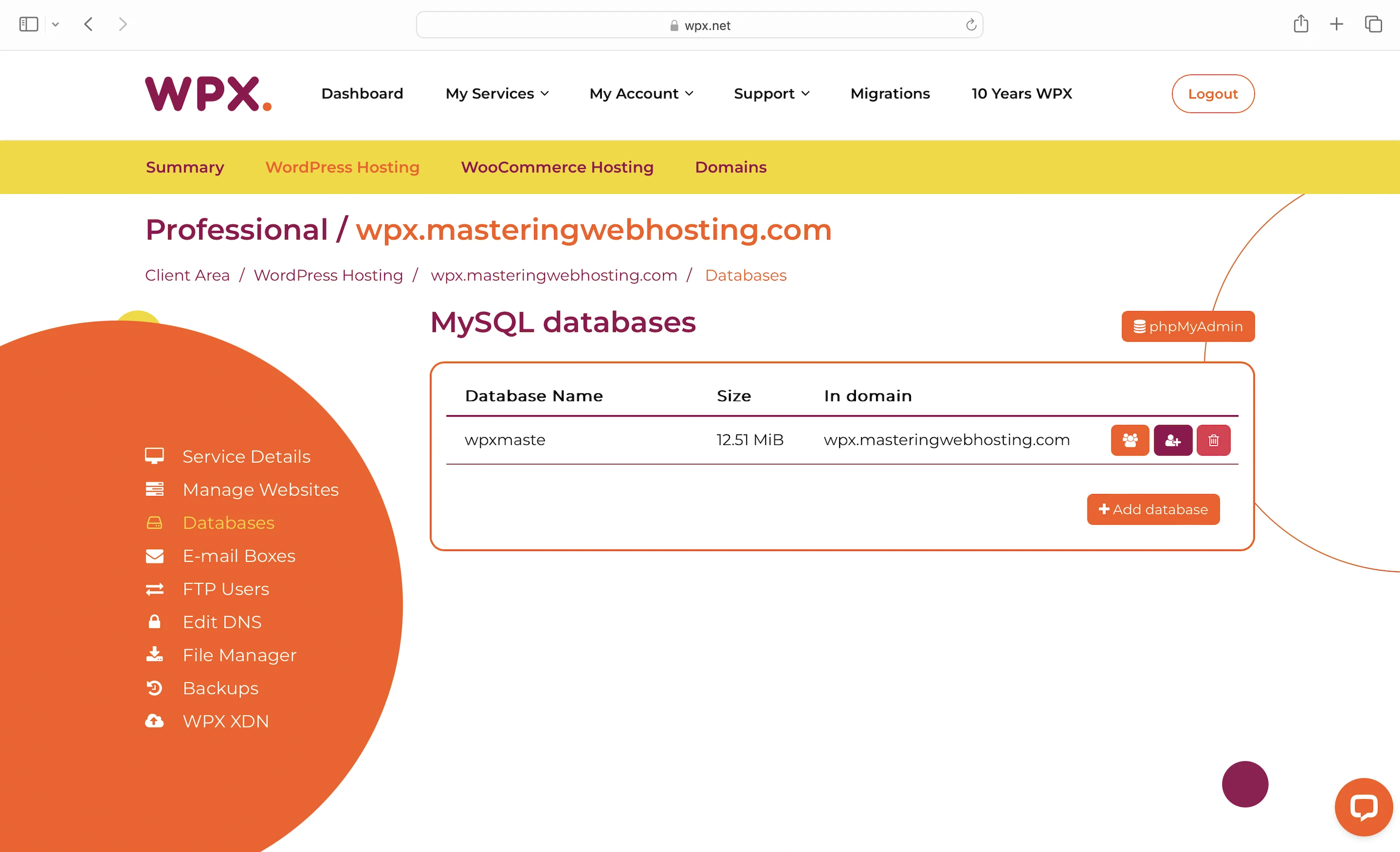
MySQL
Slower than MariaDB. I don’t know many other hosting providers who still use MySQL besides SiteGround, but its speed is still far better.
Only 3 Data Centers
And only in Chicago, London, and Sydney. But XDN delivers your web content to distant locations with their numerous edge servers, right?
Nope.

Only 41 PoPs
Far, far fewer than AWS CloudFront, Cloudflare, QUIC.cloud CDN, or even SiteGround CDN, though it didn’t seem to affect its global TTFB much.
No Edge WAF
Most providers offering a free CDN include a WAF at their PoPs. These WAFs filter and divert most of the harmful traffic from your origin servers so their resources won’t be overwhelmed when handling these attacks. Nevertheless, WPX has the one of the best DoS protection I have seen so far.
Unknown Uptime
Relying on independent reviewers to verify your uptime isn’t good enough, especially when smaller hosting providers are transparent about theirs.
10. Evaluation
Let’s see how WPX did against my self-hosting:
| Self-hosting | Professional | Business | |
|---|---|---|---|
| Speed (LCP) – Dallas | 306ms | 208ms | 292ms |
| Speed (LCP) – London | 253ms | 195ms | 243ms |
| Speed (TTFB) | 90ms | 52ms | 76ms |
| Security | 0 | 3 high risk vulnerabilities (2 don’t affect WordPress), but only if ZAP and malicious IP addresses are whitelisted. Superb DoS protection. | 3 high risk vulnerabilities (2 don’t affect WordPress), but only if ZAP and malicious IP addresses are whitelisted. Superb DoS protection. |
| Uptime | 95% | 100%, but no outage report or system status. | 100%, but no outage report or system status. |
| Winner | 👑 |
11. Final Thoughts
Unlike Barry Allen in the first 3 seasons of The Flash, WPX has proven itself to be the fastest WordPress service when it says it is.
Its Support also moves at such breakneck speeds they are more worthy of the mantle than the Flash himself.
While I had my doubts about WPX having only 1 WAF and at the origin server level, the fastest WP service has managed to slow down my cyber attacks.
And that’s only after I asked it to whitelist ZAP and my IP addresses.
It’s a feat I rarely see in other hosting providers and a testament to how great its security is.
The only thing that’s stopping me from declaring WPX to be a well rounded hosting service like InterServer is its lack of public releases about downtimes and uptimes. Maybe WPX should take a leaf out of WP Engine’s book.
But if respected reviewers like Kevin have given their stamp of approval and I myself experienced 100% uptime (in a short trial period of 20 days), I guess WPX can be trusted somewhat.
Just somewhat.
The amazing thing is that WPX still has great potential to become even faster.
Despite some cons (eg. SATA server drivers, fewer PoPs), WPX has outpaced many big providers.
It’s an outrage that Bluehost or HostGator are still being recommended by most reviewers when excellent alternatives like WPX exist.
So, I am going to do a PSA here: Get WPX for your WordPress hosting, people!
Leave a Reply