Founded in 1999, InterServer is the second oldest WordPress hosting provider I’ve reviewed.
But as we’ve seen with Bluehost, HostGator, GoDaddy, and Hostinger, old doesn’t always mean gold.
So I’m keeping my expectations low.
1. Plan
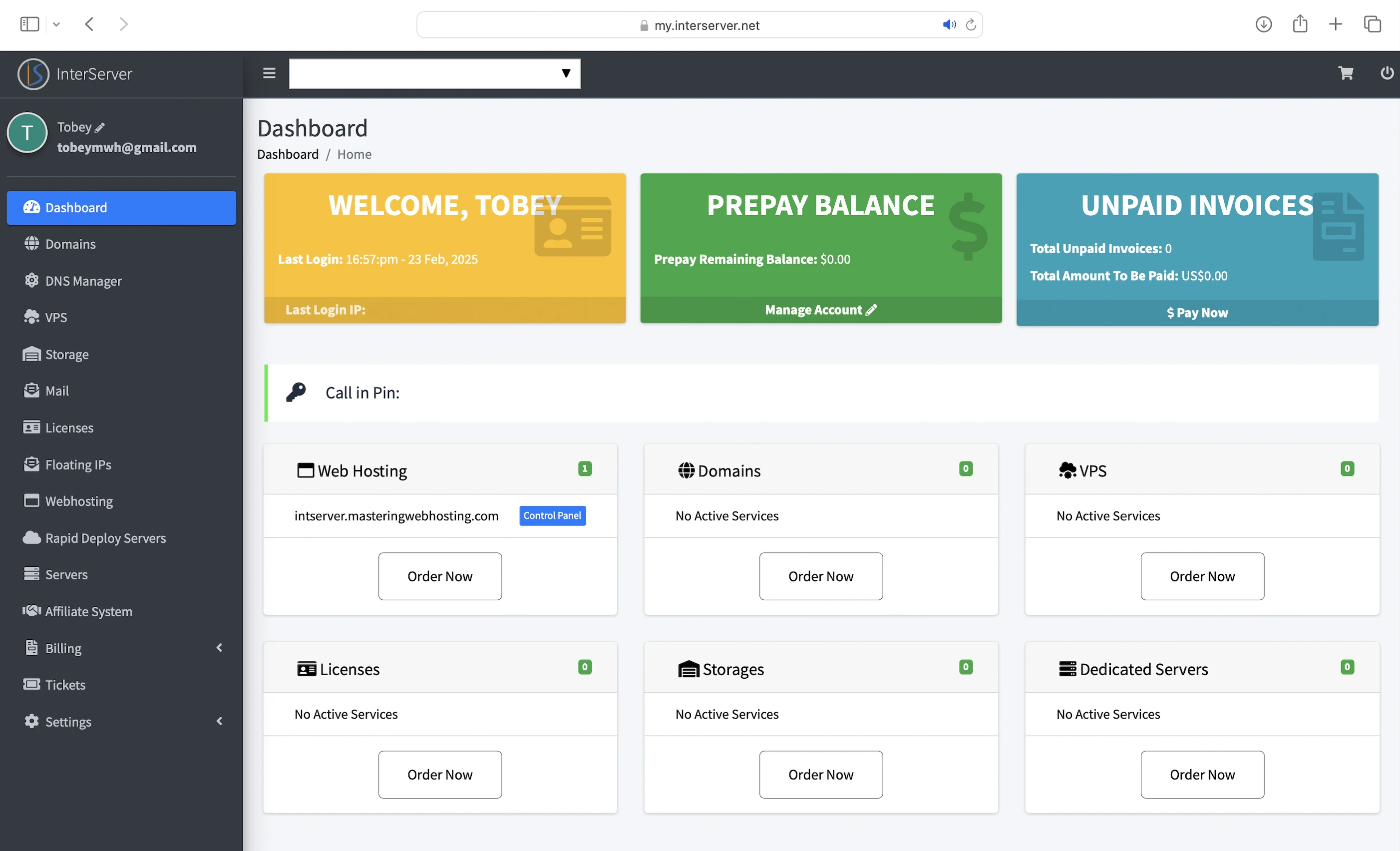
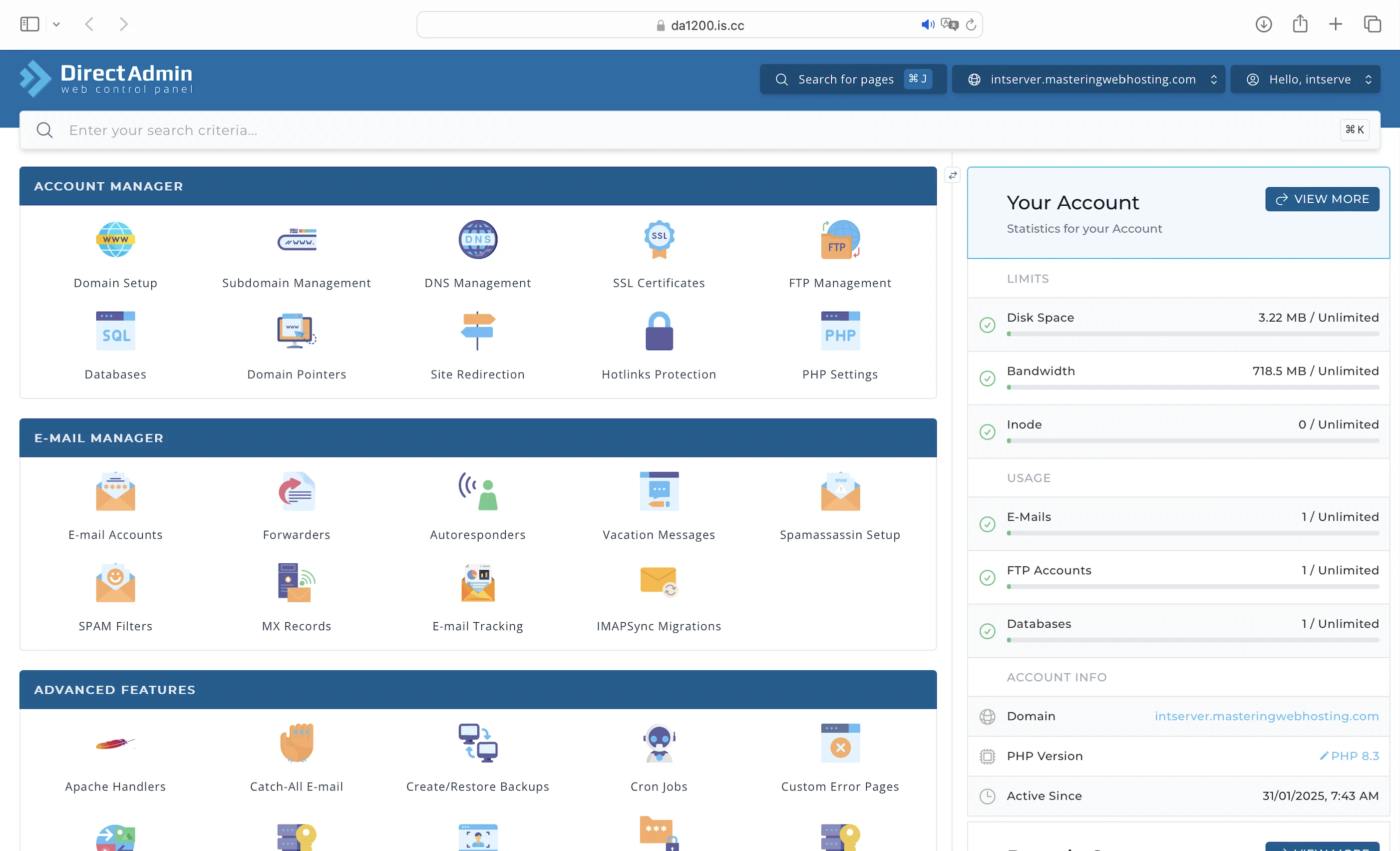
I got the Web Hosting Direct Admin, which comes with:
- 1 CPU core
- 2GB RAM
- Monthly visitors up to resource limit
- CloudLinux OS
- Unlimited NVMe SSD storage
- LiteSpeed Web Servers
- PHP workers up to resource limit
- OPcache
- LiteSpeed Cache plugin (not pre-configured)
- Redis Object Cache
- Inter-Proxy Caching
- ModSecurity WAF
- InterShield
- Imunify360 proactive defense and malware scanning
- Inter-Insurance
- 99.9% uptime guarantee
This plan costs $2.50 for the first month, then renews at $7/mo.
2. Speed Features
CloudLinux OS
Shared WordPress hosting is usually much cheaper than VPS hosting because multiple websites run on the same server.
The downside is that they also compete for the same CPU and RAM, which can slow down performance across all sites.
Like ChemiCloud, InterServer has redefined what shared hosting can be.
Its servers run on the CloudLinux operating system, which allocates dedicated resources to each website. This allows sites to perform more like they’re hosted on a VPS, rather than a traditional shared environment.
That’s also why, unlike with Bluehost, I actually know how many CPU cores and how much RAM my plan has.
NVMe SSD Storage
Just like ChemiCloud, InterServer uses NVMe SSDs on its servers.
These drives retrieve and update WordPress content much faster than older SATA SSDs, giving InterServer a speed advantage over hosts still using them.
LiteSpeed Web Servers
A web server handles and responds to incoming requests for your WordPress content. It is connected to PHP through a handler that’s usually optimized for fast and efficient communication between the two systems. This allows the web server to forward requests to PHP and receive responses faster, directly improving your page load times.
InterServer uses LiteSpeed Web Servers with LSAPI as the PHP handler. LSAPI is designed specifically for LiteSpeed and communicates with PHP far more efficiently than older handlers like PHP-FPM.
This means LiteSpeed Web Servers return your WordPress content faster than Nginx or Apache web servers.
PHP Workers
Your WordPress website serves two types of content: static and dynamic. PHP workers are for the latter.
Static content is called so because it remains the same across visits. Examples include the images and CSS files that make up your website’s layout. Unless manually updated, everyone sees the same layout when they visit your website.
Dynamic content, on the other hand, changes based on the data retrieved from your database. Examples include your blog posts and comments. New posts or comments update what visitors see in your post list and comment section.
So if both types of content are uncached, static content is returned faster because it can be served immediately by the LiteSpeed Web Server. In contrast, dynamic content needs to be generated on the fly, which takes more time. This means a robust process is needed to handle the generation efficiently.
Since WordPress is built with PHP, that process is PHP workers.
When LiteSpeed forwards a request for uncached dynamic content, LSAPI spawns a PHP worker to handle the request. The worker executes your PHP code, queries your database, and generates the dynamic content based on the retrieved data. The content is returned as HTML, which is what your visitors see in their browser.
So the more PHP workers you have, the more requests for uncached dynamic content your website can handle concurrently without slowing down.
Opcode Cache
Here’s what happens behind the scenes when your PHP workers execute your code: they compile it into opcode, which are machine-readable instructions that PHP uses to generate the HTML for your dynamic content. By caching this opcode with OPcache, PHP can reuse it instantly without needing to recompile your code on every request.
LiteSpeed Cache
Designed to work with the LiteSpeed Web Server, this plugin provides features such as:
- Object cache: You can store frequently accessed data (like posts) in memory using a free Redis Object Cache. This allows PHP to retrieve the data directly from the object cache instead of querying the database, which is much faster. It also reduces the strain on your database by avoiding repeated queries for the same data.
- Browser cache: Stores static content on your visitors’ devices, so they don’t have to download it again when they return to your site.
- Minify: Removes unnecessary characters from your CSS, HTML, and JavaScript files to make them smaller and faster to load.
- Deferred JS loading: Ensures that your HTML loads and renders correctly before JavaScript files are executed. Some JavaScript files can block the rendering process, making your site load more slowly or appear broken. By delaying certain JavaScript files, LiteSpeed Cache helps your website load more smoothly.
- Image optimization: Reduces image sizes (mine shrank by up to 101MB in total), which improves loading speed.
- Lazy loading: Loads images only when they are about to appear in the visitor’s viewport, improving overall performance.
- Edge Side Includes (ESI): Without ESI, a page with dynamic user-specific content would need to be regenerated for every visit, even if most of it is static. ESI allows you to split the page so that the static parts can be cached on edge servers (when using a CDN), while the dynamic content is loaded fresh.
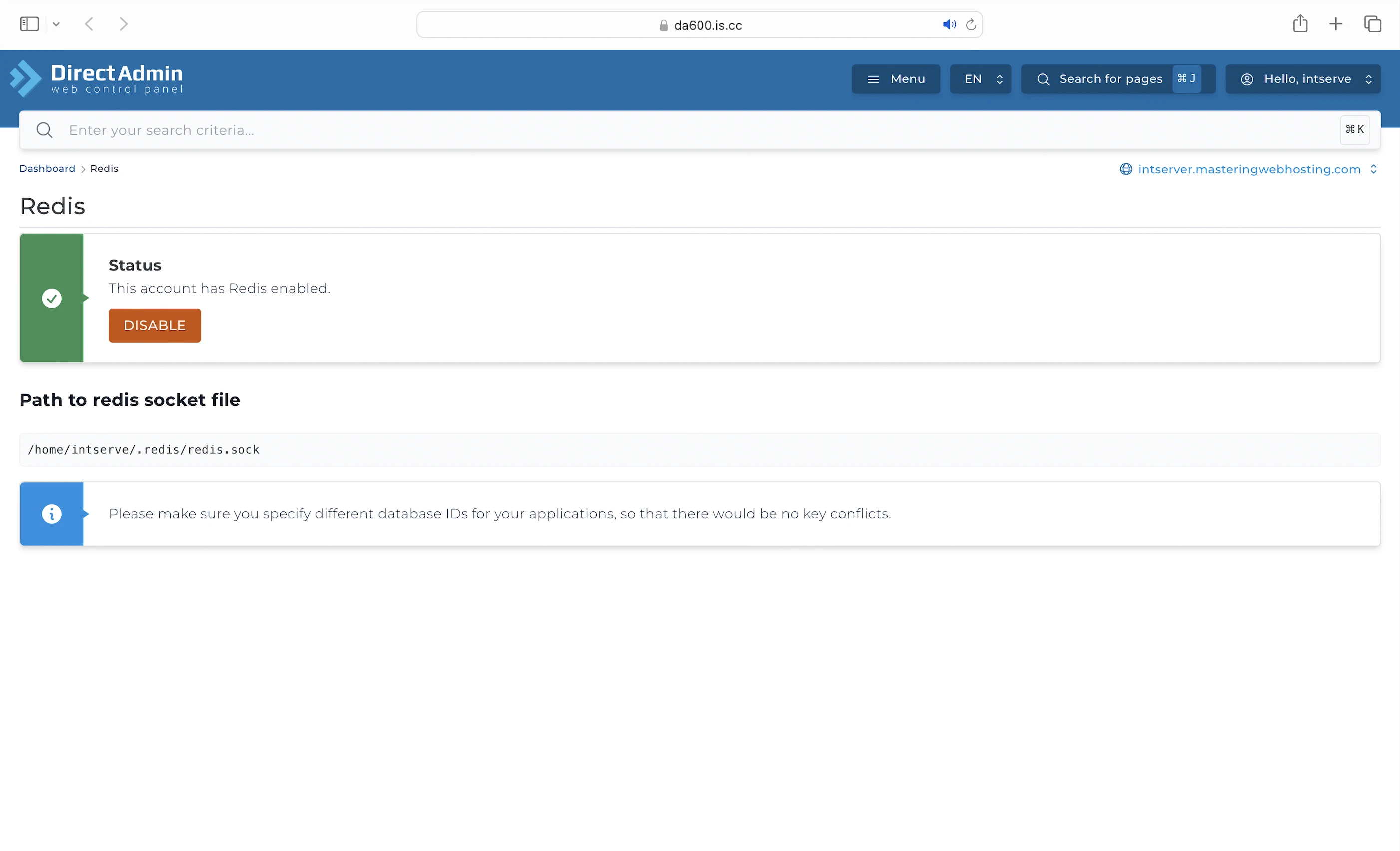
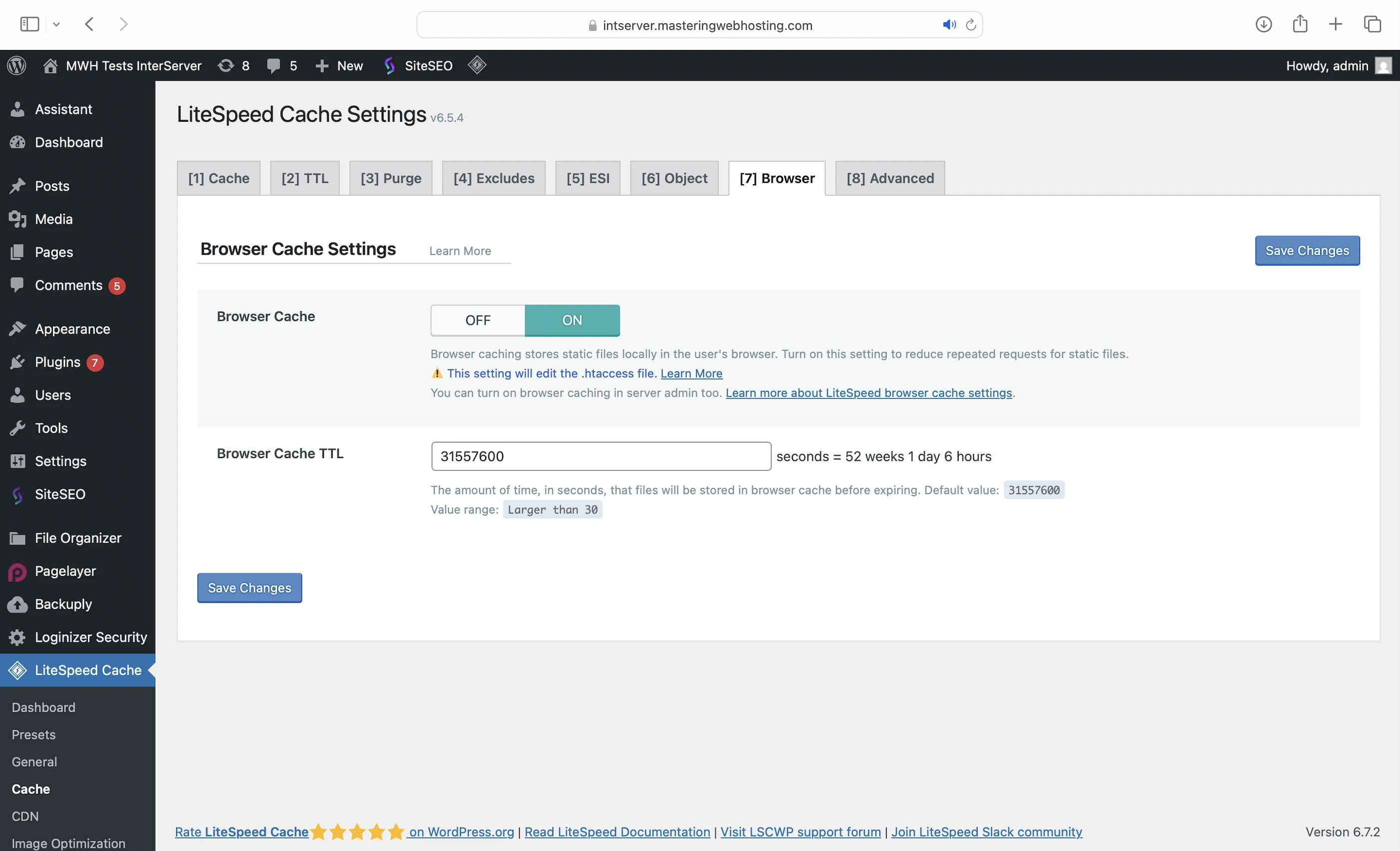
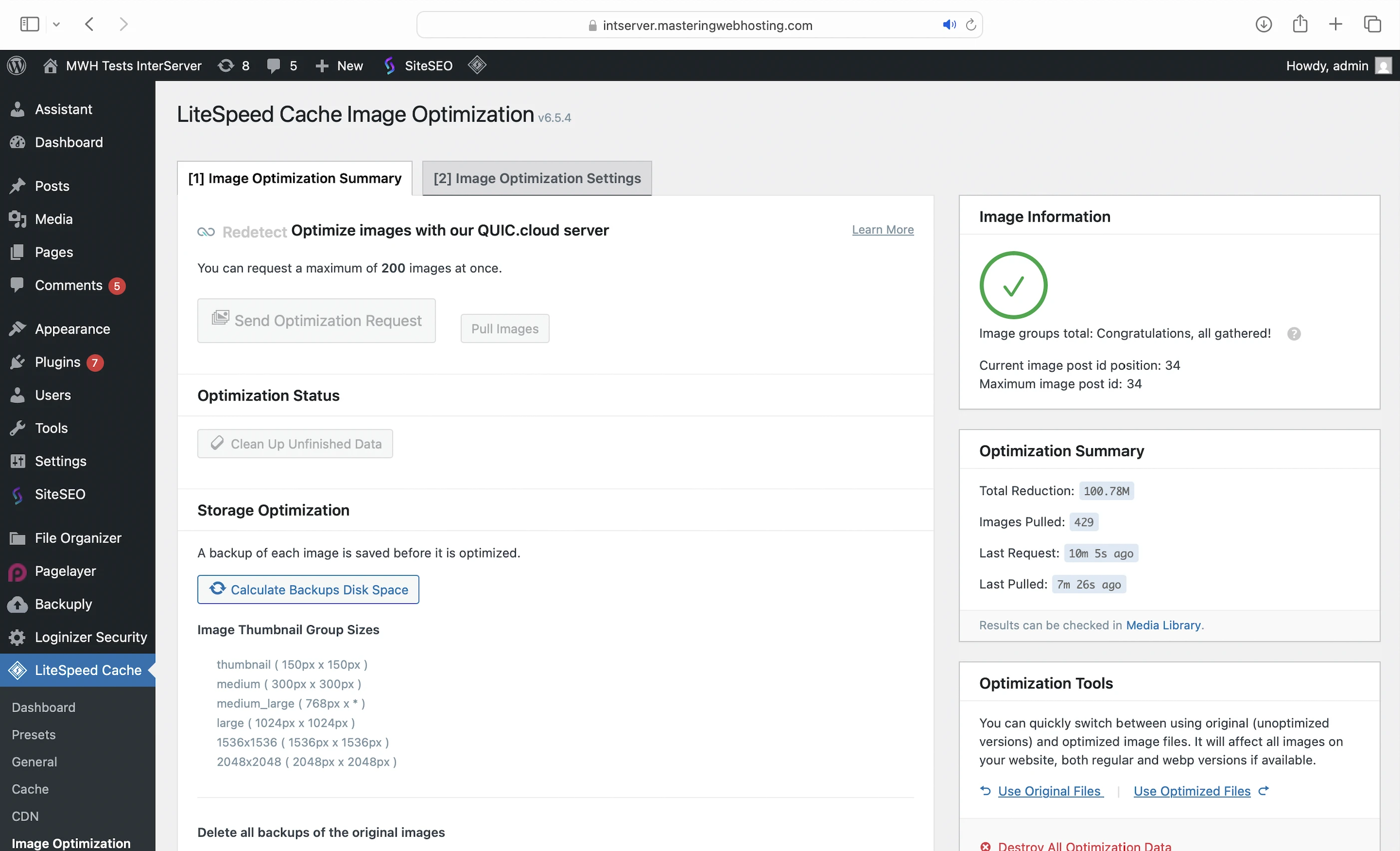
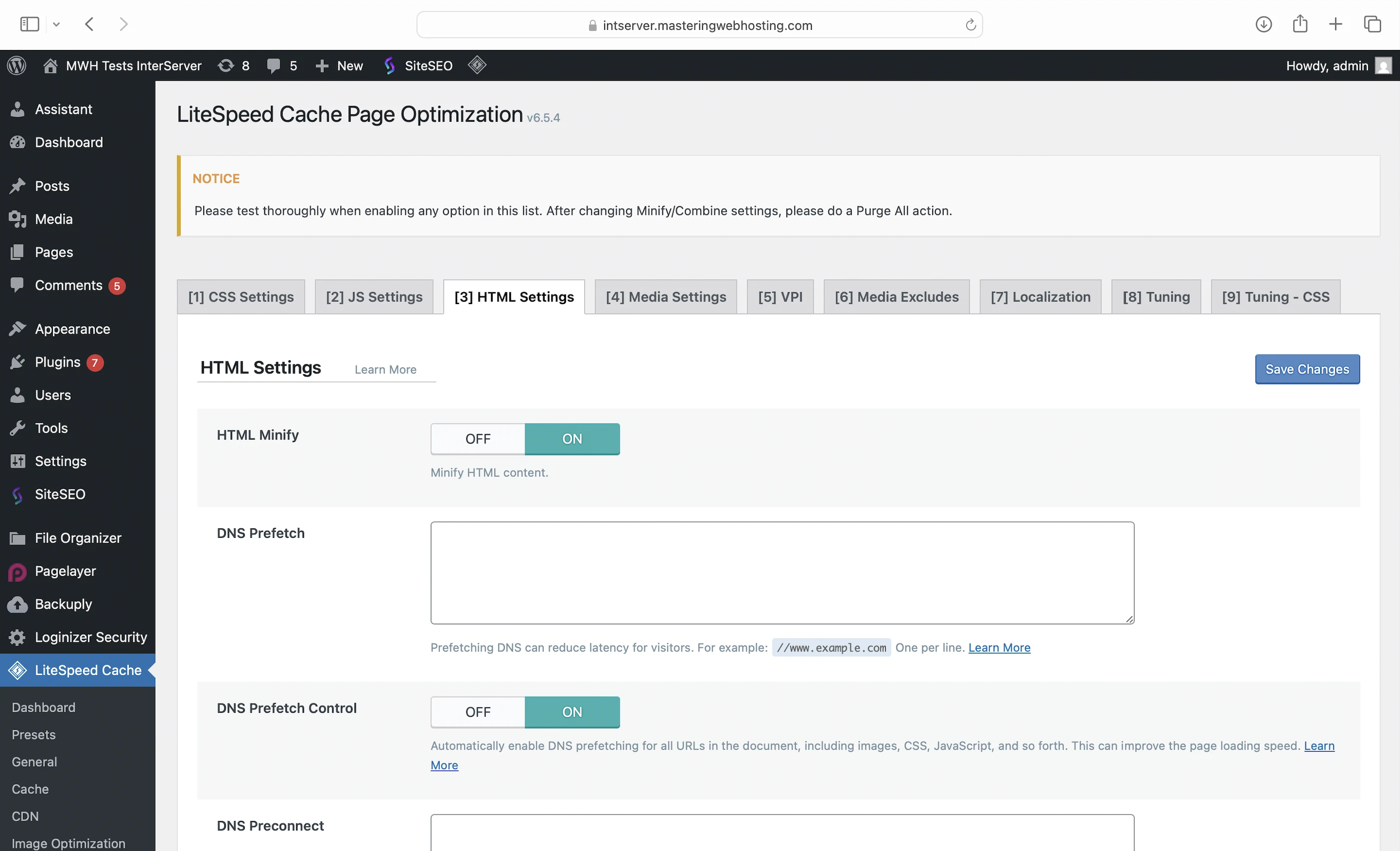
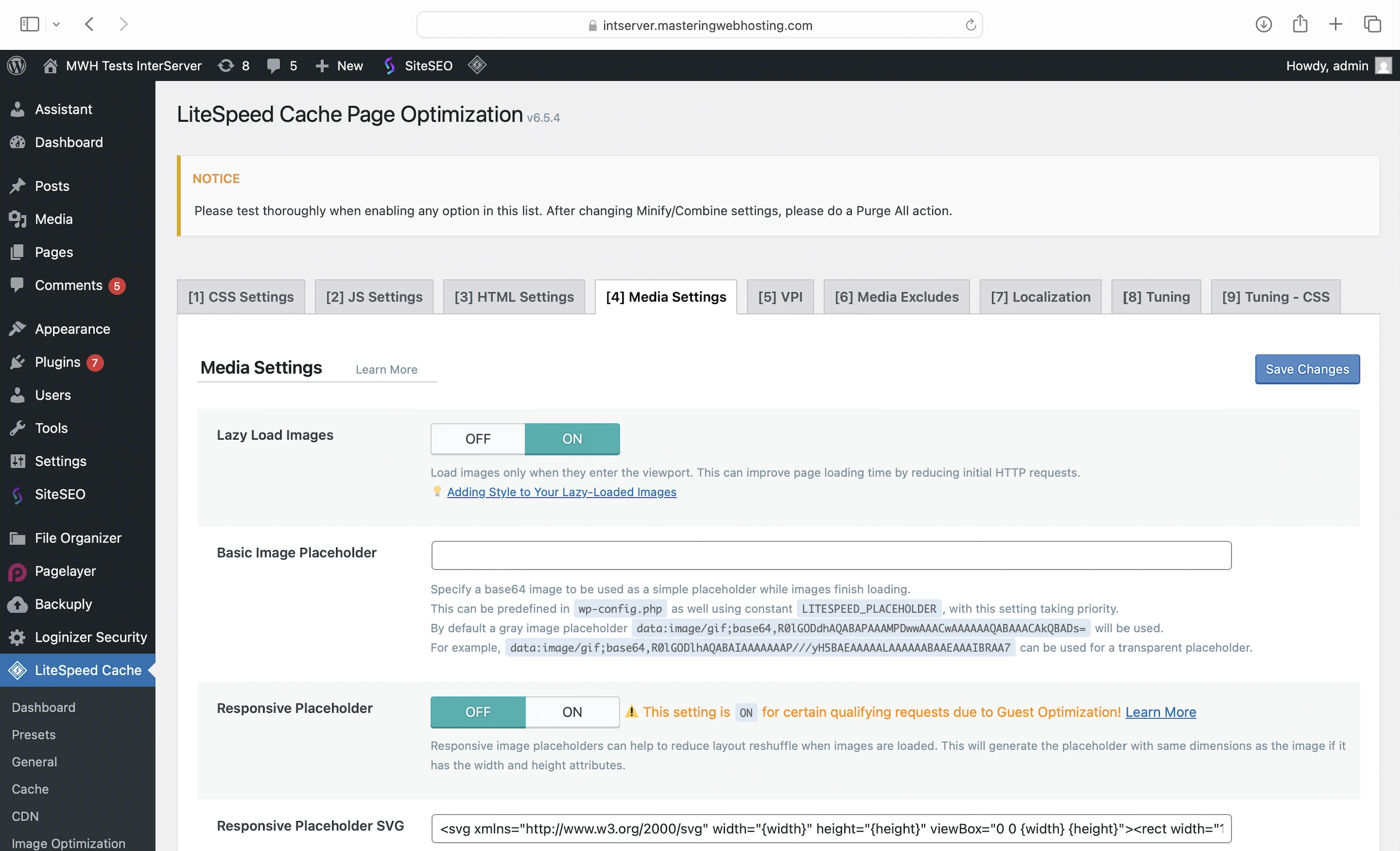
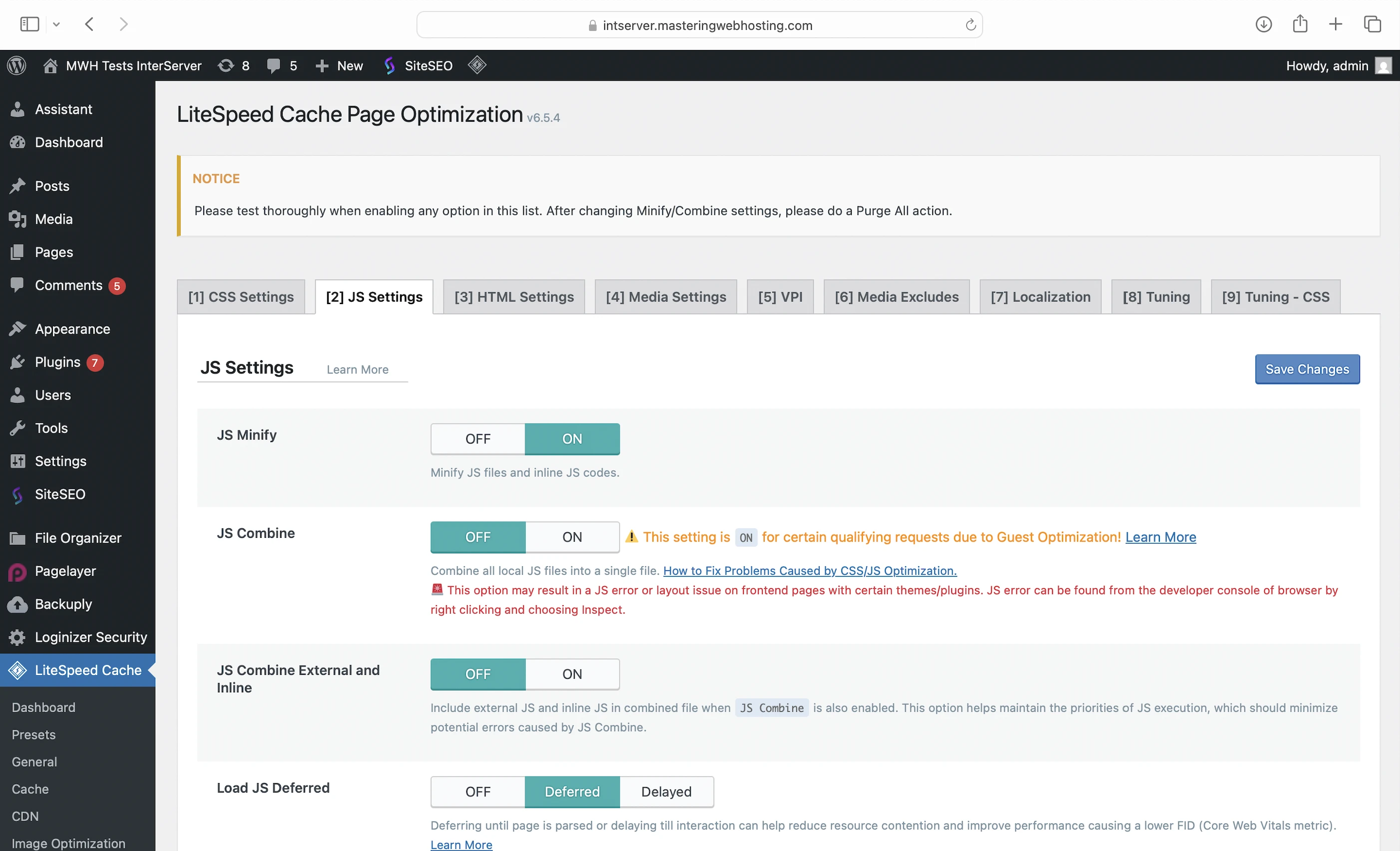
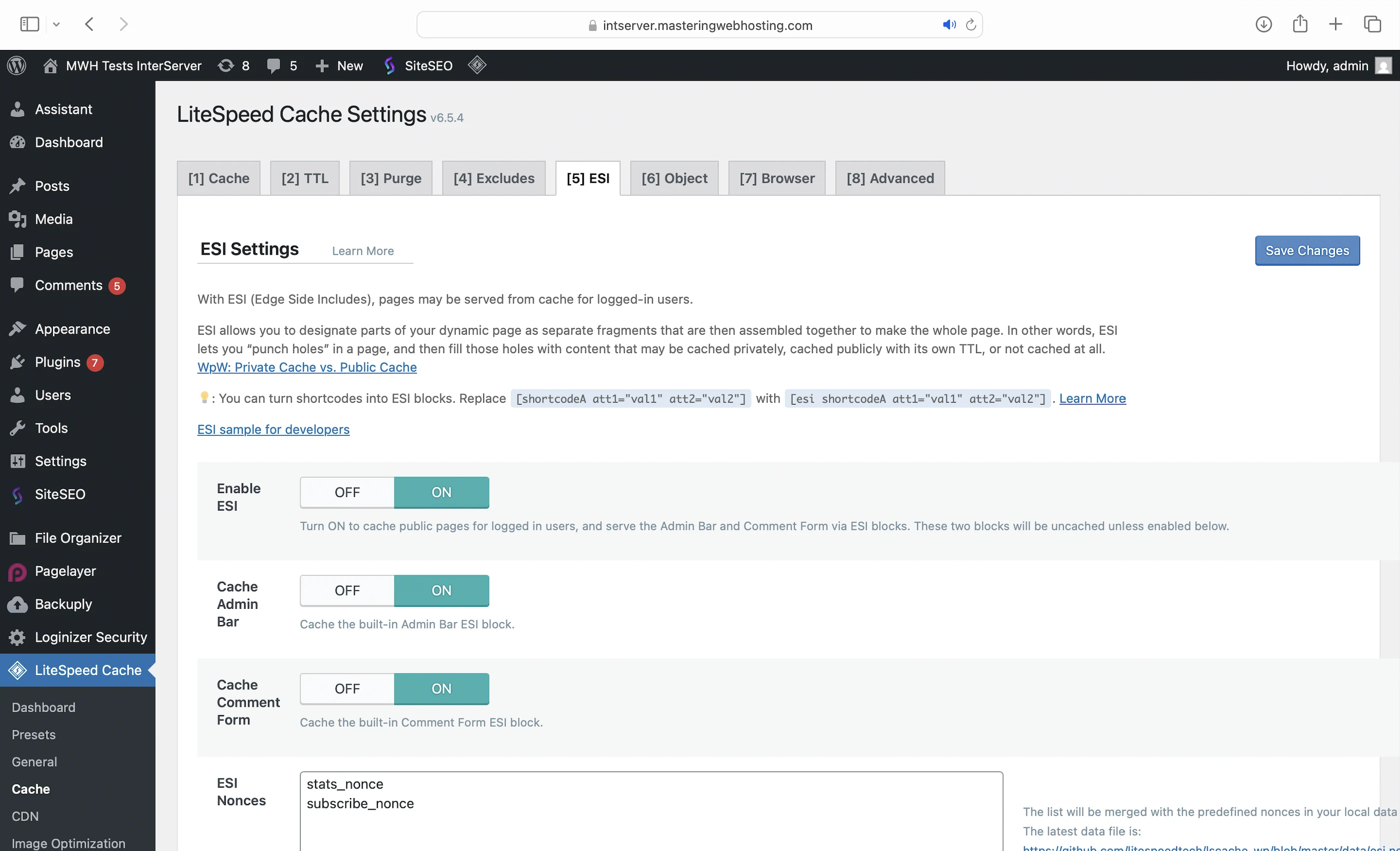
Note that InterServer does not enable these features by default. I turned them on manually to see if my site’s speed would improve.
Inter-Proxy Caching
LiteSpeed Cache also powers InterServer’s custom caching solution for heavy traffic at the software level for dynamic WordPress content.
Inter-Proxy Caching also caches content at three other levels:
- Hardware level: Caches files under 2MB in RAM for faster retrieval.
- RAID level: Enhances caching by targeting sectors of your server disk where frequently accessed data is stored. These sectors are cached to NVMe SSDs. Since NVMe SSDs are much faster at retrieving data, your website loads more quickly.
- Packet level: Uses the newer QUIC protocol to speed up content delivery. Unlike traditional methods that require a connection to be fully established before any data is transferred, QUIC allows data to be sent immediately, which improves load times.
CDN
The QUIC protocol also plays a role in choosing your Content Delivery Network (CDN).
Because InterServer’s plans do not come with a built-in CDN, customers miss out on global performance boosts and enhanced edge-level security.
InterServer acknowledges this and recommends using an external CDN. However, its only guide for setting one up (Cloudflare) hasn’t been updated since 2019, so users are largely left to figure it out themselves.
Since my InterServer plan uses LiteSpeed and QUIC, I chose QUIC.cloud as my CDN because it integrates seamlessly with both.
I signed up for the Standard plan, which includes:
- 84 high-performance PoPs worldwide
- Image optimization (10,000 images per month quota)
- Page optimization (2,000 requests per month quota)
- $0.20 in free bandwidth credits each month
You can also:
- Subscribe to a paid plan for higher quotas
- Purchase bandwidth credits for specific regions
3. Security Features
CDN
As the point of entry to your site, QUIC.cloud CDN is also your main defense at the edge with features like:
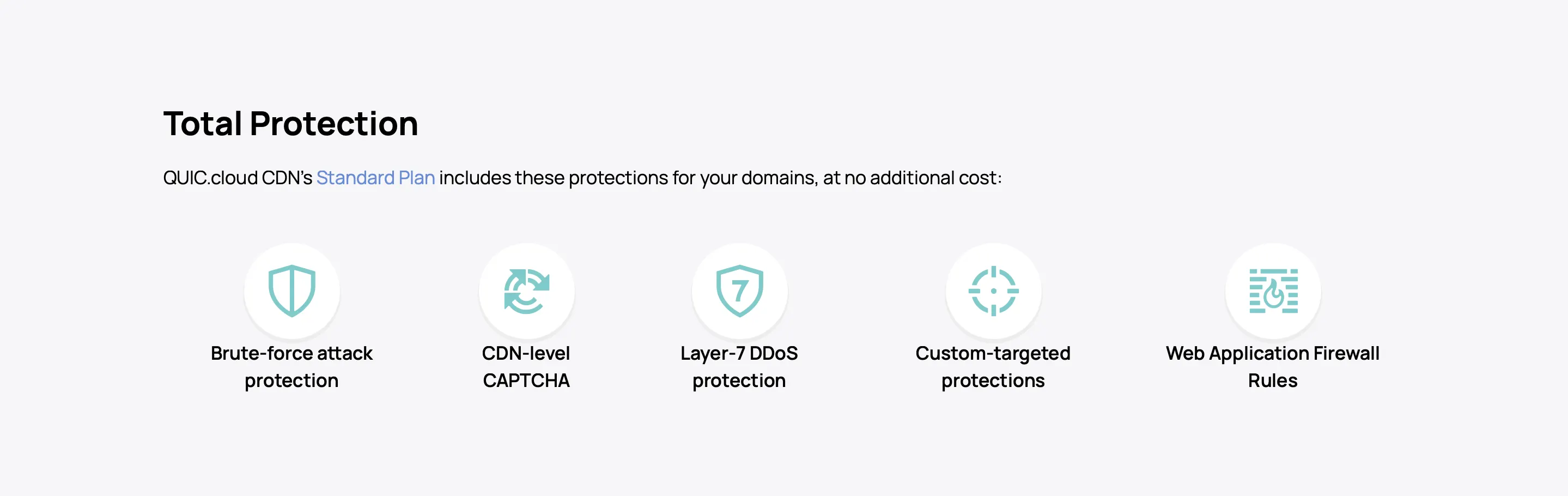
WAF
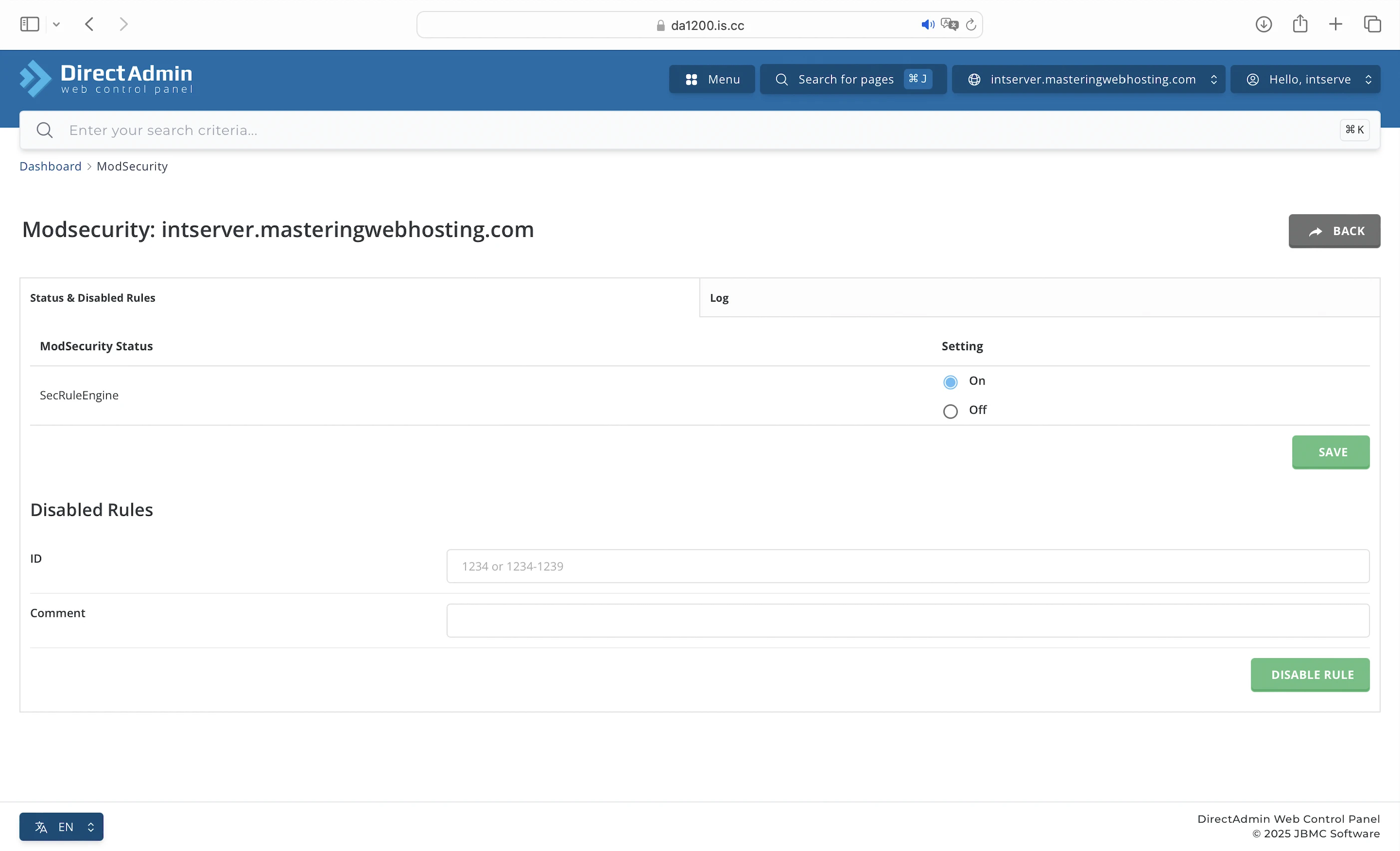
The plan also comes with ModSecurity, an open source Web Application Firewall that guards your website against web-based threats like SQL Injection and XSS Scripting.
InterShield
Integrated with ModSecurity and ClamAV, InterServer’s in-house solution automatically blocks harmful traffic in real time without slowing down your website. When someone visits your site, the system checks whether their IP address is linked to known threats, looks for signs of hacking, and scans any uploaded files for malware.
InterShield is also trained on data from thousands of servers to detect new threats as they emerge. When a new attack is identified, the system updates its protection rules across all InterServer servers, helping to prevent similar threats from reaching your website. If anything suspicious is detected, InterShield blocks and logs the request and notifies you.
Proactive Defense / Malware Scans
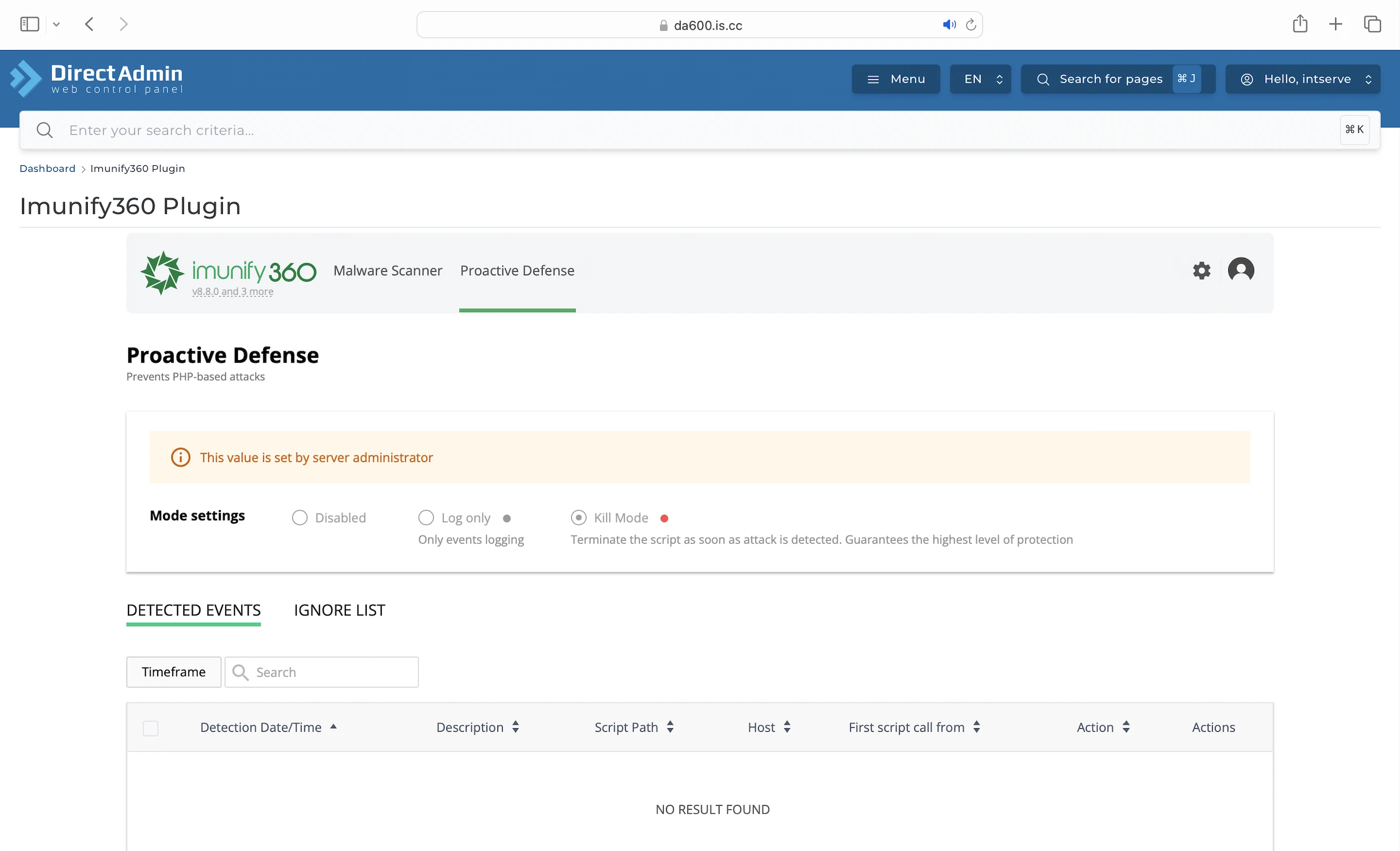
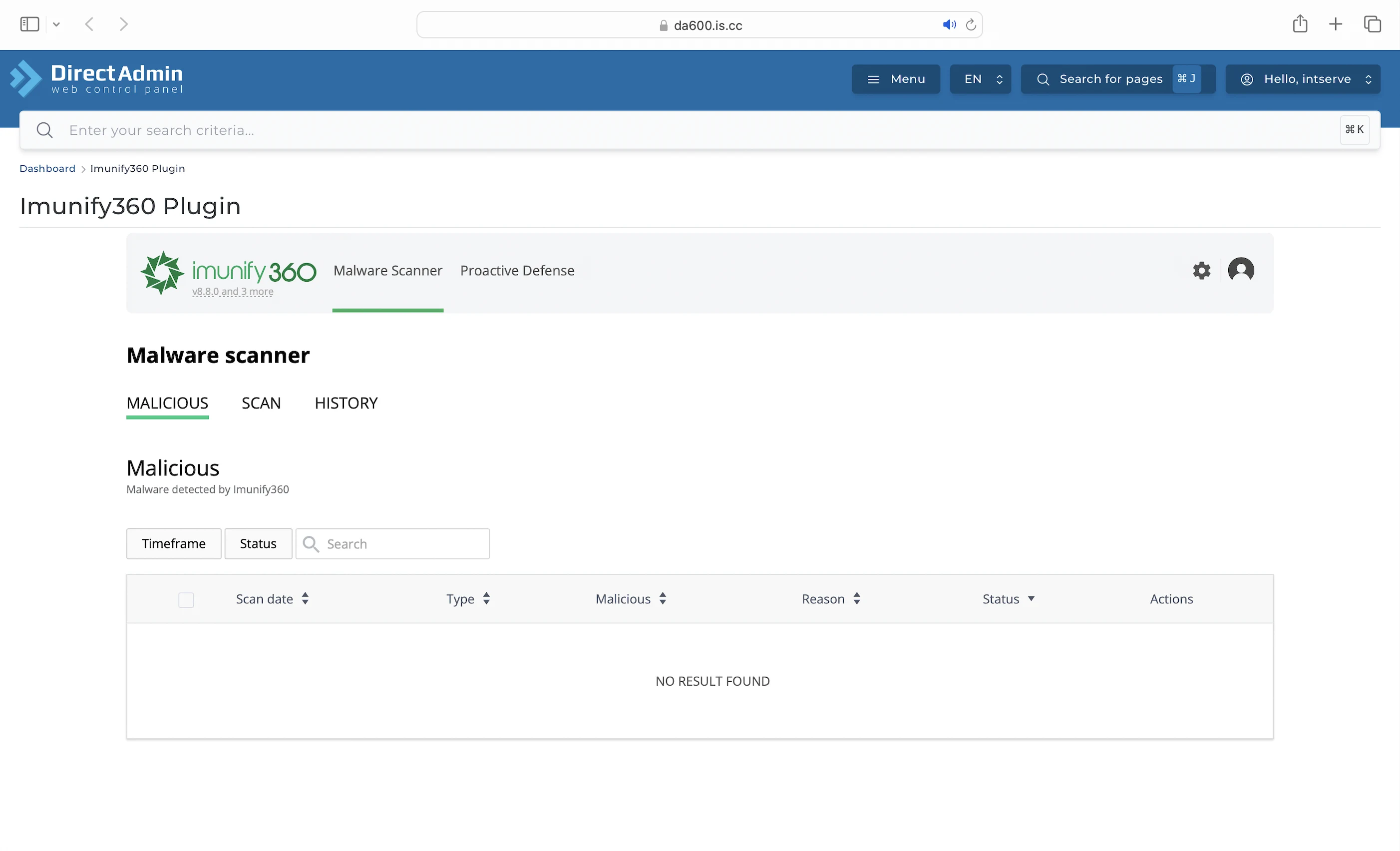
InterServer also uses Imunify360 to defend against PHP-based attacks. This proactive security layer monitors your site for suspicious activity and blocks it before any damage is done.
On the reactive side, Imunify360 regularly scans your website for malware and other signs of compromise.
Inter-Insurance
If your website still gets infected despite these protections, InterServer promises to fix it at no additional cost. This cleanup service even applies to compromised WordPress sites migrating from another host.
4. Speed Test
LiteSpeed Cache Features Disabled (Default)
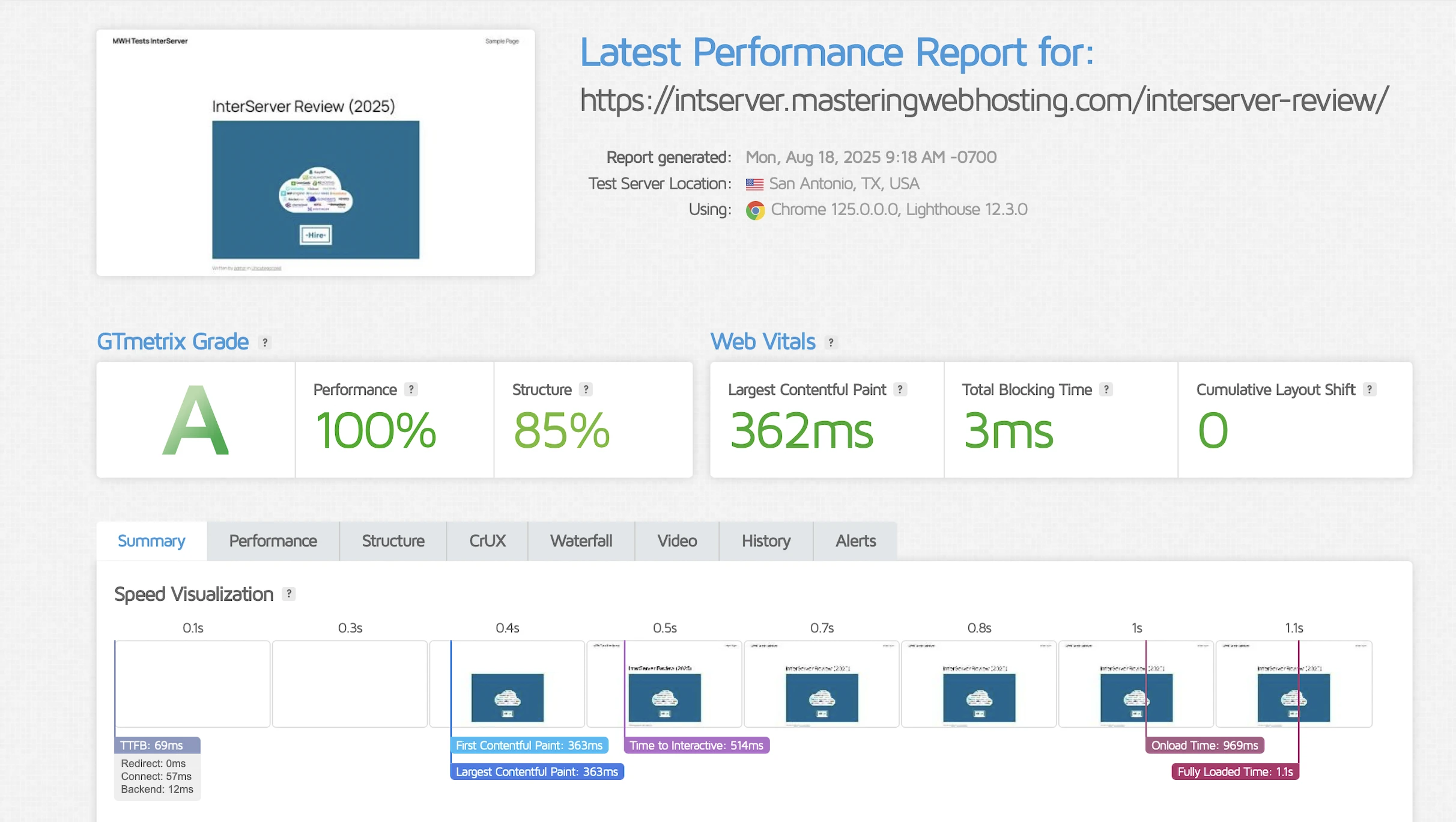
GTmetrix reported that my Largest Contentful Paint (LCP) was a decent 362ms in Dallas.
It was also solid in London, clocking in at 384ms.
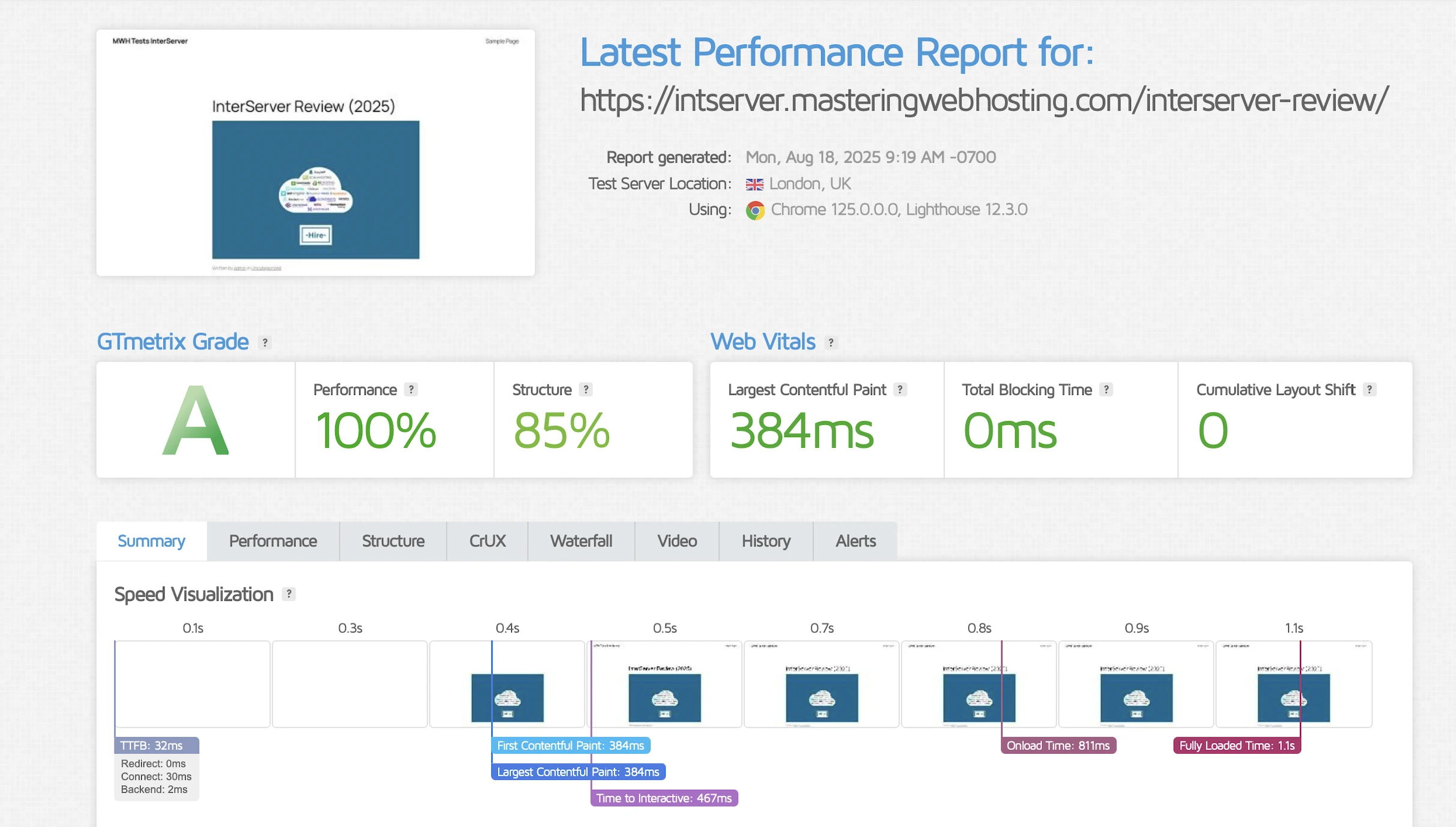
And this was with the default LiteSpeed Cache configuration, where almost nothing was enabled.
So, what happens if we enable 100% of LiteSpeed Cache?
LiteSpeed Cache Features Enabled
Shockingly, my LCP actually increased to 2.5 seconds in Dallas.
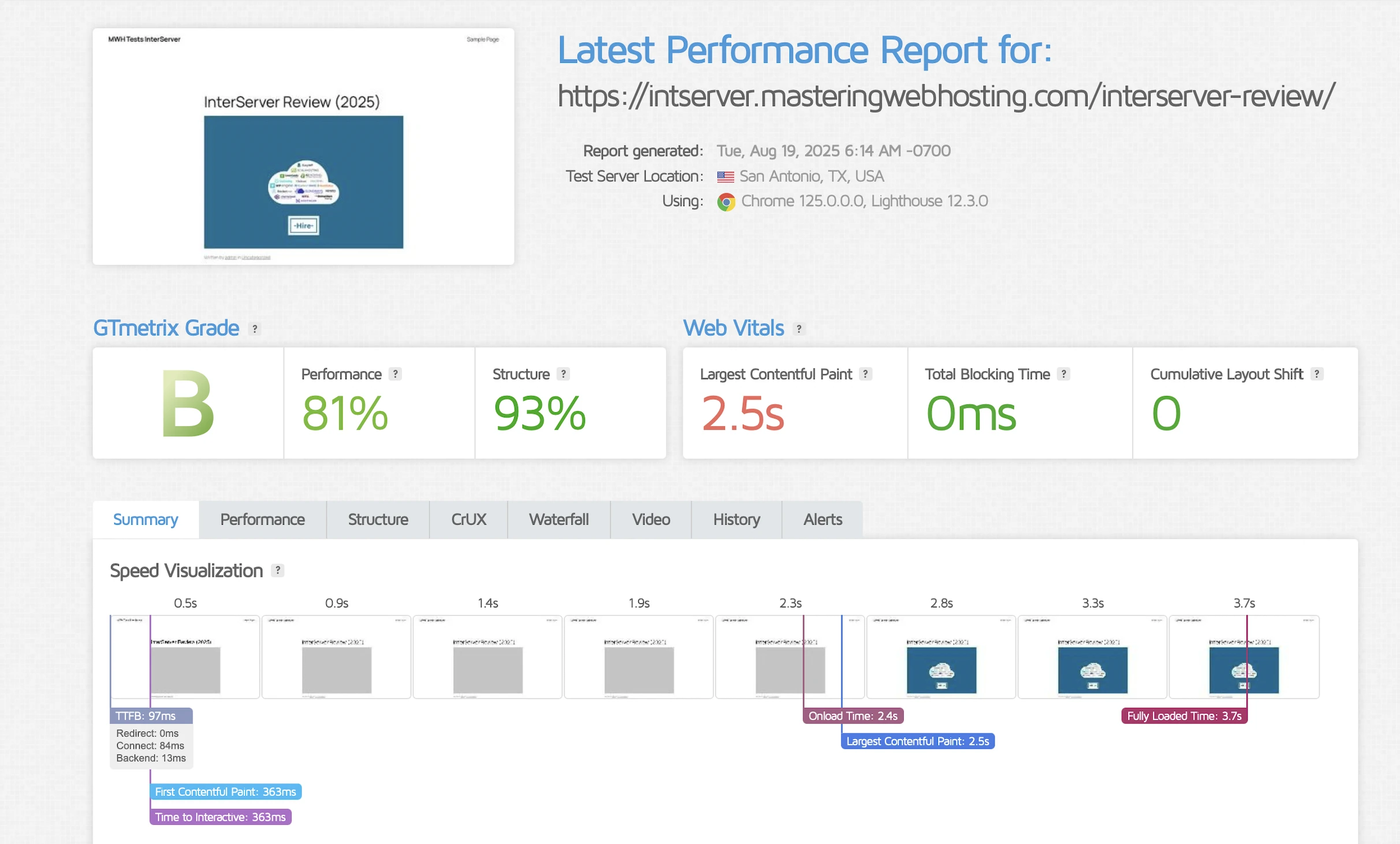
That’s more than 8 times slower!
London wasn’t far behind, jumping to 1.6 seconds.
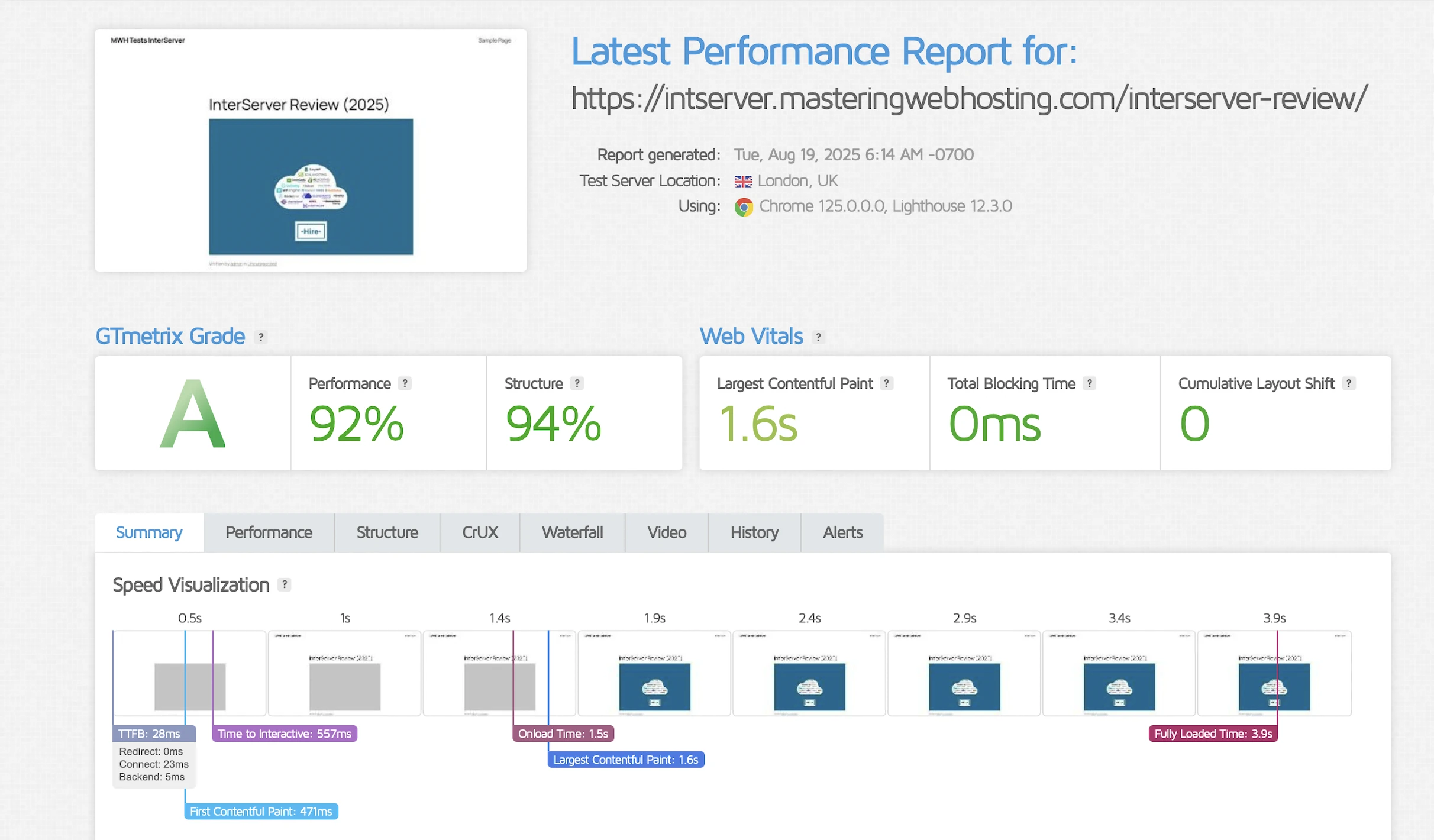
Like, what the heck happened here?
I was so dismayed by the result that I decided to dig deeper.
It turns out that enabling LiteSpeed Cache’s features added extra files and content to my website, which had to be downloaded by every visitor. Here’s an example of my JavaScript files:
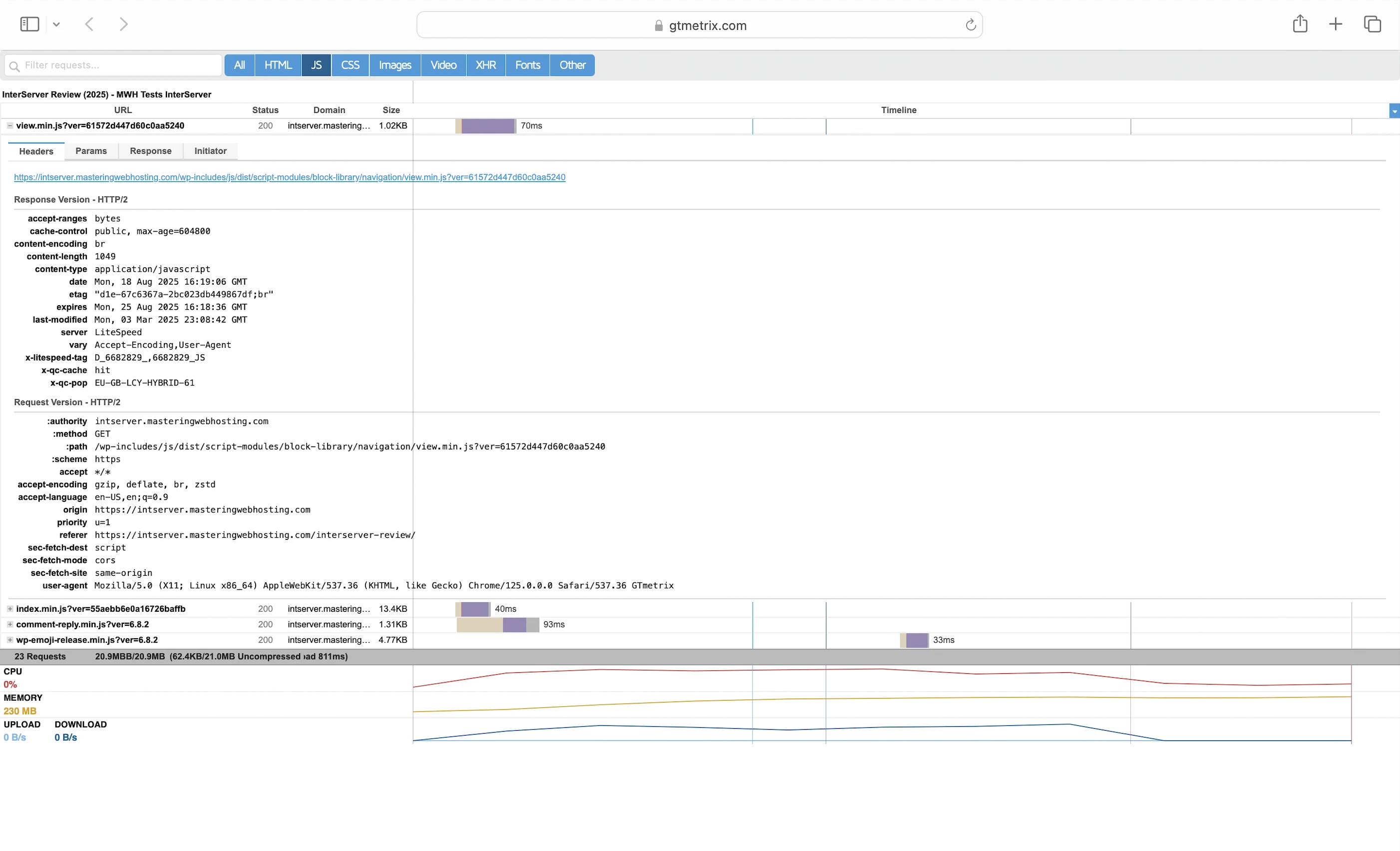
LiteSpeed Cache(Default)
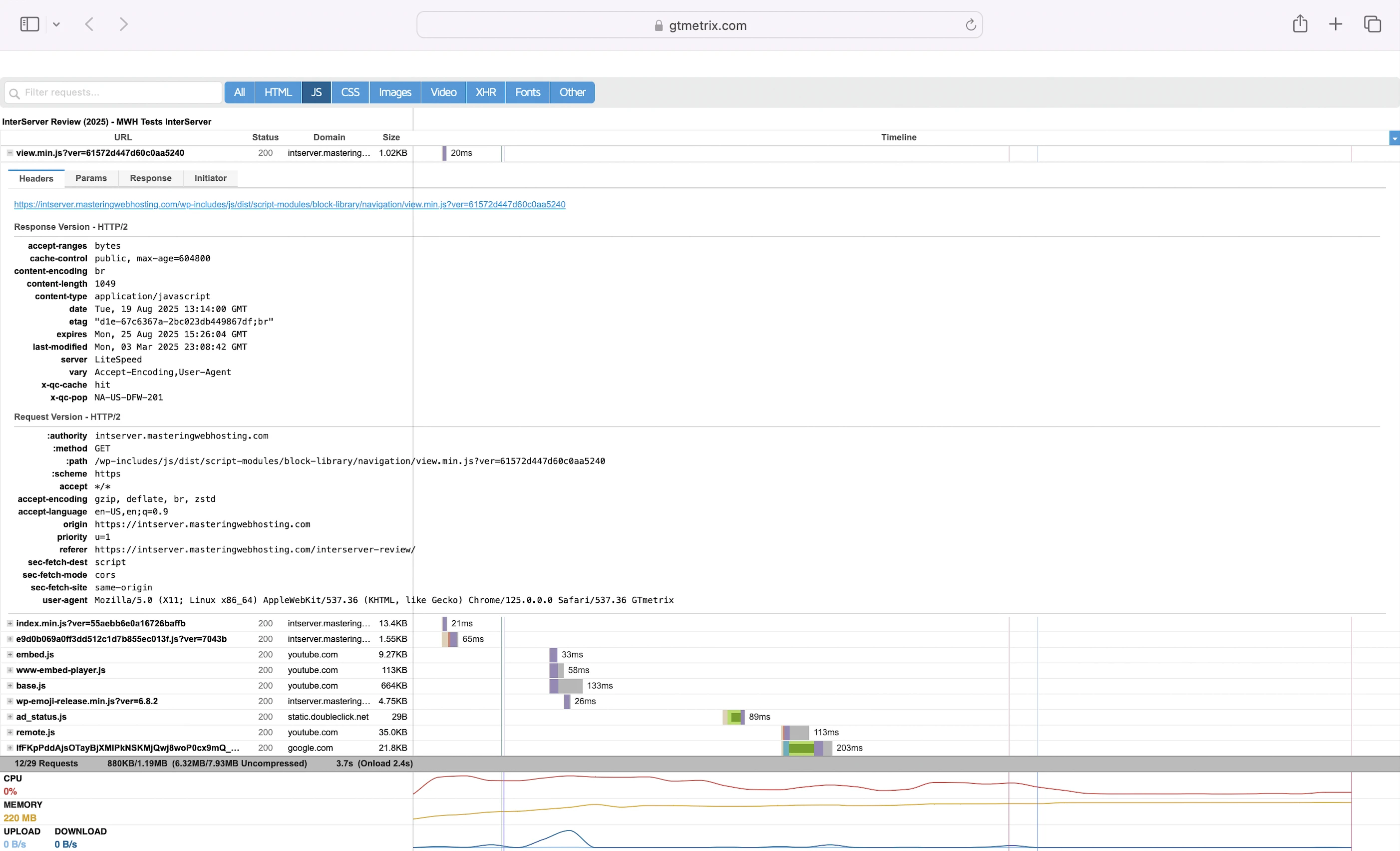
LiteSpeed Cache(Enabled)
Together, they made my site slower.
Big yikes.
5. Security Test
Like WPX, InterServer blocked my ZAP server’s IP address after the first wave of attacks.
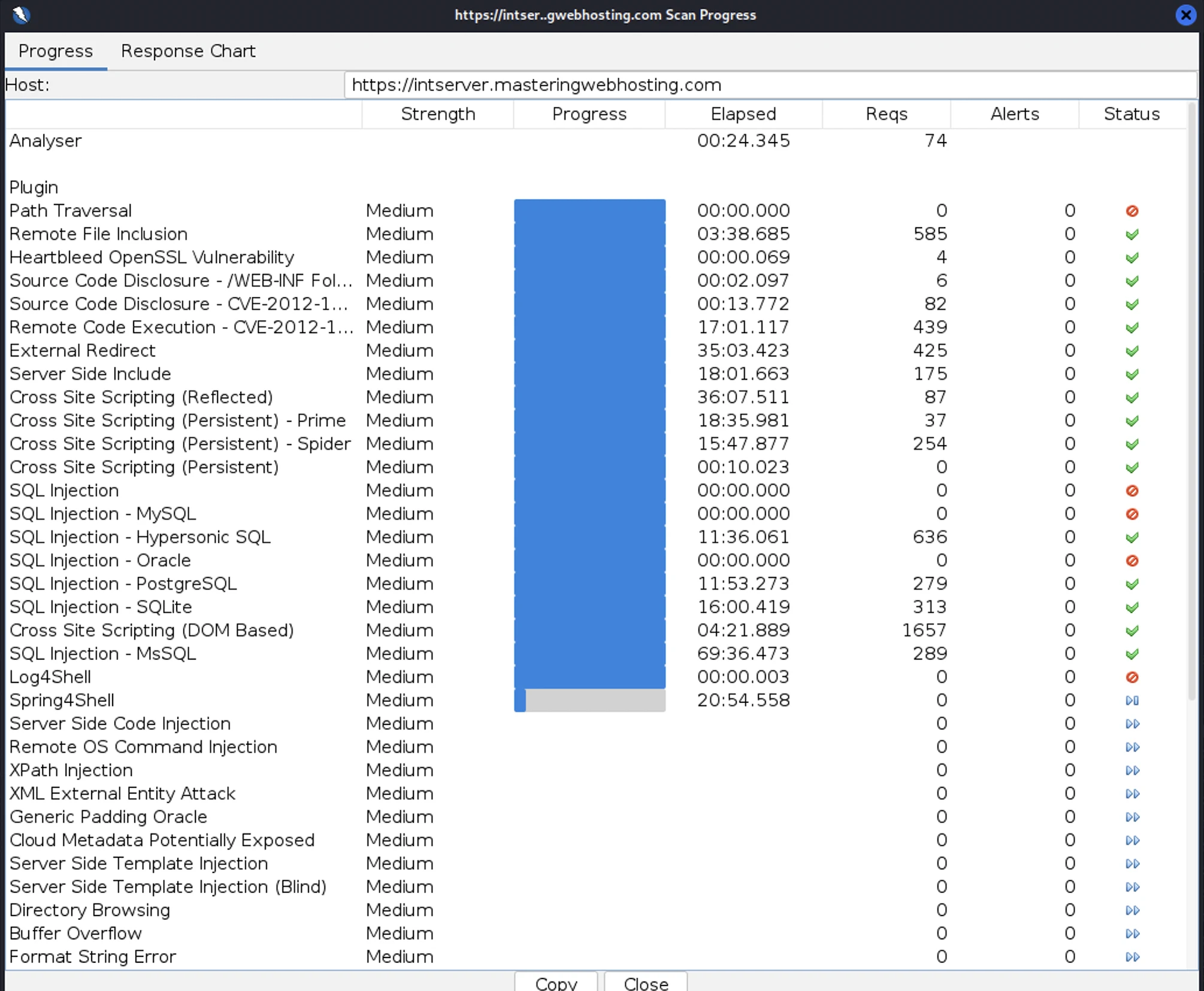
Even after switching servers, I kept getting blocked, one server after another.
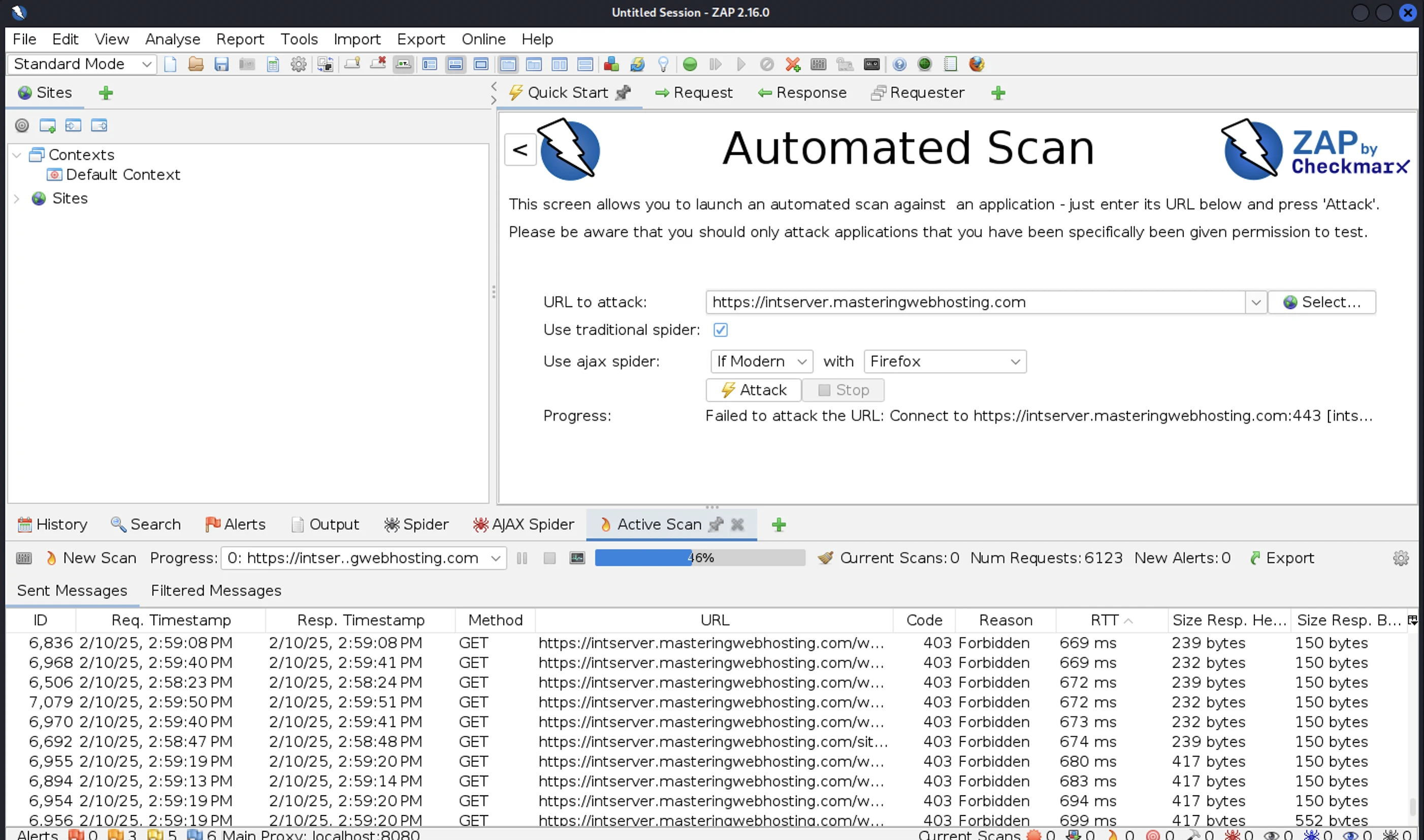
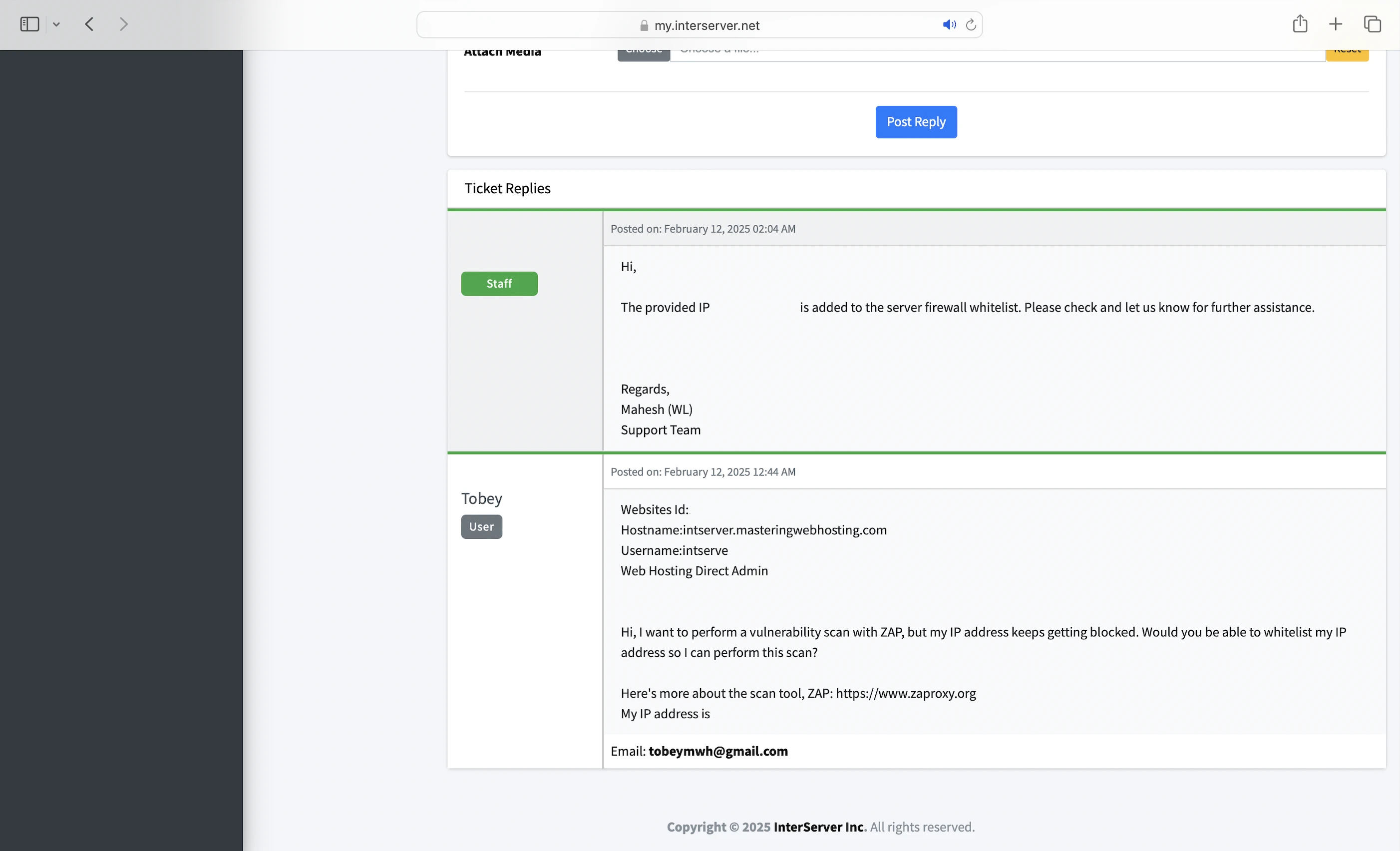
In the end, I had to ask the Support team to whitelist my IP addresses so I could continue scanning my InterServer website for vulnerabilities.
Even then, InterServer’s stubborn defenses kept slowing my attacks, and it took me nearly 5 hours to complete a full scan!
I also had to disable QUIC.cloud CDN’s URL Flood Protection, or my server would get blocked before the attacks could finish.
In total, I launched 25,097 cyberattacks against my InterServer website:
- 3 out of 30 high risk vulnerabilities detected:
- SQL Injection: 2 out of 1,541 attacks successful.
- SQL Injection – Oracle: 5 out of 381 attacks successful. Okay as InterServer doesn’t use Oracle.
- SQL Injection – SQLite: 1 out of 545 attacks successful. Okay as InterServer doesn’t use SQLite.
- 0 out of 12 medium risk vulnerabilities.
- 1 out of 2 informational risks. 1,020 alerts but these aren’t vulnerabilities.
- Success Rate: 24,069 or 96% of my attacks were completely neutralized.
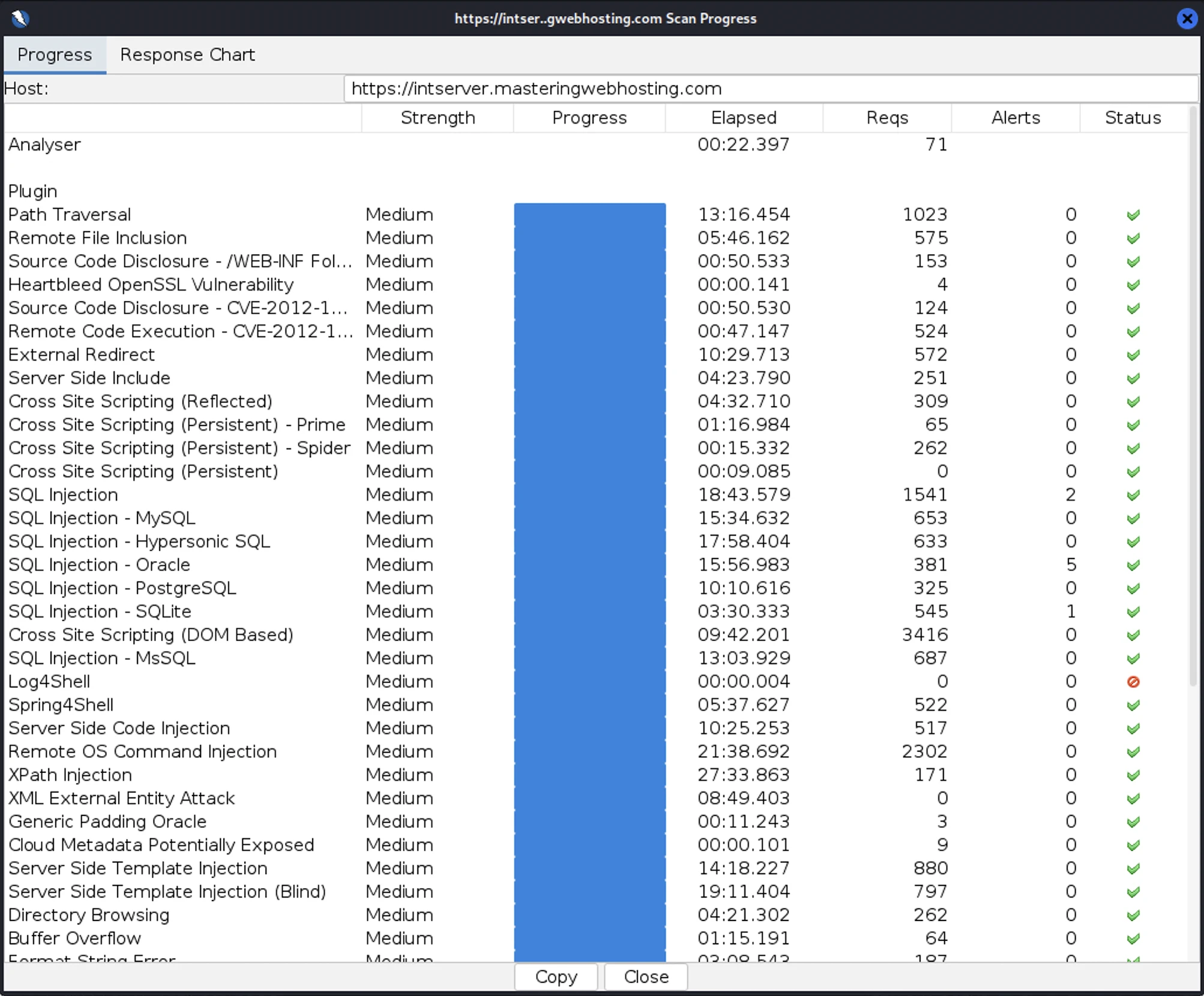
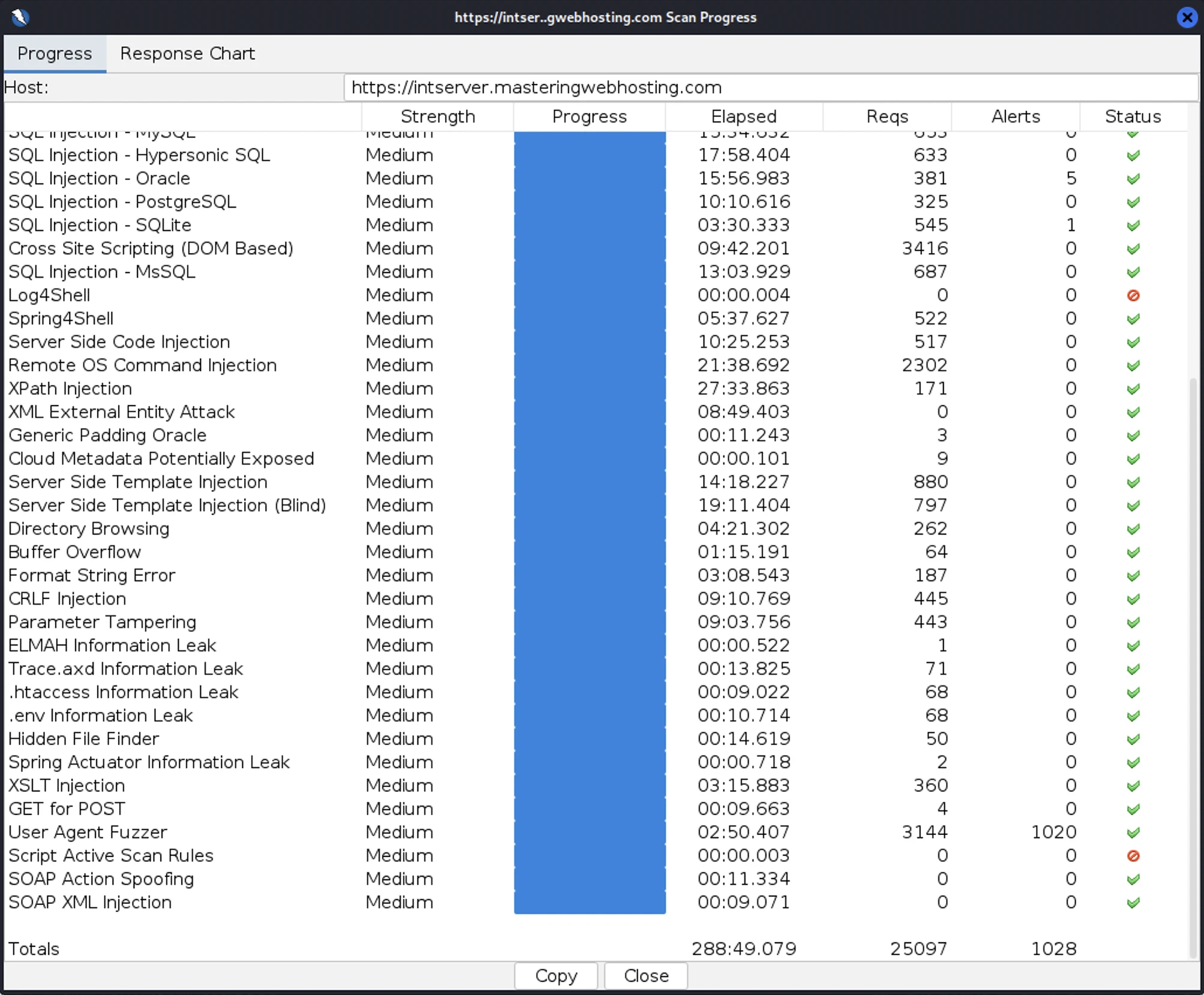
These results were really impressive, especially considering that an attacker would need to be whitelisted just to find any vulnerabilities.
Above all, this proves that InterServer has strong defenses against DDoS attacks, malware, and malicious IPs.
So, for making my job this hard and shielding its vulnerabilities this well, InterServer gets a big thumbs up from me!
6. Uptime Test
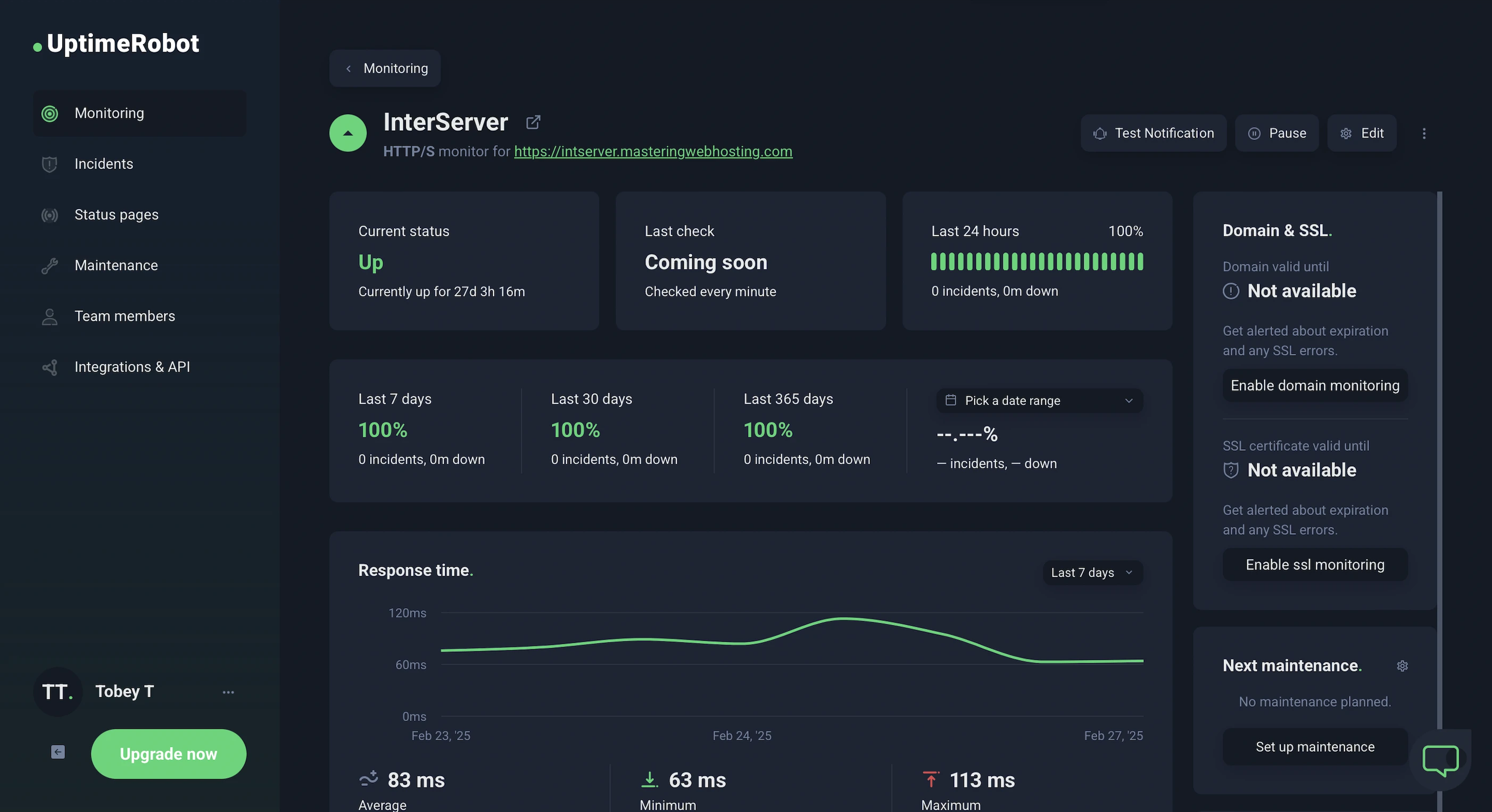
Over 17 days of testing, UptimeRobot reported 100% uptime for my InterServer website, with checks running every minute.
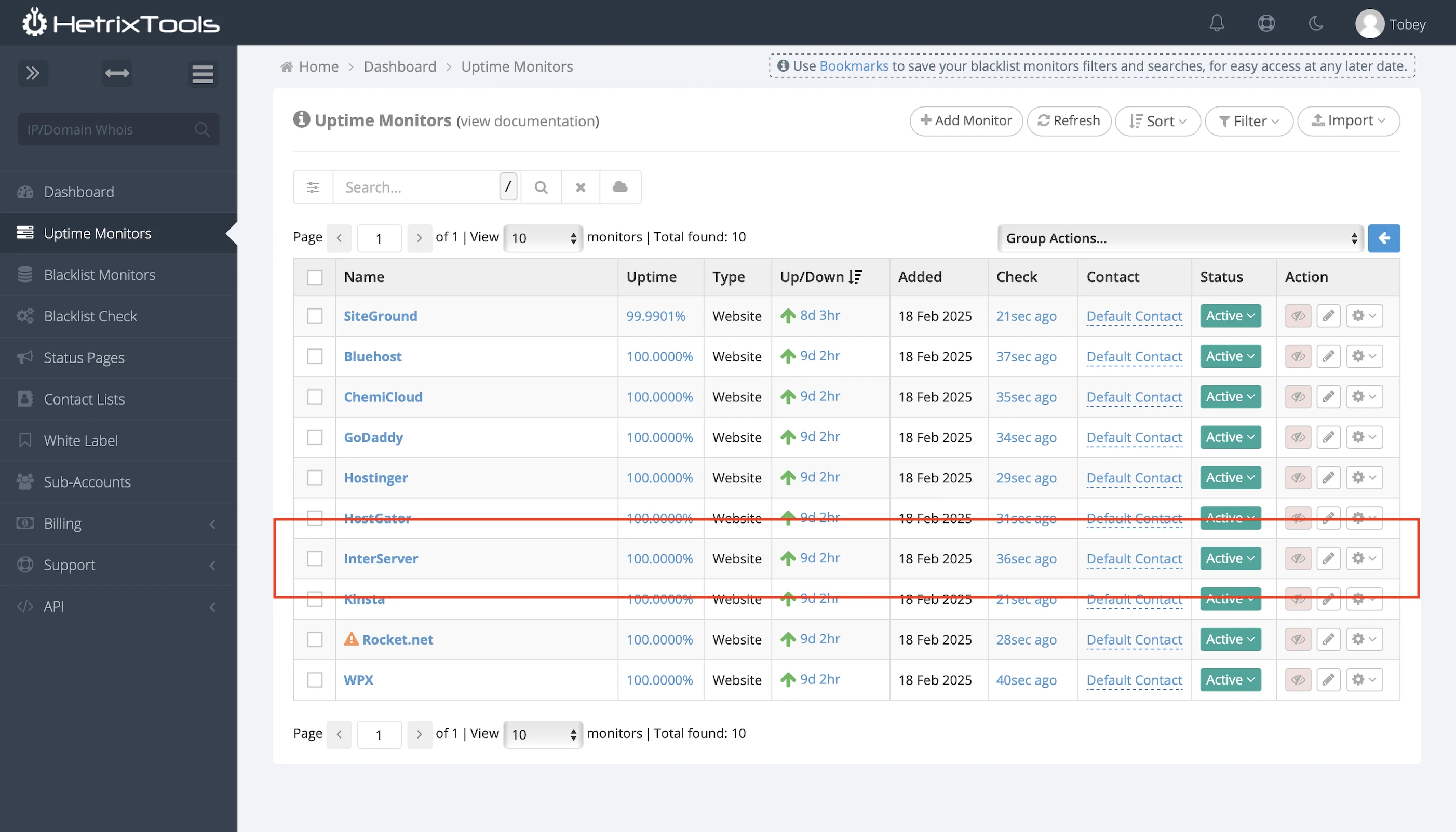
HetrixTools said the same thing after monitoring my site at 1-minute intervals for 7 days.
And it’d better be so because InterServer guarantees 99.9% uptime or your money back in credits.
That’s some serious commitment.
Among the hosts I’ve tested, only GreenGeeks takes its SLA as seriously as InterServer.
But unlike GreenGeeks, InterServer actually publishes its system status and outage history.
The only improvement I’d suggest? InterServer should email customers about planned downtimes, like WPX does.
7. No-Life Support
Just kidding.
But no cap, InterServer’s Support was the first to reply within two minutes of me opening a ticket.
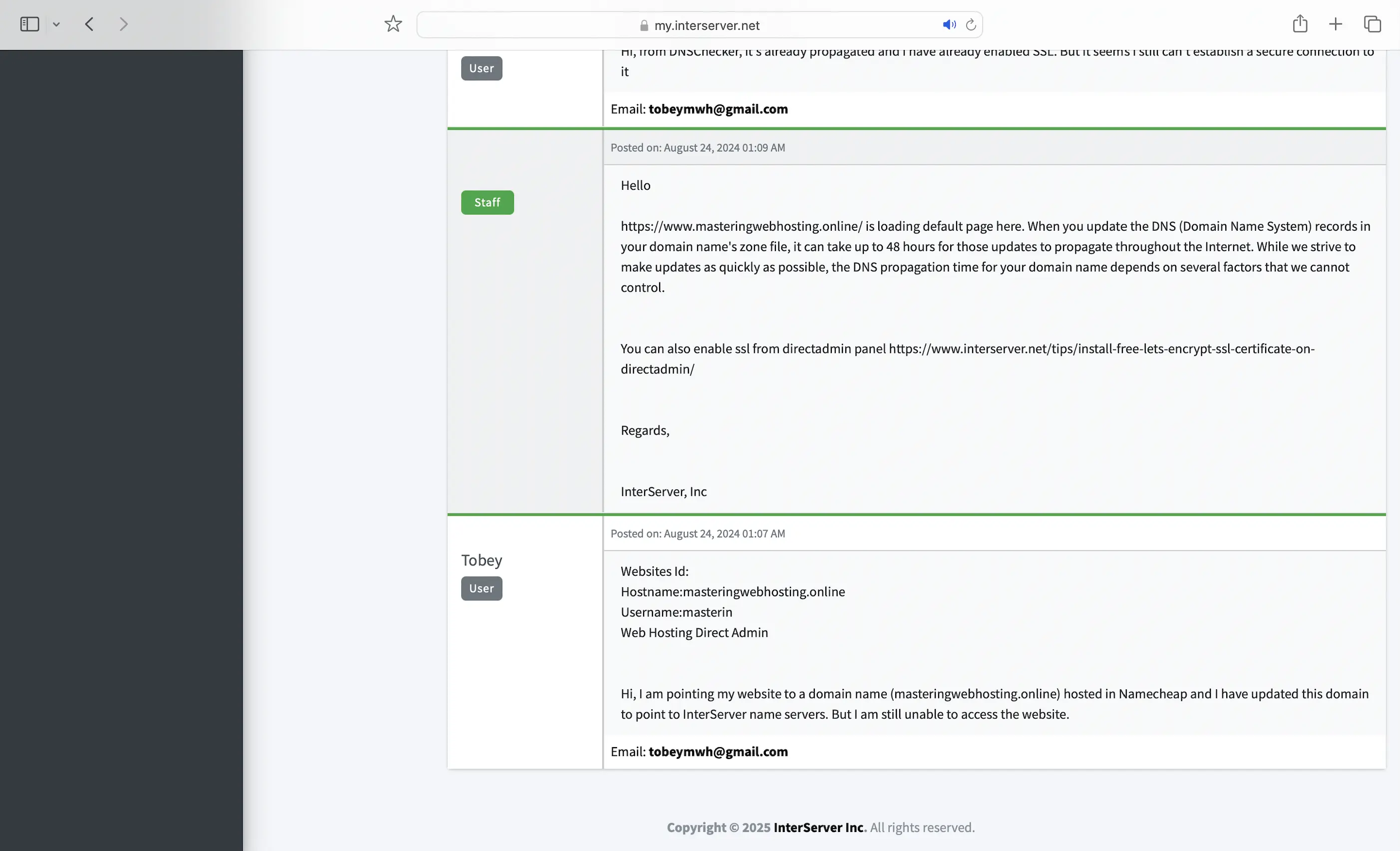
InterServer really took 24/7/365 to a whole new level!
8. Cons
MySQL
Slower than MariaDB. I don’t know many other hosting providers who still use MySQL besides SiteGround.
Only 3 Data Centers
And only in New Jersey and California. So, sites with international visitors need QUIC.cloud CDN or at least Cloudflare.
Dashboard Hard to Use
I had to install WordPress myself after purchasing my plan, but the dashboard options were confusing and InterServer doesn’t have a guide. So I had to use this awesome YouTube video by Emit.Reviews to get things started.
9. Evaluation
Let’s see how InterServer did against my self-hosting:
| Self-hosting | LiteSpeed Cache(Default) | LiteSpeed Cache(Enabled) | |
|---|---|---|---|
| Speed (LCP) – Dallas | 306ms | 362ms | 2.5s |
| Speed (LCP) – London | 253ms | 384ms | 1.6s |
| Security | 0 | 3 high risk vulnerabilities (2 don’t affect WordPress), but only if ZAP and malicious IP addresses are whitelisted. Superb DoS protection. | 3 high risk vulnerabilities (2 don’t affect WordPress), but only if ZAP and malicious IP addresses are whitelisted. Superb DoS protection. |
| Uptime | 95% | 100% | 100% |
| Winner | 👑 |
10. Final Thoughts
Like A2 Hosting (now hosting.com), InterServer has both a phenomenal magic and a perplexing mystery in the server. Until things become more consistent, I’m holding back from recommending it.
The magic?
Speed that nearly matches mine, security on par with WPX, uptime that meets industry standards, and best of all, affordable plans.
No cap, it’s so dirt cheap that I actually prayed InterServer pays its Support team well. They seem well-trained and super responsive when handling any issue.
The mystery?
Why the heck did enabling common caches like OPcache and Redis actually slow down my website?
That’s especially perplexing considering Inter-Proxy Caching is supposed to be one of InterServer’s highlights. Unfortunately, my tests didn’t leave a good impression.
Another red flag I found during this review: most of its technical guides are several years old.
In fact, I only found three articles published in 2025 so far and none of them are technical. One was even a guide on using ChatGPT for blogging and content optimization.
I was hoping for something like a 2025 guide on installing WordPress on its servers, but nope. This lack of updated documentation makes me wonder if InterServer is still actively investing in or adopting new technologies.
As I said in my ScalaHosting review, stagnancy is a death knell in the WordPress hosting space, especially when so many up-and-coming hosts are stepping in.
So far, InterServer has held its ground against the next generation of WordPress hosts.
But for how much longer?
Maybe I am reading too much into it. Let me know in the comments if you agree or disagree with my InterServer review!
Leave a Reply