
SiteGround was the first hosting provider I ever used. That was in 2017 when online reviews were raving about how good its support and plans were.
Naturally, I have a soft spot for it, almost like reuniting with an old friend.
Let’s see if the years have been kind to SiteGround.
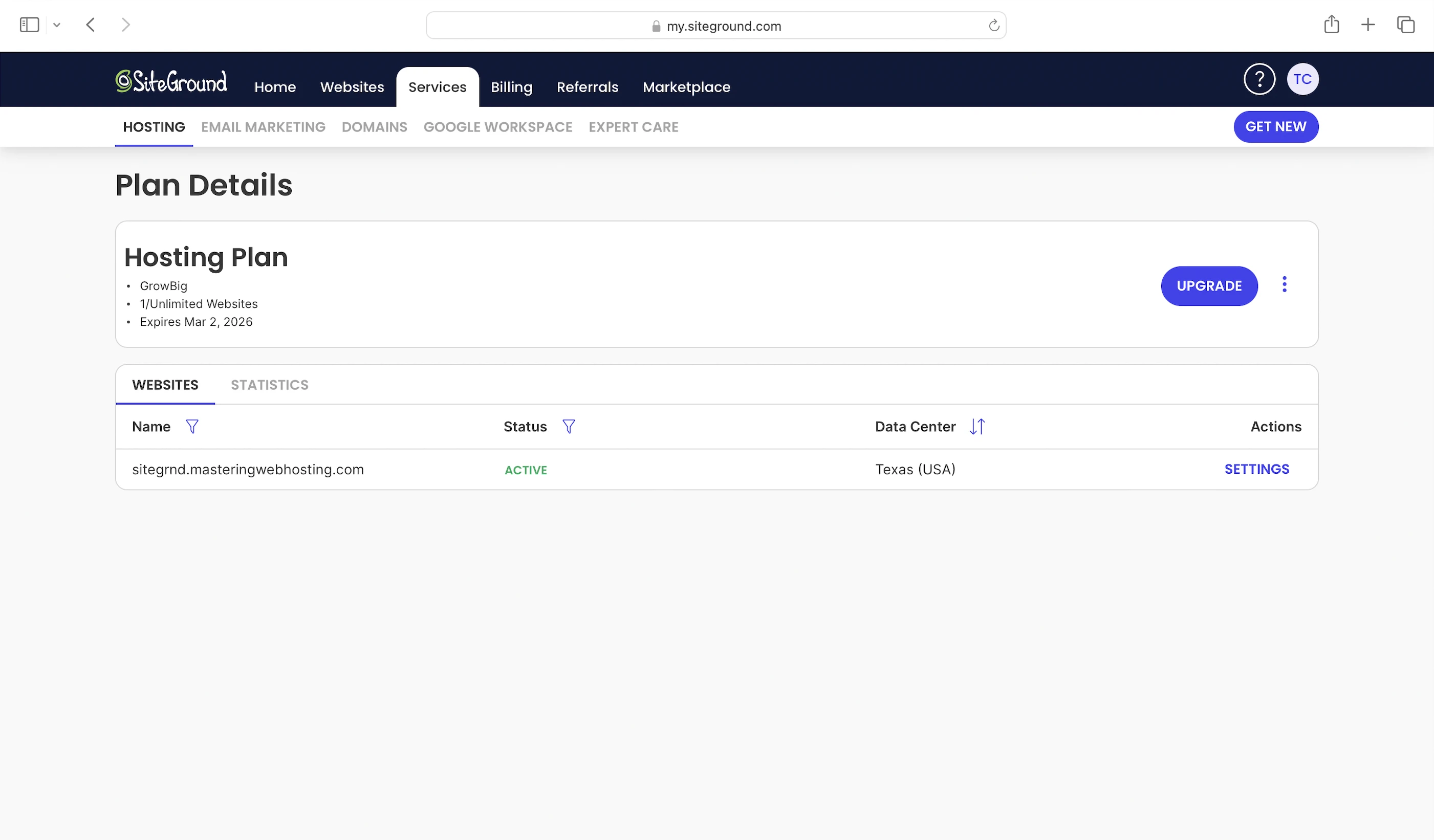
1. Plan
I got the GrowBig, which has:
- Shared hosting on Google Cloud servers
- 100,000 visits/mo
- 20GB NVMe SSD web space
- Ultrafast PHP
- Nginx web servers
- 2 PHP workers
- Opcode cache
- SuperCacher services (w/ object cache)
- SiteGround’s Speed Optimizer plugin
- Free SiteGround CDN
- Enterprise-grade Central Security System
- Block IP
- Account isolation
- SiteGround’s Security Optimizer plugin
- 99.9% uptime guarantee
This plan starts at $29.99/mo for a 1-year commitment (Renewal, not promotion price).

2. Speed Features
20GB NVMe SSD Web Space
Makes SiteGround servers faster than servers with old-school SATA SSDs, which some hosts are still using.
Ultrafast PHP
SiteGround’s unique PHP set-up that processes PHP requests faster by:
- Handling 20-30% more requests
- Reducing memory usage by up to 15%
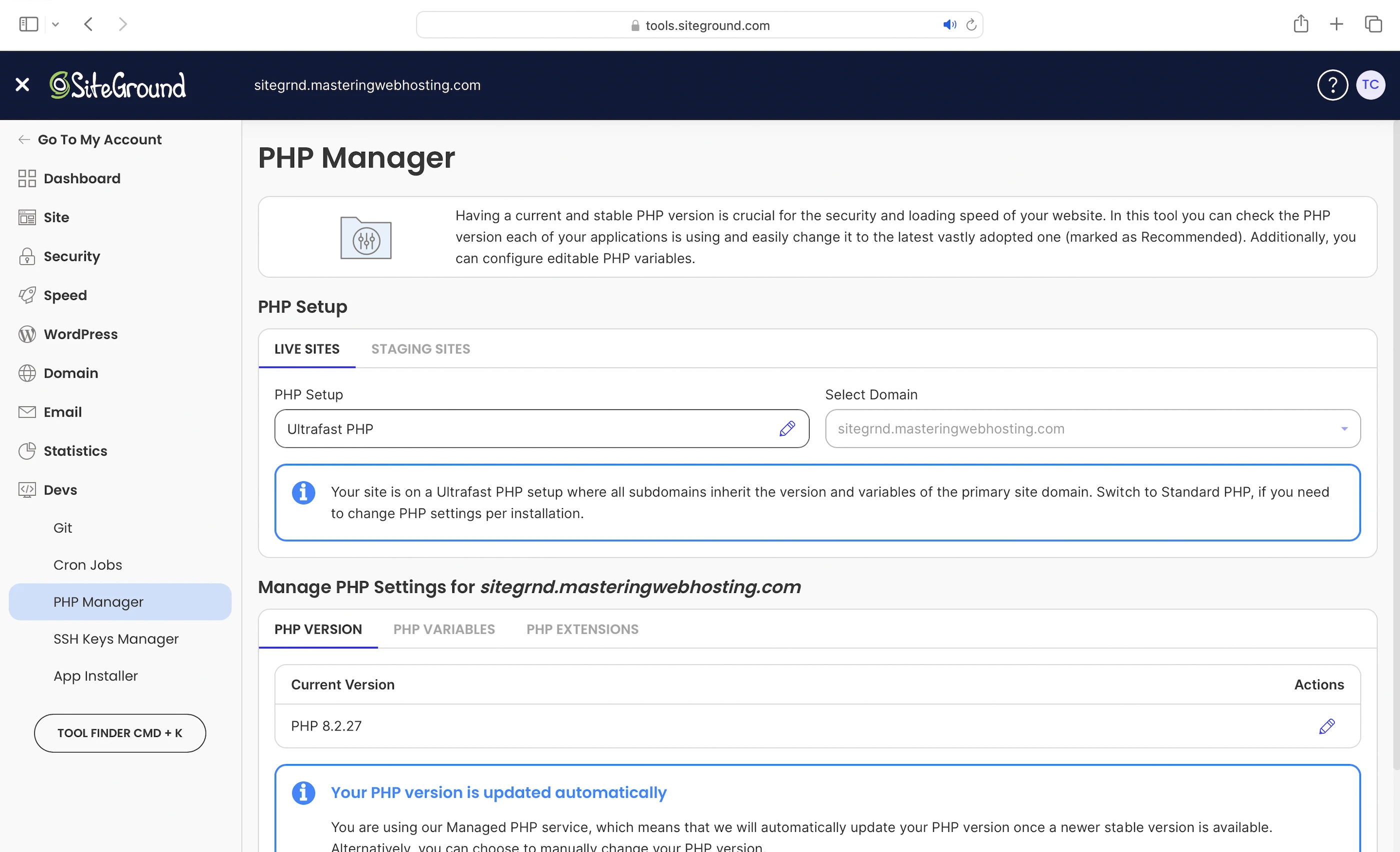
This allows more programs to run on your server at the same time, even during traffic spikes.
SiteGround promises this feature:
- Improves Time To First Byte (TTFB) by up to 50%
- Boosts website speed performance by up to 30%
Let’s remember this promise, shall we?
Nginx Web Servers
A web server handles and responds to incoming requests for your WordPress content. It is connected to PHP through a handler that’s usually optimized for fast and efficient communication between the two systems. This allows the web server to forward requests to PHP and receive responses faster, directly improving your page load times.
SiteGround uses Nginx with PHP-FPM as the PHP handler to serve your web content.
2 PHP Workers
Your WordPress website serves 2 types of web content: Static and dynamic. PHP workers are for the latter.
Static content is called so because it remains the same across visits. Examples include the images and CSS files that make up your website’s layout. Unless manually updated, everyone sees the same layout when they visit your website.
Dynamic content, on the other hand, changes based on the data retrieved from your database. Examples include your blog posts and comments. New posts or comments update what visitors see in your post list and comment section.
If both types of content are uncached, Nginx returns static content more quickly because it can be served immediately. In contrast, dynamic content must be generated on the fly, which takes more time. This means a robust process is needed to handle the generation efficiently.
Since WordPress is built with PHP, that process is PHP workers.
When Nginx forwards a request for uncached dynamic content, PHP-FPM spawns a PHP worker to handle the request. The worker executes your PHP code, queries your database, and generates the dynamic content based on the retrieved data. The content is returned as HTML, which is what your visitors see in their browser.
So the more PHP workers you have, the more requests for uncached dynamic content your website can handle concurrently without slowing down.
Opcode Cache
Here’s what happens behind the scenes when your PHP workers execute your code: They compile it into opcode, which are machine-readable instructions that PHP uses to generate the HTML for your dynamic content. By caching this opcode with OPcache, PHP can reuse it instantly without needing to recompile your code on every request.
SuperCacher Services
SiteGround’s own caching solution that includes:
- Nginx Direct Delivery: Leveraging Nginx’s strength in caching static content, it can serve your static content immediately upon request.
- Dynamic Cache: Since Nginx is good at serving and caching static content, it can also cache the generated HTML of your dynamic content as if it were static before serving it to visitors. Learn more from SiteGround here. For the best results, use this with their Speed Optimizer plugin.
- Memcached: To cache your frequently accessed data (e.g., posts) in memory. This way, if the opcode includes instructions to query your database, PHP can get the data from the object cache instead, which is much faster. Using Memcached also prevents your database from being overloaded with repeated queries for the same data. For the best results, use this with SiteGround’s Speed Optimizer plugin
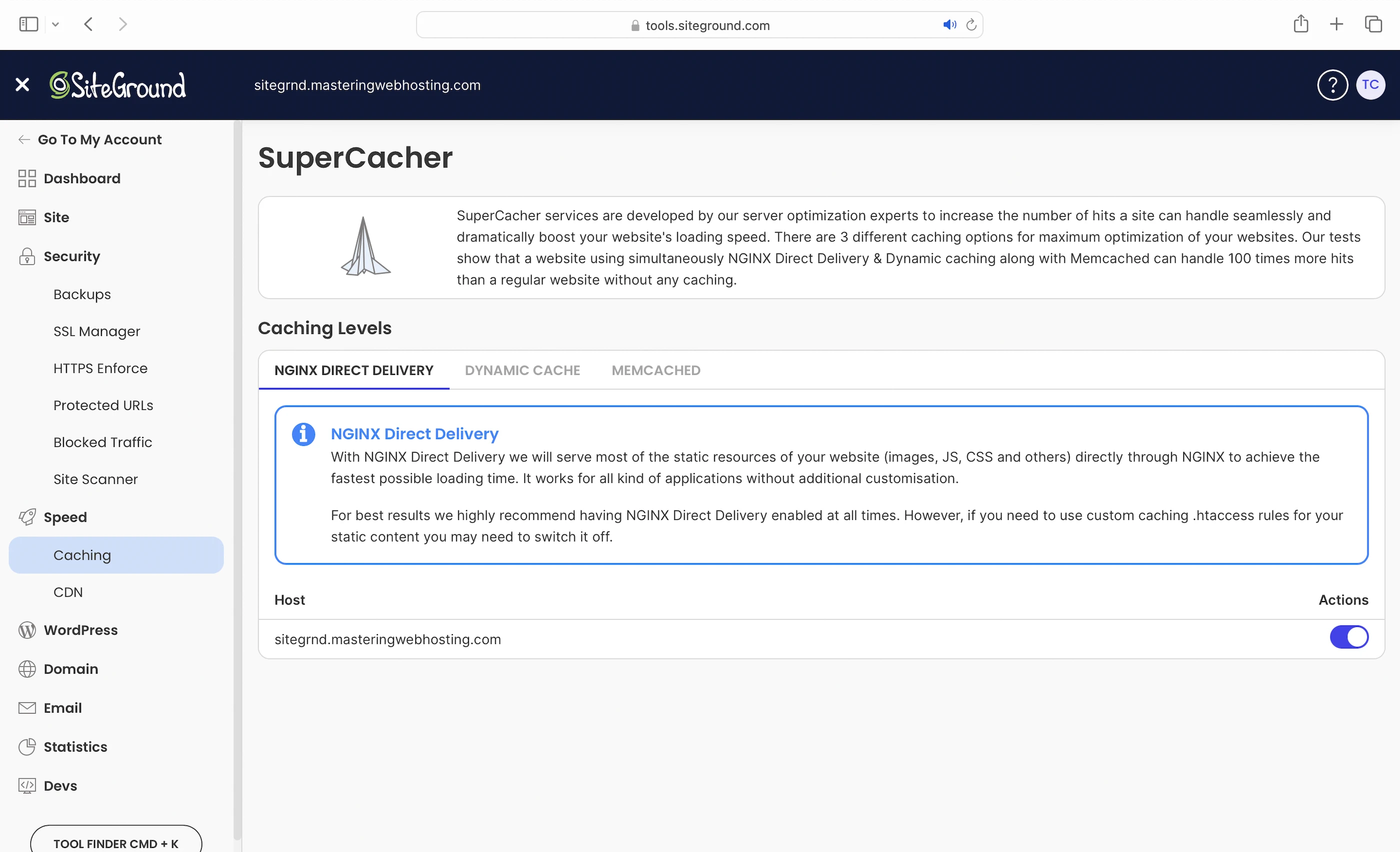
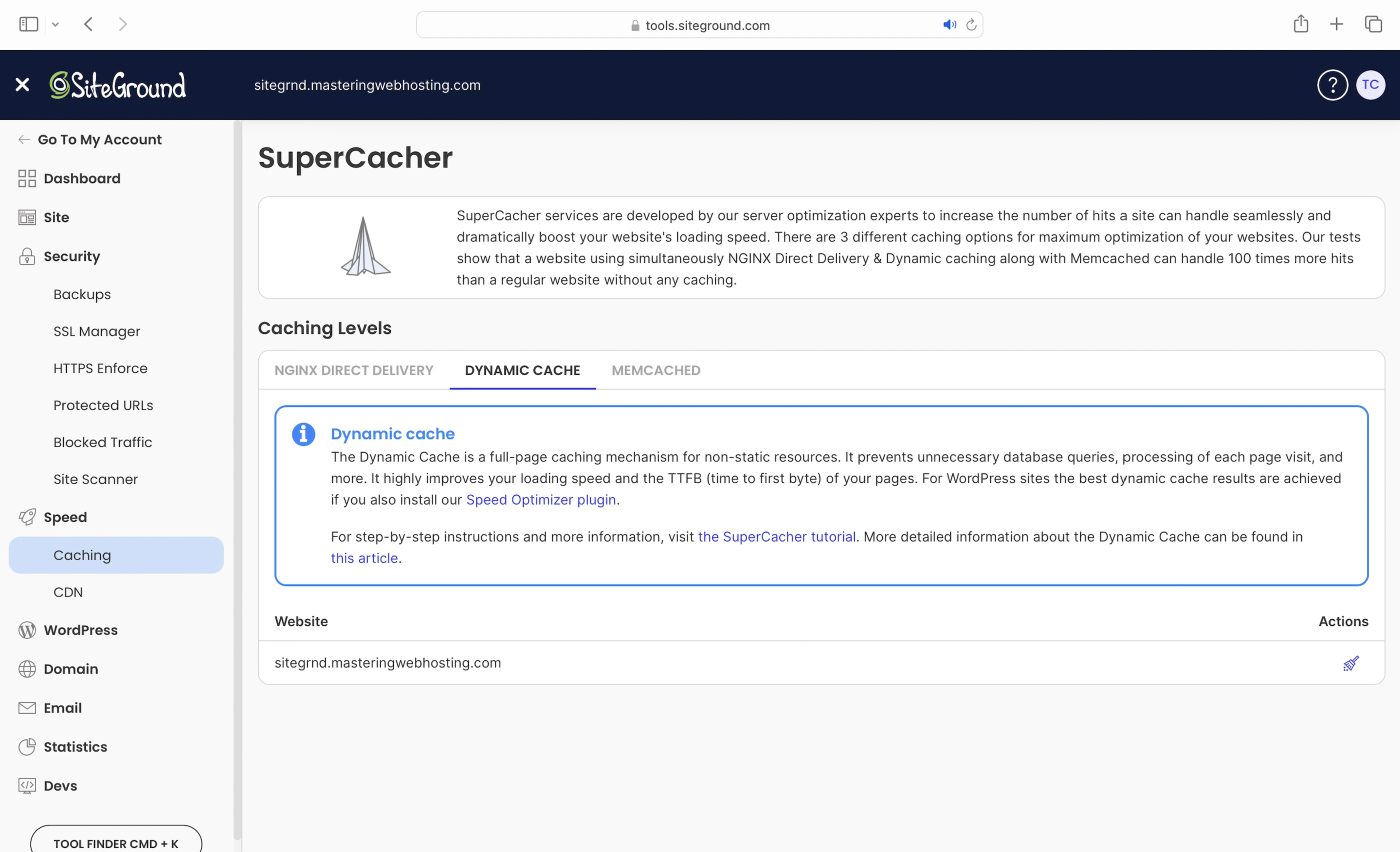
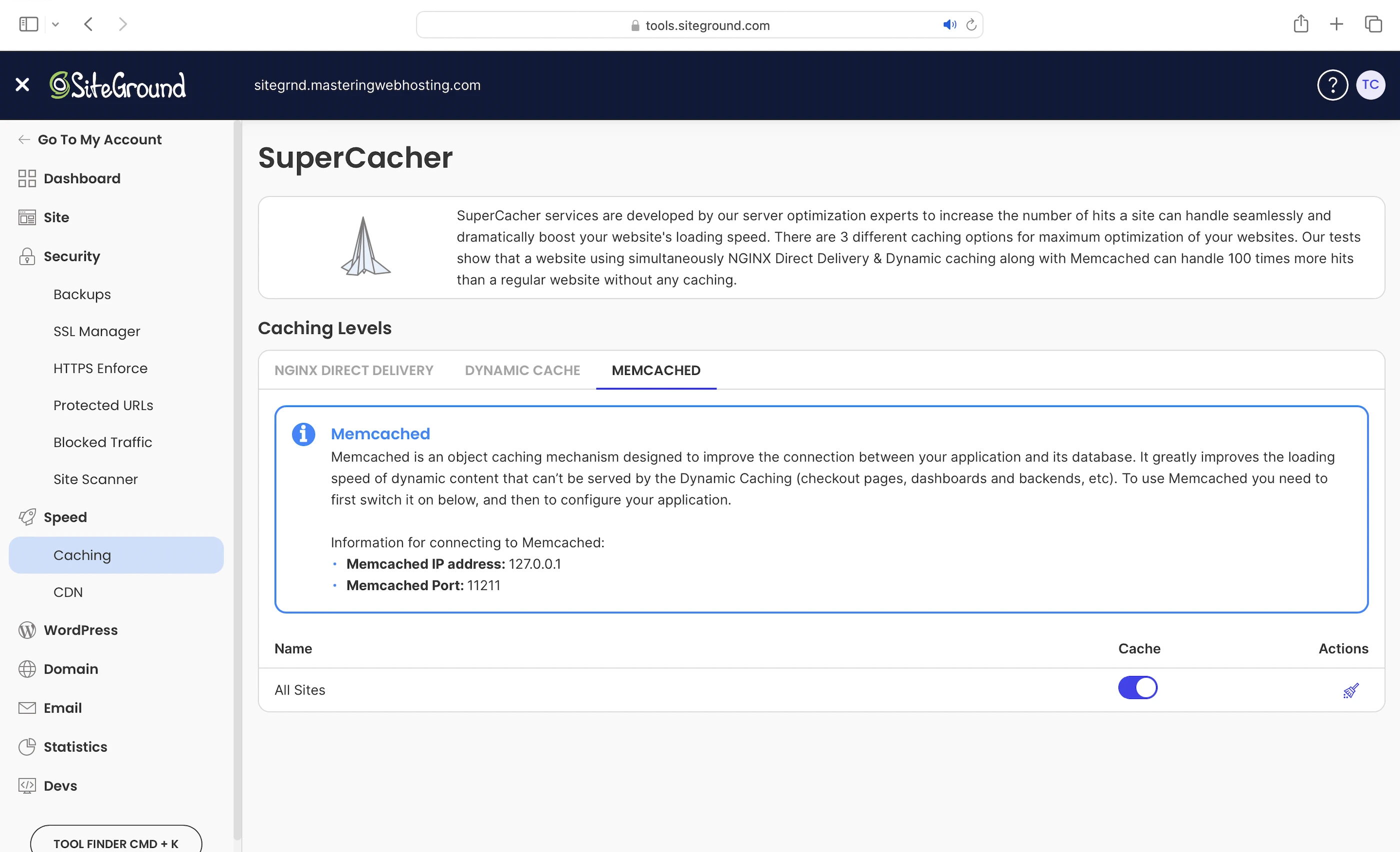
Again, SiteGound says this improves your loading speed.
Remember this too.
SiteGround’s Speed Optimizer
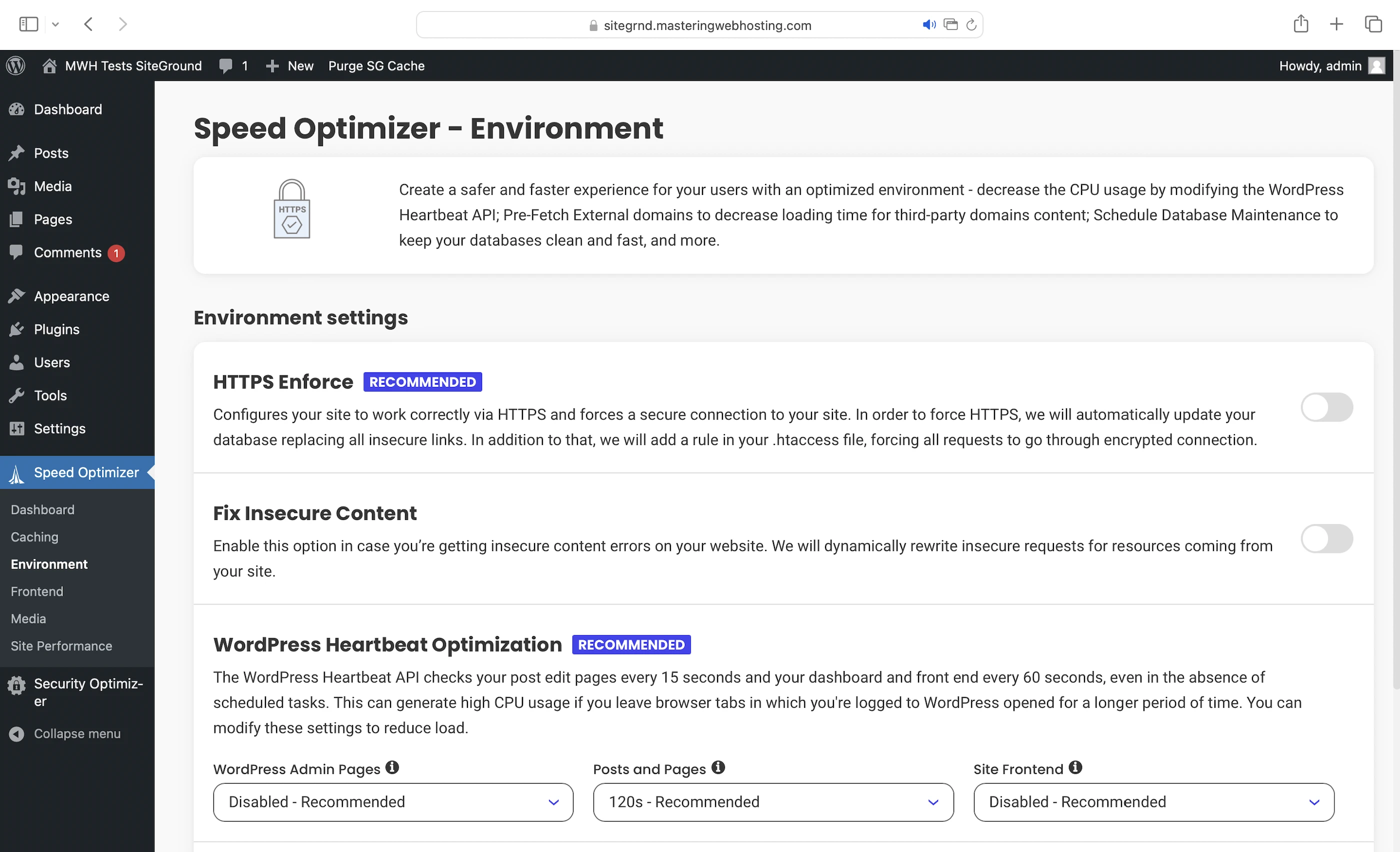
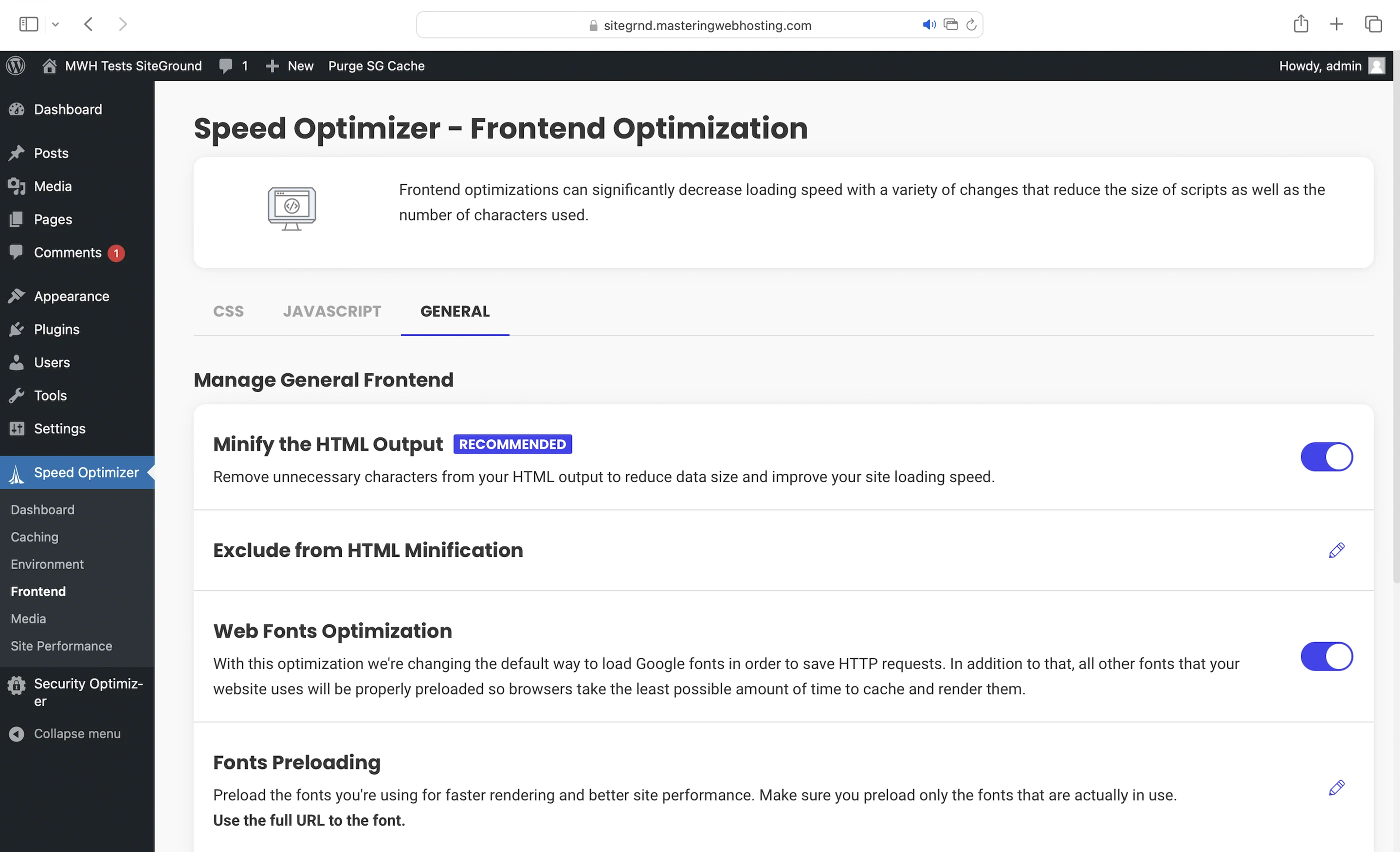
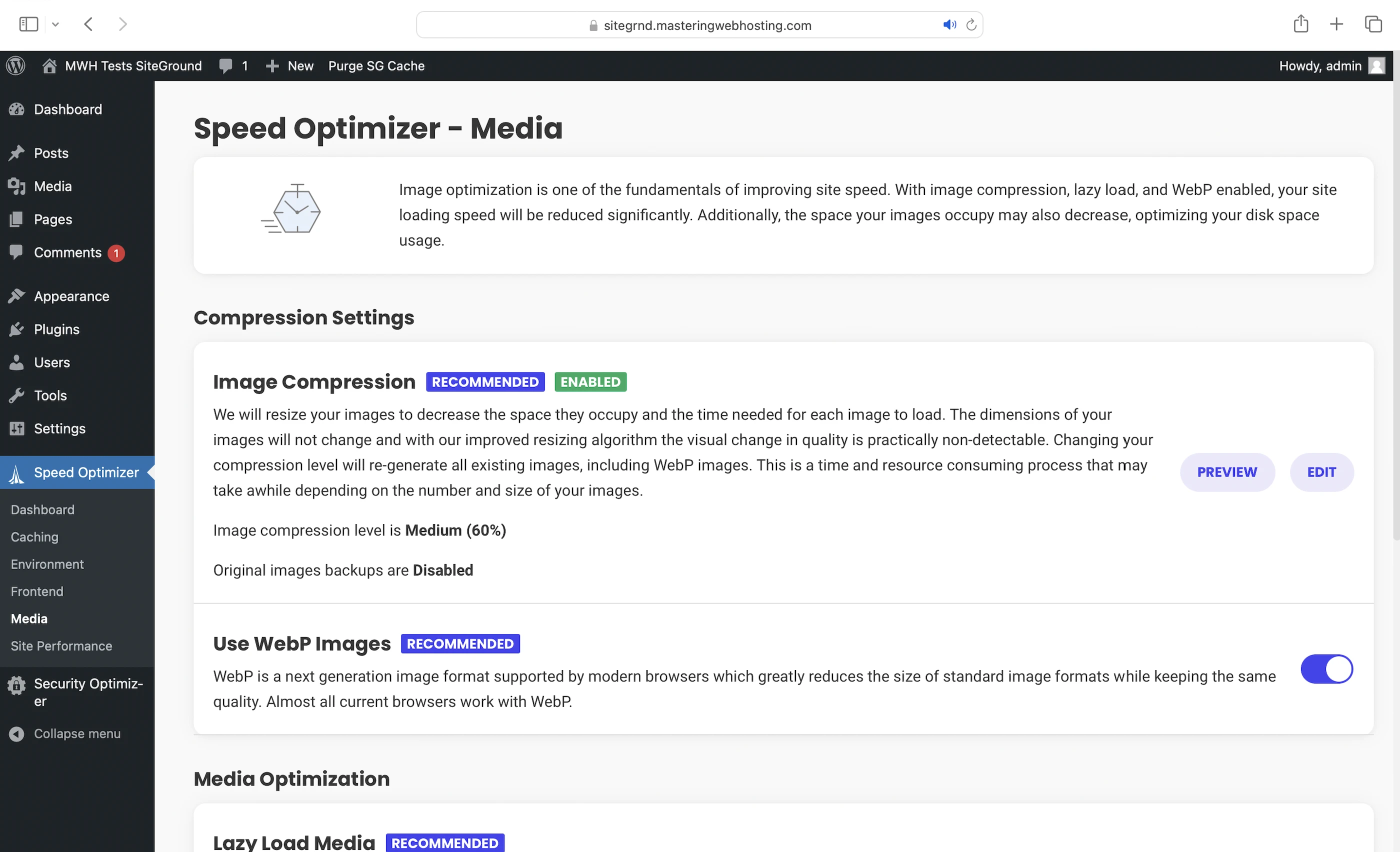
Besides working with the SuperCacher services, this plugin optimizes these for you:
- Environment (eg. Lower the number of WordPress Heartbeat API calls to reduce server workloads)
- Frontend (eg. Minify and preload/defer your CSS and JavaScript scripts)
- Media (eg. Image compression and optimization by conversion to WebP format)
SiteGround CDN
Stores your web content in multiple servers across 4 continents.
When someone visits your website, SiteGround CDN serves your web content from its nearest server. This reduces your website load time, improving user experience.
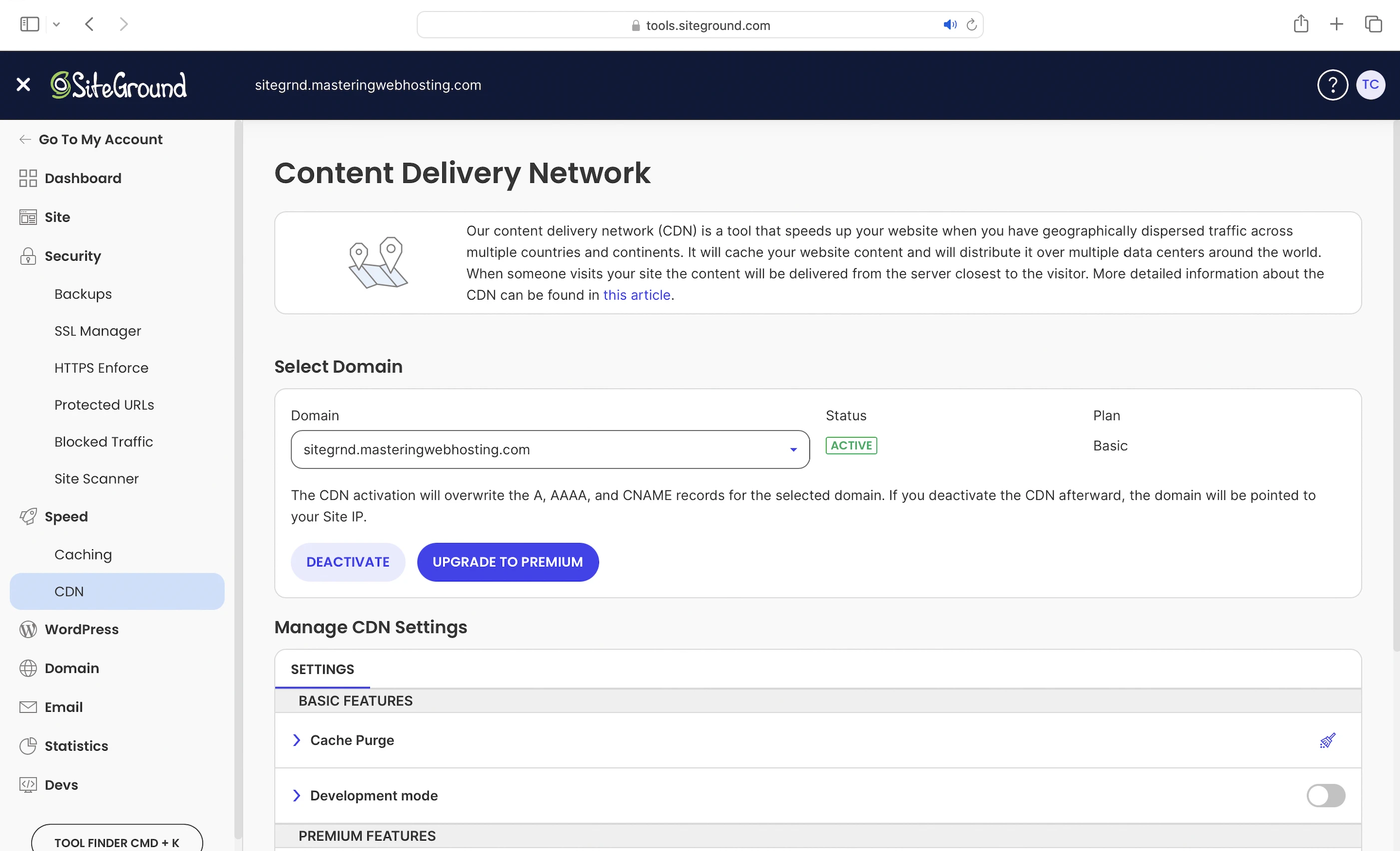
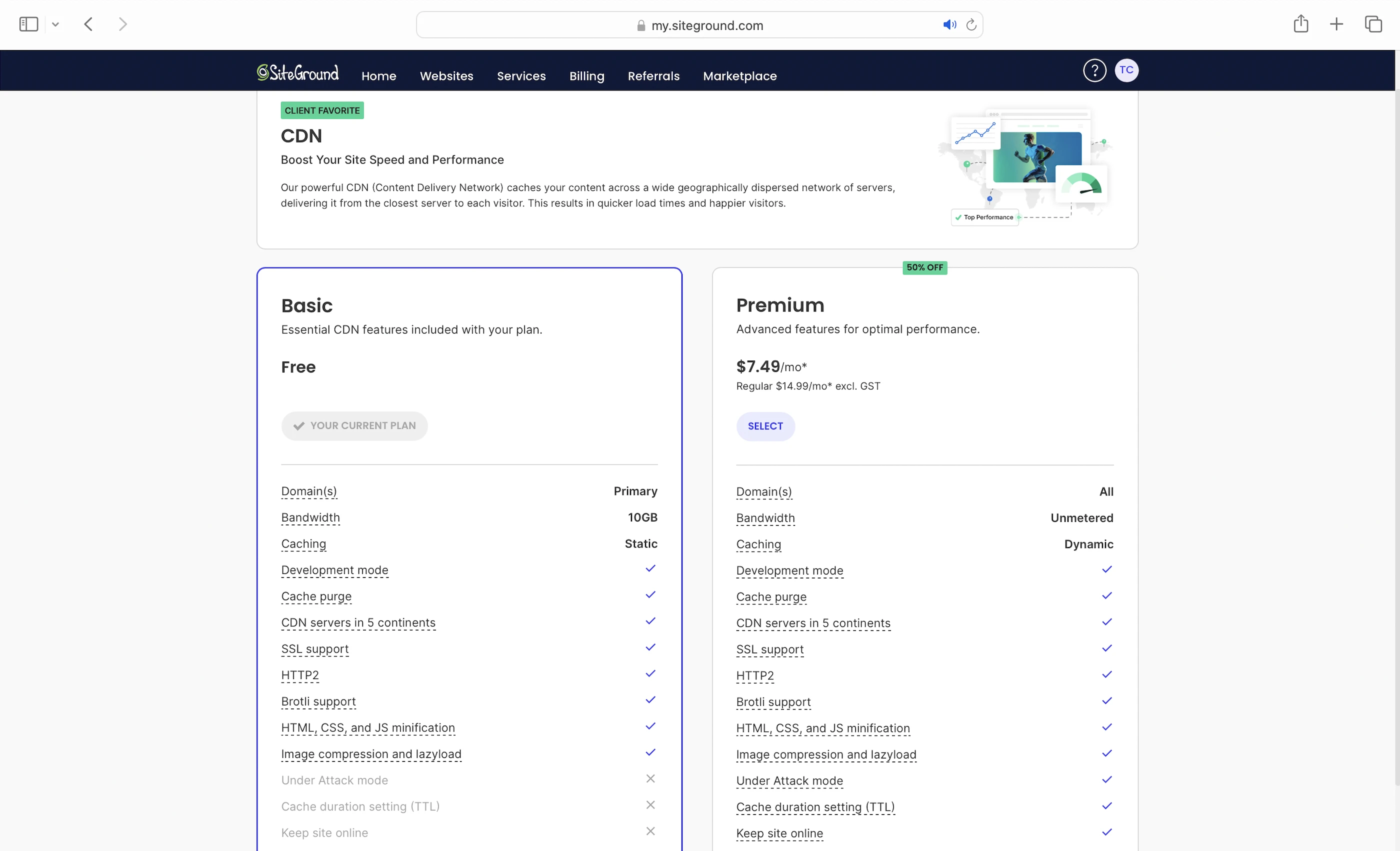
SiteGround CDN also has a Premium version, which comes with unmetered bandwidth.
3. Security Features
SiteGround CDN
Also protects you at the edge by directing DDoS attacks away from your server. Go Premium and you get Under Attack Mode.
Enterprise-grade Central Security System
Or, as I call it, SiteGround’s server hive mind. All SiteGround servers reside in a common global network and have the same intelligent defenses on each of them. When one server detects a threat or fixes a vulnerability, it shares its experience with the rest, allowing the whole network to grow stronger and to handle threats collectively.
Altogether, SiteGround says the Central Security System will block 99.99% of all bad traffic before they reach your website.
The common defenses on each SiteGround server that contribute to the Central Security System are:
- Network Firewall: To fend against malicious IP addresses and to secure your ports. It’s the first firewall all attacks go through
- Server WAF: Protects your website from web threats and vulnerabilities like SQL Injection. Note that SiteGround says it uses a custom Nginx security module to scan incoming requests and block common attacks, which sounds a lot like ModSecurity. If so, this server WAF and the security module might be one and the same
- DDoS Protection: For the rest of the attacks that got past the CDN
- IPS: Especially against brute-force attacks. The Central Security System will scan for such patterns every 30 seconds.
Account Isolation
Since GrowBig is shared hosting, your website shares a server with other websites. Even if one of them is compromised (despite the Central Security System’s IPS), yours will still be safe because SiteGround isolates each website from the others with a Chrooted Environment.
This means each user gets their own website file directory on the server that only they can access.
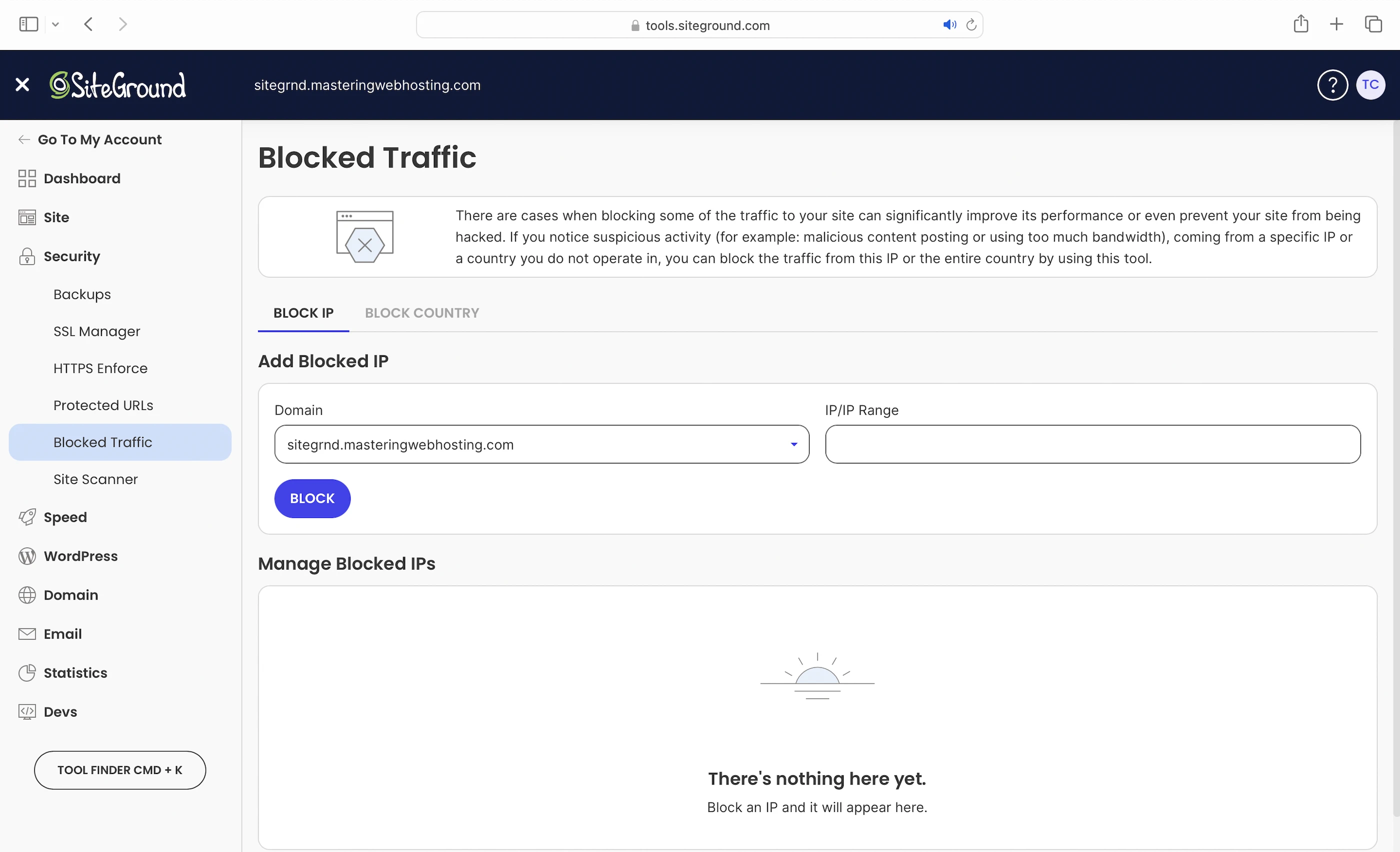
Block IP
And if both the Central Security System and the Account Isolation fail somehow, you can take matters into your own hands by blocking suspicious IP addresses and countries. However, you’d need to go through your logs to find out who’s attacking you.
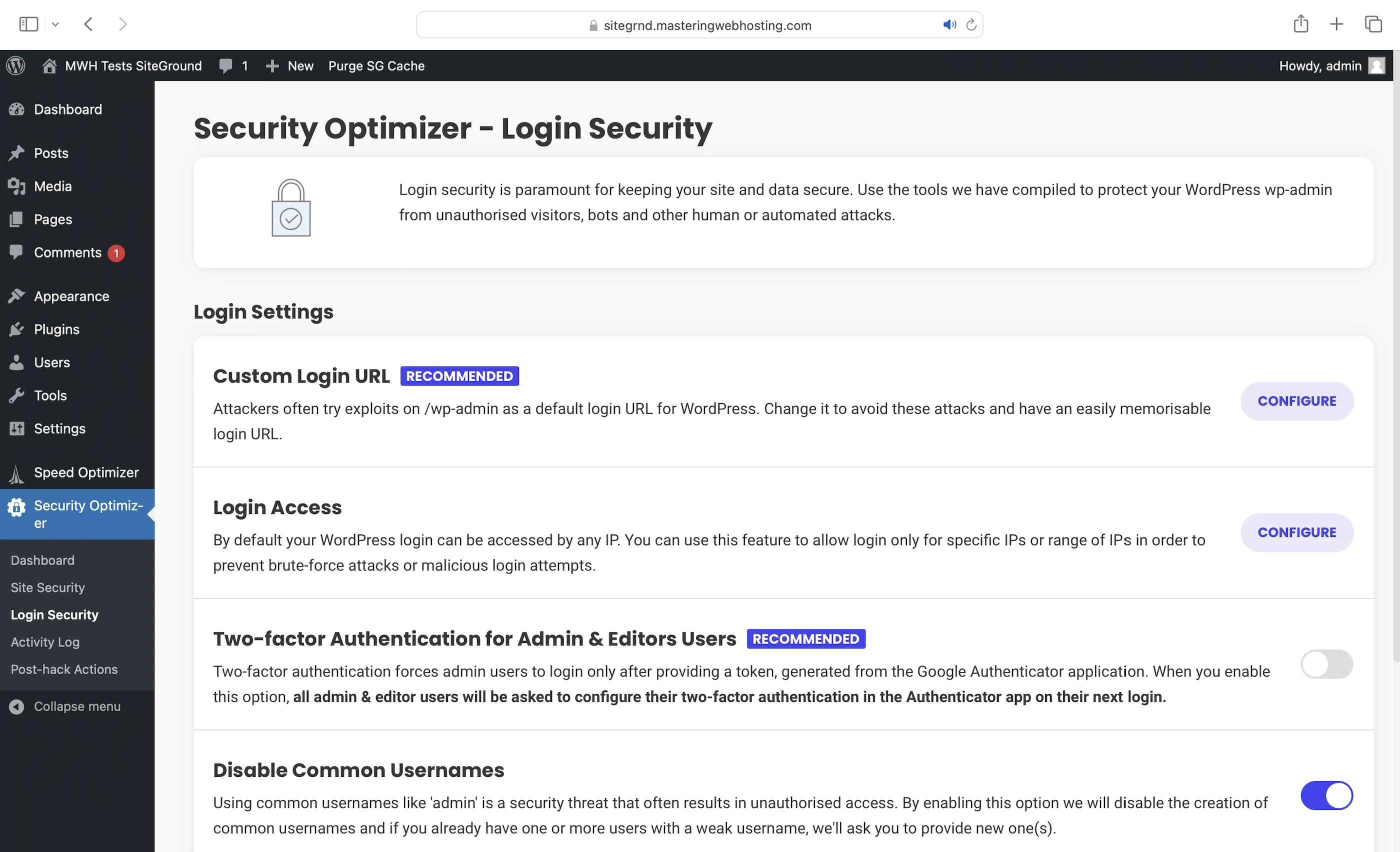
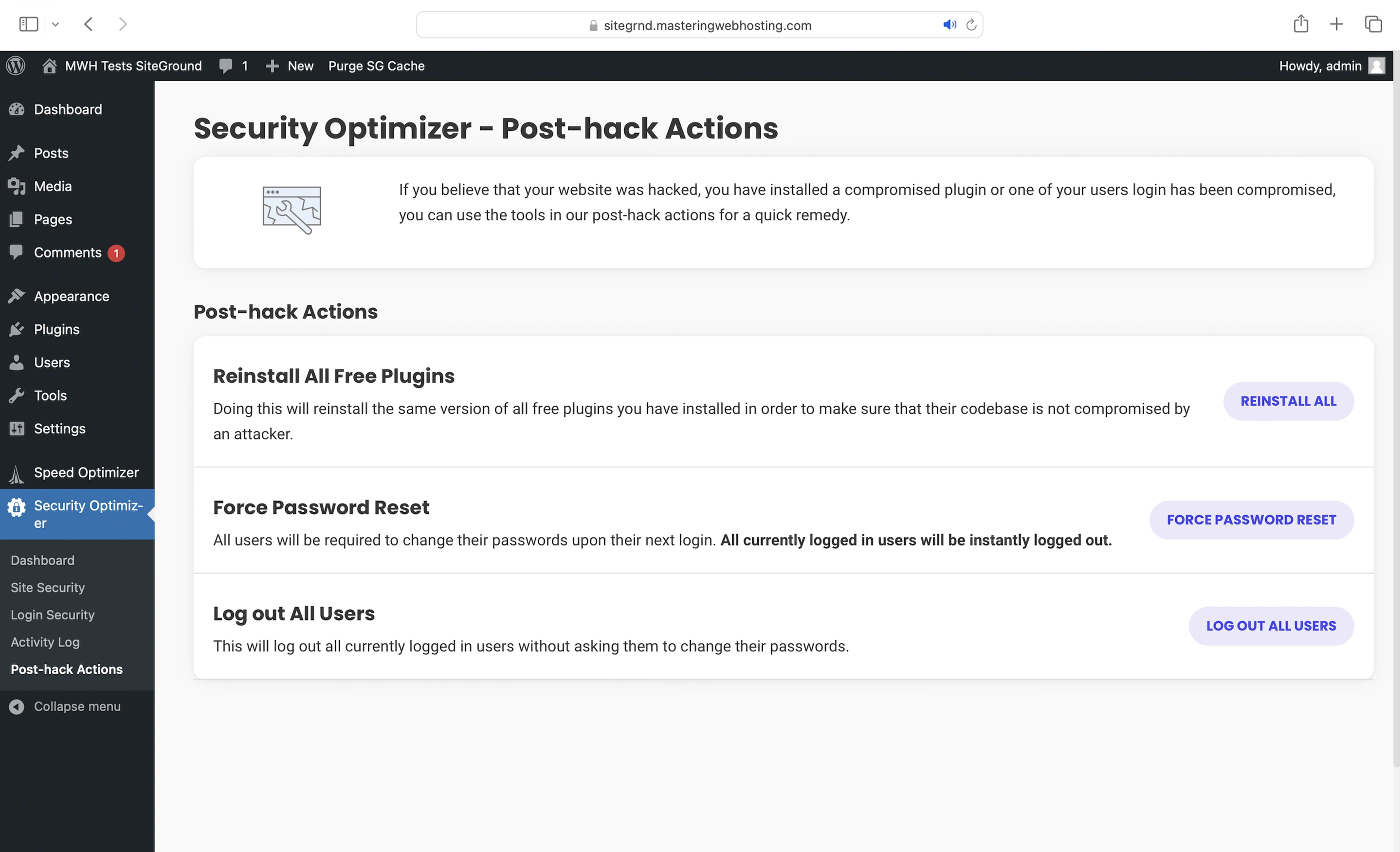
Security Optimizer
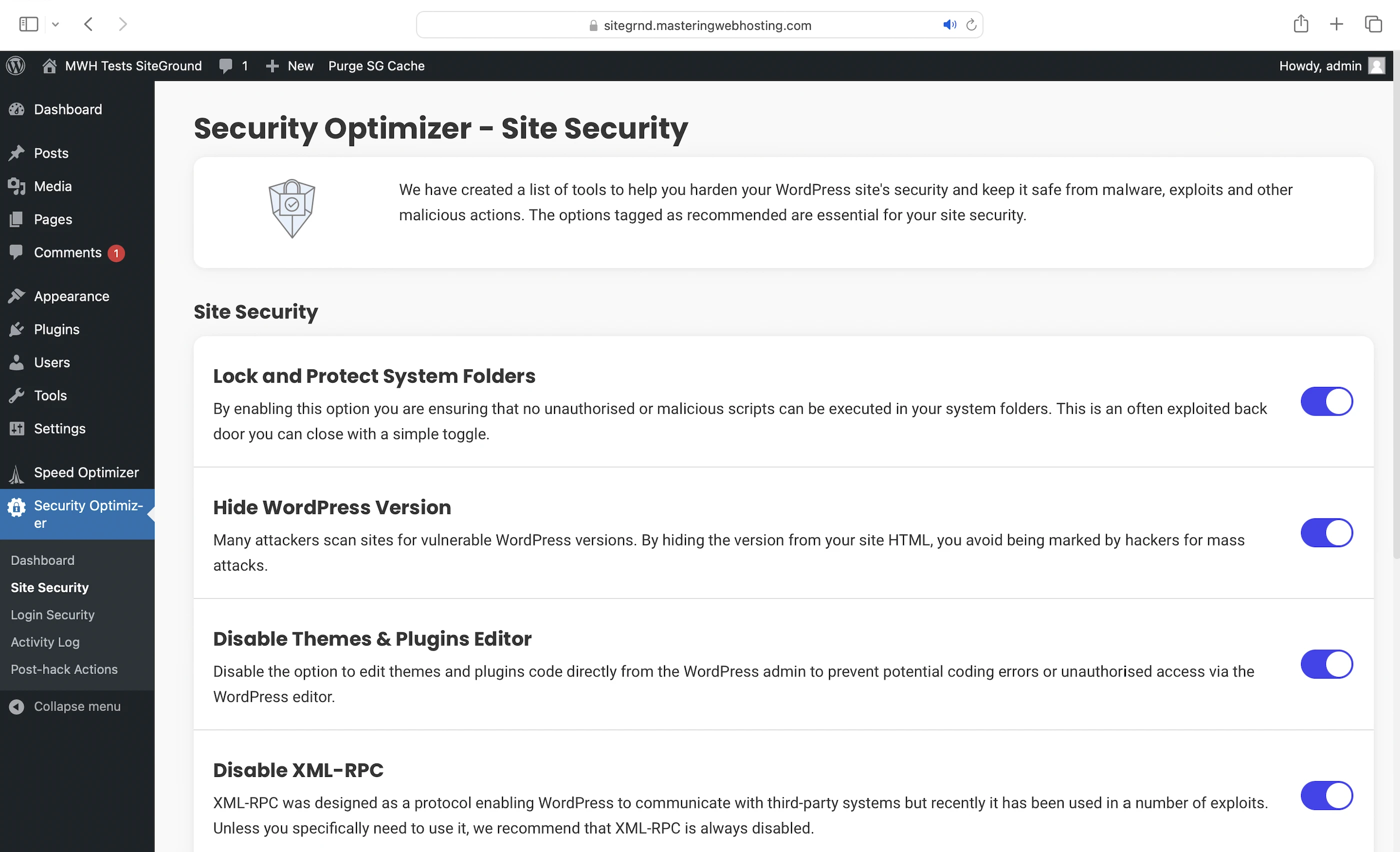
Finally, WordPress level security. This free SiteGround Plugin gives you:
- Site Security: Keep your WordPress website safe from malware, exploits, and other malicious actions
- Login Security: Secure your Admin Console login page with features like 2FA
- Post-hack Actions: The worst case scenario. You can reinstall all free plugins, log all users out, and force them to change their passwords
4. Speed Test
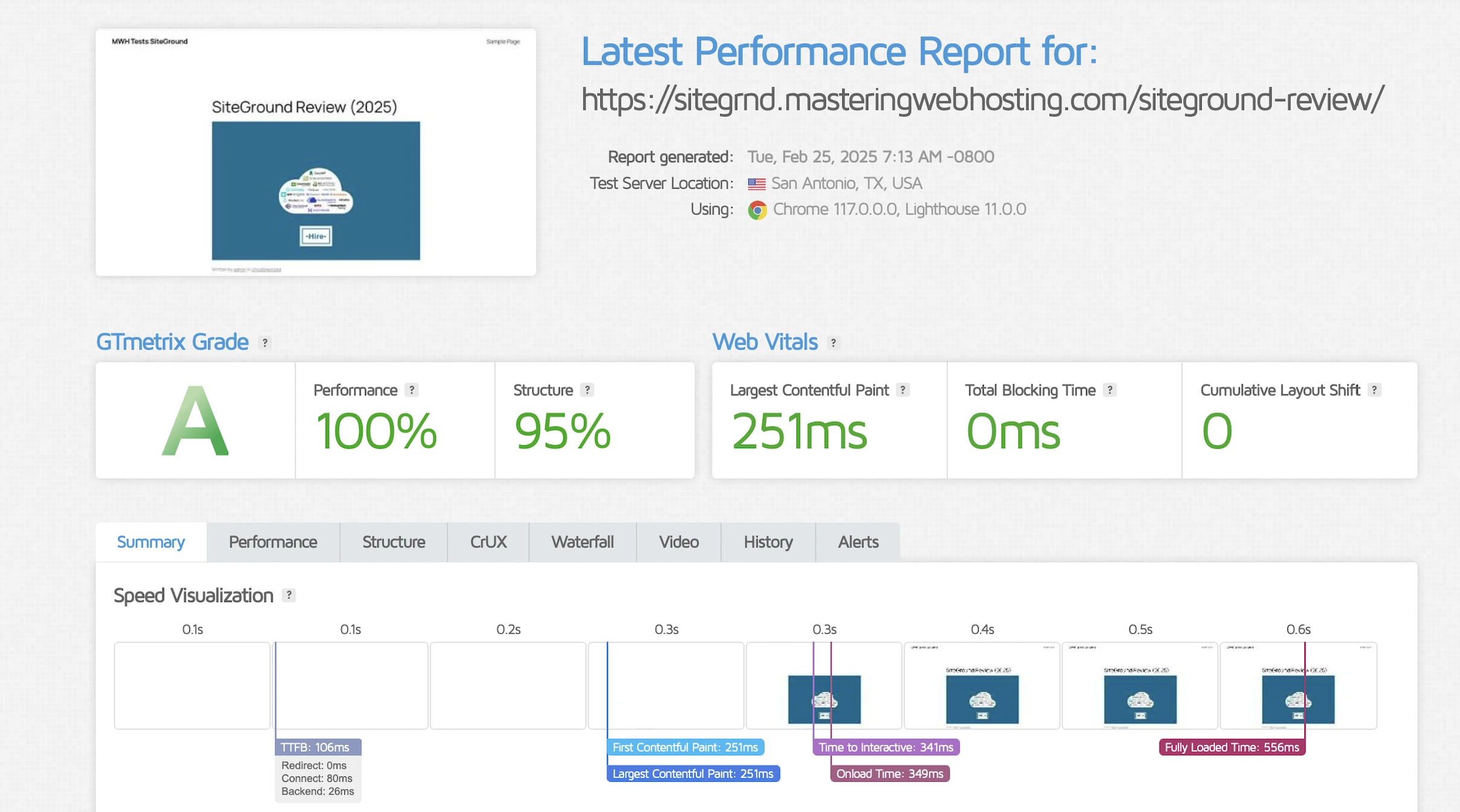
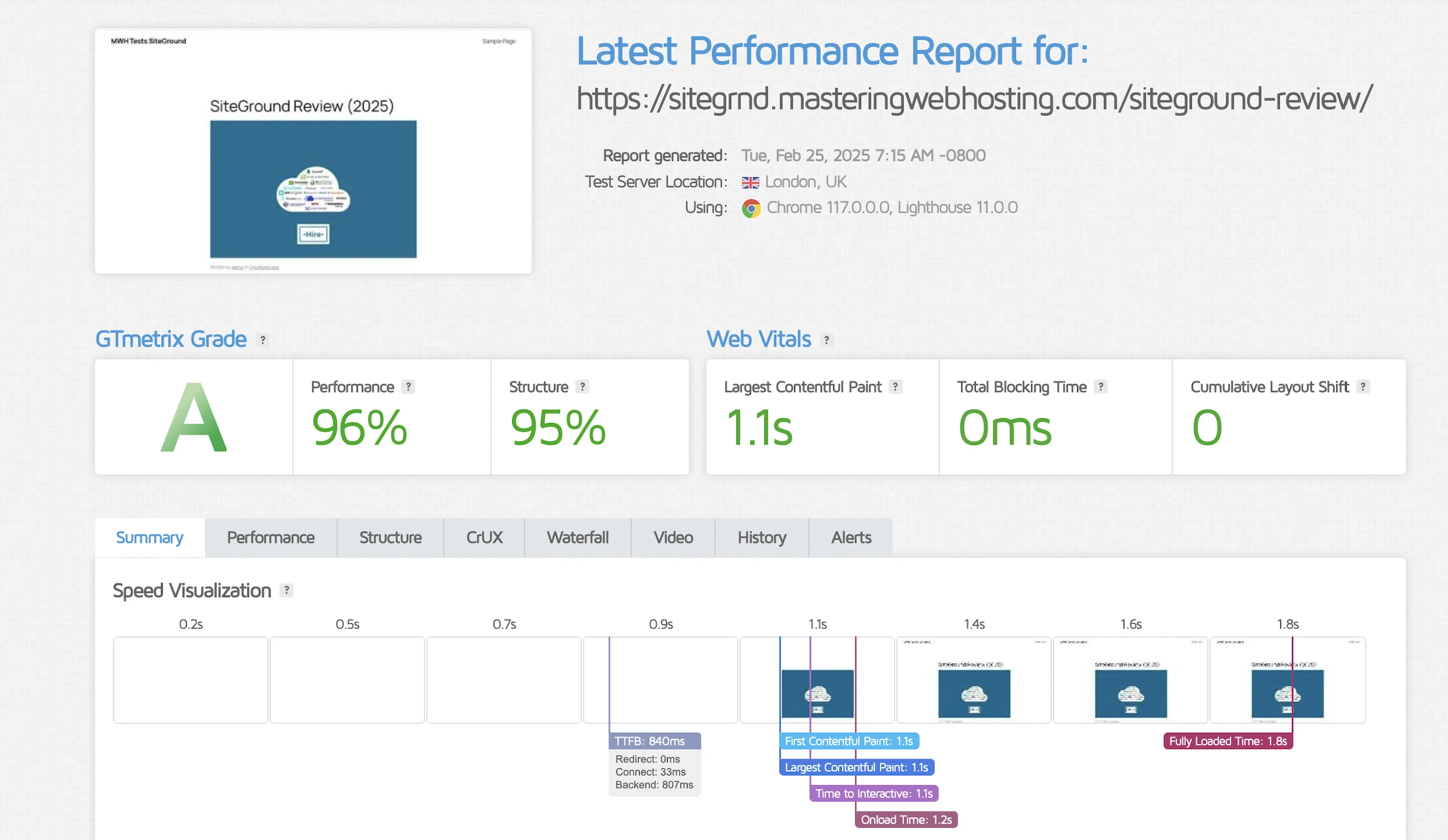
Largest Contentful Paint (LCP)
GTMetrix said my LCP was an impressive 251ms in Dallas, among the fastest hosts I have reviewed.
However, it was the complete polar opposite in London – a shocking 1.1s, the second slowest of all hosts and as bad as IONOS without a CDN.
Time to First Byte (TTFB)
Since SiteGround uses its own CDN and emphasizes speed features that significantly improve TTFB, I wanted to test how well it performs in different parts of the world.
SpeedVitals gave my global TTFB an egregious E grade of 815ms, again the slowest I have seen so far.
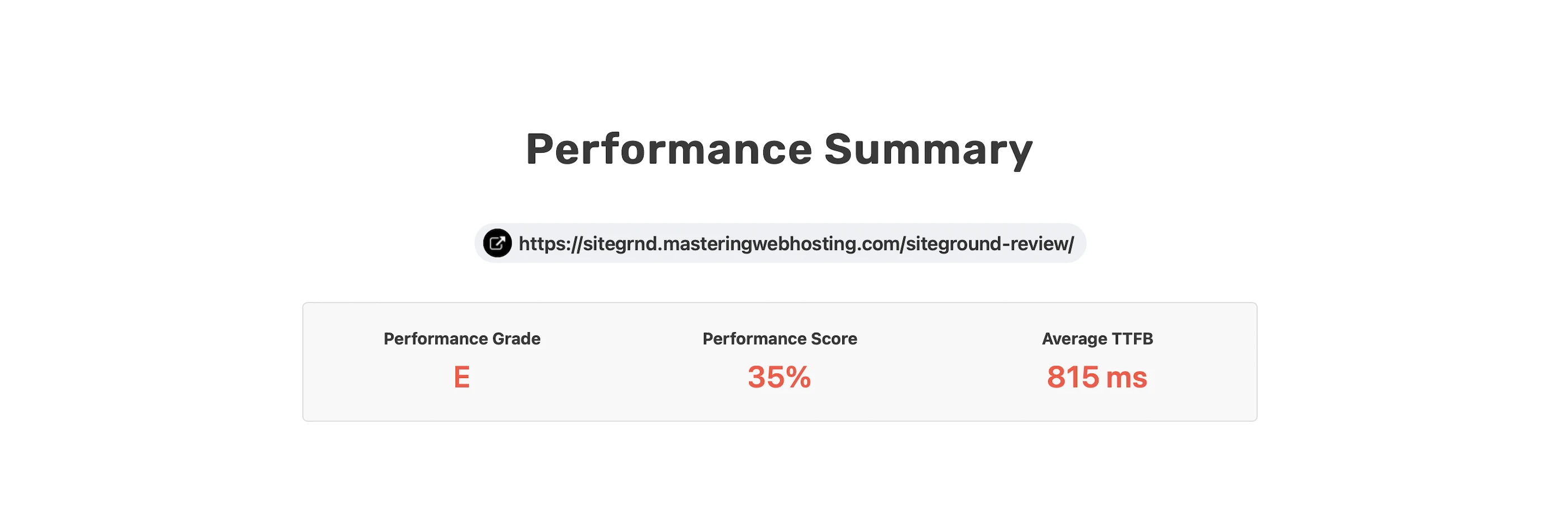
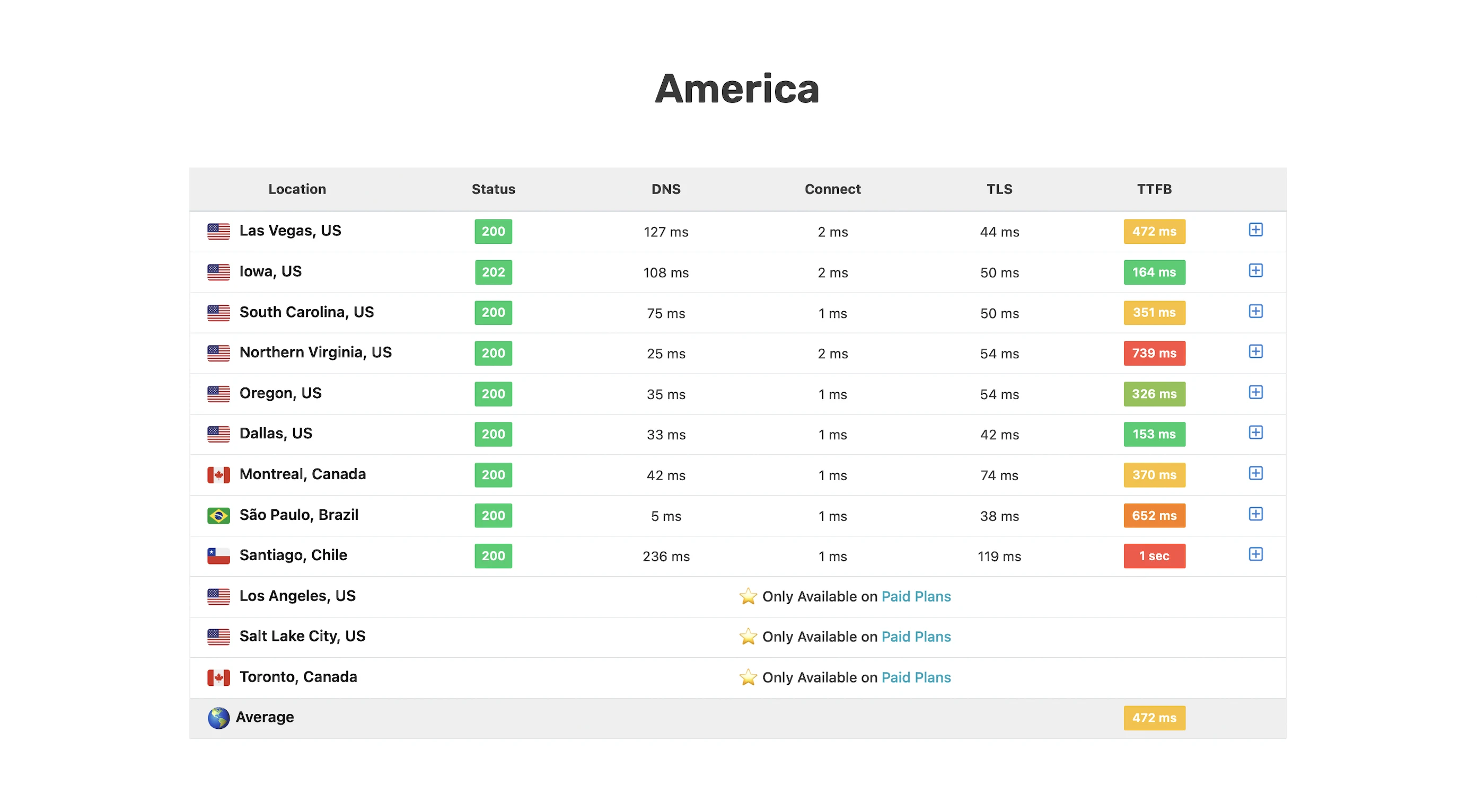
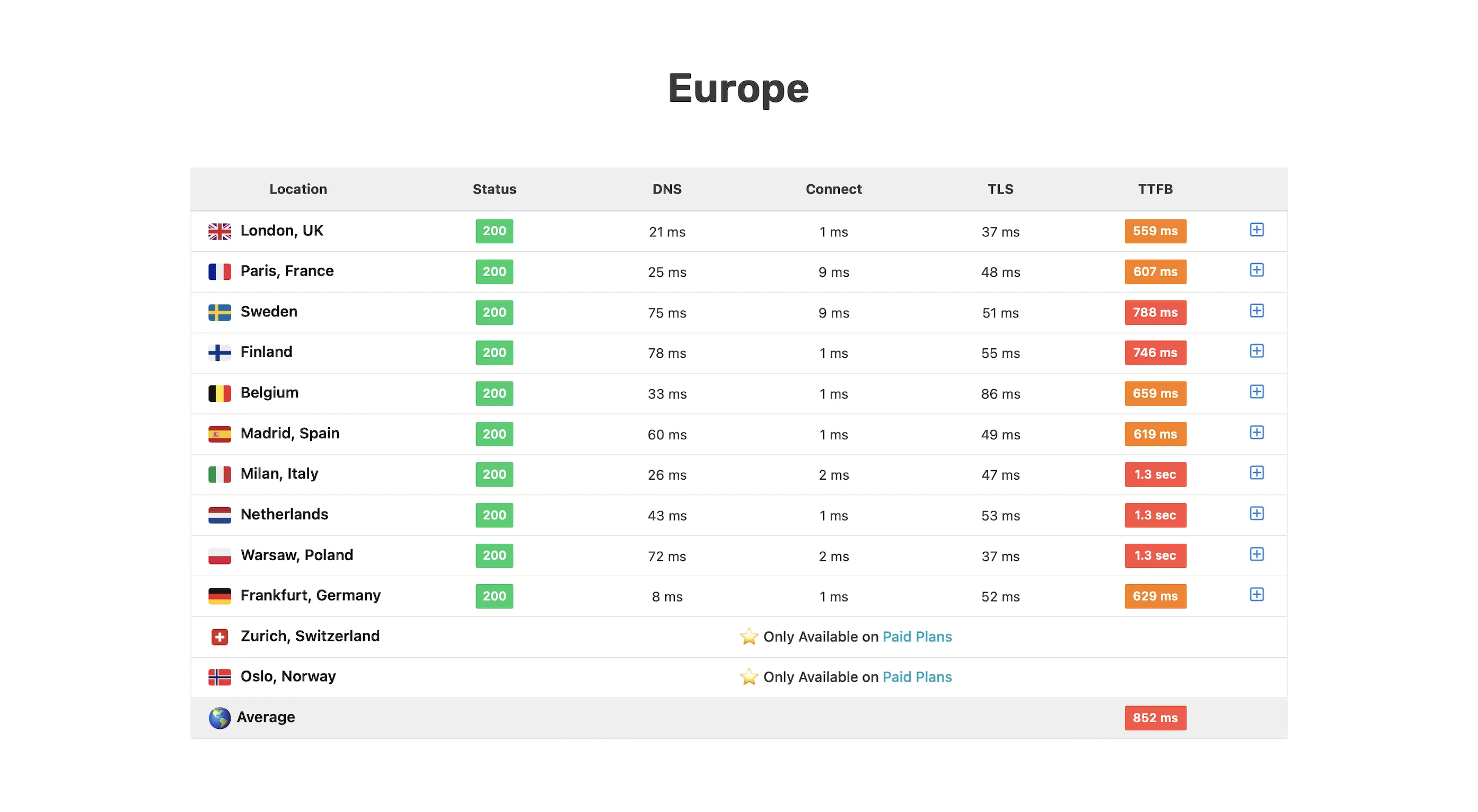
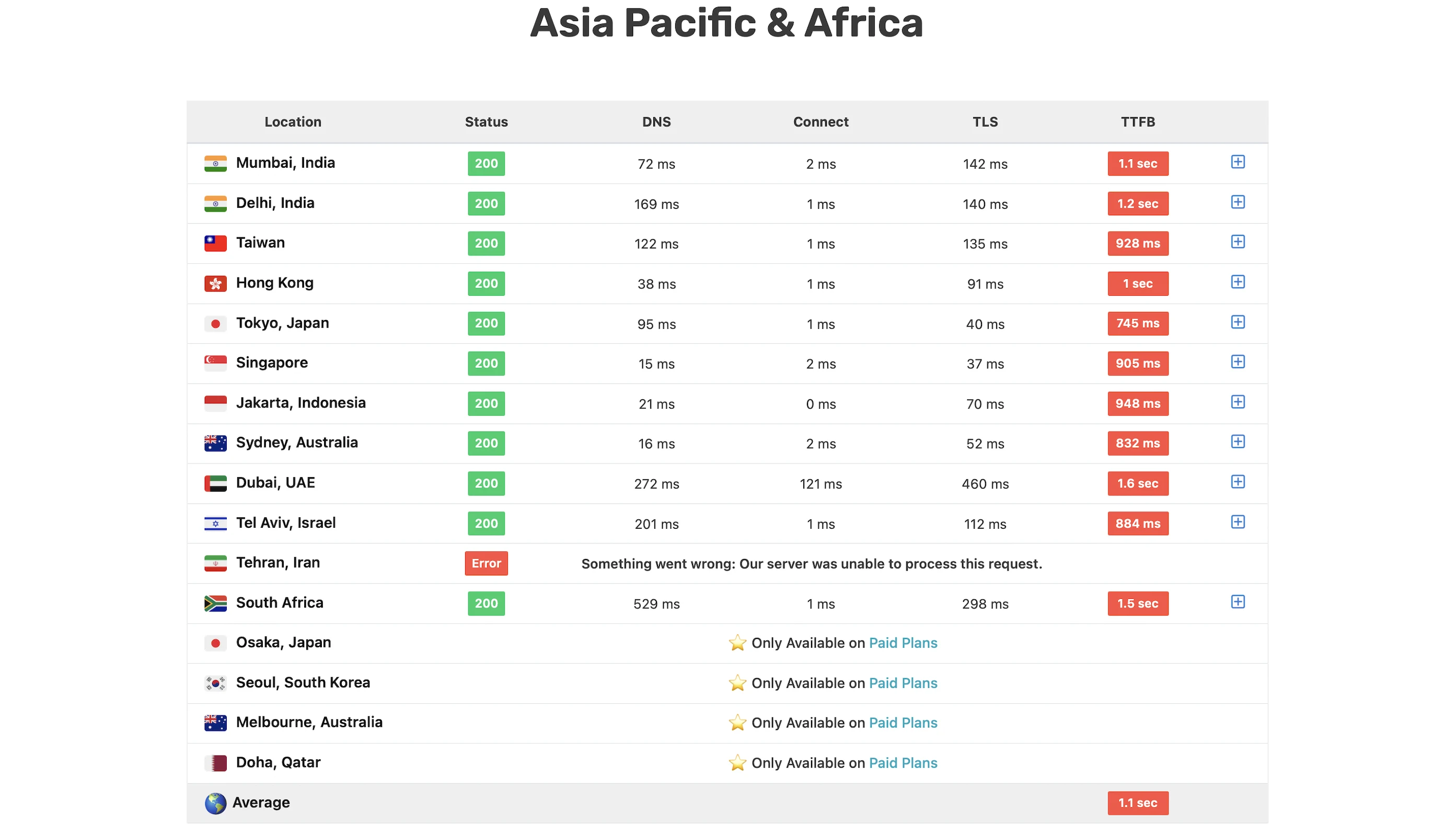
I was so dismayed by the result I decided to check if SiteGround CDN was even working.
And it was because the SiteGround CDN cache was hit (x-sg-cdn: 1) in Texas, London, and Tokyo.
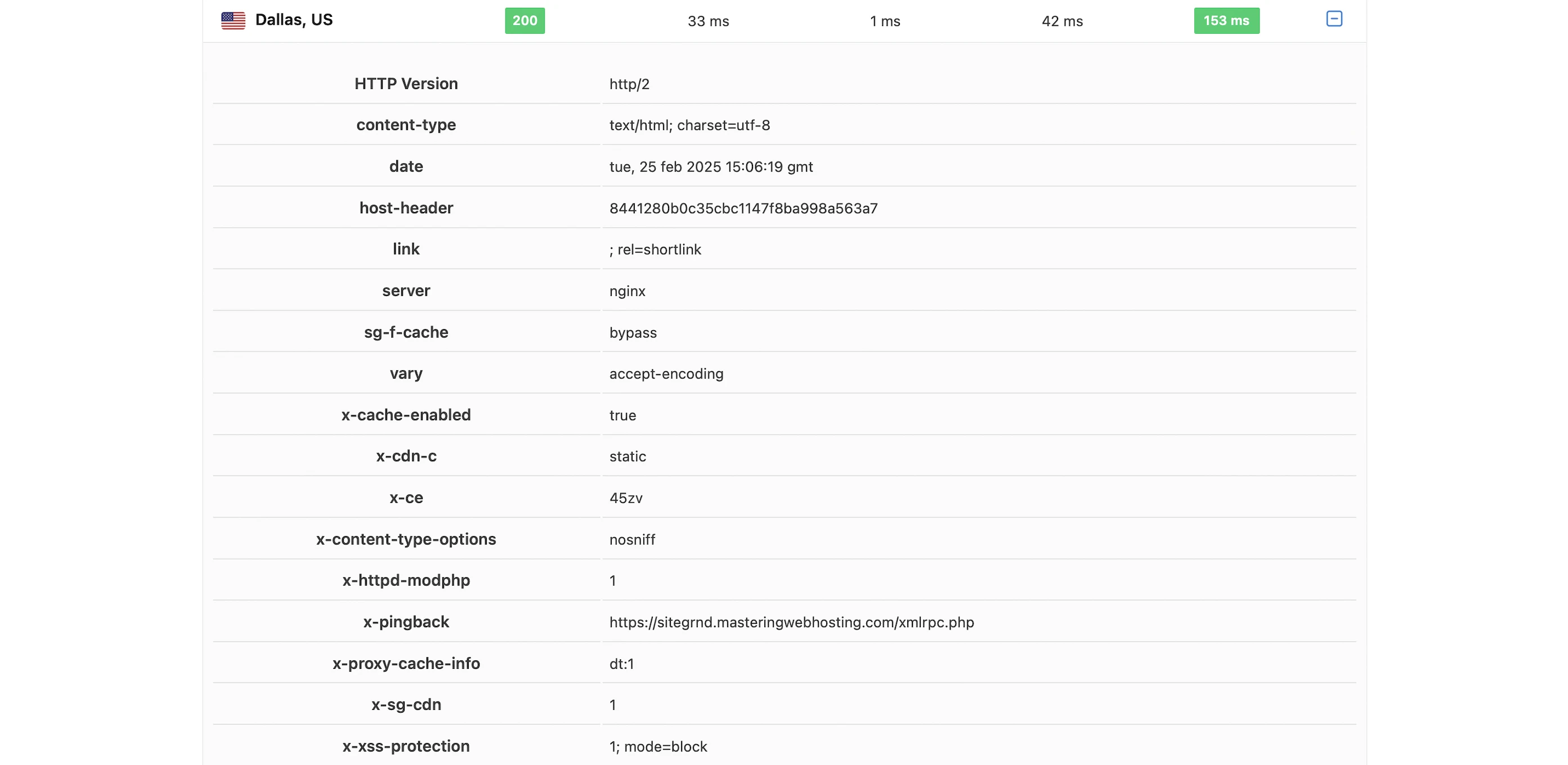
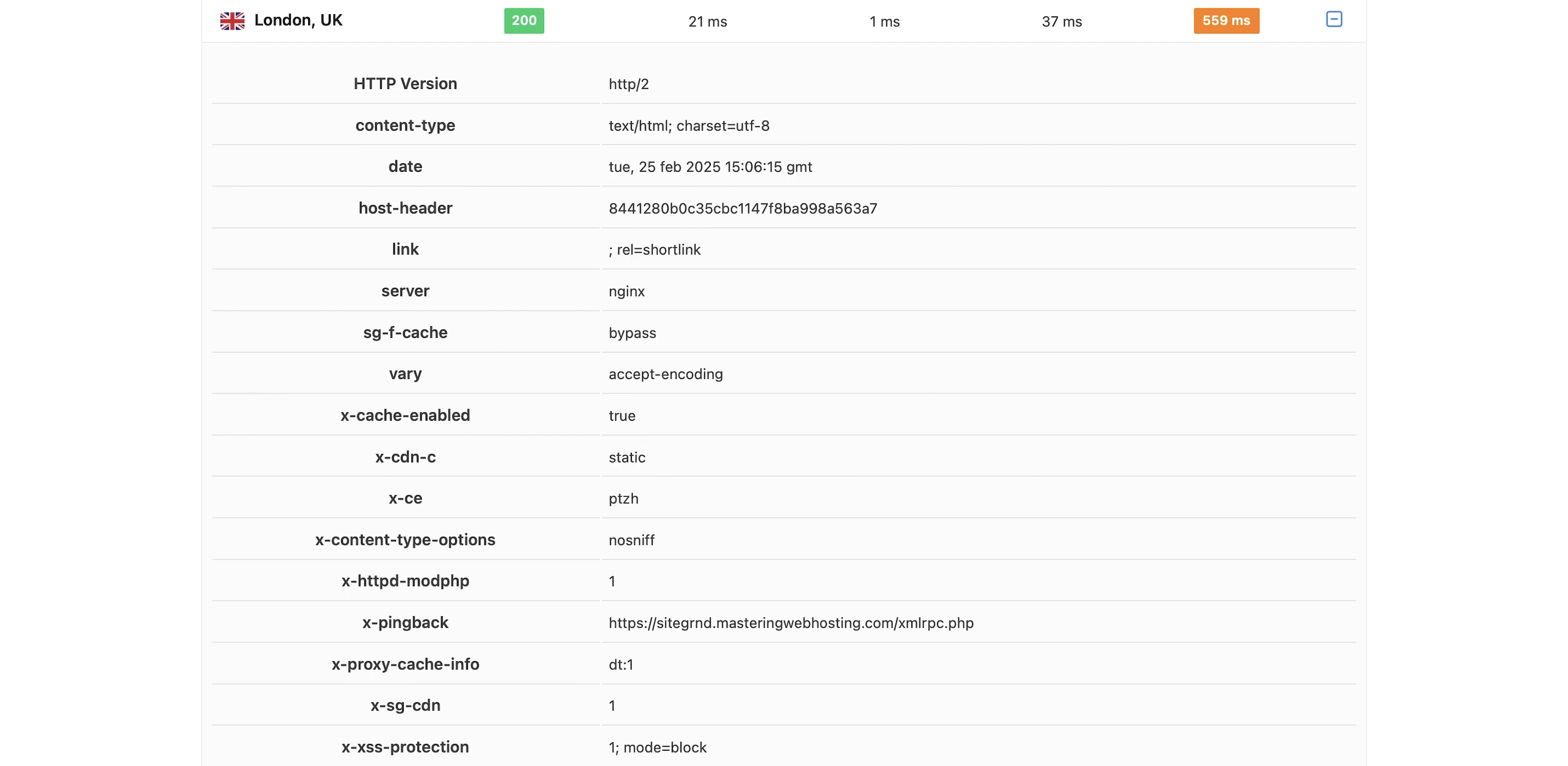
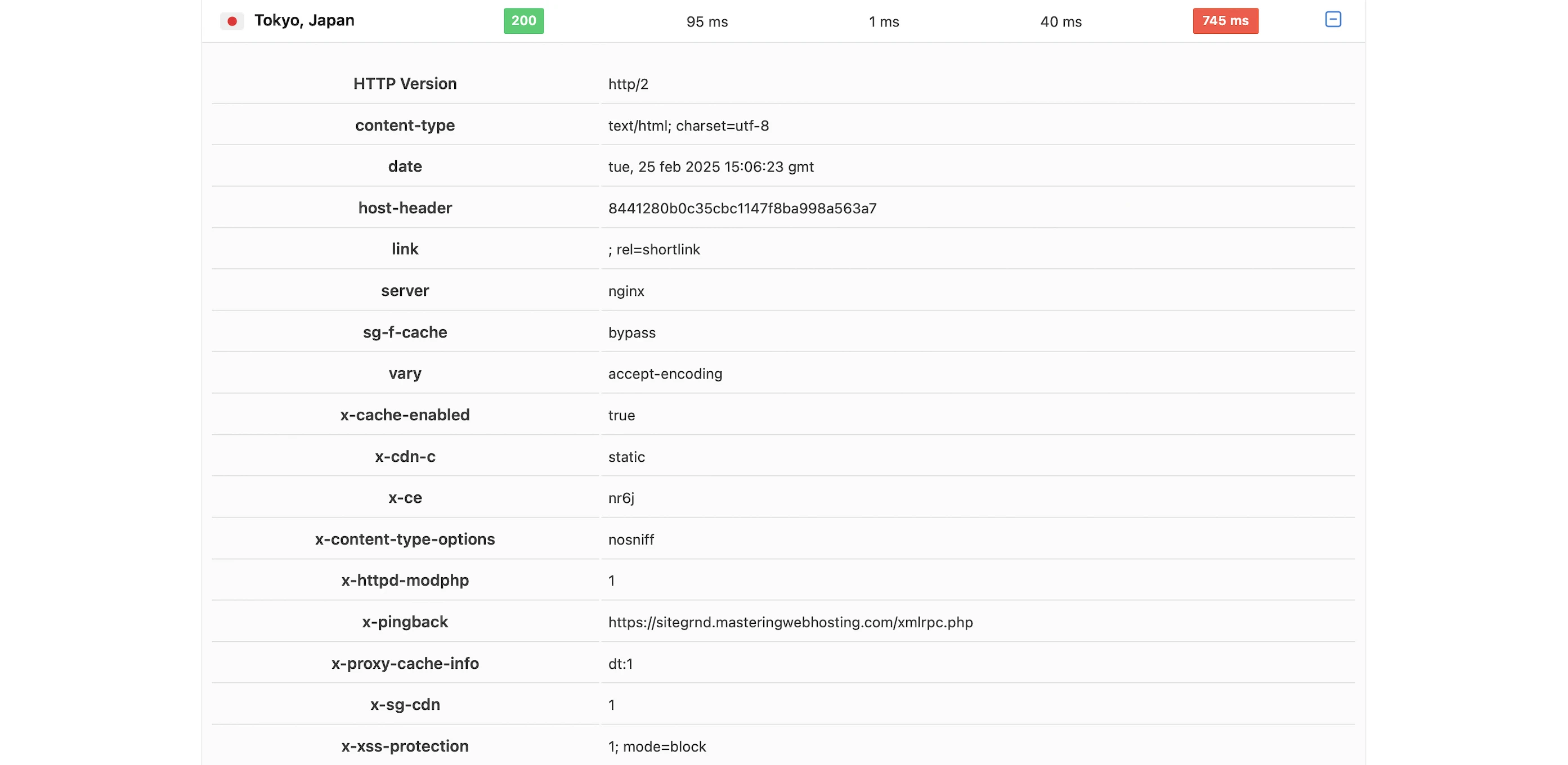
If this is the best speed SiteGround can give with its Ultrafast PHP set-up, SuperCacher services, Speed Optimizer plugin, and CDN, I’d hate to think what my speed would be without them.
What happened to the promised 30% faster TTFB and website performance boost?
Are the promises you can’t keep the best ones at SiteGround?
5. Security Test
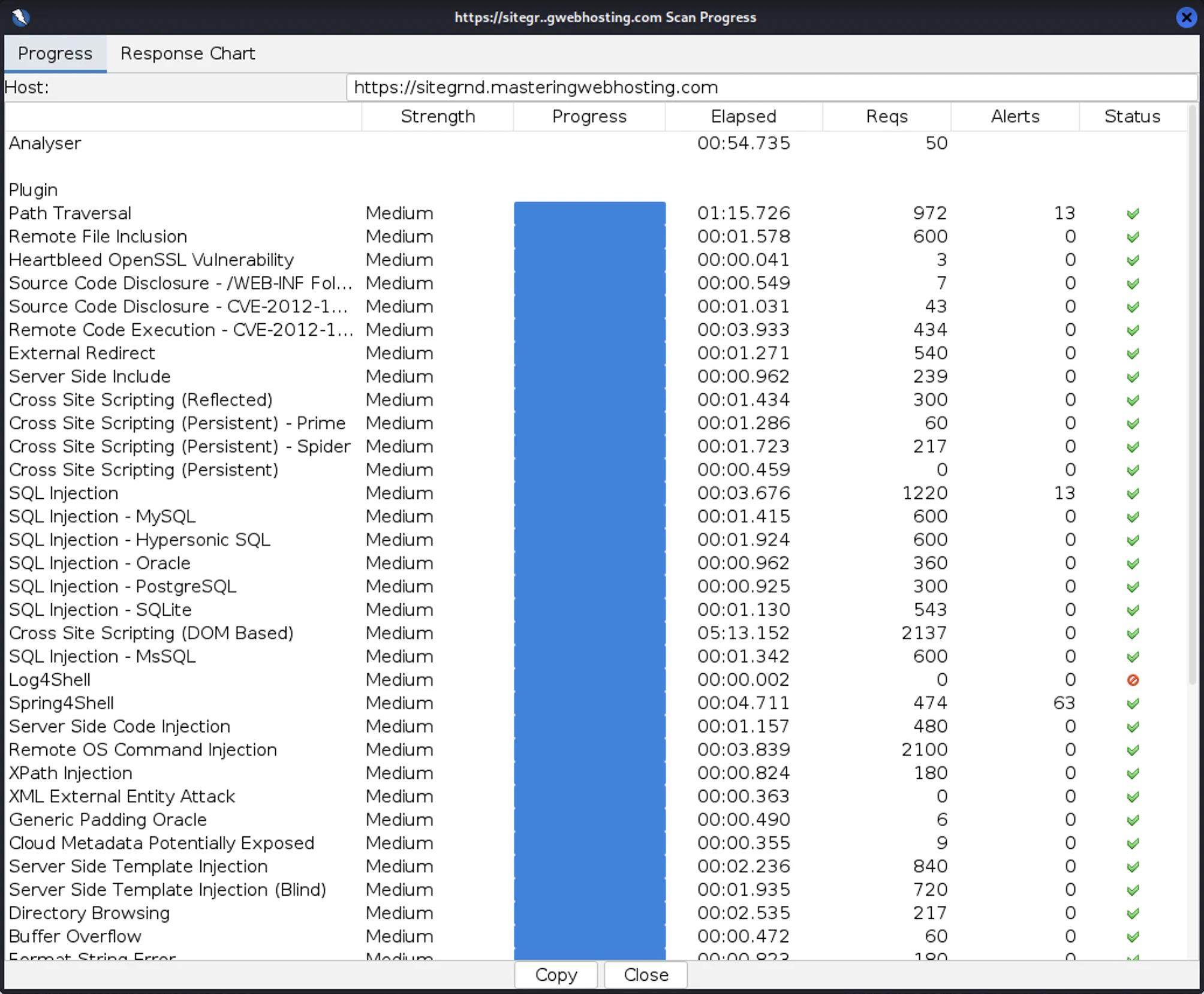
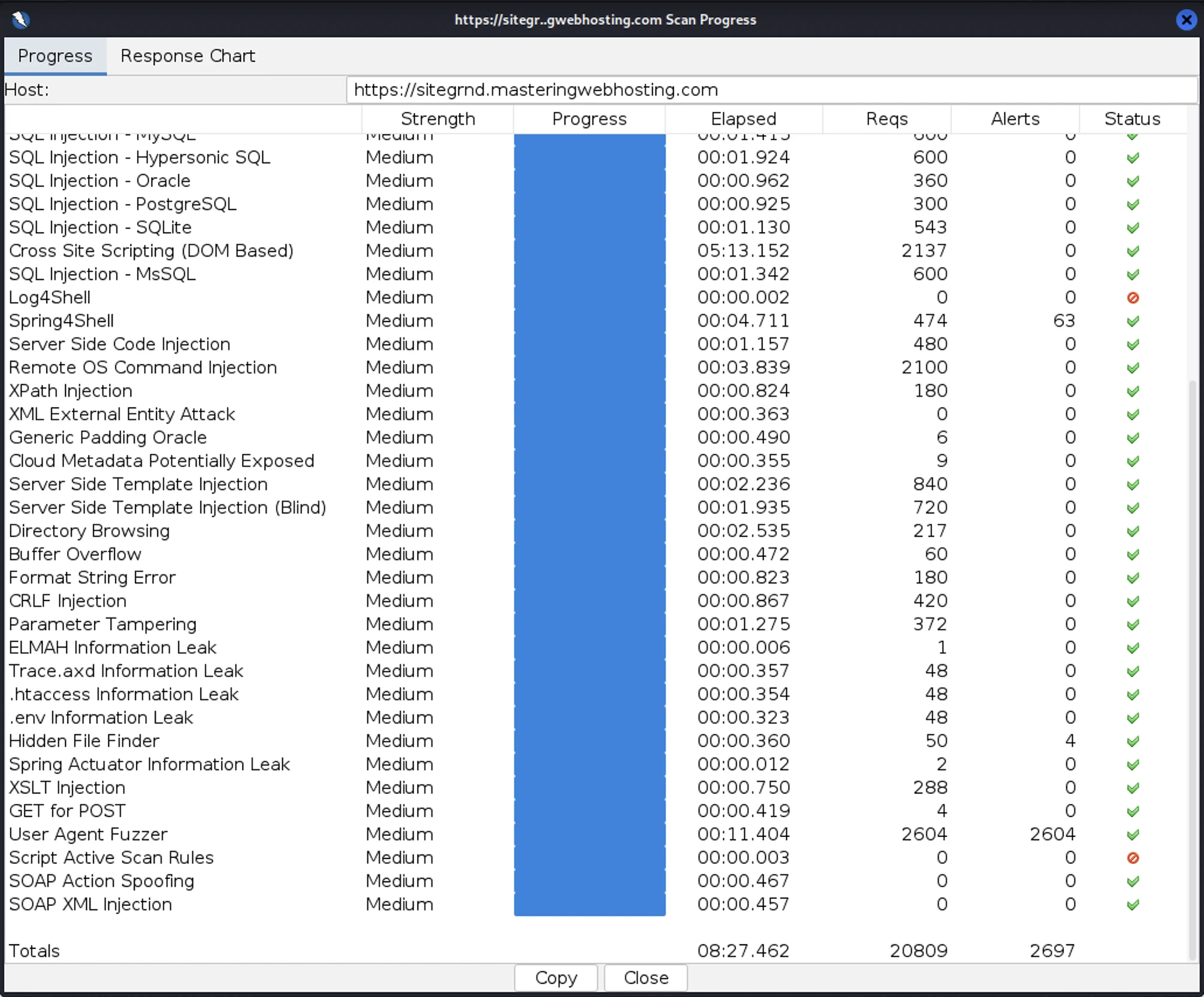
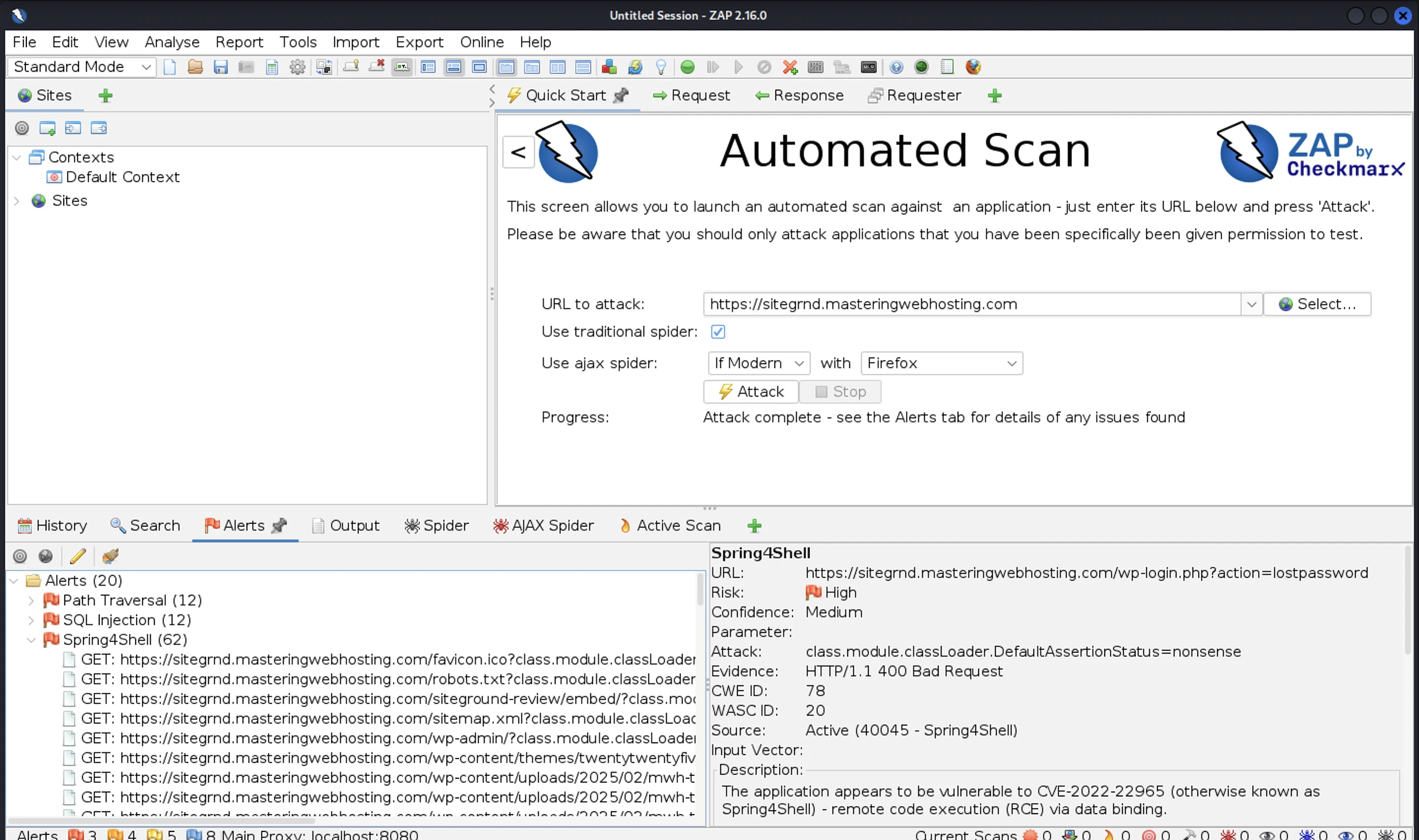
I launched 20,809 cyberattacks against my SiteGround website:
- 3 out of 30 high risk vulnerabilities detected:
- Path Traversal: 13 out of 972 attacks successful.
- SQL Injection: 13 out of 1,220 attacks successful.
- Spring4Shell: 63 out of 474 attacks successful. This one really shocked me for two reasons:
- SiteGround was the only host with this vulnerability.
- This is a Java vulnerability while WordPress runs on PHP. So it should be something with SiteGround.
- 1 out of 12 medium risk vulnerabilities detected:
- Hidden File Finder: 4 out of 50 attacks successful.
- 1 out of 2 informational risks. 2,604 alerts but these aren’t vulnerabilities. Interestingly though, all my User Agent Fuzzer attacks triggered alerts.
- Success Rate: 18,112 or 87% of my attacks were completely neutralized. Worst ever again.
6. Uptime Test
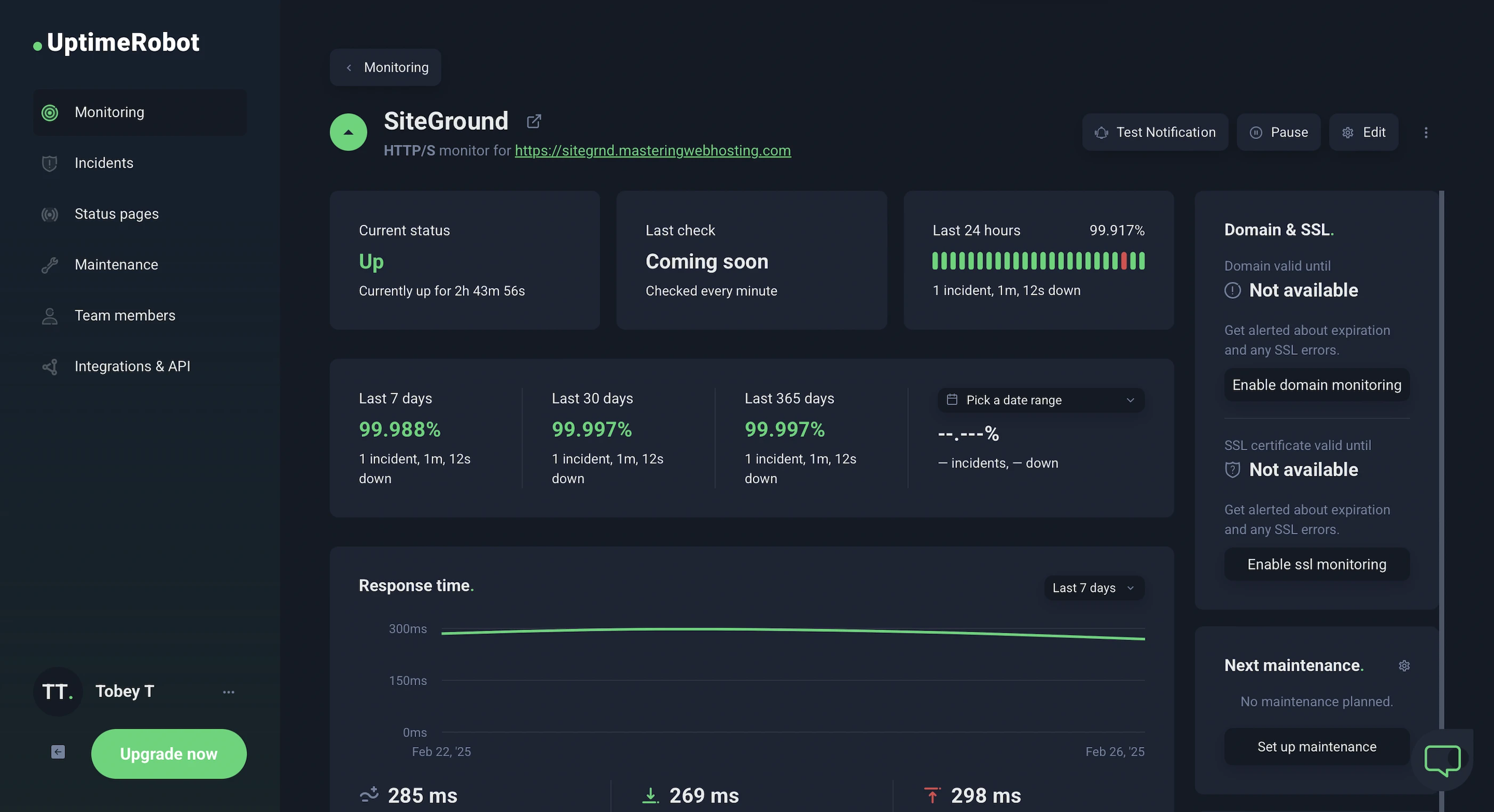
After checking on my SiteGround website every minute for 28 days, UptimeRobot reported that it had a 99.9% uptime with 1 downtime lasting 1 minute 12 seconds.
HetrixTools reported the same results after monitoring my website at 1-minute intervals for 8 days.
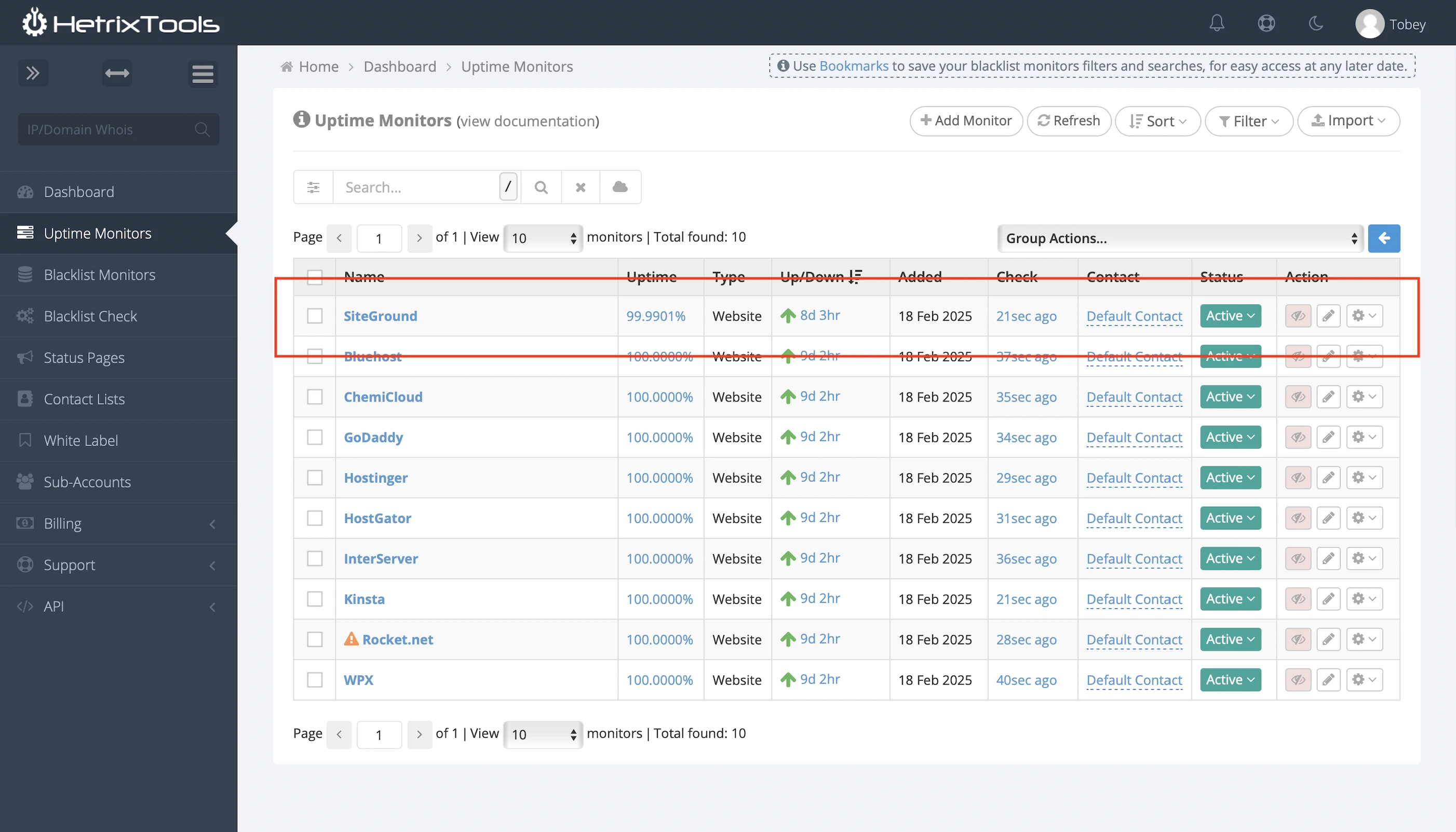
While SiteGround has met its 99.9% uptime promise, (unlike with its speed), it was the one of the two hosts who didn’t have 100% uptime during my review.
And it doesn’t publish its outage history.
In fact, I couldn’t even find any recent downtime reports on its X page (formerly Twitter), even though isitdownrightnow users were complaining about outages every few weeks.
Then again, I didn’t scroll far because I didn’t want to trawl that cesspool.
This sucks because other hosts provide pretty detailed reports about their outages with start times, fix updates, and resolutions all included.
Their report history and current system status are also available to the public.
So SiteGround definitely has a lot of work here.
7. Cons
Memcached
Slower than hosts who use Redis.
MySQL
Slower than hosts who use MariaDB.
20GB Storage
Other hosts offer much more storage for the same price.
SiteGround CDN
Fewer PoPs than CloudFront, Cloudflare, and QUIC.cloud CDN. Not to mention you only get 10GB bandwidth on the free plan. That’s just forcing you to get Premium for $7.49/mo.
PHP Workers
Only 2? Come on, man. That’s like the fewest of all hosts again.
TTFB not as Advertised
SiteGround claims its speed features like Ultrafast PHP and SuperCacher improve TTFB by up to 30%, but my TTFB was the worst of all hosts.
Site Scanner not Free
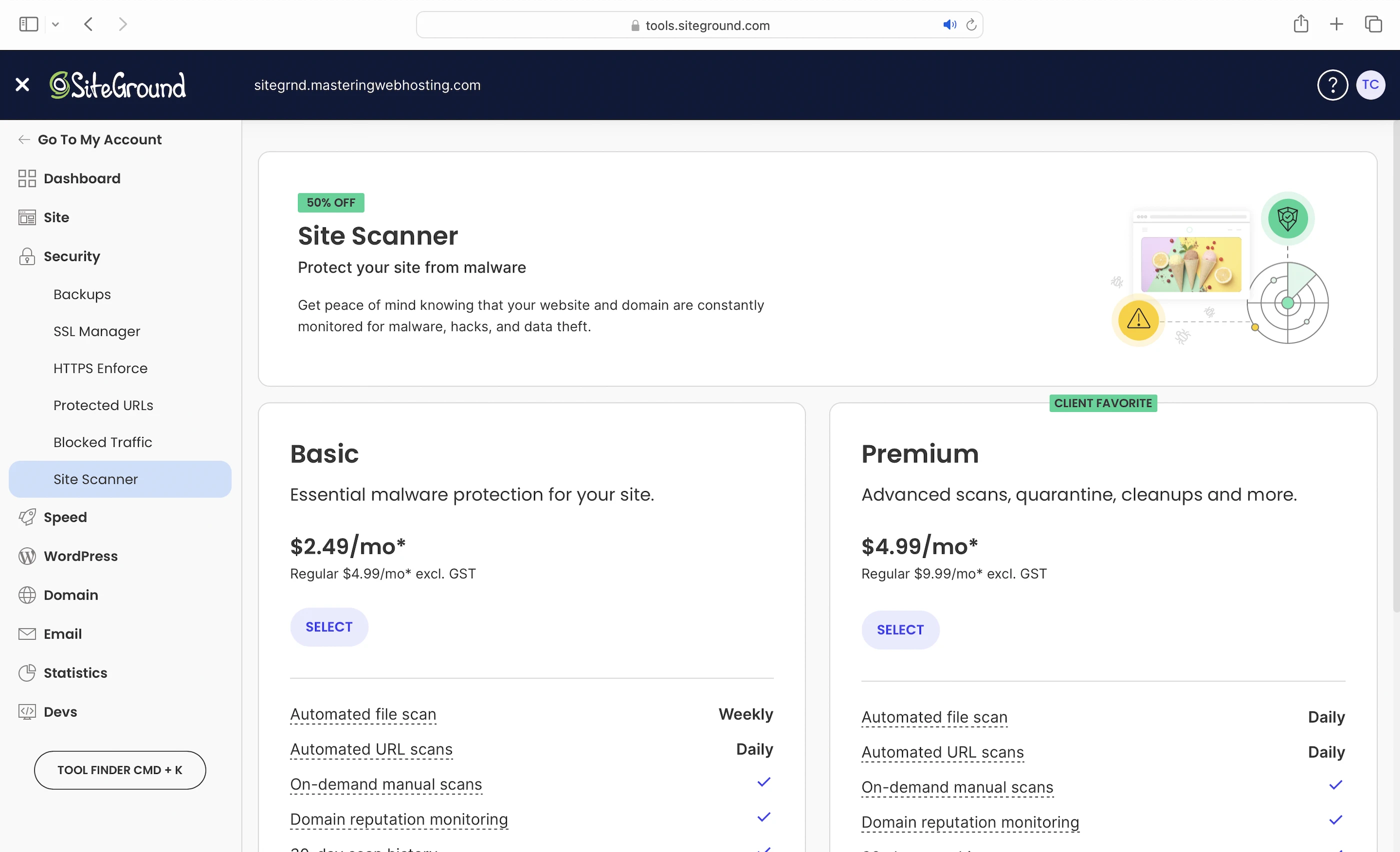
Starts at $2.49/mo while other hosts include malware scans and removal for free.
Where’s Support?
SiteGround’s only Support seemed to be its Instant AI Assistant chatbot. I just couldn’t find a way to reach a real SiteGround staff if I needed one. So who was I supposed to talk to if I had technical issues like a downtime?
8. Evaluation
Let’s see how SiteGround did against my self-hosting:
| Self-hosting | SiteGround | |
|---|---|---|
| Speed (LCP) – Dallas | 306ms | 251ms |
| Speed (LCP) – London | 253ms | 1.1s. Good luck to the Core Web Vitals for your SiteGround website |
| Speed (TTFB) | 90ms | 815ms. Oof. |
| Security | 0 | 3 high risk vulnerabilities, 1 medium. SiteGround has made history on MWH by being the only host with a major Spring4Shell vulnerability, which almost makes its terrible SQL Injection vulnerability look harmless. Unless you like a hacker controlling your website from his computer in his pajamas at home, it’s best to avoid SiteGround. |
| Uptime | 95% | 99.9%, but no outage report or current system status. Worst of all hosts. |
| Winner | 👑 |
9. Final Thoughts
Ever had a friend who was a star in high school and whom everyone thought would go far in life, only to end up selling MLM? That’s how I felt about SiteGround.
Like what the heck happened here?
Much like that high school friend, SiteGround felt like it had peaked in the 2010s before losing its way. That’s when it started boasting to hide its inadequacies and to drown out rising criticism.
And when customers felt their concerns were no longer being heard, they migrated to better options.
Best SiteGround alternatives include ChemiCloud and InterServer for much better performance at cheaper prices.
Frankly, this reunion was bittersweet for me – I understand better why people chose to distance themselves from such ‘old friends’. Especially when the only thing that remains are some fond memories.
Banking on its past reputation, SiteGround is hardly high and dry, but it seems to have its head in the sky.
Until its goodwill runs out, it probably won’t be enough to bring SiteGround back to earth.
Leave a Reply