
Beating up another senior citizen this time.
Founded in 2004, Hostinger is a Lithuanian web hosting provider on a mission to bring success to everyone online.
Don’t let its old age fool you.
Hostinger offers modern web hosting and even jumped on the AI bandwagon with its AI-powered website builder, content creator, and troubleshooter.
1. Controversy
Hostinger divides website owners: you either leave it a glowing review (be it genuine or for their affiliate commission) or actually leave it with your blood boiling for other hosts.
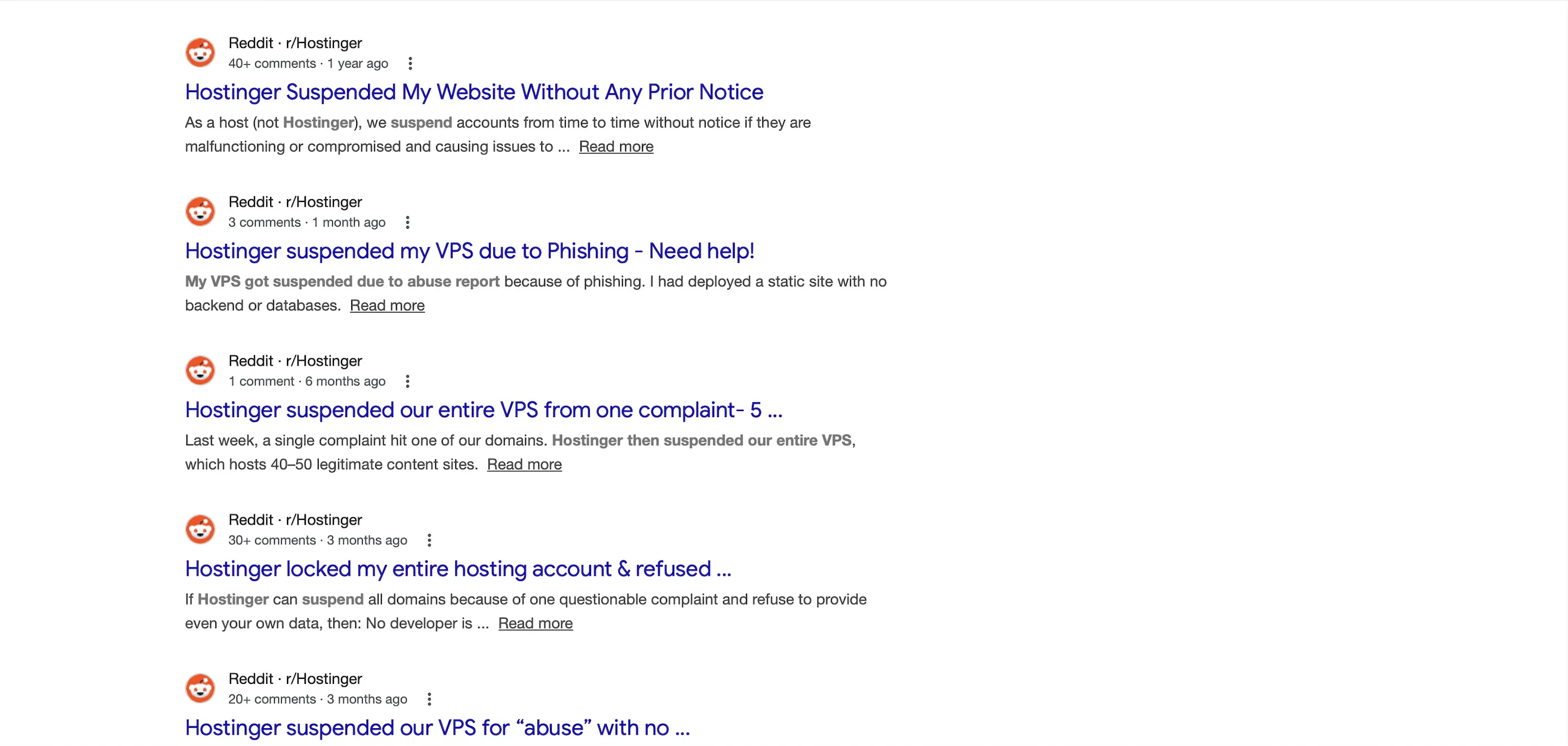
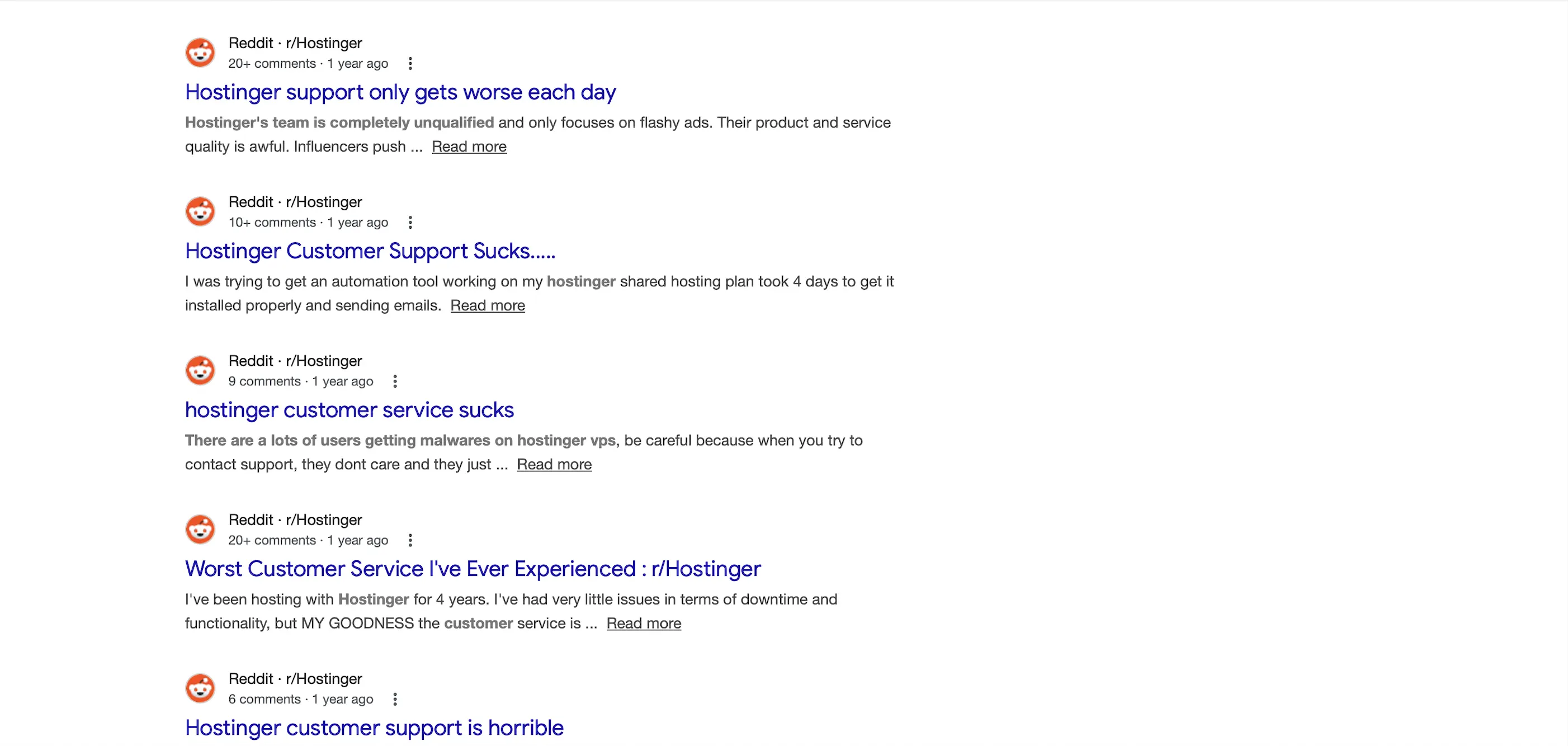
Netizens, especially Redditors, have raged about Hostinger suspending their accounts, websites, and servers based on suspected suspicious activity (like phishing), even when there is no proof. They have also criticized how unhelpful its support team has been.
And things don’t seem to be getting better:
Heck, to make matters worse, former CEO Arnas Stuopelis was accused of asking Hostinger employees to write positive reviews online, making Hostinger sound better than it really was.
All these left a bad taste in many a netizen’s mouth.
Controversial history aside, I’m just going to evaluate Hostinger objectively based on its performance.
Because I am only interested in proving my self-hosting solution is better.
2. Plan
I got the Business Web Hosting, which comes with:
- 2 CPU cores
- 2GB RAM
- 100,000 visits/mo
- 200GB NVMe SSD storage
- LiteSpeed web servers
- 60 PHP workers
- LiteSpeed Cache Memcached
- Opcode cache
- Cache Manager
- Hostinger CDN
- WAF & DDoS traffic filter
- IP Manager
- Malware scanner
- 99.9% uptime guarantee
- AI troubleshooter
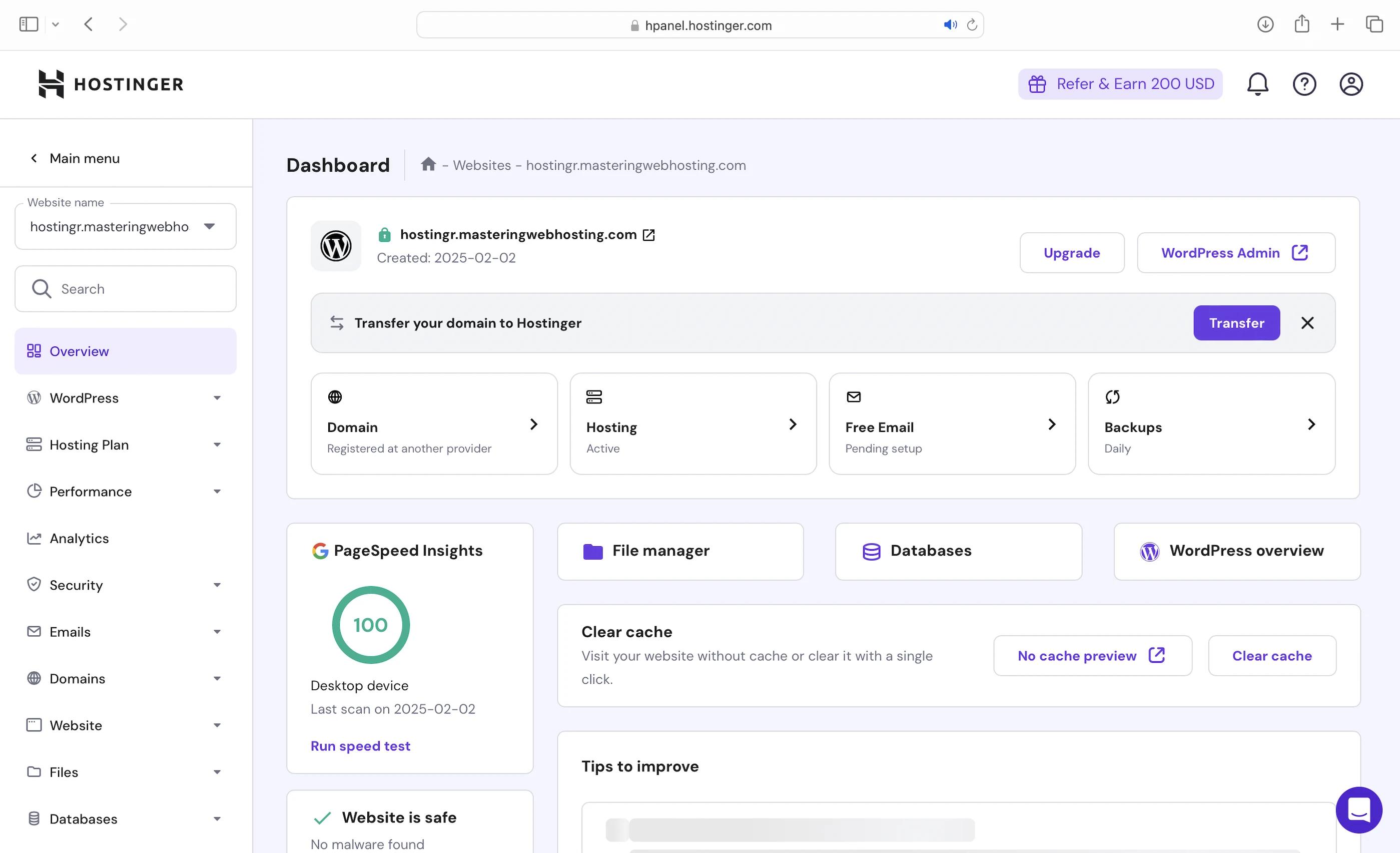
You can find most of these features on Hostinger’s custom control panel, aptly named hPanel.
This plan starts at $13.99/mo for a 1-year commitment.
3. Speed Features
NVMe SSD Storage
Makes Hostinger servers faster than the ones with old-school SATA SSDs, which some hosts are still using.
LiteSpeed Web Servers
A web server handles and responds to incoming requests for your WordPress content. It is connected to PHP through a handler that’s usually optimized for fast and efficient communication between the two systems. This allows the web server to forward requests to PHP and receive responses faster, directly improving your page load times.
Hostinger uses LiteSpeed Web Servers with LSAPI as the PHP handler. LSAPI is designed specifically for LiteSpeed and communicates with PHP far more efficiently than older handlers like PHP-FPM.
This means LiteSpeed Web Servers return your WordPress content faster than Nginx or Apache web servers.
60 PHP Workers
Your WordPress website serves 2 types of web content: Static and dynamic. PHP workers are for the latter.
Static content is called so because it remains the same across visits. Some examples are the images and CSS files that make up your website layout. Unless manually updated, everyone sees the same layout when they visit your website.
Dynamic content, on the other hand, changes based on the data retrieved from your database. Some examples are your blog posts and comments. A new post and comment will change what your visitors see in your post list and comment section.
So if both were uncached, static content would load faster because dynamic content needs to be generated on the fly first. A robust process is therefore needed to generate it.
And since WordPress is built with PHP, that process is PHP workers.
When there’s a request for uncached dynamic content, your server spawns a new PHP worker to handle it. It will run your PHP code, query your database, and generate the dynamic content based on the data.
So the more PHP workers you have, the more requests for uncached dynamic content your website can handle concurrently without slowing down.
LiteSpeed Cache Memcached
Complementing the LiteSpeed web servers, this plugin caches your frequently accessed data (like posts) in memory with Memcached. It’s faster for your PHP workers to retrieve data from an object cache than a database. Since your dynamic content only loads after the workers get the data, faster retrieval times mean faster WordPress loading times. Using Memcached also prevents your database from being overloaded with multiple similar queries.
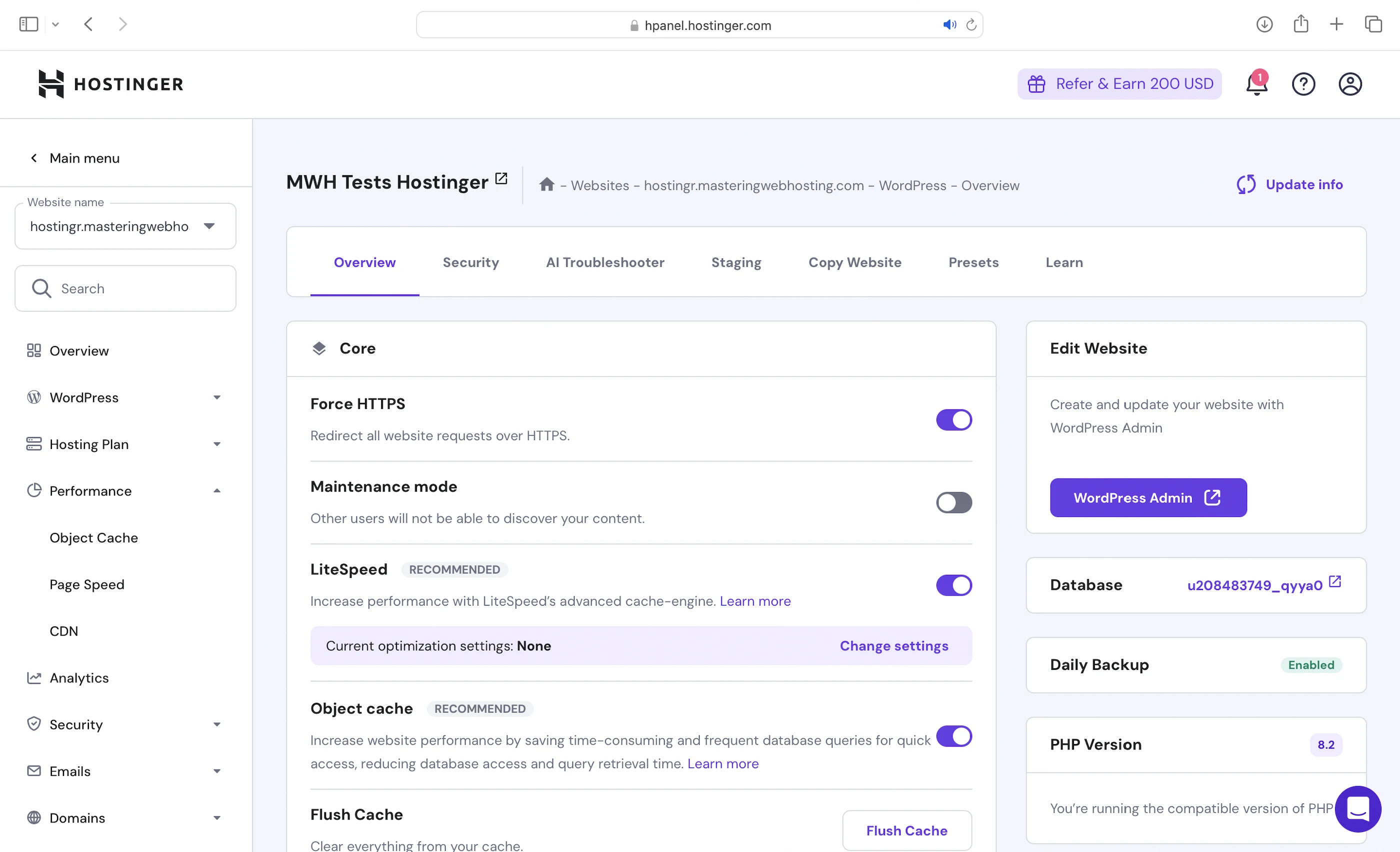
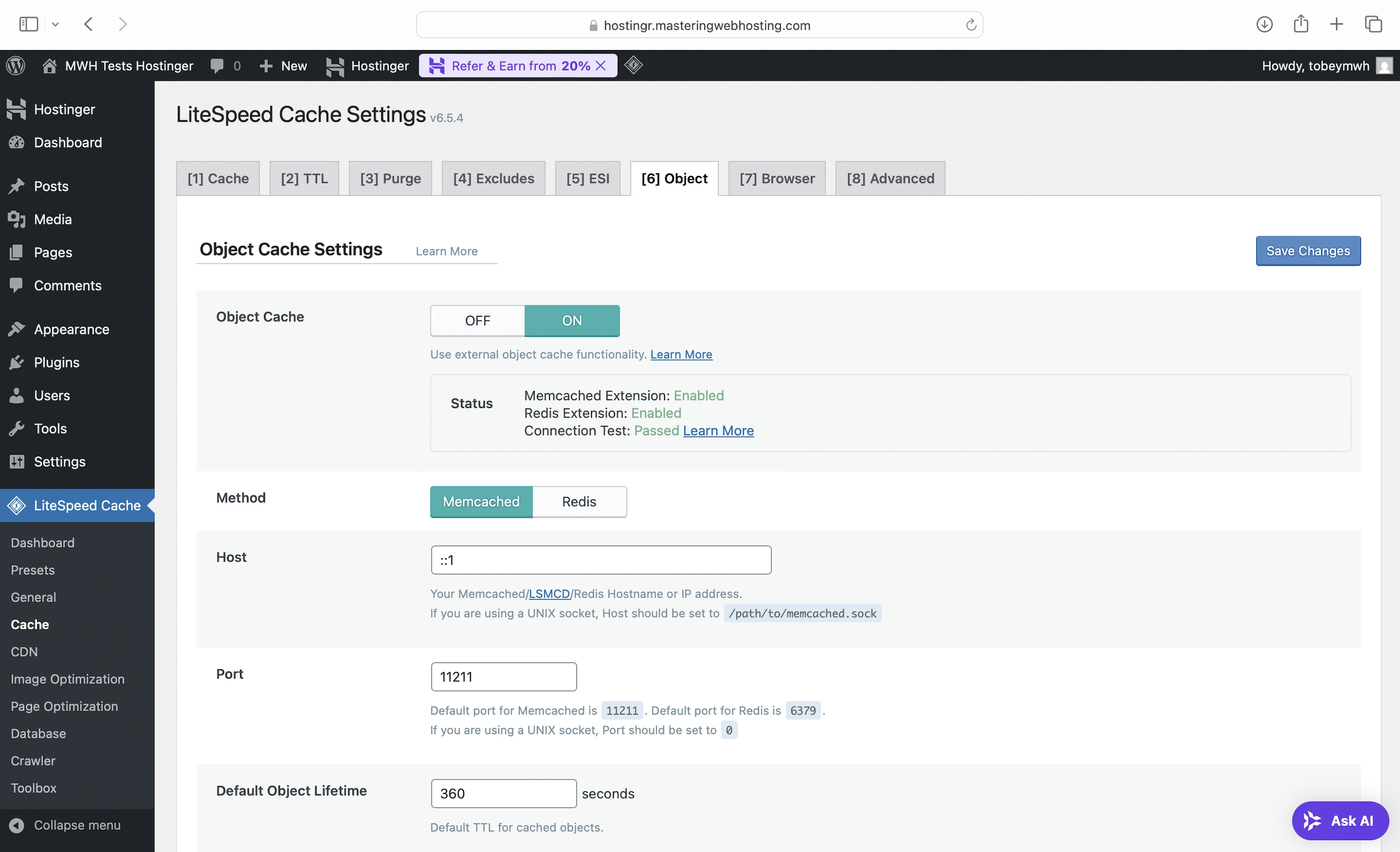
I left the LiteSpeed Cache settings exactly as Hostinger configured, so no page or browser caches.
Opcode Cache
Specifically, when your PHP workers run your PHP code, they compile it into opcode, which are machine-friendly instructions that your server uses to generate a HTML output. This HTML is what your visitors see when they visit your web page. By caching the opcode with Zend OPcache, your server can reuse it to generate the HTML immediately, without needing to recompile your PHP code every time there’s a visit.
Cache Manager
For your static content (like CSS). It’s updated every 30 minutes to ensure the latest version is visible.
Hostinger CDN
Built in-house, Hostinger CDN “optimizes website speeds by caching content on multiple servers globally and delivering it from the visitor’s nearest location, resulting in up to 40% faster loading times.”
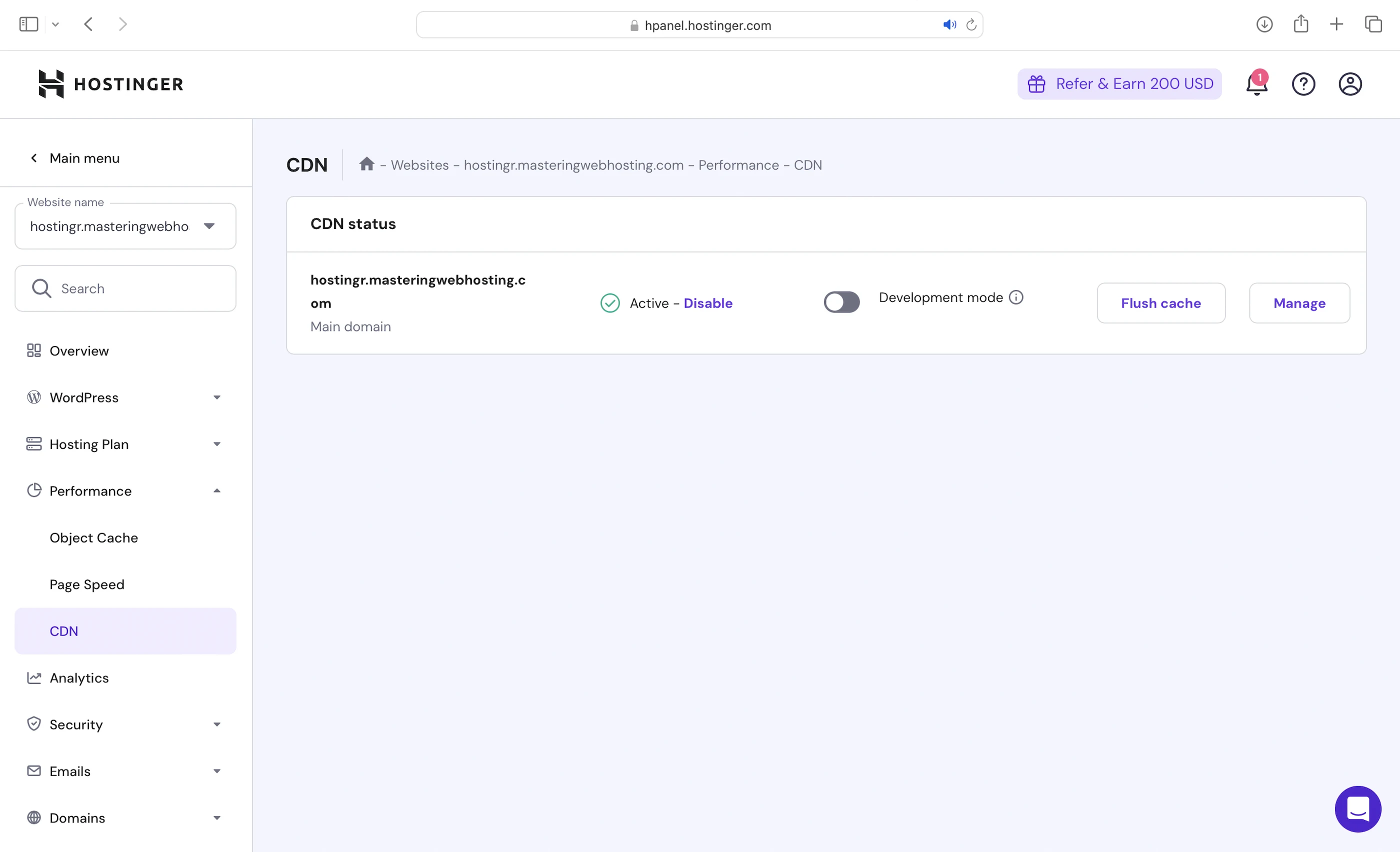
Its speed features include:
- Built-in static website caching
- Cache purging
- CSS and JavaScript minification
- Data center rerouting
- Smart Image Optimization and WebP Image Compression
4. Security Features
Hostinger CDN
As the point of entry to your site, Hostinger CDN is also your primary defense at the edge by:
- Protecting your server against botnet attacks.
- Using an edge WAF to identify and divert malicious requests from your server to prevent downtimes or service interruptions.
- Mitigating DDoS at the edge.
- Encrypting web traffic to your visitors with SSL/TLS.
Server WAF & DDoS traffic filter
If its CDN fails, Hostinger servers come with a WAF and DDoS traffic filter “to protect your websites against hacking attempts, data breaches, and malicious attacks.”
You can’t find this feature on hPanel because it is fully managed for you.
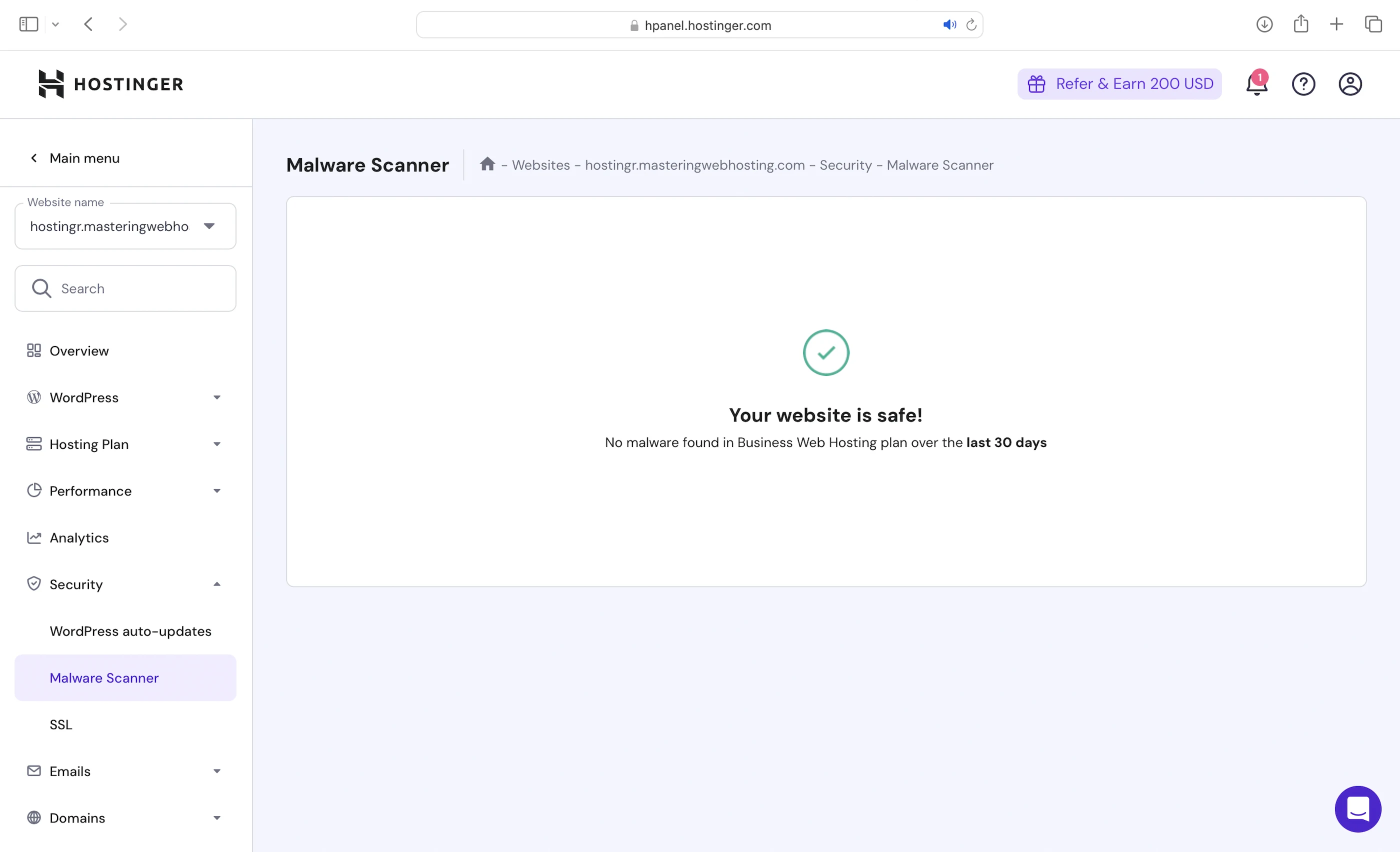
Malware Scanner
Hostinger also “partners with Monarx to identify and clean hundreds of millions of malware instances annually, such as webshells, uploaders, adware, ransomware, and redirects.”
This scanner detects and removes malicious files from your WordPress website automatically.
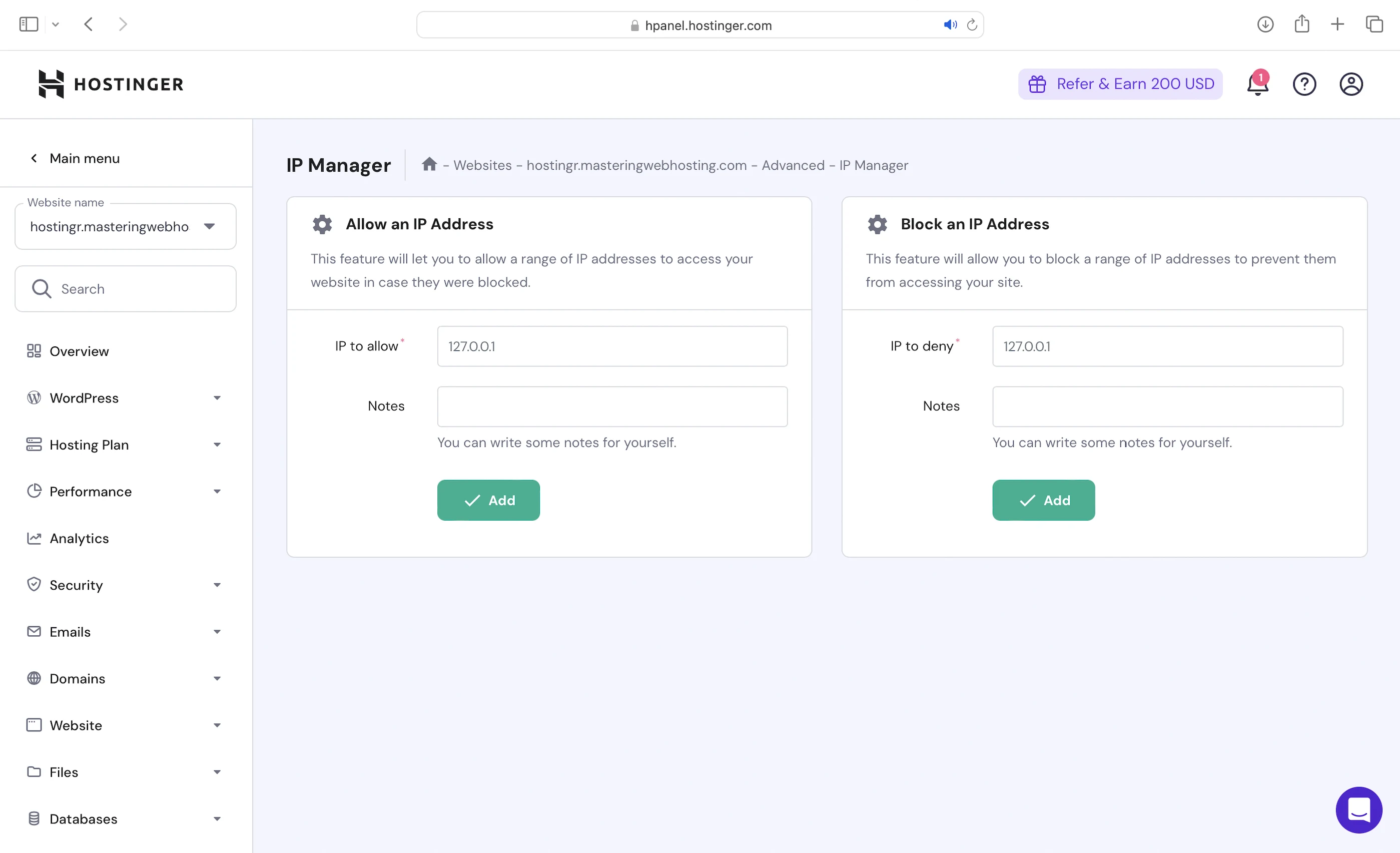
IP Manager
Finally, you can get your hands dirty by blocking suspicious IP addresses yourself. However, you’d need to go through your logs to find out who’s attacking you.
5. Speed Test
Largest Contentful Paint (LCP)
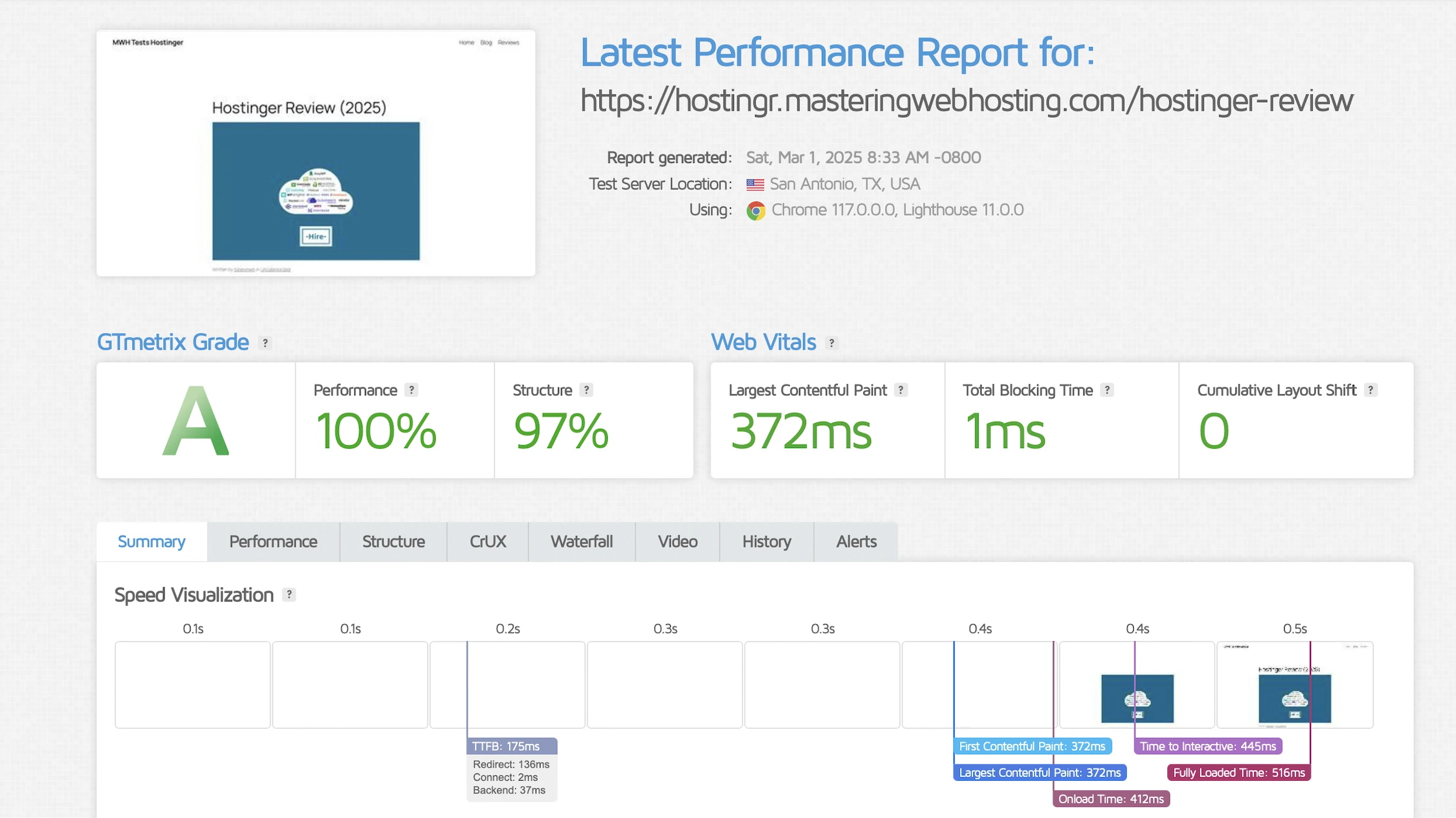
GTMetrix said my LCP was a good 372ms in Dallas.
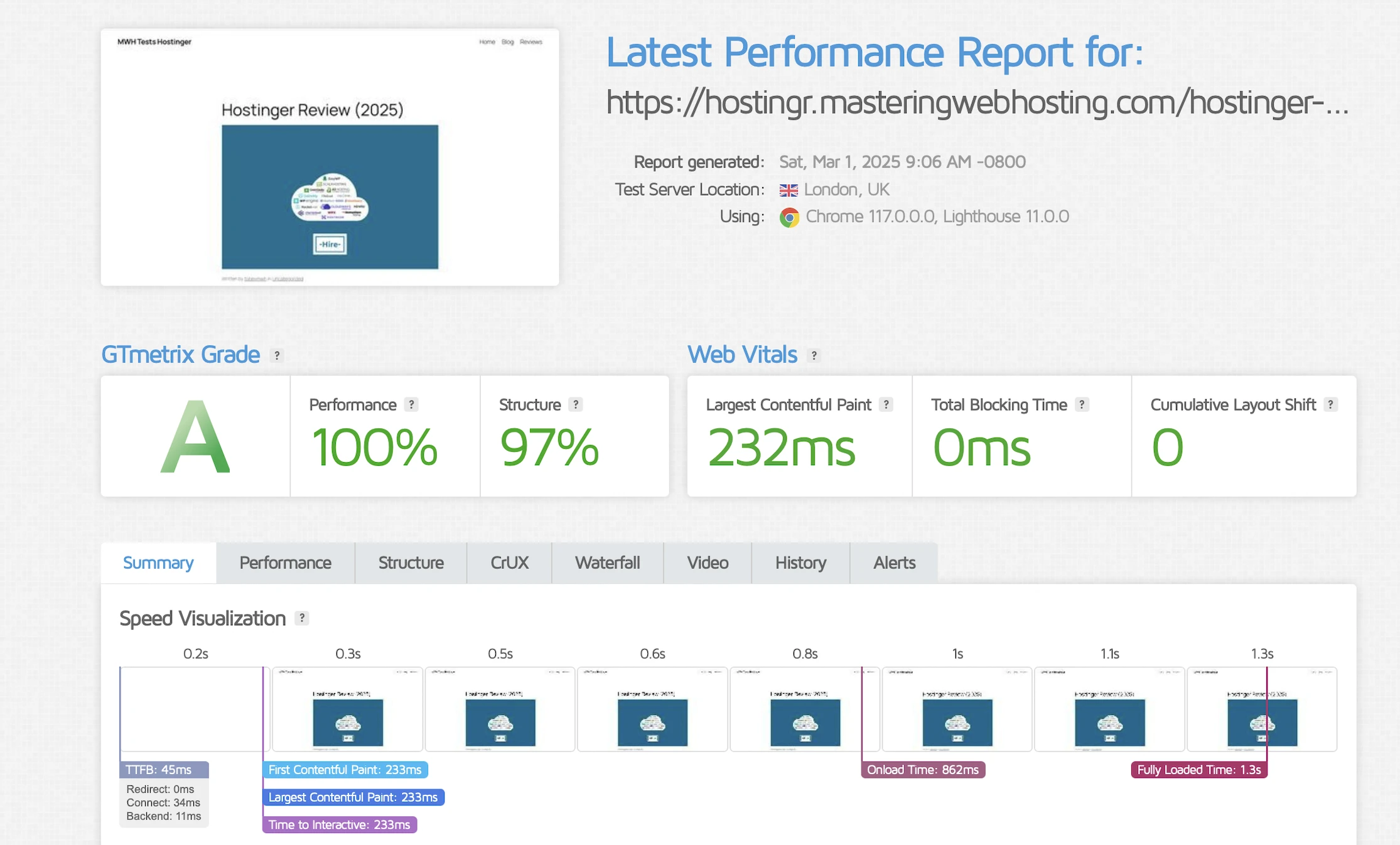
It improved massively by reaching an awesome 232ms in London.
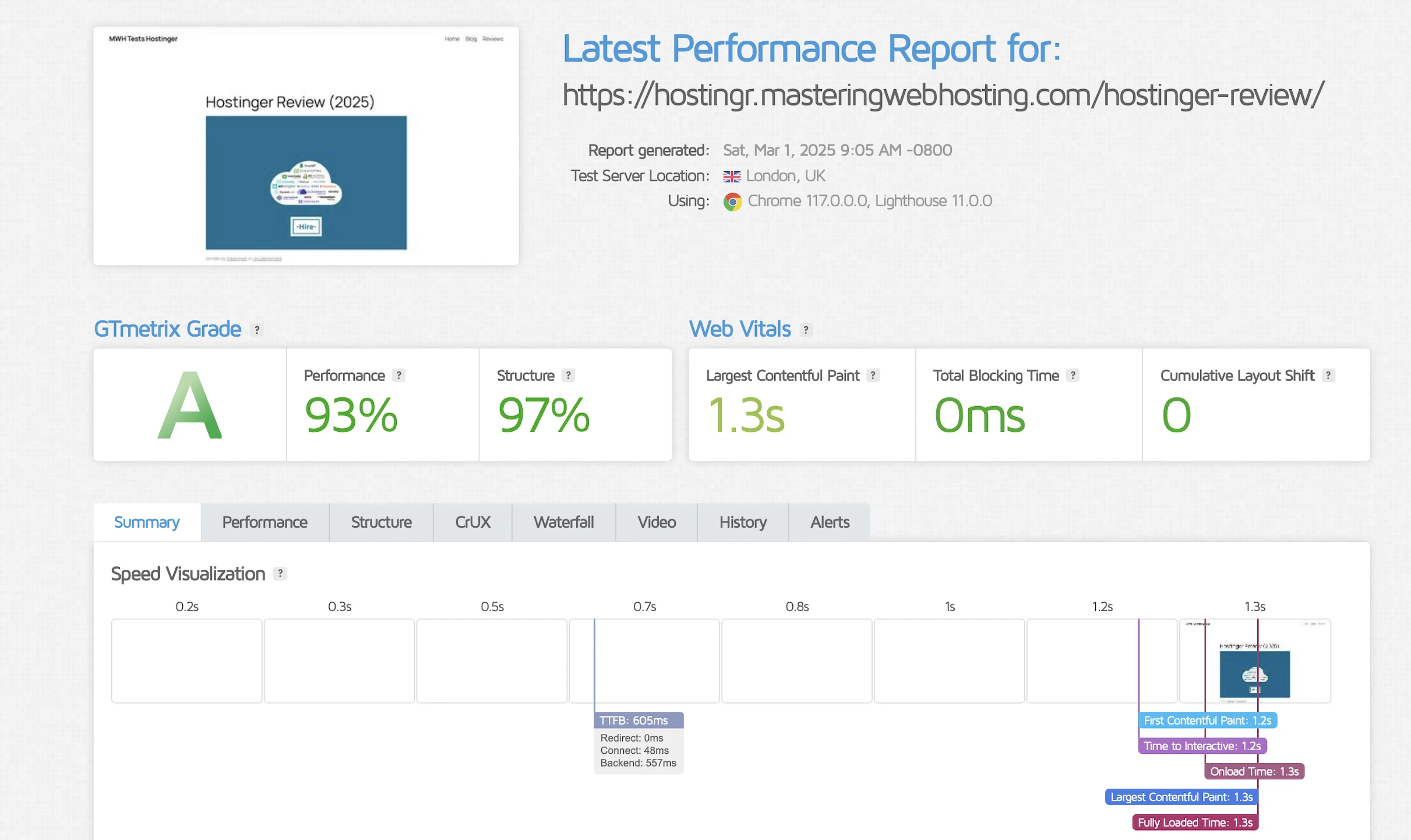
However, this performance was inconsistent because my LCP reached as bad as 1.3ms sometimes. Nevertheless, I am giving it to Hostinger here.
If this is the 40% faster speed Hostinger says, I’d hate to think what it would be without the CDN.
Time to First Byte (TTFB)
Since Hostinger has its own CDN, I wanted to see how fast it is in other parts of the world. Just an estimate.
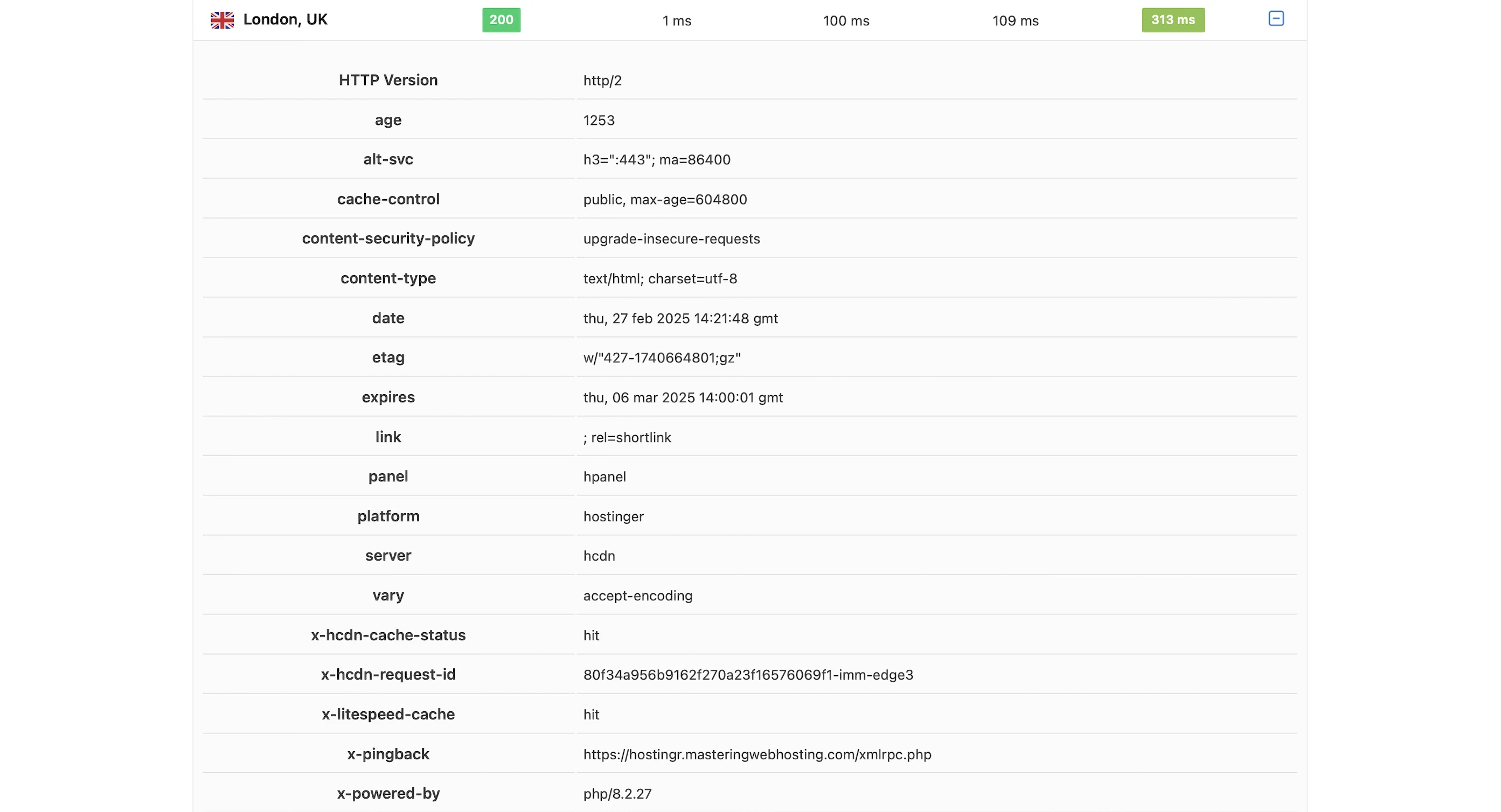
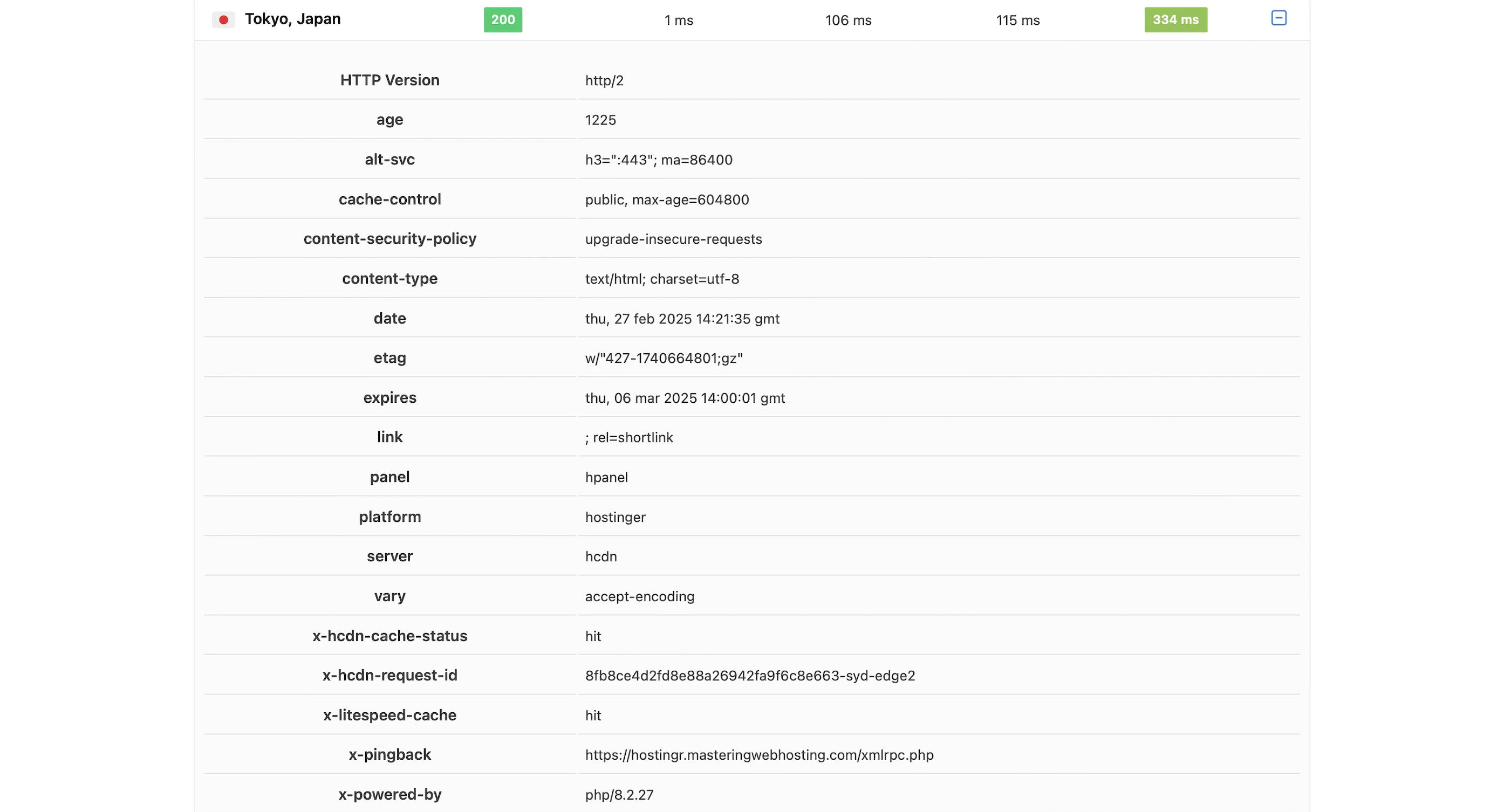
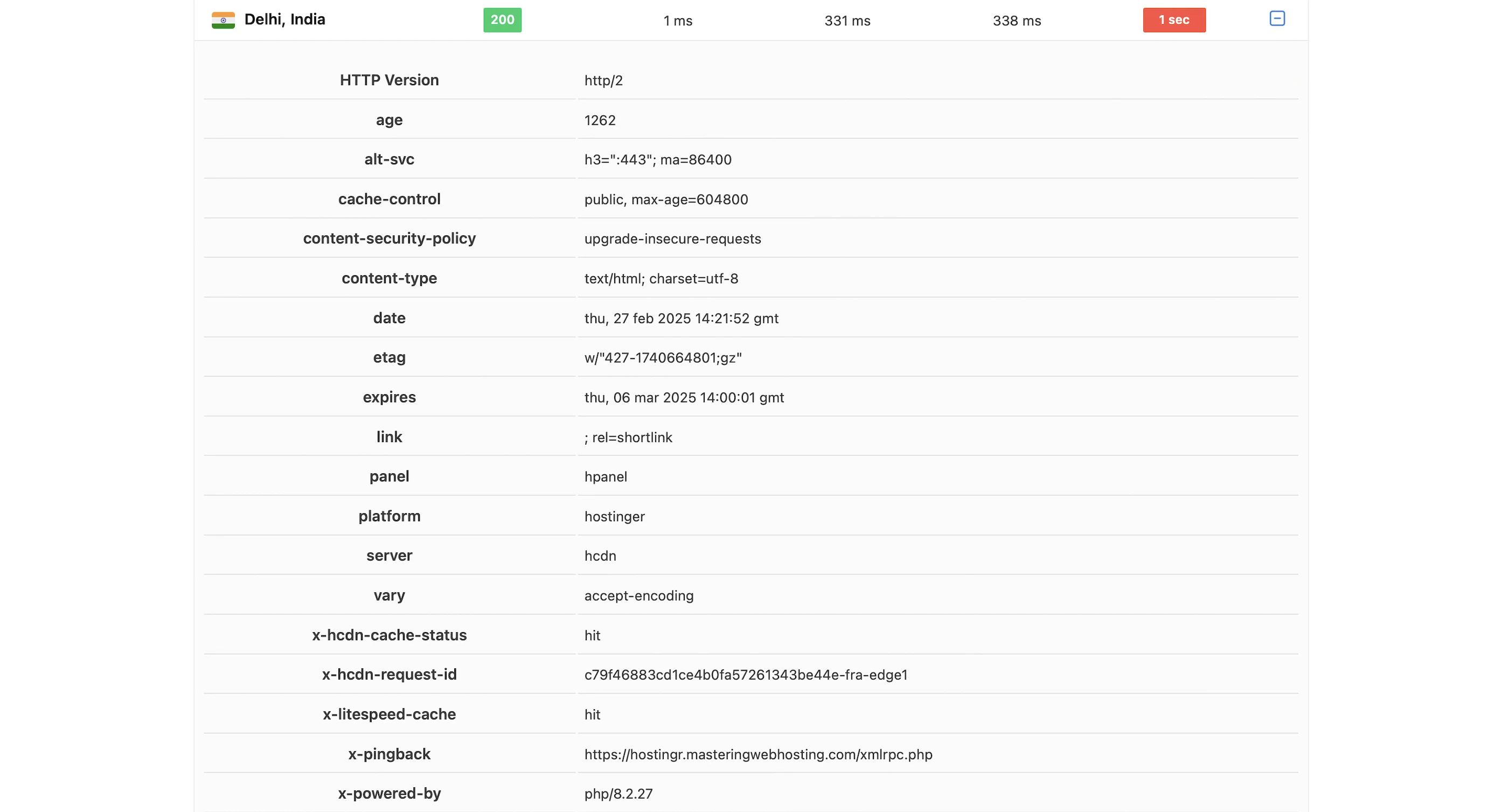
SpeedVitals gave my global TTFB a beta B grade of 340ms.
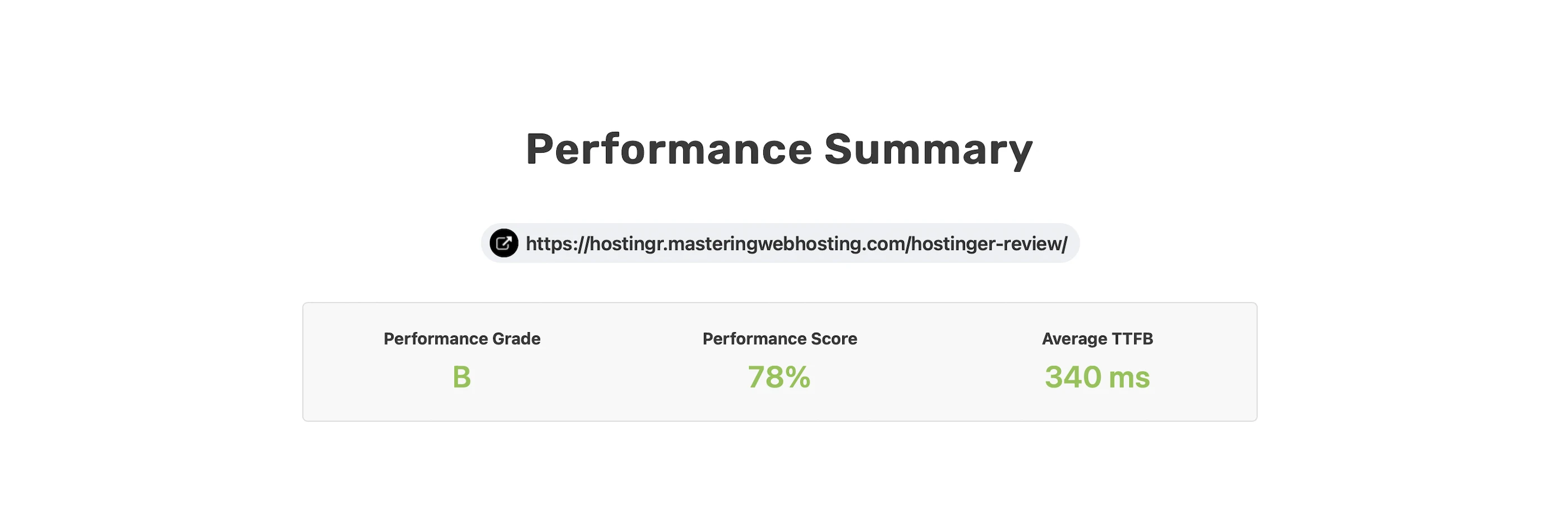
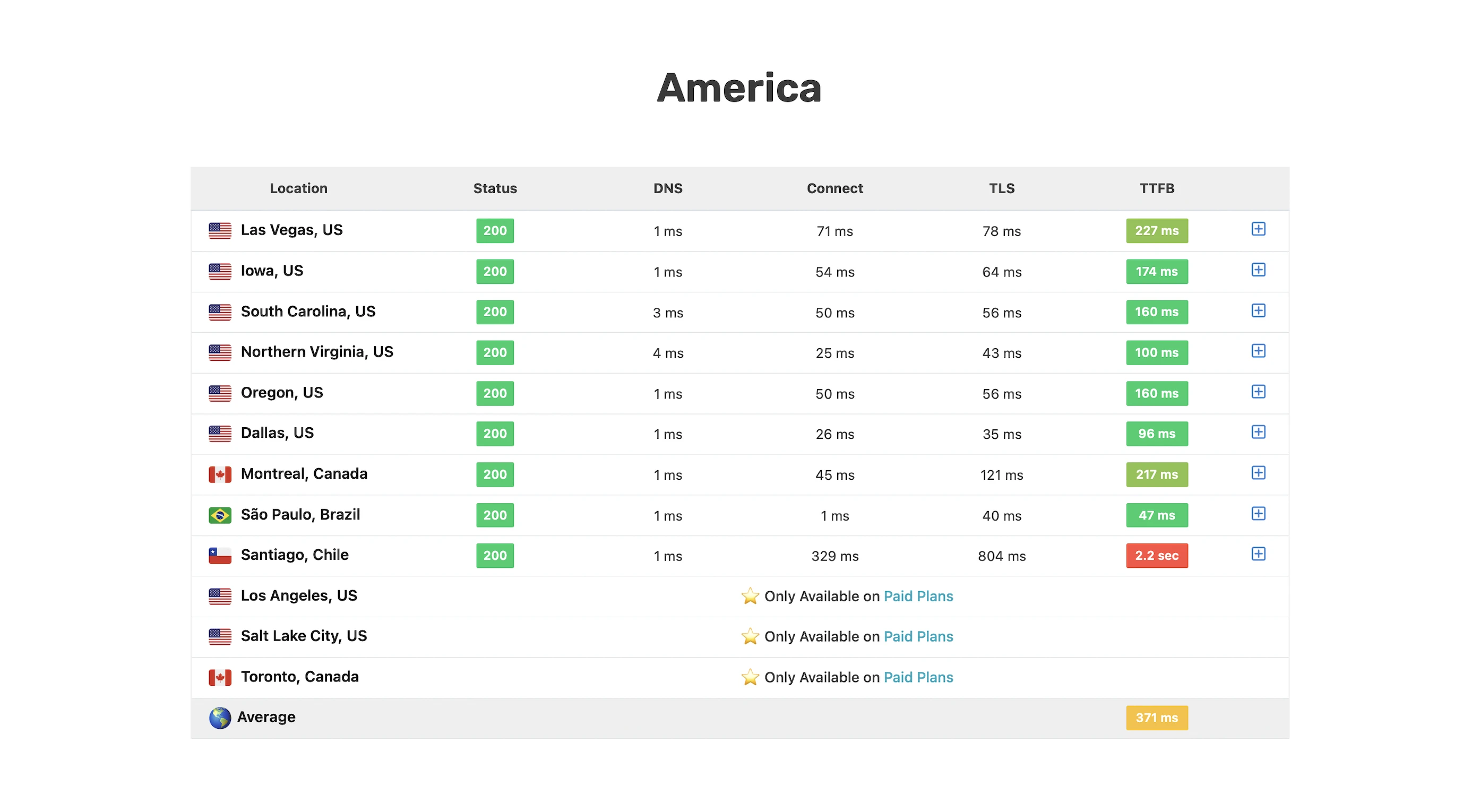
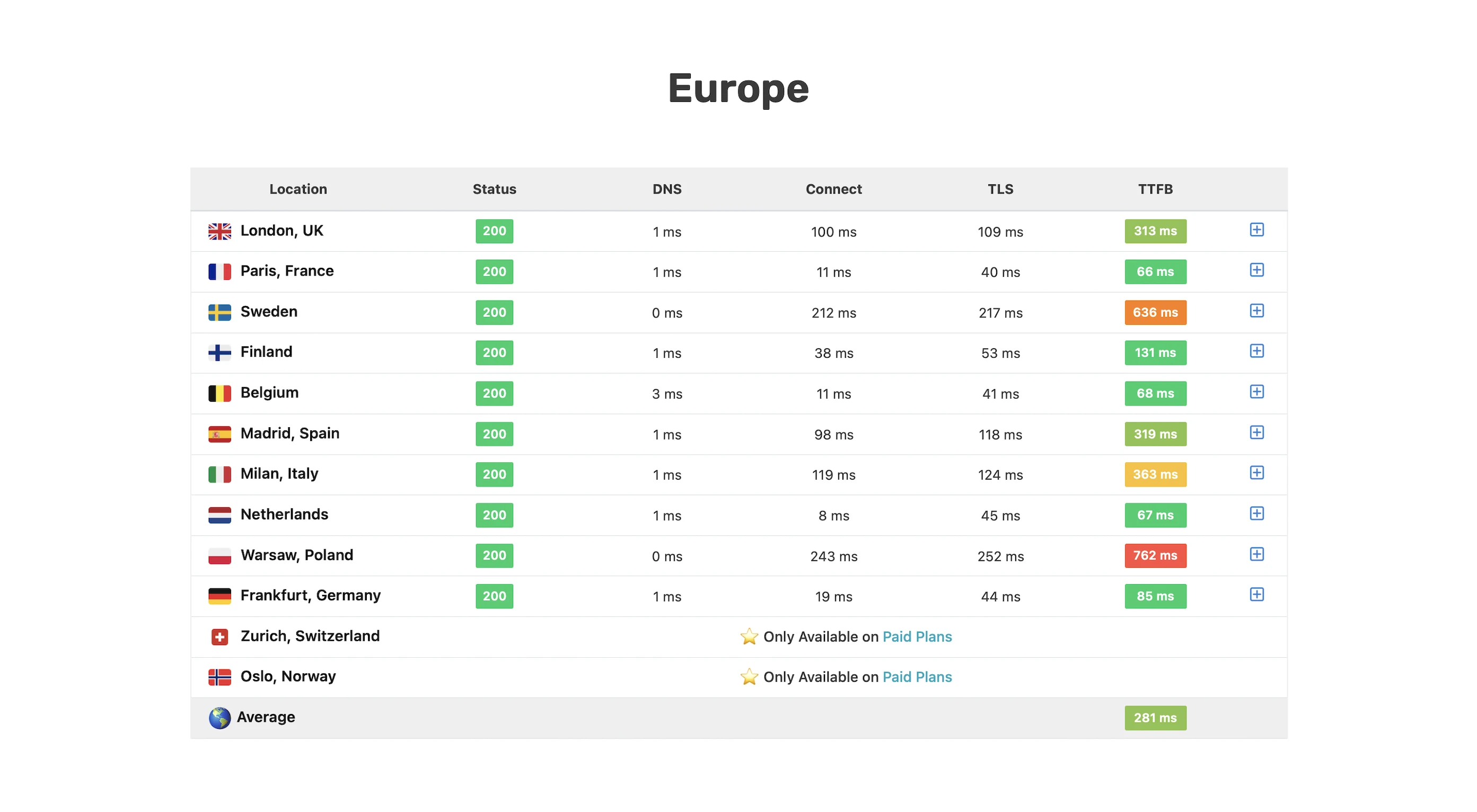
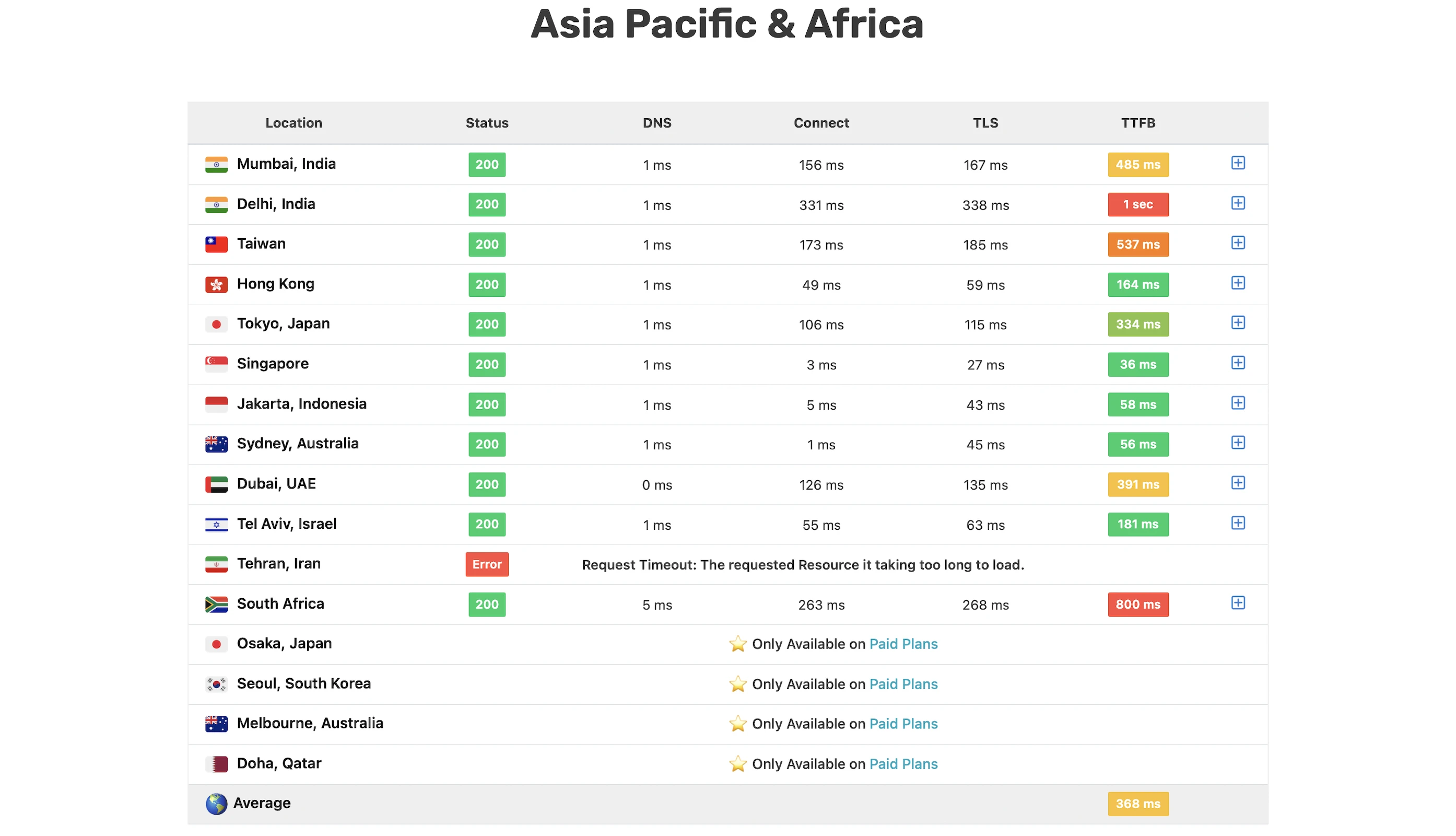
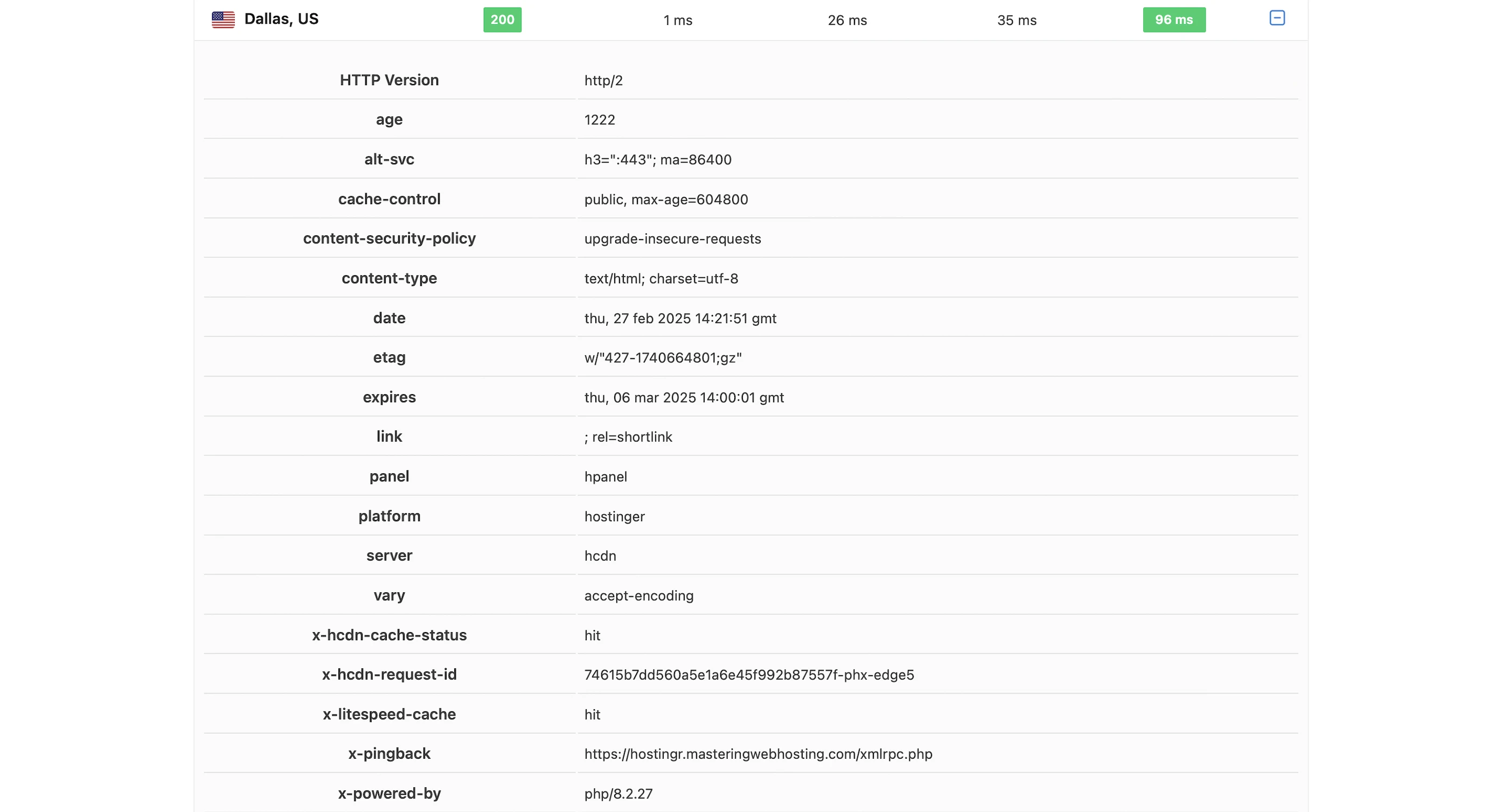
I was a bit disappointed by the result so I decided to check if the CDN was working.
And it was since the Hostinger CDN cache was hit (x-hcdn-cache-status: hit) in many locations. Even so, my TTFB remained consistently bad like in London and Tokyo. It even reached 1s in Delhi.
6. Security Test
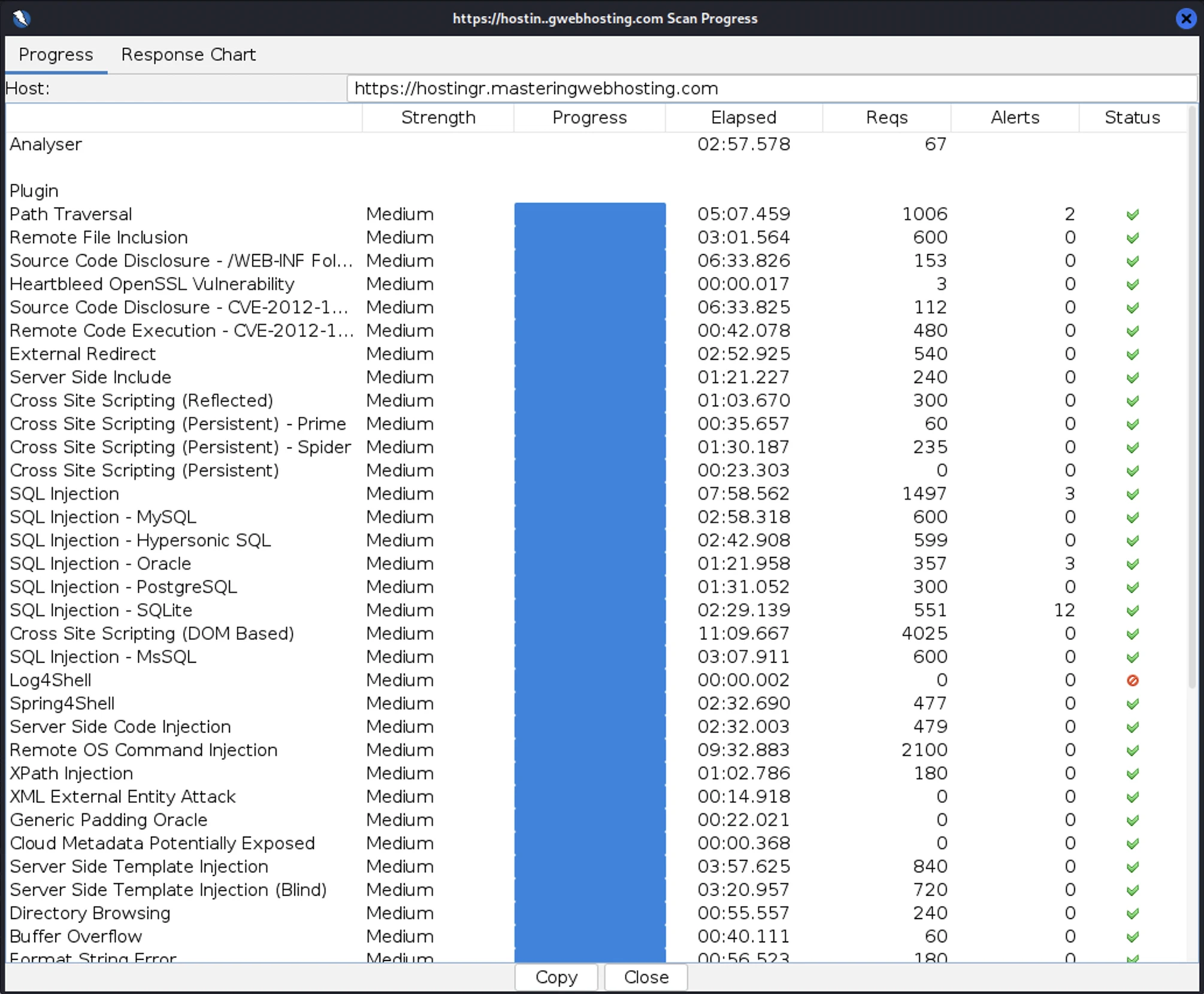
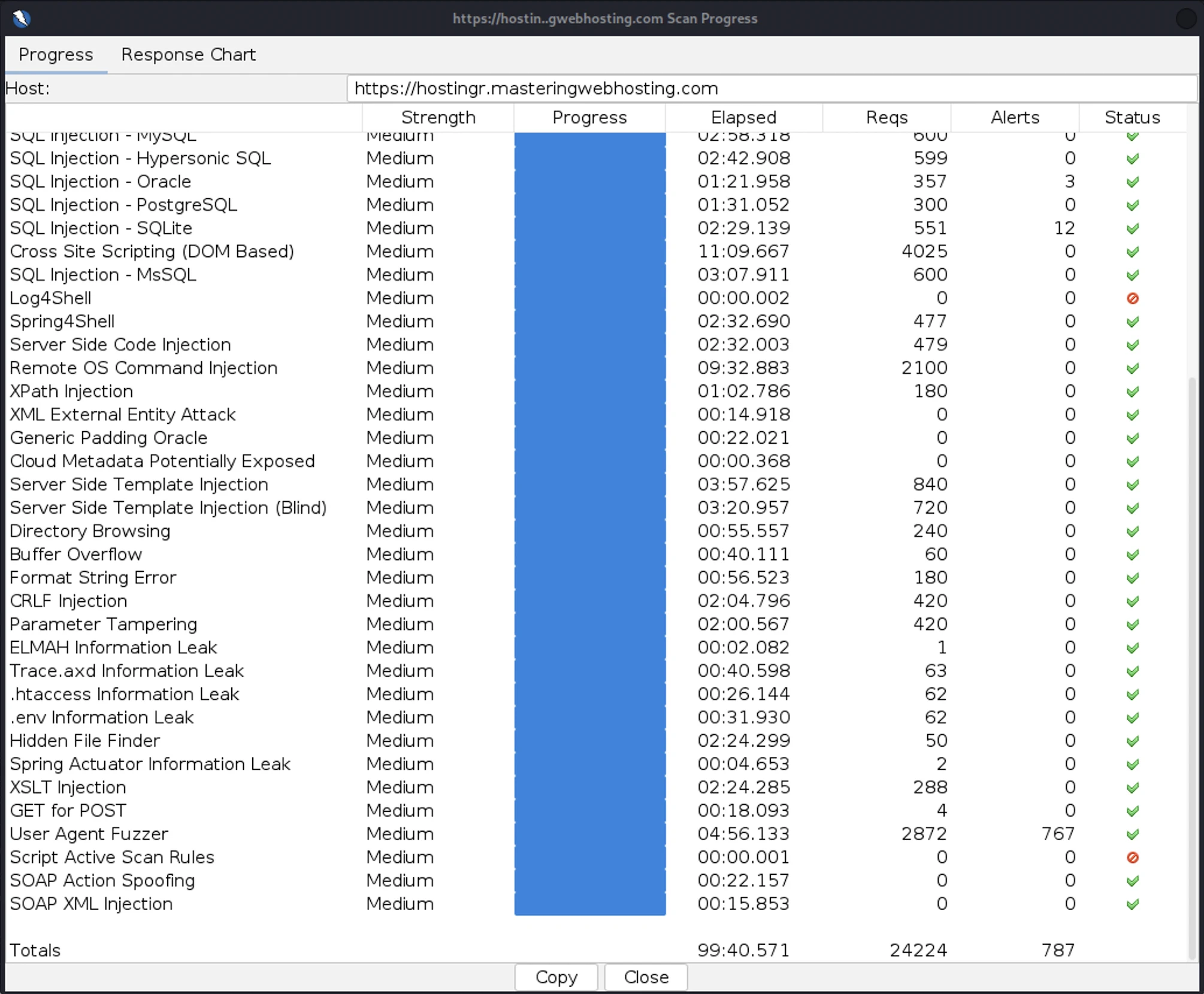
I launched 24,224 cyberattacks against my Hostinger website:
- 4 out of 30 high risk vulnerabilities detected:
- Path Traversal: 2 out of 1,006 attacks successful
- SQL Injection: 3 out of 1,497 attacks successful.
- SQL Injection – Oracle: 3 out of 357 attacks successful. Okay as Hostinger doesn’t use Oracle.
- SQL Injection – SQLite: 12 out of 551 attacks successful. Okay as Hostinger doesn’t use SQLite.
- 0 out of 12 medium risk vulnerabilities.
- 1 out of 2 informational risks. 767 alerts but these aren’t vulnerabilities.
- Success Rate: 23,437 or 96.7% of my attacks were completely neutralized.
7. Uptime Test
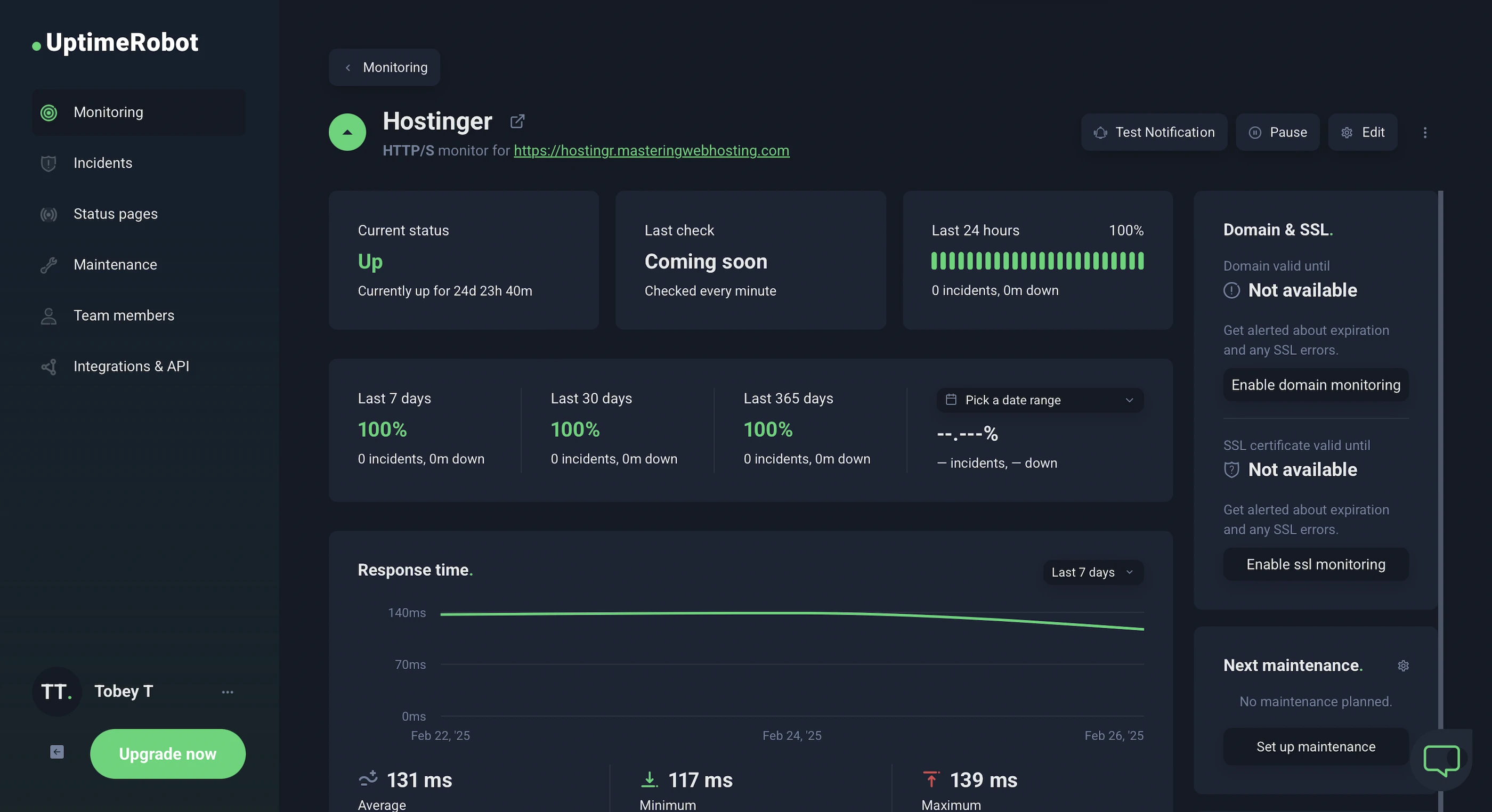
In the 25 days I was reviewing, UptimeRobot said my Hostinger website enjoyed 100% uptime after checking on it every minute.
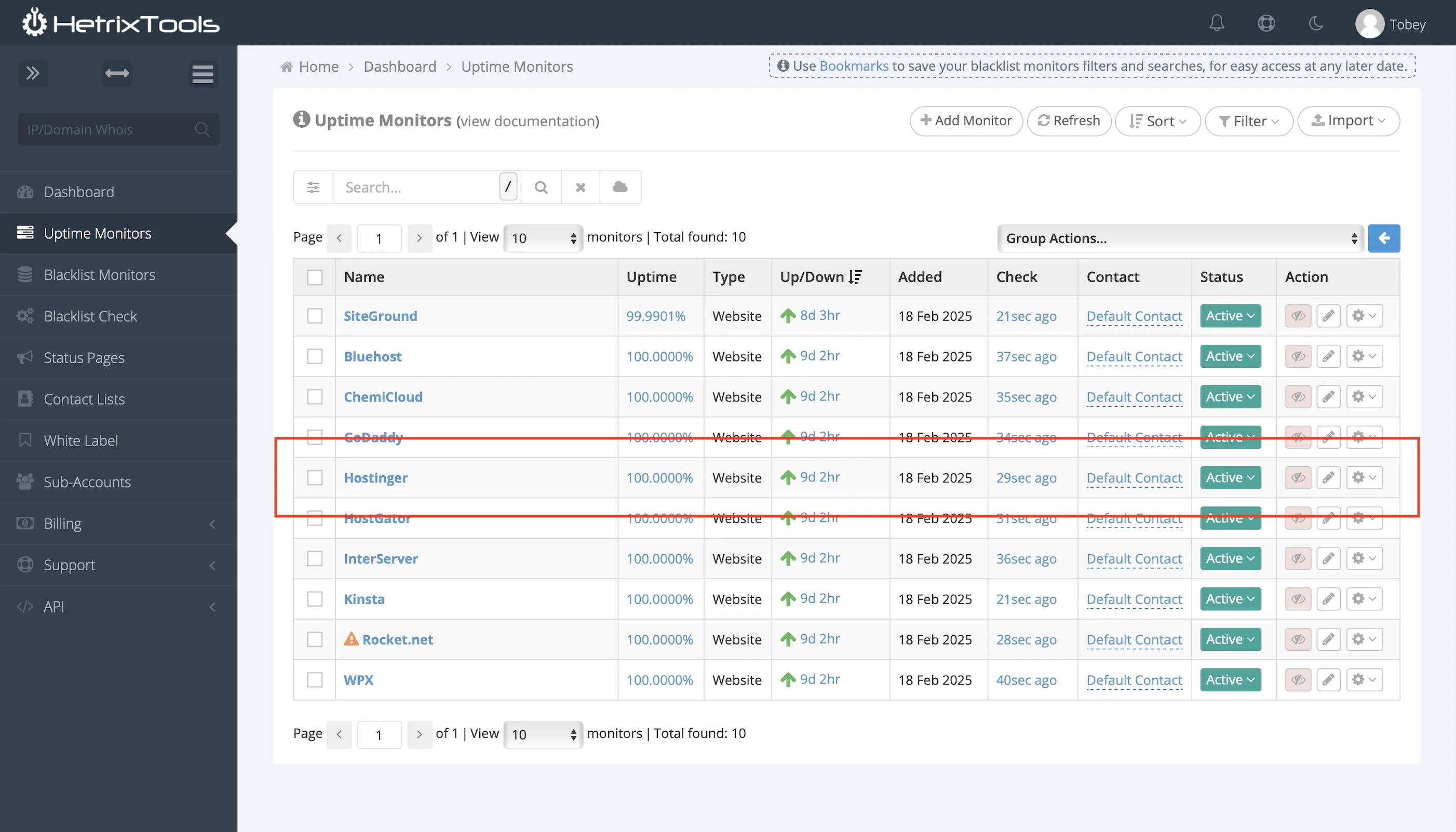
HetrixTools said the same thing after monitoring my website at 1-minute intervals for 8 days.
It also publishes its current system status and outage history.
8. Meh AI Tools
Hostinger says its WordPress AI tools make launching websites easier, but my experience was meh.
I prompted its AI website builder and theme to create a blog template.
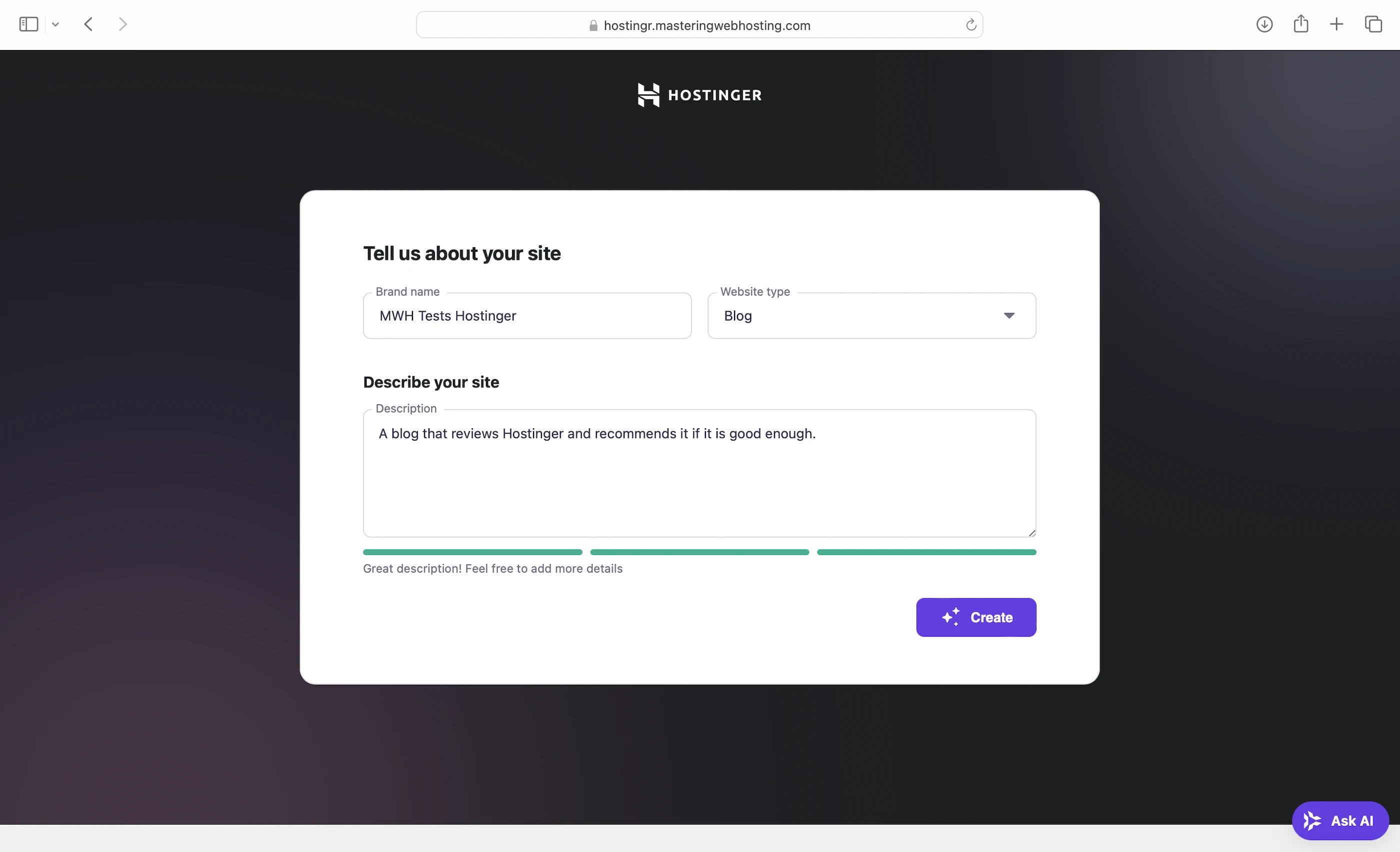
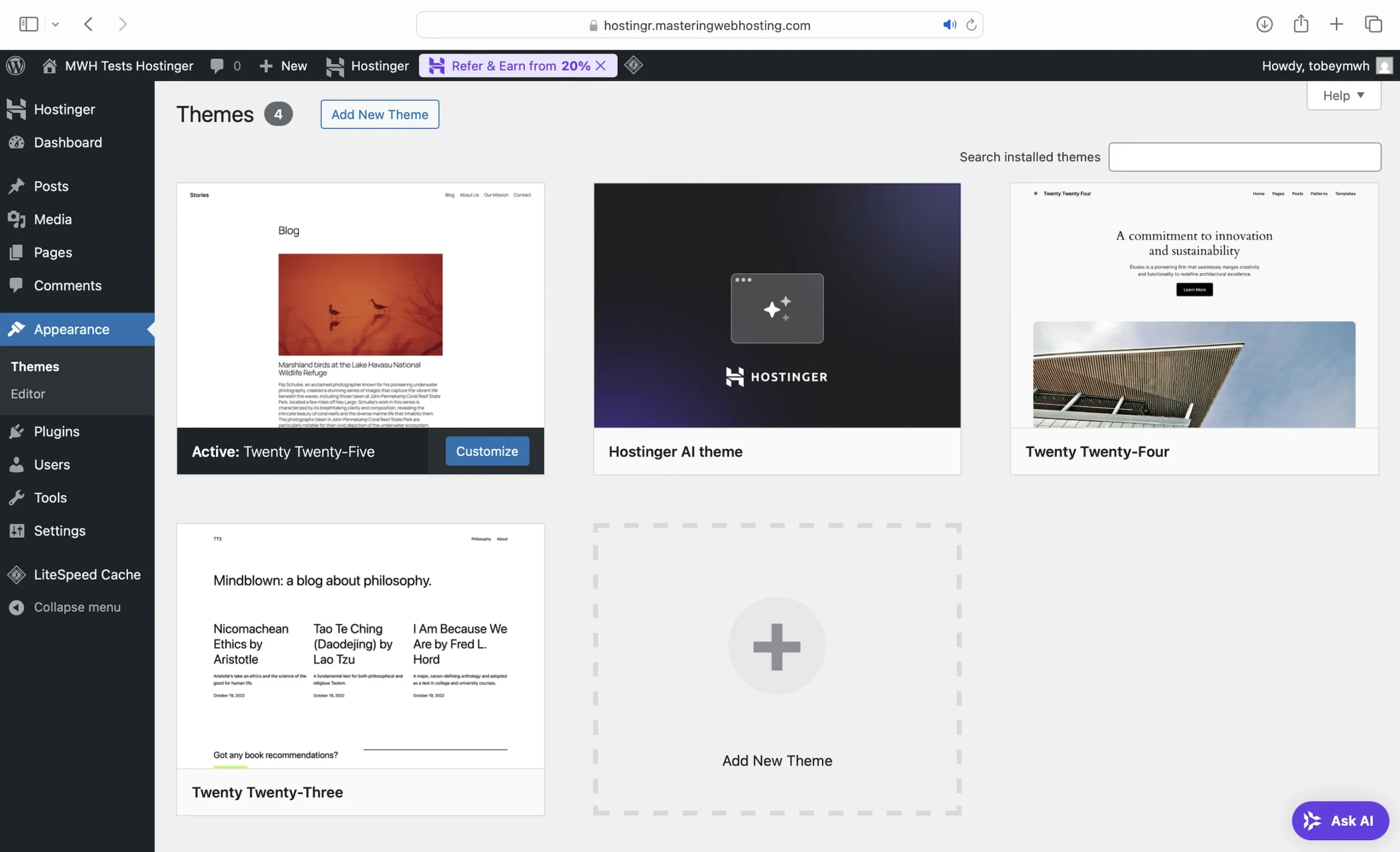
Here’s a peek of what I got:



The content creator fared better, but the generated text felt too artificial and its tone of voice was not witty at all:
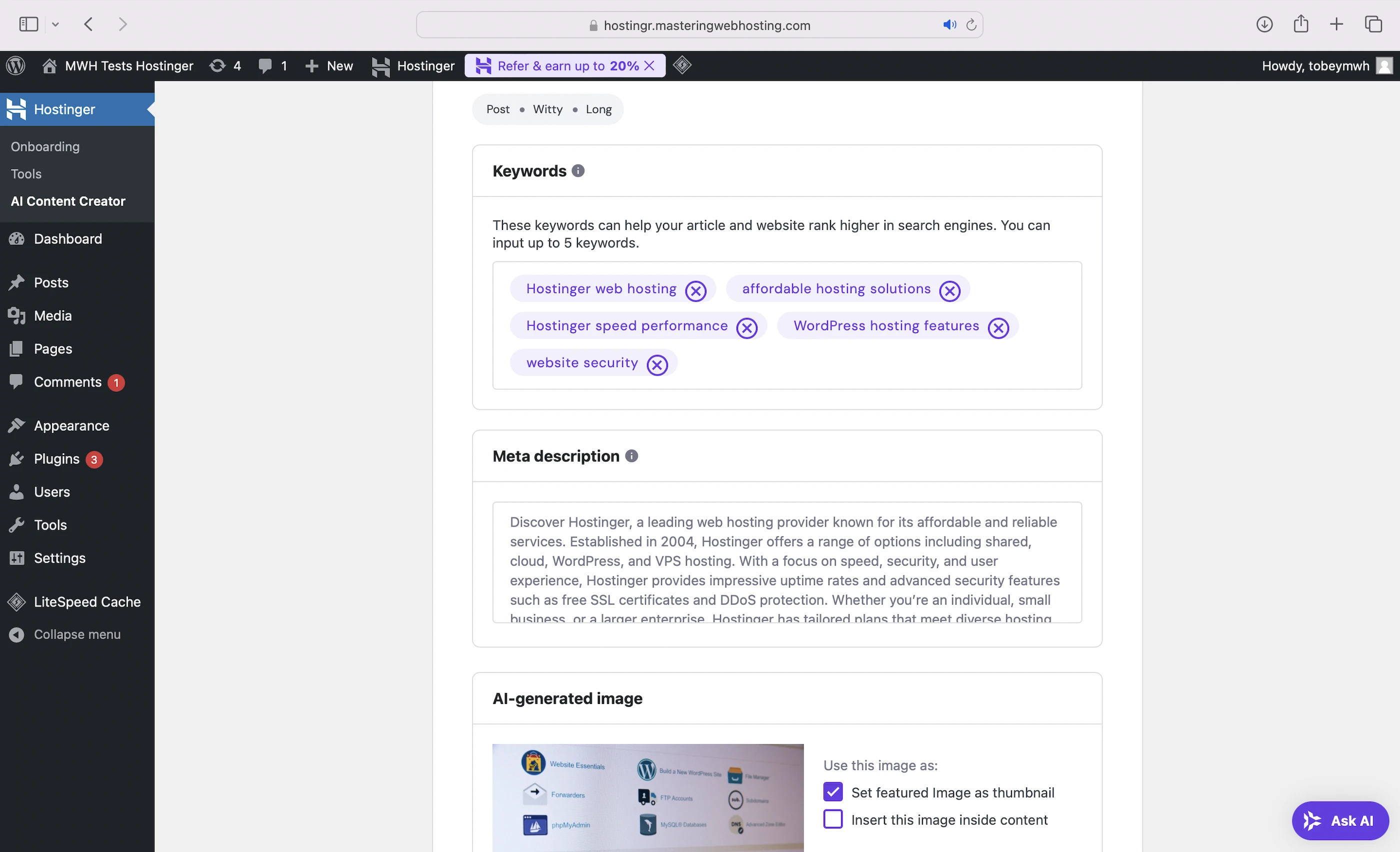
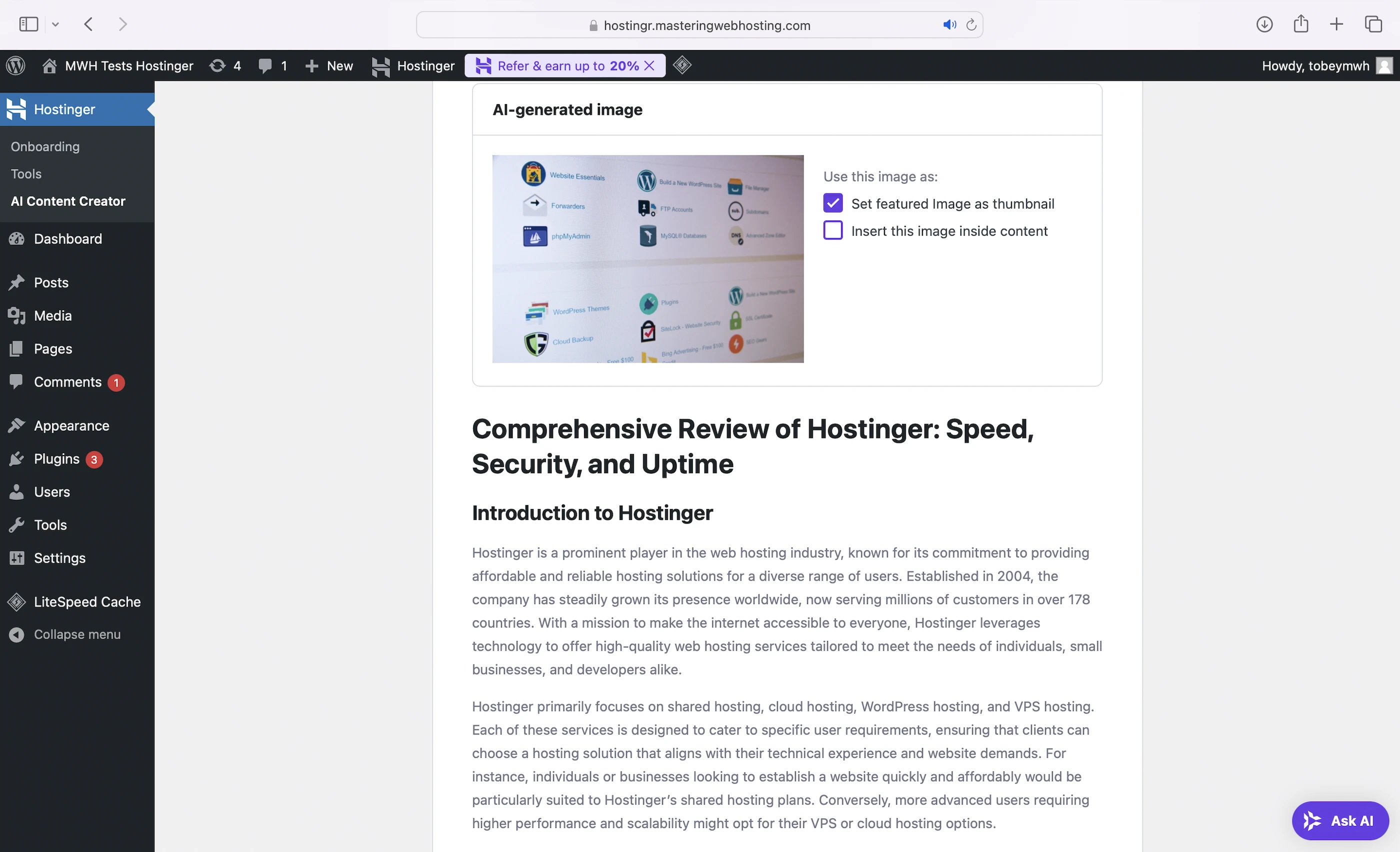
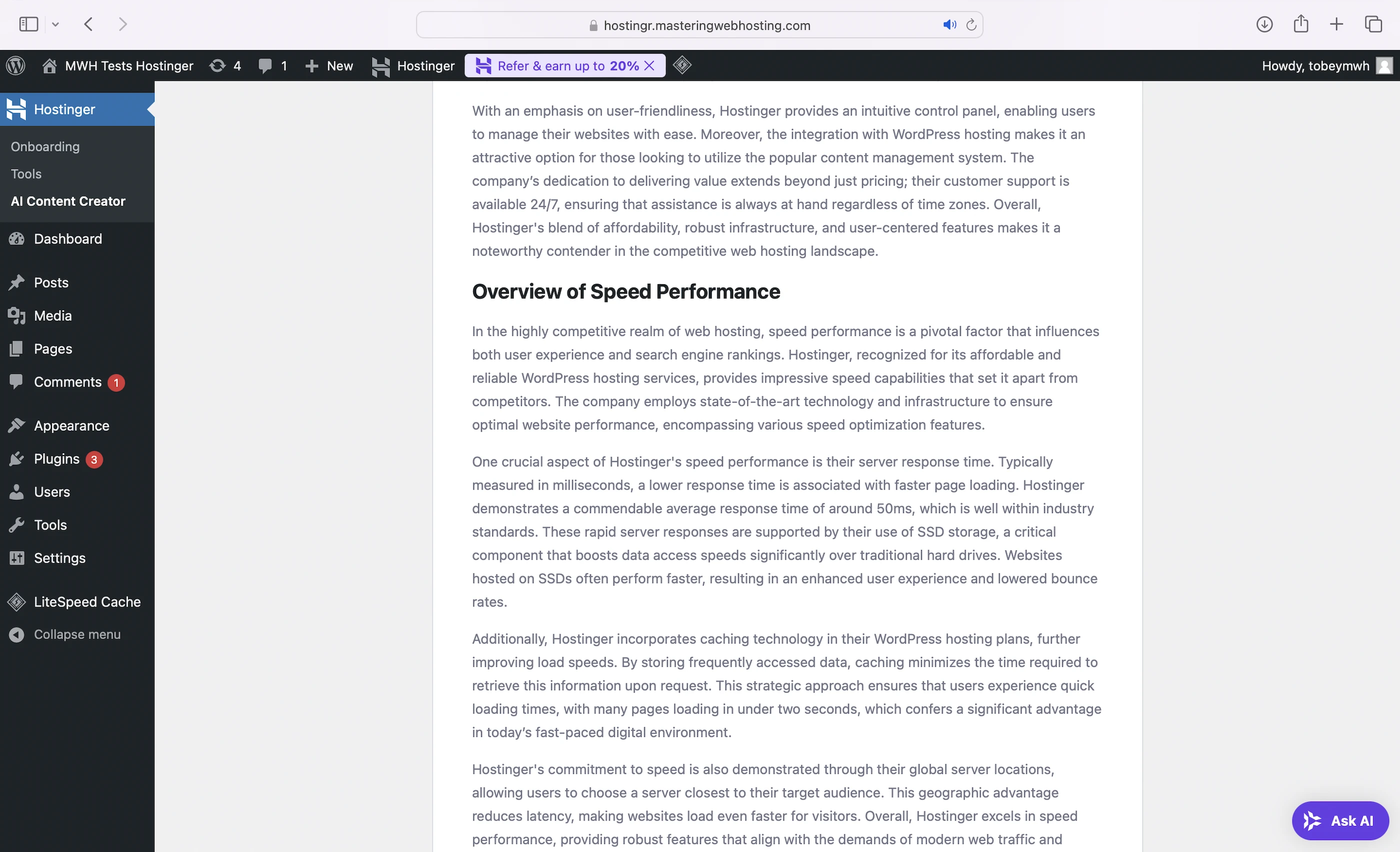
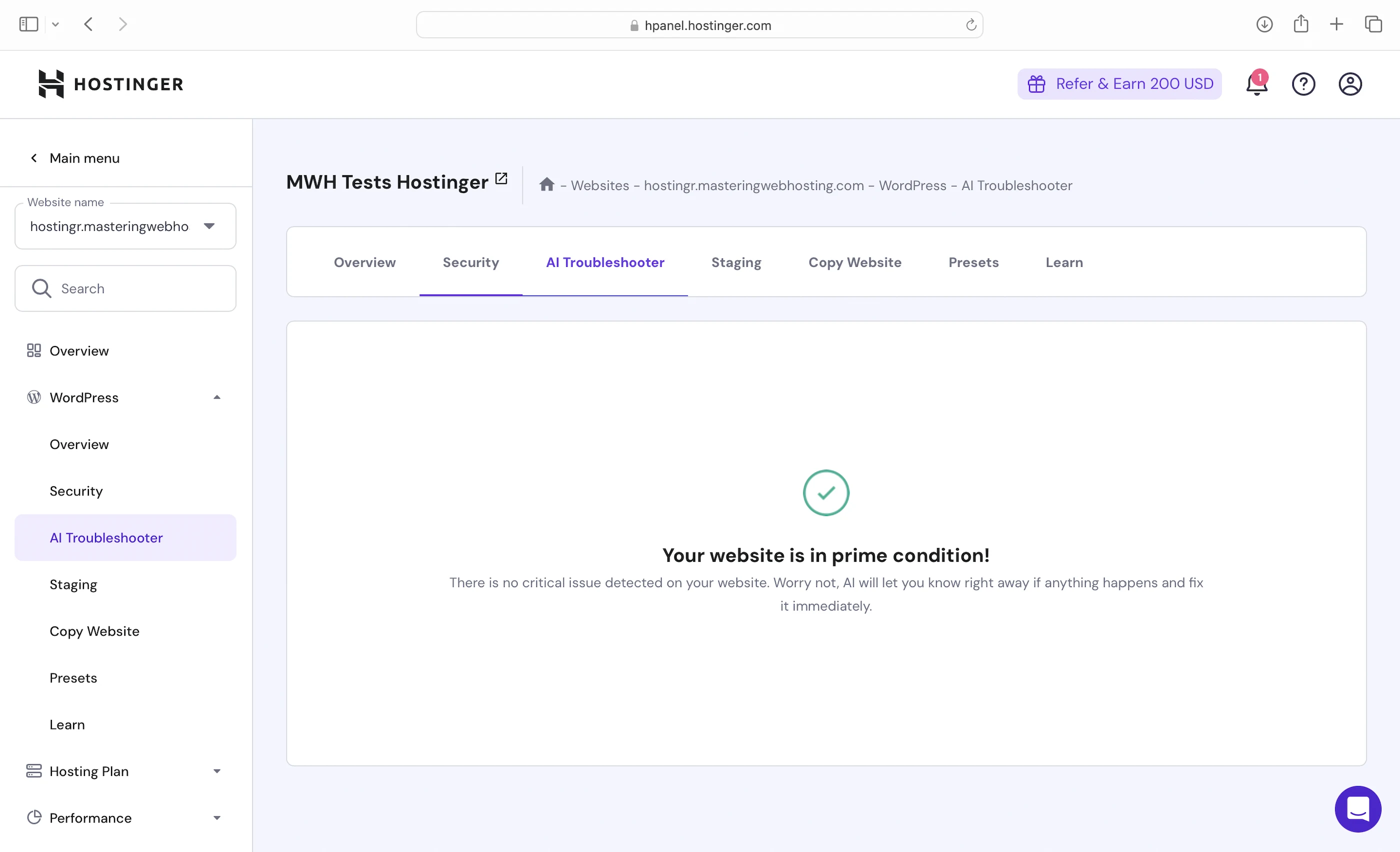
Interestingly, Hostinger also has an AI-powered troubleshooter for technical issues, though I didn’t have the need to use it in my 25 days.
9. Traffic Analytics
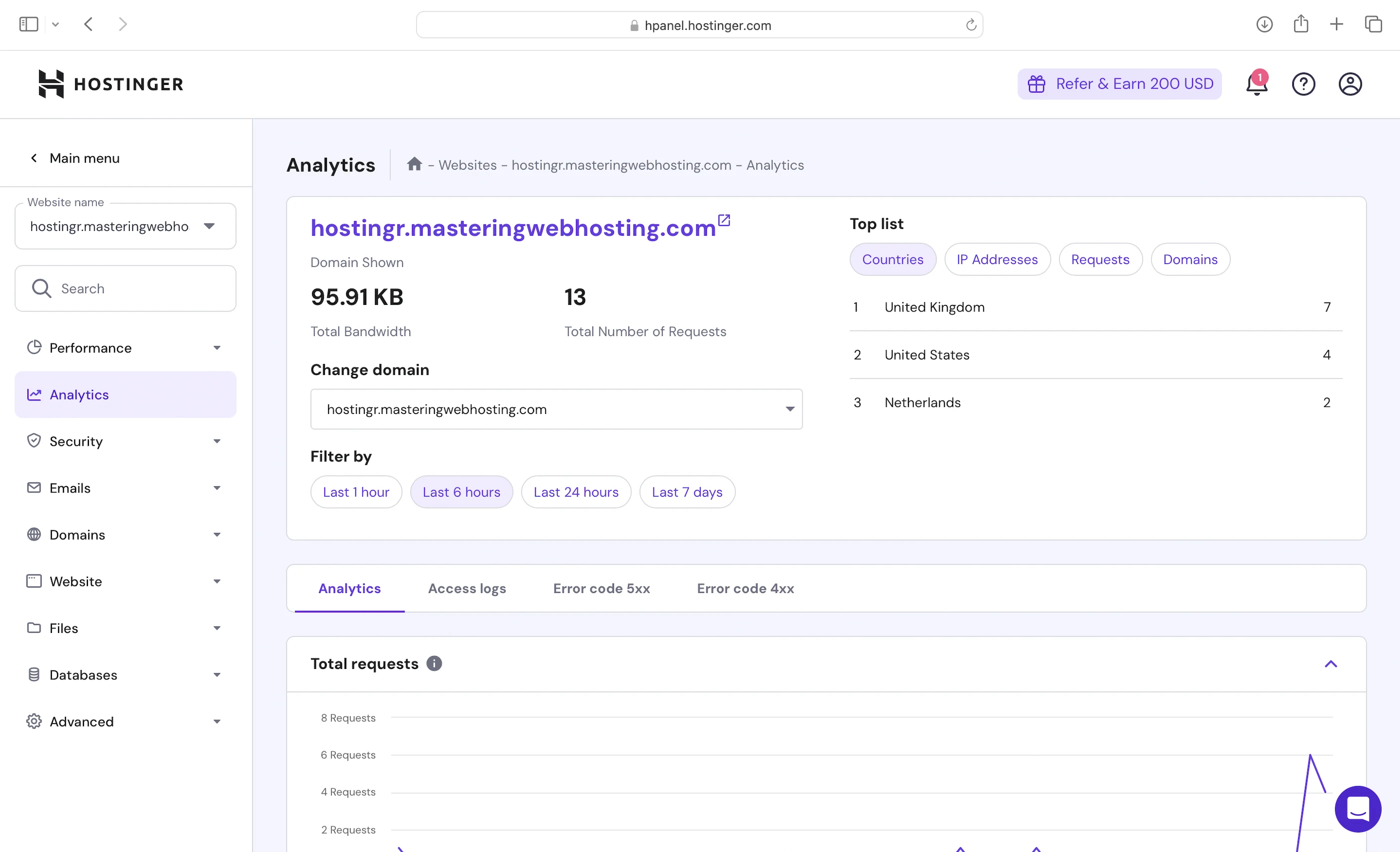
Hostinger offers insightful details of your traffic. Personally, I find countries useful to see if I’m reaching my target audience.
10. Cons
MySQL
Slower than hosts who use MariaDB.
LiteSpeed Memcached
Memcached is slower than Redis. So, sites hosted on Hostinger will be slower.
Lack of Info about CDN and WAF
I get that both are developed in-house, so some details shouldn’t be shared publicly. But secrecy is taken a bit too far when we don’t even get basic information like how many PoPs Hostinger CDN has and what technology its WAF is based on.
11. Evaluation
Let’s see how Hostinger did against my self-hosting:
| Self-hosting | Hostinger | |
|---|---|---|
| Speed (LCP) – Dallas | 306ms | 372ms |
| Speed (LCP) – London | 253ms | 232ms. Inconsistent, but I will give it to Hostinger here. |
| Speed (TTFB) | 90ms | 340ms |
| Security | 0 | 4 high risk vulnerabilities (2 don’t affect WordPress). |
| Uptime | 95% | 100%, with current system status and outage report. |
| Winner | 👑 |
12. Final Thoughts
Hostinger is long past its peak. It has all the trappings of a modern WordPress hosting provider, but none of its performance.
For its price, I think there are better options like WPX that offer much more for less.
And that’s if you are willing to turn a blind eye to its controversies in the first place.
The memory of Hostinger’s past dealings are still fresh in public memory.
But what the Internet might not forget, it might forgive.
Only time will tell if Hostinger can redeem and reinvent itself like RDJ or sink further into infamy and irrelevance.
Leave a Reply