InMotion Hosting was one of the two managed WordPress VPS hosts I reviewed, along with ScalaHosting.
Unlike ScalaHosting, the privately-owned, Virginia-based company started with shared WordPress hosting (cPanel WordPress) in 2001, before releasing its managed WordPress VPS hosting plans (Platform InMotion).
Like ScalaHosting though, its WordPress websites are generally faster and more secure if they are hosted on a VPS plan because each site is isolated with its own dedicated CPU and RAM.
And InMotion Hosting doesn’t break the bank.
But can InMotion Hosting break my speed, security, and uptime scores?
Also, its founders, Sunil Saxena and Todd Robinson, want you to know that InMotion Hosting is a “customer service company that happens to offer web hosting.” So it seems it puts more stock in customer service than other hosts.
Let’s see how good InMotion Hosting’s speed, security, uptime, and support really is then.
1. Plan
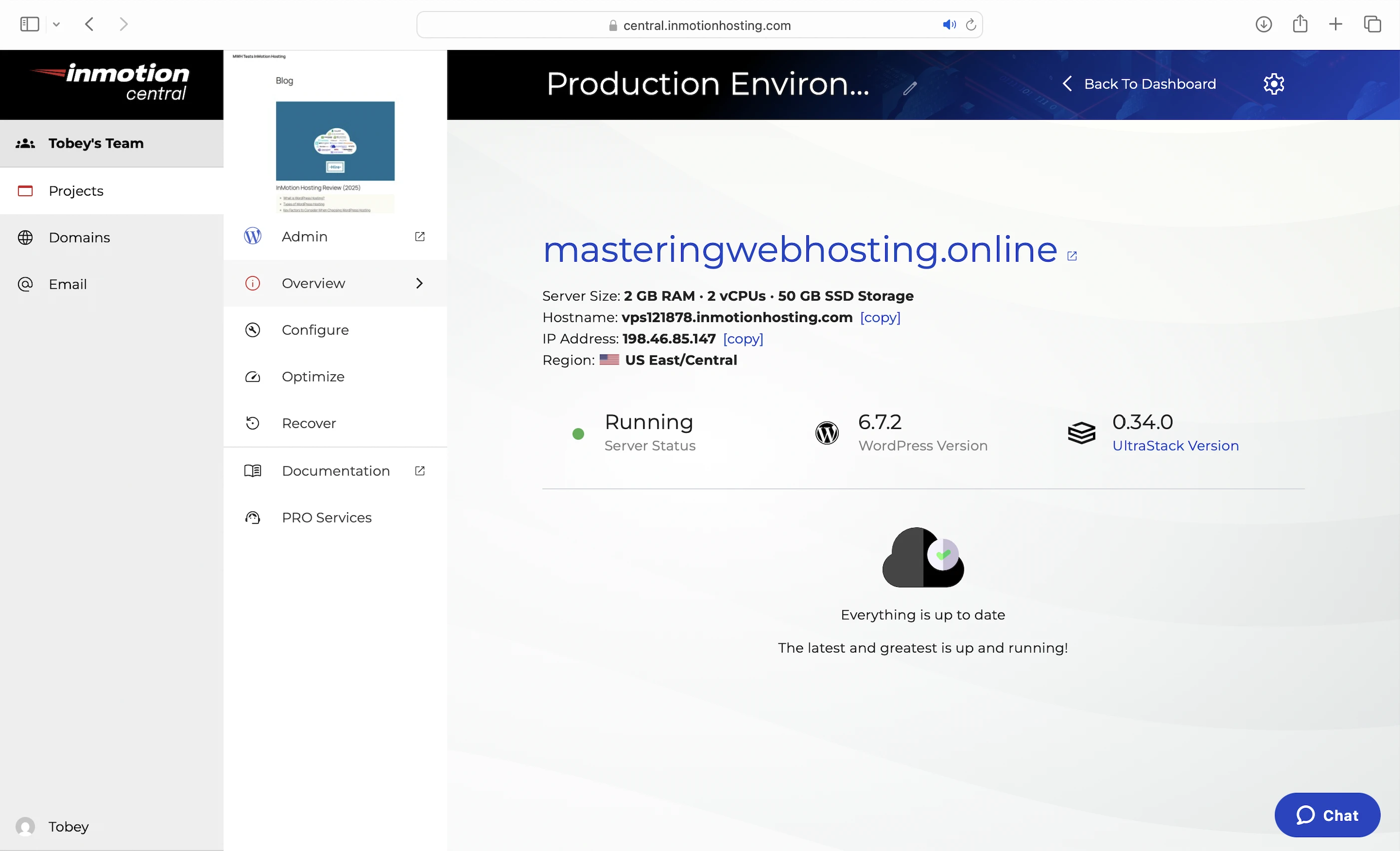
I got the UltraStack 2GB RAM, which comes with:
- 2 vCPU cores
- 2GB RAM
- 50GB NVMe SSD storage
- Nginx + Apache Web Servers
- 8 PHP workers
- UltraStack (includes Brotli + 32MB+ Redis Cache)
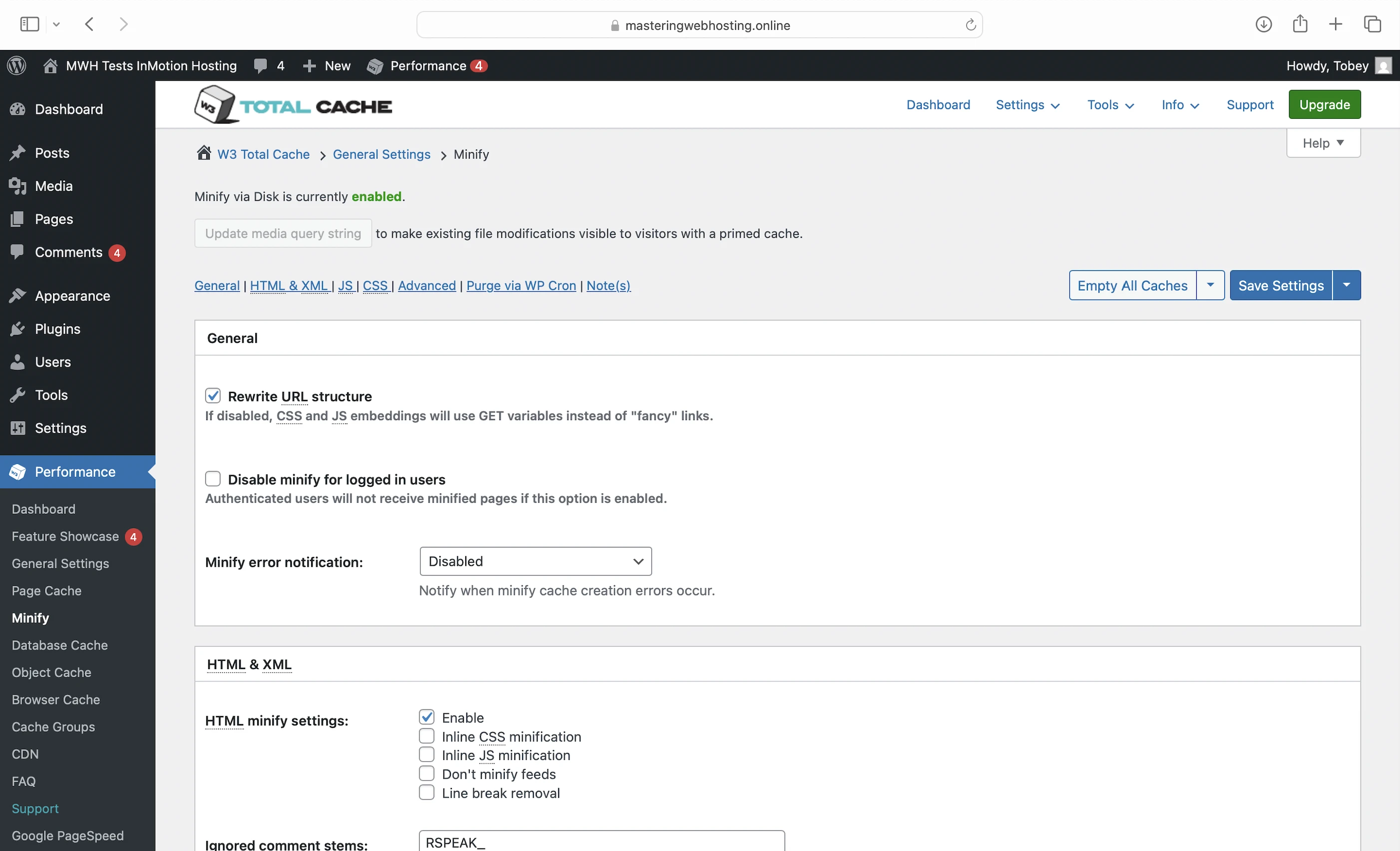
- 6 caches and Minify with pre-configured W3 Total Cache
- 256MB+ OpCode cache pool
- Advanced security (Modsec firewall, DDoS protection)
- Fully-isolated production environment
- 99.99% uptime guarantee
It starts at $16.67/mo for a 1-year commitment (Renewal, not promotion price).
2. Speed Features
50GB NVMe SSD Storage
This makes InMotion servers faster than servers with the older SATA SSDs, which some hosts are still using. In fact, InMotion even claims up to 40X faster I/O (read/write) speeds than traditional HDDs.
Nginx + Apache Web Servers
A web server handles and responds to incoming requests for your WordPress content. It is connected to PHP through a handler that’s usually optimized for fast and efficient communication between the two systems. This allows the web server to forward requests to PHP and receive responses faster, directly improving your page load times.
InMotion Hosting uses Nginx and Apache web servers with PHP-FPM as their PHP handler to serve your WordPress content.
Your WordPress website serves two types of content: static and dynamic. The web servers handle incoming requests for each and deliver both content to visitors.
Static content is called so because it remains the same across visits. Examples include the images and CSS files that make up your website’s layout. Unless manually updated, everyone sees the same layout when they visit your website.
Dynamic content, on the other hand, changes based on the data retrieved from your database. Examples include your blog posts and comments. New posts or comments update what visitors see in your post list and comment section.
If both types of content are uncached, web servers return static content more quickly because it can be served immediately. In contrast, dynamic content must be generated on the fly, which takes more time.
This key difference is why InMotion Hosting uses a special Nginx + Apache web server combination to serve dynamic content faster and more efficiently.
In this setup, Nginx forwards incoming requests to Apache, the primary web server that generates dynamic content. After processing the requests, Apache sends the content back to Nginx. Since Nginx is better at serving and caching static content, InMotion configured it to cache the dynamic content as if it were static before serving it to visitors.
By caching it, the dynamic content can be served instantly on subsequent requests. Since the same content doesn’t need to be regenerated each time, it reduces the load on your VPS, freeing up resources for other requests and significantly improving your overall website speed.
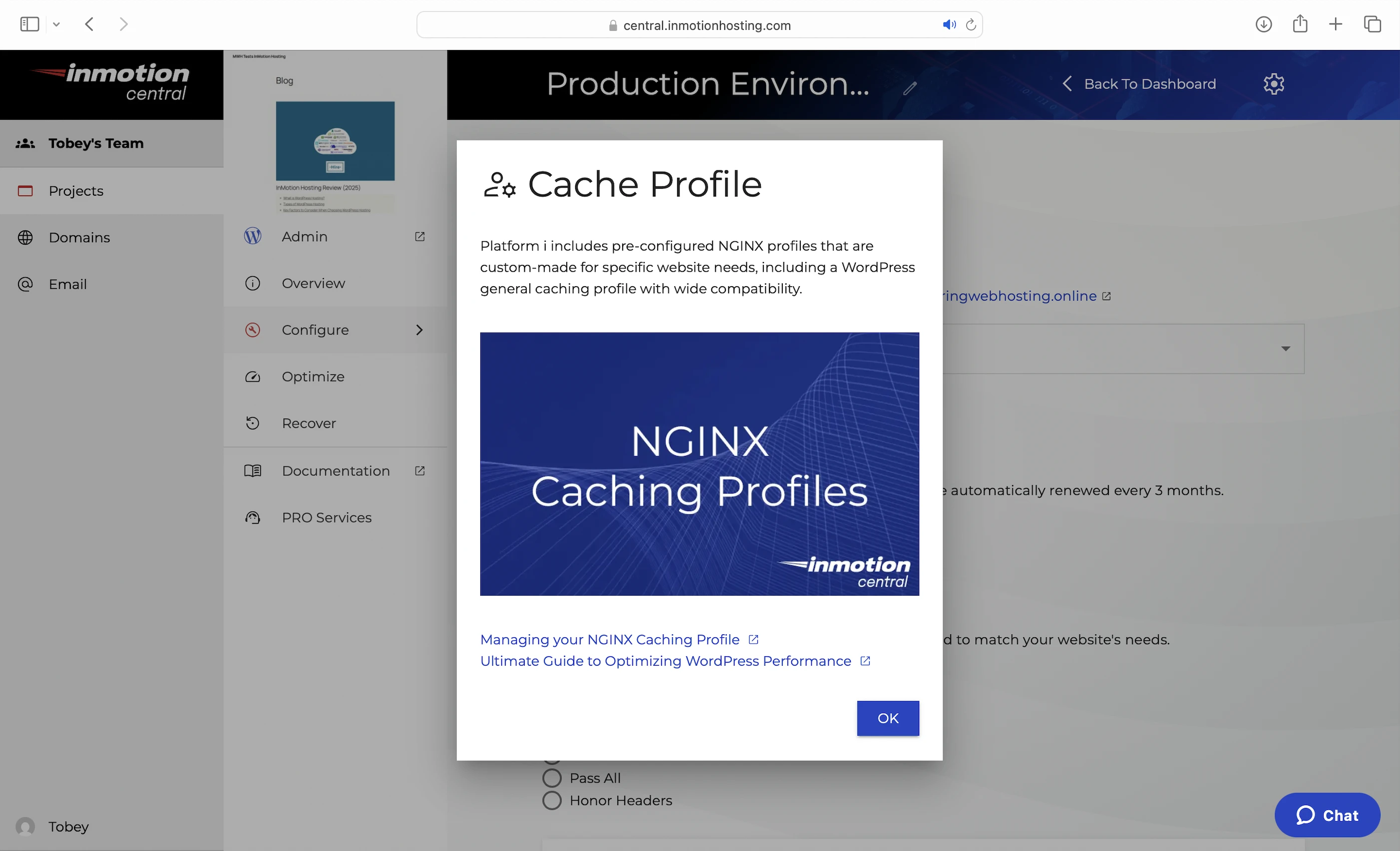
For the best performance, select the WordPress cache profile in the dashboard to get a pre-configured Nginx profile that’s custom-made for WordPress.
8 PHP Workers
Like I said earlier, uncached dynamic content takes longer to load because it needs to be generated on the fly. This means a robust process is needed to handle the generation efficiently.
Since WordPress is built with PHP, that process is handled by PHP workers.
When Apache gets a request for uncached dynamic content, it forwards the request to PHP-FPM, which assigns a PHP worker to handle it. The worker executes your PHP code, queries your database, and generates the dynamic content based on the retrieved data. The content is then returned as HTML, which is what your visitors see in their browser. This dynamic HTML is also what Nginx (and the page caches below) stores as static content.
So the more PHP workers you have, the more requests for uncached dynamic content your website can handle concurrently without slowing down.
UltraStack (Includes Brotli + 32MB Redis Cache)
Nginx and PHP-FPM are also part of InMotion Hosting’s proprietary caching system with:
- Brotli: Better than gzip. It works with Nginx to compress text-based files like your CSS scripts when a visitor requests them, allowing them to be sent faster over the Internet.
- Redis: Object caching for up to 32MB of frequently accessed data (eg. posts) in memory. It works with the free W3 Total Cache plugin recommended by InMotion (see below).
Pre-configured W3 Total Cache
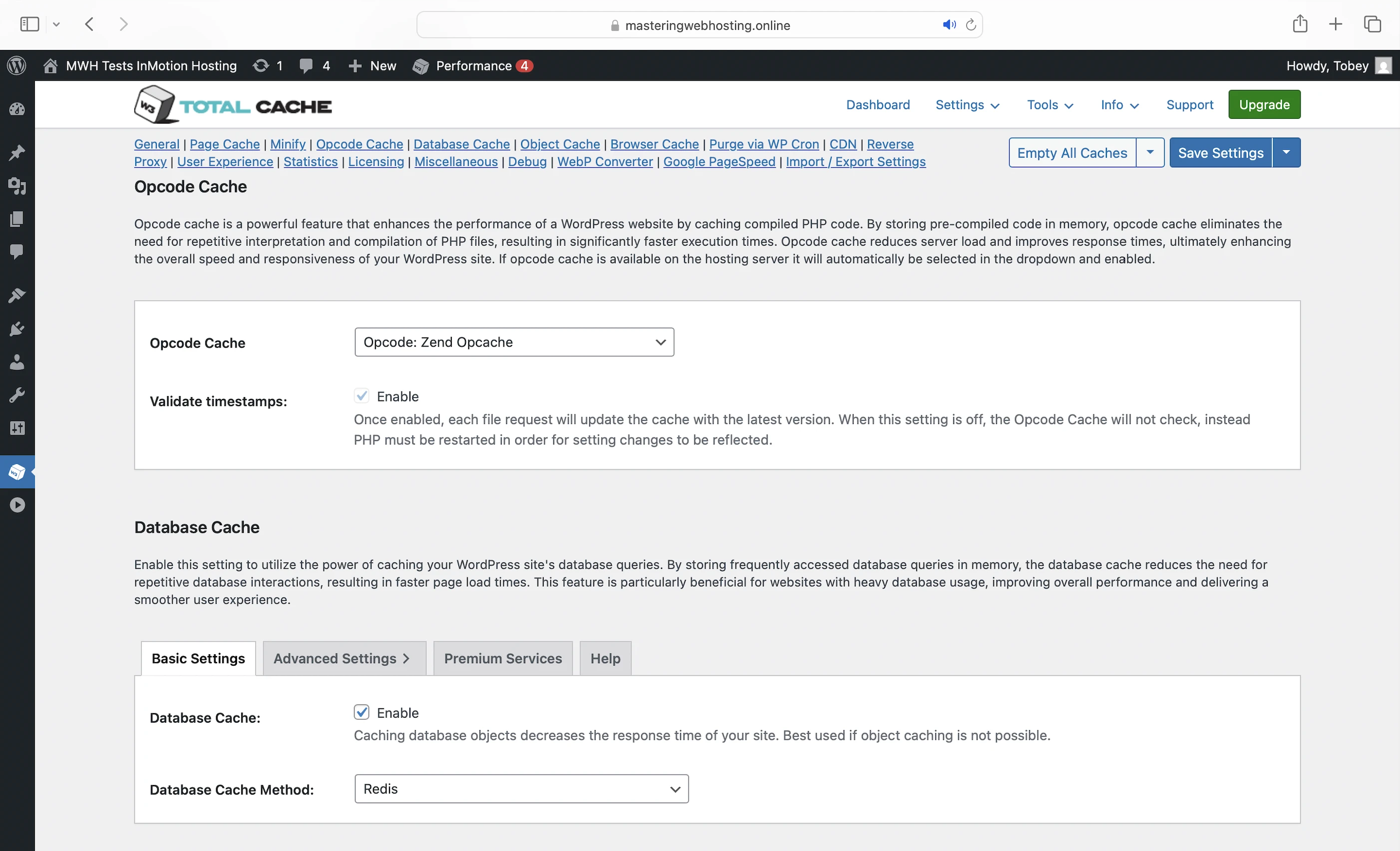
This plugin manages 6 types of caches and Minify for your static and dynamic content:
- Opcode cache: Here’s what happens behind the scenes when your PHP workers execute your code: they compile it into opcode, which are machine-readable instructions that PHP uses to generate the HTML for your dynamic content. You can cache up to 256MB of opcode with the OpCode Cache Pool (actually Zend OPcache), allowing PHP to reuse the cached code instantly without needing to recompile it on every request.
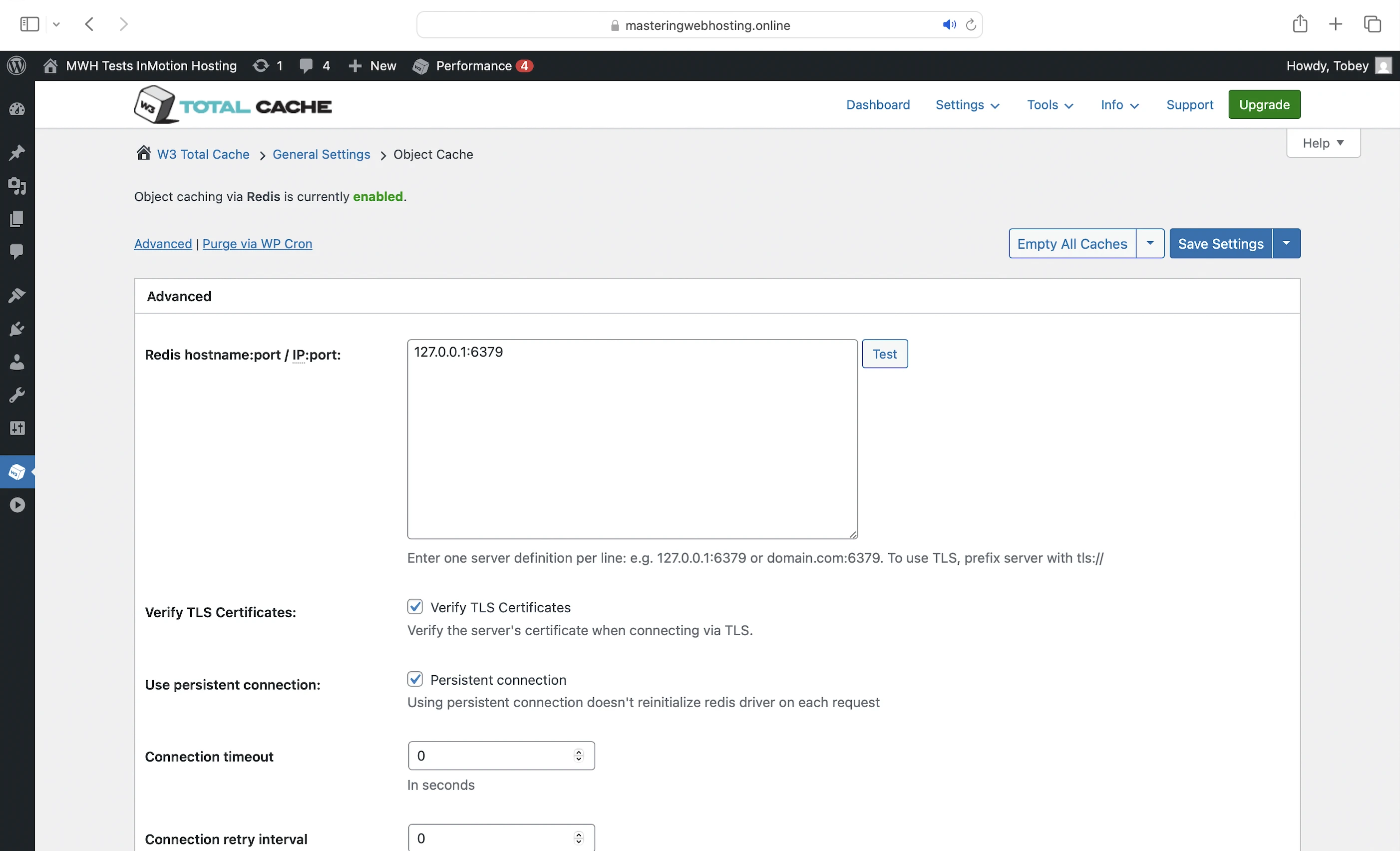
- Database and object caches: You can cache your frequently accessed data (e.g., posts) in memory with Redis. This way, if the opcode includes instructions to query your database, PHP can get the data from Redis instead, which is much faster. Using these caches also prevents your database from being overloaded with repeated queries for the same data.
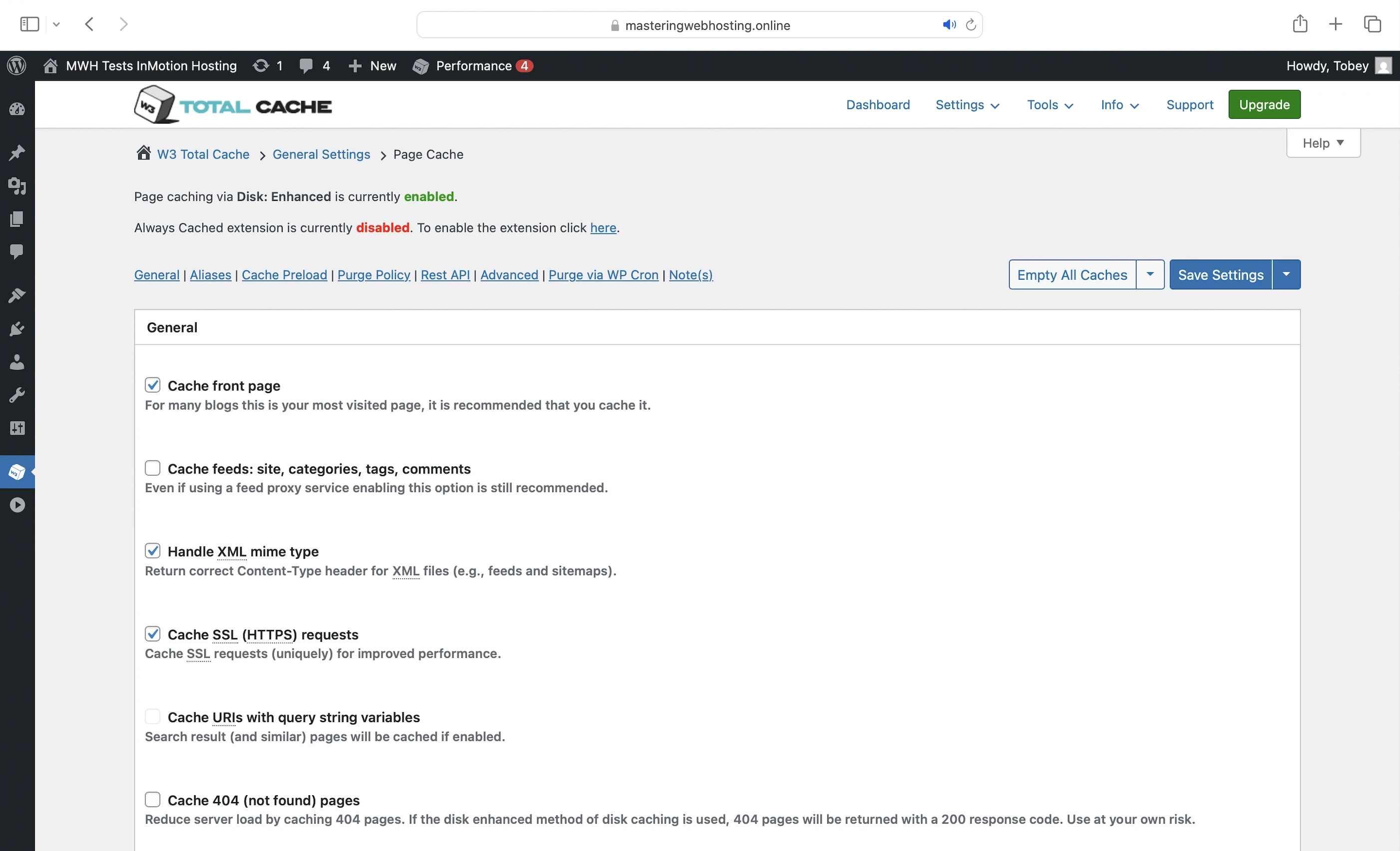
- Page cache: Caches the generated HTML of your dynamic content. By caching it as static content, W3 Total Cache allows the HTML to be delivered much faster, without even running your PHP code or querying your database.
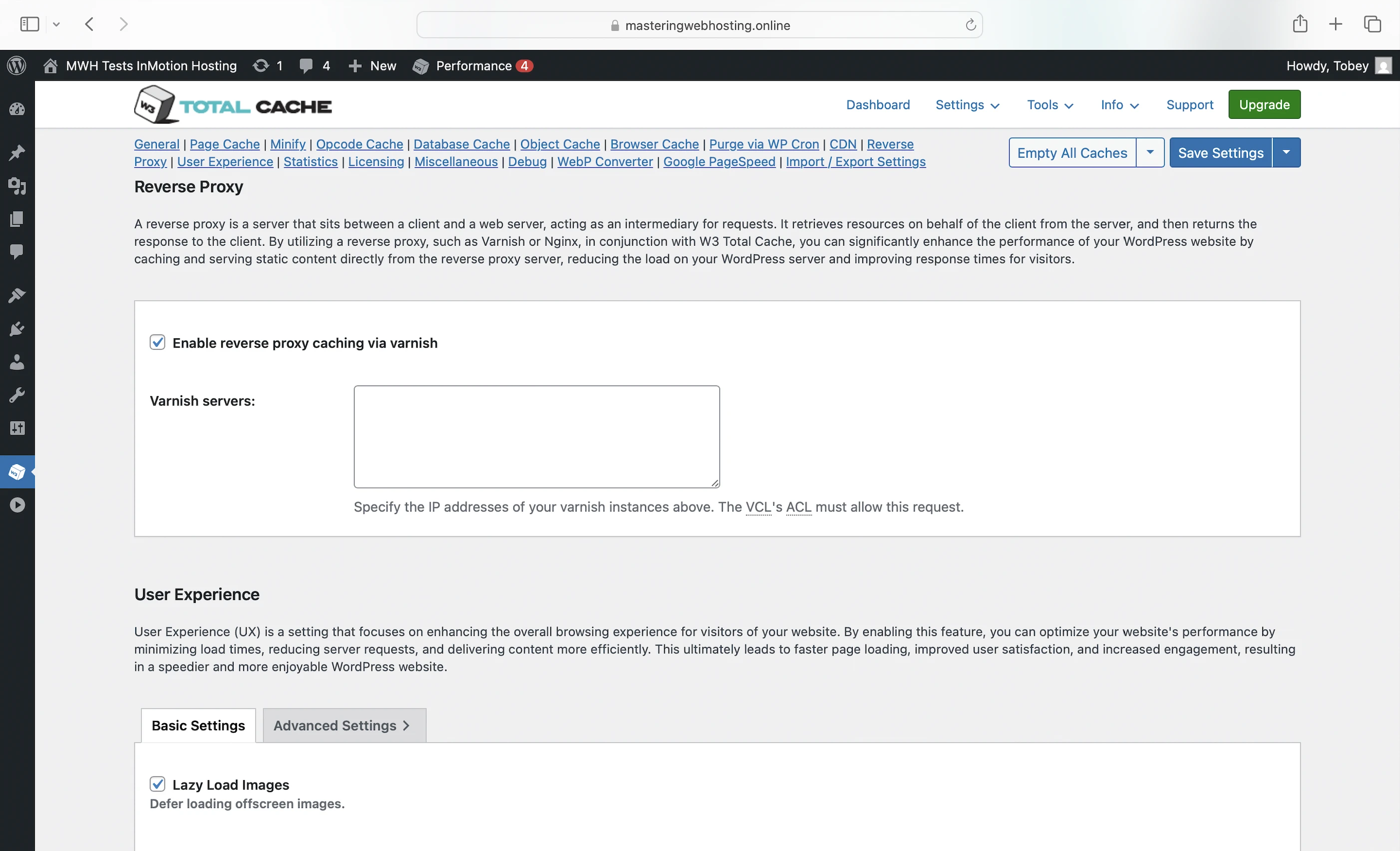
- Reverse proxy cache: To cache and serve your dynamic HTML output directly from the Varnish reverse proxy on your server. Fallback for your page cache and vice versa.
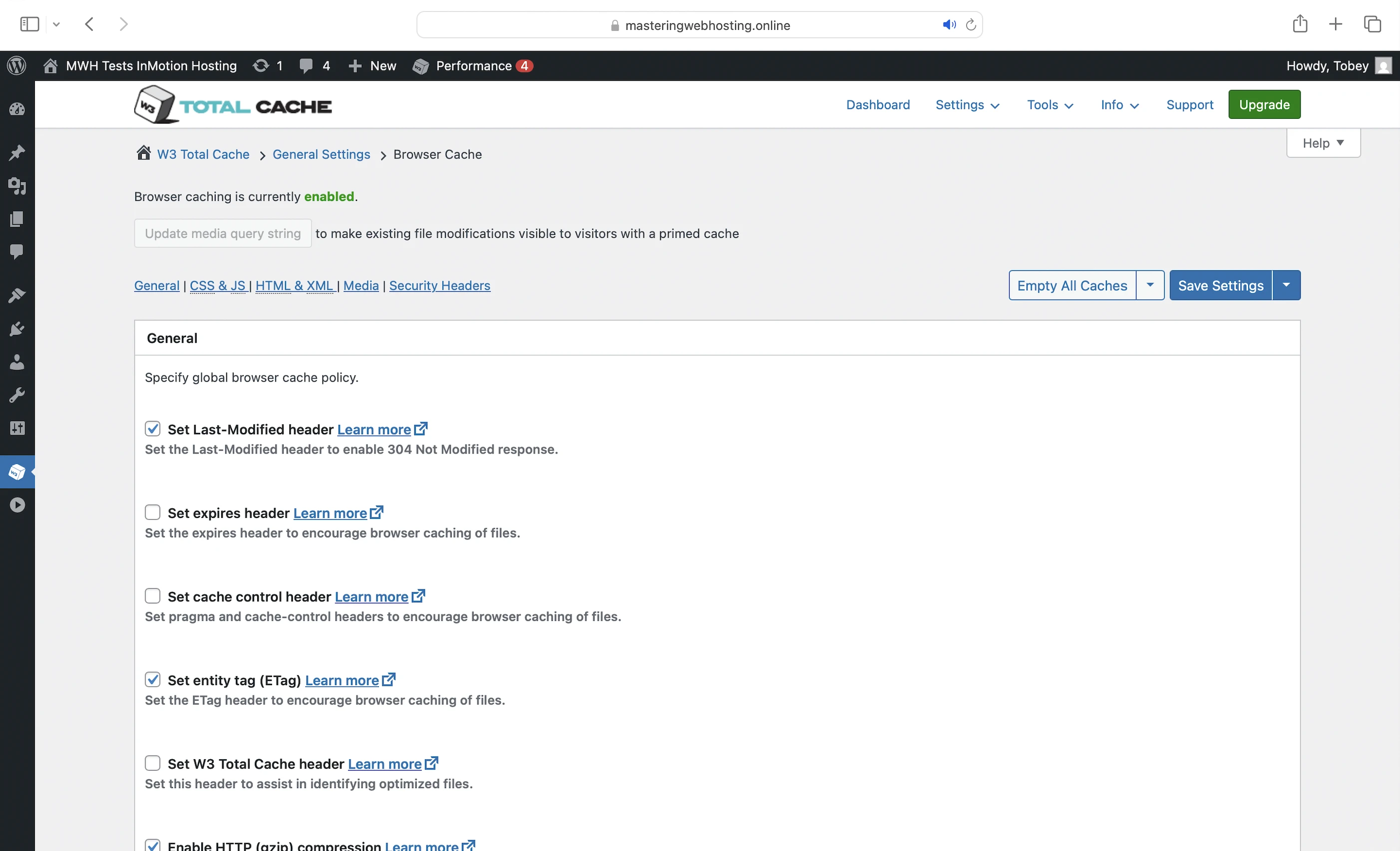
- Browser cache: To store your static content on your visitors’ devices so they don’t have to be downloaded when they visit again.
- Minify: Removes unnecessary characters from your CSS, HTML, and JavaScript (JS) files, making them smaller and faster to load.
CDN
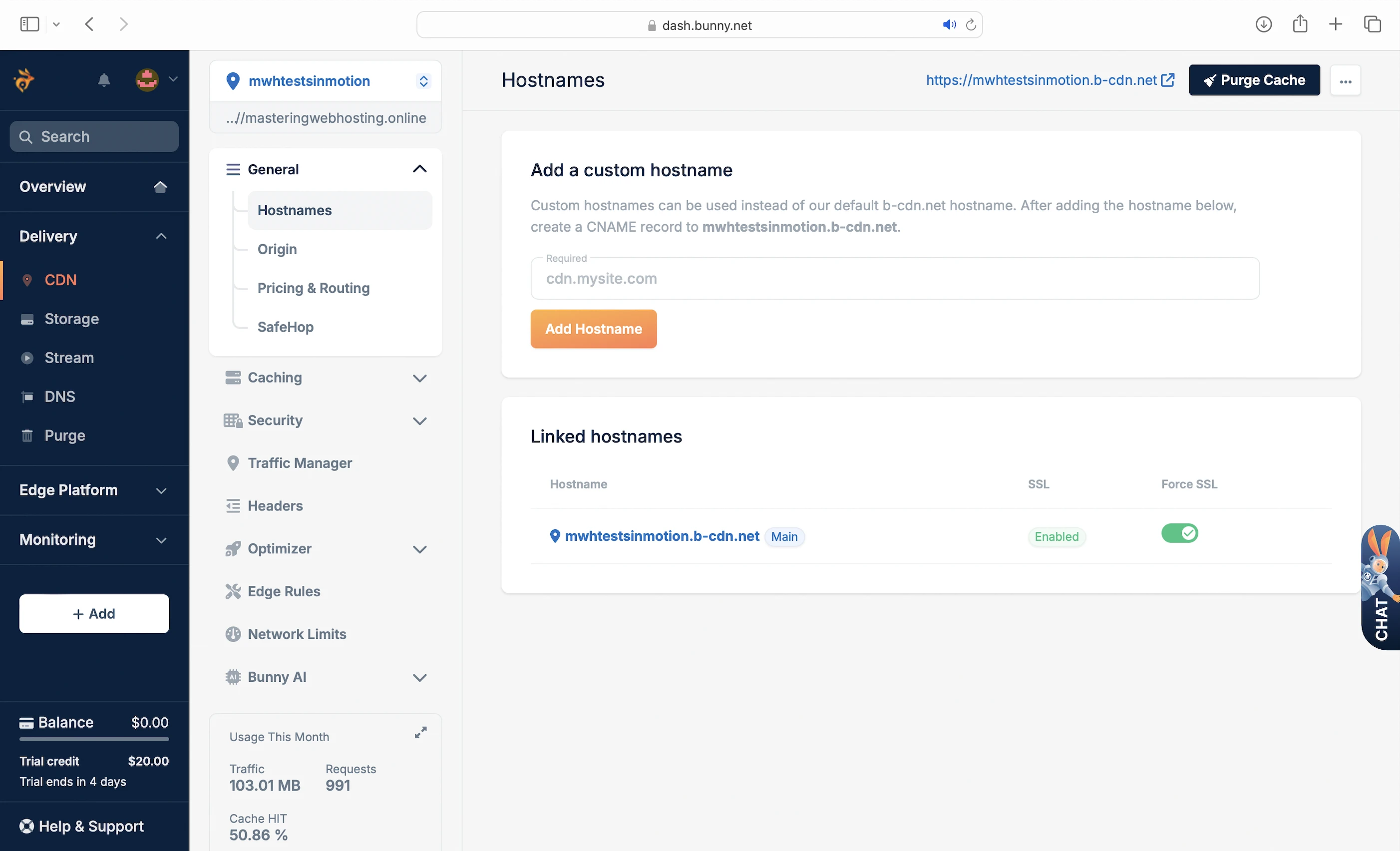
InMotion Hosting doesn’t have a CDN, but since its plans come with the W3 Total Cache plugin, it should work best with BunnyCDN.
You will be on the default Standard Network, which has:
- 123 PoPs across 4 regions (Europe & North America, Asia & Oceania, South America, Middle East & Africa)
- Request Coalescing: Merges requests for the same web content to reduce traffic to your VPS.
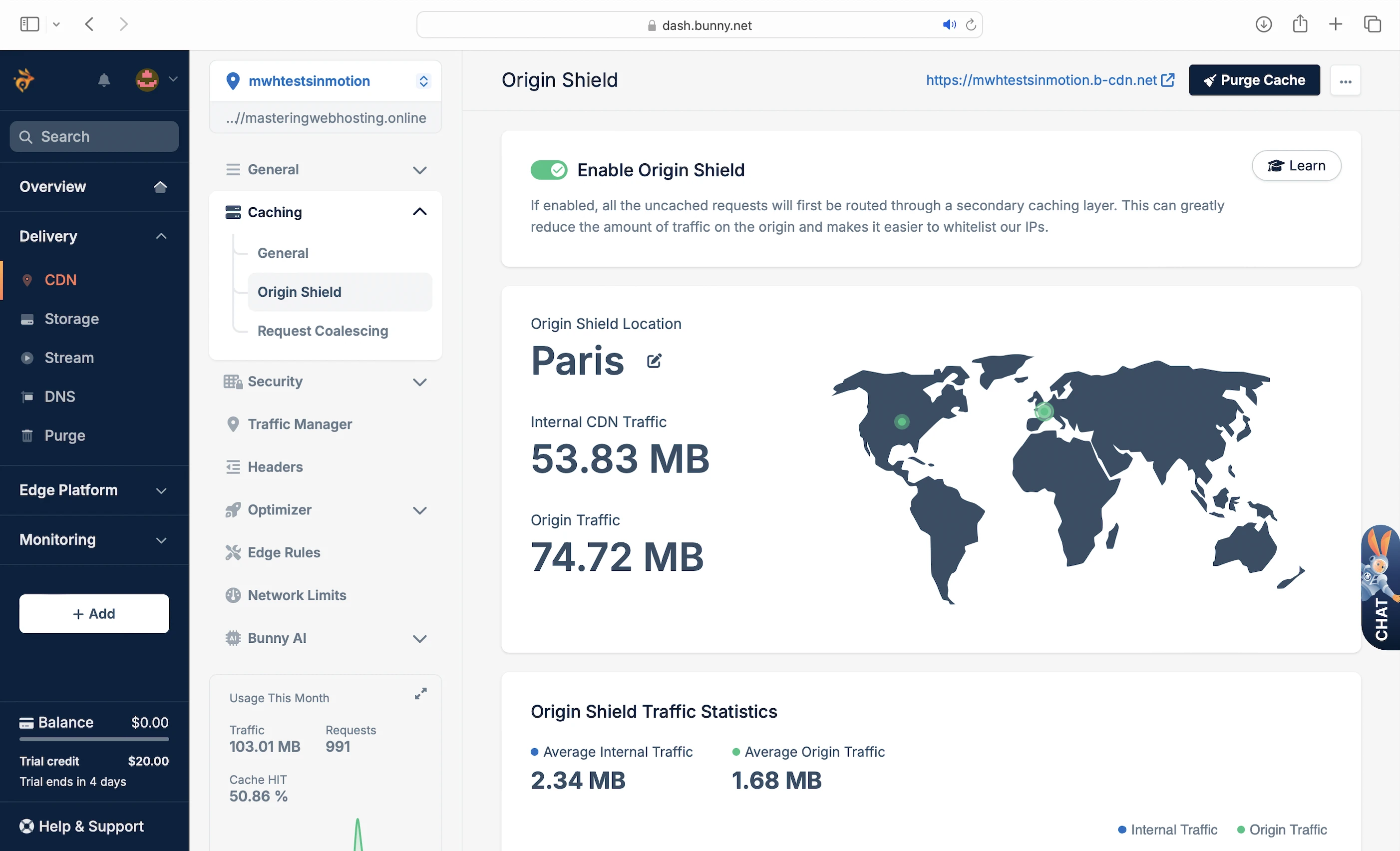
- Origin Shield: Routes all uncached requests through a secondary caching layer to reduce traffic to your VPS.
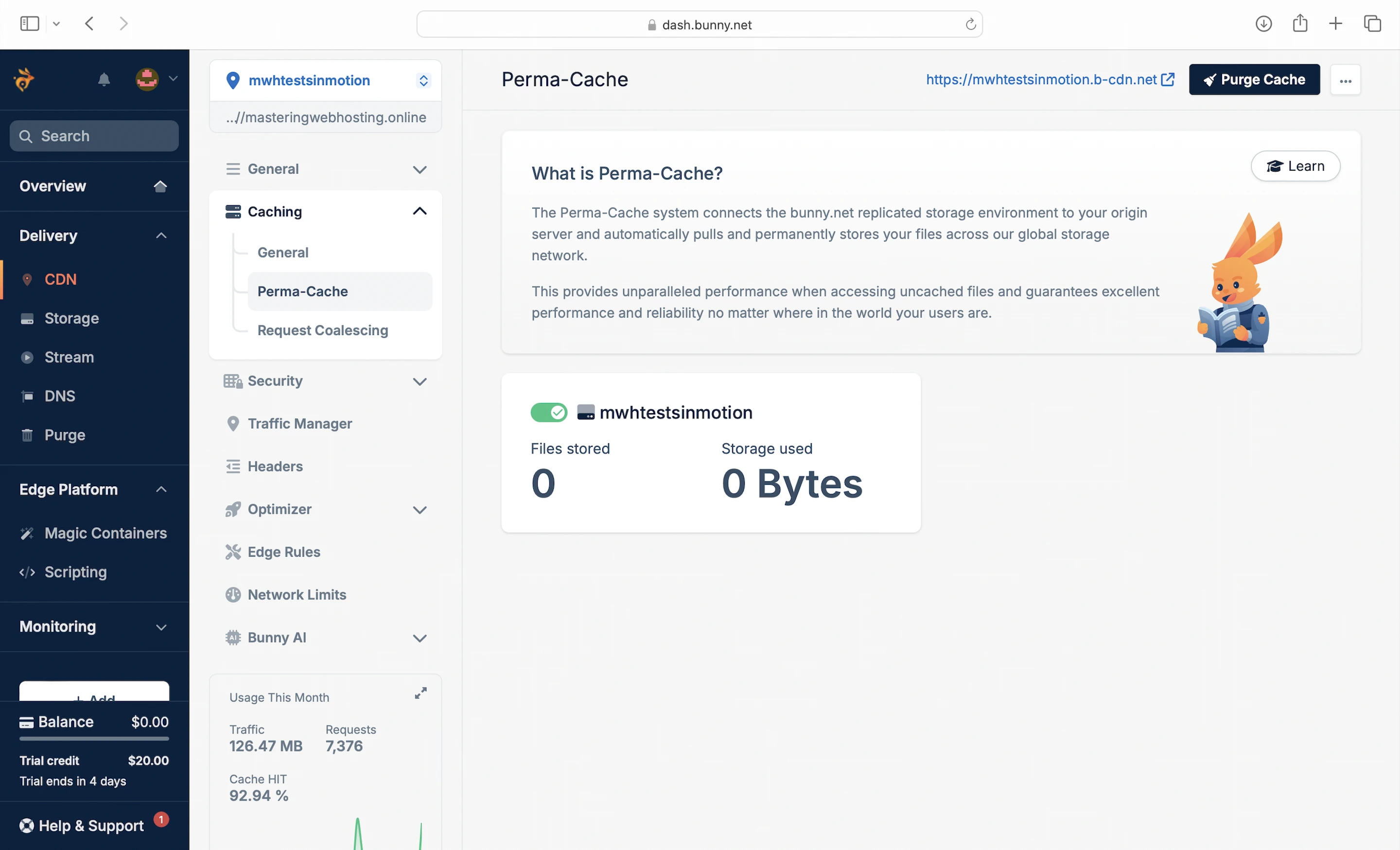
- Perma-Cache: caches your web content permanently at the edge to achieve 100% HIT ratio.
- SmartEdge: uses real-time analytics to serve your website from the PoP nearest to your visitors with minimal latency.
- A 14-day free trial period
Note that:
- Bandwidth pricing differs across regions.
- File (JavaScript, CSS) minification and image optimization (WebP format) are only available if you get the Bunny Optimizer add-on at $9.50/mo.
- You can only enable either Origin Shield or Perma-Cache.
3. Security Features
CDN Edge Defense
BunnyCDN is also the point of entry to your website and your first line of defense with:
- Traffic Manager: Blocks/whitelists traffic from certain countriesBlocked IPs.
- Network Limits: Limits requests and their bandwidth and speed to your website.
- Token Authentication: Wisitors need a token with an expiry date to download your files. Note: If enabled, you need to update your WordPress code to use tokens or your resources can’t load!
- DDoS Protection
- Hotlinking Protection: Protects your images from being used by other websites with a watermark. Only available with the Bunny Optimizer.
Advanced Security
If any attack got past BunnyCDN, it has to deal with the security measures on your server like:
- ModSec Firewall: ModSecurity is an open source WAF that guards your website against web application threats like SQL Injection and XSS Scripting.
- DDoS Protection
- Fully-Isolated Production Environment: Since your WordPress website is on its own VPS, it is fully isolated from other websites on their own VPS. This ensures that security breaches in another VPS won’t impact your website.
4. Speed Test
Since we could only enable either Origin Shield or Perma-Cache, I wanted to see which was faster.
Origin Shield
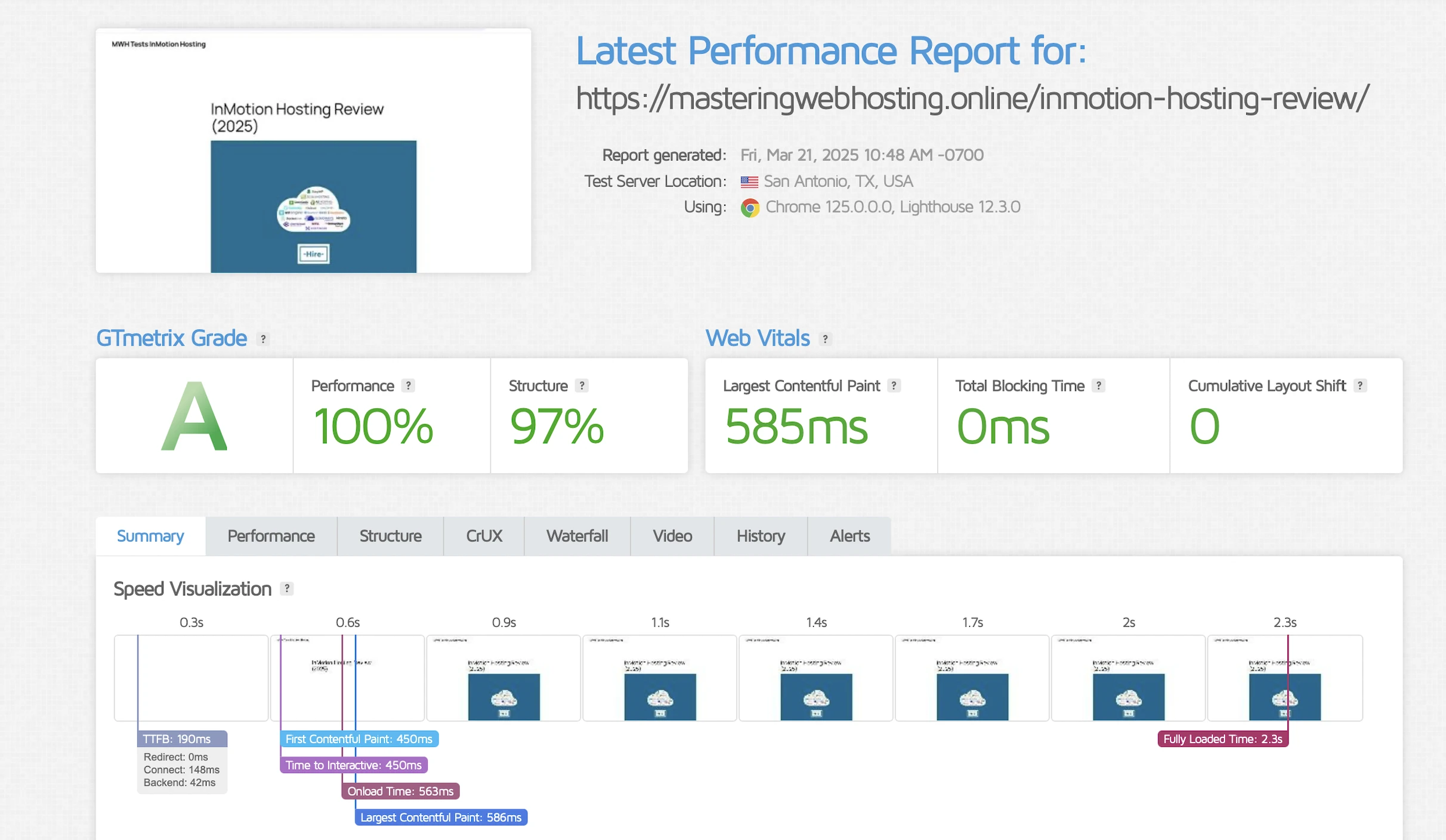
GTMetrix said my Largest Contentful Paint (LCP) was 585ms in Dallas.
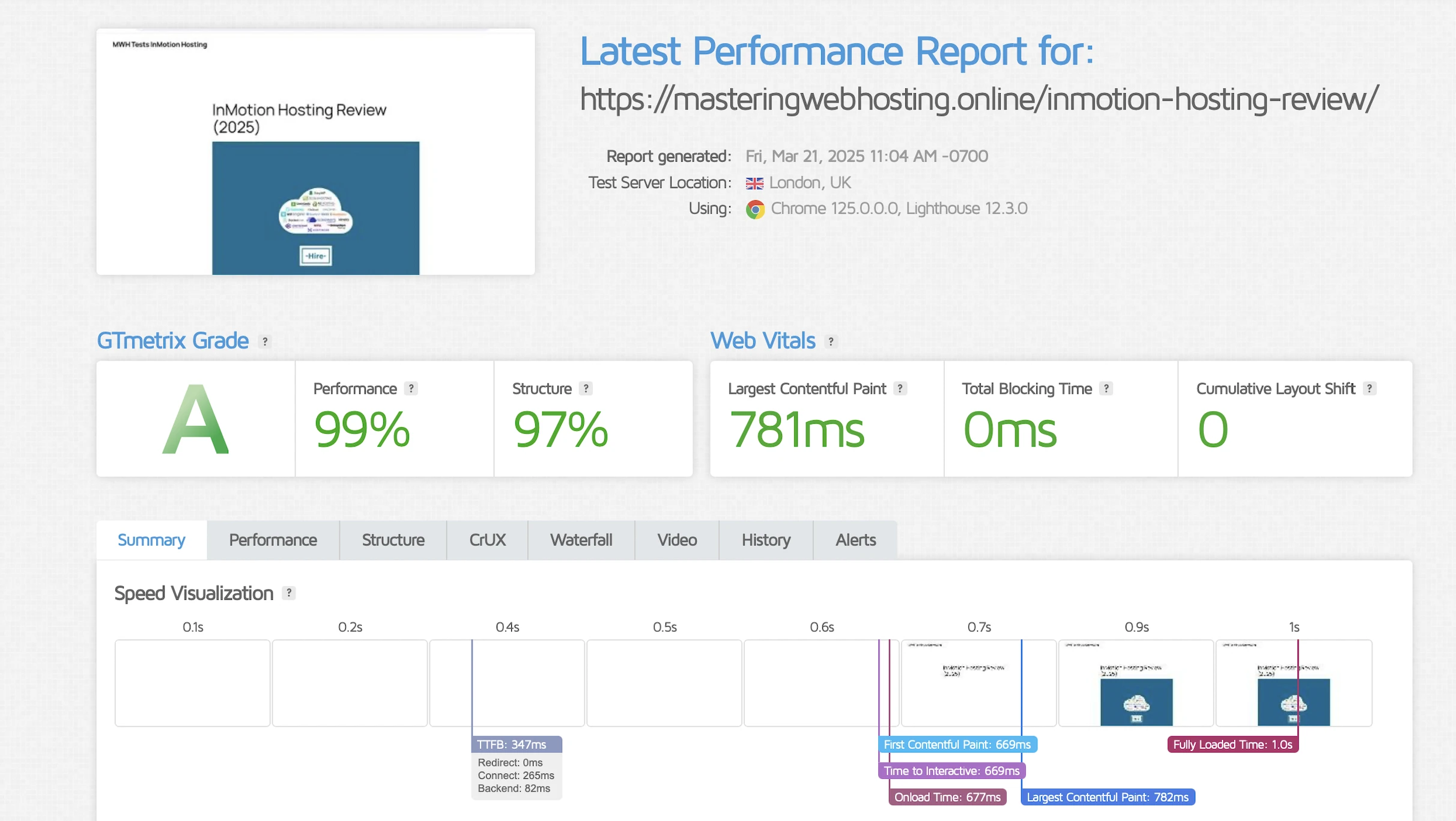
It even got worse in London at 781ms!
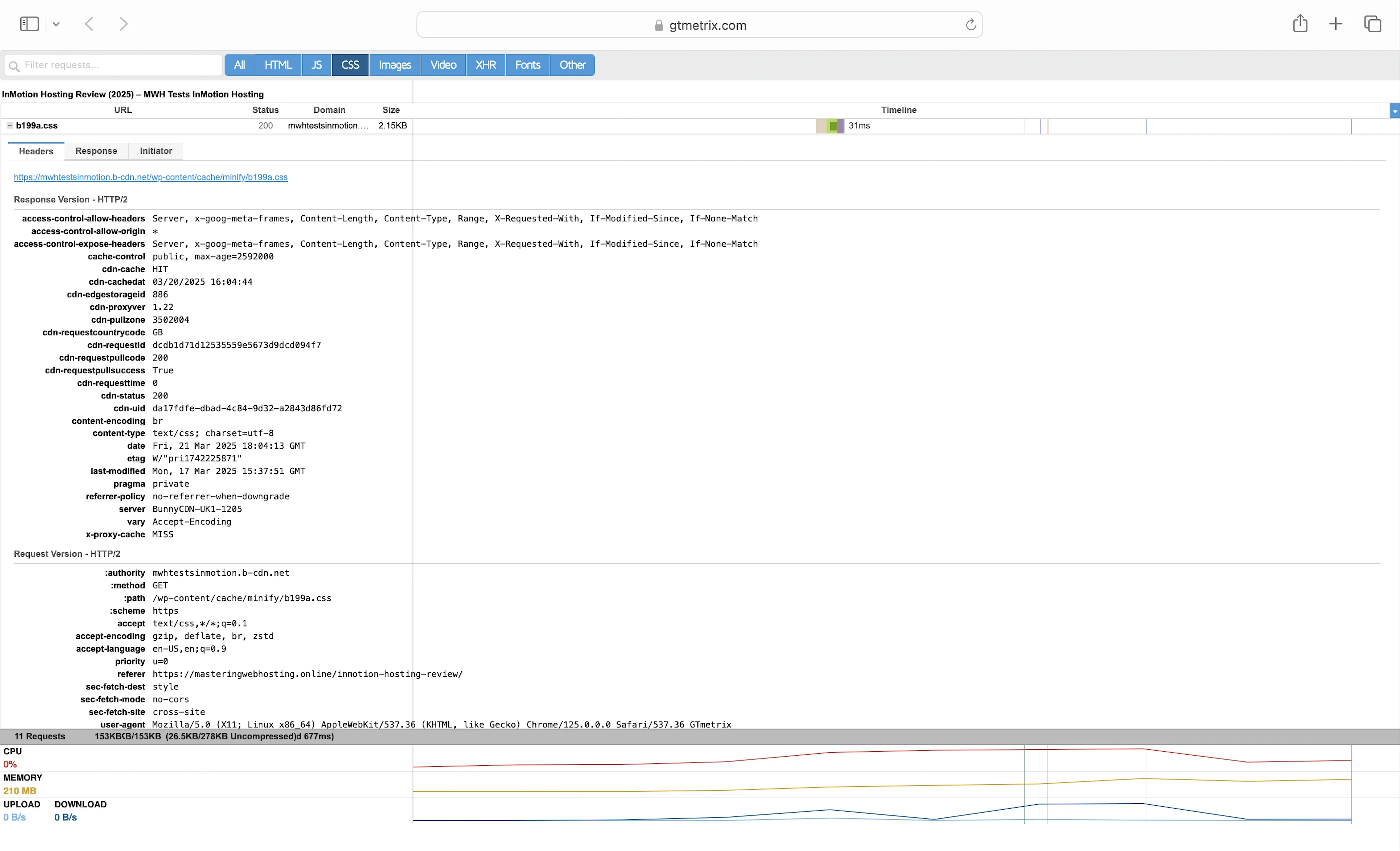
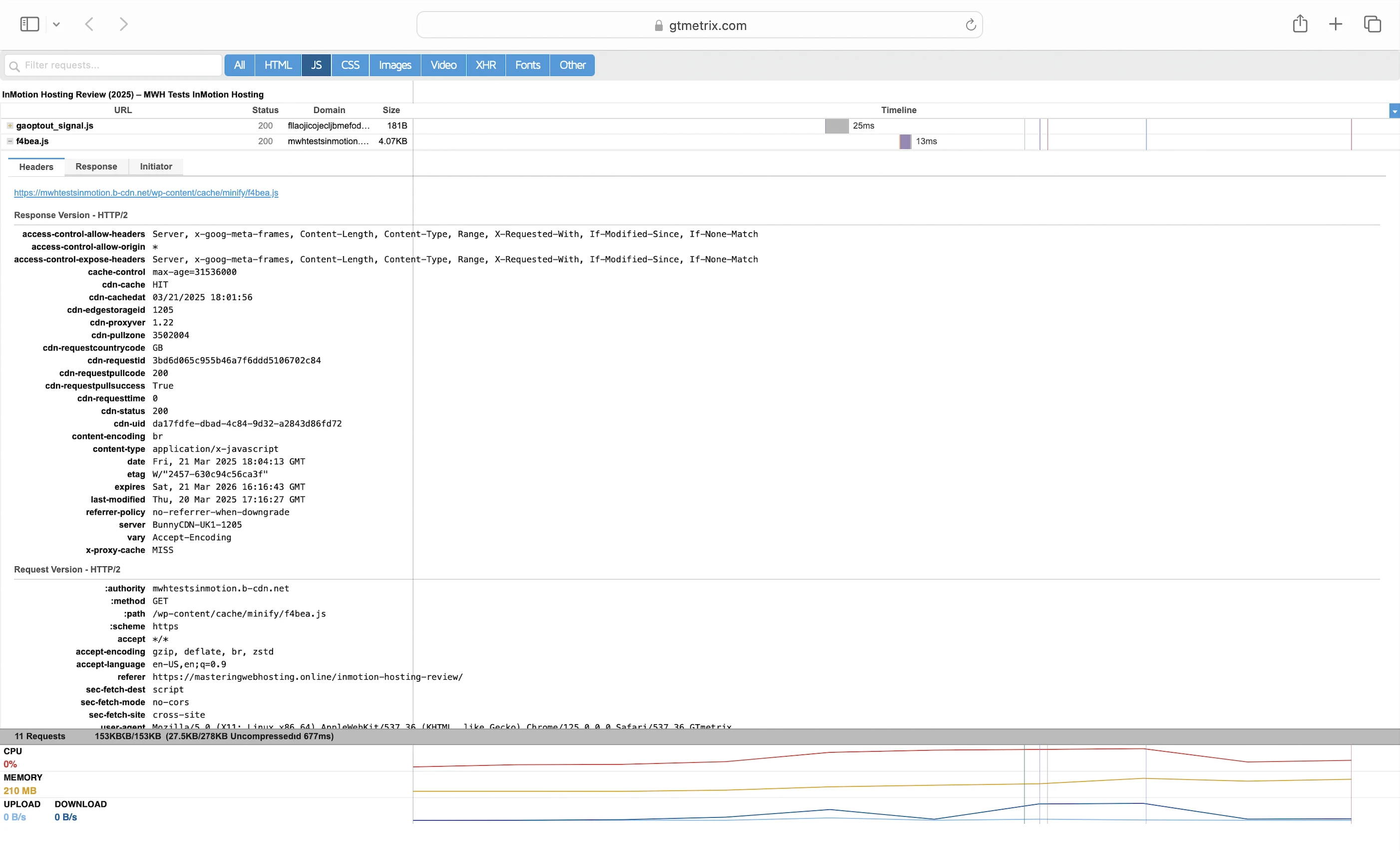
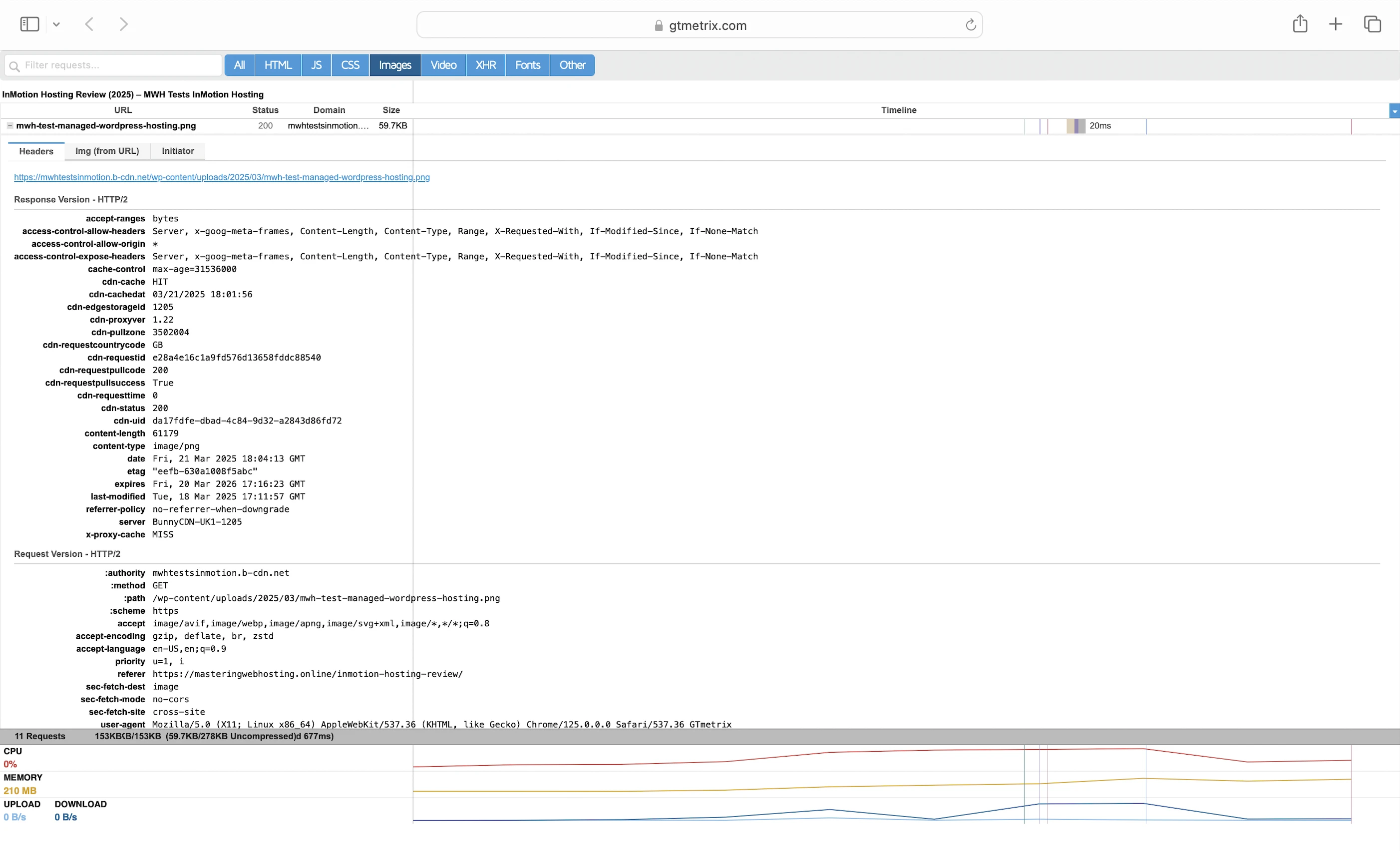
My LCP was so bad I had to confirm if BunnyCDN was activated. And it was because my cached resources were using its hostname (mwhtestsinmotion.b-cdn.net).
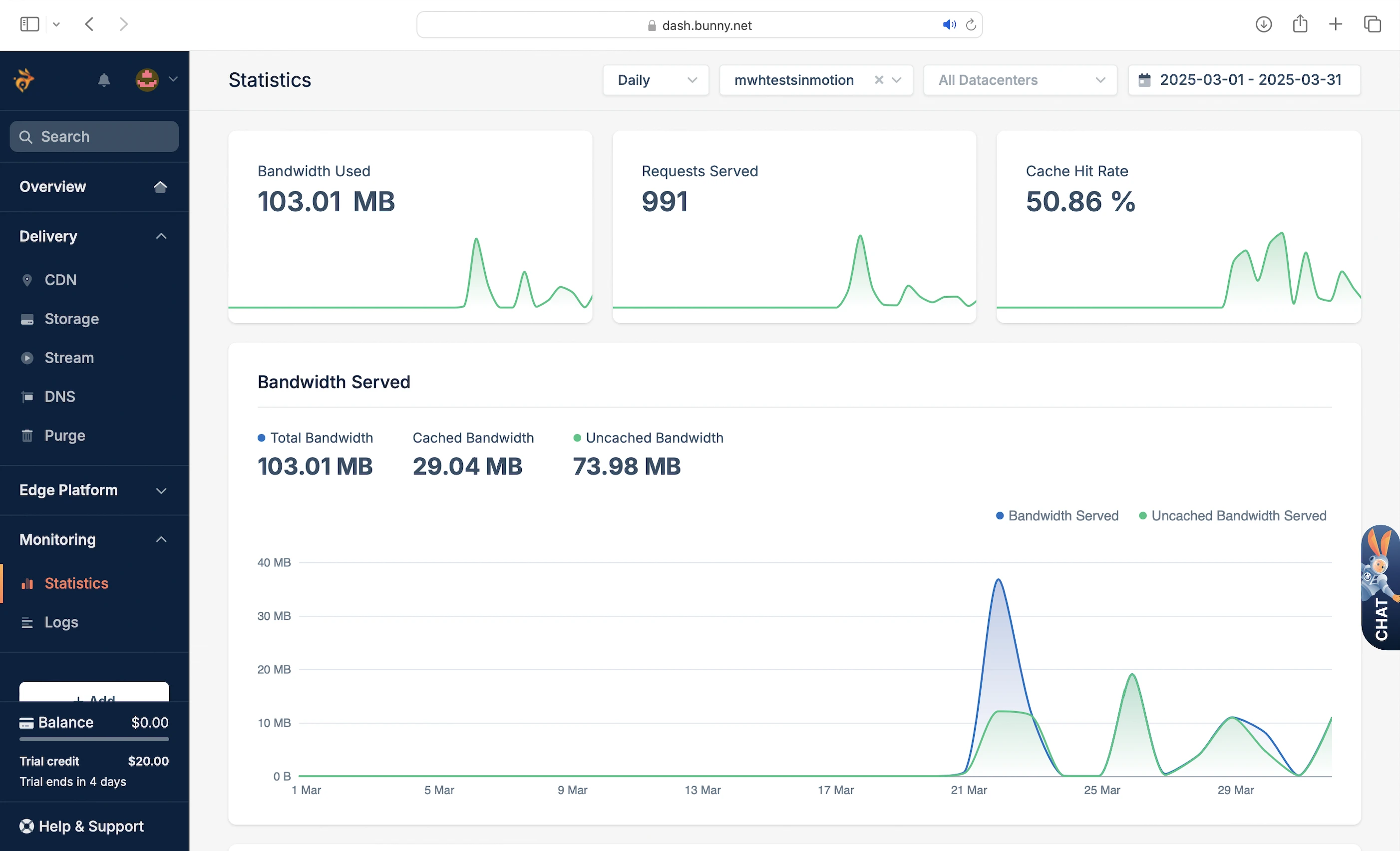
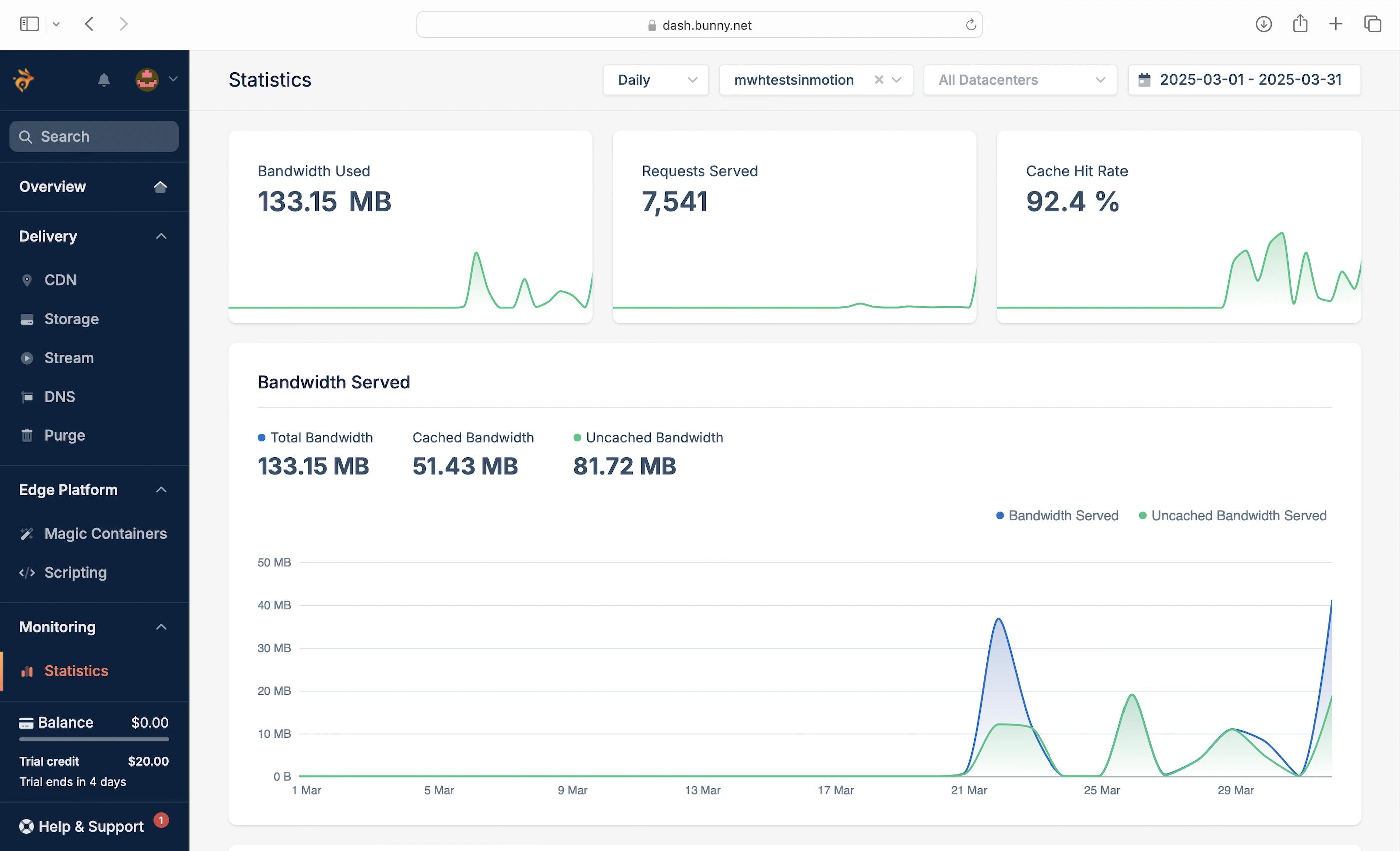
Finally, my cache hit ratio wasn’t impressive either at 50.86%.
Perma-Cache
I disabled Origin Shield and enabled Perma-Cache for this round.
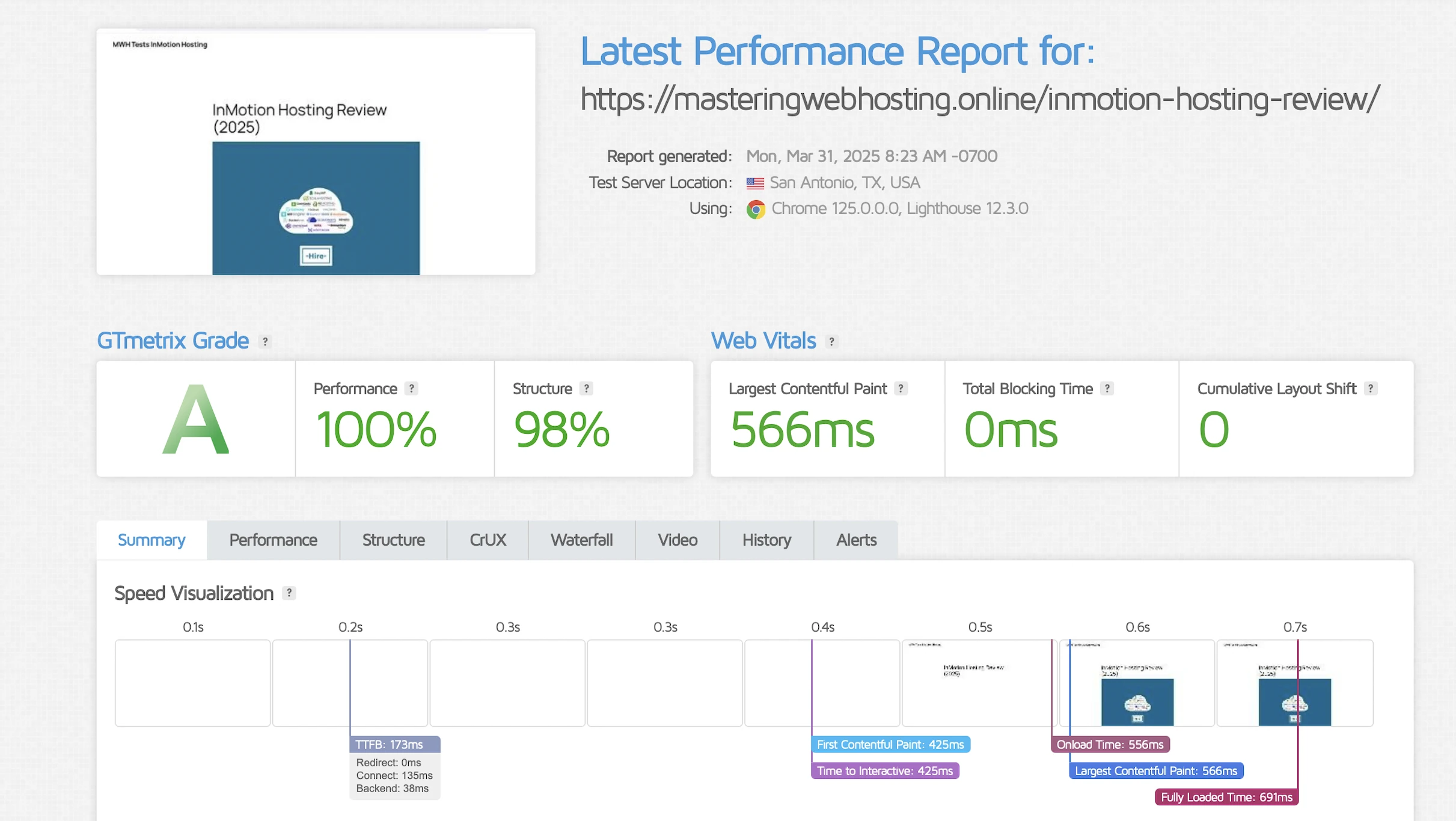
According to GTMetrix, my LCP still wasn’t too far off at 566ms in Dallas.
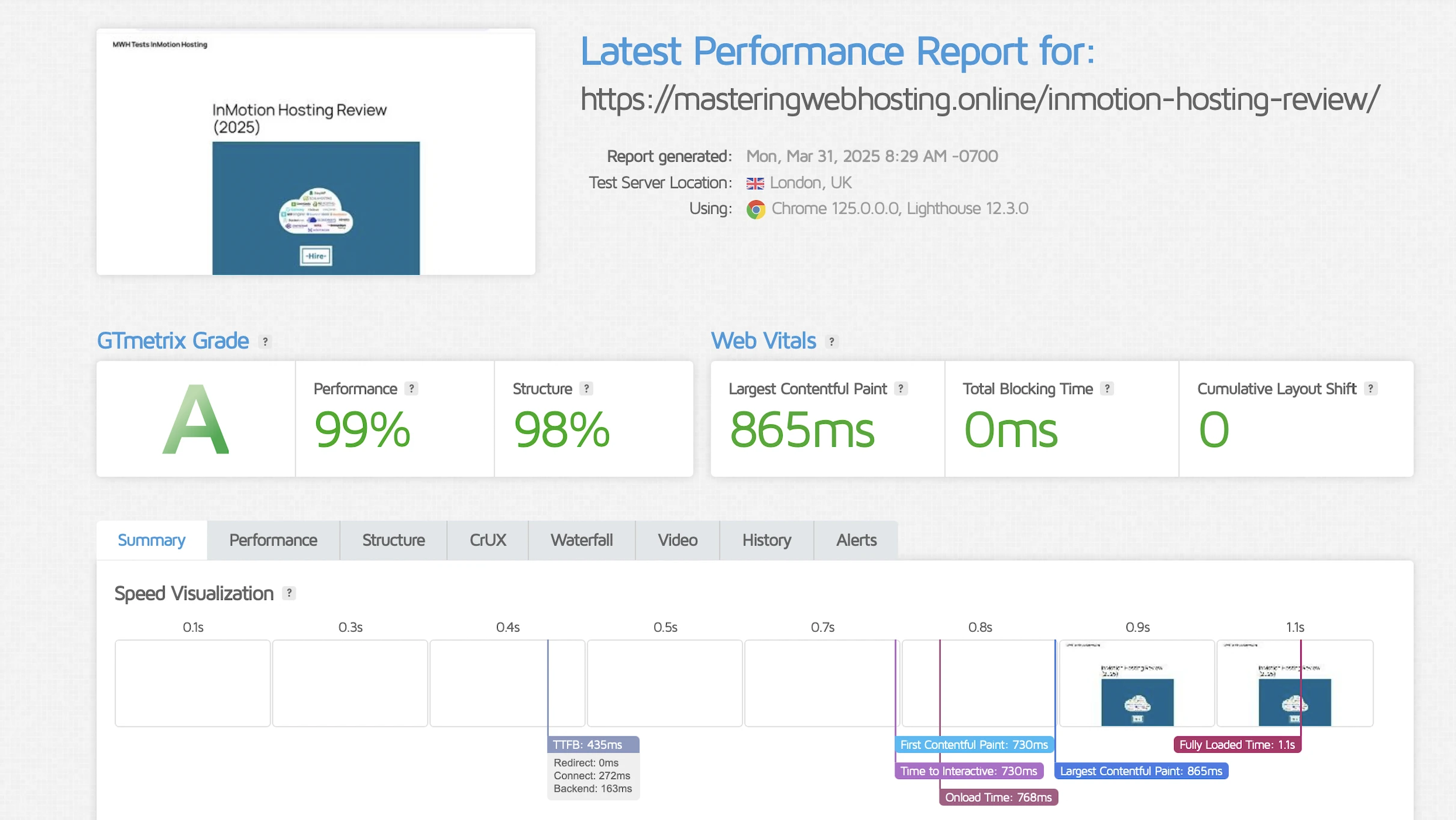
It got worse in London at 865ms too.
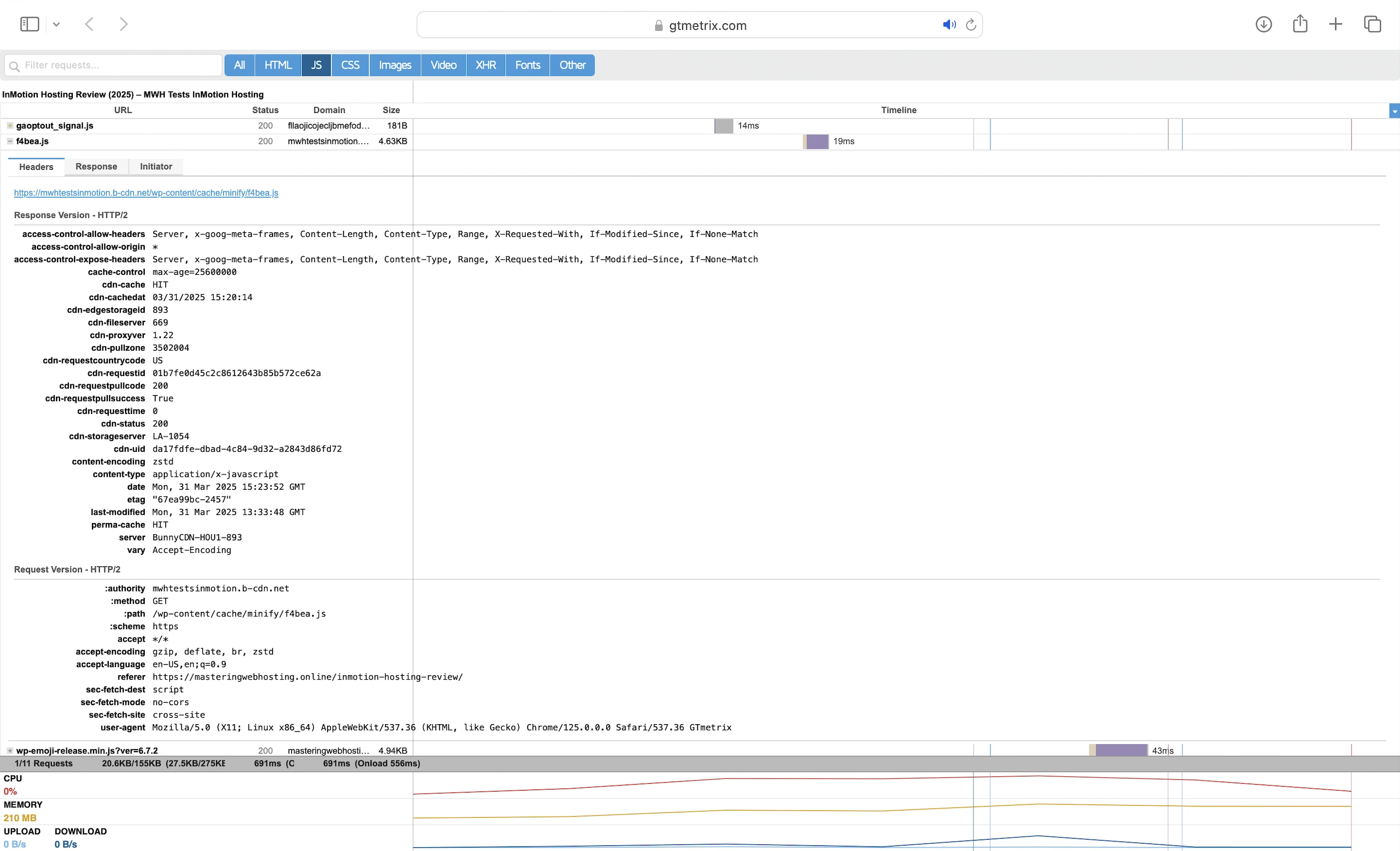
And this was despite my requests hitting Perma-Cache (cdn-cache: HIT and perma-cache: HIT) and my cache hit ratio reaching 92.4%.
5. Security Test
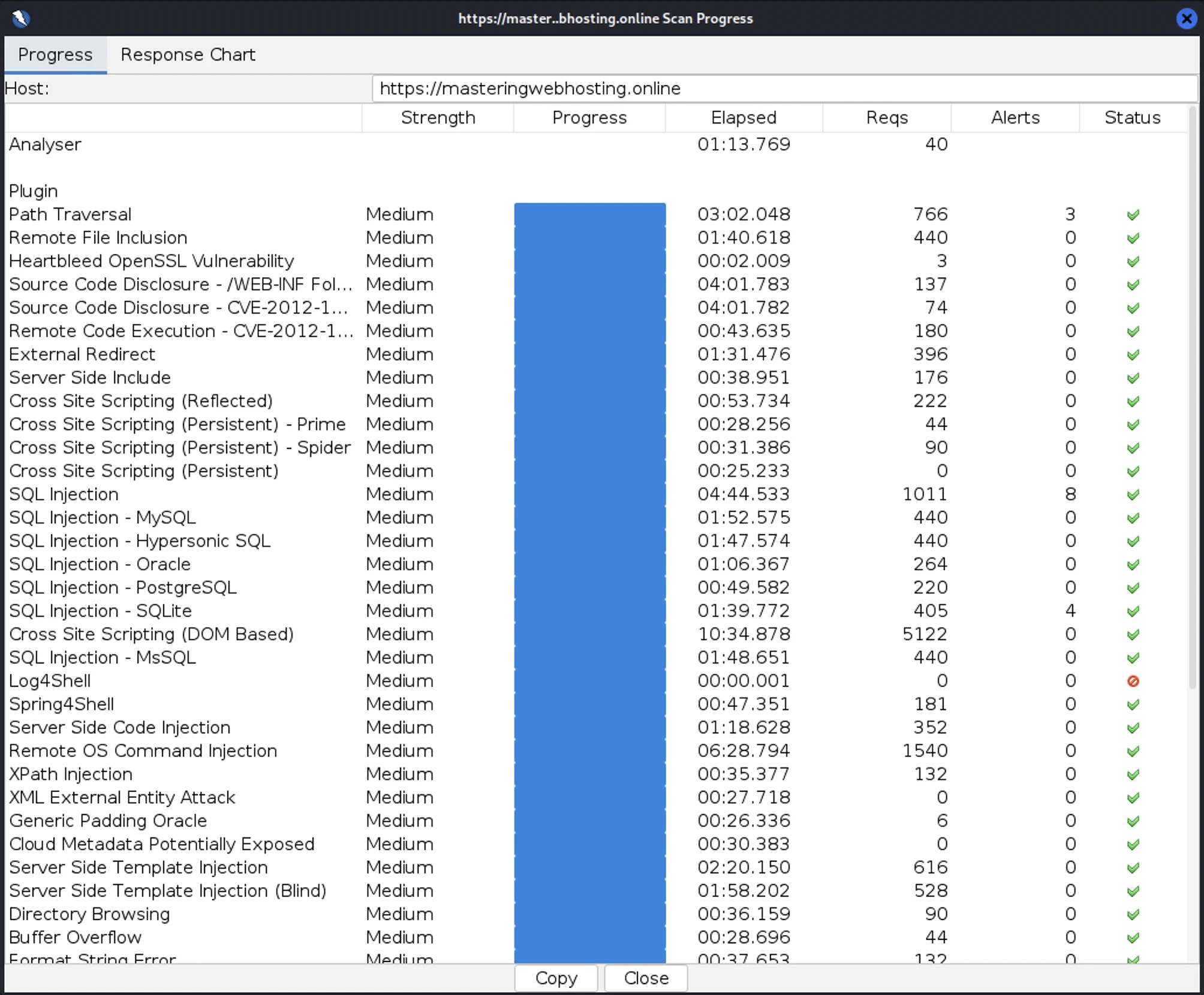
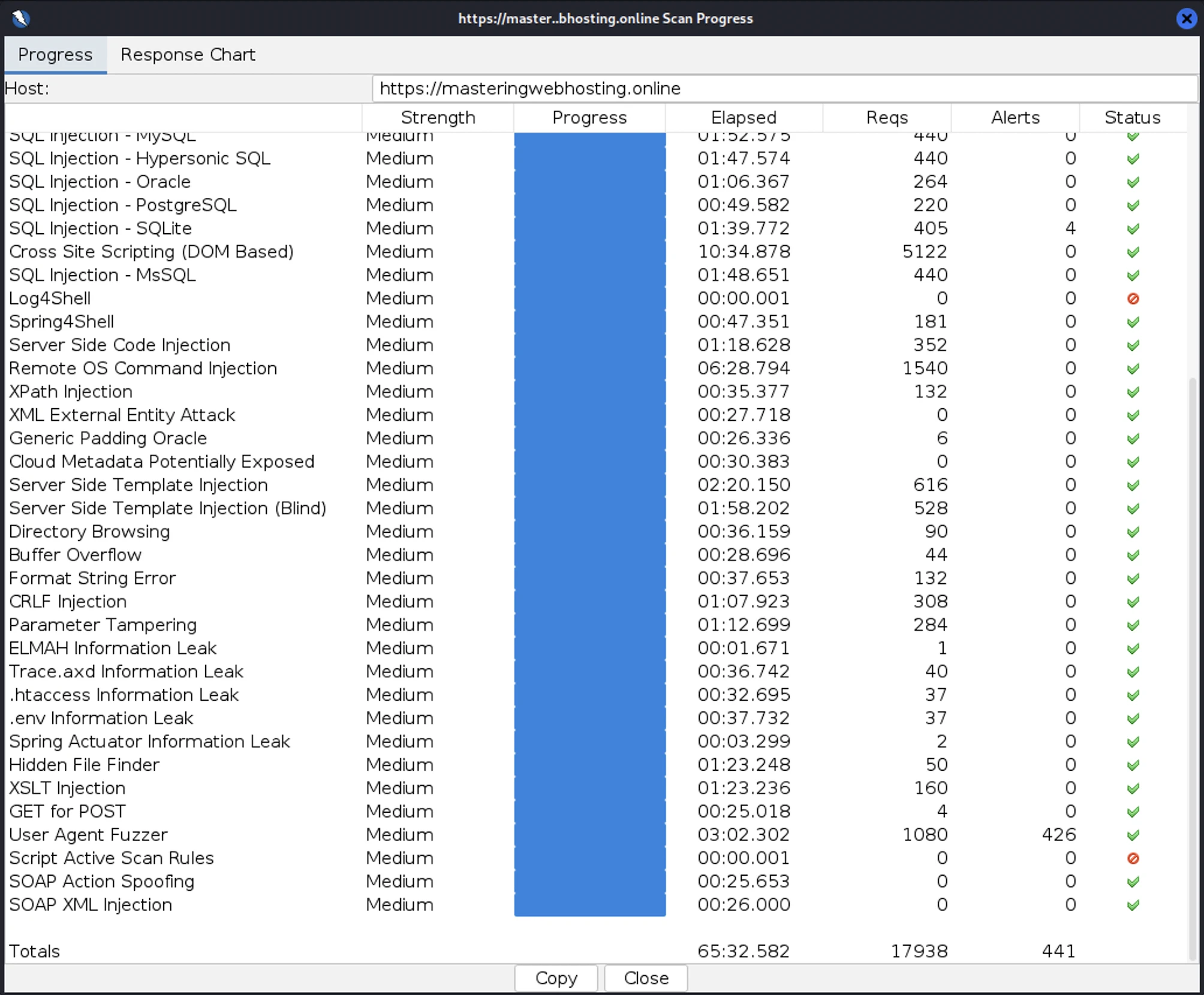
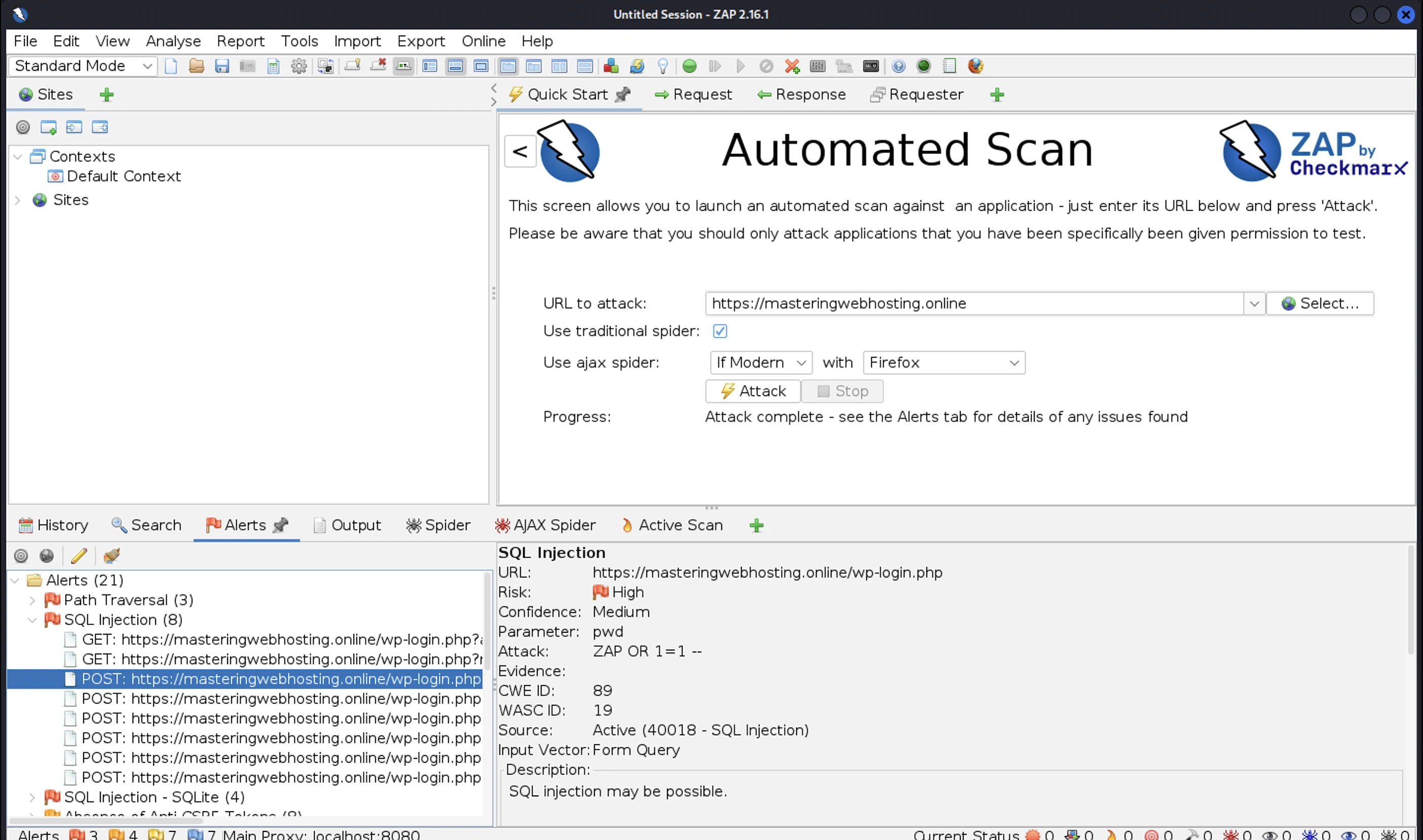
I launched 17,938 cyberattacks against my website:
- 3 out of 30 high risk vulnerabilities detected:
- Path Traversal: 3 out of 766 attacks successful.
- SQL Injection: 8 out of 1,011 attacks successful. All of them were even vulnerabilities in my wp-login page!
- SQL Injection – SQLite: 4 out of 405 attacks successful. Okay as InMotion Hosting doesn’t use SQLite.
- 0 out of 12 medium risk vulnerabilities detected.
- 1 out of 2 informational risks. 426 alerts but these aren’t vulnerabilities.
- Success Rate: 17,497 or 97.5% of my attacks were completely neutralized.
6. Uptime Test
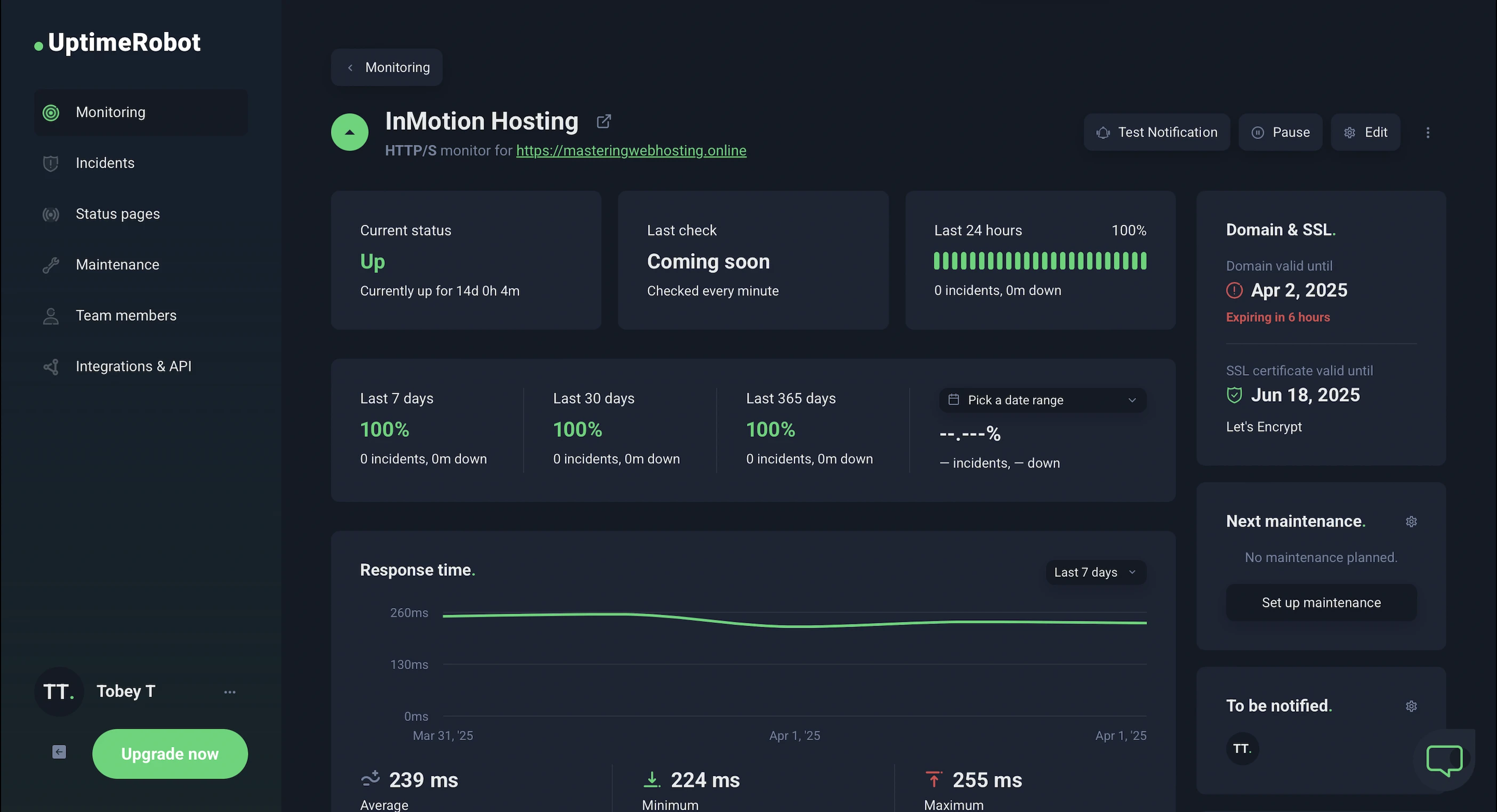
In the 14 days I was reviewing, UptimeRobot reported that my InMotion Hosting website enjoyed 100% uptime after checking on it every minute.
HetrixTools reported the same results after monitoring my website at 1-minute intervals for 12 days.
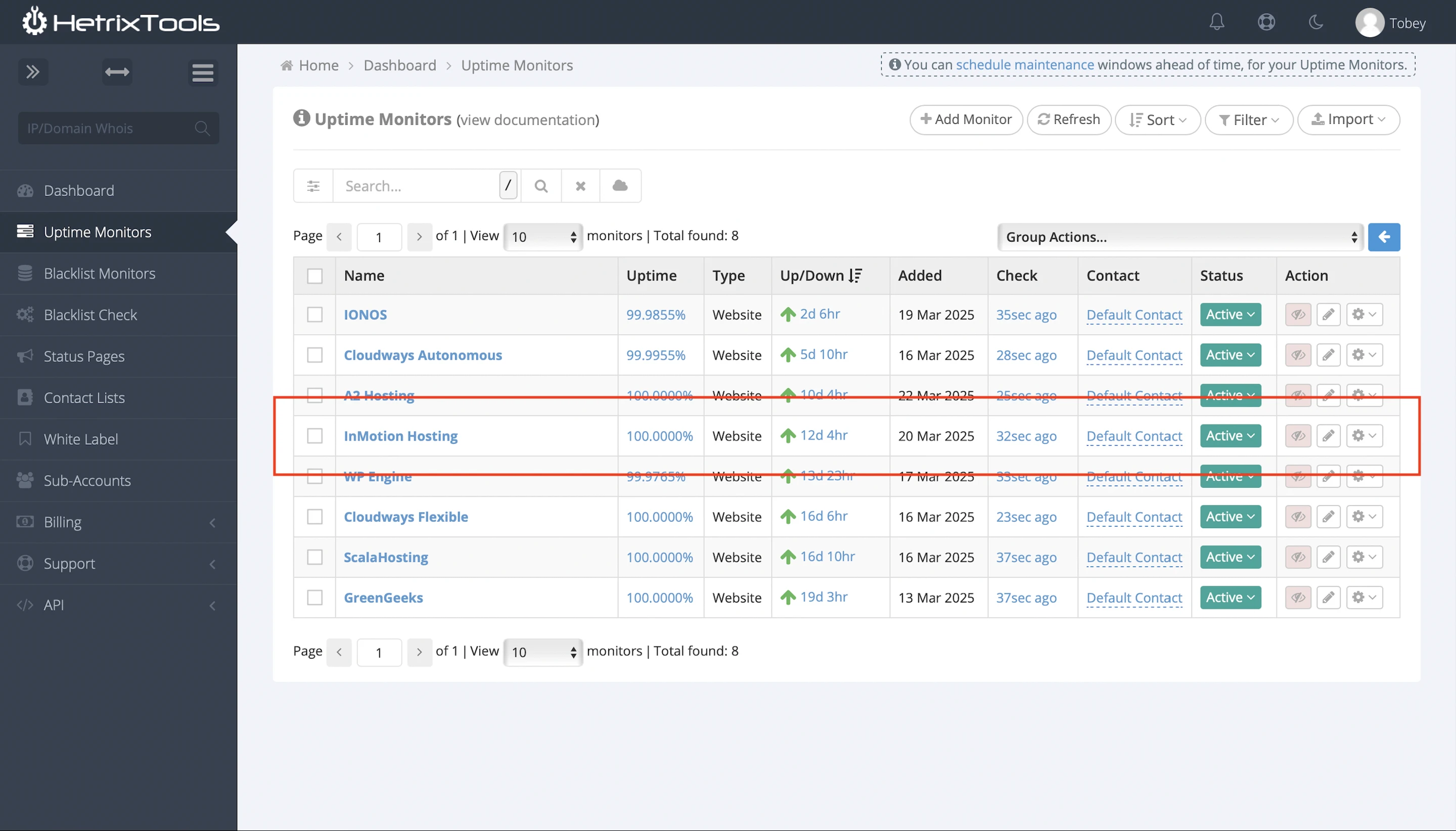
So InMotion Hosting has met its 99.99% uptime guarantee.
It also publishes its network status and incident history.
7. Customer Service
InMotion Hosting’s pride and joy.
Remember its co-founder Sunil suggested it is first and foremost a customer service company?
InMotion’s Support team:
- Is US-based.
- Is available 24/7/365.
- Averages more than 4 years of professional hosting experience per staff.
- Had 280+ hours of rigorous training in InMotion’s products and services.
And it shows:
- My issues were always resolved in a single exchange.
- They were polite and knew InMotion Hosting’s plans well; I never had a “Let me check this with my team member” experience like with some hosts.
If I had to nitpick, I would say InMotion Hosting’s support could be slow sometimes. I would be placed in a queue and had to wait my turn to talk to them on the web chat.
But then again, I never had to wait more than 15 minutes.
8. Cons
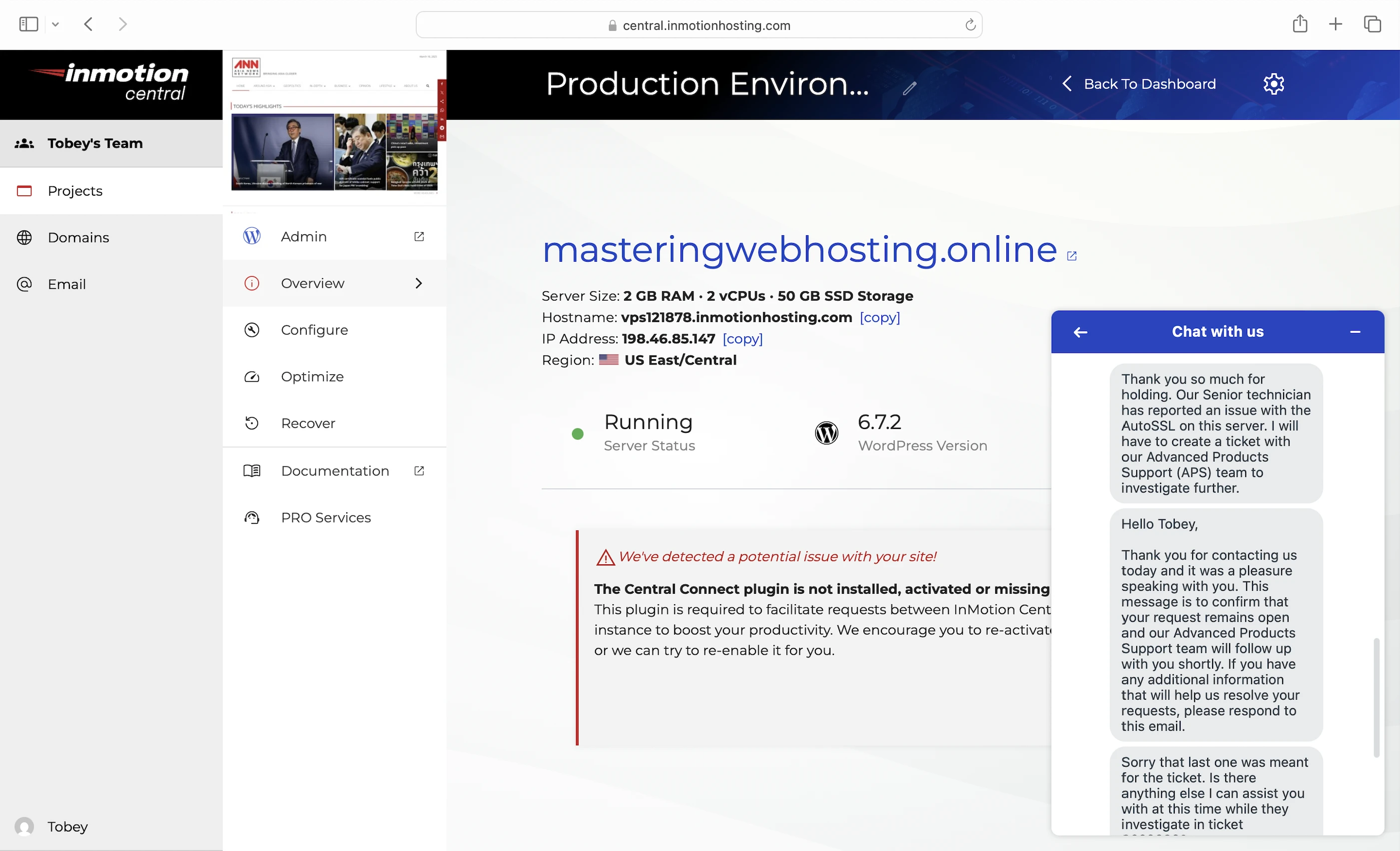
2 days to activate SSL
It was an issue with the AutoSSL on my server, and my website couldn’t be reached securely for 2 whole days until Support fixed it.

Not Object Cache Pro
Unlike InMotion Hosting with its Redis Object Cache, Cloudways provides the premium Object Cache Pro for free ($95/mo value).
Only 3 data centers
Only in Los Angeles (CA), Ashburn (VA), and Amsterdam (the Netherlands). So, websites with international visitors need a CDN.
Lackluster CDN
Speaking of CDN, InMotion Hosting comes with a “free” W3 Total Cache plugin, which recommends using BunnyCDN. However, some essential features like image compression can only be enabled with an add-on while others, like an edge WAF, are in the works. So BunnyCDN just feels incomplete compared to other CDNs like Cloudflare and QUIC.cloud.
CDN ain’t free
And the best part about BunnyCDN? It isn’t free after the 14-day trial period.
Free W3 Total Cache
The same issue I have with hosts who say they offer “free Cloudflare CDN”. Why mention it as a feature in its plans when I could have gotten it for free regardless of host?
9. Evaluation
Let’s see how InMotion Hosting did against my self-hosting:
| Self-hosting | InMotion Hosting (Origin Shield) | InMotion Hosting (Perma-Cache) | |
|---|---|---|---|
| Speed (LCP) – Dallas | 306ms | 585ms | 566ms |
| Speed (LCP) – London | 253ms | 781ms | 865ms |
| Security | 0 | 3 high risk vulnerabilities. All SQL Injection vulnerabilities were at my wp-login page! | 3 high risk vulnerabilities. All SQL Injection vulnerabilities were at my wp-login page! |
| Uptime | 95% | 100% with current system status and incident reports. | 100% with current system status and incident reports. |
| Winner | 👑 |
10. Final Thoughts
I can’t recommend InMotion Hosting at this point.
First, half ScalaHosting’s price, but half the speed too?
It also needs some work on its security, especially its SQL Injection vulnerabilities.
Even though BunnyCDN is hopping with work on their new edge WAF, InMotion Hosting’s ModSec WAF shouldn’t do so badly.
All being said, the same warning I had for ScalaHosting applies to InMotion too.
It should be worried that shared hosting providers like ChemiCloud and InterServer beat a managed WordPress VPS host.
If this goes on, there will be no reason for customers to choose managed WordPress VPS over shared hosting.
But luckily, unlike ScalaHosting, InMotion Hosting offers more than managed VPS.
And it has other things going for it too—excellent customer support, an intuitive user dashboard, and green data centers.
It just needs to channel some of its devotion for customer support towards web hosting and make sure progress is always in motion in InMotion Hosting.
Comment below if you agree/disagree with my InMotion Hosting review!
Leave a Reply