
Kinsta was founded in 2013 with the mission of creating the best web hosting platform.
Let’s take a look at how it’s doing 12 years later.
1. Plan
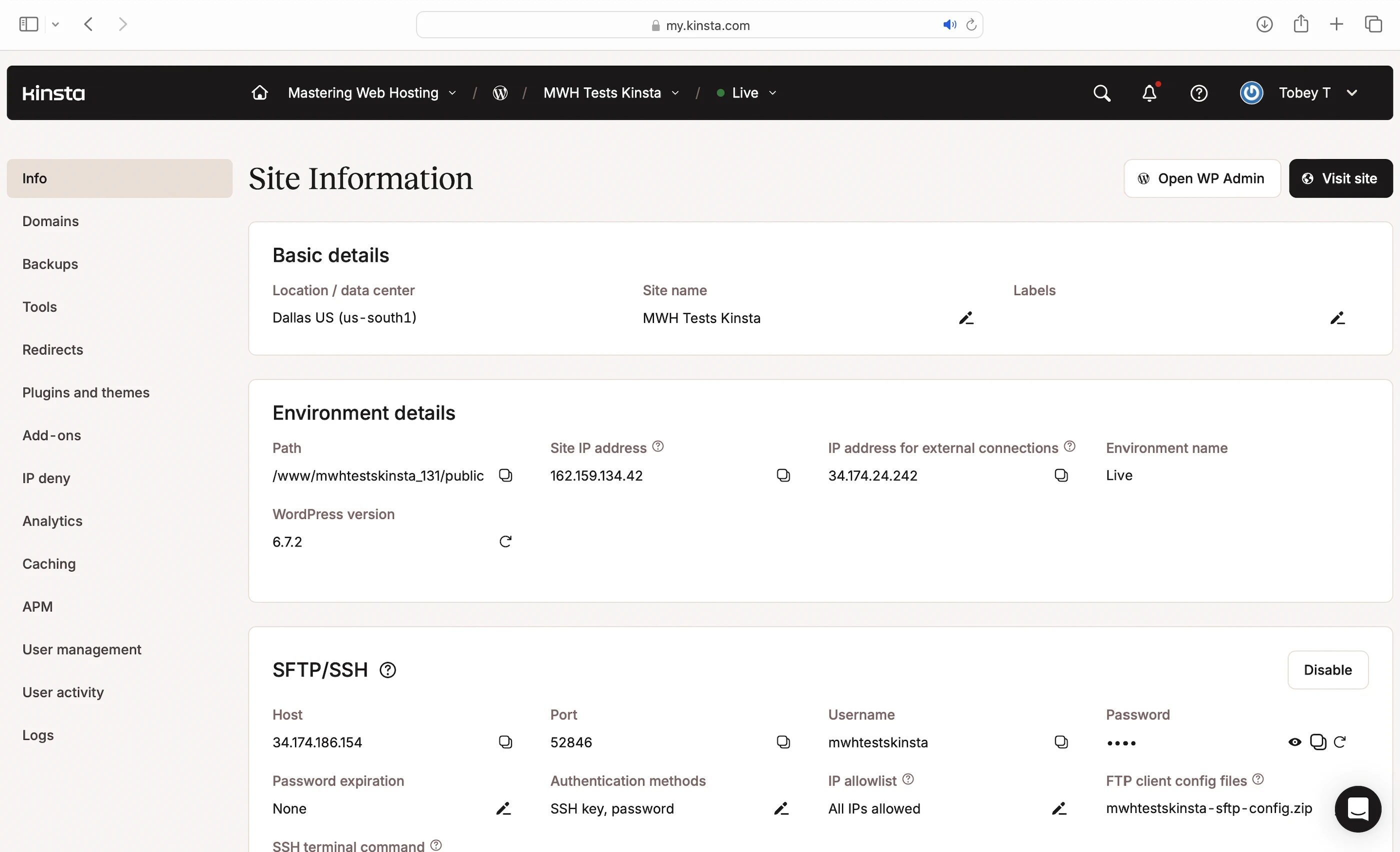
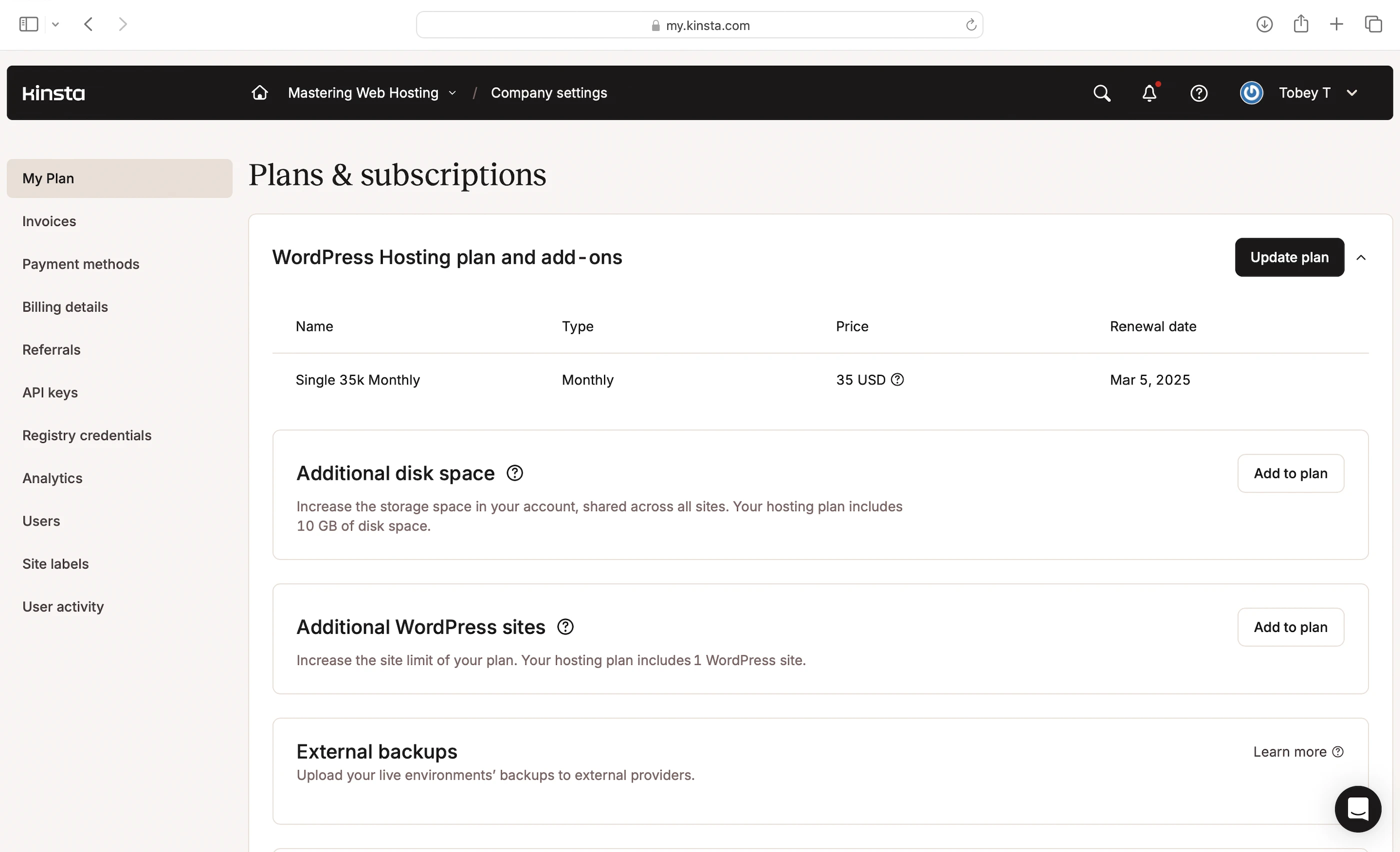
I got the Single 35k, which has:
- Google Cloud Platform (GCP) C2 servers
- 12 CPU cores
- 8GB RAM
- 35,000 visits/mo
- 10GB storage
- Nginx web servers
- 4 PHP threads
- Opcode cache
- Object cache
- Page cache
- Early Hints
- Kinsta CDN
- Custom Kinsta firewall
- GCP network firewall
- Dedicated malware team
- Website isolation
- IP deny
- 99.9% uptime guarantee
The first month is free. Afterwards, it’s $35/mo.
2. Speed Features
12 CPU Cores and 8GB RAM
A lot more than the starter plans at other hosts.
Nginx Web Servers
A web server handles and responds to incoming requests for your WordPress content. It is connected to PHP through a handler that’s usually optimized for fast and efficient communication between the two systems. This allows the web server to forward requests to PHP and receive responses faster, directly improving your page load times.
Kinsta uses Nginx web servers with PHP-FPM as their PHP handler to serve your WordPress content.
4 PHP Threads
Your WordPress website serves 2 types of web content: Static and dynamic. PHP workers (or threads) are for the latter.
Static content is called so because it remains the same across visits. Examples include the images and CSS files that make up your website’s layout. Unless manually updated, everyone sees the same layout when they visit your website.
Dynamic content, on the other hand, changes based on the data retrieved from your database. Examples include your blog posts and comments. New posts or comments update what visitors see in your post list and comment section.
If both types of content are uncached, Nginx returns static content more quickly because it can be served immediately. In contrast, dynamic content must be generated on the fly, which takes more time. This means a robust process is needed to handle the generation efficiently.
Since WordPress is built with PHP, that process is PHP threads.
When Nginx forwards a request for uncached dynamic content, PHP-FPM spawns a PHP worker to handle the request. The worker executes your PHP code, queries your database, and generates the dynamic content based on the retrieved data. The content is returned as HTML, which is what your visitors see in their browser.
Typically, PHP threads scale with the number of incoming requests, and your server can spawn as many threads as its resources allow.
So, the more CPU and RAM your server has, the more PHP threads it can run, and the more requests for uncached dynamic content your website can handle concurrently without slowing down.
However, Kinsta limits you to 4 PHP threads by default, each with a 128MB memory limit for executing PHP scripts. You can buy more threads through its paid add-on.
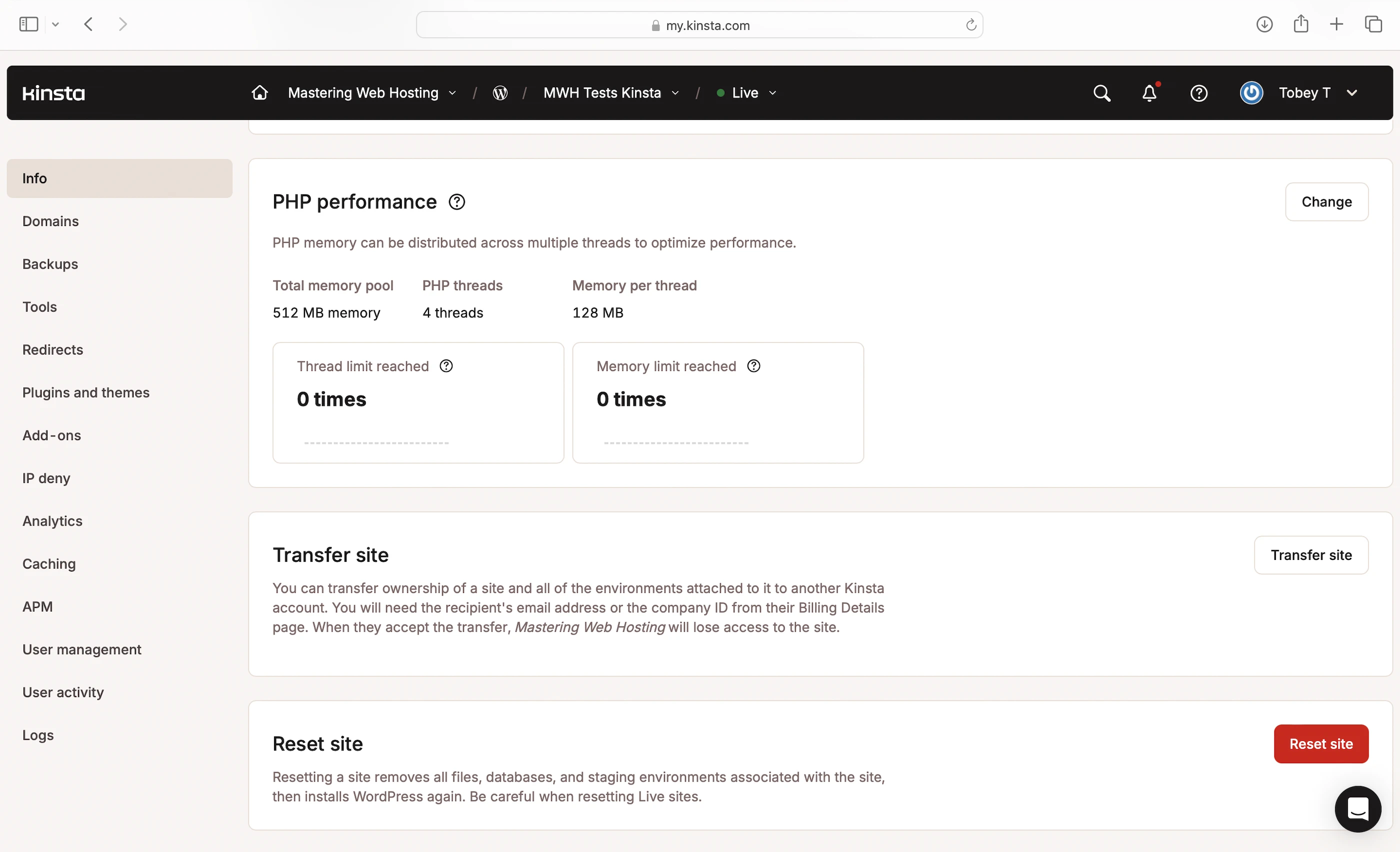
Note: l was initially confused by Kinsta’s use of the term ‘PHP threads’, since PHP doesn’t support multi-threading, which is splitting a single process into multiple parallel tasks (or threads) to finish faster. A single process in a WordPress site (such as a dynamic content request) can’t be broken down in that way. However, it seems that Kinsta has simply renamed PHP workers as “threads”, and its idea of “multi-threading” refers to having multiple workers handling multiple requests concurrently. This isn’t fundamentally different from how PHP workers operate at other hosts.
Caches
Kinsta is (in)famous for banning most caching plugins.
Instead, it provides three fully managed caches to improve your website speed:
- Opcode Cache: Here’s what happens behind the scenes when your PHP threads execute your code: they compile it into opcode, which are machine-readable instructions that PHP uses to generate the HTML for your dynamic content. By caching this opcode with OPcache, PHP can reuse it instantly without needing to recompile your code on every request.
- Object Cache: With the WordPress in-built WP_Object_Cache to store your frequently accessed data (e.g., posts) in memory. This way, if the opcode includes instructions to query your database, your PHP threads can get the data from the object cache instead, which is much faster. Using an object cache also prevents your database from being overloaded with repeated queries for the same data. This cache is managed with the Kinsta Must-use (MU) plugin.
- Page Cache: Since Nginx is good at serving and caching static content, Kinsta configured it to cache the generated HTML of your dynamic content as if it were static before serving it to visitors. This way, the dynamic content can be served instantly on subsequent requests. Since the same content doesn’t need to be regenerated each time, it reduces the load on your server, freeing up resources for other requests and significantly improving your overall website speed. This cache is managed with the MU plugin too.
CDN
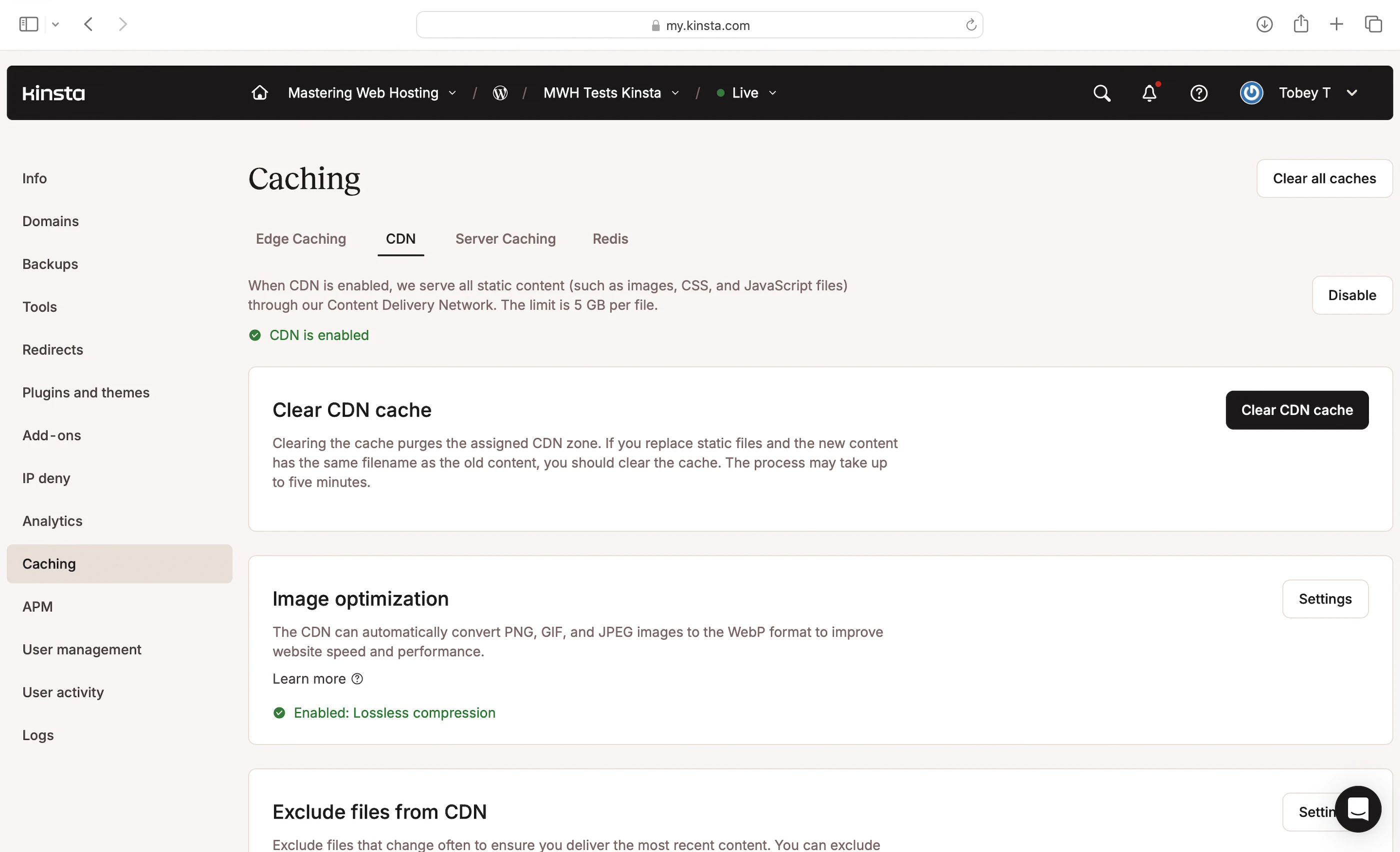
Powered by Cloudflare and enabled by default, Kinsta CDN reduces load times (Time to First Byte) by up to 49% through:
- Caching and serving static content from Cloudflare’s global network of 335+ cities, bringing it closer to your visitors. You can clear this cache via the Kinsta MU plugin.
- Optimizing image delivery by converting images to the WebP format
- Minifying your CSS and JavaScript files so they are smaller and load faster
- Using Early Hints to preload resources (like images and JavaScript files) before your server returns a full response (or fully loads) to your visitor’s browser
3. Security Features
Three Powerful Firewalls
Kinsta CDN includes an enterprise-level edge firewall that monitors incoming traffic and blocks malicious IPs and DDoS attacks before they can reach and overload your server.
Any attack that bypasses the CDN has to deal with Kinsta’s custom WAF and the GCP IP-based protection firewall on your server. The WAF protects your website from common web threats and vulnerabilities like SQL Injection.
Website Isolation
Each Kinsta website runs in its own private software container with dedicated resources (Linux, Nginx, PHP, MySQL). This ensures complete isolation between websites, enhancing security for all customers.
Dedicated Malware Team
Kinsta’s in-house malware team provides proactive security and cleanup services. They:
- Monitor your site for threats and infections
- Remove malware at no extra cost on all plans
- Repair compromised sites for free
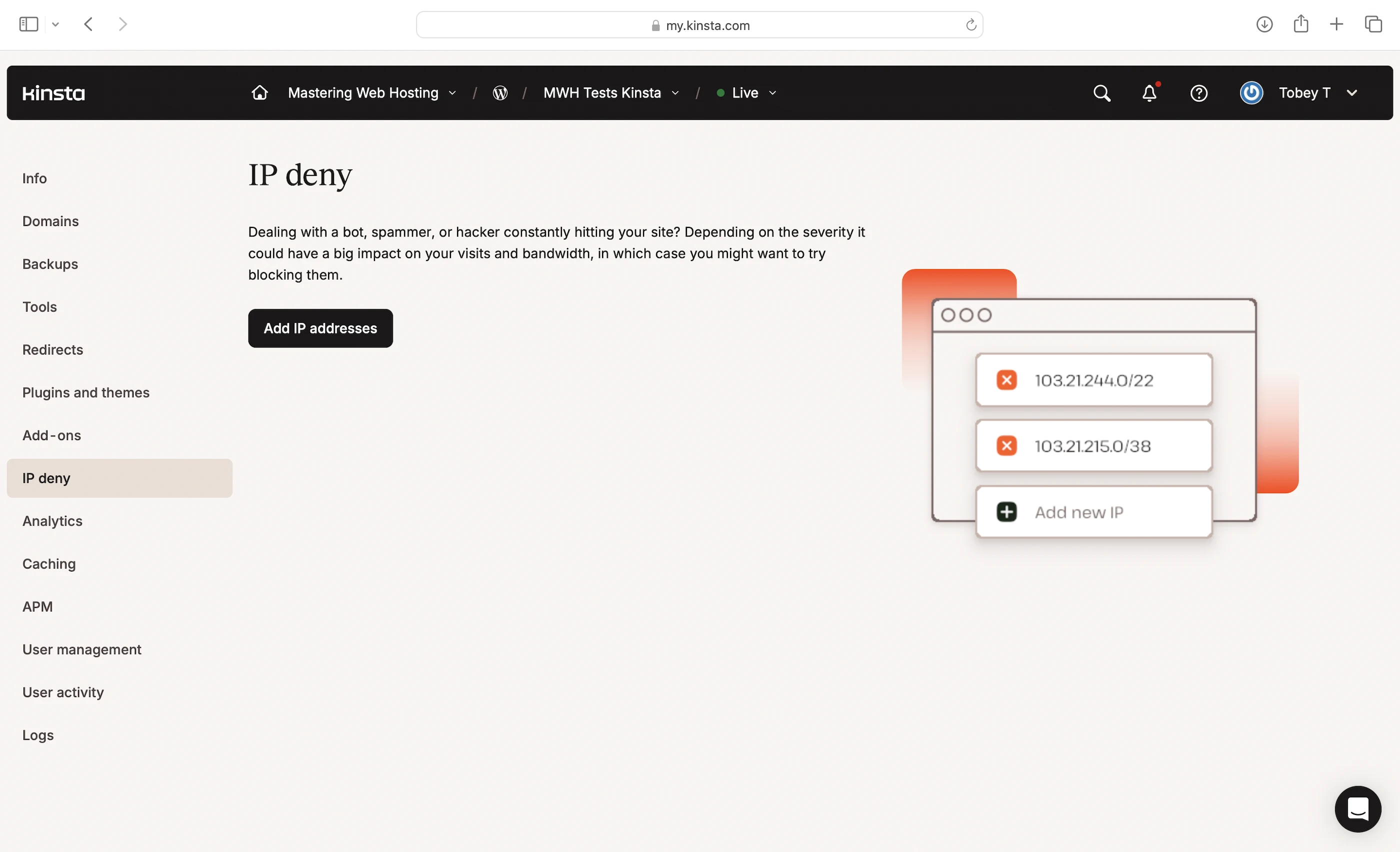
IP Deny
Finally, you can get your hands dirty by blocking suspicious IP addresses yourself. However, you’d need to go through your logs to find out who’s attacking you.
4. Speed Test
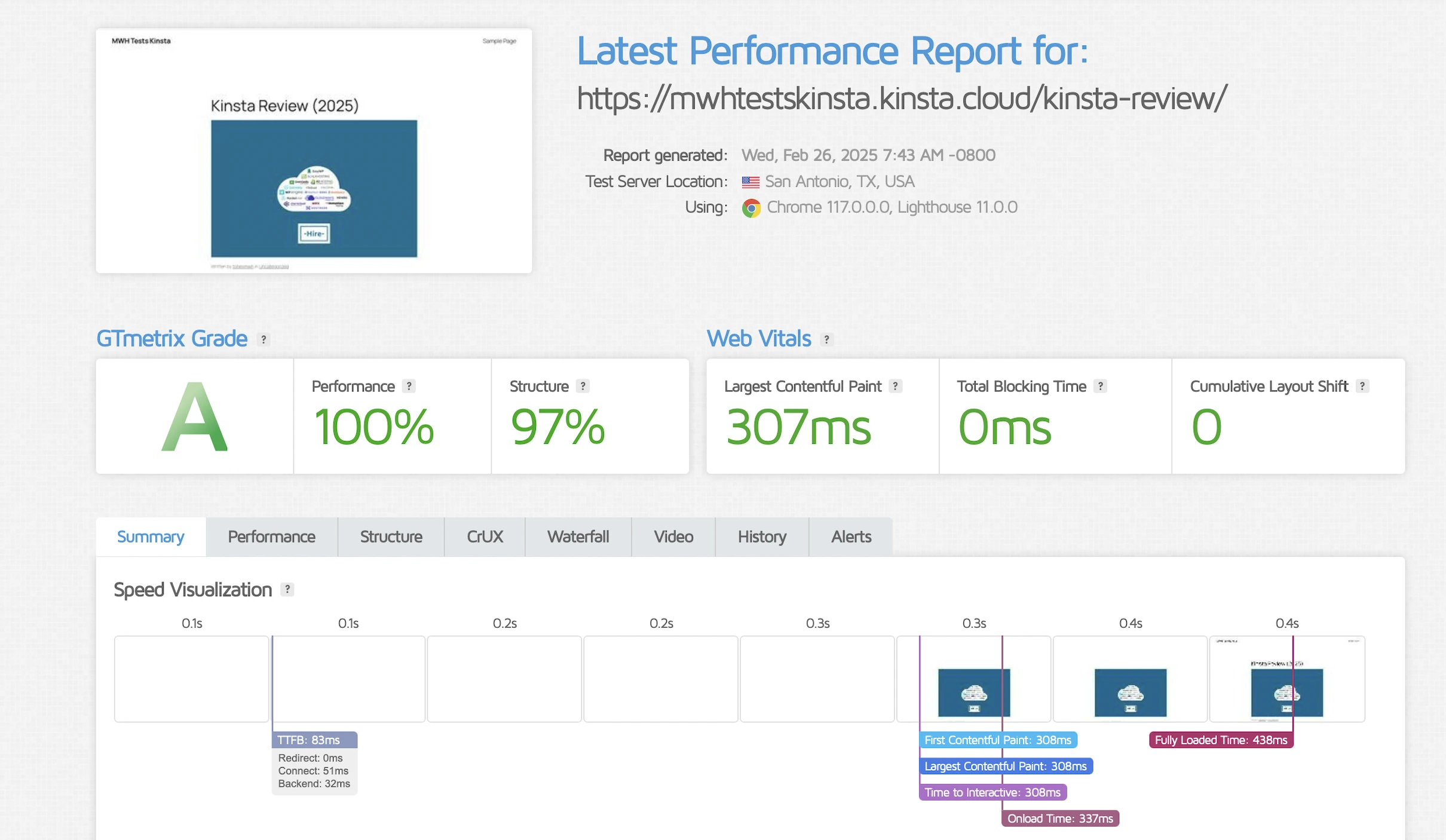
Largest Contentful Paint (LCP)
GTMetrix said my LCP was an awesome 307ms in Dallas.
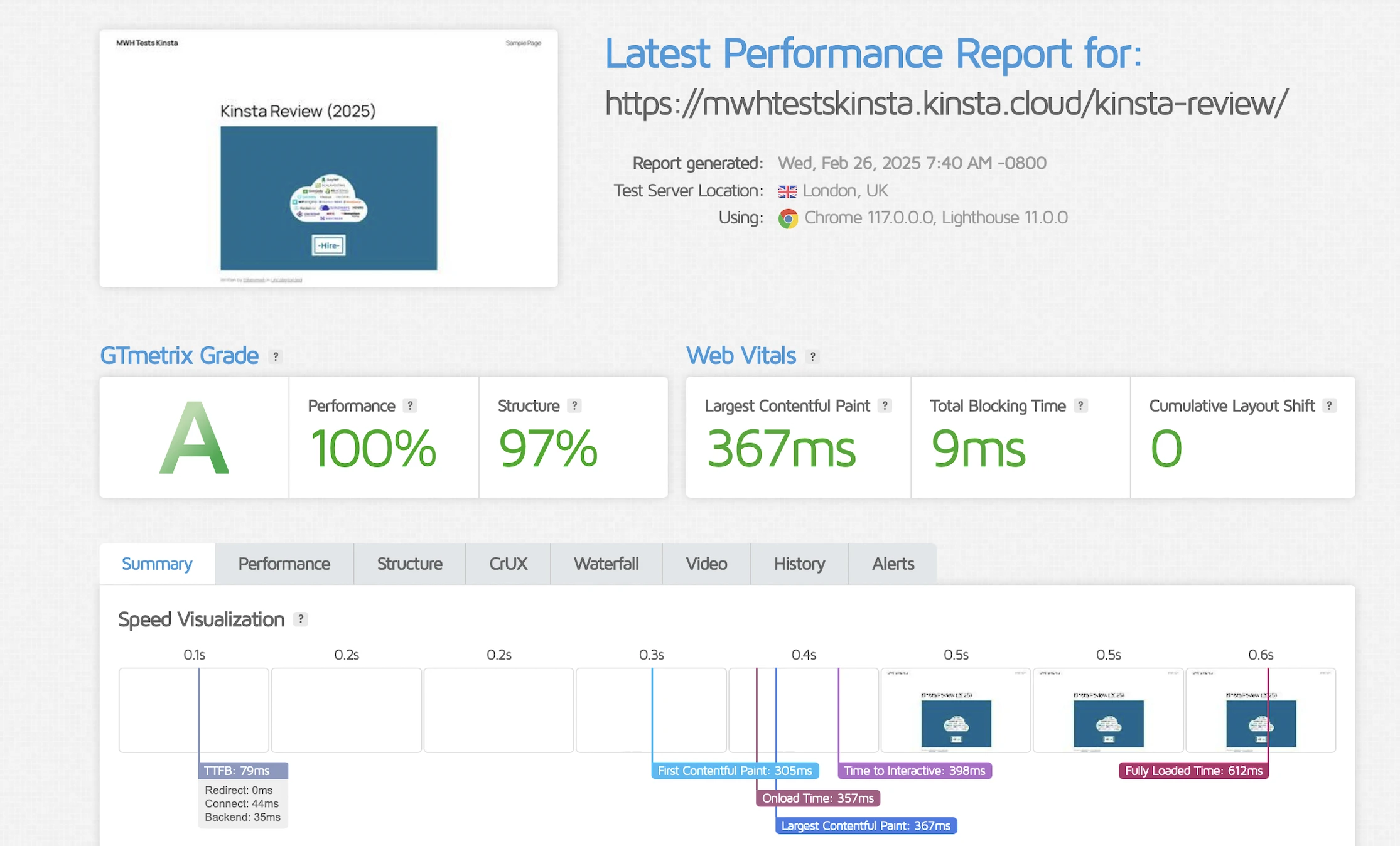
Even my London LCP was equally great at 367ms.
Time to First Byte (TTFB)
Since Kinsta has its own CDN, I wanted to see its speed in different parts of the world. Just an estimate.
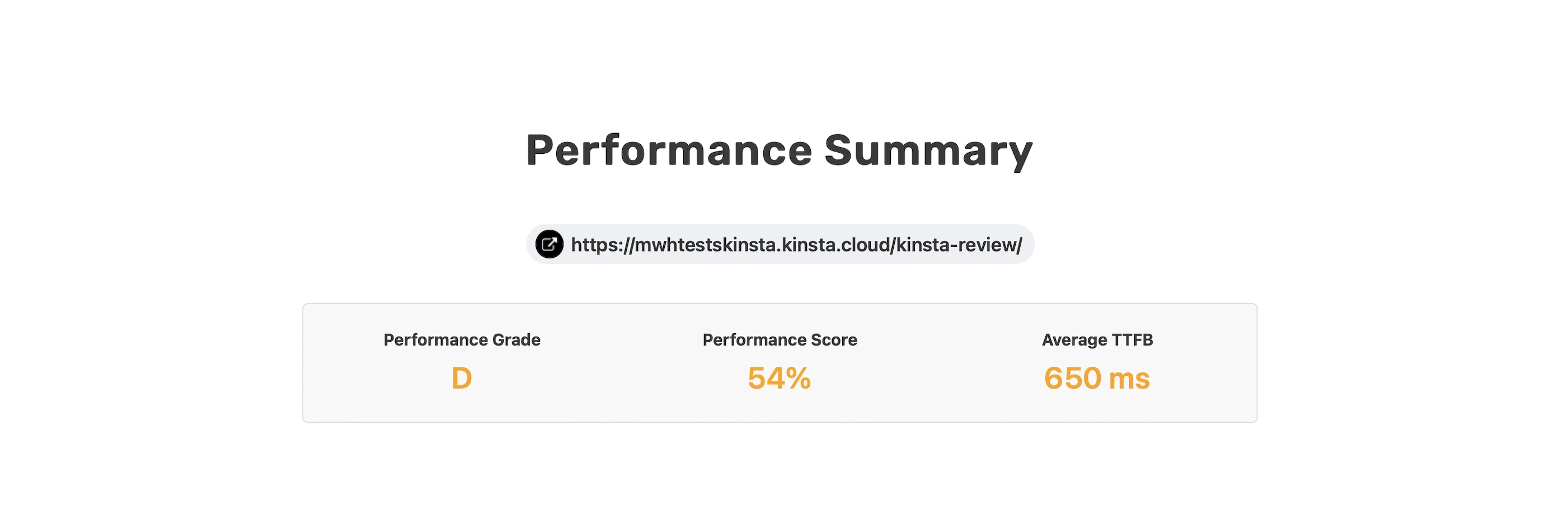
SpeedVitals graded my global TTFB of 650ms a disappointing D.
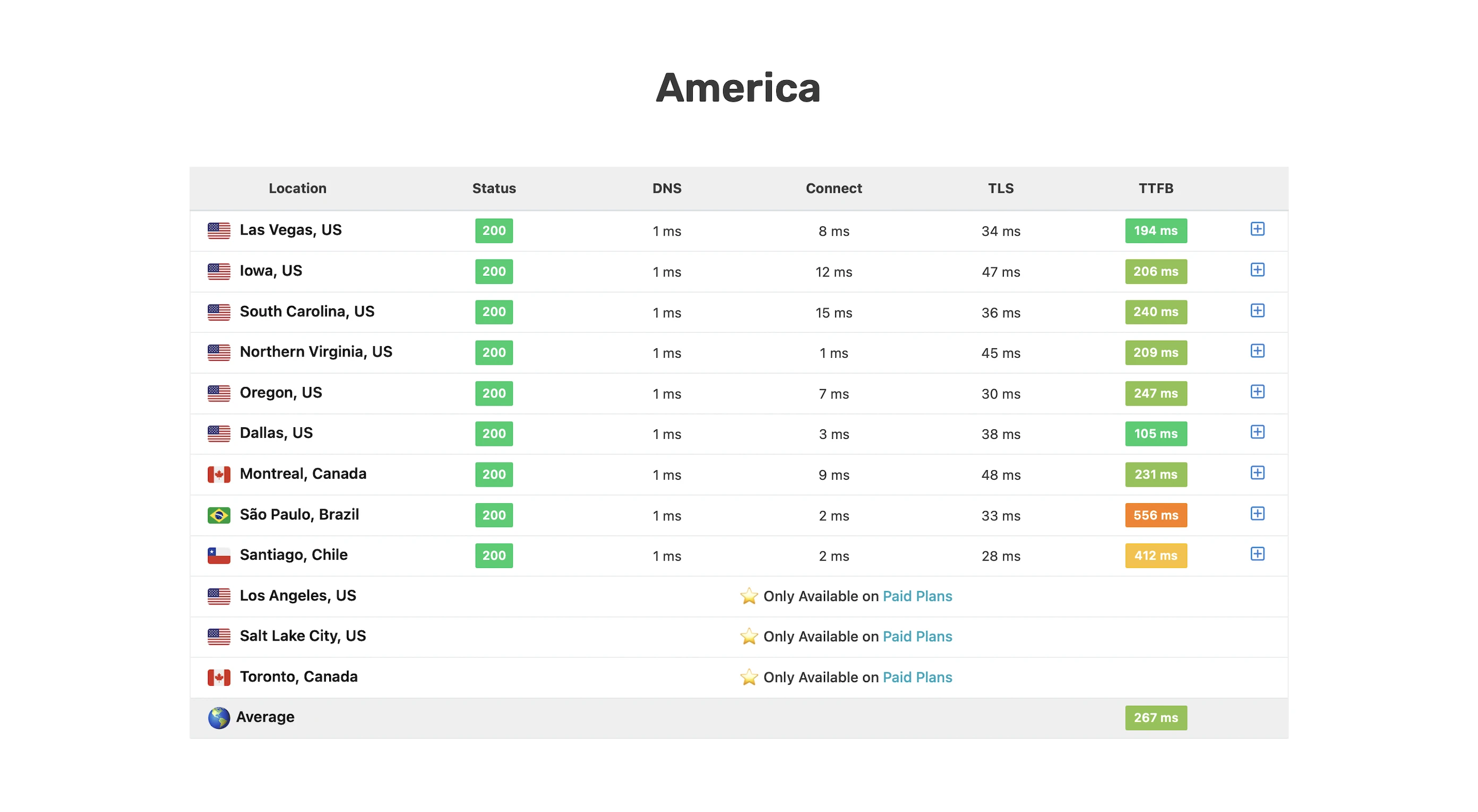
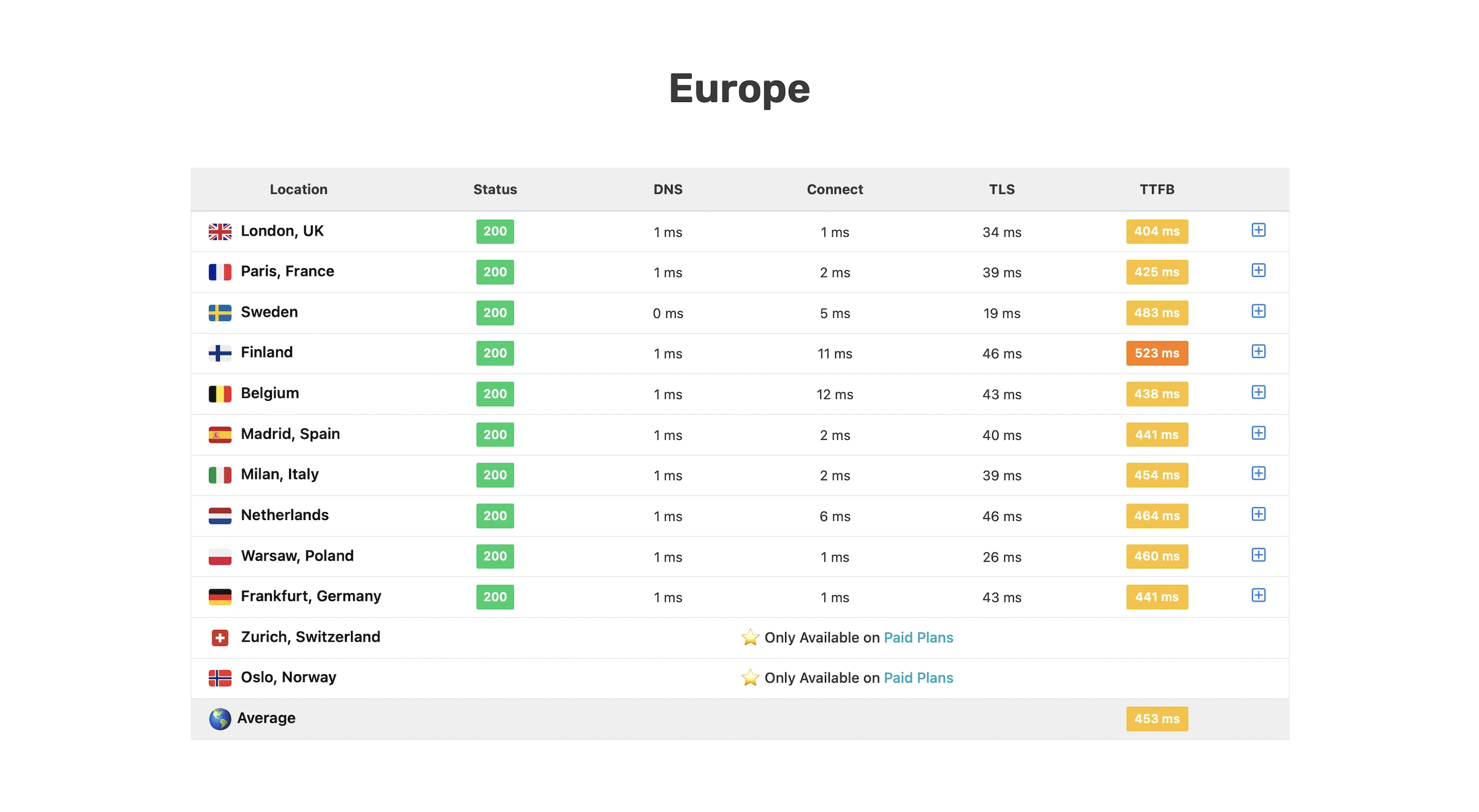
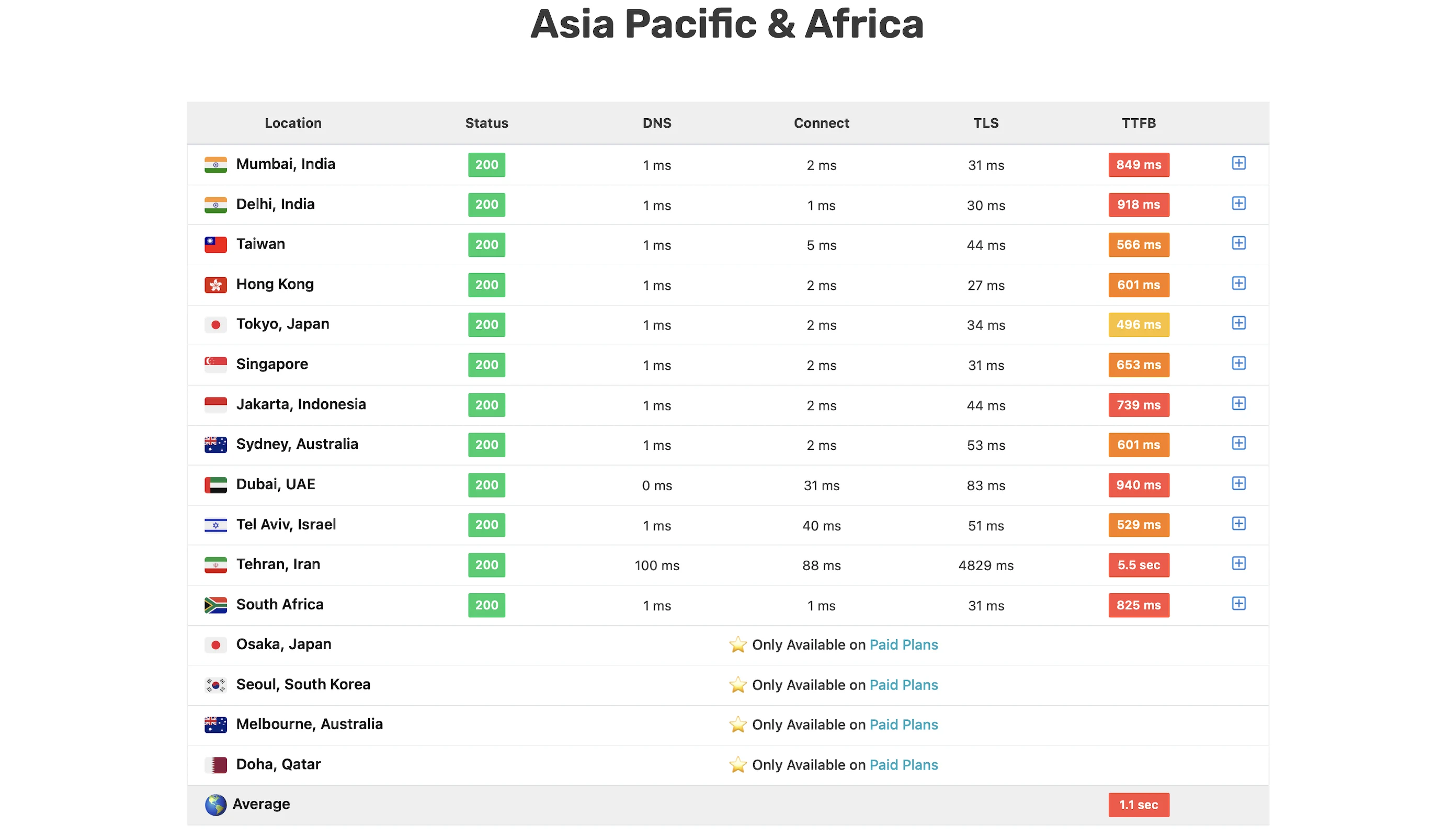
Wait, didn’t Kinsta claim its edge caching reduces TTFB by 49%?
Well, it’s complicated.
Take my London TTFB as an example. On one hand, GTMetrix reported a phenomenal 79ms, but on the other, SpeedVitals showed a much slower 404ms! So what gives?
Looking at the response headers from both tools, it turns out my SpeedVitals requests weren’t hitting Kinsta’s CDN caches (ki-cache-type was “none” instead of “CDN”, and ki-cf-cache-status was “bypass” instead of “HIT”). This means the requests were going straight to my origin server.
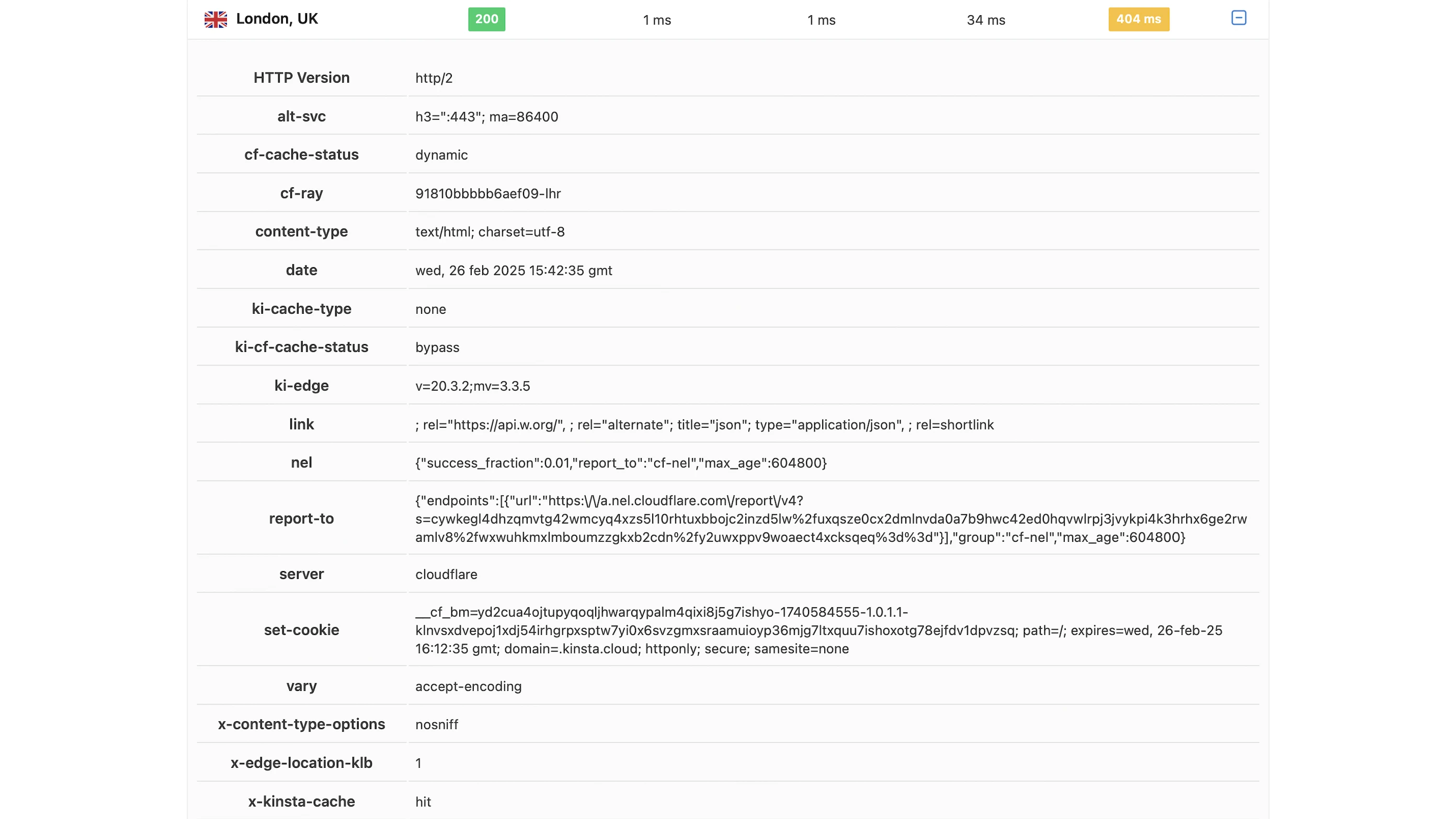
It’s the same story in Tokyo.
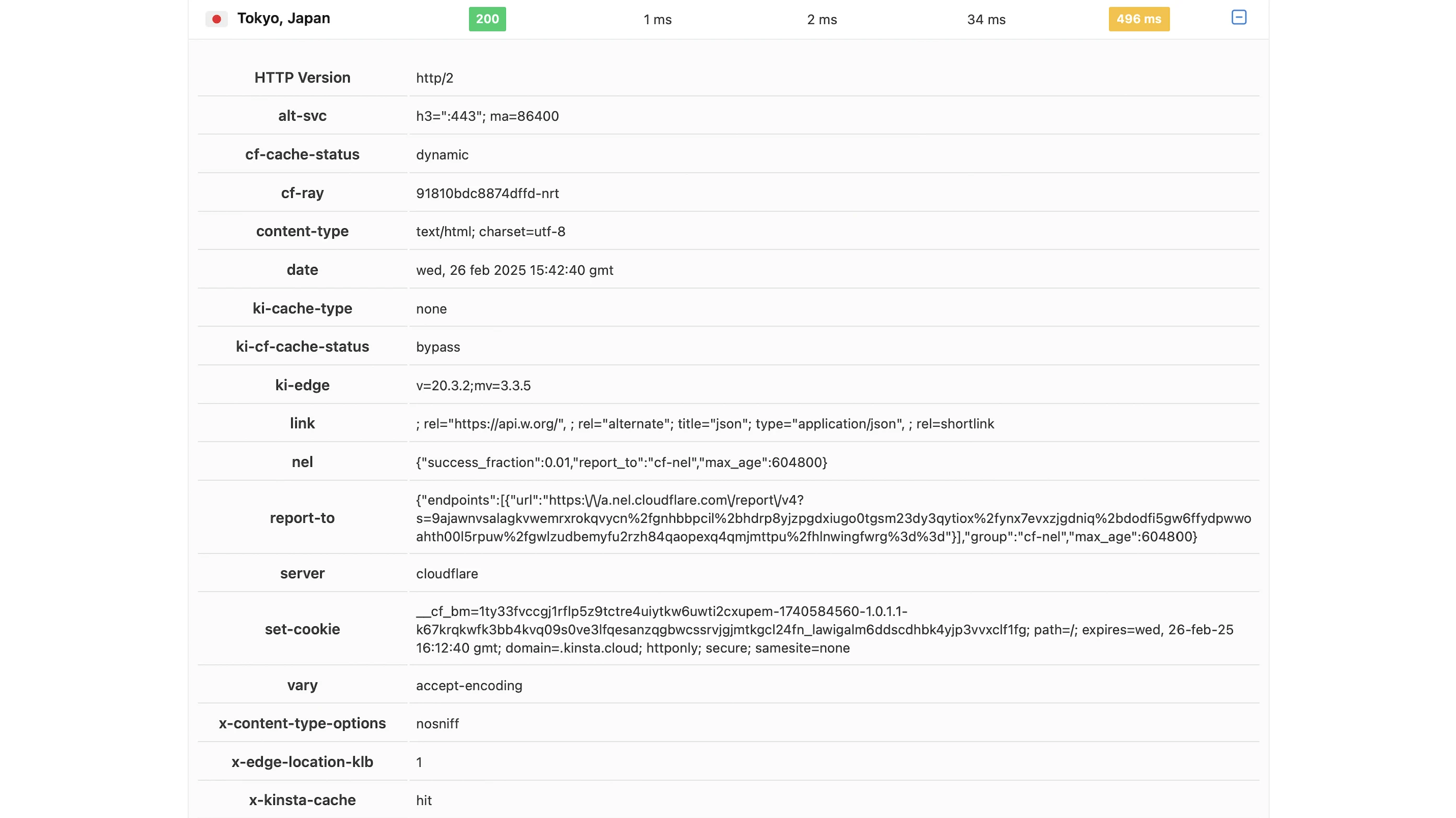
GTMetrix’s response headers showed the opposite – ki-cache-type was “CDN” or “edge”, and ki-cf-cache-status was “HIT”.
This meant that my GTmetrix requests were hitting the CDN cache, and they seemed to do so by loading every resource on the web page—HTML, CSS, JavaScript, images, and fonts.
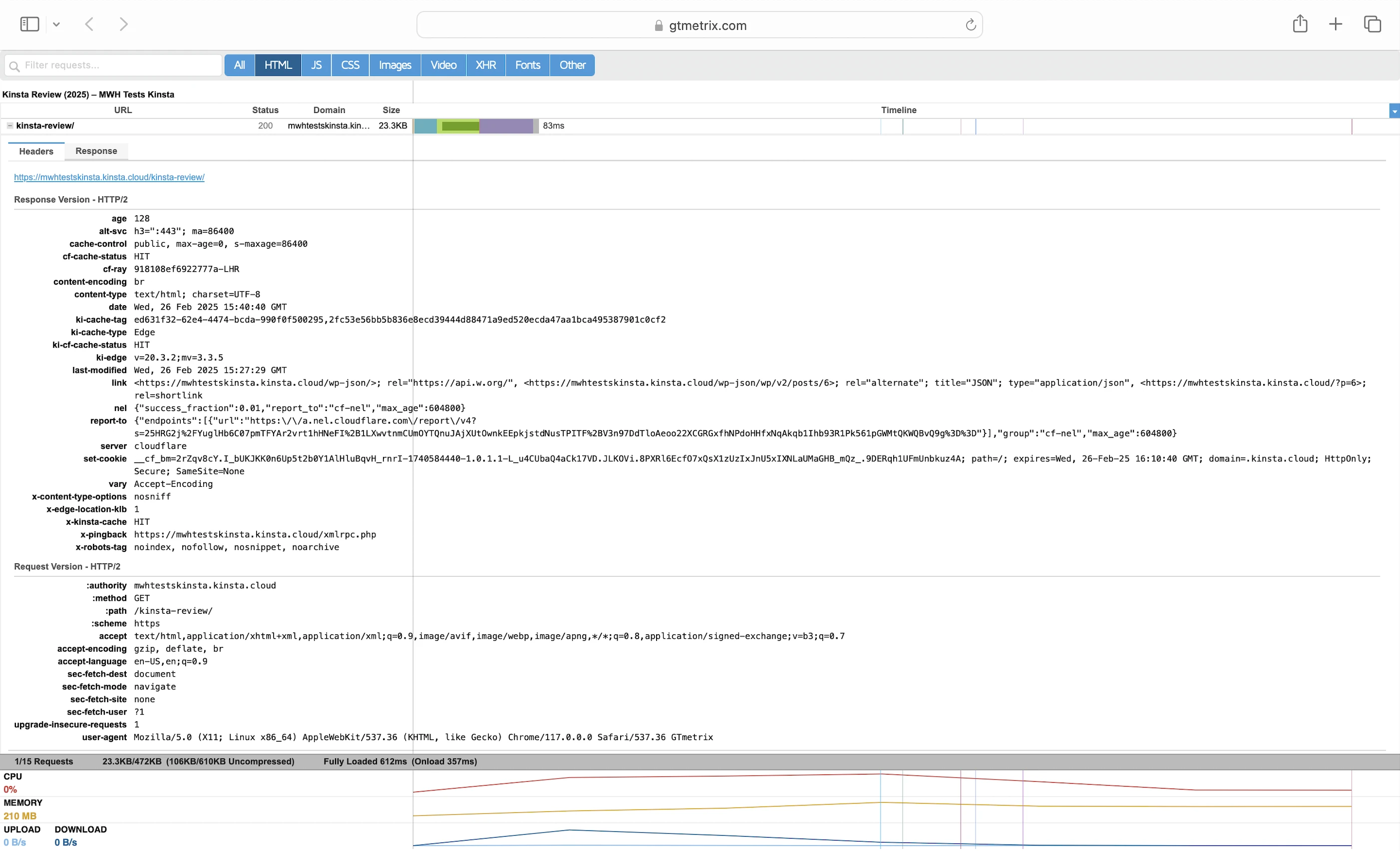
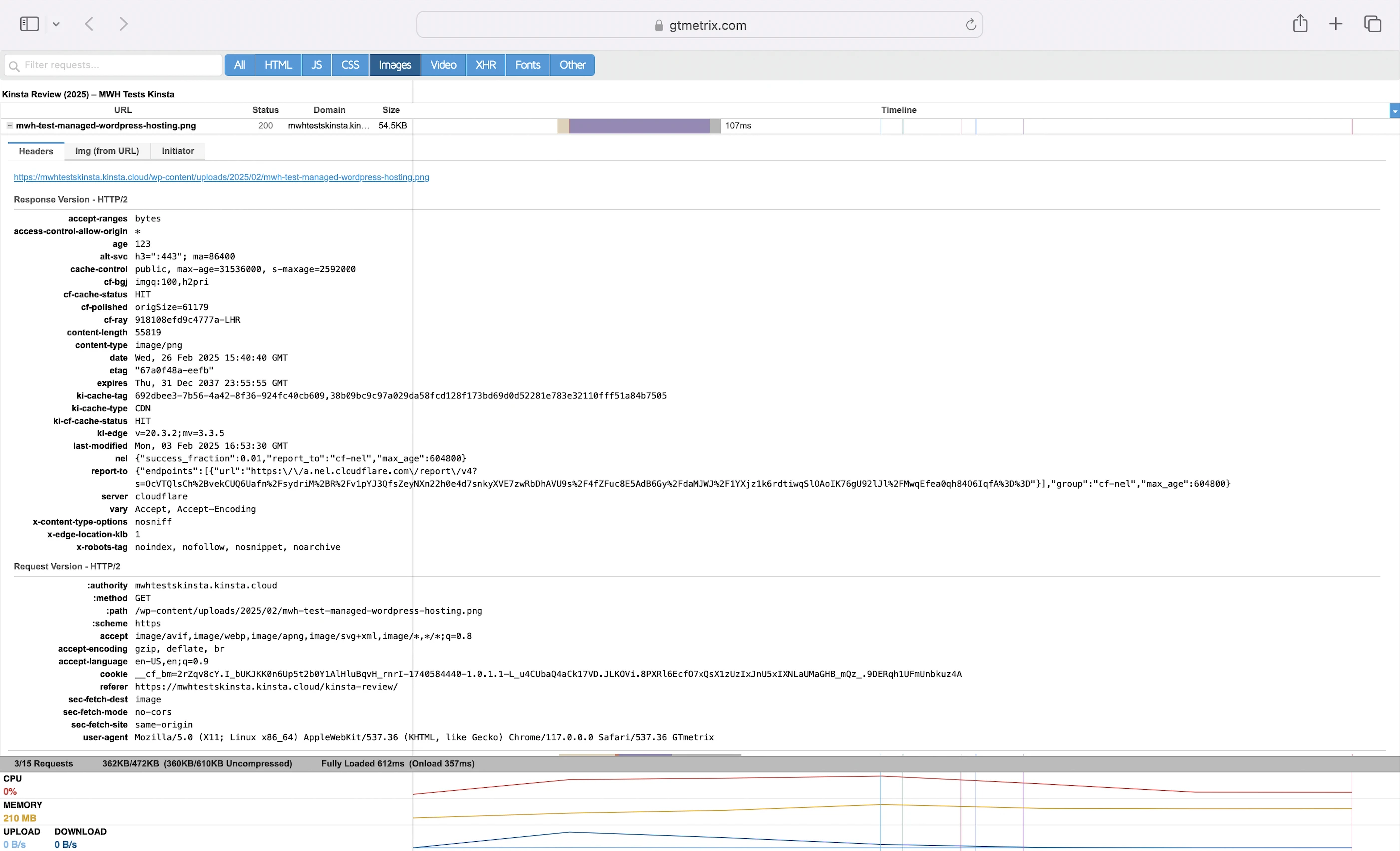
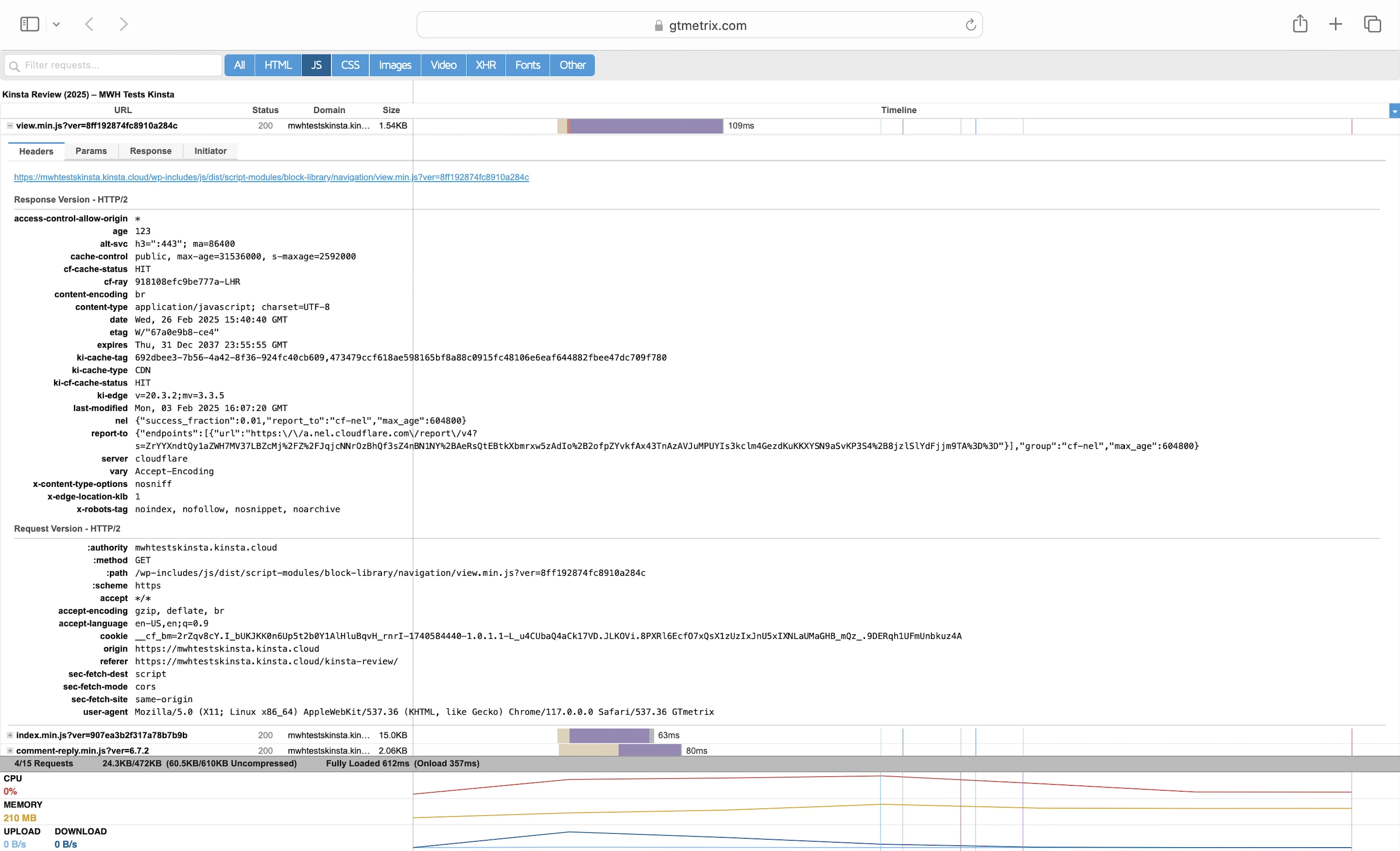
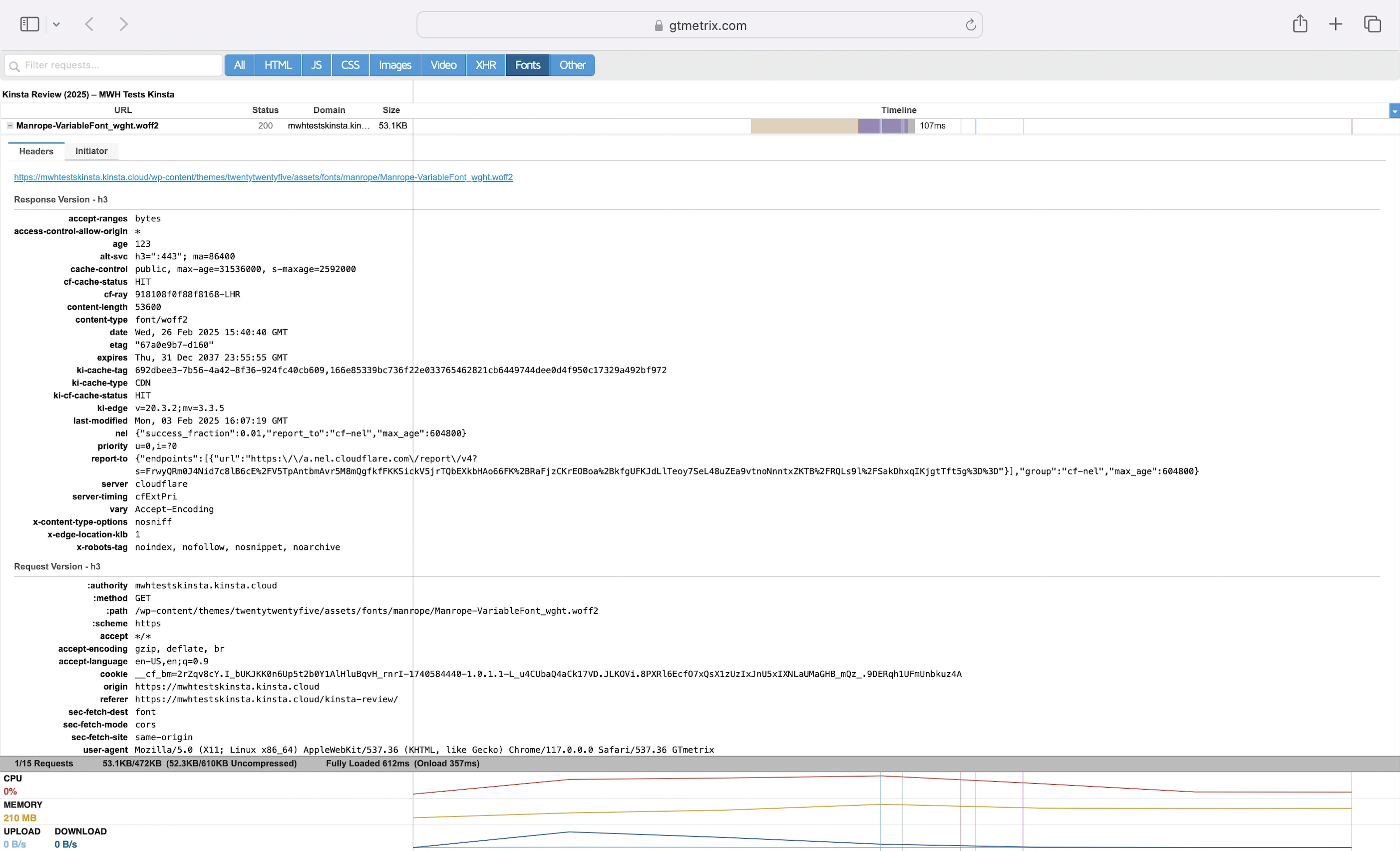
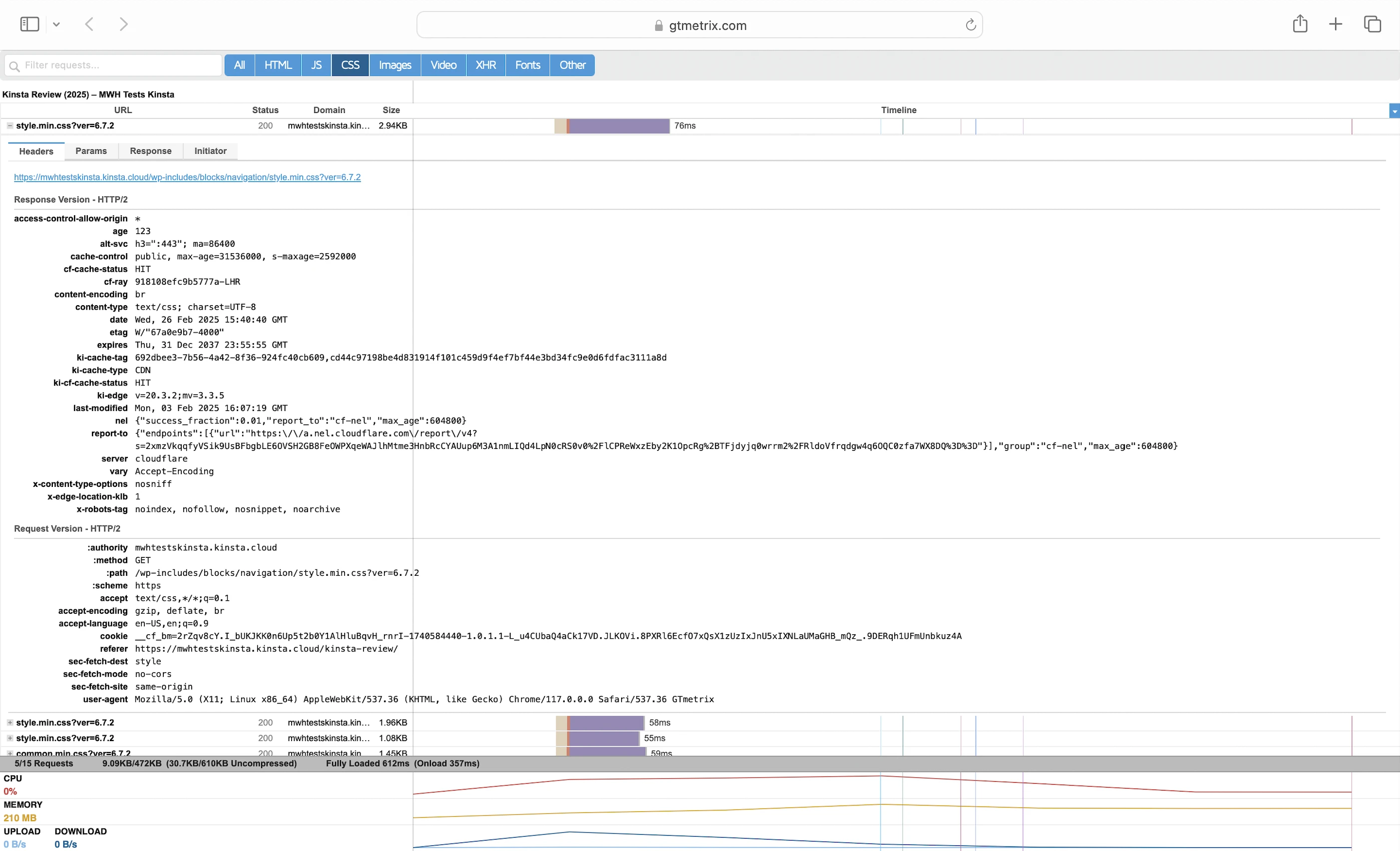
My conclusion: Kinsta CDN improves TTFB only when static web resources are involved. So, even though my SpeedVitals TTFB results were underwhelming, someone visiting my Kinsta website in a browser would still experience fast page load times.
5. Security Test
I launched 14,802 cyberattacks against my Kinsta website:
- 1 out of 30 high risk vulnerabilities detected:
- SQL Injection: 3 out of 1,046 attacks successful.
- 0 out of 12 medium risk vulnerabilities detected.
- 1 out of 2 informational risks. 1,308 alerts but these aren’t vulnerabilities.
- Success Rate: 13,491 or 91.1% of my attacks were completely neutralized.
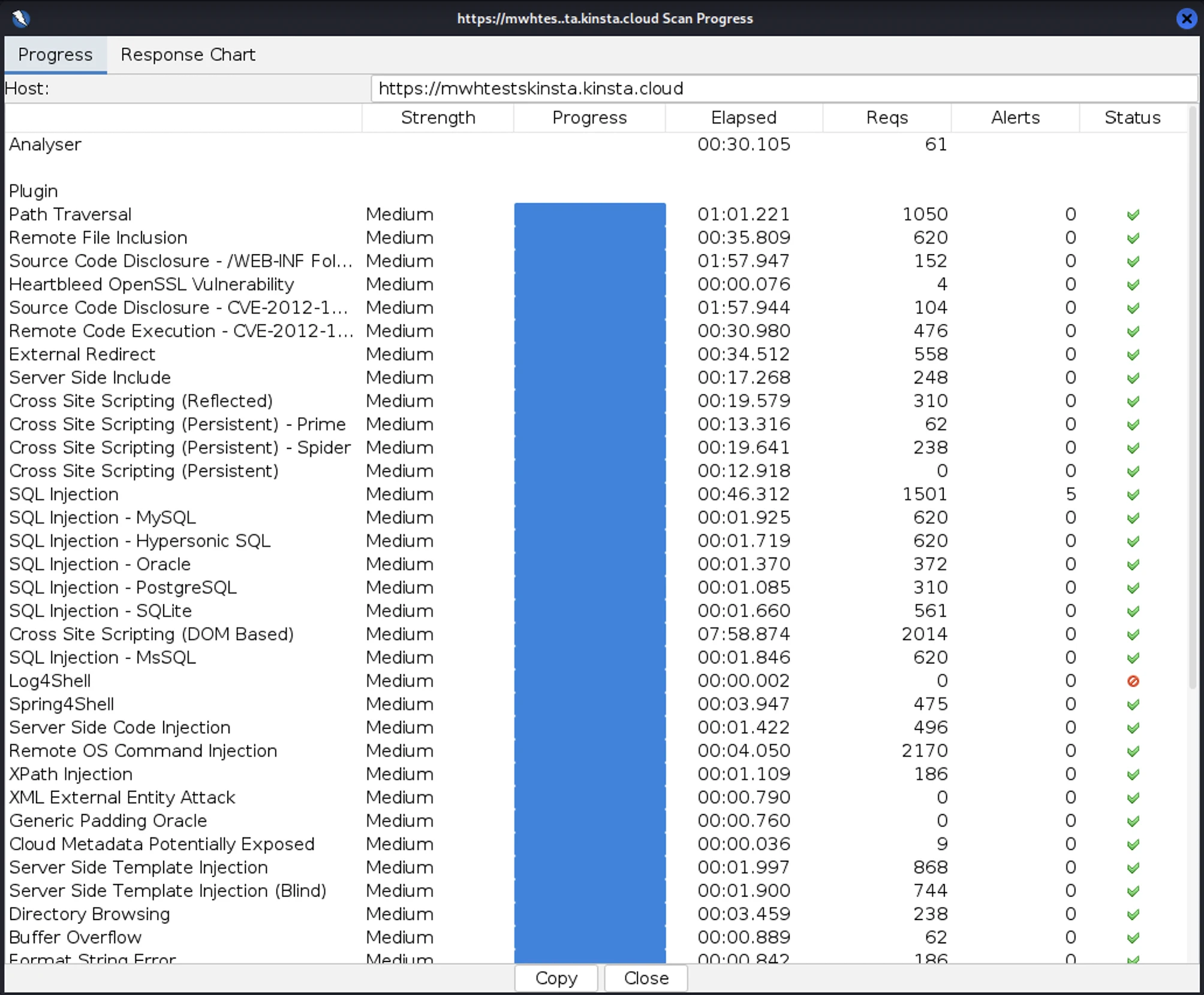
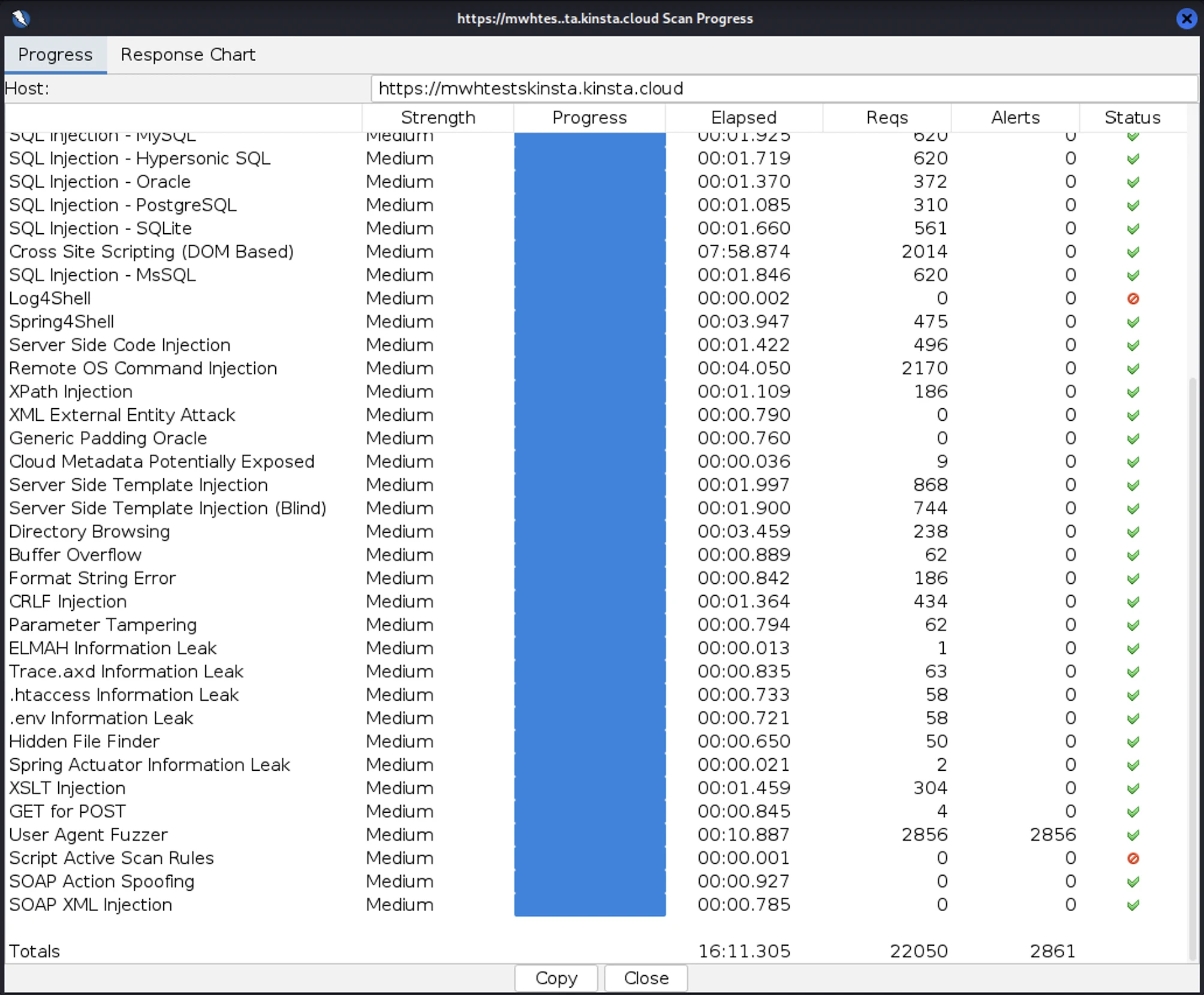
An interesting find: I repeated my attacks with the same attacker server, but this time the scan failed because Kinsta had blocked its IP address. It’s clear that Kinsta’s IP-based firewall did its job.
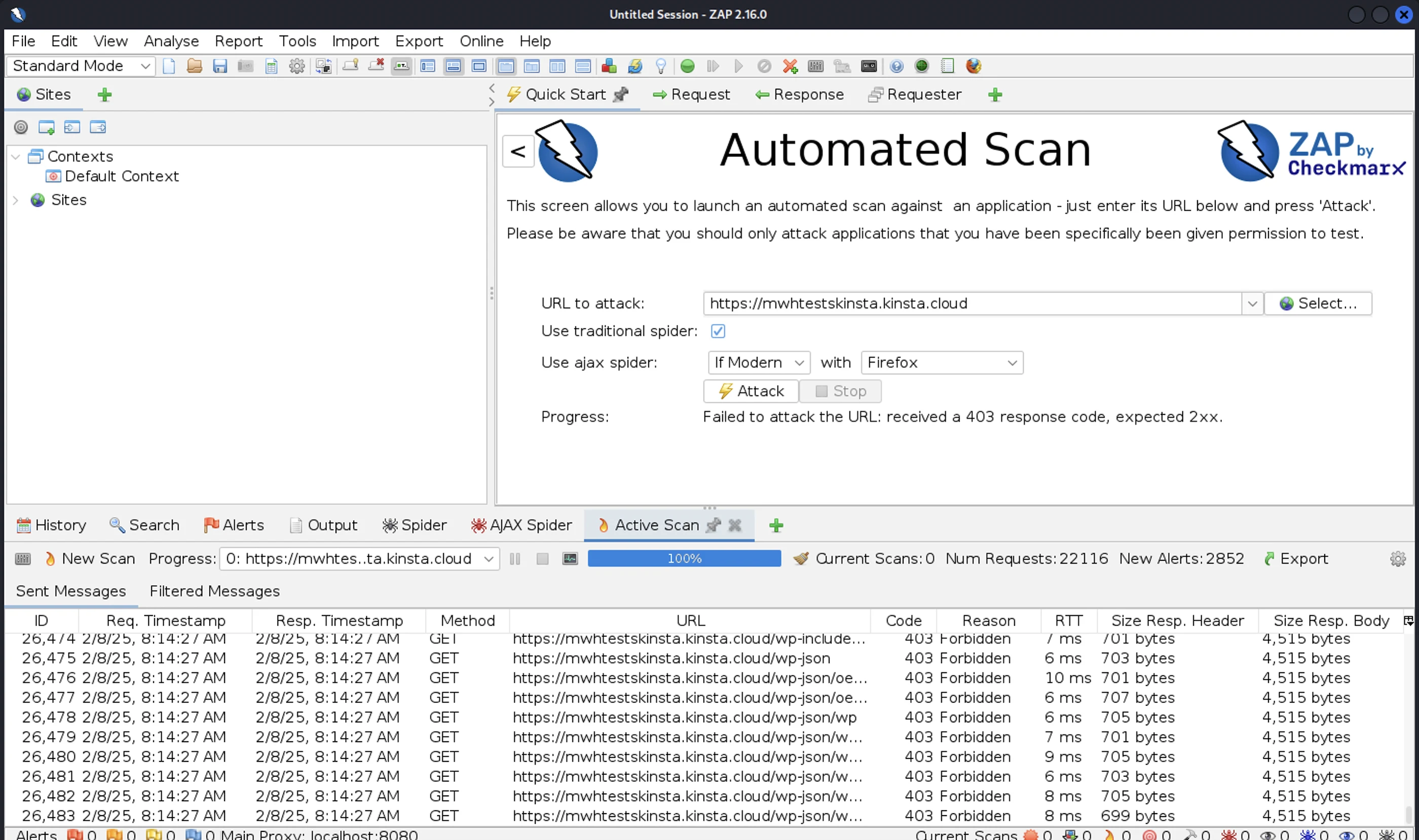
So well done, Kinsta!
6. Uptime Test
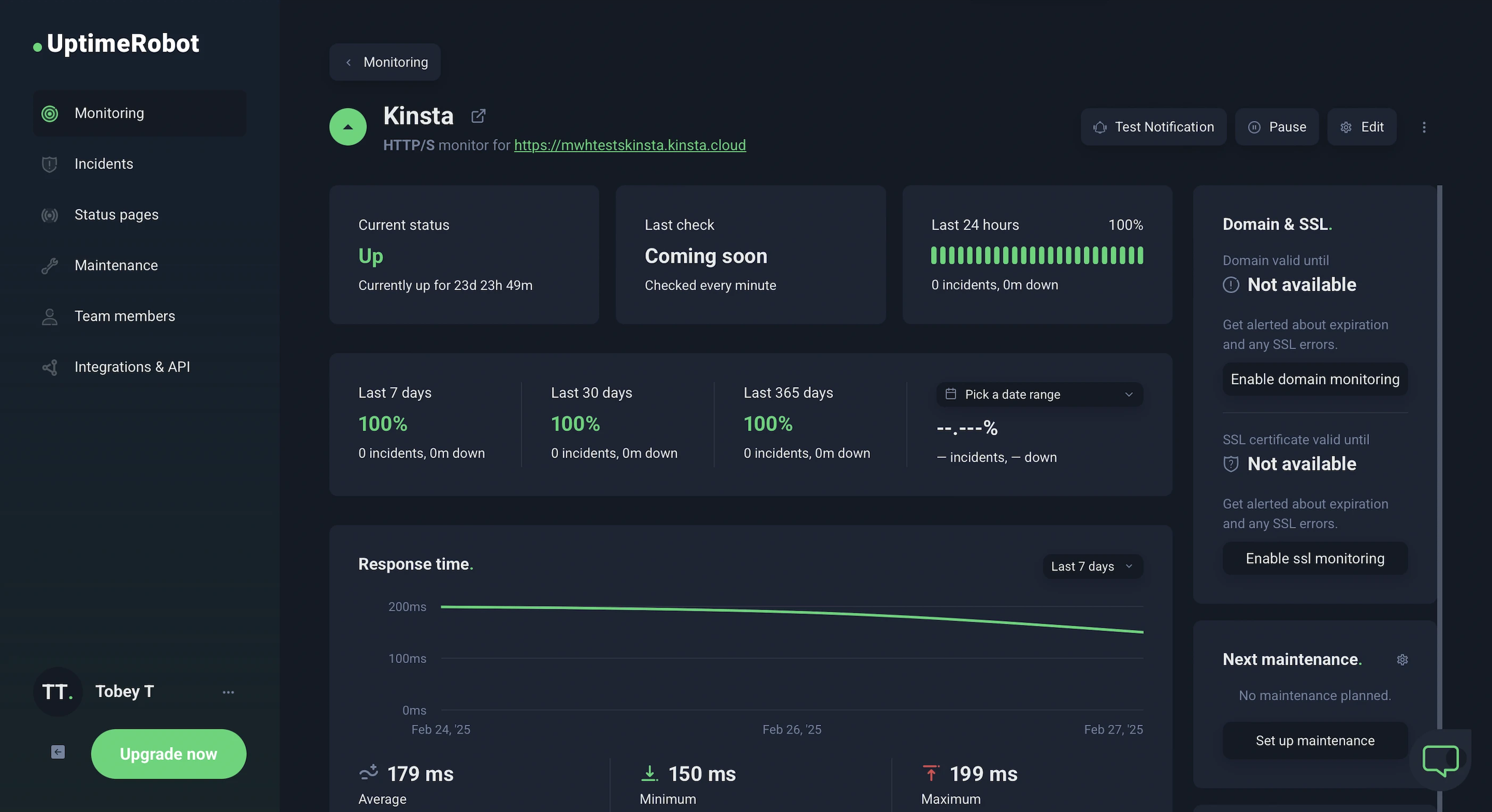
In the 24 days I was reviewing, UptimeRobot reported that my Kinsta website enjoyed 100% uptime after checking on it every minute.
HetrixTools reported the same results after monitoring my website at 1-minute intervals for 8 days.
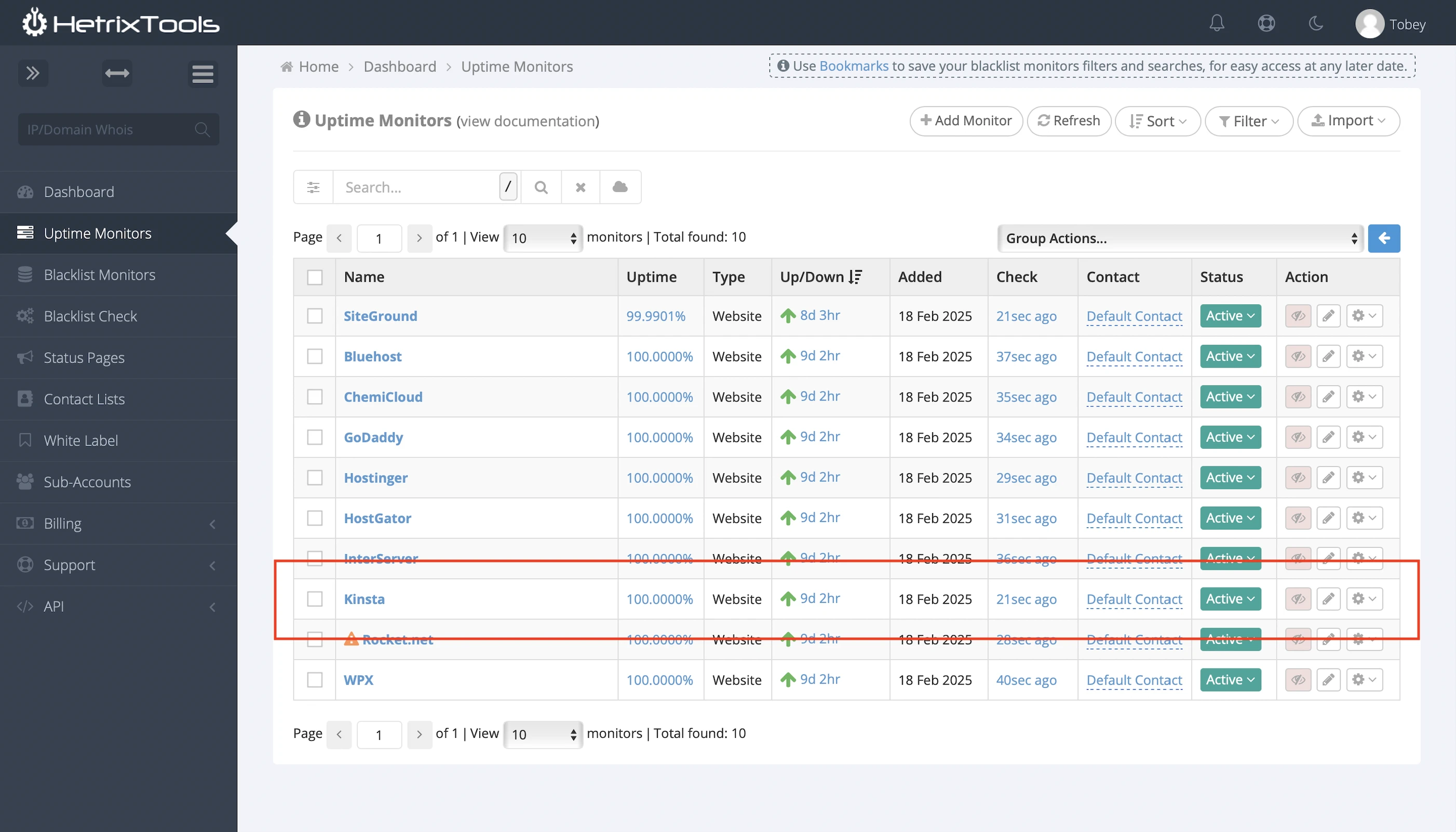
Which meant it kept its 99.9% uptime promise.
Kinsta also publishes its system status and incident history.
Finally, remember Kinsta’s dedicated malware team? According to its website, they check your site’s uptime 480 times per day. Now that’s dedication!
7. Cons
WordPress In-built Object Cache
Much slower than Redis and Memcached, but too bad you can’t install them. Unless…
Expensive Add-ons
It’s bad enough that Kinsta doesn’t allow you to install a free object cache like Redis by yourself, but charging $100/mo for it really takes the cake. And $50/mo for a reverse proxy? These aren’t the most ridiculous fees…
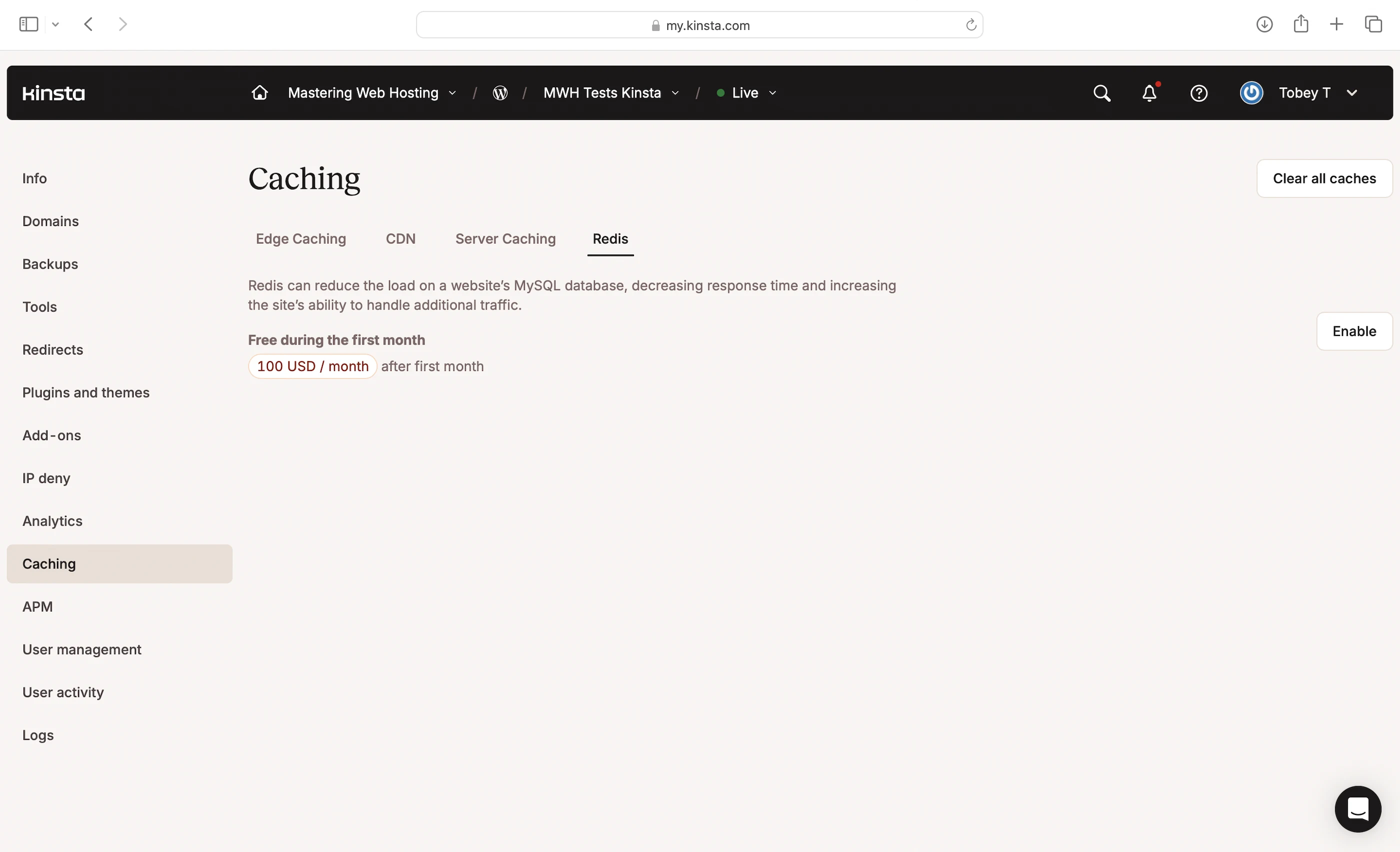
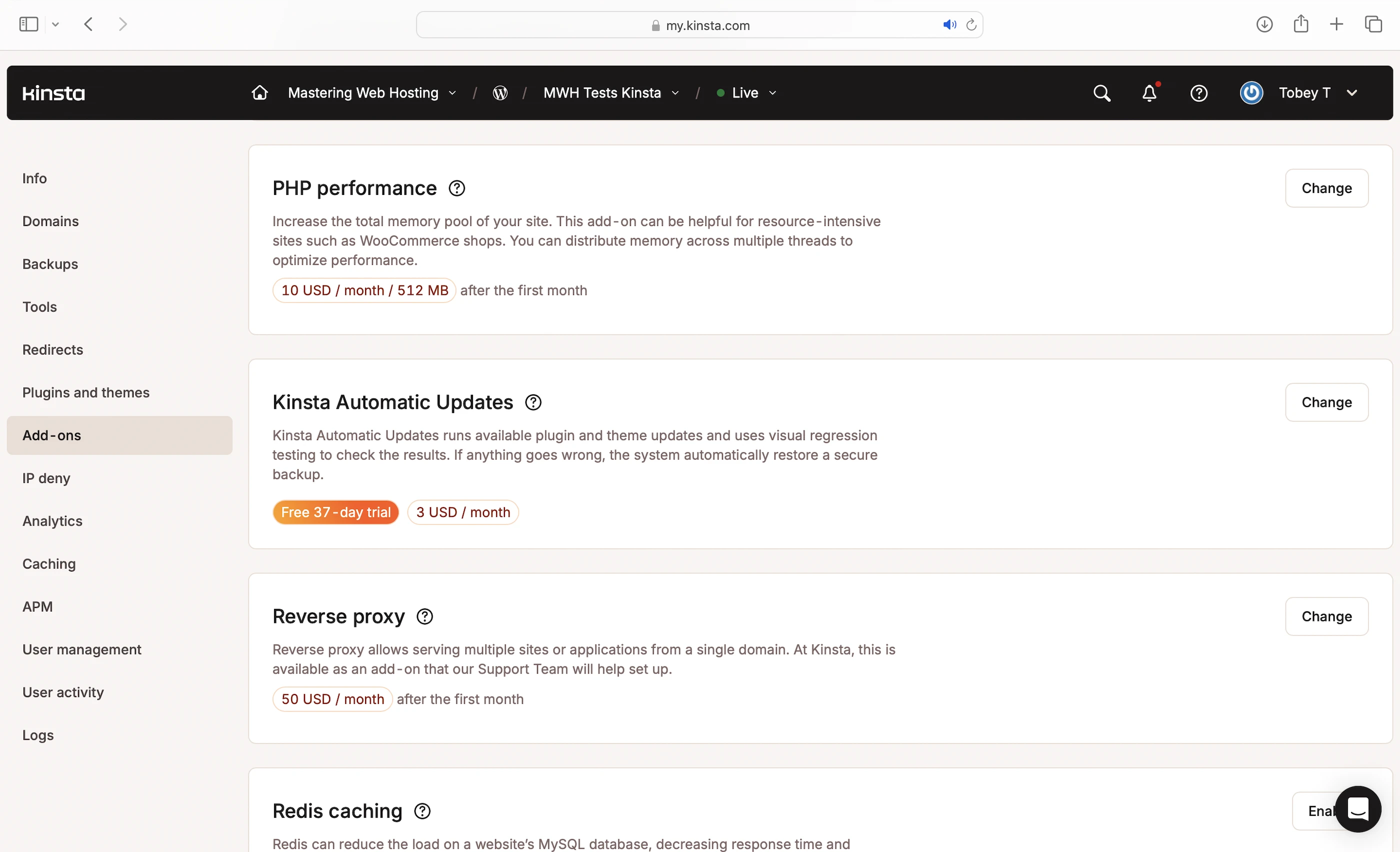
Paying to Increase PHP Memory
Kinsta is the ONLY host I know that charges extra for increasing PHP memory limits. It charges $10/mo just to get 512MB! While 128MB per thread might be enough for many PHP scripts, more demanding ones (like WooCommerce) can struggle unless you pay more.
Pricey Overages
It’s clear Kinsta isn’t cheap. It even published an article to justify its pricing. But here’s the kicker: plan limits are so tight that you might end up paying extra for basic stuff like visits, disk space, or even CDN usage.
Low storage
10GB is insane. Some hosts offer at least 2X more storage for half the price.
Only 4 PHP threads
With its CPU cores and RAM, Kinsta could have given us more threads, but nooo. Some hosts with fewer resources, like WPX, actually offer way more PHP workers (workers = threads).
Kinsta APM
I hadn’t actually used this, but I noticed it’s not enabled by default. Kinsta recommends turning it on only when needed, and disabling it afterward to avoid performance hits. That’s a bit surprising because other hosts offer always-on performance monitoring without website speed taking a hit.
8. Evaluation
Let’s see how Kinsta did against my self-hosting:
| Self-hosting | Kinsta | |
|---|---|---|
| Speed (LCP) – Dallas | 306ms | 307ms. So close! |
| Speed (LCP) – London | 253ms | 367ms |
| Speed (TTFB) by SpeedVitals | 90ms | 650ms |
| Speed (TTFB) by GTMetrix – Texas | 73ms | 83ms. I am giving Kinsta a chance here because their CDN works uniquely with TTFB. |
| Speed (TTFB) by GTMetrix – London | 27ms | 79ms |
| Security | 0 | 1 high risk vulnerability, but the Kinsta firewall blocked my IP address! |
| Uptime | 95% | 100% with current system status and incident reports. A dedicated team even checks your uptime 480 times a day. |
| Winner | 👑 |
9. Final Thoughts
Choosing Kinsta feels a lot like choosing an iPhone over Android—a mixed bag.
It’s a recognizable brand offering standard managed WordPress hosting, but many of its so-called “premium” features are costly add-ons that other hosts include for free or at a much lower price.
To its credit, at least its UI and websites are smooth, and its security is superb.
However, brand reputation only goes so far in web hosting.
Like Apple, Kinsta can only charge a premium for so little, for so long before people start noticing other hosts offering more features and better value at lower prices.
But unlike Apple, hosting providers don’t inspire the kind of brand loyalty that keeps customers paying a premium year after year. Just based on pricing, I can already think of alternatives like WPX that gives far more bang for your buck.
Which is a shame.
If Kinsta had better speed and included key features like Redis or higher PHP memory limits at no extra cost, I wouldn’t just recommend it and argue that its premium pricing is justified.
Kinsta would actually be the best WordPress hosting platform.
Leave a Reply