
As the “first Managed WordPress hosting platform fully integrated with the Edge“, Rocket.net has been handling “performance and security” for customers while they “focus on content and success” since 2020.
In other words, the complete opposite to my self-hosting – you don’t need to worry about anything technical.
But in case you are feeling doubtful, don’t let its young age fool you.
You will be supported by a team led by founder Ben Gabler, who has 20 years of hosting experience with big name companies like GoDaddy and HostGator.
Cool, but my experience with neither GoDaddy nor HostGator has been great. Can someone who’s been with them really create a hosting provider that surpasses them?
Or will Rocket.net’s speed, security, and uptime be the opposite of mine?
1. Plan
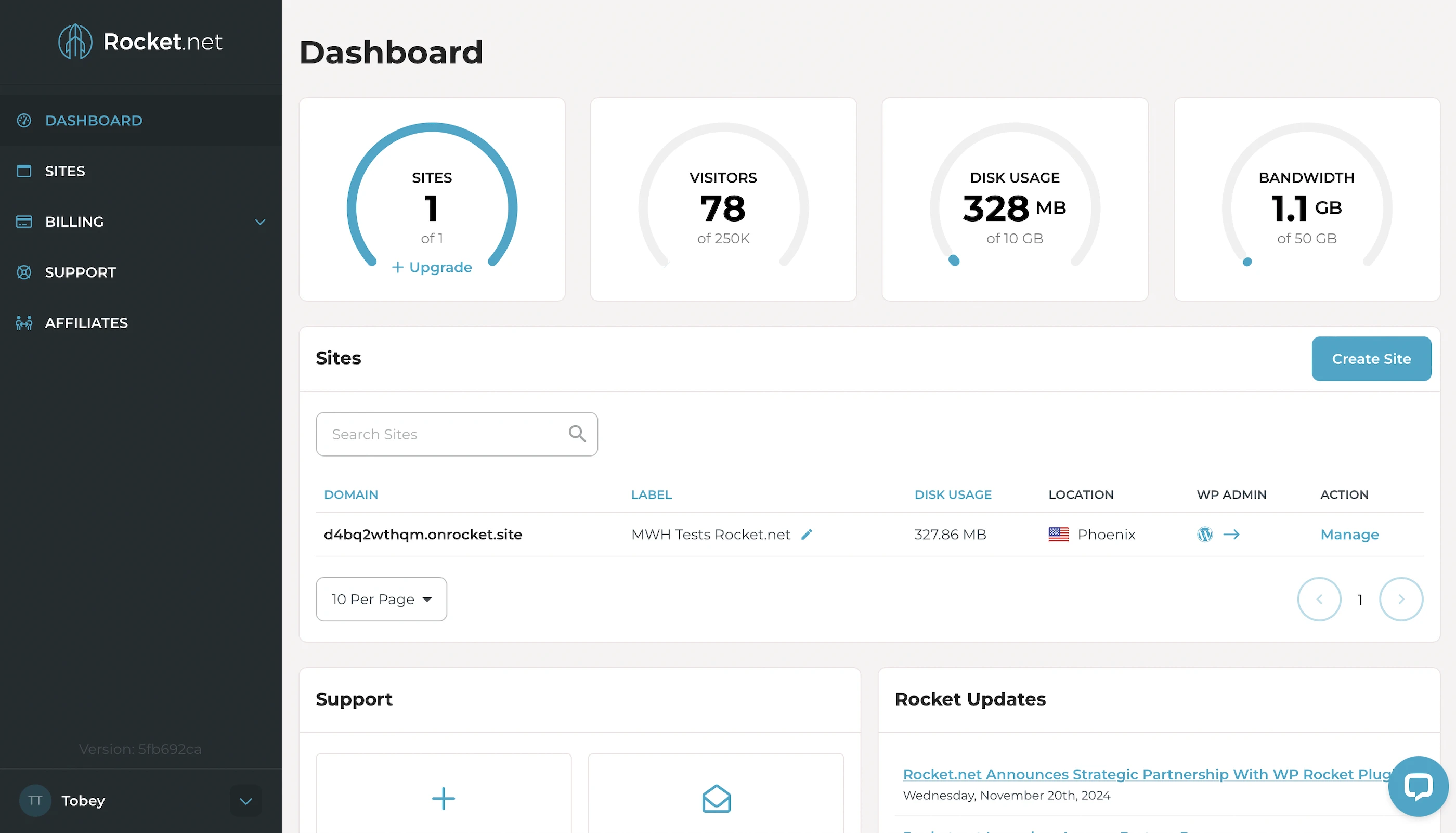
I got the Starter, which has:
- Unmetered visitors
- 32 CPU cores
- 128GB RAM
- 10GB NVMe SSD storage
- Apache web servers with LSAPI
- Unlimited PHP workers
- Opcode cache
- Object cache
- Free WP Rocket plugin
- Enterprise Edge CDN
- WordPress Website Firewall
- Malware protection
- 99.99% uptime guarantee
This plan starts at $1 for the first month and $30/mo after that.
2. Speed Features
32 CPU Cores, 128GB RAM
Or why Rocket.net’s servers own everybody else’s.
What’s insane is these are the default specs across all plans (Yes, Starter too).
Which other hosts can’t match even with their most powerful servers.
At least on paper.
10GB NVMe SSD Storage
Makes Rocket.net servers faster than servers with old-school SATA SSDs, which some hosts are still using.
Apache Web Servers with LSAPI
A web server handles and responds to incoming requests for your WordPress content. It is connected to PHP through a handler that’s usually optimized for fast and efficient communication between the two systems. This allows the web server to forward requests to PHP and receive responses faster, directly improving your page load times.
Rocket.net uses Apache with LSAPI as the PHP handler to serve your web content. LSAPI communicates with PHP much more efficiently than older handlers like PHP-FPM.
This means Rocket.net’s Apache web servers can return your WordPress content faster than other Apache web servers using PHP-FPM or mod_php.
Unlimited PHP Workers
Your WordPress website serves 2 types of web content: Static and dynamic. PHP workers are for the latter.
Static content is called so because it remains the same across visits. Examples include the images and CSS files that make up your website’s layout. Unless manually updated, everyone sees the same layout when they visit your website.
Dynamic content, on the other hand, changes based on the data retrieved from your database. Examples include your blog posts and comments. New posts or comments update what visitors see in your post list and comment section.
If both types of content are uncached, Apache returns static content more quickly because it can be served immediately. In contrast, dynamic content must be generated on the fly, which takes more time. This means a robust process is needed to handle the generation efficiently.
Since WordPress is built with PHP, that process is PHP workers.
When Apache forwards a request for uncached dynamic content, LSAPI spawns a PHP worker to handle the request. The worker executes your PHP code, queries your database, and generates the dynamic content based on the retrieved data. The content is returned as HTML, which is what your visitors see in their browser.
So unlimited PHP workers = unlimited requests for uncached dynamic content your website can handle concurrently without slowing down.
Opcode Cache
Here’s what happens behind the scenes when your PHP workers execute your code: they compile it into opcode, which are machine-readable instructions that PHP uses to generate the HTML for your dynamic content. By caching this opcode with OPcache, PHP can reuse it instantly without needing to recompile your code on every request.
Object Cache
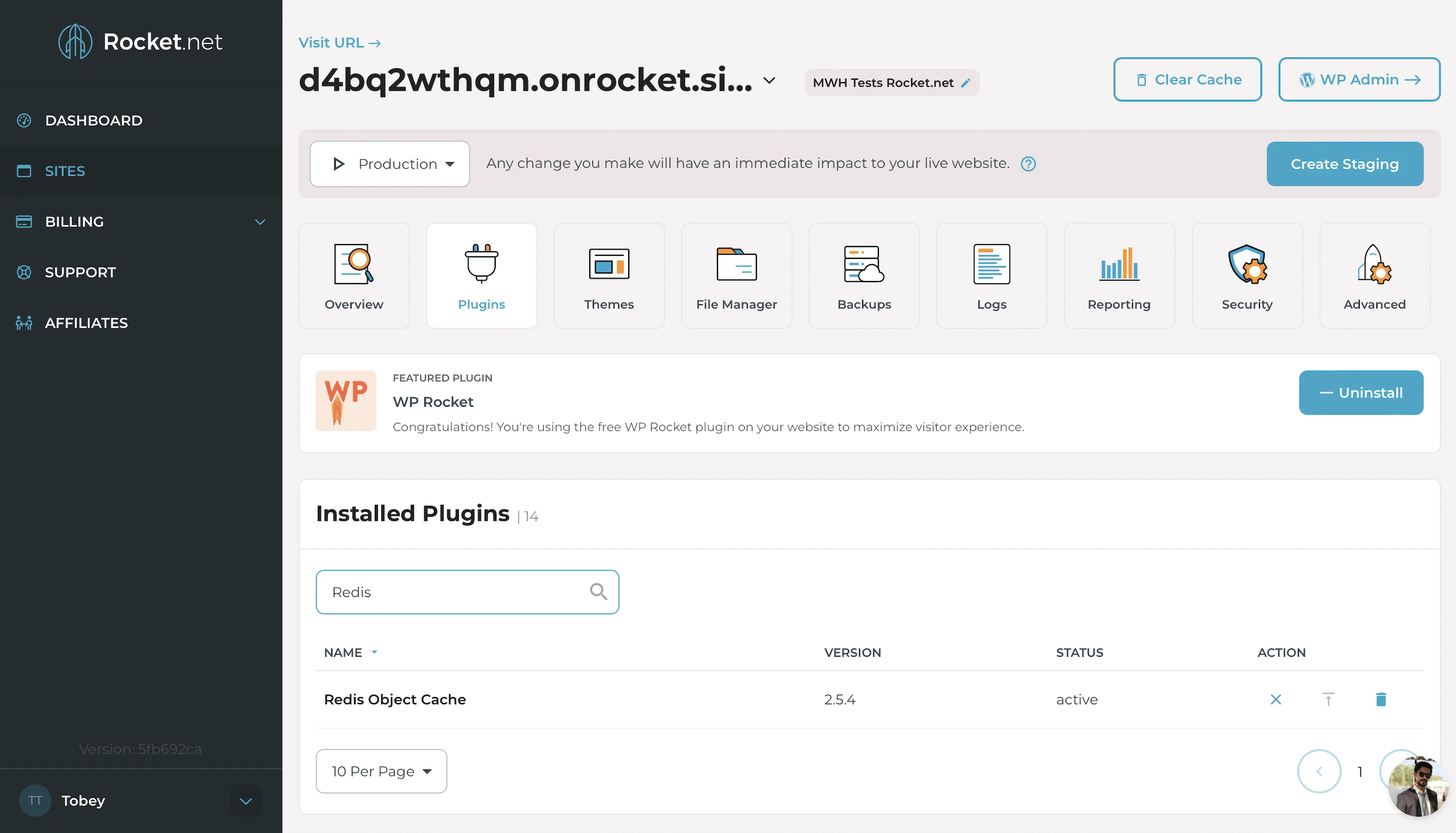
To cache your frequently accessed data (e.g., posts) in memory with Redis Object Cache. This way, if the opcode includes instructions to query your database, PHP can get the data from Redis instead, which is much faster. Using an object cache also prevents your database from being overloaded with repeated queries for the same data. Note you’ll need Support to activate this.
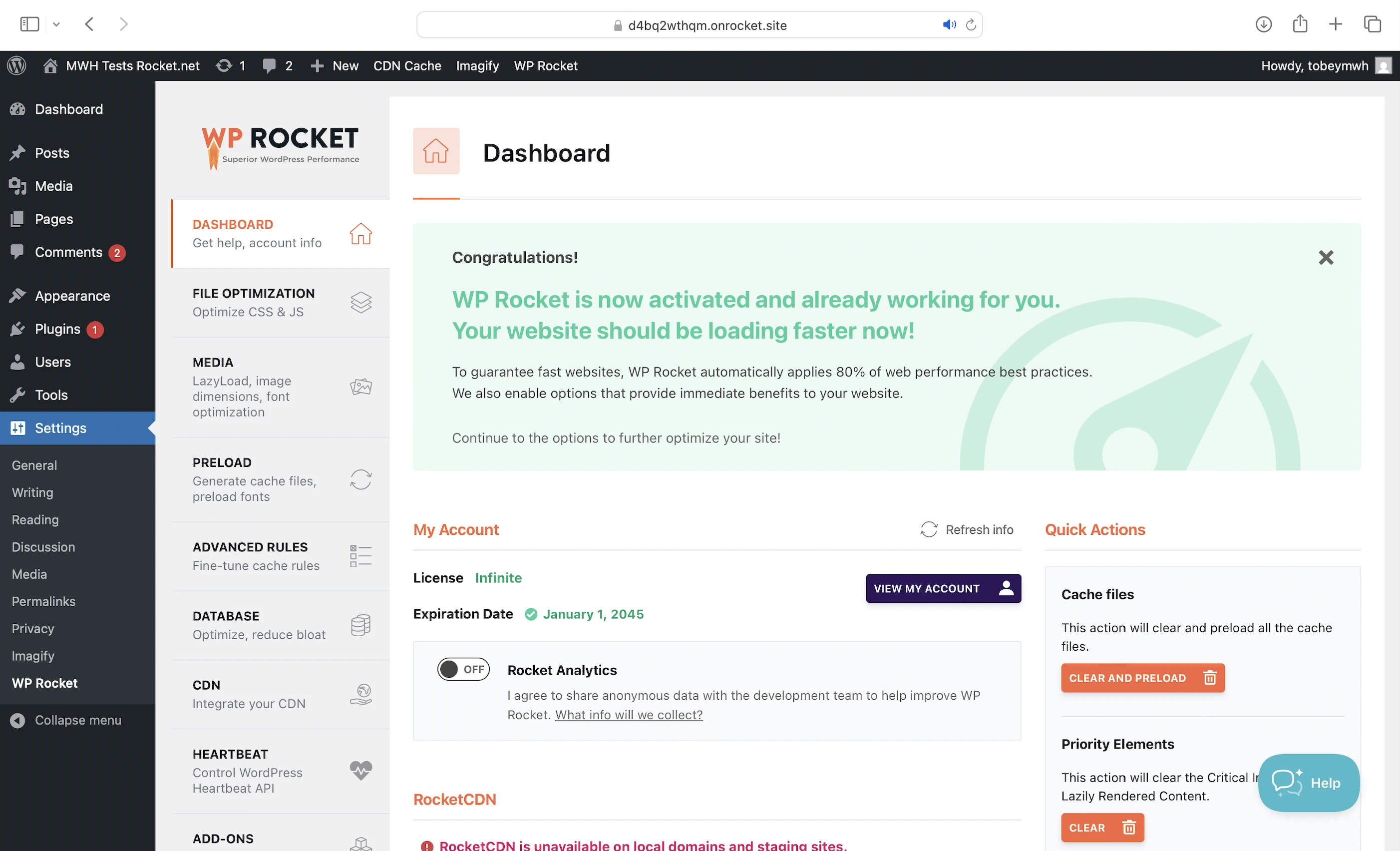
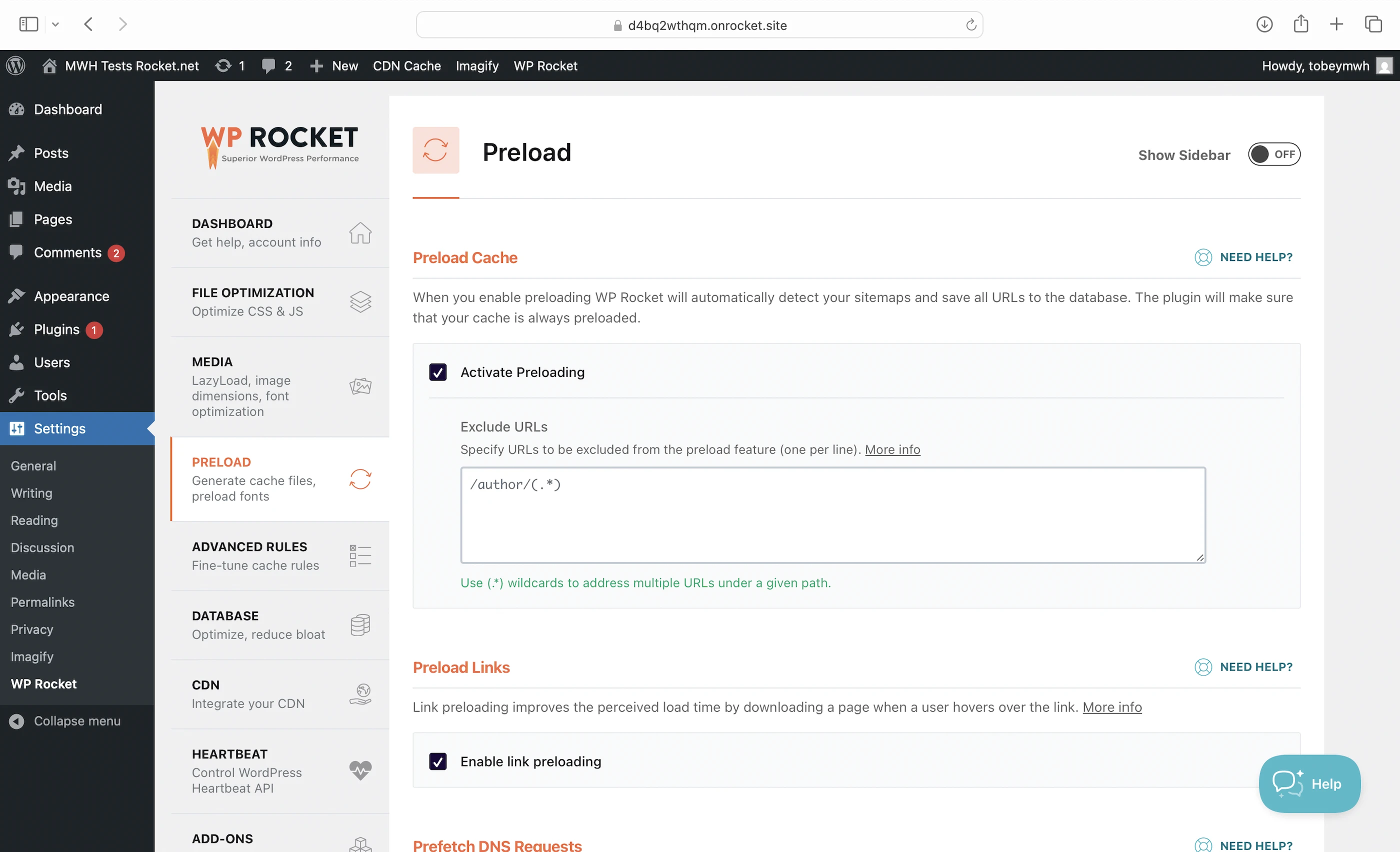
Free WP Rocket
Originally $59/mo, this plugin is free to all Rocket.net customers and comes with:
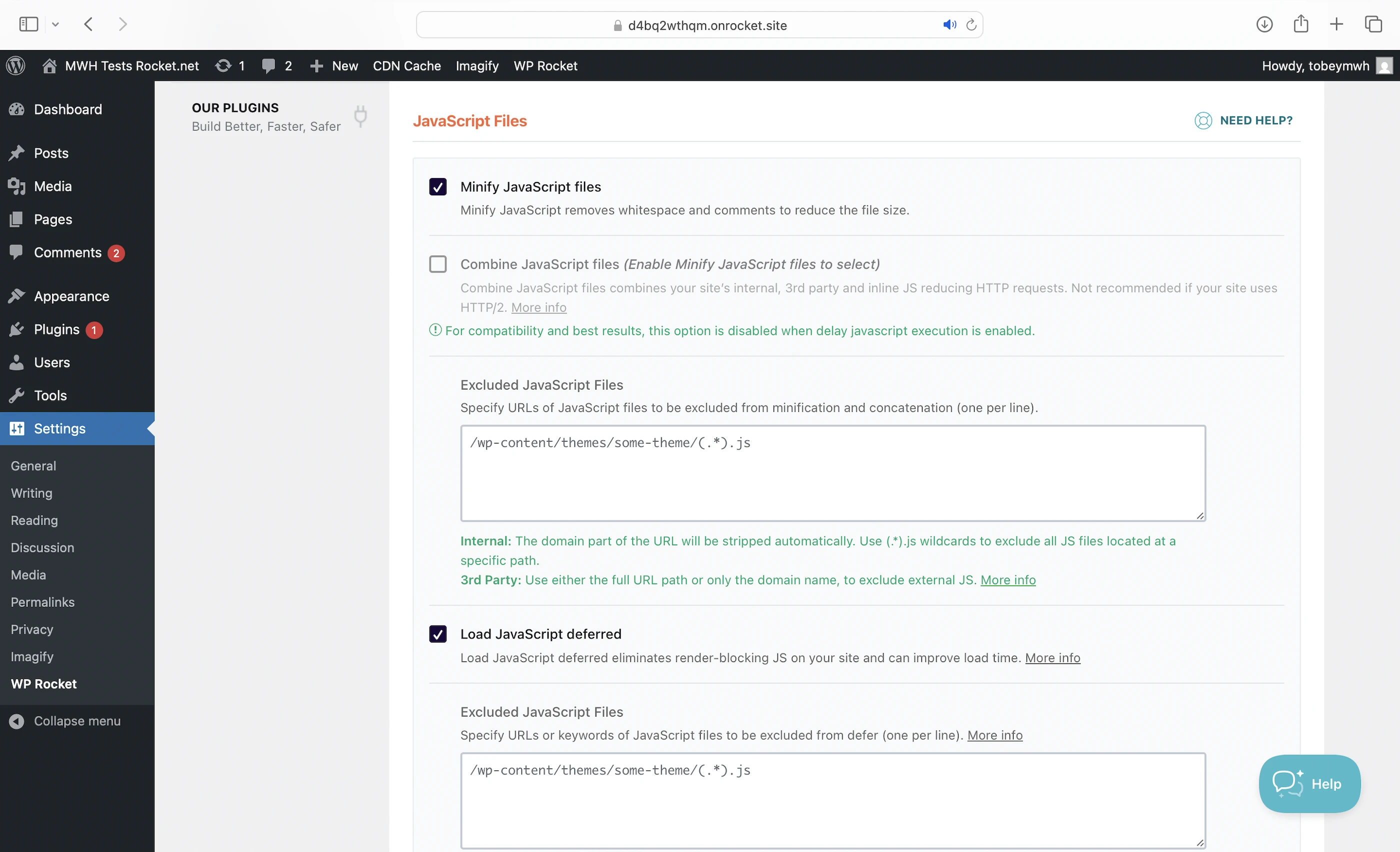
- Minify: Removes unnecessary characters from your CSS, HTML, and JavaScript (JS) files, making them smaller and faster to load.
- Deferred JS loading: Ensures your HTML loads and renders correctly before JS files are executed in the proper order. Some JS files can block this rendering process, causing your website to load slower or appear broken. By delaying the loading of certain JS files, WP Rocket helps your website load faster and more smoothly.
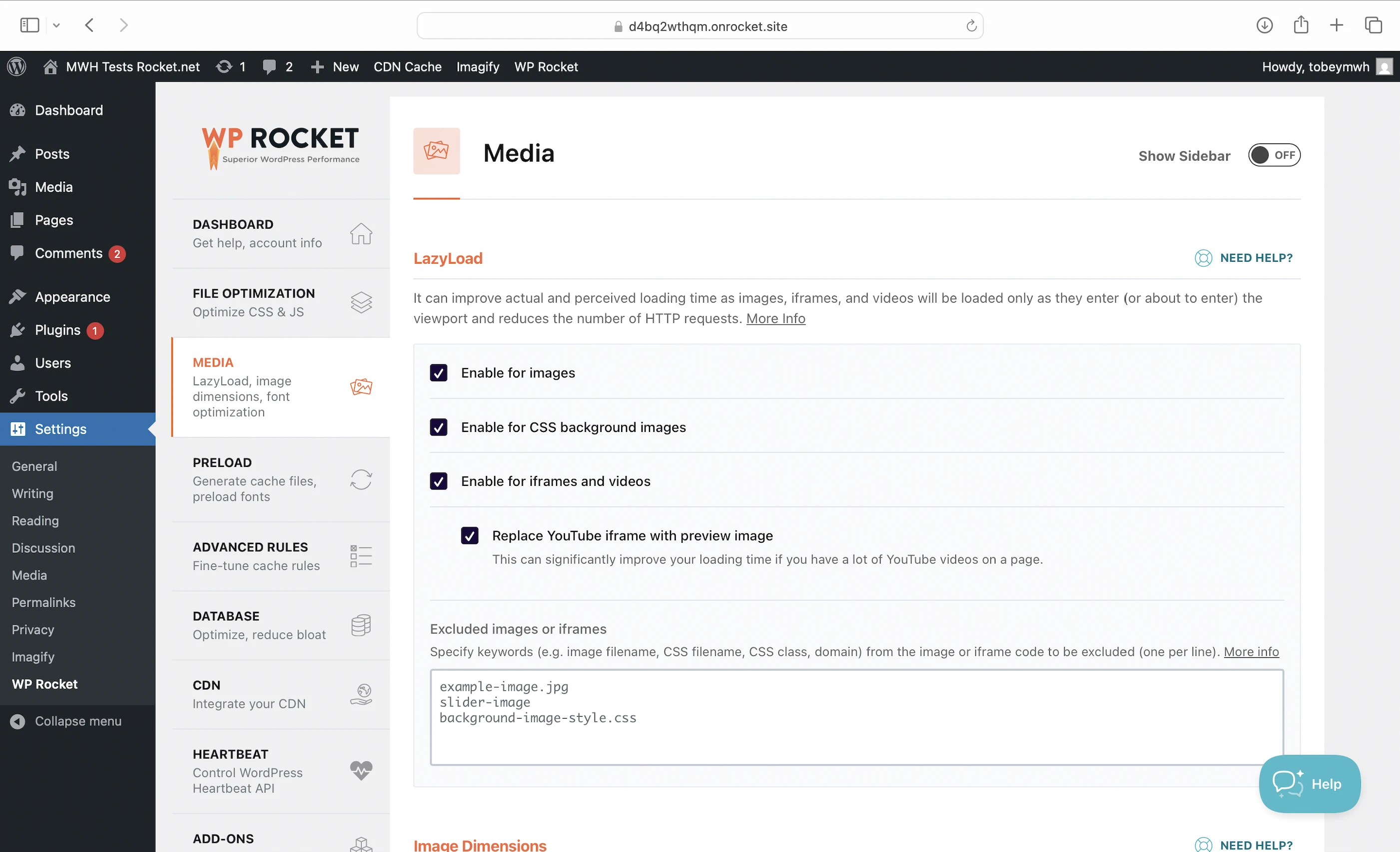
- Optimized Media Loading: Lazy loads your media (eg. images) so they only load when your visitor scrolls down to them.
- Cache Preloading: Caches your resources in advance so they can be loaded immediately when someone visits.
- Imagify: Another plugin that optimizes and compresses your images by converting them to WebP format upon upload.

Enterprise Edge CDN
Built on Cloudflare Enterprise, Cloudflare’s most premium plan, I’m surprised (not anymore) Rocket.net offers this for free when the second most premium plan costs $200/mo.
And its features are nothing to scoff at:
- Argo Smart Routing: Intelligently routes your web traffic through 335 cities via optimized, low-latency paths.
- Brotli: Compresses your text-based files like CSS scripts even better than gzip.
- Polish: Optimizes and compresses your images by converting them to WebP format.
- Mirage: Optimizes image loading on low-bandwidth connections by loading lower-resolution versions first. The full-resolution images are only loaded once they can be rendered, improving your loading times and ensuring a smooth user experience as visitors scroll through your web page.
- Tiered caching: Reduces requests to your origin server by increasing cache hit ratios.
- Full-page caching: Caches the HTML of dynamic content generated by your origin server. By storing this HTML as static content on Cloudflare’s edge servers closer to your visitors, pages can be delivered much faster. This means your origin server no longer needs to regenerate the content from scratch for every request.
All set up and configured by Rocket.net so you don’t need to.
3. Security Features
WordPress Website Firewall
It’s actually made up of two firewalls: one at the CDN level and another at the server level.
As the entry to your website, the Enterprise Edge CDN serves as your first line of defense with features like:
- WAF: Filters most malicious traffic (like SQL Injection and XSS) from your WordPress site at the edge before they reach your origin server
- DDoS Protection (Layers 3, 4, 7 of your network)
- Bot mitigation
- PCI compliance: Secure credit card transactions
Any remaining attacks are handled by the server level firewall, which is powered by Imunify360 and strong against threats like brute force attacks and zero-day exploits.
Malware Protection
Imunify360 also scans and patches all Rocket.net websites for malware in real time by intercepting suspicious requests, analyzing the behavior of your PHP scripts, and stopping any malicious code from being executed.
All without affecting your website performance.
Rocket.net also claims it is always collecting information about new attacks so its malware defenses are always up to date.
Bonus: If your WordPress website was compromised at another host, Rocket.net can fix it if you migrate over. Migrations are free and unlimited.
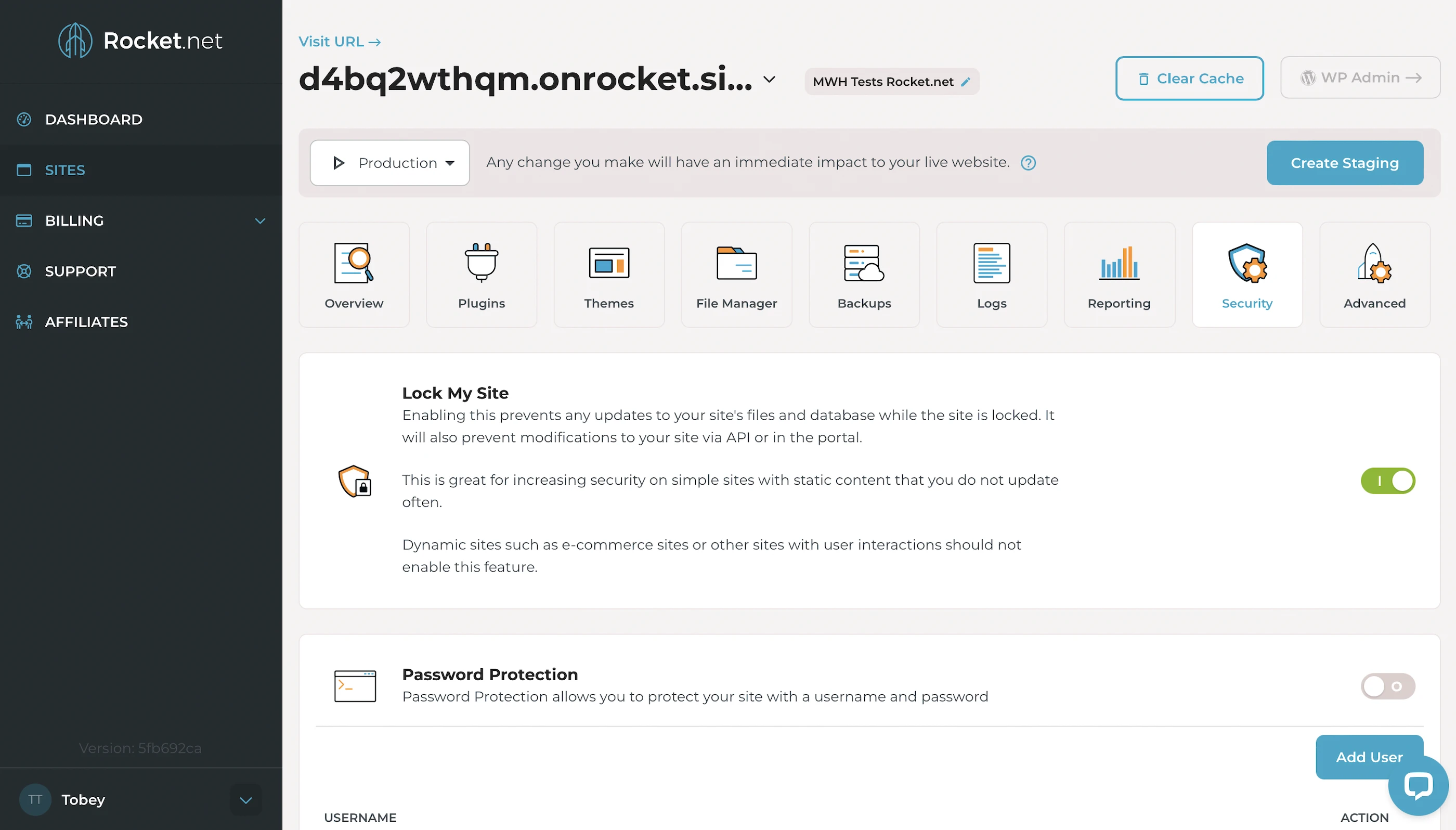
Lock My Site
Finally, Rocket.net lets you lock your admin console to prevent unauthorized changes to your website. Even you, the owner, can’t make any changes to it, so remember to unlock this if you want to update your website!
4. Speed Test
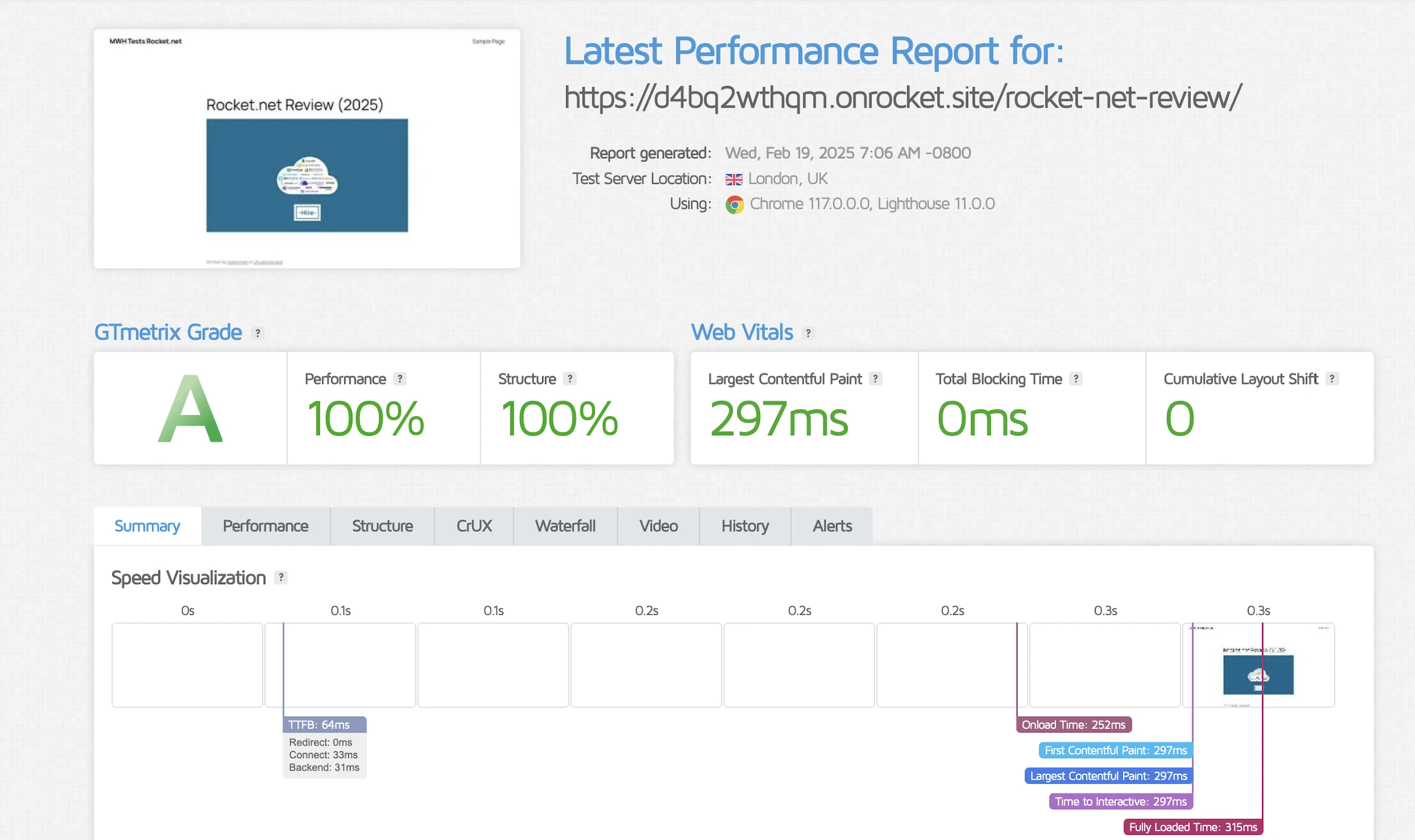
Largest Contentful Paint (LCP)
GTMetrix said my LCP was an awesome 250ms in Dallas, the second fastest after WPX.
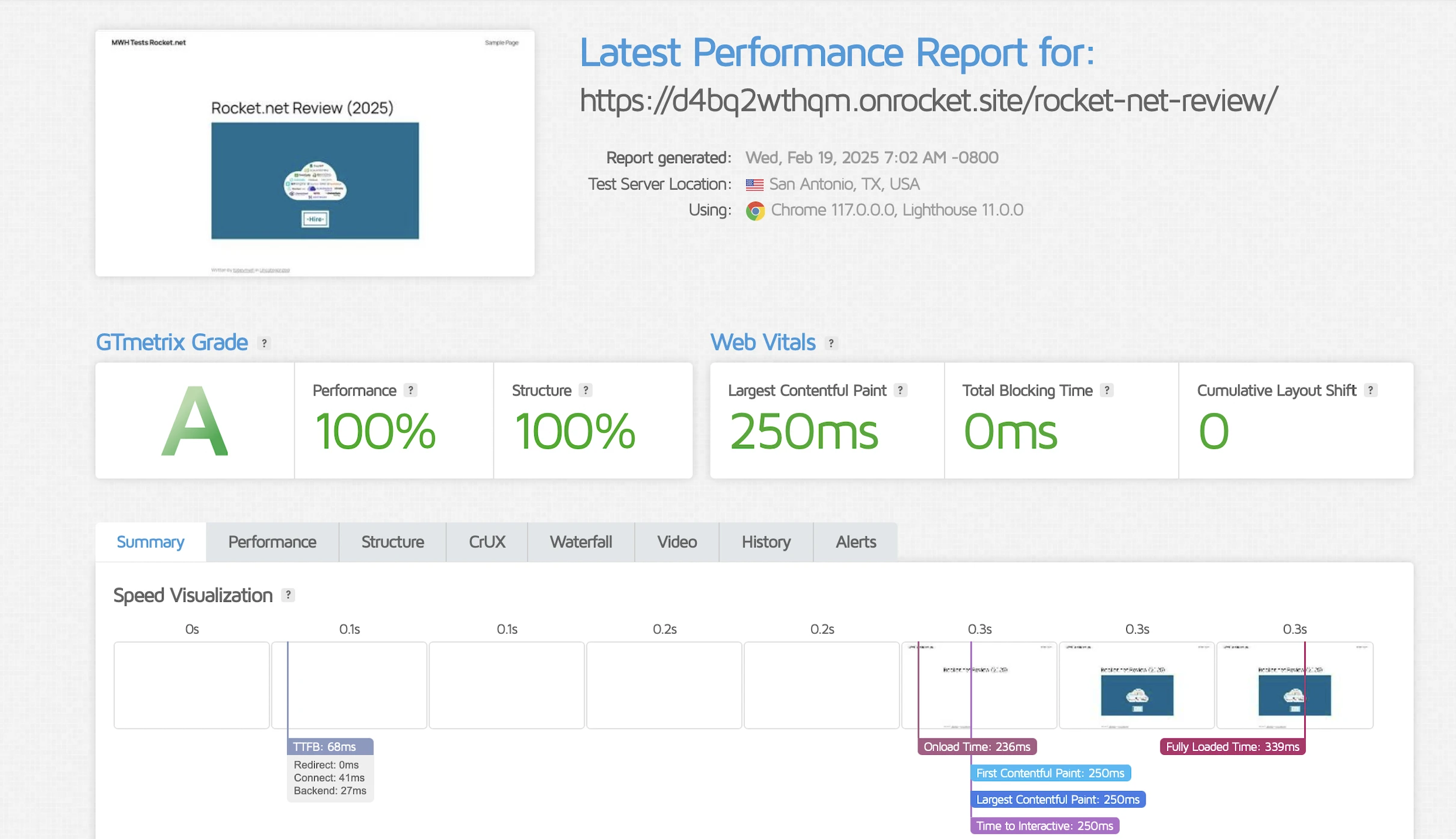
My LCP in London was also a good 297ms.
Time to First Byte (TTFB)
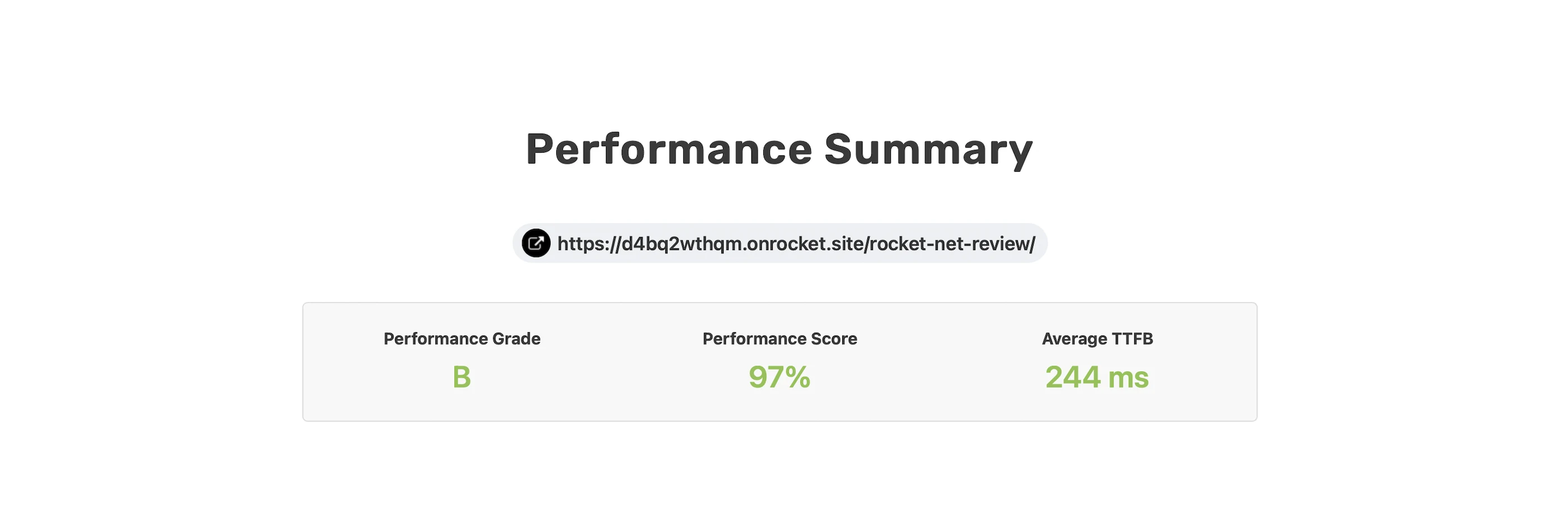
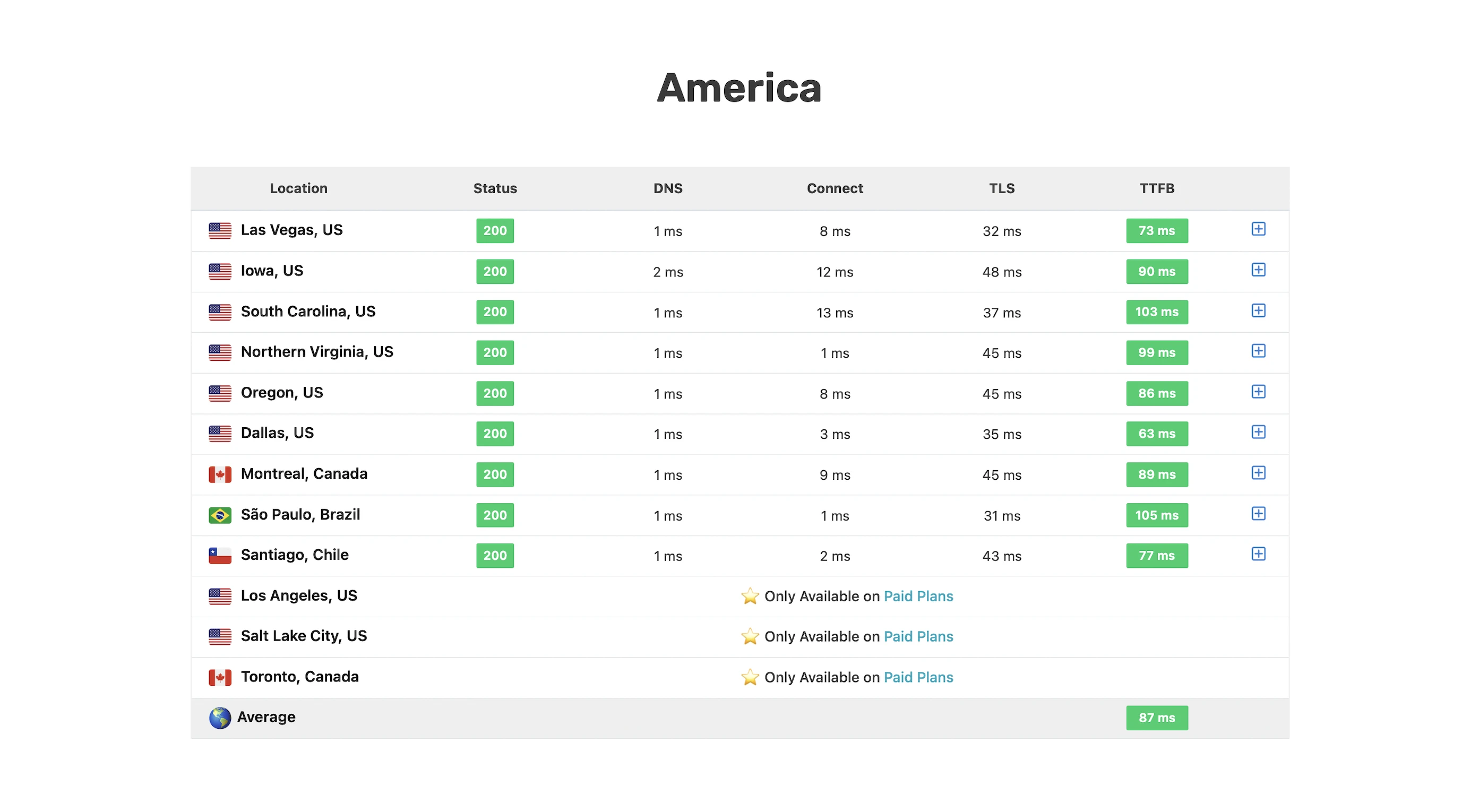
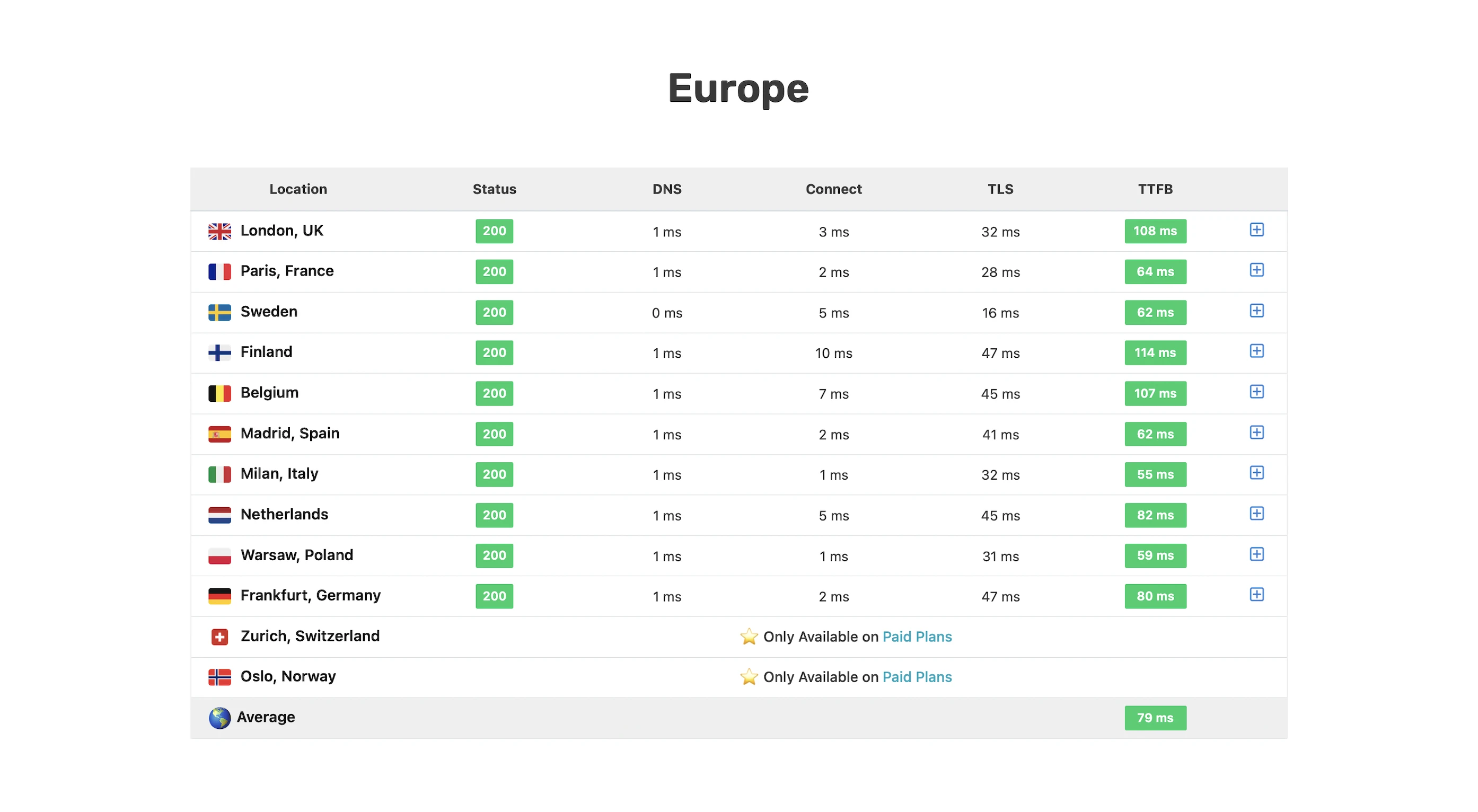
Since Rocket.net uses Cloudflare Enterprise and claims its global TTFB is less than 100ms in at least 3 parts of its website, I wanted to see how fast it is in other parts of the world and if it lives up to its claims.
SpeedVitals gave my global TTFB a beta B grade with an average of 244ms, slowed down by the 100ms times in many parts of the world and the 5.1s in Iran.
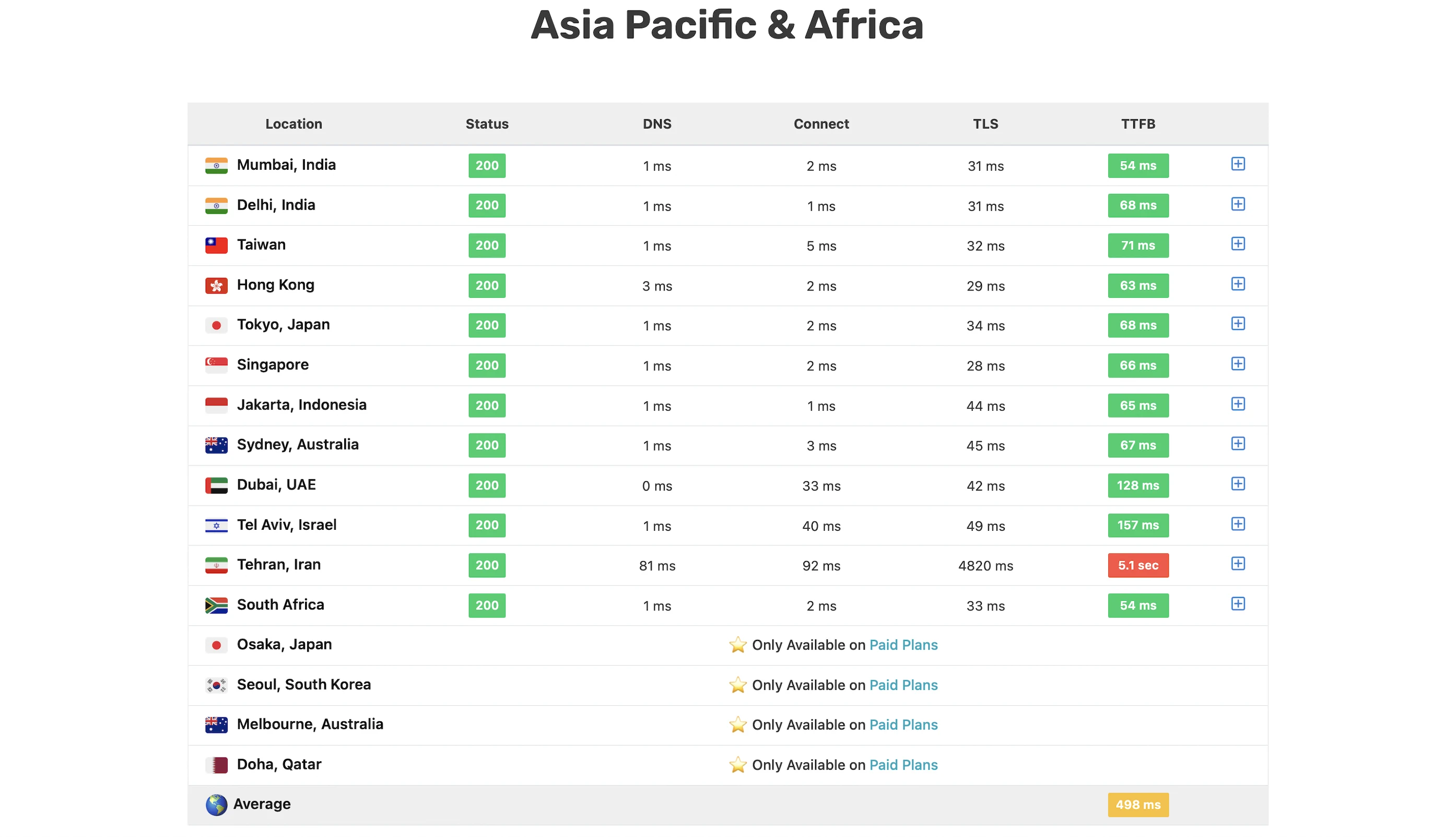
Verdict: Close to the fastest, but not as fast as it says.
5. Security Test
I launched 29,359 cyberattacks against my Rocket.net website:
- 2 out of 30 high risk vulnerabilities detected:
- SQL Injection: 1 out of 1,668 attacks successful.
- SQL Injection – SQLite: 3 out of 641 attacks successful. Okay as Rocket.net doesn’t use SQLite.
- 0 out of 12 medium risk vulnerabilities detected.
- 1 out of 2 informational risks. 1,148 alerts but these aren’t vulnerabilities.
- Success Rate: 28,207 or 96% of my attacks were completely neutralized.
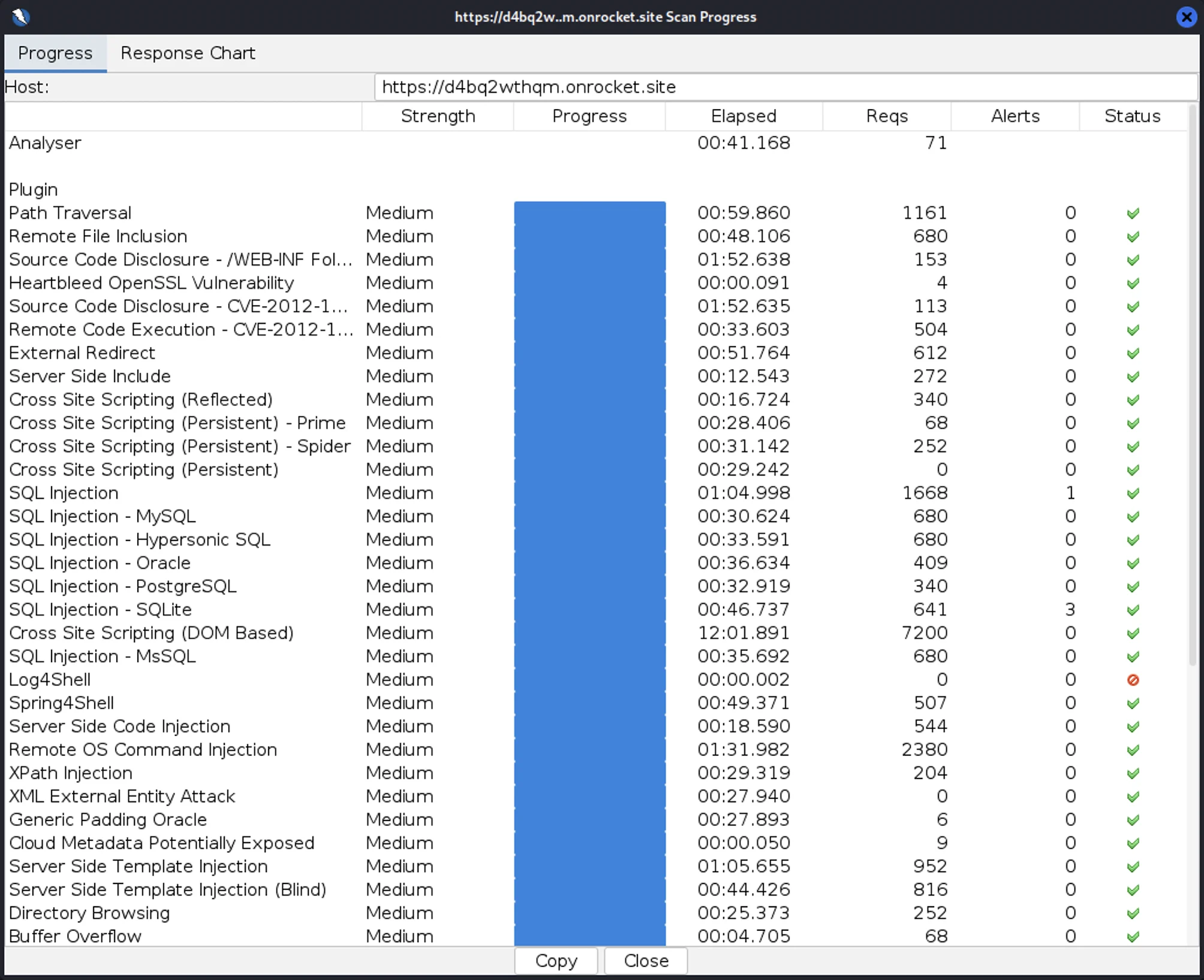
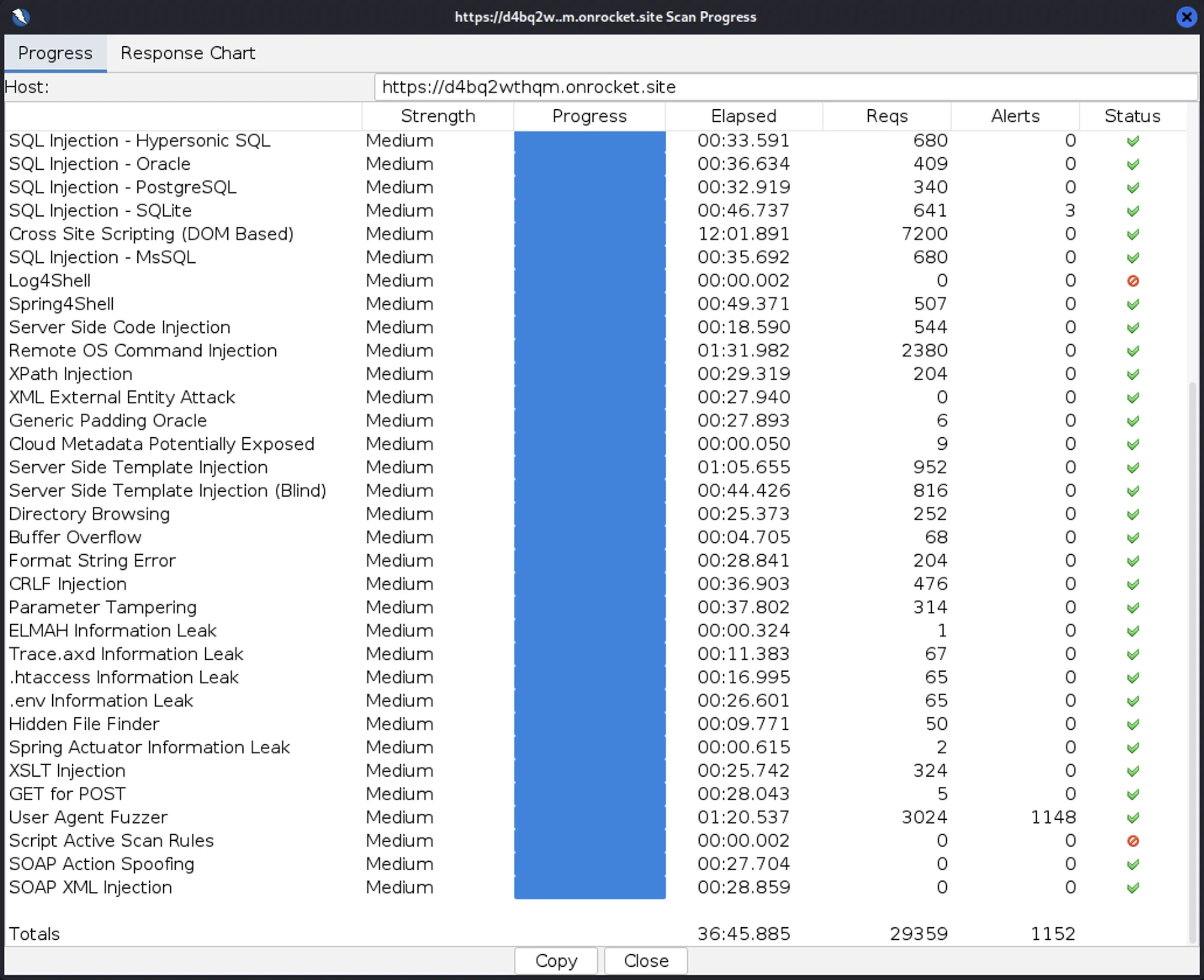
Not bad, though I was expecting Cloudflare Enterprise to block me in the first few attacks like with InterServer and WPX.
6. Uptime Test
In the 19 days I was reviewing, UptimeRobot said my Rocket.net website enjoyed 100% uptime after checking on it every minute.
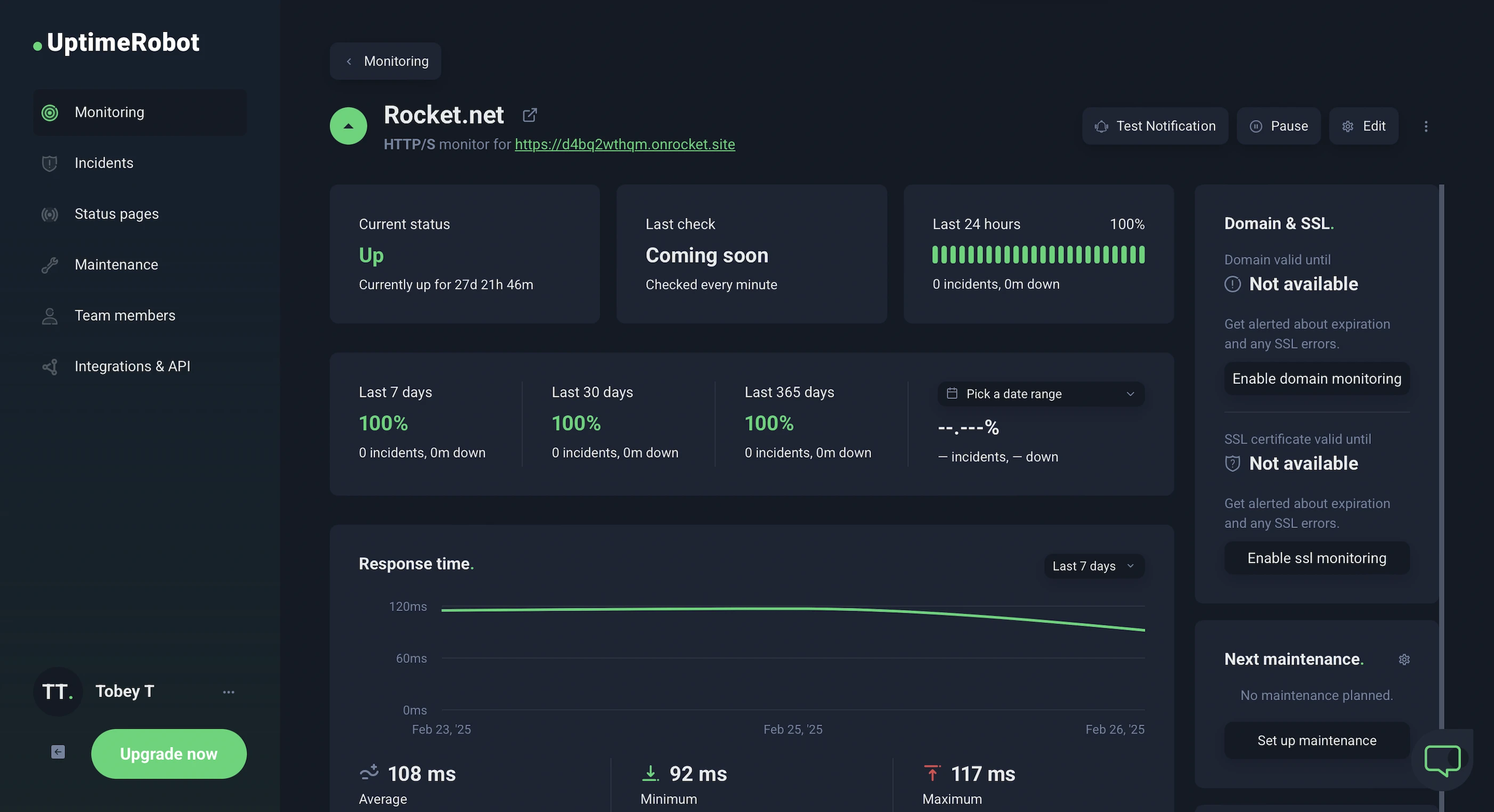
HetrixTools said the same thing after monitoring my website at 1-minute intervals for 7 days.
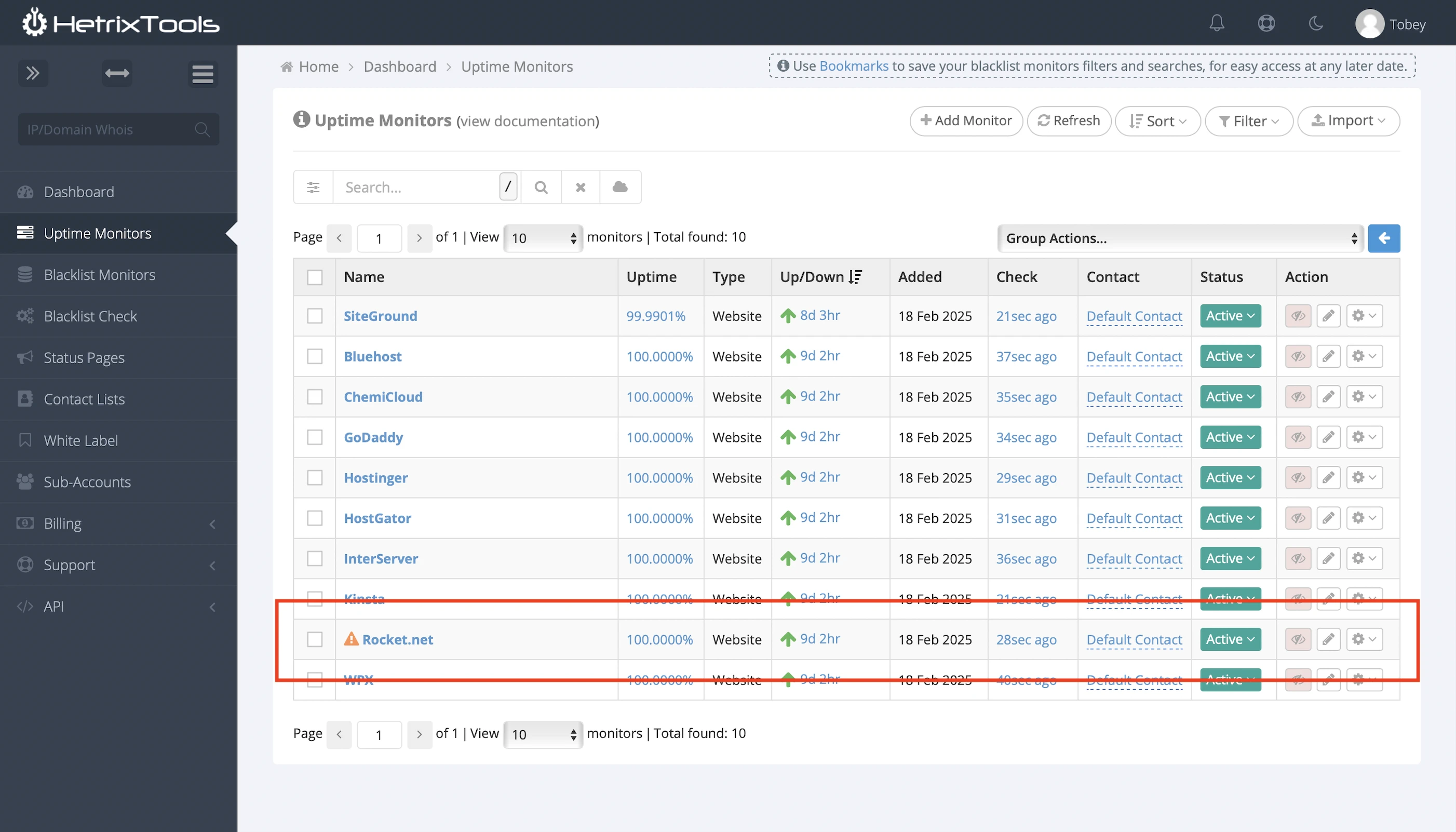
You can also find Rocket.net’s incident history and subscribe to get its latest system status.
7. Easy Dashboard
I mastered its dashboard in less than 5 min. It’s just so intuitive.
I think it’s so simple and uncluttered because there is nothing much for you to do in the dashboard; Rocket.net fully manages everything technical.
8. Detailed Monitoring
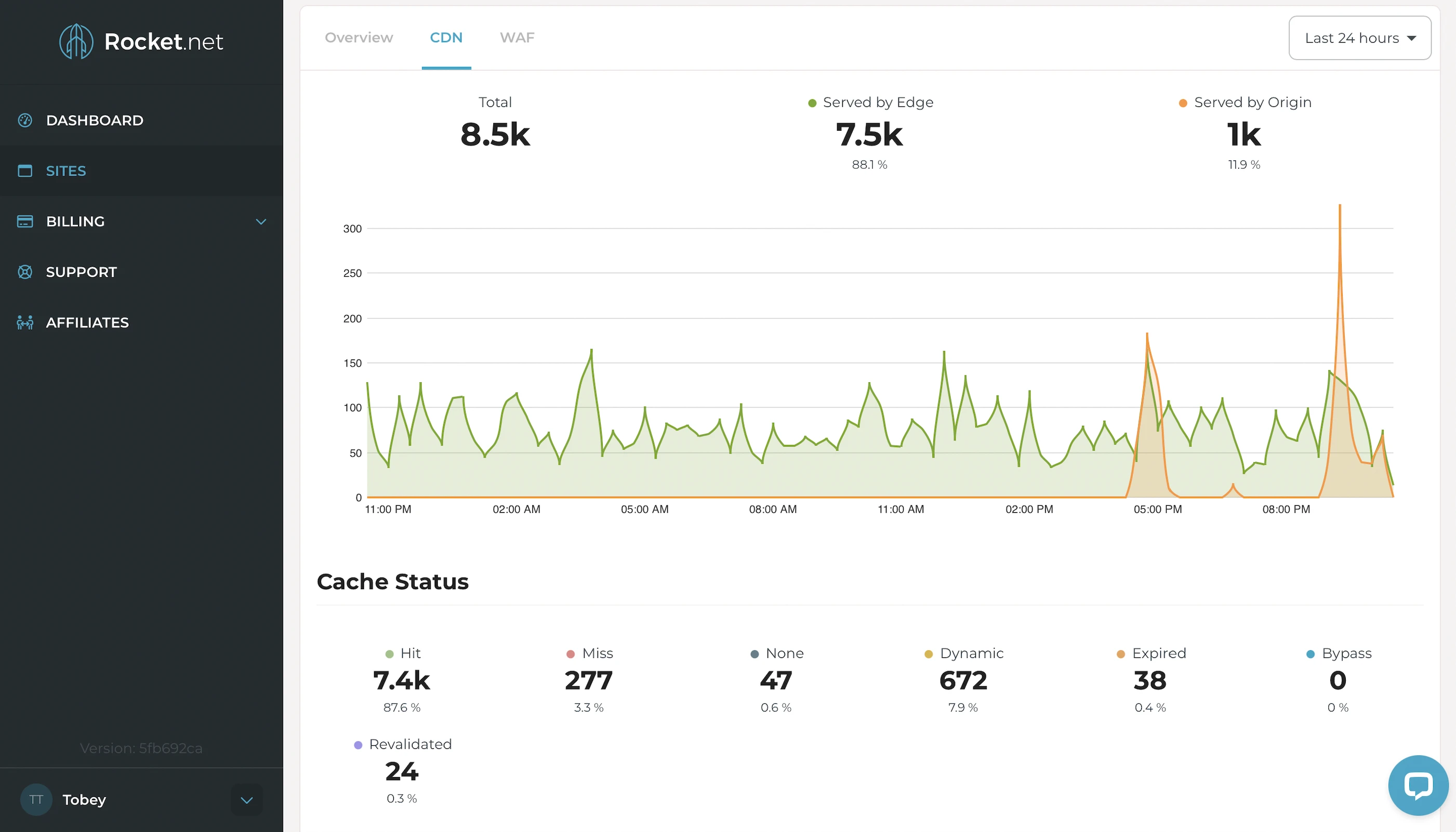
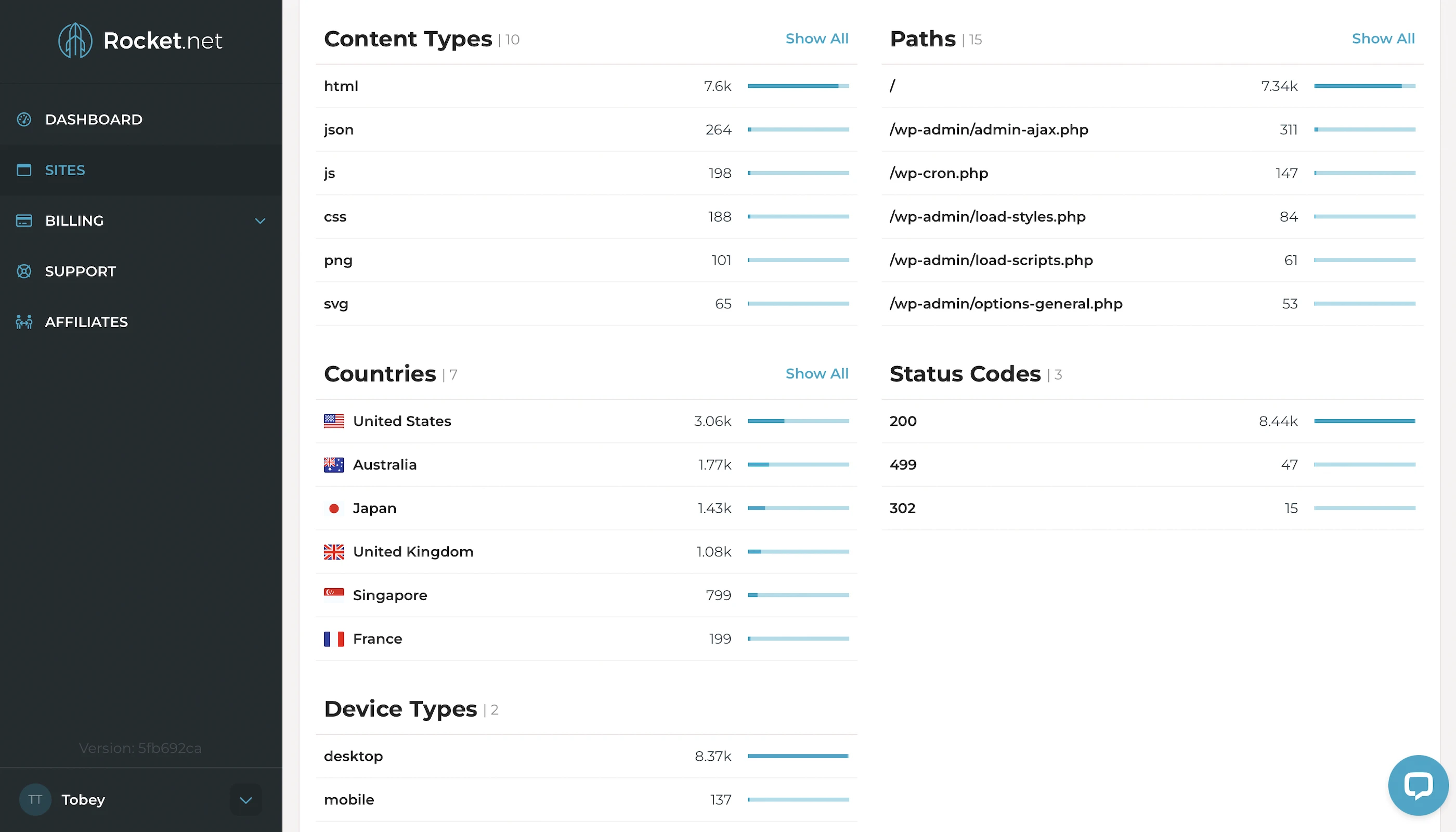
Rocket.net offers insightful details about your traffic like cache performance, countries, and device types. Personally, I find the latter two useful if I want to know I’m reaching the right audience.
9. Fast Support
Prompt, professional, and helpful. None of my issues lasted 5 mins.
10. Cons
Lowest Bandwidth and Storage
The complete opposite of its servers. The bandwidth and storage of its best server can’t match those of the most basic AWS server. Here are the specs:
| AWS (t3 EC2s) | Rocket.net | |
|---|---|---|
| Bandwidth | 6TB | 300GB |
| Storage | 120GB | 40GB |
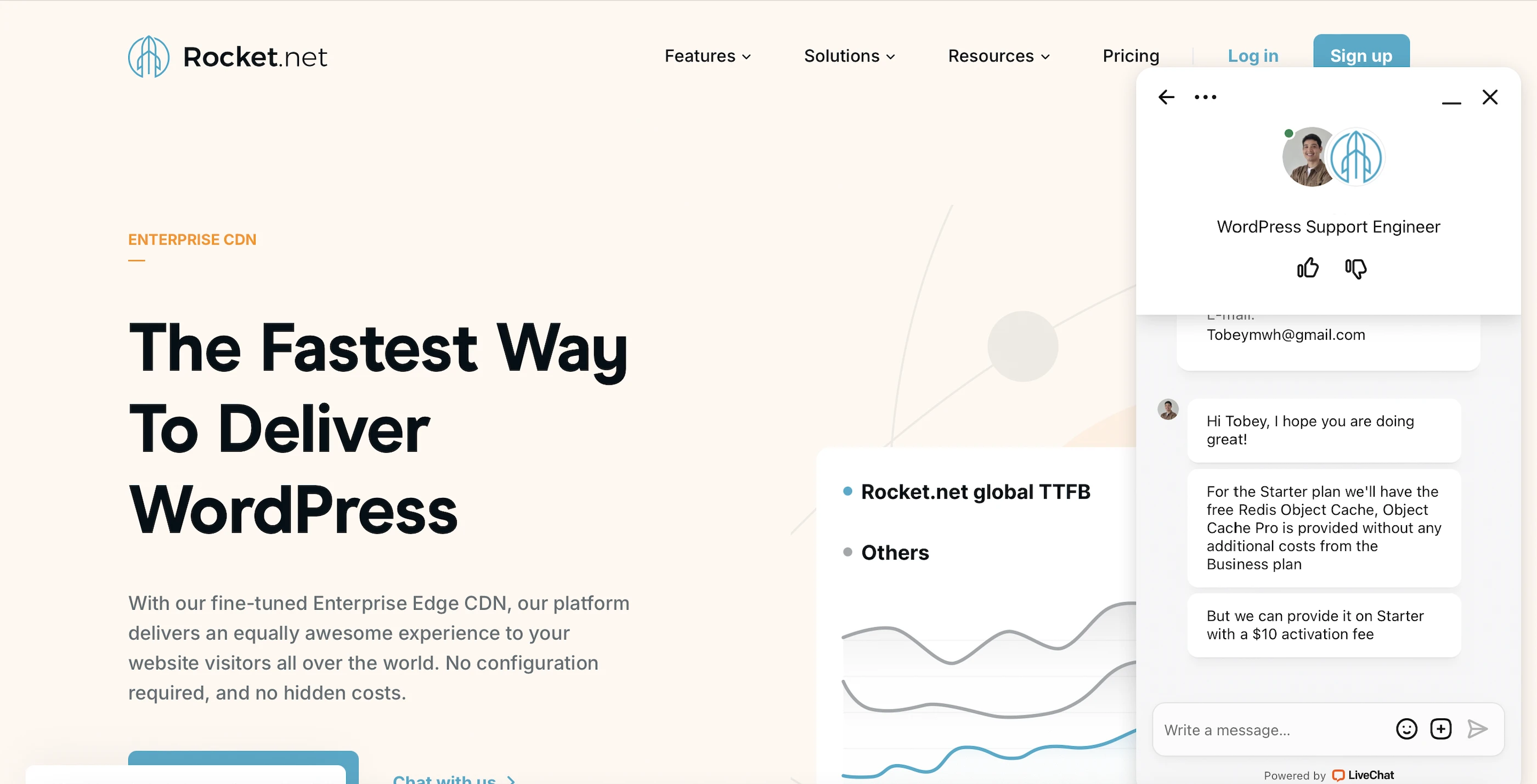
No more Free Object Cache Pro
Rocket.net used to have this across all plans for free, but now it’s only for the Business plans. It could be activated with other plans for $10/mo, and it’s still a steal considering the Object Cache Pro costs $95/mo by itself.
No HTML Minify
Unlike WPX with W3 Total Cache, WP Rocket doesn’t seem to have this.
Only 20MB of Free Image Optimization
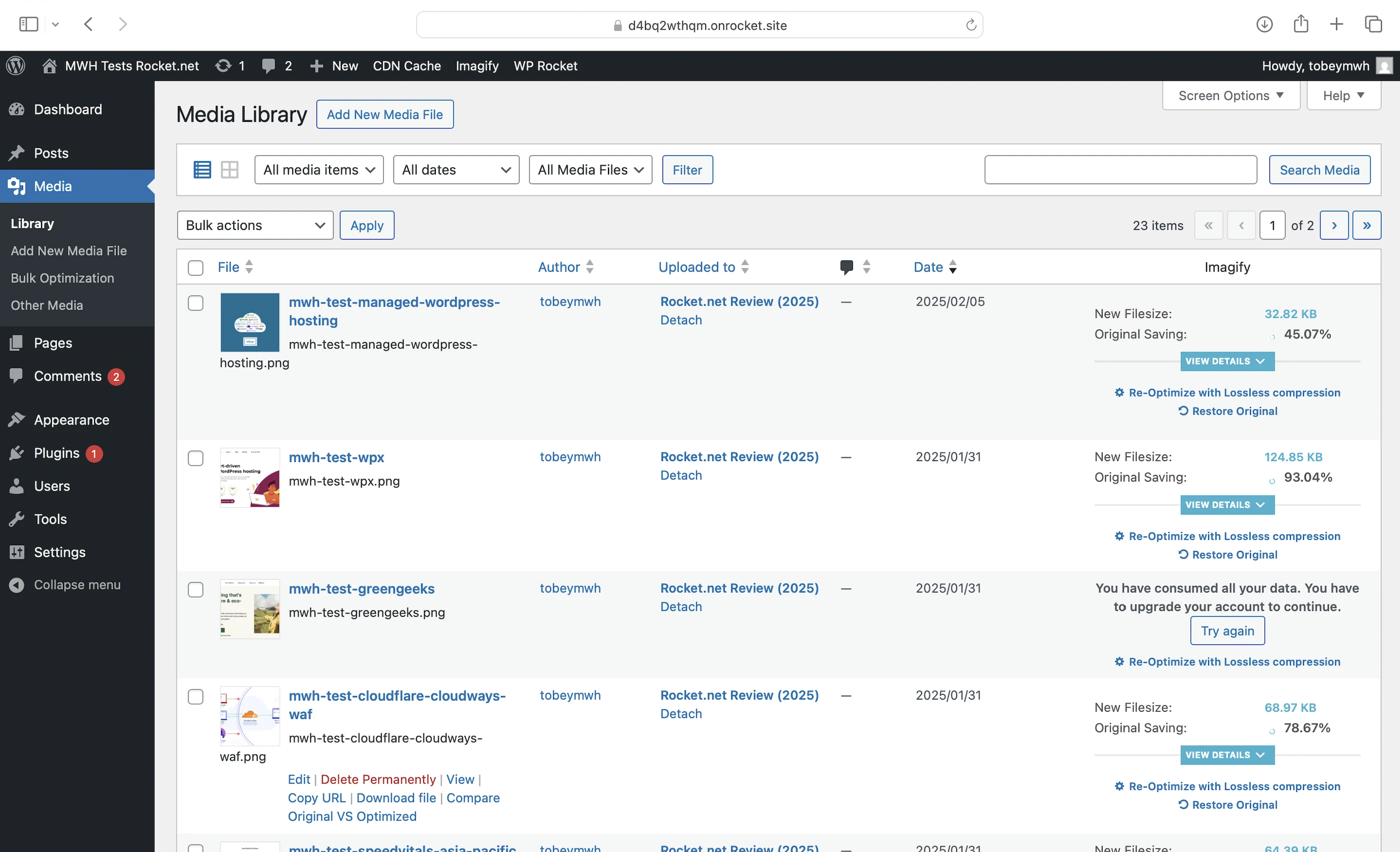
By default, you’ll be on the free plan after installing WP Rocket and setting up Imagify. However, you can only compress and optimize up to 20 MB of images per month, which isn’t much—about half of my 20 images weren’t even converted to WebP. If you need more, you’ll have to upgrade to a paid plan, which starts at $5.99 per month. A workaround is to compress your images yourself before uploading them using free tools like Cloudinary.
11. Evaluation
Let’s see how Rocket.net did against my self-hosting:
| Self-hosting | Rocket.net | |
|---|---|---|
| Speed (LCP) – Dallas | 306ms | 250ms |
| Speed (LCP) – London | 253ms | 297ms |
| Speed (TTFB) | 90ms | 244ms |
| Security | 0 | 2 high risk vulnerabilities (1 doesn’t affect WordPress). Where’s the enterprise-grade DoS protection though? |
| Uptime | 95% | 100% with outage reports and current system status. |
| Winner | 👑 |
12. Final Thoughts
Rocket.net was a mixed bag for me: a managed WordPress host with premium speed and security features that didn’t really live up to its potential.
Hosts with less impressive set-ups like WPX or InterServer match or even beat it in speed and security.
Heck, even my self-hosting cooked Rocket.net in some areas.
The final nail in the coffin for me was the price. For half the cost, InterServer is a much better deal.
That said, Ben has built a hosting service that surpasses his former employers—one that handles all the technical aspects for you while delivering speed and security on a silver platter.
Other hosts would have you jump through hoops—setting up things like a CDN in clunky control panels—just to squeeze out better site performance.
Rocket.net also makes it easy to sign up for a trial: It’s just $1 for your first month and you can cancel anytime.
A pity Rocket.net made it hard for me to sign up as its affiliate and to recommend it for now.
Comment below if you have tried Rocket.net and agree/disagree with me!
Leave a Reply